Your loyalty program has three tiers, and every one of them gets the same win-back push. That’s the state of things on a Tuesday retention review at a mid-market Shopify Plus store: the CRM manager pulls up last month’s send list and notices the gold-tier members — the highest lifetime-value subscribers on the list — got the identical “we miss you” notification as a bronze-tier subscriber who signed up two weeks ago. Nobody built a gold-tier audience because building one meant a settings-menu detour.
That detour is what disappears once you’re targeting subscribers with custom attributes and audience groups through an AI assistant connected to PushEngage. Instead of four screens and two saves, it’s a conversation: describe the tier, describe the country, describe the inactivity window, and the assistant assembles the same targeting combination the dashboard would have taken ten minutes to click through.
This post walks through the real distinction between the two building blocks — an attribute and an audience group are not the same tool, and conflating them is exactly how a retention team ends up rebuilding the same filter combination by hand every time a campaign needs it. Then it builds one specific, reusable audience: gold-tier loyalty members in the US, ready to be referenced by name on every future send to that cohort, whether that’s a renewal reminder next month or a loyalty-exclusive drop next quarter.
Getting started: connect the PushEngage MCP server
Before any of this works, your AI assistant needs to be talking to your PushEngage account. @pushengage/mcp is PushEngage’s official Model Context Protocol server — a one-command npx -y @pushengage/mcp install added to your MCP client’s config, whether that’s Claude Desktop, Claude Code, or Cursor. The first time you connect, you authenticate through a browser tab and click Authorize; your PushEngage password never touches the assistant, and the resulting access token is stored locally on your machine.
Once you’ve picked which site to work with, every tool in this post — including the attribute and audience-group tools — runs against that site by default. If this is your first time setting up the server, the full walkthrough, including troubleshooting a “Connection closed” error some setups hit, lives in setting up the PushEngage MCP server.
An attribute is a fact. An audience group is a target. They are not the same tool.
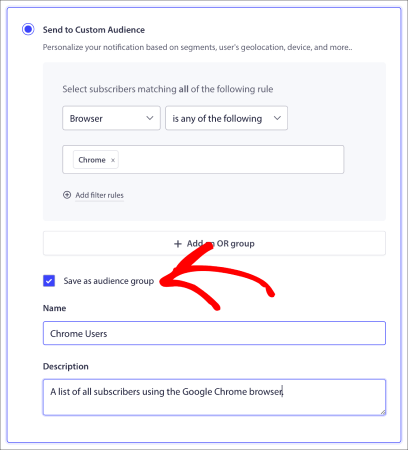
pushengage_create_attribute stores custom subscriber attributes — a key like loyalty_tier or plan_renewal_date, with a value that’s true of that one person. pushengage_create_audience_group does something different: it builds a push notification audience group — a reusable combination of filters covering device, country, segment, engagement window, subscription dates, and any attribute you’ve created — under a name you can call up later. A segment, the topic of an earlier post in this series, is a URL-rule-based filter (visited /pricing, viewed a specific product page). It’s one filter type an audience group can include, not a competing concept.
Put plainly: the attribute is the fact (“this subscriber is gold-tier”). The audience group is the target (“everyone who is gold-tier, in the US, who hasn’t clicked in 30 days”). You build the fact once per subscriber, automatically, through your integration. You build the target once, period, and reuse it on every send that needs that cohort.
Every competitor help center that documents these features treats attribute, segment, and audience group as one flat list of filter parameters — pick a row, fill in a value, done. That flattens away the actual relationship: attributes are the data layer everything else reads from, segments are one filter type built on URL rules, and audience groups are the assembled, reusable target. Naming that hierarchy up front is what makes the rest of this post make sense instead of reading like another parameter table.
The 50-attribute cap means you plan keys, not improvise them
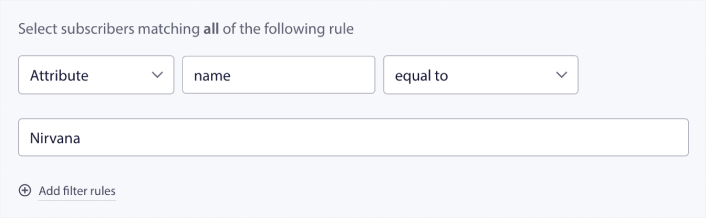
PushEngage caps custom subscriber attributes at 50 per site, checked via pushengage_list_attributes and created with pushengage_create_attribute. Fifty sounds generous until a team starts creating one attribute per campaign instead of a small, durable set — campaign_march_promo_clicked, campaign_april_sale_seen — and burns through the cap in a quarter.
Ask the assistant to list what already exists before adding anything:
You: “What subscriber attributes do I already have set up?”
Assistant: (calls
pushengage_list_attributes) “You have 6 attributes:loyalty_tier,plan_type,last_purchase_category,signup_source,preferred_language, andrenewal_date.”You: “Good. Add one more:
loyalty_tiershould support gold, silver, and bronze — is that already the case?”
That one exchange does the planning work a dashboard rarely forces: it surfaces what’s already there before you create a duplicate, and it keeps the attribute list durable — loyalty tier, plan type, LTV bucket, renewal date — rather than a graveyard of one-off campaign flags. Durable attributes also compound: a loyalty_tier field set once through your Shopify or WooCommerce integration feeds every audience group you build for the rest of the program, not just this one.
Fifty keys is enough for most mid-market catalogs if the keys describe the subscriber rather than a single moment in time. loyalty_tier, plan_type, and last_purchase_category describe who someone is; march_promo_clicked describes something that happened once in March. The first kind gets reused in a dozen future audience groups. The second kind gets checked once and then sits in the list, taking up one of your fifty slots for a campaign that ended months ago.
Targeting subscribers with custom attributes and audience groups: gold-plan customers in the US
With the attribute confirmed, the audience group is one more conversation.
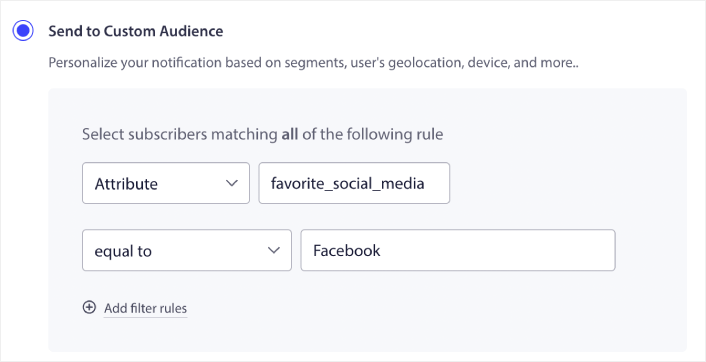
You: “Build an audience group called ‘Gold US’ — subscribers where loyalty_tier is gold, and country is United States.”
Assistant: (calls
pushengage_create_audience_group) “Created ‘Gold US’ — targeting subscribers withloyalty_tier = goldand country = United States. Want to narrow it further, like last-click activity or a specific segment?”You: “Yes — add subscribers who haven’t clicked a notification in the last 30 days.”
Assistant: (updates the group) “Updated. ‘Gold US’ now combines loyalty tier, country, and 30-day click inactivity.”
That’s the audience-group logic in one plain-English pass: multiple filter types — an attribute, a location, an engagement window — combined with AND logic under one saved name. Confirm it landed with pushengage_list_audience_groups, and you’ll see “Gold US” alongside whatever audience groups for push notifications you’ve already built, ready to be pulled into a send without re-describing a single filter.
That whole exchange — attribute already confirmed, audience group assembled, group confirmed on the list — is VIP subscriber targeting in practice: not a special mode PushEngage turns on, just the same attribute and audience-group tools pointed at your highest-value tier instead of your whole list.
Building audience groups for push notifications this way scales past one loyalty tier — the same pattern works for a “Silver EU” group or a “lapsed platinum” group, each one a separate saved name. Notice what didn’t happen in the exchange above: no segment was required to make this work.
A segment based on a URL rule — visited /account/loyalty, for instance — could be layered in as a fourth filter if you wanted to target only gold-tier subscribers who’d actually looked at their loyalty page recently. But the audience group itself doesn’t need one; attribute plus geography plus engagement window is a complete, usable target on its own. That’s the practical version of the distinction from earlier in this post: segments are an optional ingredient in an audience group, not a required one.
Why the saved group is the payoff, not the filter
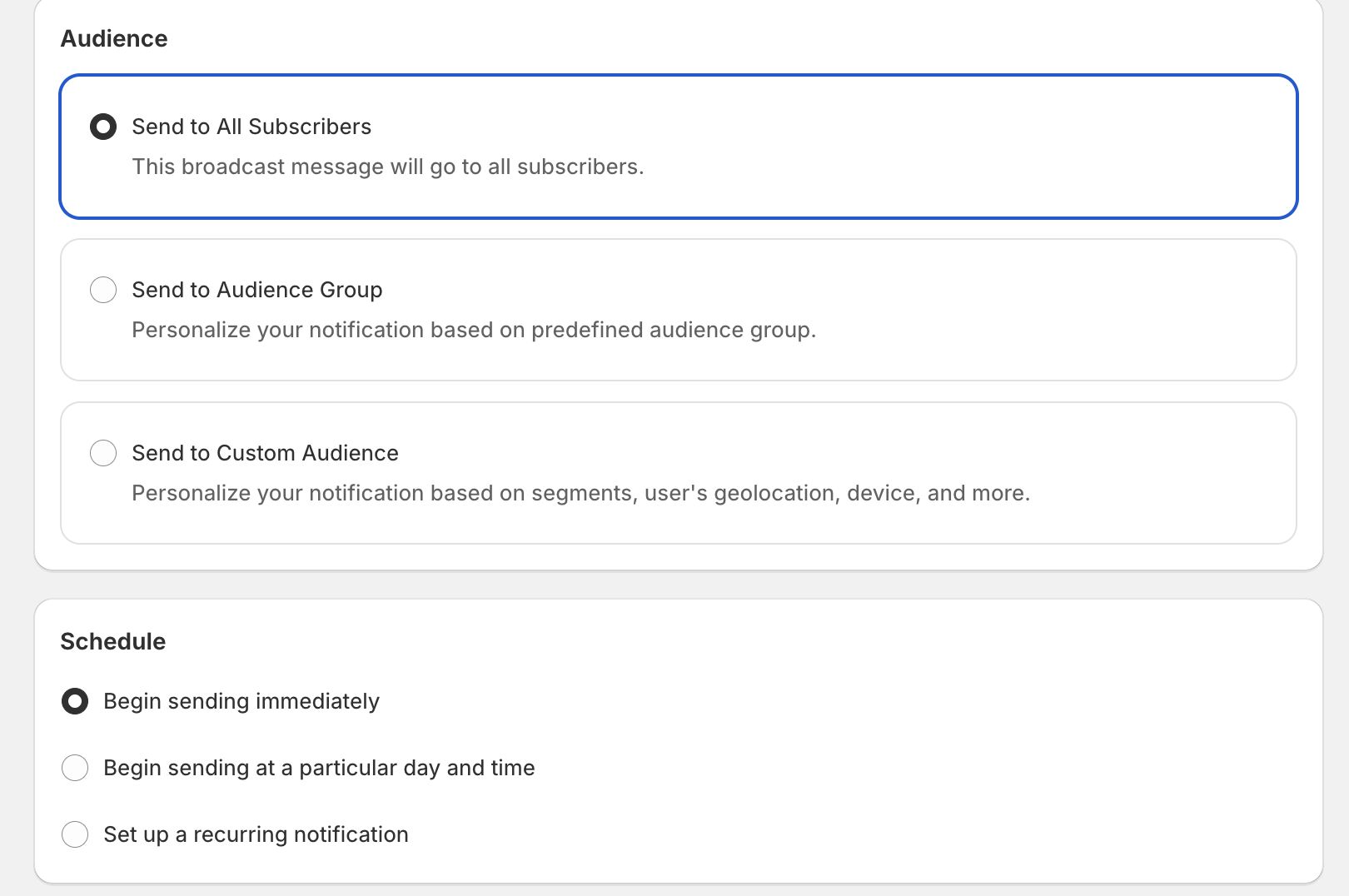
The filter combination isn’t the valuable part — you could build “Gold US” once by hand and never think about it again if that were the goal. The payoff is that pushengage_send_notification and pushengage_send_ab_notification both take an audience_groups parameter, and “Gold US” is now a name you can hand to either tool on every future send.
That matters for the metric a retention team actually owns. A win-back push to your entire list treats a two-week-old subscriber the same as a two-year gold-tier customer, which is exactly backward — the gold-tier subscriber has the highest recovered-revenue potential per send, and the broadest blast dilutes the response rate for everyone. Targeting the “Gold US” group specifically for a renewal reminder or a loyalty-exclusive drop means every send to that cohort compounds instead of resetting: build once, reuse for the quarterly loyalty campaign, the early-access drop, the win-back sequence — all without rebuilding the filter logic each time.
What this replaces, and what it doesn’t
This replaces the dashboard-click path for building a push notification audience group — the multi-screen detour of creating a field, saving it, switching screens, and rebuilding the filter combination by hand. If you’d rather see that path directly, PushEngage’s dashboard walkthrough for audience groups and the guide to combining multiple segments into one audience group still cover it step by step, and personalizing campaigns with subscriber attributes covers the drip-personalization side of attributes.
What it doesn’t do: @pushengage/mcp doesn’t send WhatsApp messages, and it doesn’t build workflows or campaigns for you — it lists and reads them, alongside drip and RSS campaigns. There’s no remote or web-connector version either; this is a local server running over stdio, authenticated through the same browser login covered in the setup guide. A correctly scoped audience group isn’t a bigger list — it’s the right list, and that’s the whole case for VIP subscriber targeting: built once and aimed precisely, every time it’s used again.
Once “Gold US” exists, the next question is what to send it and how to measure whether it worked — covered later in this series. Targeting subscribers with custom attributes and audience groups is a one-time setup cost for a target you’ll reuse for as long as that loyalty tier exists. To see which PushEngage plan includes audience groups at the subscriber volume your list needs, check the pricing page.


