You need live chat on your WordPress site. You know it. Your visitors land on your site with questions, and every unanswered question is a sale walking out the door.
So you start researching. And you quickly discover that most live chat tools want $20, $30, even $60 per month—per agent. For a small business, that’s $240 to $720 a year just to answer customer questions. And that’s before you factor in the time spent checking yet another dashboard, another inbox, another app you didn’t ask for.
Here’s the thing: you don’t need to spend that much. There are genuinely free (and almost-free) live chat widgets that work beautifully on WordPress. Some are fully free with caveats. One costs less than a decent dinner—and it’s the one we think most small businesses should start with.
We tested the most popular options so you don’t have to. Here are the 7 best free live chat widgets for WordPress, ranked by what actually matters: price, ease of setup, and whether they help you close more sales without adding complexity to your day.
Send Multichannel Messages Today!
Push and WhatsApp messaging are super effective, low-cost marketing tools to help you grow your repeat traffic, engagement, and sales on autopilot.
- What to Look for in a Free Live Chat Widget
- The 7 Best Free Live Chat Widgets for WordPress
- 1. PushEngage Chat Widget – Best Overall for Small Businesses
- 2. Tawk.to – Best Completely Free Option
- 3. Tidio – Best Free AI Chatbot
- 4. HubSpot Free Live Chat – Best Free CRM Bundle
- 5. Crisp – Best Free Plan for Startups
- 6. Chaty – Best Multichannel Button Widget
- 7. LiveChat – Best Premium Option (Free Trial Only)
- Quick Comparison: How They Stack Up
- So Which Live Chat Widget Should You Choose?
What to Look for in a Free Live Chat Widget
Before we dive in, here’s what separates a good free chat widget from a headache-in-disguise:
- Price transparency – Is it truly free? Or free-until-you-need-anything-useful?
- Setup speed – Can you install it in under 5 minutes without touching code?
- Where messages land – Do you need to check a new dashboard, or do messages come to you?
- Mobile-friendly – Can you reply from your phone without downloading another app?
- Branding control – Can you remove the “Powered by” badge without paying extra?
Keep these in mind as we go through each option. They’ll matter more than you think.
The 7 Best Free Live Chat Widgets for WordPress
1. PushEngage Chat Widget – Best Overall for Small Businesses
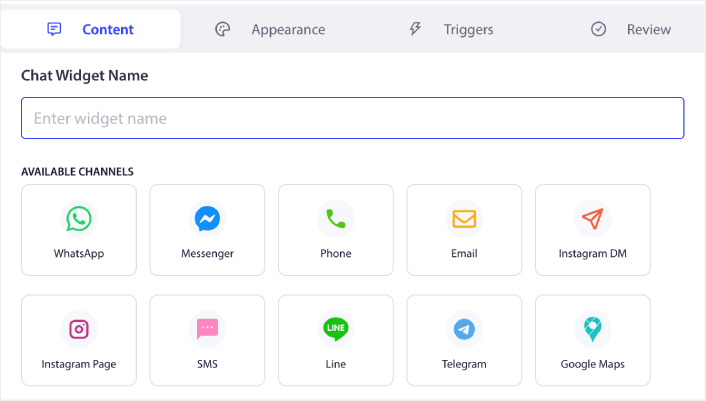
🏆 Our #1 Pick: $49/year. Inbox-free. Messages go straight to your DMs.
If you’re a small business owner who wears all the hats — founder, marketer, support team, and janitor — PushEngage’s chat widget was built for you.
Most chat tools force you to log into their dashboard to reply. PushEngage flips that model entirely. When a visitor sends a message through your chat widget, it routes straight to the channel you already use: email, SMS, WhatsApp, Slack, or Telegram. No new inbox. No new app. No new tab to forget about.
That’s what “inbox-free” means in practice. You answer customer questions where you already are. And because it supports multiple agents across different channels, your team can split the load without stepping on each other’s toes.
The pricing is where PushEngage really stands out. At $49 per year — not per month — it costs less than a single month of LiveChat. One sale from a chat inquiry pays for the entire year. That’s not marketing speak. That’s math.
Setup takes about 5 minutes on any WordPress site. No coding. No developer. No headaches.
Best for: Small businesses and solopreneurs who want professional live chat without another inbox to manage—and without the enterprise price tag.
Why we ranked it #1:
- ✅ Inbox-free: replies go to your existing DMs (email, WhatsApp, SMS, Slack, Telegram)
- ✅ $49/year vs. $240–$720/year for competitors
- ✅ Multichannel + multi-agent support included
- ✅ 5-minute WordPress setup, zero coding
- ✅ No separate dashboard to check
Worth knowing:
- Not 100% free (but $49/year is less than most tools charge per month)
- No AI chatbot – focused on human conversations
2. Tawk.to – Best Completely Free Option
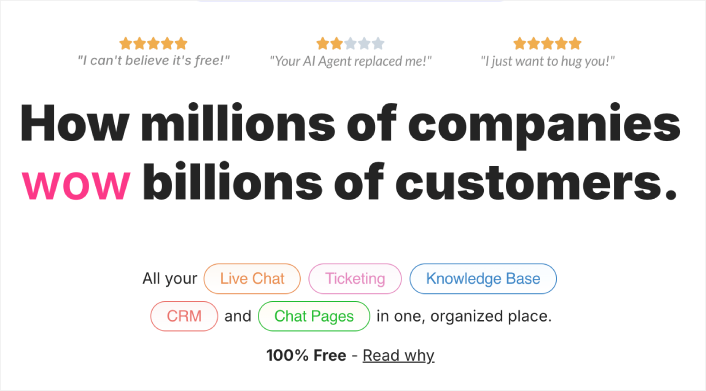
If your budget is literally zero dollars, Tawk.to is hard to beat. It’s 100% free with unlimited agents, unlimited chat history, and all the basics you need for live chat.
The catch? Tawk.to makes money by selling hired chat agents for $1/hour. So their business model doesn’t incentivize building great automation or AI features. You get a solid, manual live chat tool—but you’ll need to be at the computer (or their app) to respond. Conversations live in Tawk.to’s dashboard, not your existing tools.
The widget design also feels a bit dated compared to newer options. And removing their branding badge costs $19/month, which starts to add up.
Best for: Bootstrapped businesses with zero budget who can staff the chat themselves.
Strengths:
- ✅ 100% free with unlimited agents
- ✅ Full chat history included
- ✅ Supports 45+ languages
Drawbacks:
- ❌ Requires checking their separate dashboard for all messages
- ❌ No AI chatbot or advanced automation
- ❌ Widget design feels dated
- ❌ Removing branding costs $19/month
3. Tidio – Best Free AI Chatbot
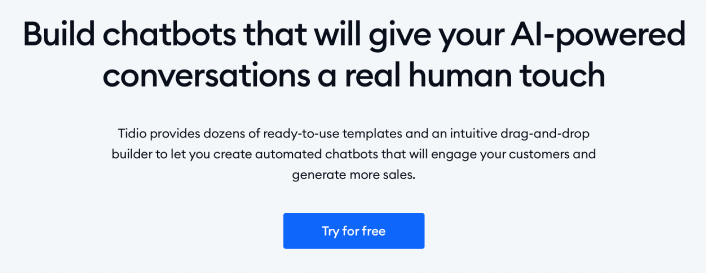
Tidio’s free plan gives you live chat plus a basic AI chatbot that can handle common questions automatically. If you’re getting the same 5 questions over and over, Tidio can answer them while you sleep.
The free tier is limited to 50 conversations per month, which is fine for very small sites but won’t cut it once you start getting real traffic. Paid plans start at $29/month, and the AI features that make Tidio special mostly live behind that paywall.
It integrates well with WooCommerce and lets your team see a customer’s cart and order history during the conversation, which is a nice touch for eCommerce stores.
Best for: Small eCommerce stores that want basic chatbot automation on their free plan.
Strengths:
- ✅ Free plan includes basic AI chatbot
- ✅ WooCommerce integration shows cart/order data
- ✅ Clean, modern widget design
Drawbacks:
- ❌ Free plan capped at 50 conversations/month
- ❌ Best AI features require $29+/month
- ❌ Another dashboard to monitor
4. HubSpot Free Live Chat – Best Free CRM Bundle
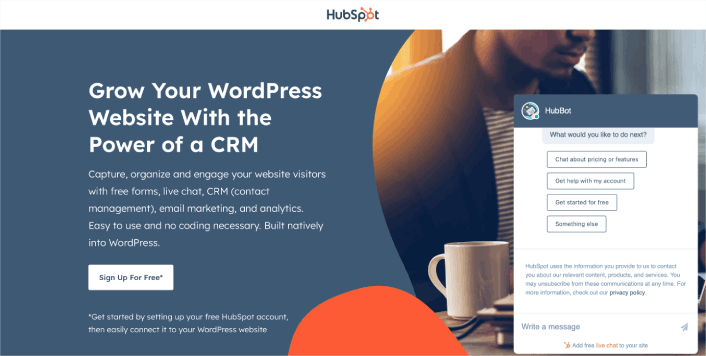
HubSpot offers a free live chat widget as part of its free CRM suite. If you’re already in the HubSpot ecosystem—or want to be—this is a convenient add-on that connects chat conversations to contact records, email marketing, forms, and analytics.
The chat widget itself is functional but basic on the free plan. Customization is limited, and HubSpot’s branding stays on unless you upgrade. The real value is the CRM integration: every chat becomes a logged interaction tied to a contact profile.
The downside? HubSpot’s paid plans are expensive. Once you outgrow free, you’re looking at $20+/month for the starter tier, and it escalates quickly from there. For many small businesses, HubSpot’s free chat is a funnel into their paid ecosystem.
Best for: Businesses already using HubSpot CRM who want chat tied to their contact database.
Strengths:
- ✅ Free CRM included with chat
- ✅ Chat conversations auto-logged to contact profiles
- ✅ Built-in email marketing and forms
Drawbacks:
- ❌ Limited widget customization on free plan
- ❌ HubSpot branding on free tier
- ❌ Paid upgrades get expensive fast
5. Crisp – Best Free Plan for Startups
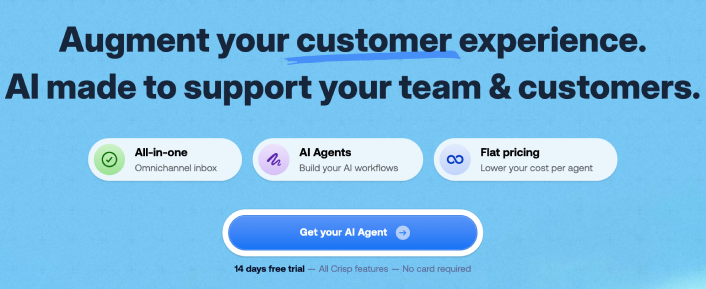
Crisp’s free plan supports 2 team seats and unlimited conversations—a generous offer for early-stage startups with a small team. The widget is clean and modern, and the live typing preview lets you start preparing a response before the visitor even finishes their message.
Where Crisp falls short on the free plan: no chatbot, no integrations, and no chat triggers. Those features start at $25/month per workspace. Crisp is lightweight and fast, but it’s clearly designed to get you hooked on the free plan and convert you to paid.
Best for: Two-person startups who want a clean, fast live chat with no immediate cost.
Strengths:
- ✅ Free plan includes 2 seats and unlimited chats
- ✅ Modern, lightweight widget
- ✅ Live typing preview for faster responses
Drawbacks:
- ❌ No chatbot or automation on free plan
- ❌ No integrations until you pay $25/month
- ❌ Still requires checking Crisp’s own dashboard
6. Chatty – Best Multichannel Button Widget
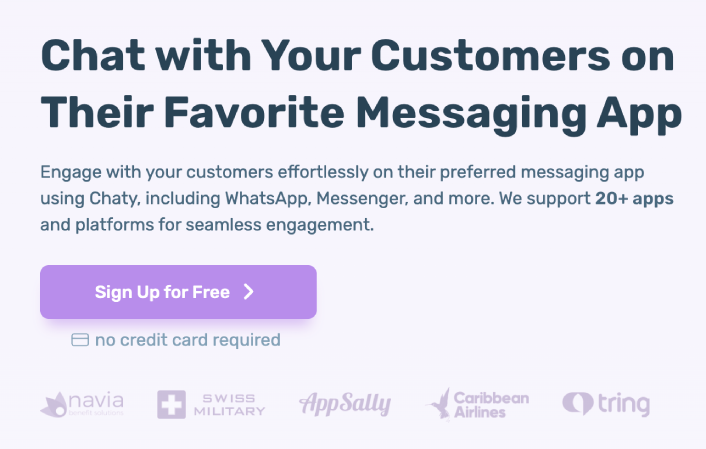
Chatty takes a different approach. Instead of building its own chat system, it adds a floating button to your site that connects visitors to your existing channels—WhatsApp, Messenger, Telegram, email, phone, and more. Think of it as a multichannel “contact us” button rather than a traditional live chat.
The free version supports 2 channels and basic customization. Paid plans start at about $49/year for more channels, targeting rules, and analytics. It’s great if you already have a preferred messaging app and just want to make it easy for visitors to reach you there.
The limitation is that Chatty doesn’t provide a chat interface on your site—it redirects visitors to external apps. That means no chat history in one place and no unified inbox.
Best for: Businesses that already live on WhatsApp or Messenger and want an easy “contact us” button.
Strengths:
- ✅ Connects to 20+ messaging platforms
- ✅ Free plan available
- ✅ Simple setup
Drawbacks:
- ❌ Not a real live chat – redirects to external apps
- ❌ No on-site chat interface or history
- ❌ Free plan limited to 2 channels
7. LiveChat – Best Premium Option (Free Trial Only)

LiveChat is the industry standard for a reason. It’s polished, feature-rich, and integrates with over 200 tools. The widget looks professional, the analytics are deep, and the team management features are built for scale.
But LiveChat isn’t free. It starts at $20/month per agent (billed annually), which means even a two-person team is paying $480/year. You get a 14-day free trial to test things out, but there’s no permanent free plan.
For enterprise businesses with dedicated support teams and real budgets, LiveChat is excellent. For a small business or solopreneur? The math simply doesn’t work.
Best for: Mid-size to enterprise businesses with dedicated support teams and budget for premium tools.
Strengths:
- ✅ Industry-leading feature set
- ✅ 200+ integrations
- ✅ Excellent analytics and reporting
Drawbacks:
- ❌ No free plan – starts at $20/month per agent
- ❌ Gets expensive fast with multiple agents
- ❌ Overkill for small businesses
Quick Comparison: How They Stack Up
Here’s how these 7 chat widgets compare on the features that matter most:
| Feature | PushEngage | Tawk.to | Tidio | HubSpot | Crisp | Chaty | LiveChat |
|---|---|---|---|---|---|---|---|
| Price | $49/yr | Free | Free / $29/mo | Free / $20/mo | Free / $25/mo | Free / $49/yr | $20/mo+ |
| Inbox-Free | ✅ Yes | ❌ No | ❌ No | ❌ No | ❌ No | Partial | ❌ No |
| Multichannel Routing | ✅ Yes | ❌ No | Limited | Limited | ❌ No | ✅ Yes | ✅ Yes |
| Multi-Agent | ✅ Yes | ✅ Yes | Paid | Limited | 2 seats | N/A | ✅ Yes |
| No Dashboard Needed | ✅ Yes | ❌ No | ❌ No | ❌ No | ❌ No | ✅ Yes | ❌ No |
| AI Chatbot | ❌ No | ❌ No | ✅ Yes | Basic | Paid | ❌ No | Add-on |
| Setup Time | 5 min | 5 min | 5 min | 10 min | 3 min | 5 min | 5 min |
So Which Live Chat Widget Should You Choose?
Let’s make this simple.
If your budget is literally $0 and you can sit at a computer to respond to chats, Tawk.to is a solid free option. No tricks, no limits on agents.
If you want AI chatbots to handle common questions automatically, Tidio is worth trying—though be prepared to upgrade once you hit the 50-conversation cap.
If you’re already deep in HubSpot’s ecosystem, their free chat makes sense as an add-on.
But if you’re a small business owner who wants professional live chat that’s dead simple, doesn’t require a new dashboard, sends conversations to the tools you already use, and costs less than a fancy dinner for the entire year?
PushEngage’s chat widget is your answer. $49/year. Inbox-free. One sale pays for itself.
Every other tool on this list either forces you to check a separate dashboard, caps your usage on free plans, or charges $20–$60 per month per agent. PushEngage sends conversations straight to your email, WhatsApp, or Slack—and it costs roughly $4 per month.
You’re already juggling a hundred things. Your live chat tool shouldn’t add to the pile. It should just work—quietly, affordably, and wherever you already are.
- How to Set Up Multilingual Chat Support on Your Site
- A Complete Guide to Page-Level Chat Targeting for WordPress Stores
- How to Add Custom Icons for Chat Widgets (And Why It Matters)
- How to Get More People to Start Live Conversations (5 Tips)
- Why Inbox-Free Chat Widgets Work Better
Ready to add live chat to your WordPress site?
Try PushEngage’s chat widget and start answering customer questions in your DMs—not another inbox.
Ready to stop missing customer questions?


