The PushEngage extension for Chrome is live on the Chrome Web Store. It puts the campaign composer inside the browser tab you already have open: the page you are looking at becomes the notification, AI writes the copy from it, and you send or schedule without visiting the dashboard.
It is free to install, it works with your existing PushEngage account on every plan, and it is the same extension we shipped to Firefox today.
What you can do from any tab
Most campaigns start with a page: a product that just went live, a price that dropped, a story that is starting to move. The extension treats that page as the brief.
Compose from the page you are on
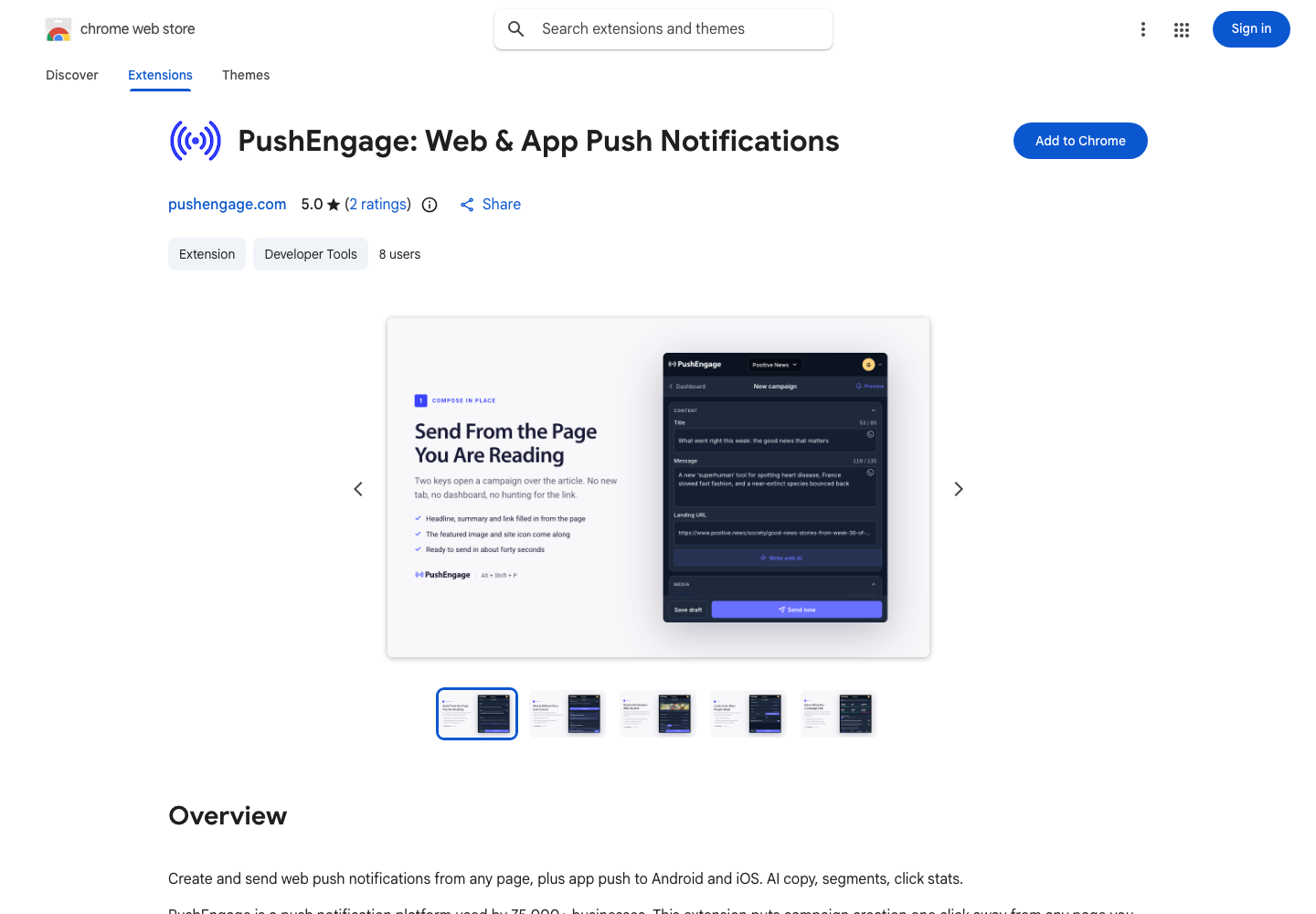
Open the panel with Cmd+Shift+P on a Mac or Alt+Shift+P on Windows and Linux, or click the PushEngage icon. The title, message, images, and landing URL are filled in from the page. Edit anything, or switch auto-fill off in Settings and start blank. The landing URL always points at the page you are on unless you change it.
Write with AI
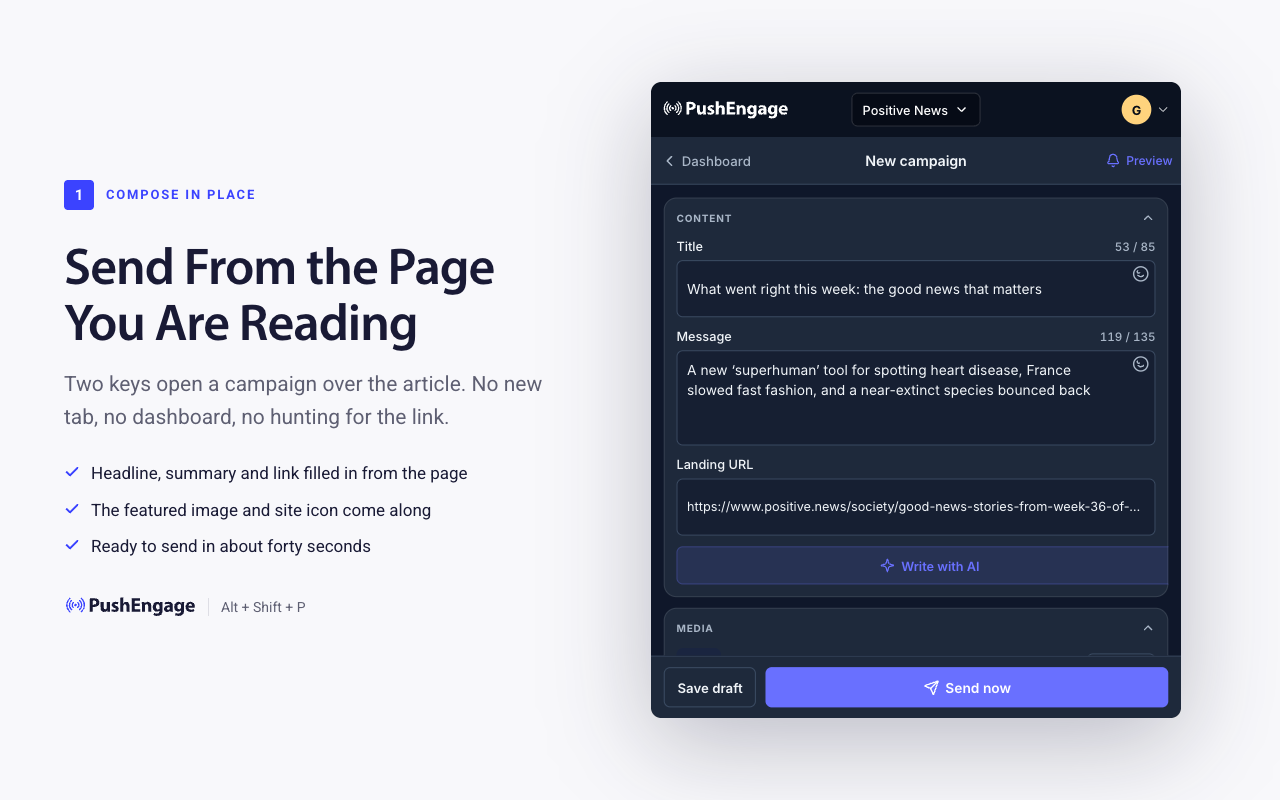
Click Write with AI and choose what it should work from: the page you are on, a brief you type, or another URL. Set a campaign goal (promotion, new content, cart recovery, re-engagement, or announcement) and a tone (default, urgent, playful, or formal). You get three complete options by default, each with its own title and message, and you can ask for anywhere between two and ten.
The part people like: you can take the title from one option and the message from another. The panel shows your mix as you go, and when it reads right, you use it. Regenerate as often as you want. Every word is still yours to edit before anything goes out.
Target the right people
Send to all subscribers, or choose segments and audience groups from your site. Search across every segment and pick as many as you need; subscribers who fall into several groups receive the notification once.
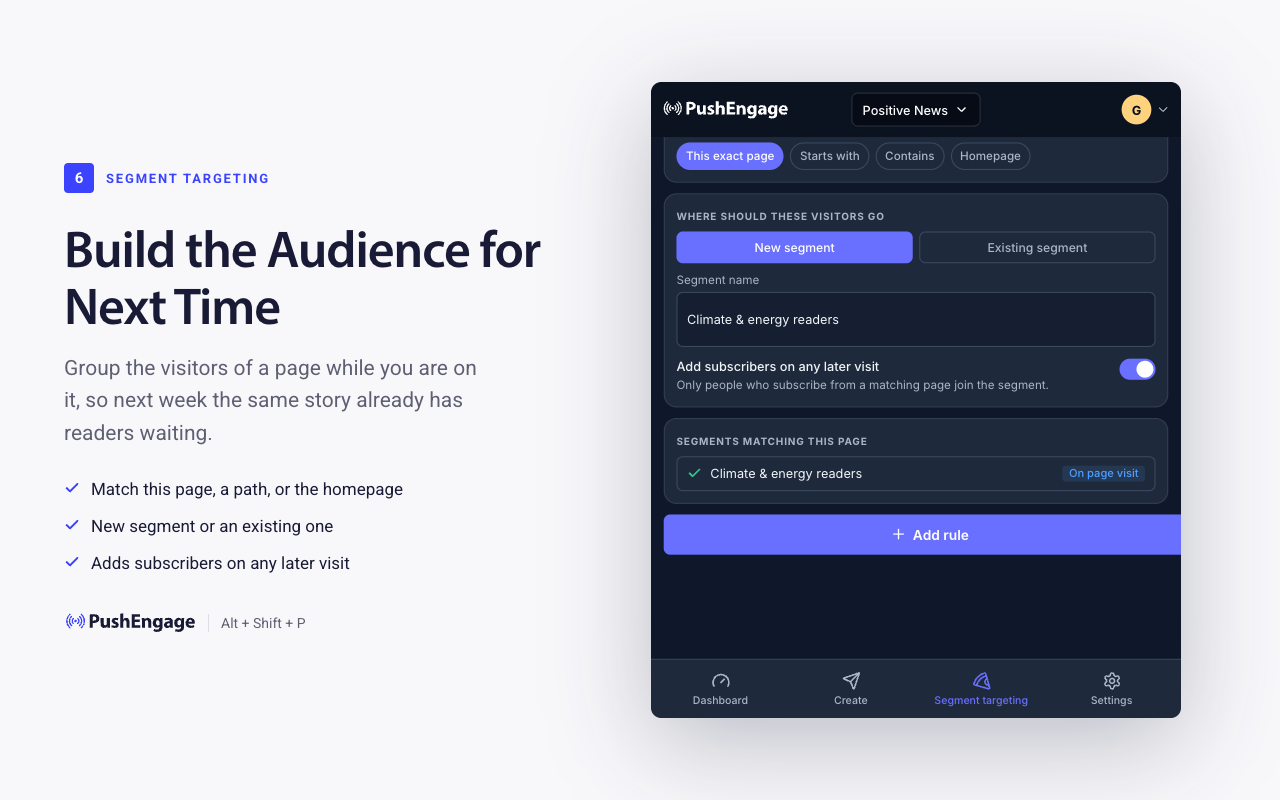
You can also build a segment from the page itself. Two clicks turn the page into a rule (this exact page, URLs that start with a path, URLs that contain a keyword, or the homepage), and every subscriber who visits a matching page from then on joins the segment. Use it on a new content series or a product line, and the audience is waiting the next time you write about it.
Send now or schedule
Send immediately, pick a date and time, or deliver in each subscriber’s own time zone so 10 AM means 10 AM everywhere. Set how long the notification stays deliverable, from one minute to 28 days.
Make it richer, then test it
Add a large hero image, up to two action buttons with their own destination URLs, emoji in the title or message, and UTM tags for this campaign only, on top of your account defaults. Preview the notification on your own device before it goes out. Run A/B tests on titles and messages, and track goals and campaign revenue; results appear on your PushEngage dashboard within a few minutes of sending.
See how you are doing
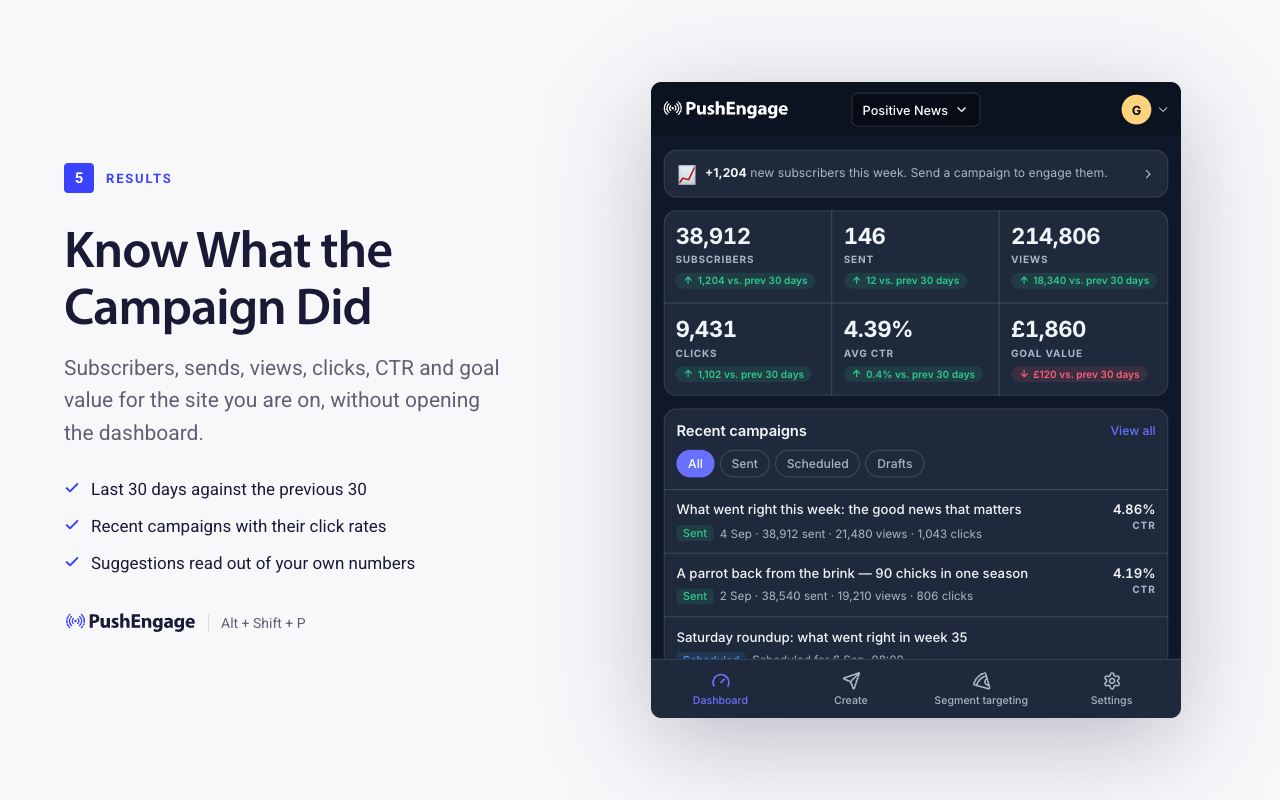
The dashboard screen shows subscribers, sends, views, clicks, click-through rate, and goal value for the last 30 days against the previous 30, your recent campaigns with their click rates, and plain-language suggestions: which segments have gone quiet, when to test titles, when to scale a campaign that is working.
Where the AI fits
We drew the line deliberately. The AI drafts; it does not send. Tracking parameters, segment rules, and schedules are filled in by ordinary code from the page and your settings, because those are the parts where a surprising answer is a bug. The copy is the part where three options beat one, so that is the job the AI gets. The send stays with a person.
Install it in Chrome
- Open the PushEngage extension on the Chrome Web Store and click Add to Chrome.
- Pin it: click the puzzle-piece icon in the toolbar, then the pin next to PushEngage.
- Sign in with your PushEngage login. If your account has several sites, pick one from the site switcher at the top of the panel.
- Open a page worth promoting and press Cmd+Shift+P (Mac) or Alt+Shift+P (Windows, Linux).
No account yet? The extension creates one on the free plan, or start at pushengage.com/pricing.
Plans
The extension is free and works with every PushEngage plan. Feature availability follows your plan exactly as it does in the dashboard, and the panel tells you when something needs Business or Premium.
Also on Firefox
The same extension shipped on Firefox Add-ons today. If part of your team runs Firefox, the Firefox announcement has the install steps.
Questions
Does it work with my existing account?
Yes. Sign in once with your PushEngage login. Everything you send shows up in the dashboard like any other campaign, with the same segments, analytics, and goal tracking.
Do I need the dashboard open?
No. The extension talks to your account directly. Open it on any page and send.
Can I A/B test and schedule from it?
Yes. Titles and messages can be tested against each other, and sends can be scheduled for a time or delivered in each subscriber’s time zone.
Is there a version for developers?
The extension is the no-code lane. If you want an agent to run campaigns, the PushEngage MCP server does the same work from Claude, Cursor, or any MCP client.
The next campaign is one tab away.


