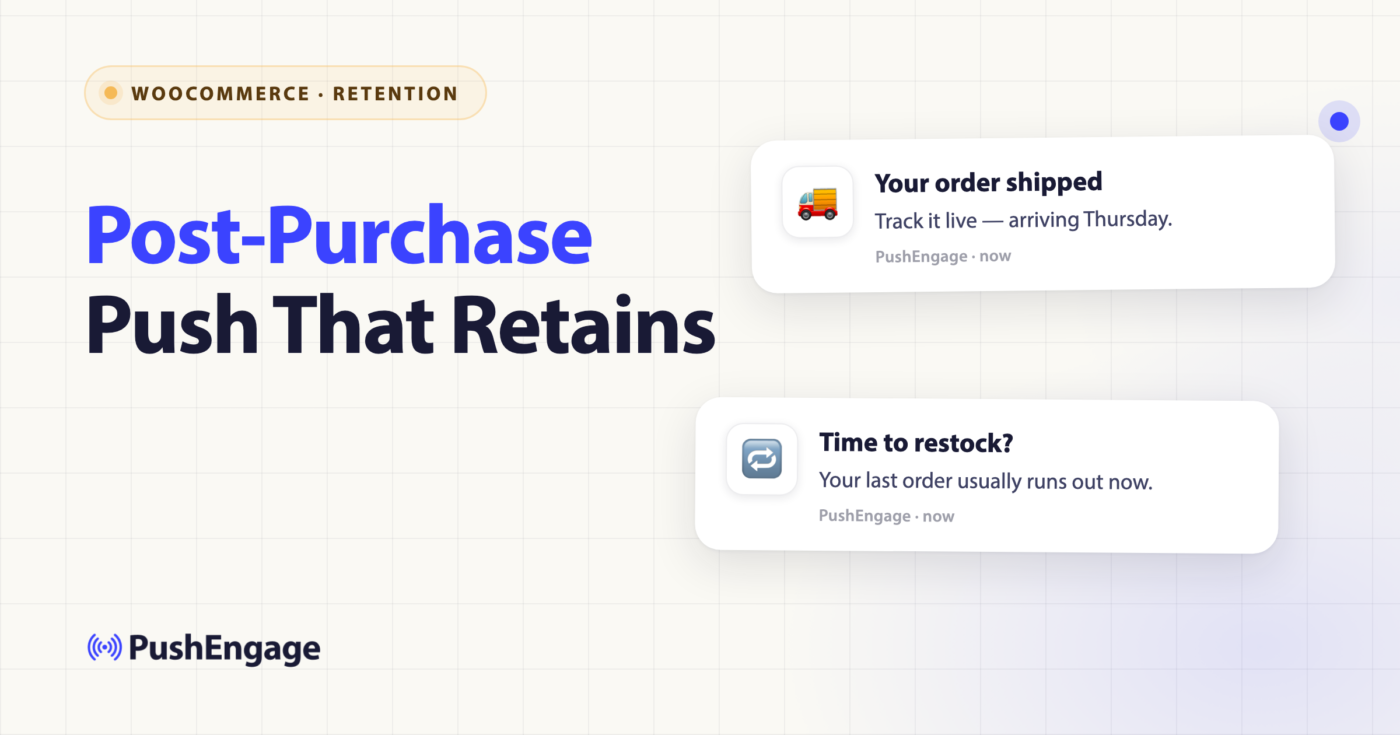
It is the last week of Q1 and the retention manager at a $40M GMV WooCommerce home-goods store opens the dashboard. First-purchase volume is up 12% year over year. The acquisition team has done its job. Repeat-purchase rate, the one number that determines whether the rest of the year compounds, has been flat at 22% for eighteen months. She scrolls down to the WooCommerce post-purchase notifications section of her automation stack. There is one item. The order-confirmation email. Day zero. The other seventeen days of the first two weeks after every order are silent.
That silence is the gap. Most WooCommerce post-purchase notifications stacks ship one transactional email at checkout and one review request three weeks later, and assume the work is done. It is not done. Between those two touches sits the entire window where a first-time buyer decides whether to come back, where a repeat buyer decides whether to upgrade, and where a high-AOV buyer decides whether to refer. The post-purchase workflow is the only automation that operates on that window directly. This article ships the 14-day, 6-touchpoint workflow that lifts the same store’s repeat rate from 22% to 28% within two quarters.
Post-purchase is repeat-rate work, not recovery work
Most retention articles file the post-purchase touch under “abandonment and recovery.” Cart abandonment, browse abandonment, win-back, post-purchase. Four bullets, one section. The framing is wrong. Three of those four are recovery workflows. They fire when a current journey stalls and the workflow’s job is to unstall it. The post-purchase workflow does not recover anything. The subscriber already paid. The journey did not stall.
A post-purchase workflow builds the next purchase. That is a different category of retention work. It compounds on a different surface. Cart abandonment lifts recovered revenue by 8 to 14%, but only on the slice of subscribers who abandoned a cart in the first place. Browse abandonment lifts browse-to-cart conversion, but only on the slice of subscribers who hit a product page. The post-purchase workflow lifts repeat-purchase rate, which applies to every paying customer the store has ever had. A 5% improvement on the entire customer base produces more incremental revenue than a 20% improvement on a sliver.
This is the retention math that defines the post-purchase workflow’s place in the stack. It is the only repeat-purchase automation in the building. Everything else is recovery work.
A mid-market WooCommerce store where 70% of revenue comes from repeat customers has its single largest revenue lever wired up wrong if the post-purchase workflow is a one-email afterthought. The 14-day window between checkout and the next purchase signal is the most actionable period in the customer lifecycle. The repeat purchase automation that owns this window is the cheapest revenue lift a retention team can ship this quarter, because the audience is already paid for.
The 6 touchpoints of the post-purchase workflow
Six touchpoints, fourteen days, one workflow. The vocabulary the rest of this article uses (START, WAIT, DECISION, SPLIT_PATH, ACTION, END) is the standard PushEngage Workflows builder grammar, covered in depth on the PushEngage Workflows builder announcement post. The single trigger here is the order-placed event, mapped from the WooCommerce woocommerce_payment_complete hook into a PushEngage custom event with the order ID, the order value, and the product list in the payload.
The workflow runs on Multiple Sequential mode. One active instance per customer at a time, but the next order fires a new instance after the current one completes. The workflow never overlaps on itself.
Touchpoint 1 — Order confirmation push, immediate
The first touch fires within seconds of woocommerce_payment_complete. This is transactional, but the tone matters because it is the first message a new buyer receives from the brand after handing over money. Include the order summary and the shipping ETA. Push notifications outperform the order-confirmation email here because the email opens hours later, and the push lands while the buyer is still on the confirmation page.
The order confirmation push is the lightest touchpoint to ship but the easiest one to get wrong. A flat “thanks for your order” with no useful detail wastes the impression. The right pattern is a one-line confirmation with the order number and an explicit ship-by date.
Copy example. Title: Your order is in, Maya. Shipping by Friday. Body: Order #18432, $147.00. We will text the tracking link when it ships.
Touchpoint 2 — Shipping update, day 1 to 3
The second touch fires off woocommerce_order_status_changed to processing or completed. The carrier handoff is the natural moment for the second push. The retention move on this touchpoint is the “track your order” link, which routes back to the store, not to the carrier. A buyer who returns to the store on day two to track shipping is two clicks from another browse session.
The link should land on a tracking page hosted on the store domain that surfaces the carrier status inline, with a “while you wait” section showing two complementary products from the same category. This is one of the highest-return real-estate moves in the entire workflow.
Touchpoint 3 — Delivery confirmation, day 3 to 7
The third touch fires off the carrier delivery webhook or, if the carrier webhook is unreliable, off the estimated delivery date. The subscriber is now a holder of the product. This is the first moment in the workflow where the product itself is in the buyer’s hands. The retention move is “the first 24 hours with [product]” content, a short link to setup tips, care instructions, or a getting-started guide depending on the product category.
For a home-goods store, this might be assembly instructions or a styling guide. For a coffee store, brewing tips. For a supplements brand, the daily-routine recommendation. The content is the retention move; the push is the delivery vehicle.

Touchpoint 4 — Usage check-in, day 5 to 9
The fourth touch is the first proactive check-in. The subscriber has had the product for 48 to 72 hours by the time this fires. The retention move depends on the product category. A coffee grinder triggers a “first brew tips” push. A skincare set triggers a “your day 5 routine” push. A piece of furniture triggers a styling-tip push. The check-in is positioned as care, not as upsell, but the deep link routes to a category-relevant cross-sell page.
This touchpoint also serves as the natural place to cross-sell consumables and accessories. The coffee grinder buyer needs beans. The skincare-set buyer needs the next-tier serum. The furniture buyer needs the matching side table. The cross-sell is contextual, tied to the product purchased, not a generic “you might also like” carousel.
Touchpoint 5 — Review request, day 7 to 14, with SPLIT_PATH on send time
The fifth touch is the canonical post-purchase touch and the only one with a built-in A/B test. The review request notifications fire 7 to 14 days post-delivery, depending on product category. The SPLIT_PATH node sends 50% of subscribers a morning push at 9 AM subscriber-local time and 50% an evening push at 7 PM subscriber-local time. Run the split for two weeks, then promote the winning send time via the workflow’s winner_edge_id.
PushEngage customer data shows morning sends win for coffee, breakfast, and supplement brands. Evening sends win for entertainment, home goods, and lifestyle brands. The split runs on a per-store basis; do not assume the winner from another store’s data.
The deeplink target depends on the review platform. Native WooCommerce reviews route to the product page review section. Trustpilot and Yotpo integrations route to the hosted review page. Confirm the integration before lifting this touchpoint.
Copy example. Title: How is your French press treating you, Maya? Body: Drop a quick review. We read every one.
Touchpoint 6 — Replenishment or cross-sell, day 10 to 14, with DECISION on product category
The sixth touch is the one that directly moves repeat-purchase rate. The DECISION node routes the subscriber based on whether the purchased product is a consumable (coffee beans, supplements, candles, skincare, pet food) or a durable (furniture, electronics, apparel, decor). Consumables route to a replenishment push with a category-specific cadence: beans at day 14, supplements at day 20, candles at day 30. Durables route to a cross-sell push for a complementary category.
This is the touchpoint that pays for the workflow. A 5% bump in replenishment-order rate is meaningful revenue on a customer base of 50,000 buyers. The cross-sell variant produces a smaller but compound lift on AOV for the second order.
Copy example, replenishment. Title: Running low on beans, Maya? Body: 12oz refill in stock. One-tap reorder available.
The DECISION nodes that make this workflow contextual, not formulaic
The same workflow runs every paying customer through six touchpoints, but it does not run them through the same six touchpoints. Three DECISION nodes route subscribers down different branches of the same workflow. This is what separates a generic post-purchase workflow from a contextual one.
The first DECISION fires after Touchpoint 3 (delivery confirmation): is this a first-time customer or a repeat buyer? First-time customers route to a stronger usage check-in at Touchpoint 4, framed as onboarding. Repeat buyers route to a lighter usage check-in framed as appreciation. The same touchpoint, two different tones, one DECISION.
The second DECISION fires before Touchpoint 6 (replenishment vs. cross-sell): is the purchased product a consumable or a durable? The category is read from the WooCommerce product taxonomy at workflow start time and stored on the subscriber attribute last_order_category. Consumables route to the replenishment branch. Durables route to the cross-sell branch.
The third DECISION fires before Touchpoint 5 (review request): is the order value above or below the store’s average order value? High-AOV orders get a slightly delayed review request (day 10 instead of day 7) because the product is more considered and the buyer needs more time to form an opinion. Below-AOV orders get the standard day-7 review request.
Three DECISION nodes, one workflow, many tailored journeys. The same post-purchase workflow handles a $30 candle order and a $400 dining chair order without producing the same touchpoints for both.
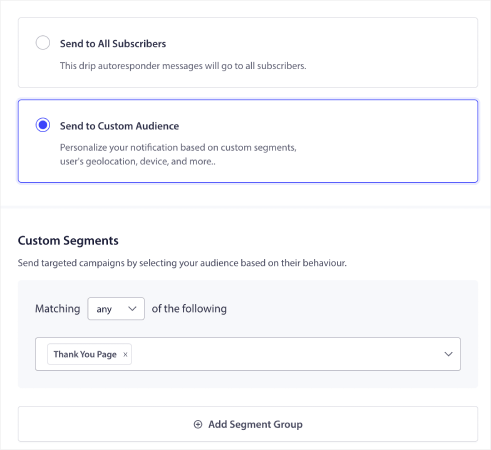
The SPLIT_PATH on send time for the review request
Review request notifications are the only touchpoint in the workflow with a built-in A/B test, and the test is composed as a workflow node, not bolted on as a separate config. The SPLIT_PATH node allocates 50% to a morning send and 50% to an evening send, with load balancing handling the per-subscriber routing so that small-sample noise does not skew the split.
The metric is not click-through rate. The metric is review-submission rate within 72 hours of the send. CTR favors evening sends because subscribers are more likely to tap a notification at home, but submission rate often favors morning sends because subscribers actually complete the review when they have a few minutes with their coffee, not when they are about to start a Netflix episode. Optimize against the right metric.
After two weeks at meaningful volume (a minimum of 800 subscribers per branch is the rough rule of thumb), promote the winner via winner_edge_id. The workflow then routes 100% of subsequent subscribers to the winning send time, and the SPLIT_PATH disappears from active use without being deleted from the workflow.
Exit criteria and why this workflow is different
Most workflows exit on a goal achievement. The cart workflow exits on purchase. The win-back workflow exits on last_active < 7 days. The post-purchase workflow is different. It does not exit on most signals. It completes naturally at day 14.
The reason is the workflow’s job. Recovery workflows have a binary success condition: the subscriber recovered or did not. The workflow’s job is to push the subscriber across the line. The moment the subscriber crosses, the workflow’s job is done and the exit fires. The post-purchase workflow has no binary success condition. There is no “the subscriber completed the post-purchase journey.” Every touchpoint is its own retention move, and a subscriber who only opens Touchpoints 3 and 5 still got value from the workflow.
The one exit signal that does fire is the success exit: goal next_purchase_within_60d. A subscriber who places a second order within 60 days of the first has accomplished the workflow’s actual job. The workflow exits gracefully and lets the next post-purchase instance (for the new order) take over. The Multiple Sequential run type ensures no overlap.
Subscriber unsubscribe terminates the workflow per the standard PushEngage workflow termination rules, but a downgrade or a churn signal does not. This workflow is one-shot per order, and its job is to maximize the value of that paid relationship before any natural end.
Quiet hours and timezone respect
Mid-market WooCommerce stores often have international subscribers. A 7 PM site-time review request lands at 4 AM local for an APAC buyer. The post-purchase workflow sets quiet hours start_at: "22:00" and end_at: "08:00" with the reschedule fallback. Notifications that would otherwise fire during quiet hours reschedule to 8:01 AM the next day, in the subscriber’s timezone, falling back to site timezone and then UTC.
The skip fallback is the wrong choice for this workflow. skip silently drops the notification and removes it from analytics. The notification never lands and the workflow misses a touchpoint entirely. For a workflow whose entire job is to move repeat-purchase rate, every touchpoint must land. reschedule ensures it does.
Sidebar: managing the post-purchase workflow from your AI assistant
WordPress plugin 4.2.4 and later registers two WooCommerce-gated abilities through the Abilities API: list-push-automation-campaigns and update-push-automation-campaign. A retention manager running an MCP-aware assistant (Claude, ChatGPT desktop, Cursor) can list the active post-purchase workflows, enable or disable specific ones, and update admin or customer configs without opening the WordPress admin. The workflow itself stays in PushEngage; the abilities expose the configuration surface to whatever assistant the team uses for daily ops. See the PushEngage AI assistants announcement for the full ability list and the WP plugin 4.2.4 release notes.
Per-workflow analytics: read the repeat-rate funnel
WooCommerce push notifications are easy to defend on a P&L when the analytics surface the right numbers. Workflow-level analytics give three numbers at each node: queued, completed, and exited. For the post-purchase workflow, the per-touchpoint table looks like this for a 10,000-order cohort over a 14-day window:
| Touchpoint | Queued | Completed | Exited | Notes |
|---|---|---|---|---|
| START (order_placed) | 0 | 10,000 | 0 | All entries proceed |
| Touchpoint 1 (order confirmation) | 0 | 9,920 | 80 | 80 unsubscribed at checkout |
| Touchpoint 2 (shipping update) | 220 | 9,640 | 60 | 60 returns or cancellations |
| Touchpoint 3 (delivery confirmation) | 380 | 9,180 | 80 | 80 marked delivery issues |
| Touchpoint 4 (usage check-in) | 410 | 8,820 | 350 | 350 exit on goal next_purchase_within_60d |
| Touchpoint 5 (review request) | 290 | 8,180 | 640 | 640 more on early reorder |
| Touchpoint 6 (replenishment / cross-sell) | 0 | 7,890 | 290 | 290 mid-window unsubscribes |
| END | n/a | 7,890 | n/a | Natural completion |
The most important number on this table is the 1,280 subscribers (350 + 640 + 290) who placed a repeat purchase before the workflow completed. That is a 12.8% in-workflow repeat rate, which compounds against the baseline 22% over the 60-day measurement window.
The cohort-level comparison is the retention KPI the workflow is built to move. Run an A/B holdout for the first quarter. Half the new orders go through the post-purchase workflow. Half do not. At 60 days post-first-purchase, measure repeat-purchase rate for both cohorts.
| Cohort | Repeat-purchase rate at 60 days |
|---|---|
| Control (no post-purchase workflow) | 22% |
| Workflow cohort | 28% |
A 6-point lift on 10,000 monthly orders at $145 AOV is $87,000 in incremental monthly repeat-purchase revenue. The workflow pays for itself in the first week of running. Over a quarter, the line item is the cheapest revenue the retention team will ship. This is what repeat purchase automation looks like measured correctly: not CTR per notification, but a cohort comparison that proves the lift on the metric the workflow was built to move.
Build it in PushEngage
The PushEngage Workflows builder ships a post-purchase template that maps to the six touchpoints above. Install the PushEngage WooCommerce integration plugin (version 4.2.4 or later for the Abilities API support), map woocommerce_payment_complete to the order_placed custom event, and lift the template. Quiet hours and the SPLIT_PATH node are pre-configured. The DECISION nodes need the product-category taxonomy mapping, which the integration plugin reads from WooCommerce automatically.
For the broader retention stack, this workflow runs alongside the four other WooCommerce push notifications workflows in the series: the WooCommerce cart abandonment workflow, the WooCommerce browse abandonment workflow, WooCommerce price drop alerts, and WooCommerce back-in-stock notifications. Each one operates on a different surface of the customer lifecycle. The post-purchase workflow is the only one that builds repeat-purchase rate directly. The other four recover stalled current journeys; this one builds the next one.
For a broader view of how these workflows fit into a complete eCommerce retention program, see the ecommerce push notifications hub which covers the campaign types these blueprints implement.
The PushEngage free plan gives 200 subscribers, every channel, and the full Workflows engine on day one. That is enough to prove the post-purchase workflow on a controlled cohort before requesting budget. Start on the free plan and lift the post-purchase template in under an hour. A repeat-rate lift of even 3 points across the customer base pays for the platform many times over, and it shows up as found revenue on the next P&L review.


