It is Monday morning at a $25M GMV WooCommerce apparel store and the retention manager is launching the quarterly clearance sale. The team has already worked the storewide email: 25% off, expires Friday, single broadcast at 10 AM. Over the next seven days the email recovers $8,400 in attributable revenue. The other recovery surface is quieter.
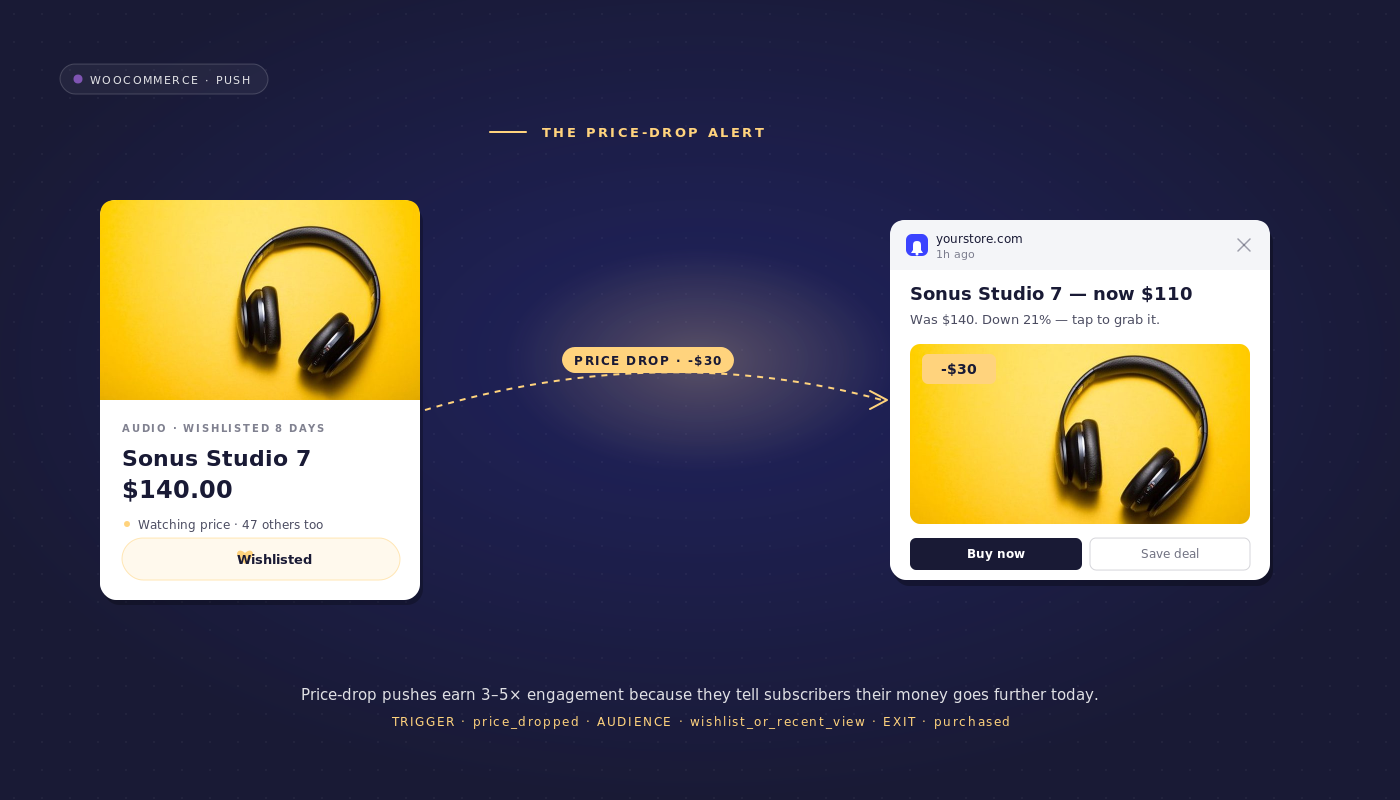
Each time a merchandiser marks a Sale Price in the WooCommerce admin, an automatic workflow fires WooCommerce price drop alerts to the subscribers who were specifically watching that SKU. Over the same 72-hour window, the price-drop workflow recovers $19,200. Same store, same sale, two and a half times the recovery from the automation.
The two surfaces are not interchangeable. The storewide email is the broadcast. The price-drop workflow is the per-SKU surface. They stack rather than compete, and on most mid-market WooCommerce stores the per-SKU surface is the one that is materially under-instrumented.
This article walks through what the price-drop workflow looks like end to end, why a three-audience cascade is the right architecture, how to keep frequency capping from training a discount-hunter base, and how to attribute recovered revenue per SKU so finance can read the line item.
- Why price drop is the highest-converting recovery trigger
- The opt-in moment for price alerts
- The price-drop workflow, end to end
- Why the audience-cascade is the right architecture
- Pricing-strategy integration: avoid training the discount-hunter
- WooCommerce stack integration
- Per-workflow attribution
- Build it in PushEngage Workflows
- What this changes
Why price drop is the highest-converting recovery trigger
Most retention workflows fire against a single audience. The cart-abandonment workflow targets cart-abandoners. The browse-abandonment workflow targets browse-abandoners. The welcome series targets new subscribers. The price-drop alert is different. Two audiences converge on the same trigger: browse-abandoners who viewed the product but did not add to cart, and cart-abandoners who left over price specifically. Both have demonstrated specific-product intent. Both are addressable from one workflow with one trigger and one exit criteria.
There is a third reason price drop converts at multiples of either standalone reminder. The trigger signal is more concrete than the audience signal alone. A browse-abandonment reminder asks the subscriber to take the merchant’s word for it that the product is still worth their attention. Price drop notifications carry the proof in the message itself: the price has actually moved, here is the new number. The subscriber sees the alert and the price simultaneously, which is why even cold audiences convert better on price-drop sends than on generic re-engagement nudges.
The opt-in moment for price alerts
A “notify me when price drops” button on the product detail page is one of the highest-quality opt-ins in mid-market eCommerce. The subscriber names the specific product they want tracked. Compared with a generic site-wide opt-in, the PDP price-alert opt-in produces a subscriber base that converts on the price-drop workflow at multiples of the rate of cold subscribers. The subscriber-quality compound argument is covered in more detail in the sibling article on triggered subscription prompts; the short version is that opt-in source predicts downstream revenue per subscriber as cleanly as any signal in retention.
For WooCommerce stores, the PDP opt-in is implemented through the PushEngage JS SDK’s subscribeToProduct(productId) method. The button writes the product ID into a subscriber attribute, which becomes a segment the price-drop workflow can route against. Stores already running the YITH or TI WooCommerce Wishlist plugin have a parallel route into wishlist price tracking: each wishlisted product is effectively an explicit price-alert opt-in by the customer.
The price-drop workflow, end to end
This is the full workflow specification. Lift it directly into the PushEngage Workflows builder.
- Trigger (START): Custom event
price_dropped, fired from WooCommerce when theproduct_meta._sale_pricefield is updated and is less than_regular_price. Event payload includesproduct_id,old_price,new_price, andpercent_off. - Run type: Multiple Parallel. One workflow instance per product per subscriber. A subscriber tracking three products gets three concurrent instances; each one exits independently when its product is purchased.
- Frequency cap (workflow-level): Exit if the subscriber attribute
last_price_drop_alert_atis within the last 14 days. The cap protects against training a discount-hunter audience and is defended in the next section. - DECISION 1: Has the subscriber explicitly subscribed to alerts for this product (segment
price_alert_subs_{product_id}or wishlist match)? YES path: send the explicit-subscriber price-drop alert. NO path: continue to DECISION 2. - DECISION 2: Is the subscriber in the browse-abandonment segment for this product within the last 30 days? YES path: send the browse-abandoner price-drop reminder. NO path: continue to DECISION 3.
- DECISION 3: Is the subscriber in the cart-abandonment segment for this product within the last 14 days? YES path: send the cart-abandoner price-drop reminder. NO path: EXIT silently.
- WAIT: 24 hours after the first send.
- DECISION 4: Did the subscriber purchase the product? YES path: EXIT (success, exit criteria matched). NO path: send the stock-running-low second touch.
- END.
Notification copy for each branch:
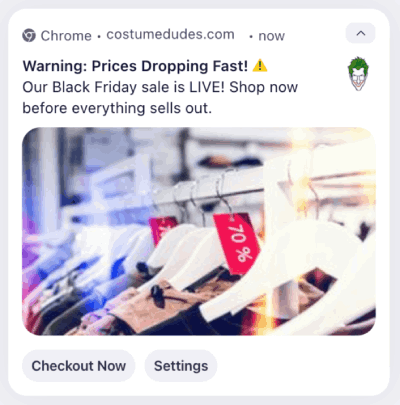
- Explicit subscriber: “The price dropped on the product you are tracking. {{product_name}} is now {{new_price}}, {{percent_off}}% off. Shop the new price.”
- Browse-abandoner: “Good timing. The {{product_name}} you were looking at last week is now {{new_price}}, {{percent_off}}% off.”
- Cart-abandoner: “You left {{product_name}} in your cart. The price just dropped to {{new_price}}. Your cart is still there.”
- Stock-running-low second touch: “Heads up. {{product_name}} at {{new_price}} is running low. Inventory shifts quickly on sale items.”
The price alert workflow has one trigger, three send branches, and one exit criteria. The reader who is also running cart and browse workflows already has the audience segments and the subscriber attributes in place. The price alert workflow assembles in under an hour on top of that existing infrastructure.
Why the audience-cascade is the right architecture
Most retention stacks build three separate price-drop campaigns. One for explicit wishlist subscribers, owned by the loyalty manager. One for browse-abandoners, owned by the lifecycle marketer. One for cart-abandoners, owned by the CRM lead. Three campaigns means three campaign owners, three sets of copy that drift apart by quarter three, and three places where the exit criteria is forgotten. The cascade collapses these into one workflow with three DECISION nodes, exits silently for the no-intent subscriber, and never double-sends.
| Concept | Three separate campaigns | One cascade workflow |
|---|---|---|
| Owner | Three (loyalty, lifecycle, CRM) | One (retention manager) |
| Copy variants | Three, drift apart | One canonical variant per branch |
| Exit criteria | Three rules, set separately | One workflow rule |
| Frequency cap | None (campaigns do not coordinate) | One cap, workflow-level |
| Attribution | Three line items | One line item, three branch sub-totals |
| Double-send risk | High (a wishlist subscriber may also be a cart-abandoner) | Zero (cascade orders by intent) |
The cascade order matters. Explicit subscribers are evaluated first because the opt-in is the highest-intent signal. Browse-abandoners second because the product view is more recent and more specific than cart abandonment for most stores. Cart-abandoners third because the cart-abandonment workflow already messaged them with a 0/10/20 discount ladder; the price-drop alert is a different angle on the same subscriber and should land last in the cascade to avoid stacking with the cart workflow’s own escalation.
Pricing-strategy integration: avoid training the discount-hunter
A subscriber who receives sale price notifications every two weeks learns to wait. This is the silent cost of an unrestricted price-drop program: the cohort that converts on the alerts also delays subsequent purchases, watching for the next markdown. Over four quarters, the trained-discount-hunter behavior can erode the retention math entirely. A 5% margin trade for the recovery is acceptable. A 25% trained-behavior trade across the cohort over twelve months is not.
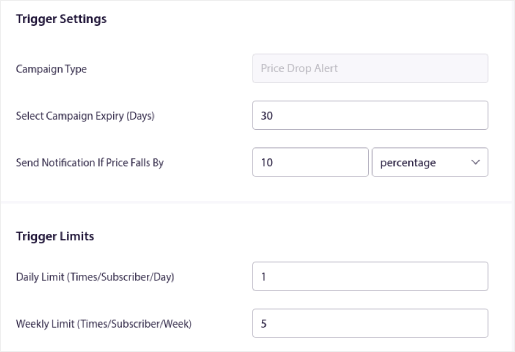
The defense is a workflow-level frequency cap. Max 1 price-drop notification per subscriber per 14 days, enforced inside the workflow as an exit criteria check on the subscriber attribute last_price_drop_alert_at. Each successful send updates the attribute via an UpdateAttribute action node. The next price_dropped event that fires against the same subscriber checks the attribute; if it is within 14 days, the workflow exits before any of the three DECISION branches evaluates.
The cap window can be tuned. Stores running weekly sales may need to drop to 7 days to stay relevant. Stores running quarterly clearance sales can hold at 14 days or extend to 21. The point is that the cap is a workflow rule, enforced by the engine, not a calendar reminder for the campaign owner. Workflow rules do not get forgotten when the campaign owner changes seats.
There is a corollary. Frequency cap also protects the relationship with subscribers who are not in the price-drop hunting frame. A customer who bought the product at full price last week does not want a price-drop alert for the same product this week. The exit criteria audience filter (purchase within last 30 days for this product) handles that case as a separate rule, but the 14-day cap is the universal floor.
WooCommerce stack integration
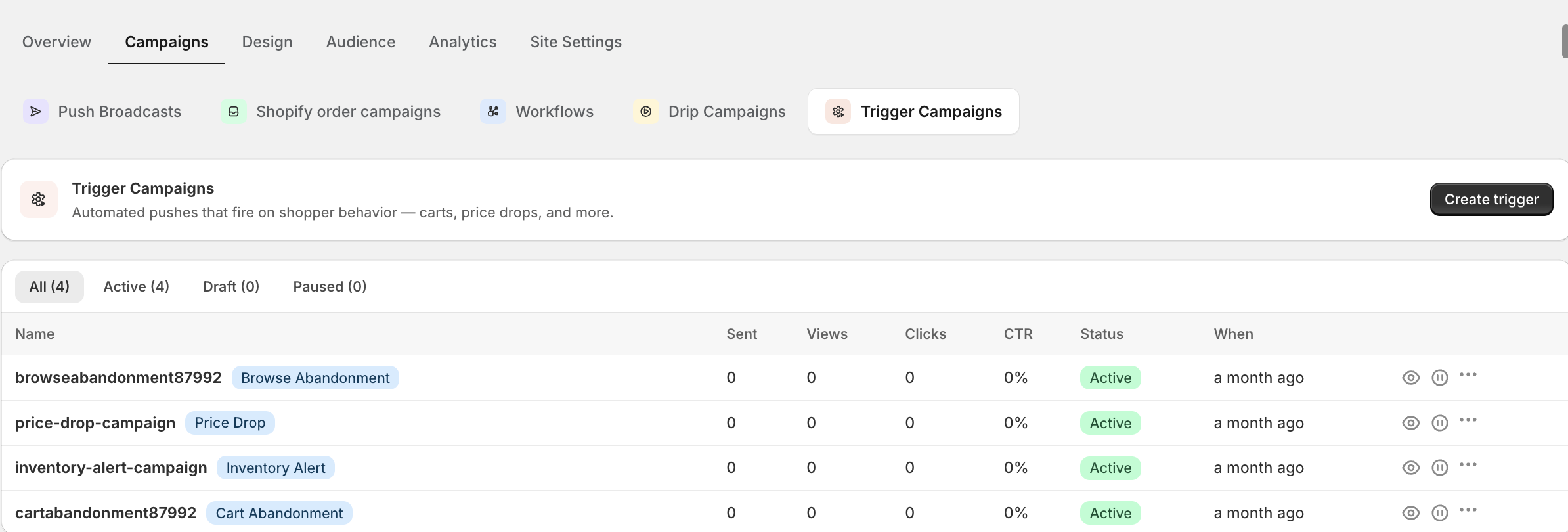
The data inputs are specific. WooCommerce stores Sale Price as _sale_price and Regular Price as _regular_price in the product meta table. The WooCommerce-PushEngage integration plugin hooks into the save_post_product action and reads the meta on each product save; if _sale_price is non-empty and less than _regular_price, the plugin fires the price_dropped CustomEvent with the SKU, the old and new prices, and the percent-off. This is the event the price-drop workflow START node listens for.
Dynamic Pricing plugins (Advanced Dynamic Pricing for WooCommerce, WooCommerce Dynamic Pricing & Discounts) write to the same meta layer when their rules engage and trigger the same hook. The price-drop workflow does not need to know whether the price change came from a manual Sale Price edit or from an automated Dynamic Pricing rule. It listens for the event regardless of source.
For explicit opt-ins, the PushEngage JS SDK exposes subscribeToProduct(productId). The PDP price-alert button calls this method on click; the subscriber is added to a per-product segment named price_alert_subs_{product_id}. Stores using the YITH or TI WooCommerce Wishlist plugins can write a parallel hook that maps each wishlisted product to the same per-product segment, so wishlist price tracking and the explicit price-alert opt-in feed the same audience.
What to instrument first. The top 100 SKUs by sales volume cover most of the revenue. Wire the save_post_product hook to fire price_dropped for those SKUs first. Add the PDP price-alert button on the same set. Stand up the workflow against this scoped audience, measure, and expand. The full catalog can wait.
Per-workflow attribution
Recovered revenue per price-drop event, per SKU, per channel. This is the cleanest revenue attribution in retention because the trigger event (price change) is timestamped and the conversion event (purchase of the same SKU) is timestamped. Subtract the two; the delta is the recovered revenue per alert.
PushEngage Workflows tracks queued, completed, and exited users at each node. Here is what node-level analytics look like for a realistic price-drop workflow on a 200,000-subscriber list during a quarterly clearance week:
| Node | Queued | Completed | Exited | Notes |
|---|---|---|---|---|
| START (price_dropped, 40 SKUs) | 0 | 18,400 | 0 | 18,400 subscriber-product pairs eligible |
| Frequency cap exit | 0 | 17,100 | 1,300 | 1,300 capped from a recent alert |
| DECISION 1: explicit subscriber | 0 | 4,200 (YES) | 0 | Routed to explicit-subscriber send |
| DECISION 2: browse-abandoner | 0 | 7,800 (YES) | 0 | Routed to browse-abandoner send |
| DECISION 3: cart-abandoner | 0 | 2,300 (YES) | 0 | Routed to cart-abandoner send |
| DECISION 3 NO path: EXIT | 0 | 0 | 2,800 | No-intent subscribers exit silently |
| ACTION: first send | 0 | 14,300 | 0 | Sent across three branches |
| WAIT 24 hours | 1,800 | 9,400 | 3,100 | 3,100 purchased within 24h, exit |
| DECISION 4: purchased? | 0 | 9,400 | 0 | All non-purchasers continue |
| ACTION: stock-running-low second touch | 0 | 9,400 | 0 | Second send |
| END | n/a | 9,400 | n/a | 1,200 of these convert in the next 48h |
In this funnel, 4,300 subscribers (3,100 plus 1,200) purchased the alerted SKU within 72 hours of the price-drop event. At an average cart of $58, that is approximately $249,400 in recovered revenue across the week, against 14,300 sends and zero per-send cost for the push channel. Aggregate by SKU and the per-SKU revenue lands on the merchandiser’s dashboard alongside discount-realization metrics. The workflow stops being a campaign cost and becomes a price-realization line item.
The right framing for finance is that the price-drop workflow is found revenue. These are subscribers who would not have purchased at the regular price but did purchase at the sale price after the alert. The store was going to mark these SKUs down anyway. The workflow turns that scheduled markdown into recovered demand.
Build it in PushEngage Workflows
The price-drop workflow maps directly to PushEngage Workflows components.
| Workflow piece | PushEngage element |
|---|---|
| Trigger | START with CustomEvent price_dropped, Multiple Parallel run type |
| Frequency cap | Exit criteria with audience filter on subscriber attribute last_price_drop_alert_at |
| Audience cascade | DECISION x3 with audience filter on segment membership |
| Sends | ACTION SendPushNotification x4 (three branches plus second touch) |
| Attribute update | ACTION UpdateAttribute on last_price_drop_alert_at after each send |
| Wait | WAIT 24 hours |
| Purchase exit | DECISION with Goal.Tracked filter on purchase event matching product ID |
| Terminal | END |
The Workflows engine ships with 60-plus shipped templates covering price-drop and the supporting cart and browse flows. The retention manager whose cart and browse workflows are already live can stand up the WooCommerce push notifications price-drop layer on top of the existing audience segments in under an hour.
What this changes
For stores running multi-channel retention plans, the push and email orchestration approach layers email as the fallback for unsubscribed-from-push customers. The broader ecommerce push notifications hub covers the surrounding workflows the price-drop layer compounds with, including the WooCommerce cart abandonment workflow and the browse abandonment recovery workflow that share audience segments with this one.
The price-drop alert is not a campaign. It is a workflow that compounds across two existing audiences plus one explicit opt-in cohort, from a single trigger, with a single exit criteria. The merchandiser keeps marking Sale Prices in the WooCommerce admin. The workflow keeps firing per-SKU. The retention manager keeps reading the per-SKU revenue line. Three campaigns become one. The trained-discount-hunter risk is held at the workflow-level cap. The recovered revenue lands as found dollars on the next P&L. The math compounds across every sale the store runs.
The free plan gives you 200 subscribers, all four channels (web push, app push, WhatsApp, and live chat), and the full Workflows engine on day one. That is enough to instrument the price-drop workflow on your top 10 SKUs and prove the recovery math on real subscribers before requesting budget.
Start on the free plan and ship the price-drop layer on top of your existing workflows this week.


