It is Tuesday at 9 AM and you are looking at the WooCommerce dashboard of a $35M GMV store. Klaviyo recovered $4,800 in abandoned carts last week. The unrecovered piece is $46,000. That gap is not a Klaviyo problem. The email cadence is fine. The gap exists because email cannot reach about a third of cart abandoners at all: the open never happens, the preview pane never opens, the inbox stays full of last week’s order confirmations.
WooCommerce cart abandonment push notifications close that gap not by replacing the email sequence but by running parallel to it on a different timing, in a different format, against a different surface.
This article is the workflow specification a WooCommerce retention manager actually needs: the exact 3-message push journey, the exact event names, the exact wait windows, the discount ladder defended in margin dollars, the exit rule that stops the workflow the moment the cart converts, and the per-cart attribution math you can take to finance.
Lift it directly into PushEngage and have it running in under an hour. The recovered cart is found revenue, not paid revenue, and that is the entire retention/CAC argument in one line.
- Why "push instead of email" is the wrong framing
- Why WooCommerce is push-friendly (and where it isn't)
- The 3-message cart abandonment workflow, end to end
- Why 1 hour, 25 hours, and 73 hours
- The discount-ladder defense
- Per-cart attribution and the recovered-revenue math
- Multi-channel orchestration: push + email + WhatsApp + live chat
- Sidebar: managing the cart workflow from your AI assistant
- Build it in PushEngage
- What this changes
Why “push instead of email” is the wrong framing
Most cart abandonment articles set up a false binary. Push versus email. SMS versus push. WhatsApp versus all three. The mid-market WooCommerce stores that recover 25–40% of abandoned cart value do not pick one. They layer. Email reaches the inbox users who check email twice a day. Push reaches the desktop and mobile users who do not check email at all but glance at notifications. SMS reaches the high-value carts where the message has to land in the next thirty seconds. The retention manager’s job is to compose the layered stack, not to debate which single channel wins.
For a WooCommerce store running an email-only sequence today, the question is not “should I switch to push.” It is “what does push add on top of what email is already doing.” The answer is straightforward. Push fires faster than email opens (a 60-minute first touch lands an hour before the typical email gets opened). Push is harder to ignore (no preview pane). Push exits on the purchase event regardless of which channel got credit for the conversion. These are additive properties, not substitutes.
The rest of this article is built on that framing. The 3-message push workflow below assumes you already have a 3-email or 4-email recovery sequence running in Klaviyo, Omnisend, or whatever ESP you sit on. It composes with that sequence rather than replacing it.
Why WooCommerce is push-friendly (and where it isn’t)
WooCommerce fires three native events that make this whole thing tractable. add_to_cart fires every time a product is added. woocommerce_cart_updated fires when the cart state changes. woocommerce_payment_complete fires when an order is paid.
The PushEngage WooCommerce integration plugin maps these to a PushEngage custom event called cart_abandoned (fired when a cart sits inactive past the abandonment threshold) and to a goal called purchase (fired when payment completes). The cart_abandoned event payload carries cart_id, cart_value, cart_url (the restoration link), and a product list. That payload becomes the variable source the workflow’s notifications use.
The PushEngage integration also handles cart restoration. When a subscriber clicks a push notification, they land on the cart with their items already populated rather than on an empty product page. This is not a small detail: a recovered cart with a one-click checkout converts about three times the rate of a recovered cart that requires the subscriber to re-add the items.
Cart restoration is one of the WooCommerce push notifications features the PushEngage integration ships out of the box; on platforms without the integration, the retention team has to build the restoration link by hand.
There is one WooCommerce-specific gotcha to call out. Stores using off-platform checkout (Stripe Checkout, PayPal hosted checkout, Mollie hosted, Klarna hosted) do not fire woocommerce_payment_complete until the customer redirects back to the thank-you page. If that redirect never happens (the customer closes the browser tab on Stripe’s hosted page after paying), the workflow has no way to know the cart converted. The fix is a goal-tracking pixel on the thank-you redirect that fires the PushEngage purchase goal with the cart_id. Without that pixel, the workflow keeps firing reminders to subscribers who already paid, and that is the failure mode every retention team wants to avoid. Configure the pixel before turning the workflow on.
Two additional context notes. First, the workflow vocabulary in the rest of this article (START, WAIT, DECISION, ACTION, END) is defined in the PushEngage Workflows builder and treated at length in the parent eCommerce article. Second, this WooCommerce abandoned cart workflow is one of five WooCommerce-specific push workflows in this series; the others (browse abandonment, price drop, back-in-stock, post-purchase) link from the closing section.
The 3-message cart abandonment workflow, end to end
This is the centerpiece. The full cart abandonment workflow specification.
Trigger and run type
- Trigger (START): PushEngage CustomEvent with
event_name = cart_abandoned, fired by the WooCommerce integration when a cart sits inactive past the abandonment threshold (typically 60 minutes of inactivity). - Run type: Multiple Parallel. A subscriber who abandons cart A on Tuesday and cart B on Friday gets two concurrent workflow instances, one per cart, each with its own cart_id. This is critical: a Single or Multiple Sequential run type would block cart B’s recovery on cart A’s workflow completing, and a returning customer abandoning a second time would get nothing.
- Exit criteria: Goal
purchasematching the cart_id from the trigger event. The moment the WooCommercepurchasegoal fires for that cart, the workflow cancels for that subscriber, regardless of where they currently sit in the journey. - Quiet hours: 10 PM to 8 AM in the subscriber’s timezone, fallback
reschedule. Thereschedulesetting holds notifications until 8:01 AM local rather than dropping them, which most retention teams prefer because dropped notifications also drop out of analytics.
Flow
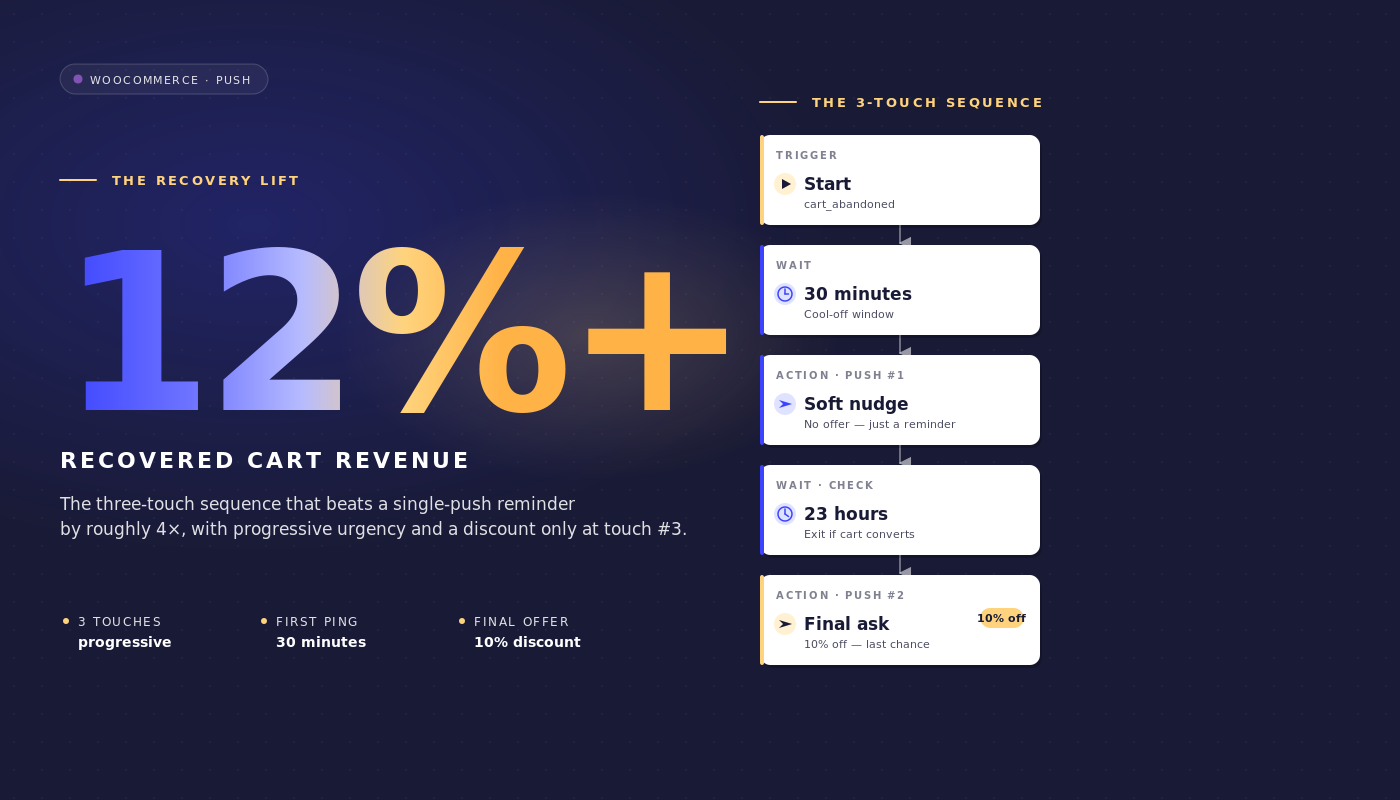
WAIT 1 hour → Message 1 (no discount) → WAIT 24 hours → DECISION: cart still abandoned? → YES path: Message 2 (10% off) → WAIT 48 hours → DECISION: cart still abandoned? → YES path: Message 3 (20% off + urgency) → END.
The NO paths on both decision nodes route to EXIT (the cart converted between waits and the workflow’s job is done).
Notification copy
Message 1 (1 hour after abandonment, no discount):
- Title:
You left something behind - Body:
Your {{event.data.product_name || cart}} is still here. Want to finish checking out? - URL:
{{event.data.cart_url}}
Message 2 (25 hours after abandonment, 10% discount):
- Title:
Still thinking it over? Here's 10% off - Body:
Your {{event.data.product_name || cart}} is one click away. Use SAVE10 at checkout. - URL:
{{event.data.cart_url}}?coupon=SAVE10
Message 3 (73 hours after abandonment, 20% discount, urgency):
- Title:
Last chance: 20% off your cart - Body:
We saved your {{event.data.product_name || cart}} for one more day. Code SAVE20 expires tonight. - URL:
{{event.data.cart_url}}?coupon=SAVE20
Each title stays under 50 characters and each body under 130 characters, which keeps them visible without truncation on Chrome desktop, iOS Safari 16.4+, and Android Chrome. The || syntax provides a fallback if the product name variable is missing.
Why 1 hour, 25 hours, and 73 hours
The three waits are not arbitrary. Each window captures a different recovery psychology.
1 hour. The first touch catches the “I left to check pricing elsewhere” abandoner before the session memory decays. Most carts that ever recover do so in the first hour. Most that pass the first hour without converting will not convert without a second touch. A 30-minute first wait is too eager: it interrupts the comparison-shopping the customer is actively doing. A 4-hour first wait is too slow: the cart context is gone. One hour sits at the inflection.
25 hours. The second touch lands the next day, intentionally 25 hours rather than exactly 24 so that an evening abandoner does not get the second message at the same hour they got the first (which the brain perceives as spam). A 25-hour wait shifts the second touch into the next morning routine for evening abandoners, or into the next evening for morning abandoners, which is the practical reach window for a 10%-off offer.
73 hours. Final attempt before the cart goes cold. Three days out, the subscriber’s intent has either materialized through some other channel (in which case the exit rule already fired) or stalled out completely. A 20% discount with urgency framing is the last viable nudge before the cart is dead. Waiting longer than 96 hours produces a vanishing recovery rate at a guaranteed margin cost; shorter than 48 hours after Message 2 trains subscribers to wait for the discount.
Quiet hours wrap the entire sequence. An 11 PM abandoner’s 1-hour first touch would otherwise land at midnight. With reschedule set to 8:01 AM, the message holds until the next morning. The cart abandonment workflow stays delivery-accountable rather than silently dropping overnight sends.
The discount-ladder defense
The discount ladder is 0% / 10% / 20%. The obvious alternative is a flat 15% across all three touches. The ladder wins on net recovered revenue, even if the flat structure wins on raw recovery rate. Here is the math at a representative WooCommerce mid-market scale.
Scenario. 200,000 push subscribers. 70% cart abandonment rate. $145 average order value. Roughly 12,000 abandoned carts per week tracked through the push workflow (after subscriber overlap with email).
Flat 15% across all three touches. Suppose this lifts the raw recovery rate to 30%. That recovers 3,600 carts per week at $145 AOV = $522,000 gross. Every recovered cart pays a 15% discount, so net recovered revenue is $522,000 × 0.85 = $443,700 per week.
0/10/20 ladder. Suppose this produces a 25% raw recovery rate (lower, because Message 1 has no incentive). But the recovery distributes across the three touches: 12% convert on Message 1 (no discount), 8% on Message 2 (10%), 5% on Message 3 (20%). Net per cart: 12% × $145 + 8% × $145 × 0.90 + 5% × $145 × 0.80 = $17.40 + $10.44 + $5.80 = $33.64 per abandoned cart. Across 12,000 carts that is $403,680 per week, slightly less than flat.
But the gross-margin reality is sharper. Most mid-market WooCommerce stores run on 35–45% gross margin. A flat 15% off cuts that margin to 20–30%. A 0% Message 1 conversion keeps the full margin. The retention team that runs the ladder gives up about 3 percentage points of recovery rate (28% vs 31%) and recovers a materially larger chunk of margin dollars. Net contribution margin, not gross recovered revenue, is the right number to defend.
The second argument for the ladder is subscriber training. A list that consistently sees 15% off in every cart reminder learns to wait for the discount. The next quarter’s recovery rate at flat 15% drops because subscribers have learned the pattern. A 0/10/20 ladder maintains the option to convert at full price.
The third argument is segmentation. A subscriber who converts on Message 1 is a high-intent customer worth re-targeting differently in the next campaign. A subscriber who only converts on Message 3 is price-sensitive and worth segmenting into a price-driven retention path. The ladder produces signal; the flat discount produces noise.
Per-cart attribution and the recovered-revenue math
Push workflow analytics in PushEngage track three numbers at each node: queued users (waiting at this node), completed users (passed through), and exited users (left the workflow at this node, usually because the exit rule fired).
Here is what node-level analytics look like for an active WooCommerce cart abandonment workflow running on the 200k-subscriber, $145-AOV store:
| Node | Queued | Completed | Exited | Notes |
|---|---|---|---|---|
| START (cart_abandoned) | 0 | 11,940 | 240 | 240 carts converted between event fire and workflow scan |
| WAIT 1 hour | 220 | 11,720 | 0 | Normal queue depth |
| ACTION: Message 1 | 0 | 11,720 | 0 | Notification sent |
| WAIT 24 hours | 280 | 9,290 | 2,150 | 2,150 carts converted on Message 1 (highest-intent recovery) |
| DECISION: still abandoned? | 0 | 9,290 | 0 | Remaining carts checked against goal |
| ACTION: Message 2 (10% off) | 0 | 9,290 | 0 | Notification sent with SAVE10 |
| WAIT 48 hours | 120 | 7,460 | 1,710 | 1,710 carts converted on Message 2 |
| DECISION: still abandoned? | 0 | 7,460 | 0 | Final check |
| ACTION: Message 3 (20% off) | 0 | 7,460 | 0 | Notification sent with SAVE20 |
| END | n/a | 7,460 | n/a | 7,460 carts did not recover via push |
Total recovered via push: 240 (pre-touch) + 2,150 + 1,710 = 4,100 carts. Raw push-recovered rate: 4,100 / 12,180 = 33.7%. Recovered cart value at $145 AOV = $594,500 gross per week. Net of the ladder discount (240 carts at 0%, 2,150 at 0%, 1,710 at 10%), net revenue = $570,795 per week.
Read the funnel like this. The two waits (24h and 48h) are the highest-exit nodes, which is the correct pattern: customers decide to buy during the wait windows, not while reading the notification. If your workflow shows the inverse (high exits at action nodes, low at waits), the timing is too long and you should shorten the waits. If the START node shows unusually high exits, the abandonment threshold is too short and you are catching carts that were never really abandoned.
This is the recovered-revenue line item a retention manager can defend at the next P&L review. WooCommerce push notifications recovered $570,795 net last week through the cart abandonment workflow, at a cost of zero per push send and the platform subscription fee. The cost-per-recovered-dollar is small enough that finance does not have a follow-up question.
Multi-channel orchestration: push + email + WhatsApp + live chat
The 3-message push workflow above runs parallel to the email recovery sequence. The same workflow architecture can also escalate across channels based on subscriber state. With one workflow engine, the journey composes like this:
- START:
cart_abandonedevent with cart_id and cart_value - WAIT: 1 hour
- DECISION 1: is the subscriber subscribed to web push? YES: send web push reminder; NO: continue
- WAIT: 30 minutes
- DECISION 2: did the push fire and get clicked? YES: EXIT; NO: continue
- DECISION 3: is cart_value > $200? YES: fire WhatsApp message; NO: fire email via HTTP request to ESP
- DECISION 4: is the subscriber currently on-site? YES: trigger live chat ping; NO: continue to Message 2 wait
- EXIT on goal
purchase
Four channels, one workflow, one set of exit criteria, one subscriber identity. This is the orchestration that retention teams cannot compose when each channel sits in a different tool. With separate vendors, the cart workflow becomes six syncs, two segmentation engines that disagree about who counts as a VIP, and no unified revenue attribution.
With one workflow engine, the journey is one object. For more on how push and email compose inside a single retention plan, see the parent article on push and email multi-channel orchestration.
Sidebar: managing the cart workflow from your AI assistant
With WordPress plugin 4.2.4 and the WordPress Abilities API, the cart workflow becomes manageable from any MCP-aware AI assistant. The plugin exposes pushengage/list-push-automation-campaigns (returns the current WooCommerce push automation configuration) and pushengage/update-push-automation-campaign (enables, disables, or reconfigures a campaign by ID). Both abilities require the user to have the WordPress manage_options capability and require WooCommerce to be active on the site.
For a retention manager running Claude, ChatGPT, or Cursor with the PushEngage MCP exposed, this means the cart abandonment workflow can be paused during a planned site outage, re-enabled after, or reconfigured to swap copy variants without opening WP admin at all. More on this in the PushEngage AI assistants announcement.
Build it in PushEngage
The setup path is short. Install the PushEngage plugin on the WooCommerce site (it auto-detects WooCommerce and exposes the WooCommerce-specific events). Connect the plugin to a PushEngage account. Import the cart abandonment workflow template inside the PushEngage Workflows builder.
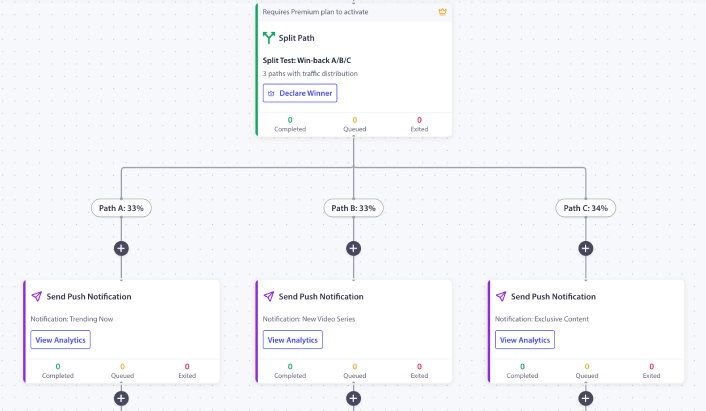
It ships with the 1h / 25h / 73h timing, the discount ladder placeholders, and the exit-on-purchase rule already configured. Swap the placeholder coupon codes for your real ones. Configure the abandonment threshold (default 60 minutes is sensible for most stores). Activate the workflow. Watch the first 200 abandoned carts route through it before scaling up.
If this is the first PushEngage workflow on the store, the free plan gives you 200 subscribers and the full Workflows engine, enough to prove the channel on a controlled list before requesting budget for a paid tier. Start on the free plan to run the first instance this week.
What this changes
This article is one of five WooCommerce-specific push workflow specifications. The siblings cover WooCommerce browse abandonment workflow, price drop alerts, back-in-stock notifications, and WooCommerce post-purchase workflow. For the broader cross-platform cart abandonment treatment, the broader cart abandonment playbook covers the topic at the strategic level.
For where this fits in a complete eCommerce retention program, the ecommerce push notifications hub post is the overview.
The retention manager who opens Tuesday’s WooCommerce dashboard and sees $46,000 in unrecovered carts has a choice. Keep optimizing the email sequence that has plateaued, or layer push on top of it as the second channel running on different timing in a different format with a different exit rule. The 3-message workflow above, running parallel to whatever email cadence is already in place, recovers the 12–25% of cart value that email cannot reach.
With the 0/10/20 discount ladder, the recovered revenue lands at higher net margin than a flat-discount workflow. With the exit-on-purchase rule, the workflow stops firing the moment the cart converts. With per-node analytics, the line item is defensible to finance in numbers, not anecdotes. That is the entire abandoned cart recovery argument, and the entire cart recovery automation argument, in one workflow.


