The activation rate slide came up first at the Monday growth review. Twenty-eight percent. Same as last quarter. Same as the quarter before. Your trial-to-paid conversion sits at 14%. Your NRR was 108% twelve months ago and is now 102%. The board is asking what changed. Nothing changed. That is the problem.
The lifecycle stack still runs on the same four automated push notifications you built last year. The welcome push fires on signup. The product-tour push fires three days later. The trial-ends push fires on day 12. The churn-warning push fires when DAU drops by half. Four triggers, each set up in a different sprint by a different campaign owner, each pointed at the same subscriber list, none of them aware of the others. The activation push goes out to people who already activated. The trial-ends push goes out to people who already upgraded. The churn-warning push goes out to people who are not actually churning — they are on vacation.
This is what push notification automation for SaaS looks like in most mid-market PLG teams: four to six disconnected triggers, dressed as automation, treated as a campaign list rather than a workflow graph. The PLG playbook has gotten good at product-side activation work over the last decade, and most of the easy gains came from product changes — onboarding redesigns, sample-data starters, embedded checklists. The next ten points of activation lift and the next five points of NRR are not in product. They are in the automation layer the lifecycle team was supposed to own and never finished building.
This article walks through what that automation layer should actually look like — workflow architecture, not a trigger list — and ships five SaaS-shaped workflow blueprints with timing, exit criteria, and the math that turns each one into a defensible line item.
- Why your SaaS "automated push notifications" are stalling NRR
- The anatomy of a SaaS push notification workflow
- Five workflow blueprints for SaaS
- Lifecycle-stage segmentation, A/B testing, and exit criteria live inside the workflow
- Multi-channel push notification for SaaS: web push, app push, in-app, email, and Slack/CRM
- The NRR math: revenue per workflow, per channel, per lifecycle stage
- Build it in PushEngage Workflows for your SaaS
- What this changes
Why your SaaS “automated push notifications” are stalling NRR
The word automation has been doing the same unearned work in SaaS that it has been doing in eCommerce. When most SaaS lifecycle teams say “automated push notifications for SaaS,” what they mean is triggered push notifications: single notifications that fire when an event happens, with no state, no waits, no branching, no exit conditions. A user signs up, the welcome push fires. A user hits day three, the product-tour push fires. A user’s trial nears expiration, the trial-ends push fires. Each trigger is its own pipeline, ignorant of every other trigger and unaware of where the user actually is in their lifecycle.
A workflow is something different. A workflow is a multi-step journey with state. It knows when the user entered, where they currently sit, what they have done since entering, and what conditions cancel the journey. The trial-to-paid workflow does not just fire one notification three days before trial-end. It fires at trial-end-3-days, waits a day, checks whether the subscriber has already upgraded, fires a second touch with a case study, waits another day, fires a final touch with a limited-time offer, and exits the workflow the moment the subscriber upgrades, no matter which step they were on.
That last clause is the difference. Triggers have no memory. Workflows do. If your upgrade-nudge automation keeps sending nudges after the customer has already upgraded, you do not have an automation. You have a trigger that nobody told to stop.
For a mid-market SaaS lifecycle team, the distinction is the difference between an NRR that compounds and one that slides. Six triggers running in parallel produce six channels of crossed wires. Five workflows running in coordination produce one journey per subscriber per lifecycle stage, branched and bounded. The page-one search results for this keyword frame the problem as “what kind of push notifications to send” and answer with a listicle of tools or templates. That is not the question a lifecycle manager asks at the Monday growth review. The question is how to compose the journey.
The anatomy of a SaaS push notification workflow
Before the blueprints, the vocabulary. A SaaS push notification workflow is built from six node types. Once you know what each one does, every blueprint in this article reads as a diagram, not a description.
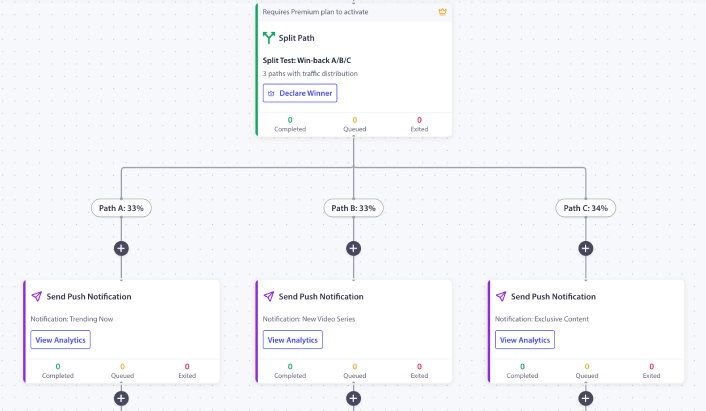
START. The entry point. A START node defines how the workflow is triggered, either by a subscriber event (trial_signed_up, aha_moment_reached, usage_hit_80pct_of_plan_limit, dau_dropped_50pct) or by an audience filter that selects subscribers matching specific criteria at a scheduled time. A workflow has exactly one START.
WAIT. A delay. A WAIT node holds the subscriber at this point for a specified duration: hours for aha-moment recovery, days for trial-to-paid timing, weeks for expansion nudges. Or until a specific calendar time. Waits are how a workflow learns to not be a one-off blast.
DECISION. A two-way branch. A DECISION node checks a condition — has the subscriber upgraded, did they invite a teammate, did they hit the aha-moment event in the last 24 hours, is their MRR tier above $99 — and routes them down the YES path or the NO path. Decisions are how a workflow stops treating every trial user the same.
SPLIT_PATH. A percentage-based fork. SPLIT_PATH nodes route subscribers across multiple paths based on configured percentages: 50/50 for an A/B test on trial-to-paid copy, 33/33/34 for a three-way send-time test on activation nudges. Once you have a winner, you promote the winning path to 100% and the workflow keeps running on the proven variant.
ACTION. The work itself. ACTION nodes send a push notification, add the subscriber to a segment, update their custom attributes, fire an HTTP request to your CRM, start another workflow, or stop one. PushEngage Workflows supports eleven action types. The most common in SaaS are SendPushNotification, UpdateAttribute, HttpRequest (for CRM and Slack escalation), and Workflow.Start (for chaining lifecycle stages).
END / EXIT. The terminal. END and EXIT nodes mark the workflow complete and update analytics. END is the natural conclusion. EXIT is typically used to terminate early on the NO path of a Decision node when the subscriber no longer qualifies, or to short-circuit when the goal is met — subscription upgraded, DAU returned to baseline, aha-moment reached.

Every blueprint below composes from these six pieces.
Five workflow blueprints for SaaS
These are not “plays.” They are working blueprints. Each one lists its trigger, run type, node sequence, exit criteria, and the SaaS retention metric it is built to move. You can lift each one directly into the PushEngage Workflows builder and ship the first version in under an hour. For copy patterns on each blueprint, the legacy SaaS push notification examples catalog has the specific messaging shapes; the blueprints below are the journey architectures that string those messages into a sequence.
Blueprint 1 — Activation series (SaaS onboarding push notification automation)
- Trigger (START): Custom event
trial_signed_up - Run type: Single (one activation journey per subscriber per 90-day window)
- Flow: Welcome push immediately (value statement, not a feature dump) → WAIT 1 hour → product-tour push focused on one specific first-step feature → WAIT 24 hours → DECISION: has the subscriber reached the aha-moment event (
first_invoice_sent,first_dashboard_created,first_teammate_invited— whichever your product defines as first-value)? → YES path: congrats push with a soft upgrade hint, add toactivatedsegment, END → NO path: ACTIONWorkflow.Startchaining into Blueprint 2 (Aha-moment recovery), END - Exit criteria: Goal
subscription_upgraded(no further activation messaging once they pay) - SaaS metric: Activation rate at day 7. The 24-hour decision gate is the highest-leverage moment in the trial — before this gate the user is exploring, after this gate they are either bought-in or drifting. For the copy on the first two touches, the onboarding push notification templates post catalogs the shapes that consistently land.
Blueprint 2 — Aha-moment recovery
- Trigger (START):
Workflow.Startfrom Blueprint 1, OR audience filtertrial_signed_up_more_than_24h_ago AND aha_moment_not_reached - Run type: Single
- Flow: Targeted push naming the specific step the subscriber got stuck on (“Looks like you haven’t created your first dashboard yet — here’s a 60-second walkthrough”) → WAIT 12 hours → DECISION: aha-moment reached? → YES path: ACTION
Workflow.Startback into Blueprint 1’s congrats branch, END → NO path: send a “want a walkthrough?” push with a calendar link → WAIT 24 hours → DECISION → if still no, ACTION HttpRequest to the Customer Success Slack channel flagging the user for human outreach, END - Exit criteria: Goal
aha_moment_reachedORsubscription_cancelled - SaaS metric: Time-to-first-value. For PLG products, TTFV under 7 days is the strongest single predictor of trial-to-paid conversion. The aha-moment recovery workflow is the lever that pulls TTFV from “wherever the user gets on their own” to “wherever a guided nudge can take them.”
Blueprint 3 — Trial-to-paid conversion (trial to paid push notification sequence)
- Trigger (START): Custom event
trial_ends_in_3_days - Run type: Single
- Flow: Trial-ending-soon push (value recap, no discount) → WAIT 1 day → DECISION: subscription upgraded? → YES path: EXIT → NO path: trial-ending-tomorrow push with a customer case-study link → WAIT 1 day → DECISION → YES: EXIT → NO path: final-day push with a limited-time annual-billing discount → END
- Exit criteria: Goal
subscription_upgradedmatching thetrial_idon the trigger event. The moment the subscriber upgrades — at hour 6, hour 30, or hour 70 of the workflow — the workflow cancels for that subscriber and the remaining touches never go out. - SaaS metric: Trial-to-paid conversion rate. This is the workflow with the most defensible revenue line. The math runs in the retention section below, but as a directional anchor: every additional 1% of trial-to-paid conversion at a $99 monthly tier with 2,000 monthly trials is roughly $237,000 in incremental ARR.
Blueprint 4 — Expansion / upgrade nudge
- Trigger (START): Custom event
usage_hit_80pct_of_plan_limit(subscribers, seats, API calls, projects — whatever your tier is metered on) - Run type: Multiple Sequential (one expansion journey at a time per account; a new instance fires next quarter if they hit the threshold again)
- Flow: WAIT 1 day (do not fire the moment the threshold trips; let the user finish what they were doing) → soft nudge push with a usage preview → WAIT 5 days → DECISION: still at 80%+? → YES path: ROI-anchored push with a customer case study at the next tier → WAIT 7 days → DECISION: subscription upgraded? → YES: EXIT → NO path: ACTION HttpRequest firing a CRM task on the account owner for Customer Success outreach → END
- Exit criteria: Goal
subscription_upgraded. Also exit onsubscription_cancelled(which becomes a churn signal handled by Blueprint 5). - SaaS metric: NRR contribution. Expansion revenue is the metric that defines SaaS valuations; the upgrade-nudge workflow is the automation lever that converts metered-usage signals into expansion ARR before the account is forced to make the decision at renewal.
Blueprint 5 — Churn-prevention
- Trigger (START): Audience filter
dau_dropped_50pct_over_14d AND subscription_active - Run type: Single (one churn-prevention attempt per subscriber per 90-day window)
- Flow: Re-engagement push surfacing a feature the subscriber has never used → WAIT 5 days → DECISION: DAU returned to baseline? → YES path: add to
re-engagedsegment, EXIT → NO path: ACTION HttpRequest to fire a CRM task on the CS owner + send a “what could we do better?” feedback push with a one-question survey → END - Exit criteria:
dau_returned_to_baselineaudience condition. Also exit onsubscription_cancelled— the workflow’s job is done either way. - SaaS metric: Net churn rate. The HttpRequest-to-CRM escalation is the SaaS-specific element: when the algorithmic recovery fails, the workflow does not give up. It hands the account to a human CS rep with the context already populated.
One note on Blueprint 5’s trigger. This is the only blueprint here that uses an audience-based trigger rather than an event-based trigger. Audience triggers batch-process the matching subscriber set at workflow start time only. Subscribers who become inactive after the workflow starts running this week are not auto-included in the active instance, and editing the audience filter on an active workflow does not add new subscribers. If you want a rolling churn-prevention program, duplicate the workflow on a weekly or monthly schedule rather than expecting one long-running audience workflow to keep ingesting new at-risk subscribers.
Lifecycle-stage segmentation, A/B testing, and exit criteria live inside the workflow
The dominant SaaS-marketing pattern for these three concepts is to list them as “best practices” — generic bullets at the end of an article, divorced from the campaign that uses them. That is the wrong frame. They are not best practices that sit next to the workflow. They are the workflow.
| Concept | Best-practice framing (wrong) | Workflow-node framing (correct) |
|---|---|---|
| Lifecycle-stage segmentation | “Segment by trial / activated / paying / at-risk” | A DECISION node that checks lifecycle_stage (or computes it from MRR + DAU + last-active) and routes paying users to expansion, at-risk users to churn-prevention, and trial users to trial-to-paid |
| A/B testing | “Always A/B test your trial-end copy” | A SPLIT_PATH node with 50/50 allocation, load-balanced subscribers per path, and a winner_edge_id field that promotes the winner to 100% once the test reaches significance |
| Quiet hours | “Don’t send at 3 a.m.” | A workflow-level option with start_at, end_at, timezone, and a fallback setting that either skips the send or reschedules it to one minute after quiet hours end — critical for global B2B teams where the CFO is in London and the dev lead is in Singapore on the same plan |
| Exit criteria | “Stop sending to people who upgraded” | A workflow-level rule that checks the subscriber against an audience filter or a triggered goal before each node, and cancels the workflow if matched |
The difference matters because best-practice bullets are easy to nod at and hard to enforce. Workflow nodes get enforced by the engine itself. The DECISION runs every time. The SPLIT_PATH balances every subscriber. The quiet-hours fallback engages without anyone remembering to check the time. The exit rule cancels the workflow whether or not the campaign owner is paying attention.
For the trial-to-paid blueprint above, this means the moment a subscriber upgrades — at hour 6, hour 30, or hour 70 of the workflow — the exit rule fires, the workflow cancels for that subscriber, and the remaining touches never go out. No “you have one day left to upgrade” push to someone who already upgraded yesterday. No Slack from the CFO wondering whether the billing actually went through.
Multi-channel push notification for SaaS: web push, app push, in-app, email, and Slack/CRM
The channel-breadth question is shaped differently for SaaS than for eCommerce. The channels that matter for a B2B PLG team are not just push and email. They are web push for the web app, app push for mobile-app SaaS, in-app messages for inside the product surface, email as fallback when push is not subscribed, and HTTP-request escalation to Slack or HubSpot/Salesforce when a human needs to step in. Five channels of escalation, all composable inside one workflow if the workflow engine supports them.
A composed aha-moment recovery journey reads like this:
- START:
trial_signed_upevent - WAIT 24 hours
- DECISION: has the subscriber reached the aha-moment event?
- YES: EXIT (activation succeeded, route to Blueprint 1’s congrats branch)
- NO: continue
- DECISION: is the subscriber currently logged in to the web app?
- YES: ACTION — fire an in-app message (lowest-friction channel, no escalation needed yet)
- NO: continue
- DECISION: does the subscriber have web push subscribed?
- YES: ACTION — fire a web push to the abandoned step
- NO: ACTION — fire an email to the same content
- WAIT 12 hours
- DECISION: aha-moment reached now?
- YES: EXIT
- NO: ACTION HttpRequest to Customer Success Slack channel, assign the account to a CS rep
- END
One subscriber identity, one workflow, five channels of escalation. The cheapest viable channel goes first: in-app while in-product, then push if subscribed, then email if not. The most expensive — human CS time — goes last, only when the algorithmic recovery has demonstrably failed. For deeper coverage of the channel tradeoffs specifically, the push vs in-app notifications comparison walks through the cost and personalization math for each.
Doing the same thing with separate tools means six syncs between platforms, two segmentation engines that disagree about who counts as at-risk, and no single revenue attribution because each tool reports its own conversions. Doing it inside one workflow engine means one subscriber identity, one set of decision logic, and one funnel report that shows where the journey actually breaks. The in-app notification examples catalog covers the in-app surfaces that work best inside this orchestration model.
This is the differentiator that does not have an analogue on the page-one results for this keyword. Every top result treats push as one channel and email as the comparison. None describes a true multi-channel push notification for SaaS workflow where a single trigger routes across web push, in-app, email, and human CS escalation as one journey with shared exit criteria.
The NRR math: revenue per workflow, per channel, per lifecycle stage
A workflow that cannot be defended at the next QBR is a workflow that gets killed. The lifecycle manager’s job is to show, in dollars or NRR points, what each automation produced. Most articles on automated push notifications for SaaS stop at open rate. That is not enough. The right metric is MRR added per workflow, NRR delta per quarter, and net churn reduction per cohort.
PushEngage Workflows tracks three numbers at each node:
- Queued users: subscribers currently waiting at this node (typically a WAIT or a quiet-hours rescheduling)
- Completed users: subscribers who passed through this node
- Exited users: subscribers who left the workflow at this node, either because the exit criteria matched or because they cancelled their subscription
Here is what node-level analytics look like for an active trial to paid push notification workflow at a 2,000-trial-per-month PLG SaaS with a $99 monthly tier (illustrative numbers):
| Node | Queued | Completed | Exited | Notes |
|---|---|---|---|---|
| START (trial_ends_in_3_days) | 0 | 2,000 | 0 | All matching trials enter |
| ACTION: trial-ending-soon push | 0 | 2,000 | 0 | Notification sent |
| WAIT 1 day | 38 | 1,710 | 252 | 252 subscribers upgraded after touch #1 (12.6% conversion on touch alone) |
| DECISION: subscription upgraded | 0 | 1,710 | 0 | 1,710 remain unconverted |
| ACTION: trial-ending-tomorrow + case study | 0 | 1,710 | 0 | Notification sent |
| WAIT 1 day | 24 | 1,510 | 200 | Another 200 upgrades (an additional 10% conversion) |
| ACTION: final-day + limited-time discount | 0 | 1,510 | 0 | Final touch |
| END | n/a | 1,510 | n/a | 1,510 did not upgrade |
In this cohort, 452 trials converted to paid while inside the workflow (out of 2,000) — a 22.6% trial-to-paid conversion rate driven by the workflow’s three touches. At a $99 monthly plan, that is $44,748 in MRR added per cohort, or roughly $537,000 in incremental ARR per year if the cohort size holds. The two waits (touch #1 and touch #2) are the highest-exit nodes in the funnel, which is the expected pattern: upgrade decisions land in the wait windows, not in the action windows. If your workflow shows the inverse — high exits at action nodes, low exits at waits — your touches are firing too late and the waits should be shortened.
The cost math runs the same way as eCommerce, with SaaS-specific channels added. Web push and in-app messages are free per send after opt-in. Email costs depend on your ESP contract (Customer.io, Iterable, Klaviyo) — at a 50,000-subscriber SaaS list, a single trial-end send typically runs in the low hundreds of dollars per touch. Human Customer Success time, on the other hand, costs real money: a CS rep handling a 10-minute Slack escalation at a $90,000 fully-loaded annual cost is roughly $7.50 per escalation. The workflow’s job is to use the cheapest viable channel first and escalate only when state demands it. When the line item reads “trial-to-paid workflow recovered $44,748 MRR last cohort at a $312 per-cohort all-in cost,” the QBR conversation is short.
Build it in PushEngage Workflows for your SaaS
Each of the five SaaS blueprints maps directly to PushEngage Workflows components. The mapping table:
| Blueprint | Node types used | Action types used | Workflow option |
|---|---|---|---|
| Activation series | START, WAIT, DECISION, ACTION, END | SendPushNotification, AddSegment, Workflow.Start | Run type: Single |
| Aha-moment recovery | START, WAIT, DECISION, ACTION, END | SendPushNotification, HttpRequest, Workflow.Start | Run type: Single |
| Trial-to-paid conversion | START, WAIT, DECISION, ACTION, END | SendPushNotification | Run type: Single; exit on goal subscription_upgraded |
| Expansion / upgrade nudge | START, WAIT, DECISION, ACTION, END | SendPushNotification, HttpRequest | Run type: Multiple Sequential |
| Churn-prevention | START, WAIT, DECISION, ACTION, END | SendPushNotification, HttpRequest, AddSegment | Run type: Single; audience-based trigger |
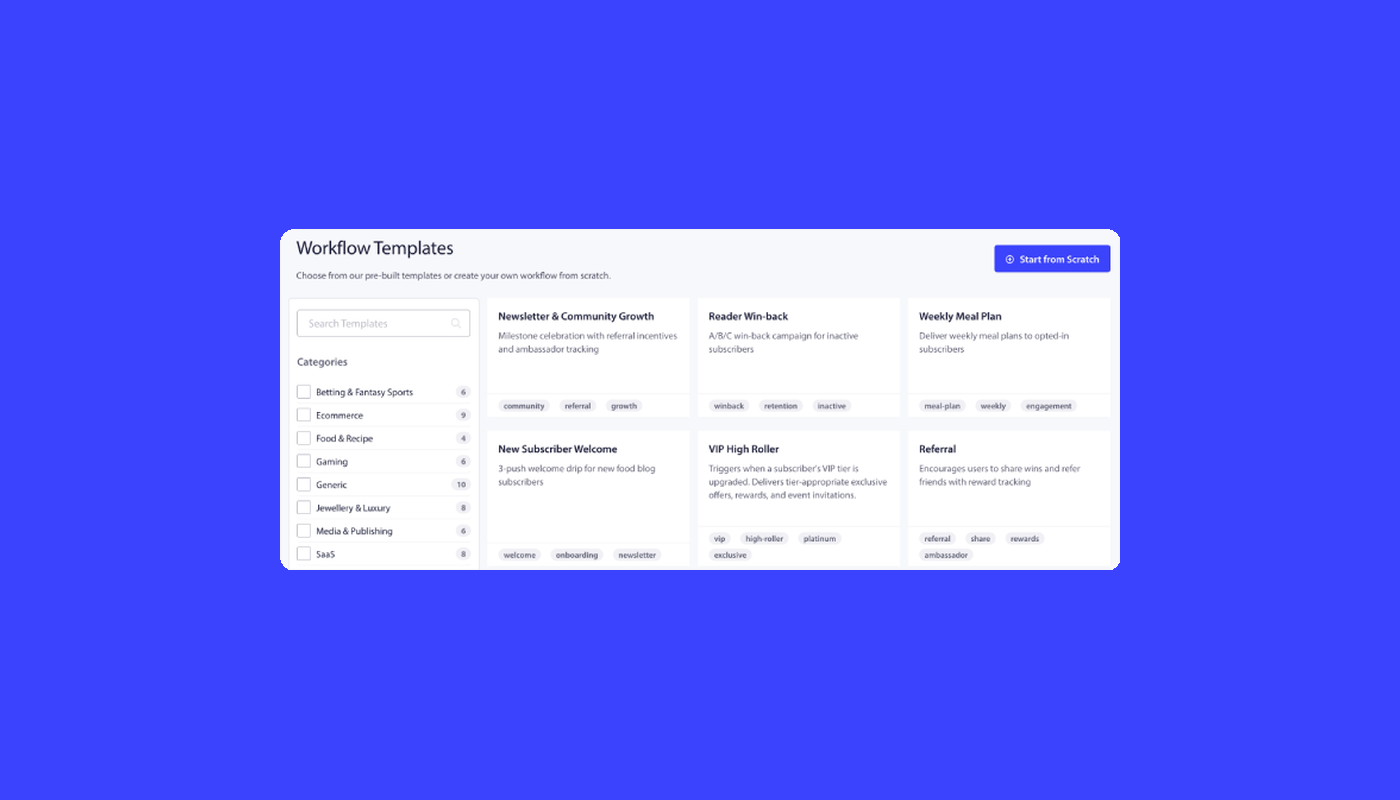
The Workflows engine ships with 60+ shipped templates that cover each of these flows. The eCommerce-shaped templates (welcome, cart abandonment, win-back) translate cleanly to SaaS by swapping the trigger event and the exit-condition goal. Welcome templates become the basis of SaaS onboarding push notification automation — activation series, aha-moment recovery, and the rest of Blueprint 1’s downstream chain. Cart-abandonment template logic becomes trial-to-paid logic with cart_abandoned swapped for trial_ends_in_3_days and purchase swapped for subscription_upgraded. The architecture is vertical-agnostic; the vocabulary is what changes.
For a broader view of how PushEngage fits the SaaS use case — pricing, integrations, customer examples — PushEngage for SaaS is the canonical landing page. For the immediate trial path: the free plan gives you 200 subscribers, all channels (web push, app push, WhatsApp, live chat), and the full Workflows engine on day one. That is enough to ship the trial-to-paid blueprint on your next cohort and have a defensible MRR number for the following QBR.
What this changes
If you take one thing from this article, take this: push notification automation for SaaS is workflow architecture, not a campaign list. The trial-to-paid journey that exits on upgrade, the activation series that chains into aha-moment recovery, and the cross-channel orchestration that escalates to a human CS rep only when the algorithmic recovery fails are all the same shape. One START, some WAITs, some DECISIONs, some ACTIONs, an EXIT. Four standalone triggers cannot do this. One workflow engine can. The NRR math compounds from there.
Start on the free plan to ship the first blueprint on your next trial cohort.


