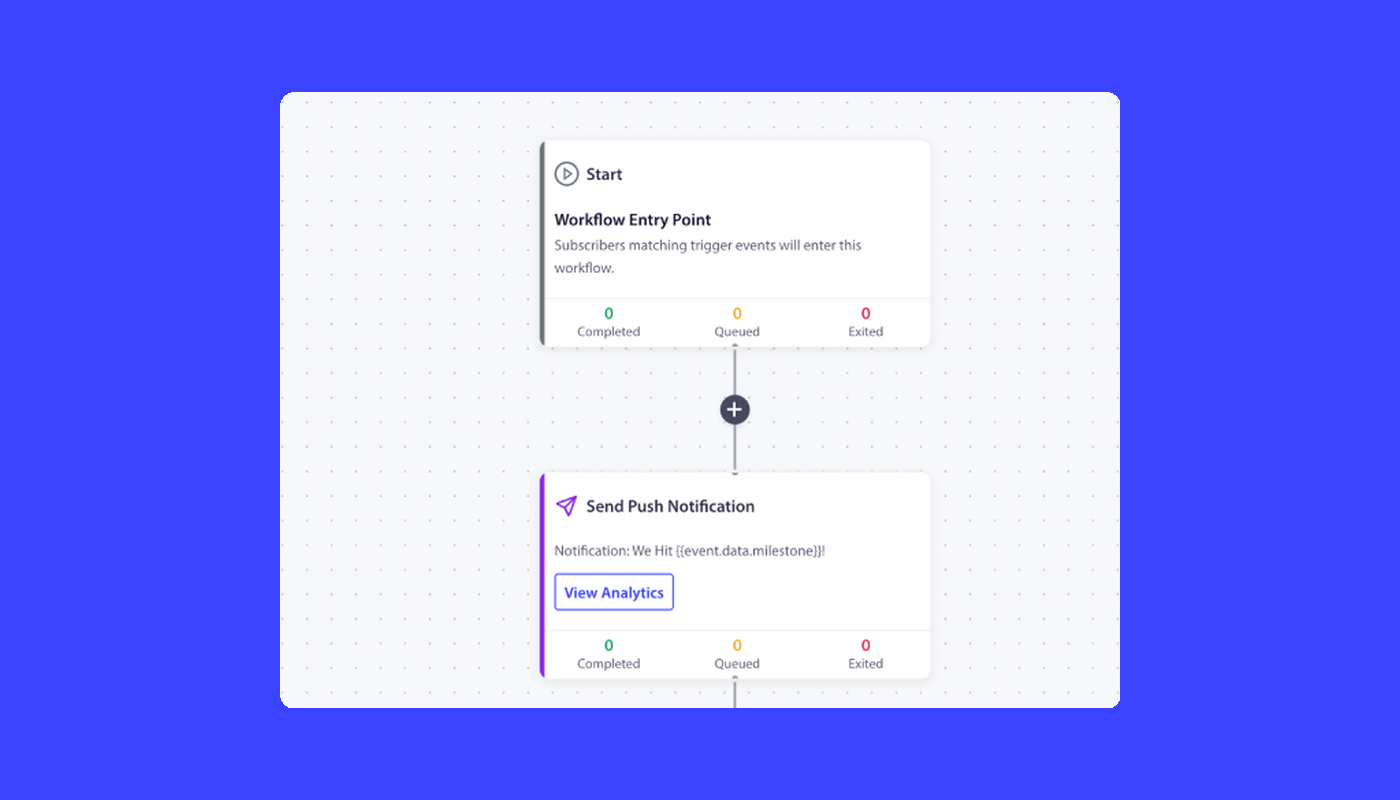
It is the third Friday of the quarter and you are looking at your retention dashboard. The abandoned-cart sequence is running. The browse-abandonment trigger is running. The post-purchase review request is running. The price-drop alert is running. Welcome notifications go out on every signup. Six “automated” push notifications. Six triggers wired up over the last eighteen months. Your repeat-purchase rate stopped moving twelve months ago.
This is what push notification automation for eCommerce looks like in most mid-market retention stacks: six disconnected triggers, each shipping copy from a different campaign owner, none of them aware of the others. The cart-abandonment series keeps firing notifications at subscribers who already bought. The win-back campaign overlaps with the price-drop alert for the same customer. There is no shared logic, no shared exit criteria, no shared identity. Just six separate pipes, each pointed at the same subscriber list, each pretending the other five do not exist.
Push notification automation for eCommerce should not work like this. It should work as one workflow architecture: a set of multi-node journeys with shared triggers, shared decision logic, and shared exit criteria, running across web push, app push, WhatsApp, and live chat from a single subscriber identity. This article walks through what that architecture looks like, ships five complete workflow blueprints you can lift, and shows how to read the per-workflow funnel so the line item is defensible to finance.
Most “automated push notifications” are not actually automated
The word automation has been doing a lot of unearned work on the eCommerce blog circuit. When most articles say “automated push notifications,” what they mean is “triggered push notifications”: single notifications that fire when an event happens, with no further state, no waits, no branching, no exit conditions. A subscriber abandons a cart, the cart-abandonment notification fires. A subscriber views a product, the browse notification fires. A subscriber buys, the post-purchase notification fires. Each trigger is its own pipeline, ignorant of every other trigger.
A workflow is something different. A workflow is a multi-step journey with state. It knows where the subscriber entered, where they currently are, what time they entered each node, and what conditions cancel the journey. The cart-abandonment workflow does not just fire one notification at the one-hour mark. It fires at one hour, waits a day, checks whether the cart is still abandoned, fires a second touch with a discount, waits two more days, fires a final touch, and exits the workflow the moment the subscriber buys, no matter which step they were on.
That last clause is the difference. The trigger has no memory. The workflow does. If your “abandoned cart automation” keeps sending reminders after the customer has already paid, you do not have an automation. You have a trigger that nobody told to stop.
For a mid-market eCommerce retention team, this distinction is the difference between a repeat-purchase rate that compounds and one that stalls. Six triggers running in parallel produce six channels of noise. Five workflows running in coordination produce one journey per subscriber, branched and bounded. Most of the page-one search results for this keyword frame the problem as “what kinds of notifications to send” and answer with a listicle of nine, twelve, or fifteen templates. That is not the question. The question is how to compose the journey.
The anatomy of a push notification workflow
Before the blueprints, the vocabulary. A push notification workflow is built from six node types. Once you know what each one does, every blueprint in this article reads as a diagram, not a description.
START. The entry point. A START node defines how the workflow is triggered, either by a subscriber event (cart abandoned, page viewed, segment joined, purchase goal tracked) or by an audience filter that selects subscribers matching specific criteria at a scheduled time. A workflow has exactly one START.
WAIT. A delay. A WAIT node holds the subscriber at this point for a specified duration (minutes, hours, days) or until a specific calendar time (Tuesday 10 AM in the subscriber’s timezone, December 15 at 8 PM site time). Waits are how a workflow learns to not be a one-off blast.
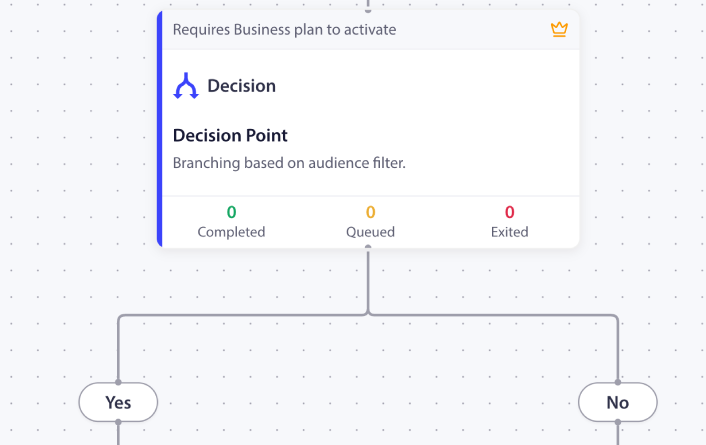
DECISION. A two-way branch. A DECISION node checks a condition (has the subscriber purchased, are they still in the cart-abandoner segment, is their loyalty tier “gold”) and routes them down the YES path or the NO path. Decisions are how a workflow stops treating every subscriber the same.
SPLIT_PATH. A percentage-based fork. SPLIT_PATH nodes route subscribers across multiple paths based on configured percentages: 50/50 for an A/B test, 33/33/34 for a three-way send-time test. Once you have a winner, you promote the winning path to 100% and the workflow keeps running on the proven variant.
ACTION. The work itself. ACTION nodes send a push notification, add the subscriber to a segment, update their attributes, fire a webhook, start another workflow, or stop one. PushEngage Workflows supports eleven action types. The most common in eCommerce are SendPushNotification, AddSegment, UpdateAttribute, and HttpRequest.
END / EXIT. The terminal. END and EXIT nodes mark the workflow complete and update analytics. END is the natural conclusion. EXIT is typically used to terminate early: on the NO path of a Decision node when the subscriber does not qualify, or on a Split Path branch designed as a control group.
Every workflow below is composed from these six pieces. Once the vocabulary is shared, the blueprints read fast.
Five workflow blueprints for eCommerce
These are not “examples.” They are working blueprints. Each one lists its trigger, its run type, its node sequence, its exit criteria, and its intended retention metric. You can lift each one directly into the PushEngage Workflows builder and have it running in under an hour.
Blueprint 1 — Welcome series
- Trigger (START): Event
PushEngage.Subscriber.Added - Run type: Single (one welcome journey per subscriber, with a 90-day cooldown before re-entry)
- Flow: Welcome notification (immediate) → WAIT 2 days → feature-highlight notification → WAIT 3 days → DECISION: has the subscriber made a purchase? → YES path: send a thank-you notification and add to the
customerssegment → NO path: send a first-purchase discount → END - Exit criteria: None. The journey is short enough that every subscriber should complete it.
- Retention metric: Time to first purchase. New subscribers who complete the welcome series purchase faster than those who do not, because the third touch lands at the moment when first-purchase intent has either materialized or stalled.
Blueprint 2 — Browse abandonment
- Trigger (START): Custom event
page_viewfiltered to product-detail pages where the subscriber did not also fireadd_to_cartwithin 30 minutes - Run type: Multiple Parallel (a subscriber may browse-abandon multiple products in a session, and each one gets its own workflow instance)
- Flow: WAIT 30 minutes → DECISION: is the subscriber still browsing the site? → YES path: EXIT (do not interrupt an active session) → NO path: send a reminder notification with the product they viewed → WAIT 24 hours → DECISION: did they add to cart? → YES path: EXIT (the cart-abandonment workflow takes over from here) → NO path: send a second touch with a related-products recommendation → END
- Exit criteria: Goal
add_to_cart(the cart workflow inherits the journey) or goalpurchase(no further messaging needed) - Retention metric: Browse-to-cart conversion rate on previously viewed products. The PushEngage post on browse abandonment campaigns covers the segmentation work this blueprint inherits.
Blueprint 3 — Abandoned cart escalation
- Trigger (START): Custom event
cart_abandoned - Run type: Multiple Parallel (each abandoned cart is its own journey, so a subscriber abandoning a second cart while the first is still active gets a second concurrent instance)
- Flow: WAIT 1 hour → reminder #1 (no discount, friendly tone) → WAIT 24 hours → DECISION: is the cart still abandoned? → YES path: reminder #2 with a 10% discount → WAIT 48 hours → DECISION: is the cart still abandoned? → YES path: final reminder with a 20% discount and urgency framing → END
- Exit criteria: Goal
purchasematching thecart_idfrom the trigger event. The moment the subscriber buys, the workflow cancels for that cart, regardless of where they currently sit. - Retention metric: Recovered cart value per abandoned cart, per channel. This is the highest-impact workflow on the page and the easiest to defend on a P&L. For deeper coverage of the cart-abandonment recovery sequence specifically, the PushEngage cart-abandonment playbook walks through how the cadence is tuned to platform behavior (Shopify Plus checkout flows differ from WooCommerce in ways that affect the first wait).
Blueprint 4 — Post-purchase review request
- Trigger (START): Event
PushEngage.Goal.Trackedwheregoal_name = purchase - Run type: Multiple Sequential (one active review-request journey at a time per subscriber, but the next purchase fires a new instance)
- Flow: WAIT 7 days (long enough to receive the product and form an opinion) → SPLIT_PATH 50/50: morning send (9 AM subscriber-local time) versus evening send (7 PM subscriber-local time) → review request notification → ACTION: HTTP request to the CRM logging the review-request send → END
- Quiet hours: 10 PM to 8 AM in the subscriber’s timezone, fallback
reschedule. Push notifications that would land overnight wait until 8:01 AM rather than dropping. Thereschedulesetting is the right default for this workflow becauseskipsilently drops notifications and leaves them out of analytics, which most retention teams do not want. - Exit criteria: Goal
review_submitted - Retention metric: Review-submission rate by send-time variant. The split-path makes the A/B test part of the workflow, not an afterthought attached to a campaign report.
Blueprint 5 — Win-back
- Trigger (START): Audience filter
last_active > 30 days - Run type: Single (one win-back attempt per subscriber per 90-day window)
- Flow: “We miss you” notification → WAIT 3 days → DECISION: did the subscriber engage with the notification or visit the site? → YES path: add to
re-engagedsegment, send a thank-you and a discount, END → NO path: send a stronger offer with a deeper discount → WAIT 5 days → DECISION: still inactive? → YES path: final “last chance” notification → END - Exit criteria: Audience filter
last_active < 7 days. The subscriber became active on their own and the workflow’s job is done. - Retention metric: Reactivation rate at 60 days post-workflow entry.
A word on the trigger. This is the only blueprint in this article that uses an audience-based trigger rather than an event-based trigger. Audience triggers in PushEngage Workflows batch-process the matching subscriber set at workflow start time only. Subscribers who become inactive after the workflow starts are not auto-included, and editing the audience filter on an active workflow does not add new subscribers. If you want a rolling re-engagement program, duplicate the workflow on a recurring schedule (monthly or quarterly) rather than expecting one long-running audience workflow to keep ingesting new candidates. This is a real source of “why didn’t this subscriber get the win-back?” support tickets in teams that misunderstand the trigger type.
Segmentation, A/B testing, and exit criteria live inside the workflow
The dominant pattern across the page-one search results for this keyword is to list segmentation, A/B testing, and quiet hours as “best practices”: generic bullets at the end of the article, divorced from the campaign that uses them. That is the wrong frame. These are not best practices that sit next to the workflow. They are the workflow.
Here is the same set of concepts, framed as best practices versus framed as workflow nodes:
| Concept | Best-practice framing (wrong) | Workflow-node framing (correct) |
|---|---|---|
| RFM segmentation | “Segment your list before you send” | A DECISION node that checks recency, frequency, and monetary value, then routes high-RFM subscribers to a different path than low-RFM ones. The PushEngage segmentation post covers the RFM bucket definitions that feed this node. |
| A/B testing | “Always A/B test your copy” | A SPLIT_PATH node with 50/50 percentage allocation, load-balanced subscribers per path, and a winner_edge_id field that promotes the winner to 100% once the test reaches significance |
| Quiet hours | “Don’t send at 3 a.m.” | A workflow-level option with start_at, end_at, timezone, and a fallback setting that either skips the send or reschedules it to one minute after quiet hours end |
| Exit criteria | “Stop sending to people who bought” | A workflow-level rule that checks the subscriber against an audience filter or a triggered goal before each node, and cancels the workflow if matched |
The difference matters because best-practice bullets are easy to nod at and hard to enforce. Workflow nodes get enforced by the engine itself. The DECISION runs every time. The SPLIT_PATH balances every subscriber. The quiet-hours fallback engages without anyone remembering to check the time. The exit rule cancels the workflow whether or not the campaign owner is paying attention.
For the cart-abandonment blueprint above, this means the moment a subscriber purchases the abandoned items, the exit rule fires, the workflow cancels for that subscriber, and the second and third reminders never go out. No support ticket, no email from finance, no apology campaign. The workflow stopped because the engine had a rule that told it to stop.
Multi-channel orchestration: one workflow, four channels
Most push notification platforms are one-channel tools. Some are two-channel. The question they cannot answer well is the one a mid-market retention team actually needs to answer: given this subscriber’s state, which channel should fire? Web push if they opted in. Email if they opted out of web push. WhatsApp if the cart value is over $200. Live chat if the subscriber is currently on the site.
That decision tree is a single multi-channel push notification automation workflow, not four campaigns in four tools. With PushEngage Workflows, a cart-abandonment journey can compose like this:
- START:
cart_abandonedevent - WAIT: 1 hour
- DECISION node 1: is the subscriber subscribed to web push?
- YES path: ACTION, send web push reminder
- NO path: continue to the next decision
- WAIT: 30 minutes after the web push (or immediately, if no push fired)
- DECISION node 2: did the subscriber click the web push, or is no web push subscribed?
- If web push fired and was clicked: EXIT (let the cart flow finish)
- If web push fired and was not clicked, or no web push: continue
- DECISION node 3: cart value greater than $200?
- YES path: ACTION, fire WhatsApp message via the SendPushNotification action on the WhatsApp channel
- NO path: ACTION, fire email via an HTTP request to your ESP
- EXIT on goal
purchase
Four channels, one workflow, one set of exit criteria, one subscriber identity. The same retention manager who could not previously orchestrate this without three vendor logins and a Zapier flow can now compose it inside one workflow that the engine enforces.
Doing the same thing across separate tools means six syncs between platforms, two segmentation engines that disagree about who counts as a “VIP subscriber,” and no single revenue attribution because each tool reports its own conversions. Doing it inside one workflow engine means one subscriber identity, one set of decision logic, and one funnel report. For more on how push and email work together inside a single retention plan, see push and email multi-channel orchestration.
This is the differentiator that does not have an analogue in the dominant page-one results. None of the top fifteen results for this keyword describes a cross-channel workflow as a single object. They all treat push as the topic and email as the comparison.
The retention math: revenue per workflow, per channel, per notification
A workflow that you cannot defend at the next P&L review is a workflow that gets killed. The retention manager’s job is to show, in dollars, what each line item produced. Most “automated push notifications for ecommerce” articles stop at click-through rate. That is not enough. The right metric is recovered revenue per subscriber, per workflow, per channel.
PushEngage Workflows tracks three numbers at each node:
- Queued users: subscribers currently waiting at this node (typically a WAIT or a quiet-hours rescheduling)
- Completed users: subscribers who passed through this node
- Exited users: subscribers who left the workflow at this node, either because the exit criteria matched or because they unsubscribed
Here is what node-level analytics look like for an active cart-abandonment workflow (illustrative numbers, drawn from a realistic 200,000-subscriber list):
| Node | Queued | Completed | Exited | Notes |
|---|---|---|---|---|
| START (cart_abandoned) | 0 | 12,400 | 320 | 320 subscribers matched exit criteria at workflow start (purchased between cart event and workflow scan) |
| WAIT 1 hour | 180 | 11,900 | 320 | Normal queue depth |
| ACTION: reminder #1 | 0 | 11,900 | 0 | Notification sent |
| WAIT 24 hours | 240 | 9,800 | 1,860 | High exit count: 1,860 subscribers purchased after reminder #1 |
| DECISION: cart still abandoned | 0 | 9,800 | 0 | All remaining subscribers still have the cart open |
| ACTION: reminder #2 (10% off) | 0 | 9,800 | 0 | Notification sent with discount |
| WAIT 48 hours | 90 | 6,300 | 3,410 | Another 3,410 purchases triggered exit |
| ACTION: final reminder (20% off) | 0 | 6,300 | 0 | Final notification |
| END | n/a | 6,300 | n/a | 6,300 subscribers did not buy |
In this funnel, 5,270 subscribers (1,860 + 3,410) purchased while inside the workflow, a 42.5% recovered-cart rate. The two waits (24h and 48h) are the highest-exit nodes in the funnel, which is the expected pattern: time-to-purchase decisions happen in the wait windows, not in the action windows. If your workflow shows the inverse pattern, with high exits at action nodes and low exits at wait nodes, your timing is wrong and the waits should be shortened.
The retention math also has to address cost. Push notifications cost nothing per send once the subscriber has opted in. Email costs depend on your ESP, but at a 200,000-subscriber list with a typical Klaviyo or Bloomreach setup, a single cart-abandonment send costs several hundred dollars in metered usage (your contract terms apply).
A push-first abandoned cart push notification automation that recovers carts at 42% can reach the same recovered-revenue number as a push-and-email workflow at 38%, at materially lower cost. Run the math on your own list size and ESP contract. The point is that push, app push, and WhatsApp do not incur the per-send cost that email does, and the workflow’s job is to use the cheapest channel first whenever the subscriber’s state allows.
When the line item is defensible (this workflow recovered $X in carts at a $Y all-in cost), the budget conversation is short.
Build it in PushEngage Workflows
Every blueprint in this article maps directly to PushEngage Workflows components. Here is the mapping for the five blueprints above:
| Blueprint | Node types used | Action types used | Workflow option |
|---|---|---|---|
| Welcome series | START, WAIT, DECISION, ACTION, END | SendPushNotification, AddSegment | Run type: Single |
| Browse abandonment | START, WAIT, DECISION, ACTION, EXIT | SendPushNotification | Run type: Multiple Parallel |
| Cart abandonment escalation | START, WAIT, DECISION, ACTION, END | SendPushNotification | Run type: Multiple Parallel; exit on goal purchase |
| Post-purchase review request | START, WAIT, SPLIT_PATH, ACTION, END | SendPushNotification, HttpRequest | Run type: Multiple Sequential; quiet hours 10 PM – 8 AM, reschedule fallback |
| Win-back | START, ACTION, WAIT, DECISION, END | SendPushNotification, AddSegment | Run type: Single; audience-based trigger |
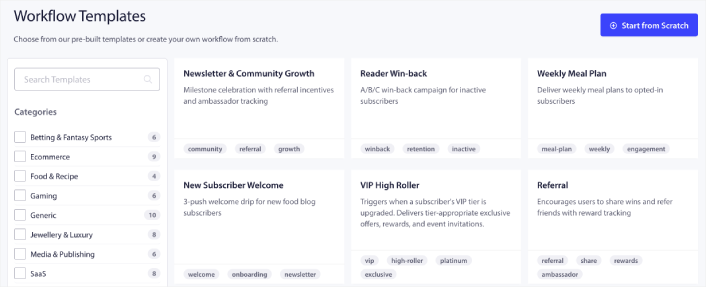
The Workflows engine ships with 60+ shipped templates covering each of these flows. Each template is a starting point. Every blueprint above can be installed in under five minutes on Shopify, Shopify Plus, WooCommerce, BigCommerce, or Magento inside the PushEngage push notification workflow builder.
The Workflows feature also covers the decision logic and personalization steps that make the multi-channel routing in the previous section possible, and supports the eleven action types that let you do more than just send a notification: update subscriber attributes, fire webhooks to your CRM, start downstream workflows, or stop conflicting ones.
For a broader view of how these workflows fit into a complete eCommerce retention program, the ecommerce push notifications hub post covers the campaign types these blueprints implement.
The free plan gives you 200 subscribers, all four channels (web push, app push, WhatsApp, and live chat), and the full Workflows engine on day one. That is enough to prove the channel before you put it on a budget line.
What this changes
If you take one thing from this article, take this: push notification automation for eCommerce is workflow architecture, not a bag of triggered campaigns. The cart-abandonment journey that exits on purchase, the welcome series that branches on first-purchase behavior, and the cross-channel orchestration that picks the cheapest viable channel for each subscriber are all the same shape.
One START, some WAITs, some DECISIONs, some ACTIONs, an EXIT. Six standalone triggers cannot do this. One workflow engine can. The retention math compounds from there.
Start on the free plan to ship the first blueprint in under an hour.


