The breaking-news push fired at 6:47 AM. Eighty thousand subscribers. Half a million notification icons lit up across iPhones and laptops in three time zones. By 6:53 AM, your dashboard shows a 4.1% CTR — solid for breaking — and 3,200 click-throughs in six minutes. The story is moving. You should feel good.
You don’t feel good. Push notification automation for publishers is supposed to deliver exactly this moment cleanly; instead, you feel three questions no dashboard can answer this fast. Was 80,000 the right segment, or did the push go to politics opt-outs who never wanted to be woken up for political news? Was 6:47 the right send time, or would 7:15 have caught the commute-train cohort at a better moment? And the question you can’t stop thinking about: did the lapsed readers from the last 30 days get this push, or did the cooldown skip them, and if it skipped them, did the front-page-only readers who actually click on breaking news get it instead?
This is what push notification automation for publishers looks like in most newsrooms: an RSS auto-push pumping a notification every time a new article hits the feed, a breaking-news trigger the front desk fires manually, and a churn-warning trigger somebody on the email team set up two years ago and nobody fully understands. Three “automated” mechanisms, none of them aware of each other, none of them holding a coherent view of where the subscriber sits in the reading journey.
This article walks through what publisher push automation should actually look like — workflow architecture, not RSS broadcasts with a breaking trigger bolted on — and ships five publisher-shaped workflow blueprints with timing, exit criteria, and the revenue math that turns each into a defensible line item for ad ops and membership.
- Why "automated push notifications for publishers" are stalling returning-visitor rate
- The anatomy of a publisher push notification workflow
- Five workflow blueprints for publishers
- Topic segmentation, A/B testing, cooldowns, and exit criteria live inside the workflow
- Multi-channel orchestration: web push, app push, newsletter, and on-site
- The retention math: revenue per workflow for ad-monetized and subscription publishers
- Build it in PushEngage Workflows for your newsroom
- What this changes
Why “automated push notifications for publishers” are stalling returning-visitor rate
The word automation has been doing the same unearned work in publishing that it has in eCommerce and SaaS. When most newsroom audience teams talk about automated push notifications for publishers, what they mean is RSS-fed broadcast scheduling: a notification fires every time a new article publishes, with no state, no segmentation, no waits between touches, no exit conditions. A new article goes live, the auto-push fires. A breaking story is verified, the editorial team manually triggers a push. A subscriber goes inactive, a churn-warning push fires once and gives up. Each mechanism is its own pipeline, ignorant of every other pipeline, and unaware of where the subscriber actually sits in their reading lifecycle.
A workflow is something different. A workflow is a multi-step journey with state. It knows when the subscriber opted in, what topics they care about, what they have read recently, and what conditions cancel the journey. A breaking-news workflow does not just fire one push to everyone the moment a story is verified. It fires to a 10% leading-indicator cohort first, waits five minutes while the newsroom watches the response, holds the 90% remainder back until an editor explicitly confirms the story has held up under early scrutiny, and then fires to the rest — or pulls the push entirely if the early response signals a problem.
That last clause is the difference. RSS auto-push has no memory of how the early cohort responded. A workflow does. If your newsroom has ever had to send a follow-up push correcting an earlier breaking-news push, you do not have an automation problem. You have a missing verification gate that automation can actually solve.
For a mid-market audience-development team, this distinction is the difference between a returning-visitor rate that compounds and one that drifts down each quarter. Three triggers running in parallel produce three channels of cross-talk and no coherent journey. Five workflows running in coordination produce one journey per subscriber per lifecycle stage, branched and bounded by topic, recency, and subscription status. The page-one search results for this keyword frame the problem as “what kind of push notifications to send” and answer with a tool listicle. That is not the question a 6:47 AM newsroom is asking.
The anatomy of a publisher push notification workflow
Before the blueprints, the vocabulary. A publisher push notification workflow is built from six node types. Once you know what each does, every blueprint in this article reads as a diagram, not a description.
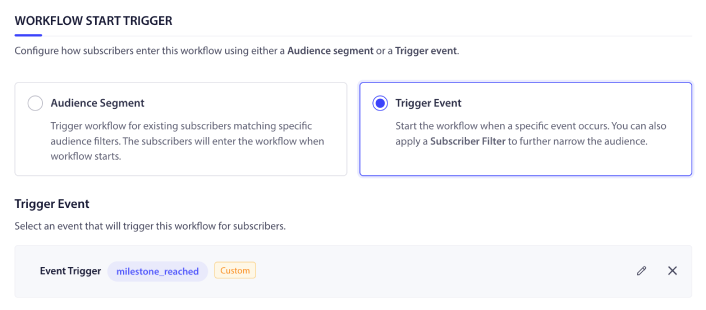
START. The entry point. A START node defines how the workflow is triggered, either by a subscriber event (story_published, breaking_news_verified, article_read, paywall_meter_hit, breaking_news_confirmed — the editorial-confirmation event a newsroom fires from the dashboard) or by an audience filter that selects subscribers matching criteria at a scheduled time (last_active > 14d, subscription_inactive, topic_opted_in: sports). A workflow has exactly one START.
WAIT. A delay. A WAIT node holds the subscriber for a specified duration: minutes for breaking-news verification windows, hours for follow-up sequencing, days for subscription-conversion nurture, or until a specific calendar time. Waits are how a workflow learns to not be a broadcast.
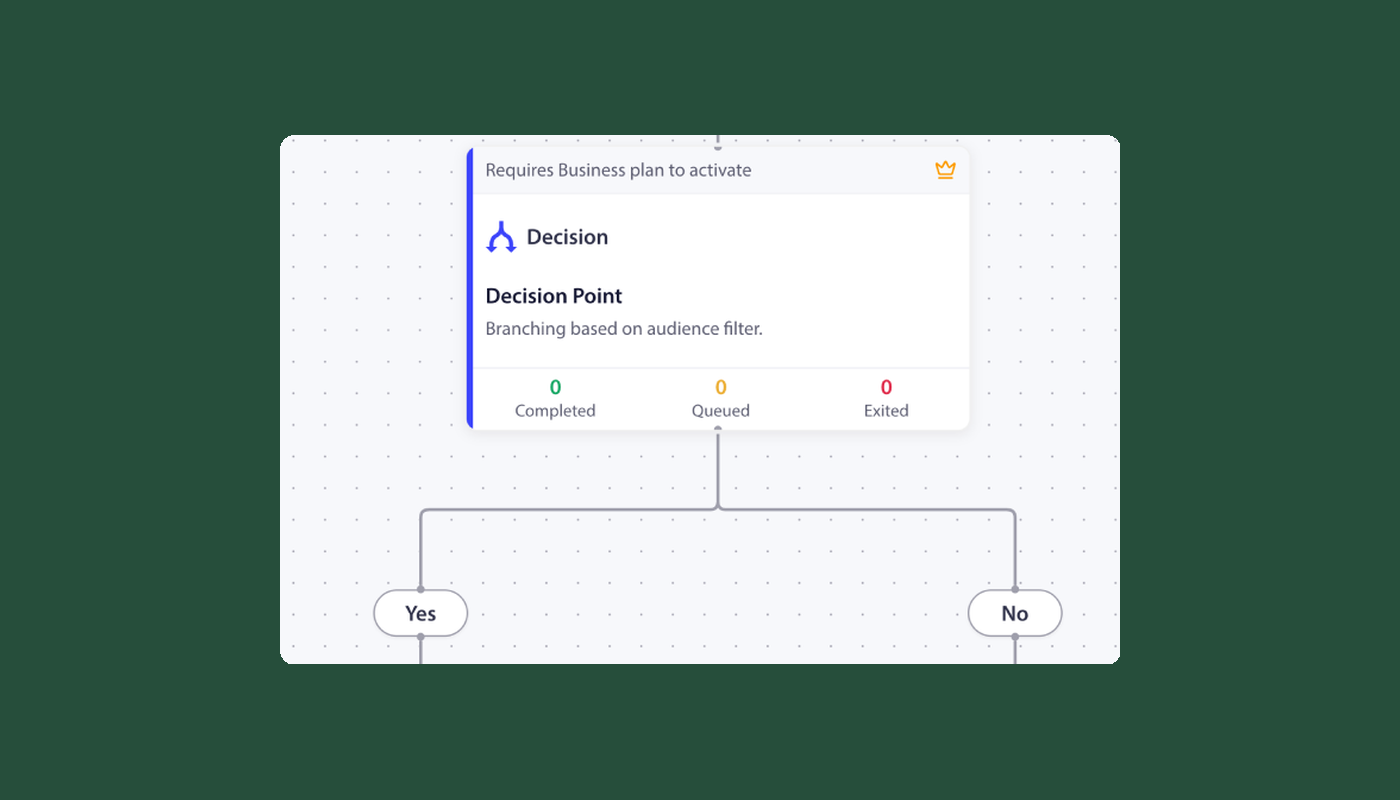
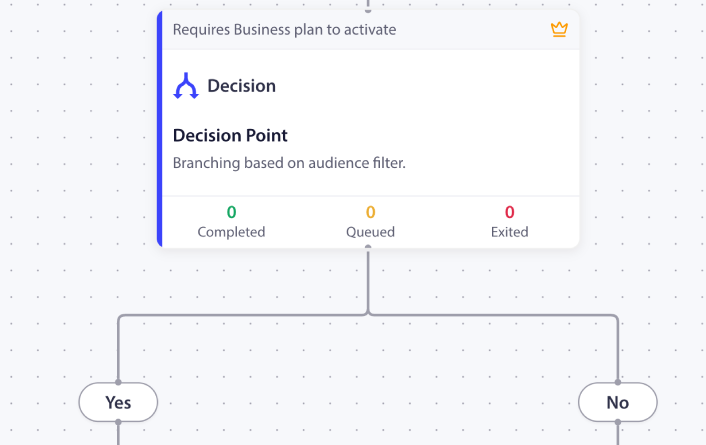
DECISION. A two-way branch. A DECISION node checks a per-subscriber condition — has the subscriber opted into politics, did they hit the paywall meter, are they currently a paying subscriber, did the editorial team fire the breaking_news_confirmed event yet. Decisions are how a workflow stops treating every subscriber and every breaking story the same.
SPLIT_PATH. A percentage-based fork. SPLIT_PATH nodes route subscribers across paths based on configured percentages: 10/90 for the breaking-news staged rollout below, 50/50 for an A/B test on subscription-prompt copy, 33/33/34 for a three-way send-time test on the daily digest. Load balancing is automatic; once you have a winner, you promote that path to 100%.
ACTION. The work itself. ACTION nodes send a push notification, add the subscriber to a segment, update custom attributes, fire an HTTP request to your ESP (Mailchimp, Substack, Beehiiv, Sailthru — to coordinate newsletter inclusions or signups), start another workflow, or stop one. PushEngage Workflows supports eleven action types. The most useful for publishers are SendPushNotification, AddSegment, HttpRequest, and Workflow.Start.
END / EXIT. The terminal. END marks the natural conclusion. EXIT marks an early termination — on the NO path of a Decision when the subscriber no longer qualifies, when the cooldown rule fires, or when the goal is met (subscription started, lapsed reader returned, story closed).
Every blueprint below composes from these six pieces.
Five workflow blueprints for publishers
These are not templates. They are working blueprints for news push notification automation that an audience-development team can ship the same week. Each one lists its trigger, run type, node sequence, exit criteria, and the publisher metric it is built to move. You can lift each one into the PushEngage Workflows builder and ship the first version in under an hour. The legacy push notifications to promote a news site hub post catalogs the broader campaign types these blueprints implement; what follows is the journey architecture that strings those campaigns into a sequence.
Blueprint 1 — New-subscriber welcome
- Trigger (START): Event
PushEngage.Subscriber.Added - Run type: Single (one welcome journey per subscriber per 90-day window)
- Flow: Welcome push immediately with your most-popular-recent-article → WAIT 1 day → topic-preference push asking which sections matter most (sports, politics, business, local, lifestyle, opinion) → WAIT 2 days → DECISION: has the subscriber opened any article from those topics? → YES path: add to
active_subscriberssegment, END → NO path: send a “what brought you here?” push with a curated three-article digest, END - Exit criteria: None. Welcome series should run to completion for everyone who opts in.
- Publisher metric: Returning-visitor rate at day 7. The topic-preference second touch is the highest-leverage moment in the welcome — the push notification examples for news sites and publishers page catalogs copy patterns that work for this touch. For opt-in optimization upstream of this workflow, the increase your web push subscription rate post covers the prompt mechanics.
Blueprint 2 — Breaking news rapid deploy
- Trigger (START): Custom event
breaking_news_verified(fired by the editorial CMS when a story passes initial verification) - Run type: Multiple Parallel (each breaking story is its own workflow instance)
- Flow: SPLIT_PATH 10/90 — 10% of the topic-opted-in subscriber set receives the push immediately as a leading indicator; the 90% remainder waits 5 minutes → DECISION: has the newsroom fired the
breaking_news_confirmedevent from the dashboard after reviewing the 10% cohort’s initial response? → YES path: ACTION fire the push to the 90% → NO path: ACTION send a corrected push with an updated headline to the 90%, END - Cooldown rule: workflow-level, enforced via an exit criterion tied to a
received_breaking_push_recentlysubscriber attribute. No second breaking-news push to the same subscriber within 90 minutes. - Exit criteria:
story_corrected(editorial retracts) ORreceived_breaking_push_recently=true - Publisher metric: Breaking-news CTR by topic. This is the workflow that solves the speed-versus-accuracy tradeoff every newsroom argues about. The 10% leading-indicator cohort gives editorial a real-time signal without committing the full subscriber base. The editorial confirmation gate is a human-in-the-loop check, not an automatic CTR threshold — the engine waits for an editor to confirm the story has held up before firing to the 90%. The architecture matches how serious newsrooms actually verify breaking stories; the workflow just enforces the discipline.
Blueprint 3 — Story-follow-up (a two-workflow chain)
Story-follow-up is two chained workflows joined by a segment, not one workflow with an open-ended event WAIT. Workflows WAIT nodes support duration-based and date-based waits but not “wait until event X fires” semantics, so the rolling-story pattern composes as two workflows that share state through a follower segment.
Workflow A (subscribe to story):
- Trigger (START): Custom event
article_readwithstory_idpayload - Run type: Multiple Parallel
- Flow: ACTION add subscriber to
story_X_followerssegment → END
Workflow B (notify on update):
- Trigger (START): Custom event
story_updateforstory_idAND audience filterstory_X_followerssegment - Run type: Multiple Parallel
- Flow: DECISION: is the update material or a minor edit (driven by an
update_severityfield on the trigger event, set by the editorial CMS)? → YES path: ACTION fire push to all followers → NO path: EXIT - Exit criteria across both workflows: Subscriber-level
unsubscribed_from_story_XOR audience-levelstory_closed - Publisher metric: Sessions per user on developing stories. This is the publisher analog of eCommerce browse-abandonment — you know what the subscriber read, you keep them looped in as the story develops, and you exit when the story closes or they opt out.
Blueprint 4 — Subscription / paywall conversion
- Trigger (START): Custom event
paywall_meter_hit(subscriber has read N free articles in 30 days and hit the meter limit) - Run type: Single per 90-day window
- Flow: WAIT 1 hour → soft-prompt push naming the article they hit the wall on → WAIT 2 days → DECISION: did they subscribe? → YES: EXIT → NO path: push with a 30%-off intro discount → WAIT 5 days → DECISION → YES: EXIT → NO path: final push framing the membership-tier benefits and a 7-day trial → END
- Exit criteria: Goal
subscription_startedat any node - Publisher metric: Paywall-to-paid conversion rate. This is the publisher’s most defensible-revenue workflow — every additional 1% of conversion at an $80 annual tier with 50,000 monthly meter hits is roughly $40,000 in incremental ARR. The cart-abandonment template logic from the PushEngage eCommerce template library translates directly: swap
cart_abandonedforpaywall_meter_hit, swappurchaseforsubscription_started, and the wait timings can stay close to the same cadence. For more on how push and in-product surfaces complement each other for the conversion moment, push vs in-app notifications covers the channel-choice math.
Blueprint 5 — Lapsed-reader win-back
- Trigger (START): Audience filter
last_active > 14 days AND subscription_inactive - Run type: Single (one win-back attempt per subscriber per 90-day window)
- Flow: Personalized push surfacing three top stories from the subscriber’s preferred topic (computed from reading history) → WAIT 5 days → DECISION: has the subscriber returned to the site? → YES path: add to
re-engagedsegment, EXIT → NO path: “we miss you” push with a topic-refresh prompt → WAIT 7 days → DECISION: still inactive? → YES path: a “is this still useful?” feedback push with an unsubscribe option (Apple’s recommended pattern for fatigue management) → END - Exit criteria:
last_active < 7 days(subscriber returned on their own) - Publisher metric: Lapsed-reader reactivation rate at 60 days. Pushwoosh’s 2025 news-apps study found that more pushes do not translate to more clicks past a fatigue threshold; the win-back workflow respects that finding by offering the subscriber an explicit opt-out before sending more.
One note on Blueprint 5’s trigger. This is the only blueprint here using an audience-based trigger rather than an event-based trigger. Audience triggers batch-process at workflow start time only — subscribers who become inactive after the workflow runs this week are not auto-included in the active instance, and editing the audience filter on an active workflow does not add new subscribers. For a rolling win-back program, duplicate the workflow on a weekly or biweekly schedule rather than expecting one long-running audience workflow to keep ingesting new lapsed readers.
Topic segmentation, A/B testing, cooldowns, and exit criteria live inside the workflow
The dominant pattern across publisher push articles is to list these four concepts as “best practices” — generic bullets at the end of a strategy post, divorced from the campaigns that use them. That is the wrong frame. In real news push notification automation, they are not best practices that sit next to the workflow. They are the workflow.
| Concept | Best-practice framing (wrong) | Workflow-node framing (correct) |
|---|---|---|
| Topic segmentation | “Segment your push subscribers by topic interest” | A DECISION node on topic_opted_in: sports that routes a sports-breaking story only to sports subscribers, with separate routing logic for politics, business, and local. Pushwoosh’s 2025 news-apps study found sports CTR materially outperforms politics CTR, which means the breaking-news workflow needs different cooldown rules and different copy by topic. |
| A/B testing | “Always A/B test your headlines” | A SPLIT_PATH node with 50/50 allocation, load-balanced subscribers per path, and a winner_edge_id field that promotes the winner to 100% once the test reaches significance |
| Cooldowns | “Don’t spam your subscribers” | A workflow-level exit rule keyed on a received_breaking_push_recently subscriber attribute that cancels the workflow if the subscriber received another push within 90 minutes (or whatever your topic-specific fatigue threshold is) |
| Exit criteria | “Stop the paywall-conversion sequence once they subscribe” | A workflow-level rule that checks the subscriber against the subscription_started goal before each node and cancels the workflow if matched |
The difference matters because best-practice bullets are easy to nod at and hard to enforce. Workflow nodes get enforced by the engine. The DECISION runs every time. The SPLIT_PATH balances every subscriber. The cooldown rule blocks the second breaking-news push without anyone remembering to check the time. The exit rule cancels the paywall-conversion workflow whether or not the campaign owner is paying attention.
For Blueprint 4’s paywall conversion, this means the moment a free reader subscribes — at hour 1, hour 50, or hour 100 of the journey — the exit rule fires, the workflow cancels for that reader, and no more “you have one day left to subscribe” push gets sent to someone who already paid you yesterday. No support email. No member complaint to the editor-in-chief.
Multi-channel orchestration: web push, app push, newsletter, and on-site
Publishers run more channels than eCommerce teams or SaaS lifecycle teams. Web push covers desktop and mobile-web readers. App push covers the cohort that downloaded your news app. Email digest summarizes the day or the week for subscribers who prefer a longer inbox arrival. Newsletter signup is the higher-LTV channel publishers spend years growing. On-site banners (in-page surfaces and live-chat-style messages) reach readers while they are already in session. Composing all of them inside one workflow — instead of running five disconnected campaigns and reconciling analytics afterward — is the difference between an audience-development team that grows the metric and one that just measures it.
A composed story-follow-up journey reads like this:
- START (Workflow B):
story_updateevent AND audience filterstory_X_followers - DECISION: is the subscriber currently on the site (web or mobile-web)?
- YES: ACTION fire an on-page banner via the live-chat channel (lowest friction; do not interrupt the current session with a push)
- NO: continue
- DECISION: is the subscriber subscribed to web push?
- YES: ACTION fire a web push
- NO: continue
- DECISION: does the subscriber have the app installed and active?
- YES: ACTION fire an app push
- NO: continue
- ACTION: HttpRequest to the newsletter platform (Mailchimp, Substack, Beehiiv, Sailthru) to include this story update in the next digest send for this subscriber
- EXIT on
unsubscribed_from_story_X
One subscriber identity, one workflow, four channels chosen by state. The cheapest viable channel goes first — on-site banner if they are on-site, web push if subscribed, app push if app-active, newsletter inclusion as the fallback that reaches the subscriber wherever they read next. In-app and on-site surfaces are the first step here because they reach the reader in the lowest-friction moment of the journey.
Running this with separate tools means four syncs between platforms, two segmentation engines that disagree about who counts as opted in to politics, and no single revenue attribution because each tool reports its own metrics. Doing it inside one workflow engine means one subscriber identity, one set of decision logic, and one funnel report that shows where the journey actually breaks.
None of the top fifteen search results for this keyword describes a cross-channel publisher workflow as a single object. Every result treats web push as one channel and email as the comparison, with social and app push as separate concerns. The single-workflow framing is the architectural difference.
The retention math: revenue per workflow for ad-monetized and subscription publishers
Publisher monetization splits two ways. Ad-monetized publishers (most local news, most legacy newspapers, BuzzFeed-shape sites, ad-supported lifestyle and entertainment) measure incremental sessions per subscriber and ad RPM at the workflow level. Subscription publishers (NYT, WaPo, Atlantic, FT, Bloomberg, Substack-shape) measure paywall-to-paid conversion rate and ARR per workflow. Both monetization models map onto PushEngage Workflows’ node-level analytics in the same way.
PushEngage Workflows tracks three numbers at each node:
- Queued users: subscribers currently waiting at this node (typically a WAIT or a cooldown rescheduling)
- Completed users: subscribers who passed through this node
- Exited users: subscribers who left the workflow at this node, either because the exit criteria matched or because they unsubscribed
Here is what node-level analytics look like for an active paywall-conversion workflow at a subscription publisher with an $80 annual tier and 50,000 monthly meter hits (illustrative numbers):
| Node | Queued | Completed | Exited | Notes |
|---|---|---|---|---|
| START (paywall_meter_hit) | 0 | 50,000 | 0 | All meter-hit subscribers enter |
| WAIT 1 hour | 920 | 49,000 | 80 | 80 subscribed before the soft prompt fired |
| ACTION: soft-prompt push | 0 | 49,000 | 0 | Notification sent |
| WAIT 2 days | 1,100 | 45,800 | 2,100 | 2,100 subscribed after touch #1 (4.3% conversion on touch alone) |
| DECISION: subscribed | 0 | 45,800 | 0 | Branching |
| ACTION: 30%-off discount push | 0 | 45,800 | 0 | Notification sent |
| WAIT 5 days | 640 | 44,200 | 960 | Another 960 subscribed (2.1% conversion on touch #2) |
| ACTION: membership-tier + trial push | 0 | 44,200 | 0 | Final touch |
| END | n/a | 44,200 | n/a | 44,200 did not subscribe |
In this cohort, 3,140 free readers converted to paid subscribers out of 50,000 meter hits — a 6.3% paywall-to-paid conversion rate driven by the workflow’s three touches. At an $80 annual tier, that is $251,200 in incremental ARR per cohort, or roughly $3.0M in annualized incremental ARR if monthly cohort size holds. The two waits (48h and 120h) are the highest-exit nodes in the funnel, which is the expected pattern. If your workflow shows the inverse — high exits at action nodes, low exits at waits — your touches are landing too late and the waits should be shortened.
The cost math follows the same shape as articles 1 and 2 in this series. Web push and app push have zero per-send cost after opt-in. On-page banners are zero. Email digest costs scale with ESP contract — at a 500,000-subscriber publisher list, a single digest send typically runs in the low thousands of dollars per touch from Mailchimp or Sailthru depending on contract tier. The workflow’s job is to use the cheapest viable channel first and escalate to email only when state demands it.
For ad-monetized publishers, the math reframes. The metric is incremental sessions per subscriber per month, and the workflow’s contribution gets attributed at the per-notification level. A returning visitor who comes back to read three additional stories driven by a story-follow-up workflow contributes three additional impression sets, which at the publisher’s blended RPM produces incremental ad revenue per subscriber per workflow. Pushwoosh’s 2025 news-apps study found that more pushes do not translate to more clicks past a fatigue threshold — which directly supports the workflow-level cooldown rule from the previous section. When the line item reads “story-follow-up workflow added X sessions per subscriber and $Y ad revenue per subscriber per quarter,” the QBR conversation is short.
Build it in PushEngage Workflows for your newsroom
Each of the five publisher blueprints maps directly to PushEngage Workflows components. The mapping:
| Blueprint | Node types used | Action types used | Workflow option |
|---|---|---|---|
| New-subscriber welcome | START, WAIT, DECISION, ACTION, END | SendPushNotification, AddSegment | Run type: Single |
| Breaking news rapid deploy | START, SPLIT_PATH, WAIT, DECISION, ACTION, END | SendPushNotification | Run type: Multiple Parallel; workflow-level cooldown rule |
| Story-follow-up Workflow A | START, ACTION, END | AddSegment | Run type: Multiple Parallel |
| Story-follow-up Workflow B | START, DECISION, ACTION, END | SendPushNotification | Run type: Multiple Parallel; audience trigger + custom event trigger |
| Subscription / paywall conversion | START, WAIT, DECISION, ACTION, END | SendPushNotification | Run type: Single; exit on goal subscription_started |
| Lapsed-reader win-back | START, ACTION, WAIT, DECISION, END | SendPushNotification, AddSegment | Run type: Single; audience-based trigger |
The Workflows engine ships with 60+ shipped templates covering the building blocks for each of these blueprints. Most templates are eCommerce-shaped but translate cleanly to publisher use cases: the cart-abandonment template logic becomes paywall-conversion logic with cart_abandoned swapped for paywall_meter_hit and purchase swapped for subscription_started. The browse-abandonment template logic becomes the story-follow-up Workflow B with the segment-trigger pattern. The welcome-series template fits Blueprint 1 directly. The architecture is vertical-agnostic; the trigger events and the exit conditions are what you swap when adapting an eCommerce template for publisher use.
For the immediate trial path, the free plan gives you 200 subscribers, all channels (web push, app push, WhatsApp for high-priority alerts, live chat for on-site banners), and the full Workflows engine on day one. That is enough to ship Blueprint 1 (welcome) and Blueprint 2 (breaking news) on a test cohort, capture the analytics, and have a defensible number for ad ops and membership the following week. For coverage of PushEngage’s web push channel specifically — the publisher’s primary delivery surface — PushEngage web push notifications covers the feature set and platform support.
What this changes
If you take one thing from this article, take this: push notification automation for publishers is workflow architecture, not RSS broadcasts with a breaking trigger bolted on. The breaking-news workflow that gates the 90% behind an editorial-confirmation event, the story-follow-up workflows that chain via a segment, and the paywall-conversion journey that exits the moment a free reader subscribes are all the same shape. One START, some WAITs, some DECISIONs, some ACTIONs, an EXIT. Three standalone triggers cannot do this. One workflow engine can. The returning-visitor rate compounds from there.
Start on the free plan to ship the first blueprint on your next breaking-news cycle.


