
Vous recherchez les meilleurs plugins WordPress d'actualités pour votre site ?
Les plugins d'actualités sont un excellent moyen d'augmenter le trafic et l'engagement sur votre site. Vous pouvez les utiliser pour diriger le trafic vers les articles populaires et les histoires tendances. Et même si vous n'êtes pas un organe de presse, ces plugins sont très puissants pour développer une audience de lecteurs réguliers.
Mais vers quel plugin vous tourner ? Pouvez-vous vous contenter des plugins gratuits ou avez-vous besoin de plugins payants ? Que faut-il rechercher dans un plugin de publications populaires ?
Dans cet article, nous allons vous présenter les meilleurs plugins WordPress d'actualités du marché. Si vous lisez jusqu'au bout, nous vous donnerons également nos meilleures recommandations.
Ça vous dit ? Plongeons.
N° 1. PushEngage

PushEngage est le plugin de notifications push n°1 au monde.
Les notifications push vous aident à augmenter le trafic de votre site web et l'engagement en mode automatique. Et si vous gérez une boutique en ligne, PushEngage vous aide également à augmenter vos ventes en vous aidant à créer des notifications push e-commerce automatisées.
Vous pouvez commencer gratuitement, mais si vous êtes sérieux au sujet de la croissance de votre entreprise, vous devriez acheter un plan payant. De plus, avant d'acheter un service de notification push, vous devriez consulter ce guide sur les coûts des notifications push.
Voici un aperçu rapide de ce que vous obtenez avec PushEngage :
- Campagnes de notifications push automatisées à forte conversion
- Options multiples de ciblage et de planification des notifications push
- Suivi des objectifs et analyses avancées
- Tests A/B intelligents
- Un responsable du succès dédié
Et plus !
Vous verrez que PushEngage est sans aucun doute le meilleur choix si vous souhaitez augmenter le trafic, l'engagement et les ventes de votre entreprise. Et si vous avez un budget limité, vous pouvez toujours faire preuve d'un peu de créativité avec vos notifications push. Consultez cette analyse détaillée de PushEngage et de ses fonctionnalités.
#2. AIOSEO

All In One SEO est le meilleur plugin SEO WordPress au monde.
Non seulement AIOSEO est suffisamment puissant pour mettre en œuvre les meilleures pratiques SEO actuelles, mais vous bénéficiez également d'options avancées pour résoudre des problèmes SEO spécifiques dès le départ. Cela comprend :
- Modules SEO locaux pour les petites entreprises ayant une audience locale
- SEO WooCommerce pour les boutiques en ligne
- Un optimiseur SEO à l'intérieur de votre éditeur WordPress
- Smart Sitemaps pour un indexation instantanée sur les moteurs de recherche
- Un plugin Schema pour que votre contenu se classe dans les Rich Snippets
Et bien plus encore ! Vous pouvez en savoir plus sur la fonctionnalité dans notre avis sur AIOSEO.
#3. Ditty

Ditty est un plugin d'affichage de contenu WordPress multifonctionnel. Cela signifie qu'il vous permet de créer des bandeaux d'actualités personnalisés, mais va au-delà. Vous pouvez afficher toutes sortes de contenus de votre site, y compris les derniers articles de blog ou du texte personnalisé.
Il existe des options de personnalisation intégrées et vous pouvez utiliser du HTML ou du CSS pour améliorer davantage le style.
Ditty est livré avec 3 modes de défilement par défaut : Mode défilement, Mode glissement et Mode liste. Le plugin propose également des extensions premium pour importer des actualités depuis Facebook, Twitter, un flux RSS, Instagram et d'autres sources.
Le plugin est compatible avec tous les constructeurs WordPress populaires, y compris l'éditeur de blocs (Gutenberg), Divi, Elementor et Beaver Builder. Et si vous avez besoin de plus de fonctionnalités, comme des intégrations Facebook ou Instagram, il existe des extensions que vous pouvez utiliser.
#4. MonsterInsights Articles Populaires

MonsterInsights est un plugin WordPress qui vous permet d'utiliser facilement Google Analytics. Google Analytics est trop compliqué à utiliser pour un débutant. Mais pire encore, il est facile de se perdre dans une mer de données sans obtenir d'informations exploitables pour développer votre entreprise.
MonsterInsights se concentre sur les informations plutôt que sur les volumes de données. C'est très utile pour une entreprise de commerce électronique car en plus des métriques SEO, vous devrez également consulter les chiffres de revenus.
Mais plus important encore, il est livré avec sa propre extension d'articles populaires. MonsterInsights utilise les données de Google Analytics pour récupérer automatiquement les articles populaires sur votre site. Ensuite, vous pouvez intégrer les articles où vous le souhaitez à l'aide d'un shortcode ou les intégrer dans la barre latérale à l'aide d'un widget. Si vous avez une boutique e-commerce, vous pouvez également utiliser le plugin pour générer plus de trafic vers vos produits les plus vendus.
La partie intéressante est que vous n'avez pas besoin d'une seule ligne de code pour installer Google Analytics sur WordPress.
Voici un aperçu rapide de ce que MonsterInsights peut faire pour vous :
- Suivi Google Analytics sans code
- Compatible avec toutes les versions de Google Analytics
- Rapports pour trouver le contenu le plus performant
- Informations détaillées sur l'audience
- Analyses e-commerce
- Analyses des inscriptions aux formulaires
- Insights supplémentaires à partir de dimensions personnalisées
- Suivi des clics sur les liens d'affiliation
- Conformité RGPD
- Intégrations Premium
Si vous avez besoin d'examiner de près les fonctionnalités, vous devriez vraiment consulter notre avis sur MonsterInsights.
#5. Articles Populaires WordPress
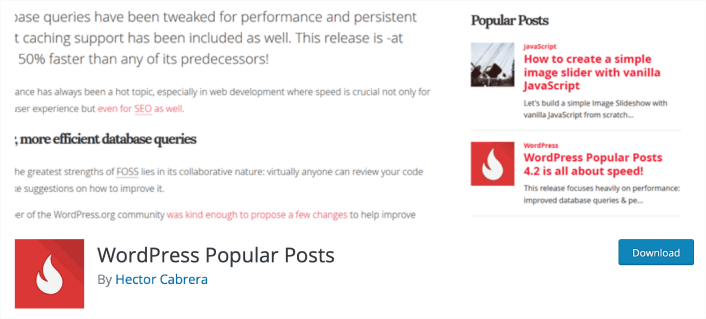
WordPress Popular Posts est l'un des plugins d'articles populaires les plus populaires. C'est un plugin gratuit avec plus de 200 000 utilisateurs et il est très facile à utiliser. Vous pouvez créer plusieurs widgets, chacun avec ses propres paramètres. Il prend également en charge les types d'articles personnalisés. Ainsi, vous pouvez l'utiliser pour les produits et les critiques également.
Vous pouvez présenter du contenu basé sur les commentaires, le nombre de vues ou les vues moyennes par jour. Il vous permet même de trier les articles tendance dans une période donnée, comme les dernières 24 heures ou les 7 derniers jours.
Le point intéressant est qu'il est livré avec une tonne de modèles de conception et si vous êtes un développeur web, vous pouvez même créer votre propre mise en page HTML. Vous pouvez obtenir des miniatures pour votre contenu afin d'augmenter les clics vers vos articles.
Et si vous n'utilisez pas un outil d'analyse web qui suit les clics, vous pouvez obtenir des statistiques détaillées dans votre tableau de bord WordPress.
#6. Pertinent

Relevant est un autre plugin populaire pour présenter vos articles populaires sur WordPress. C'est aussi un plugin gratuit mais vous obtenez une tonne de fonctionnalités intéressantes. Vous pouvez utiliser Relevant pour afficher les articles en vedette, les articles populaires, les articles connexes et même les derniers articles.
Le plugin est très facile à utiliser et vous n'avez besoin d'aucune expérience en codage pour personnaliser l'apparence de vos widgets. Cela inclut les couleurs d'arrière-plan, les couleurs de texte, les métadonnées des articles, et plus encore.
Vous pouvez afficher les articles populaires avant et après le contenu et trier le contenu en fonction des vues et des commentaires. Si vous souhaitez afficher des articles connexes, le plugin trie les articles en fonction des catégories, des tags, du titre et des mots-clés.
Vous pouvez également inclure les métadonnées des articles dans vos widgets si vous pensez qu'ajouter des informations supplémentaires sur un article vous aidera à obtenir plus de clics.
#7. Actualités en direct

Live News est un plugin WordPress premium d'actualités qui vous permet d'afficher des mises à jour d'actualités en temps réel pour diffuser les dernières nouvelles, les actualités financières, les alertes météo, les résultats sportifs, les sondages électoraux, et plus encore.
Le plugin offre 4 méthodes pour publier des actualités :
- Publication manuelle en tant qu'actualités vedettes et menu d'actualités glissantes
- Collecte de titres à partir de vos articles de blog
- Utilisation de Twitter comme source d'actualités
- Importation d'actualités à partir d'un flux RSS
Live News est livré avec plus de 70 options de personnalisation, plusieurs paramètres d'affichage des actualités et prend en charge le réseau multisite WordPress. Il est également prêt pour la traduction afin d'afficher les titres dans les langues locales.
Et si vous rencontrez des problèmes ou avez besoin d'informations techniques sur le plugin, vous pouvez contacter le développeur du plugin par e-mail.
Lequel de ces plugins WordPress d'actualités convient le mieux à votre entreprise ?
Nous recommandons d'utiliser plusieurs plugins WordPress d'actualités sur votre site. PushEngage est le meilleur outil pour générer du trafic de retour, de l'engagement et des ventes. AIOSEO vous aide à obtenir plus de trafic SEO sur votre site. Et MonsterInsights vous aide à augmenter votre trafic et vos ventes grâce à l'analyse.
Mais si vous n'avez le budget que pour un seul plugin, commencez d'abord par envoyer des notifications push avec PushEngage. Les notifications push sont d'excellents outils pour augmenter votre engagement et vos conversions. Pour une nouvelle entreprise, la croissance doit être très abordable. Et les notifications push coûtent très peu cher pour commencer.
Consultez ces ressources exceptionnelles si vous n'êtes pas sûr de savoir par où commencer :
- Comment ajouter un plugin WordPress de notifications web à votre site
- Comment utiliser les notifications push e-commerce pour augmenter les revenus
- 75 exemples de notifications push exceptionnelles que vous pouvez copier dès maintenant
- Comment obtenir plus de trafic vers votre blog WordPress (9 méthodes faciles)
- 7 meilleures pratiques de notification push pour obtenir du trafic instantané
PushEngage est le logiciel de notification push n°1 au monde. Donc, si ce n'est pas déjà fait, commencez dès aujourd'hui avec PushEngage !


