Notifications push PWA
pour
chaque écran d'accueil.
Envoyez des notifications push depuis votre Progressive Web App vers Android, les navigateurs de bureau et les applications web sur l'écran d'accueil d'iPhone et d'iPad. PushEngage fusionne dans le service worker que vous avez déjà, de sorte que la mise en cache et le mode hors ligne continuent de fonctionner.
Plus de 75 000 entreprises Android, bureau et iOS 16.4+ Garantie de remboursement de 14 jours
Approuvé par plus de 75 000 entreprises








Pourquoi ça marche
Votre PWA s’installe déjà comme une application. Maintenant, elle réengage comme une application.
Une notification push PWA est un message web push standard délivré via le service worker enregistré de votre application, il atteint donc les utilisateurs même après qu’ils aient fermé l’onglet ou l’application sur l’écran d’accueil.
Aucune boutique d’applications en travers du chemin
Les visiteurs installent votre PWA depuis le navigateur et s’abonnent lors de la même visite. Pas de fiche sur la boutique, pas de file d’attente de révision, pas de second téléchargement avant que vous puissiez les atteindre.
Votre service worker reste intact
Une PWA obtient un service worker actif par portée. PushEngage ajoute son gestionnaire de push au vôtre au lieu de le remplacer, ainsi la mise en cache, le mode hors ligne et la synchronisation en arrière-plan continuent de fonctionner.
Le marketing gère les campagnes
Après la configuration unique, votre équipe crée des segments, des séquences et des campagnes déclenchées dans le tableau de bord. Pas de serveur de push à gérer, pas de clés à faire pivoter, pas de ticket par envoi.
Comment ça marche
Comment le push PWA fonctionne avec PushEngage, du service worker à la vente.
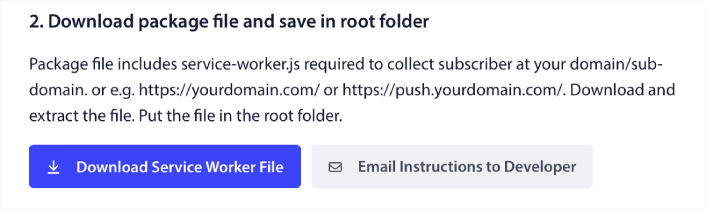
Fusionnez le service worker. Gardez votre PWA.
Si votre PWA n’a pas encore de service worker, téléchargez le fichier PushEngage dans votre racine. Si elle en a déjà un, ajoutez la seule ligne PushEngage à votre fichier existant et désactivez l’enregistrement de PushEngage dans les Paramètres avancés. Votre PWA enregistre un seul worker qui fait les deux tâches.
- Aucun projet Firebase, configuration FCM ou gestion de clé VAPID
- PushEngage gère les abonnements push et le rafraîchissement des jetons
- Le plugin WordPress enregistre le service worker pour vous

iPhone et iPad, pris en charge
Sur iOS et iPadOS 16.4 et versions ultérieures, le web push fonctionne pour les applications web ajoutées à l’écran d’accueil et ouvertes depuis leur icône. Le widget Ajouter à l’écran d’accueil détecte les visiteurs iOS naviguant dans Safari et les guide via Partager, puis Ajouter à l’écran d’accueil. Lorsqu’ils ouvrent l’application depuis l’icône, votre demande d’opt-in apparaît.
- Fonctionne dans Safari, Chrome et Edge sur iOS 16.4+
- L’invite de permission s’ouvre sur un clic, comme requis par iOS
- L’icône et le nom de l’application proviennent de votre manifeste d’application web

Campagnes qui se déclenchent en fonction du comportement
Envoyez des diffusions, planifiez des séquences ou laissez le comportement décider. Les campagnes d’abandon de panier, d’abandon de navigation, de baisse de prix et de réapprovisionnement se déclenchent en fonction de ce qu’un abonné a réellement fait dans votre PWA, et les Workflows enchaînent les suivis.
- Invites d’opt-in déclenchées par le temps passé sur la page, la profondeur de défilement ou un clic
- Segments par comportement, appareil et localisation
- Le suivi des objectifs lie les revenus à la campagne qui les a générés
Où ça fonctionne
Notifications push PWA sur Android, bureau et iOS : ce dont chacun a besoin.
La norme de notification push est la même partout. Ce qui change, c'est la manière dont un visiteur accède au clic Autoriser.
| Plateforme | Navigateurs | Ce que fait l'abonné | Ce que PushEngage gère |
|---|---|---|---|
| Android | Chrome, Firefox, Edge, Samsung Internet, Opera | Clique sur Autoriser sur votre opt-in, dans le navigateur ou la PWA installée | Conception et calendrier de l'opt-in, abonnement, livraison |
| Bureau | Chrome, Firefox, Safari, Edge | Clique sur Autoriser sur votre opt-in | Conception et calendrier de l'opt-in, abonnement, livraison |
| iPhone et iPad (iOS / iPadOS 16.4+) | Safari, Chrome, Edge | Ajoute ton site à l'écran d'accueil, l'ouvre depuis l'icône, tape pour autoriser | Le widget Ajouter à l'écran d'accueil, un opt-in par tap pour autoriser, la livraison. Tu fournis un manifeste d'application web avec display défini sur standalone ou fullscreen (recommandé plutôt que requis sur iOS 26+). |
Sources : Guide de configuration des notifications push web iOS et iPadOS de PushEngage et documentation du widget Ajouter à l'écran d'accueil. Ton site doit être servi via HTTPS. Les versions d'iOS inférieures à 16.4 ne prennent pas en charge les notifications push web.
Ce qui est inclus
Tout ce dont tes notifications push PWA ont besoin, sur un seul tableau de bord.
Le même moteur d'abonnement qui gère les notifications push web pour plus de 75 000 entreprises, dirigé vers ta PWA.
Invites d'opt-in intelligentes
Déclenche la notification au bon moment sur la page, en fonction de la profondeur de défilement ou d'un clic, avec un contrôle total de la conception. Pas un pop-up de navigateur froid au chargement.
Aperçu des styles d'opt-inWidget Ajouter à l'écran d'accueil
Guide les visiteurs iOS de Safari vers ton application sur l'écran d'accueil, avec ton propre texte, tes couleurs, ton délai et ton ciblage d'URL.
Configurer le widgetFlux Visuels
Parcours par glisser-déposer pour les messages de bienvenue, la récupération de panier et les reconquêtes. Le constructeur est inclus dans tous les plans, y compris le plan Gratuit.
Explorer les fluxSegmentation dynamique
Segmente par comportement, appareil, localisation et historique d'achat, afin que chaque notification soit envoyée aux personnes pour lesquelles elle a été rédigée.
Voir la segmentationCampagnes déclenchées
Déclencheurs personnalisés sur n'importe quel événement de ta PWA, plus l'abandon de panier et de navigation dans le plan Growth.
Voir les campagnes déclenchéesBaisse de prix et réapprovisionnement
Informe les abonnés dès qu'un produit surveillé baisse de prix ou est de nouveau disponible. Disponible dans le plan Growth.
Voir les alertes de baisse de prixTests A/B
Teste les titres, les images et les appels à l'action, puis envoie le gagnant. Disponible à partir du plan Premium.
Voir les tests A/BSuivi des objectifs et analyses
Attribution des revenus par campagne et par flux de travail, à partir du plan Premium.
Voir le suivi des objectifsSéquences et envois par fuseau horaire
Séquences de goutte à goutte en plusieurs étapes et envois qui arrivent à la même heure locale pour chaque abonné. Premium et supérieur.
Comparer les forfaitsIntégrations et développeurs
N'importe quel framework PWA. Plugins où vous vendez.
La fusion du service worker est la seule étape qui touche au code. Tout ce qui suit s'exécute depuis le tableau de bord ou l'API.
React, Next.js, Angular, Vue ou JS natif
PushEngage fonctionne avec la PWA que vous avez déjà créée. Fusionnez une ligne dans votre service worker, ajoutez le code du site et confiez le tableau de bord au marketing.
Pour les développeursWordPress
Le plugin installe PushEngage et enregistre le service worker.
Poussée WordPressShopify Plus
Récupération de panier et de navigation, alertes de réapprovisionnement et de baisse de prix pour les magasins à fort volume.
Application Shopify PlusWooCommerce
Récupération de panier et campagnes de commande depuis votre administration WordPress.
Récupération WooCommerceHubSpot
Déclenchez des notifications push à partir des listes et événements HubSpot.
Intégration HubSpotAPI REST
Points de terminaison documentés pour les envois, les abonnés et les segments.
Documentation APIPas d'accès root ?
Une solution de contournement pour les constructeurs de PWA sans code comme Base44 qui verrouillent la racine du site.
Lire le guide Base44SDK d'applications natives
iOS, Android, Flutter et React Native, sur le même tableau de bord.
SDKs push d'applicationExtension Chrome
Composez et envoyez des campagnes depuis n'importe quelle page que vous parcourez.
Extension ChromeLes chiffres
Poussée PWA, en quatre chiffres.
Tarifs
Commencez gratuitement. Payez uniquement pour les abonnés actifs.
Les abonnés PWA sont des abonnés web push, tarifés selon les mêmes paliers publics. Pas de frais par message (chaque plan inclut un volume d'envoi mensuel), et chaque plan payant est assorti d'une garantie de remboursement de 14 jours.
Gratuit
$0
Gratuit pour toujours, sans carte
- 1 site ou application, 200 abonnés
- 30 campagnes (à vie)
- 1 flux d'activité
Entreprise
8 $/mois
à partir de 8 $/mois, facturé annuellement (prix de la première année)
- 1 site, jusqu’à 50 000 abonnés actifs
- Campagnes illimitées
- 5 flux de travail
Premium
15 $/mois
à partir de 15 $/mois, facturé annuellement (prix de la première année)
- 2 sites, jusqu’à 100 000 abonnés
- Tests A/B, flux, suivi des objectifs
- Envoi basé sur le fuseau horaire
Croissance
24 $/mois
à partir de 24 $/mois, facturé annuellement (prix de la première année)
- 3 sites, jusqu’à 250 000 abonnés
- Abandon de panier et de navigation
- Alertes de réapprovisionnement et de baisse de prix
Les tarifs d’entreprise sont personnalisés. Les prix indiqués sont les tarifs de la première année. Voir tous les plans et le calculateur de prix.
Comparaison côte à côte
Trois façons d’ajouter des notifications push à une PWA, comparées selon ce que vous exécutez.
Comparaison des fonctionnalités, pas une liste de prix. « Créez-le vous-même » signifie l’API Push, vos propres clés VAPID et votre propre serveur push.
| Construisez-le vous-même | Push de votre générateur de PWA | PushEngage | |
|---|---|---|---|
| Service worker | Vous y écrivez le gestionnaire de notifications push | Inclus avec le générateur | Une ligne fusionnée dans la vôtre. La logique de mise en cache et hors ligne reste en place. |
| Clés et abonnements | Vous générez les clés VAPID et stockez les abonnements sur votre serveur | Géré par le générateur | Géré par PushEngage, y compris le renouvellement des jetons |
| iPhone et iPad | Vous créez l’invite « Ajouter à l’écran d’accueil » | Varie selon le générateur | Widget Ajouter à l'écran d'accueil plus une option d'autorisation par un clic |
| Invite d'autorisation | Votre propre interface utilisateur et logique de synchronisation | Varie selon le générateur | Invites conçues en fonction du temps passé sur la page, de la profondeur de défilement ou du clic |
| Envoi de campagnes | Scripts contre votre serveur push | Souvent une API plutôt qu'un tableau de bord de campagne | Diffusions de tableau de bord, envois échelonnés, campagnes déclenchées et flux de travail |
| Campagnes de revenus | Construisez chacun d'eux | Varie selon le générateur | Abandon de panier et de navigation, baisse de prix, réapprovisionnement (Croissance) |
| Attribution | Vos propres analyses | Varie selon le générateur | Suivi des objectifs par campagne et flux de travail (Premium et supérieur) |
| Qui l'exécute au jour le jour | Ingénierie | Celui qui possède le constructeur | Marketing, après une configuration unique |
Les constructeurs PWA diffèrent ; vérifiez le vôtre avant de vous engager. Les lignes PushEngage décrivent les plans publics sur la page de tarification au 30 septembre 2026.
Plateforme
La notification push PWA est un canal. Voici les autres.
Le même tableau de bord gère les notifications push web, les notifications push d'application mobile et les notifications in-app. Vous choisissez un fournisseur ? Consultez notre service de notifications push ou la liste de contrôle des logiciels de notifications push. Vous configurez manuellement ? Suivez le guide étape par étape des notifications push PWA.
Notifications push web
Notifications push de navigateur pour votre site web sur ordinateur et mobile, aucune installation requise.
Push WebNotifications push pour applications mobiles
SDK pour les applications iOS, Android, Flutter et React Native.
Notifications push d'applicationNotifications in-app
Bannières et modales à l'intérieur de votre application native, aucune autorisation requise.
Messagerie in-appGuide des notifications push PWA
La configuration étape par étape : compte, code d'installation, service worker, autorisation, première campagne.
Lire le guideService de notifications push
Push web, push d'application et in-app à partir d'un seul service de rétention conçu pour les équipes e-commerce.
Voir le serviceLogiciel de notifications push
La checklist de l'acheteur pour choisir une plateforme de notifications push.
Exécutez la checklistNotifications push web iOS
Comment fonctionnent les notifications push web sur iPhone et iPad, et quoi envoyer.
Notifications push web iOSAperçu de la plateforme
Chaque canal, fonctionnalité et intégration sur une seule page.
Voir la plateformeFAQ
Questions sur les notifications push PWA, réponses.
Que sont les notifications push PWA ?
Les notifications push PWA sont des messages push web standard délivrés via le service worker enregistré d'une Progressive Web App. Comme le service worker s'exécute en arrière-plan, les abonnés les reçoivent même lorsque votre PWA ou son onglet est fermé.
Les notifications push PWA fonctionnent-elles sur iPhone et iPad ?
Oui, sur iOS et iPadOS 16.4 et versions ultérieures, pour les applications web ajoutées à l'écran d'accueil. Le visiteur ajoute votre site à l'écran d'accueil, l'ouvre depuis l'icône et tape pour autoriser les notifications. Cela fonctionne dans Safari, Chrome et Edge. Le widget Ajouter à l'écran d'accueil de PushEngage guide les visiteurs iOS à travers ces étapes, et votre site a besoin d'un manifeste d'application web avec display défini sur standalone ou fullscreen.
Ma PWA a déjà un service worker. PushEngage va-t-il le remplacer ?
Non. Une PWA ne peut avoir qu'un seul service worker actif par portée, vous ajoutez donc la ligne PushEngage à votre fichier de service worker existant et désactivez l'enregistrement de PushEngage dans les Paramètres avancés. Votre mise en cache, votre mode hors ligne et votre synchronisation en arrière-plan restent tels quels. Si votre PWA n'a pas encore de service worker, téléchargez le fichier PushEngage à la racine de votre site.
Ai-je besoin de clés Firebase ou VAPID ?
Non. PushEngage gère les clés, les abonnements push et le rafraîchissement des jetons en coulisses. Vous obtenez un tableau de bord de campagne au lieu d'une console Firebase, et une API REST lorsque vos développeurs souhaitent un contrôle programmatique.
Que faire si mon constructeur de PWA ne me permet pas de modifier la racine du site ?
Certains constructeurs sans code verrouillent le dossier racine où vit normalement un service worker. Nous publions une solution de contournement pour les PWA Base44, et notre équipe peut aider avec d'autres constructeurs hébergés.
Les notifications push PWA sont-elles différentes des notifications push web ?
C'est le même standard de notification push web. La différence réside dans le chemin de livraison : une PWA l'envoie via son propre service worker, et sur iPhone et iPad, le site doit d'abord être installé sur l'écran d'accueil. Tout le reste, de la conception de l'opt-in à la segmentation, fonctionne de la même manière que les notifications push web sur un site web ordinaire.
Combien coûtent les notifications push PWA ?
Les abonnés PWA sont tarifés comme les abonnés aux notifications push web. Le plan gratuit couvre 1 site, 200 abonnés et 30 campagnes. Les plans payants commencent à partir de 8 $/mois, facturés annuellement, et vous payez uniquement pour les abonnés actifs, jamais par message. Chaque plan payant bénéficie d'une garantie de remboursement de 14 jours.
Ai-je besoin d'un développeur ?
Uniquement pour l'étape du service worker, qui est un changement unique. Sur WordPress, le plugin s'en charge. Après cela, votre équipe marketing crée des segments, des campagnes et des flux de travail à partir du tableau de bord.
Faites revenir vos utilisateurs PWA, sur chaque écran d'accueil.
Fusionnez une ligne, choisissez une autorisation, envoyez votre première campagne. Si PushEngage ne vous convient pas dans les 14 jours, nous vous remboursons à 100 %. Aucune question posée.
Forfait gratuit disponible Votre service worker reste intact Payez uniquement pour les abonnés actifs