
Vous cherchez un guide efficace pour gagner plus d'abonnés sur Twitch ?
Twitch a débuté comme une communauté de streaming de jeux et de divertissement. Mais aujourd'hui, elle est devenue une plateforme de streaming plus complète où vous pouvez promouvoir votre entreprise. Que ce soit par le biais de publicités Twitch ou en créant vous-même du contenu, c'est une excellente plateforme marketing.
Vous pouvez promouvoir votre blog, vos produits ou vos services et transformer ces personnes en abonnés de blog, prospects et clients. Mais comment faire ? Par où commencer ? Gagner des abonnés peut être assez difficile pour une nouvelle chaîne.
Dans cet article, nous allons explorer des moyens simples pour gagner plus d'abonnés sur Twitch. Et vous n'avez besoin d'aucune expérience préalable pour tirer le meilleur parti de nos conseils.
Ça vous dit ? Plongeons.
Obtenez une assurance anti-shadowban avec les notifications push Web dès aujourd'hui !
Les notifications push sont un outil marketing super efficace et peu coûteux pour vous aider à augmenter votre trafic de retour, votre engagement et vos ventes en mode automatique.
- Pourquoi devriez-vous développer votre audience Twitch ?
- Idées simples pour gagner plus d'abonnés sur Twitch
- #1. Organisez un concours sur Twitch
- #2. Maintenez un calendrier de streaming régulier
- #3. Créez des streams plus longs sur les bons sujets
- #4. Créez une mise en page Twitch attrayante
- #5. Créez une page de destination pour vos streams
- #6. Évitez le shadowban en collectant des abonnés push Web
- #7. Ajoutez des boutons d'abonnement Twitch sur votre site
- #8. Faites la promotion de votre chaîne Twitch dans votre newsletter
- #9. Publiez des streams sur YouTube
- #10. Créez une chaîne de clips sur YouTube
- #11. Rendez vos streams interactifs
- #12. Collaborez avec d'autres streamers Twitch
- Que faire quand vous savez comment gagner plus d'abonnés sur Twitch
Pourquoi devriez-vous développer votre audience Twitch ?
Selon un rapport d'Earthweb, Twitch compte 140 millions d'utilisateurs actifs mensuels en 2022. 71 millions d'heures de contenu sont visionnées sur Twitch chaque jour. Si vous avez un blog ou une petite entreprise, cela signifie des millions de personnes qui pourraient être intéressées par votre contenu.
Donc, si vous ne développez pas votre audience Twitch, vous manquez simplement des millions de clients potentiels. L'avantage est que Twitch est super interactif. Ainsi, vous pouvez facilement convaincre vos abonnés Twitch de s'abonner à vos autres réseaux sociaux. Ou même de visiter votre site Web.
Une audience fidèle est plus susceptible d'acheter chez vous. En d'autres termes, si vous trouvez comment gagner plus d'abonnés sur Twitch, vous pouvez également développer votre entreprise directement grâce à des ventes, des promotions, des coupons et des offres.
Idées simples pour gagner plus d'abonnés sur Twitch
Si vous ne savez pas comment gagner plus d'abonnés sur Twitch, ces idées simples et efficaces vous aideront à démarrer dans la bonne direction. Cependant, vous ne devriez pas commencer à utiliser toutes ces idées en même temps. D'une part, cela peut être épuisant à faire sans équipe. Et puis, il y a la question de savoir ce que votre public aime le plus.
PushEngage est le plugin de notifications push n°1 au monde. Obtenez-le gratuitement !
Certains de ces conseils fonctionnent mieux si vous avez également un site Web WordPress. Donc, si vous n'avez pas encore de site Web, créez un site Web WordPress dès maintenant. C'est très facile à faire et vous pourrez développer votre entreprise beaucoup plus rapidement si vous le faites.
Vous devriez également consulter notre liste des meilleurs plugins WordPress pour Twitch avant de commencer.
#1. Organisez un concours sur Twitch
L'un des moyens les plus simples d'attirer plus de spectateurs et d'abonnés sur Twitch est d'organiser un concours. Tout le monde aime les concours, et ils peuvent facilement rendre votre marque virale.
Bien que cette idée ne soit pas destinée qu'aux joueurs, les concours sont plus faciles pour les jeux vidéo et les diffusions de jeux.
La partie la plus cool de tout concours est que vous pouvez l'organiser sur plusieurs plateformes. Vous pouvez simultanément organiser un concours sur YouTube également pour obtenir le maximum de portée.
Nous recommandons d'organiser un concours sur votre site Web plutôt que de le diffuser en direct sur Twitch. Cela aide de plusieurs manières intéressantes. Vous obtenez :
- Plus de contrôle sur votre concours
- Des délais plus longs pour organiser le concours
- Pour promouvoir facilement n'importe quel produit
- Plus d'abonnés et de followers sur d'autres chaînes
- Pour automatiser le concours à l'aide d'un logiciel
Si vous avez un site WordPress, vous devriez utiliser RafflePress pour organiser vos concours.
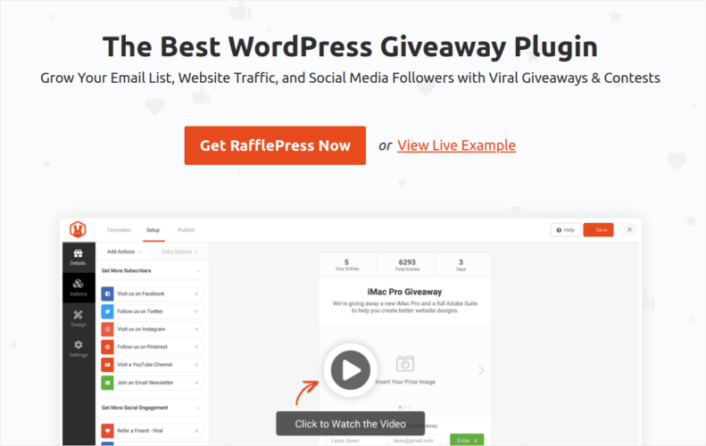
RafflePress est le plugin de concours WordPress le plus puissant. Vous obtenez un constructeur visuel avec le plugin pour créer et organiser des concours viraux. C'est aussi le seul plugin de concours WordPress adapté aux débutants. À notre avis, la version payante du plugin vaut chaque centime. Mais vous pouvez aussi commencer gratuitement.
La meilleure partie est que vous obtenez des modèles pré-conçus puissants qui sont conçus pour :
- Développer votre liste d'e-mails
- Parrainer des amis grâce au marketing de bouche à oreille
- Organiser un concours avant le lancement de votre site
- Développer votre page Facebook
- Augmenter vos abonnés Twitter
- Développer votre chaîne YouTube
- Développer votre compte Instagram
- Obtenez plus d'abonnés sur Twitch
Et vous pouvez faire tout cela sans aucun codage tant que vous avez défini vos objectifs avant de lancer le concours. Jetez un œil à notre avis sur RafflePress, où nous avons exploré les fonctionnalités du plugin plus en profondeur.
#2. Maintenez un calendrier de streaming régulier
Le meilleur moment pour streamer sur Twitch afin d'atteindre le plus grand public est entre 16h et 18h30. C'est à ce moment-là que la plupart des gens rentrent de l'école et du travail. Mais c'est aussi très compétitif. Si vous cherchez un moment décent pour streamer sans la concurrence, essayez après minuit.
Streamer régulièrement avec un horaire cohérent peut vous aider à grandir BEAUCOUP plus vite que de streamer quand vous en avez envie. Bien sûr, si toute votre marque est construite autour de « ne pas se prendre trop au sérieux », vous pouvez faire ce que vous voulez. Mais cela a son lot de problèmes. D'une part, vos abonnés ne savent pas toujours quand vous allez streamer.
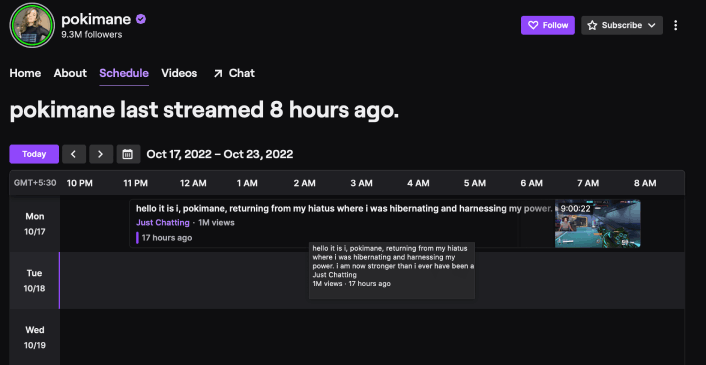
Par diffusion régulière, nous ne voulons pas dire que vous devez diffuser tous les jours. Tout ce que nous voulons dire, c'est que vous devriez maintenir un calendrier public indiquant quand votre prochaine diffusion est prévue. Vous pouvez créer un calendrier de diffusion sur Twitch :
Ou, vous pouvez créer un calendrier sur votre site WordPress. Il existe des tonnes de plugins de calendrier WordPress que vous pouvez utiliser. Mais nous vous recommandons d'utiliser Sugar Calendar.
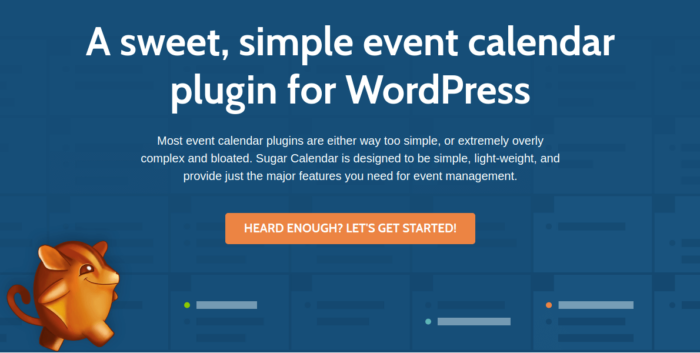
Sugar Calendar est l'un des meilleurs plugins de calendrier WordPress que vous trouverez jamais. C'est un plugin léger, super facile à configurer et à utiliser.
Sugar Calendar vous offre toutes les fonctionnalités essentielles de tout plugin de calendrier WordPress. Mais si vous avez besoin de encore plus de fonctionnalités, vous pouvez toujours obtenir des modules complémentaires pour étendre la fonctionnalité.
Les fonctionnalités populaires incluent :
- Événements du calendrier
- Heures de début et de fin pour les réunions et les rendez-vous
- Fuseaux horaires des événements
- Intégration avec Google Calendar
Et plus encore ! Sugar Calendar dispose également d'un puissant module complémentaire pour la billetterie d'événements qui vous permet de vendre des billets, de gérer les enregistrements des participants et de vous intégrer facilement à Stripe pour collecter les paiements.
Si vous gérez un site d'adhésion, vous pouvez également utiliser Sugar Calendar pour configurer des formulaires de soumission d'événements. Et bien sûr, le plugin s'intègre également de manière transparente avec d'autres plugins WordPress et plateformes marketing tels que WooCommerce, WPForms, Gravity Forms, Google Calendar, et plus encore.
#3. Créez des streams plus longs sur les bons sujets
Une autre façon efficace d'obtenir plus d'abonnés sur Twitch est de choisir stratégiquement ce que vous diffusez. Twitch propose des catégories pour :
- Juste discuter
- Musique
- Sports
- Podcasts
- Crypto
- Nourriture et boisson
- Artisanat
Et plus encore. Votre contenu n'a pas nécessairement à concerner votre produit. Tant qu'il s'agit du type de contenu utile ou divertissant pour votre public cible, vous obtiendrez plus d'abonnés. Si vous êtes un créateur indépendant, consultez ce qui est populaire sur Twitch avant de commencer à créer du contenu.
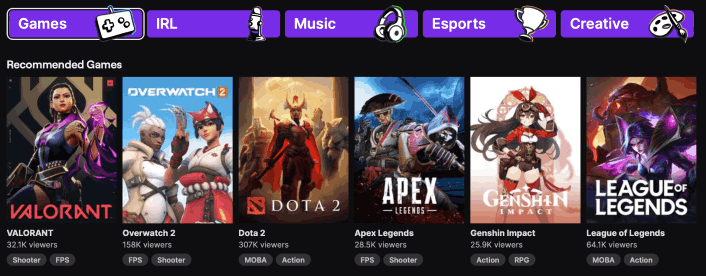
Et une fois que vous avez trouvé votre niche, assurez-vous de diffuser pendant au moins deux heures d'affilée.
Même si vous avez un grand nombre d'abonnés, les diffusions n'atteignent souvent pas beaucoup de monde pendant les 20 premières minutes. Ainsi, des diffusions courtes peuvent signifier une audience plus faible. Et vous avez moins de chances de convaincre vos spectateurs de s'abonner à votre chaîne.
#4. Créez une mise en page Twitch attrayante
Le streaming sur Twitch est super compétitif. Vous devrez donc vous démarquer de la foule pour attirer l'attention. Un moyen simple d'y parvenir est de créer votre propre mise en page Twitch. Une mise en page de diffusion détermine quels éléments de votre diffusion apparaîtront et où.
Vous pouvez créer une mise en page assez rapidement sur Canva.
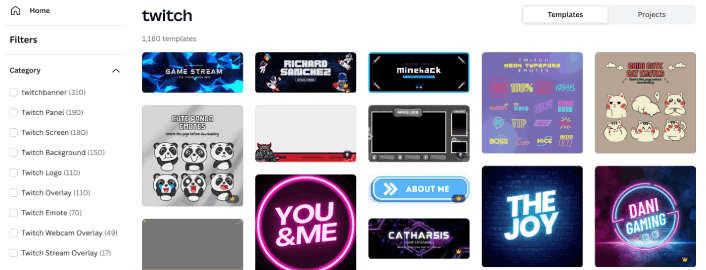
Pour que votre mise en page ait l'air plus professionnelle, incluez :
- Un logo de diffusion
- Une bannière Twitch
- Une superposition
- Scènes d'introduction et de conclusion
- Un arrière-plan Twitch
Et si vous êtes sérieux au sujet de l'augmentation de vos abonnés Twitch, créez également des émoticônes amusantes pour votre communauté.
#5. Créez une page de destination pour vos streams
Vous pouvez intégrer facilement vos vidéos Twitch dans WordPress. Vous pouvez soit copier-coller le code d'intégration Twitch, soit utiliser un plugin pour le faire automatiquement pour vous.
Ajouter votre flux Twitch à votre site Web est un excellent moyen d'obtenir plus d'abonnés sur Twitch. Tout visiteur de votre site Web peut regarder votre flux en direct sur votre site Web lorsque vous le faites. Ou, ils peuvent cliquer sur Twitch et vous suivre.
L'avantage d'avoir votre propre page de destination de podcast est que vous pouvez conserver vos abonnés beaucoup plus facilement qu'avec Twitch.
Maintenant que vous savez quoi créer, il est temps de lancer votre page de destination de podcast. Pour ce tutoriel, nous recommandons vivement d'utiliser SeedProd pour créer vos pages de destination.

SeedProd est le meilleur constructeur de pages de destination WordPress. Il est parfait pour les entreprises, les blogueurs et les propriétaires de sites Web qui cherchent à créer des pages de destination à forte conversion sans aucune compétence en développement.
Avec SeedProd, vous obtenez des modèles prédéfinis pour des pages de destination à forte conversion que vous pouvez publier instantanément. Cela inclut des modèles pour :
- Pages de vente
- Pages "Bientôt disponible"
- Pages 404
- Pages de maintenance
- Pages de destination Kickstarter
- Pages de capture
- Pages de remerciement
- Pages de webinaires
- Pages de destination d'applications
Et bien plus encore !
Consultez ce tutoriel pour créer une page de destination de podcast qui convertit le trafic de votre site Web en abonnés Twitch et collecte des abonnés par e-mail pour le remarketing. Vous pouvez également collecter des abonnés en utilisant les notifications push du navigateur.
#6. Évitez le shadowban en collectant des abonnés push Web
Les notifications push peuvent vous aider à générer du trafic répété vers votre site ou vos streams Twitch. L'algorithme de Twitch a déjà supprimé la portée des flux en direct sans raison claire en n'alertant pas tous les abonnés. Si vous avez déjà été shadowbanné, vous savez exactement ce que nous voulons dire.
Ce n'est pas un problème spécifique à Twitch. La plupart des plateformes de diffusion en direct ont des algorithmes étranges qui choisiront aléatoirement de freiner votre croissance. À moins que vous n'ayez une base de fans fidèles ou une TONNE d'amis streamers très influents, être shadowbanné peut anéantir votre chaîne.
Vous pouvez éviter complètement ce problème en collectant des abonnés aux notifications push. Nous vous recommandons d'utiliser PushEngage pour envoyer vos notifications push.

PushEngage vous aide à augmenter le trafic de votre site Web et l'engagement en mode automatique.
Et si vous gérez une boutique en ligne, PushEngage vous aide également à augmenter vos ventes en vous aidant à créer des notifications push e-commerce automatisées.
Vous pouvez commencer gratuitement, mais si vous êtes sérieux au sujet de la croissance de votre entreprise, vous devriez acheter un plan payant.
Voici ce que vous pouvez obtenir avec un plan payant :
- Campagnes à forte conversion incluant les auto-répondeurs en cascade, les campagnes d'abandon de panier, les alertes de baisse de prix et les alertes de stock
- Limites d'abonnés plus élevées afin que vous puissiez continuer à développer vos listes d'abonnés aux notifications push en toute transparence
- Limites d'envoi plus élevées afin que vous puissiez envoyer plus de notifications push sur différentes campagnes à mesure que votre entreprise se développe
- Plus de façons de cibler les campagnes, y compris l'envoi selon le fuseau horaire du client, les campagnes déclenchées personnalisées et les balises intelligentes personnalisées
- Suivi des objectifs et analyses avancées pour améliorer constamment le retour sur investissement de vos notifications push
- Tests A/B qui vous permettent de tester votre texte, vos images ou vos règles d'affichage pour voir ce qui convertit le mieux
- Un responsable du succès dédié pour vous aider avec les scripts de succès, l'automatisation du comportement et les campagnes de suivi
Et ces fonctionnalités sont conçues pour aider les petites entreprises à se développer.
Pour promouvoir votre stream Twitch, nous vous recommandons de configurer des notifications push RSS. De cette façon, chaque fois que vous publiez un stream sur votre site, une notification push sera envoyée à tous vos abonnés pour les informer de le consulter.
Vous pouvez également utiliser les notifications push Web pour faire la promotion croisée de vos autres chaînes de médias sociaux.
#7. Ajoutez des boutons d'abonnement Twitch sur votre site
Si les visiteurs de votre site Web ne trouvent pas facilement votre compte Twitch, ils ne visiteront probablement pas et ne s'abonneront pas à votre chaîne. Il est donc logique de faciliter le suivi de votre compte Twitch depuis votre site Web.
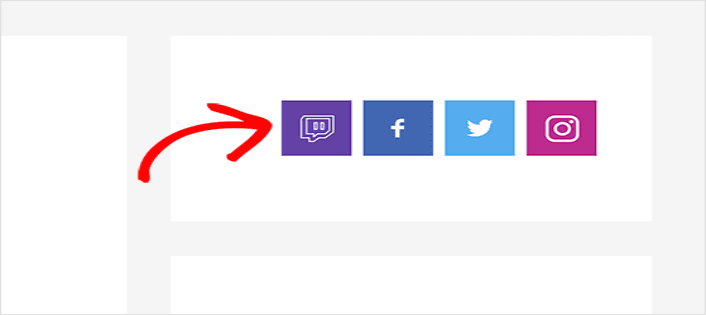
Une façon simple de le faire est d'utiliser un plugin de médias sociaux qui crée des boutons de suivi sur votre site WordPress. Si vous êtes un affilié Twitch, attirer plus d'utilisateurs Twitch est également un excellent moyen de gagner plus grâce aux abonnements.
Astuce de pro : Vous pouvez également créer des boutons de clic pour s'abonner pour développer votre liste de notifications push. Vous pouvez ensuite envoyer à vos abonnés push des notifications qui les dirigent directement vers vos streams ou vos événements sur les réseaux sociaux.
#8. Faites la promotion de votre chaîne Twitch dans votre newsletter
Vous pouvez également utiliser votre newsletter pour promouvoir votre chaîne Twitch. Une façon simple de le faire est de créer un popup qui segmente vos abonnés lorsqu'ils atterrissent sur vos vidéos Twitch intégrées.
De cette façon, lorsque vous envoyez des newsletters pour demander aux spectateurs Twitch de vous suivre sur Twitch, vous savez qu'ils sont déjà intéressés par vos vidéos. Nous vous recommandons d'utiliser OptinMonster pour créer vos popups.
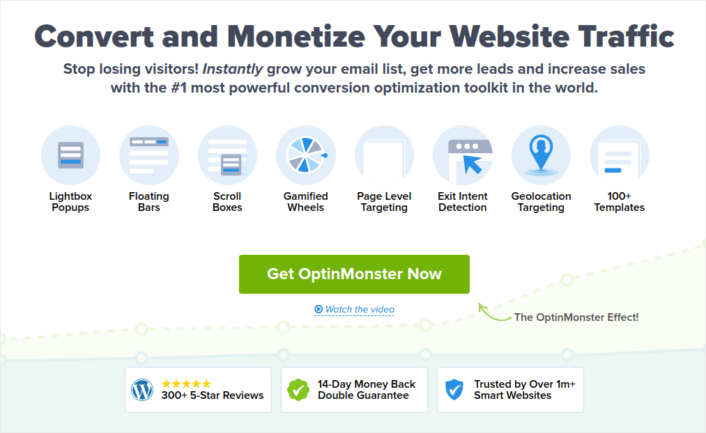
OptinMonster est l'un des pionniers des pop-ups WordPress. Ils ont pratiquement changé la façon dont la génération de prospects par e-mail fonctionne dans l'industrie du marketing.
OptinMonster a à peu près tout ce dont vous avez besoin pour démarrer, développer et faire évoluer votre processus de génération de prospects par e-mail.
Voici un aperçu rapide de ce que vous pouvez faire en utilisant la boîte à outils :
- Développez votre liste d'e-mails en douceur pour le remarketing
- Convertissez les visiteurs de la première visite en lecteurs réguliers
- Réduisez les taux d'abandon de panier et d'abandon de navigation
- Créez des offres à durée limitée avec de vrais compteurs
- Augmentez les téléchargements d'e-books et les ventes de produits numériques
- Créez un entonnoir pour les événements en direct
- Améliorez l'engagement sur le site à l'aide de pop-ups gamifiés
- Redirigez votre trafic vers des pages et des articles qui vous rapportent de l'argent
- Créez une liste de prospects réels et supprimez les faux e-mails à l'aide d'opt-ins en deux étapes
Nous avons rédigé une critique d'OptinMonster. Donc, si vous souhaitez examiner les fonctionnalités plus en détail, n'hésitez pas à le faire.
Astuce de pro : De nombreux streamers affichent leur nombre d'abonnés à l'aide d'un overlay de stream. Mais vous pouvez également créer une petite section dans votre newsletter pour l'afficher et demander à vos abonnés de partager vos streams à de nouveaux spectateurs.
#9. Publiez des streams sur YouTube
YouTube reste la plateforme de contenu vidéo la plus utilisée. Bien que le streaming soit relativement nouveau sur YouTube, c'est toujours un puissant moteur de recherche vidéo. Ainsi, même si vous streamez sur Twitch, vous devriez également streamer simultanément sur YouTube à 100 %.
Il y a de fortes chances que vos vidéos YouTube apparaissent dans les résultats de recherche et vous pouvez attirer énormément de trafic des moteurs de recherche au-delà de YouTube. Cela signifie encore plus de nouveaux abonnés Twitch pour vous.
Vous pouvez téléverser un flux sur YouTube en utilisant une première vidéo. Ou, vous pouvez le faire en direct sur les deux plateformes en utilisant une plateforme de diffusion en direct telle que Streamyard.
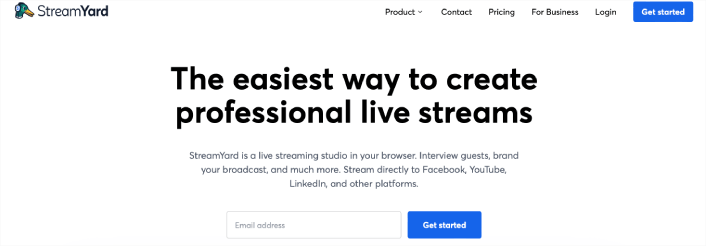
Streamyard vous permet de créer un flux en direct et de téléverser simultanément sur plusieurs plateformes. Vous pouvez également interagir avec les chats des deux plateformes en même temps. Ainsi, vous n'allez pas sacrifier la qualité pour votre portée.
#10. Créez une chaîne de clips sur YouTube
Tout le monde sait qu'il faut créer plusieurs chaînes YouTube. Ne serait-ce que pour les revenus publicitaires. Au cas où une chaîne serait démonétisée, vous pourriez toujours gagner votre vie grâce à l'autre. Mais la plupart des créateurs de contenu ont du mal à trouver des idées pour une autre chaîne et à créer du nouveau contenu pour celle-ci.
Mais créer une chaîne de clips est assez facile. Tout ce que vous avez à faire est de créer des clips attrayants à partir des flux de votre chaîne principale. Cela apporte du trafic supplémentaire à votre chaîne YouTube principale ainsi qu'à votre chaîne Twitch.
Pour aller encore plus loin, vous pouvez uniquement créer des YouTube Shorts pour la chaîne de clips comme le fait Mikaylah. Mikaylah est une streameuse Twitch qui téléverse également des clips sur YouTube afin d'obtenir beaucoup de trafic supplémentaire vers ses vidéos Twitch. Allez voir son contenu et vous comprendrez ce que nous voulons dire.
Vous devriez également promouvoir votre flux sur les plateformes de médias sociaux telles que TikTok et Instagram. Les tweets avec des liens vers vos flux en direct peuvent également vous aider à gagner des abonnés Twitch.
#11. Rendez vos streams interactifs
Le streaming se concentre presque exclusivement sur un public en direct. Ainsi, le meilleur conseil que nous puissions vous donner est d'écouter votre public. Interagissez fréquemment avec lui et posez-lui activement des questions.
La plupart de votre public de streaming vous enverra des messages sur le chat en direct. Et ils désirent désespérément être vus, entendus et reconnus. Par-dessus tout, ils veulent se sentir validés. Si vous n'interagissez pas avec eux et ne leur donnez pas cette validation, ils passeront à quelqu'un d'autre.
Les événements sont un excellent moyen d'augmenter l'interaction du public. Un excellent exemple est lorsque le comédien de stand-up Samay Raina et le maître international Sagar Shah de ChessbaseIndia ont participé à un événement d'échecs international organisé par les sœurs Botez. Ils ont diffusé en direct l'intégralité de l'événement et le chat s'est déchaîné de soutien et de fandom.
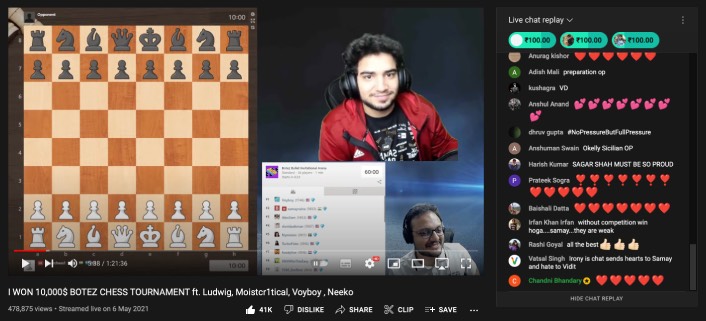
Bien sûr, ils diffusent régulièrement d'autres événements d'échecs et leur propre contenu. Mais un jeu comme les échecs a une barrière à l'entrée inhérente. Vous devez connaître le jeu pour comprendre ce qui se passe lors d'un événement.
Si ces deux-là peuvent attirer un large public en direct en diffusant des échecs, qu'est-ce qui vous empêche de diffuser votre propre contenu ?
Astuce de pro : N'oubliez pas de saluer vos nouveaux abonnés.
#12. Collaborez avec d'autres streamers Twitch
Vous pouvez apprendre ÉNORMÉMENT auprès d'autres streameurs Twitch. Si vous pouvez collaborer avec des streameurs établis, vous augmenterez vos abonnés grâce à des promotions croisées de toute façon. Mais plus important encore, vous aurez accès à des influenceurs qui ont traversé vos difficultés. Et cela peut être très précieux.
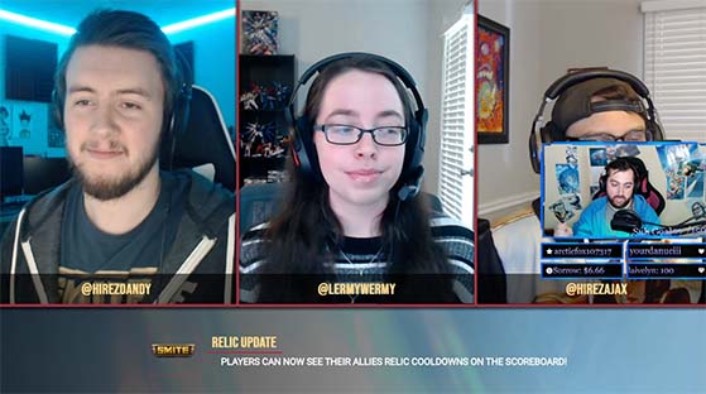
Essayez de contacter d'autres streamers dans votre niche et établissez une relation qui peut éventuellement se transformer en une collaboration en direct. Cette approche peut prendre du temps, mais elle en vaut la peine pour le public que vous gagnerez à long terme. Prenez ce que vous apprenez de vos collaborations et ajoutez votre propre touche.
Pour les nouveaux streamers, les collaborations peuvent être une excellente occasion d'apprendre les secrets du streaming auprès de streamers populaires.
Si vous êtes un streamer de gameplay qui aime streamer des jeux, vous savez déjà que vous devriez streamer un jeu populaire comme Minecraft ou Fortnite. Imaginez si vous pouviez streamer avec Ninja et découvrir ses secrets de streaming.
Vous pouvez non seulement tirer parti de leurs réseaux sociaux pour obtenir plus d'abonnés sur Twitch, mais aussi apprendre comment les créateurs de contenu populaires optimisent leur contenu et leurs chaînes.
Que faire quand vous savez comment gagner plus d'abonnés sur Twitch
Maintenant que vous savez comment obtenir plus d'abonnés sur Twitch, vous devriez mettre en place un processus pour créer un calendrier de contenu pour votre chaîne. Respectez le calendrier et vous verrez une augmentation de l'engagement et des abonnés actifs.
En parlant d'engagement, vous devriez également commencer à utiliser les notifications push pour augmenter l'engagement de votre site Web, même au-delà des concours. Nous vous recommandons d'utiliser PushEngage pour envoyer vos notifications push. PushEngage est le logiciel de notification push n° 1 au monde.
Pas convaincu ? Consultez d'abord ces articles :
- Campagnes goutte à goutte et auto-répondeurs pour les notifications push web
- 5 avantages de l'utilisation d'une campagne de notification push d'abandon de panier
- Comment convertir les abonnés en acheteurs à l'aide des notifications push web
Si vous gérez également une chaîne Twitch, vous devriez consulter les meilleurs plugins WordPress pour Twitch. Et si ce n'est pas déjà fait, commencez dès aujourd'hui avec PushEngage !


