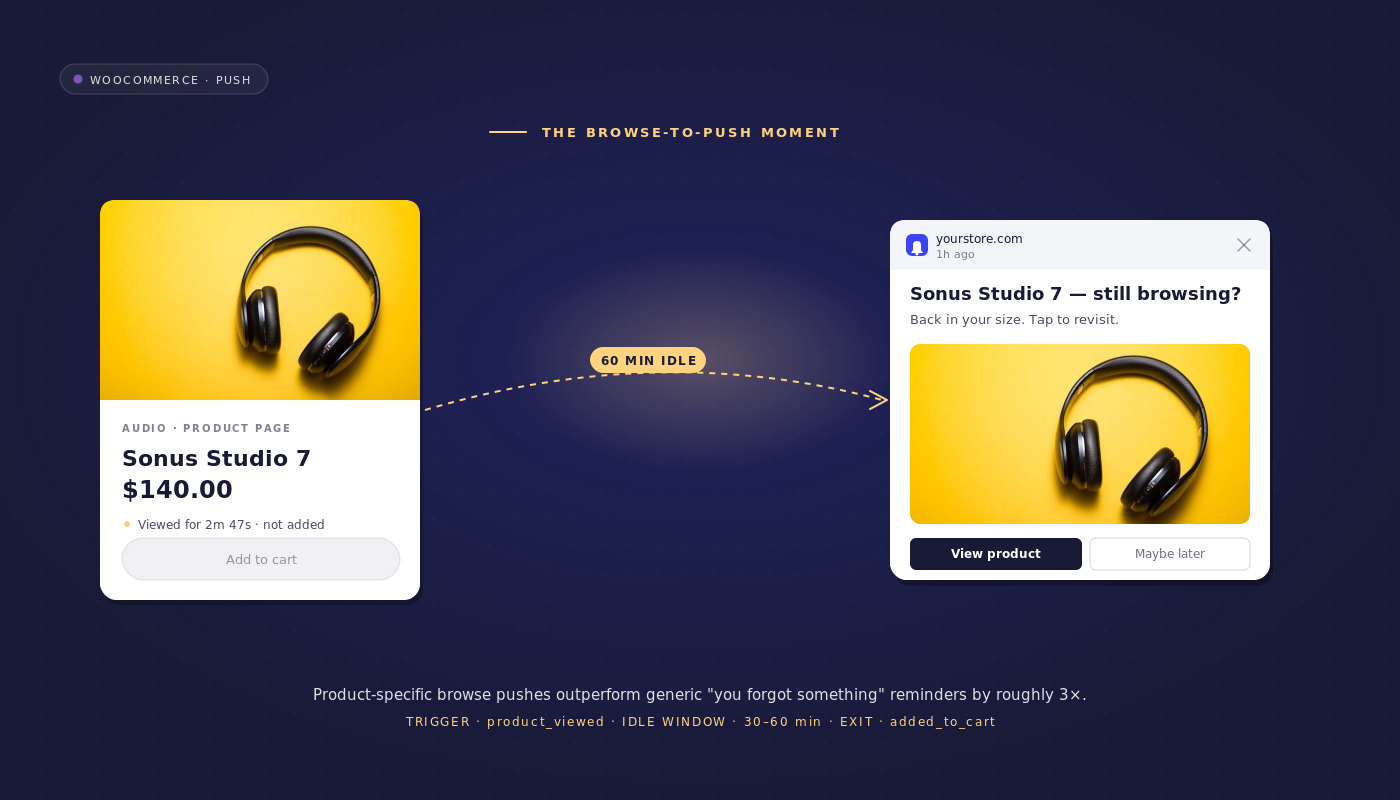
It is Monday morning at a $20M GMV WooCommerce home-goods store and the retention manager is reading last week’s funnel in Google Analytics. Product detail page views: 180,000. Add-to-carts: 18,000. Purchases: 1,800. The Klaviyo dashboard tab shows $3,200 recovered from cart abandonment last week.
The browse-abandonment line on the same dashboard reads zero, because Klaviyo cannot reach browse-abandoners. No email was captured for them. They visited a product detail page, did not add to cart, and left. 162,000 visitors are invisible to email this week.
This is the audience that WooCommerce browse abandonment push notifications were built for. Web push opt-in fires at first qualified visit, not at cart-stage email-capture. That single timing difference means the browse-abandoner who never types an email address is still reachable.
A 3-message workflow with the right exit logic can convert 8–14% of them to add-to-cart, which on a 162,000-visitor week is a line item the retention team can defend at the next P&L review. The rest of this article walks through that workflow, the exact event instrumentation it needs on the WooCommerce stack, and the retention math at three list sizes.
- Browse abandonment is not cart abandonment is not session abandonment
- Why push is the only practical channel for browse abandonment
- The 3-message browse abandonment workflow
- The "still browsing" exit branch
- The related-products lever (Message 2)
- Browse-abandonment data on the WooCommerce stack
- Per-workflow analytics: read the funnel
- Build it in PushEngage Workflows
- What this changes
Browse abandonment is not cart abandonment is not session abandonment
Definitional clarity, briefly, because the SERP confuses the three. Browse abandonment is a product detail page view without an add-to-cart inside thirty minutes. Cart abandonment is an add-to-cart without a checkout completion. Session abandonment is a visit that never reached a product detail page at all. Each one has a different trigger, a different audience size, and a different workflow.
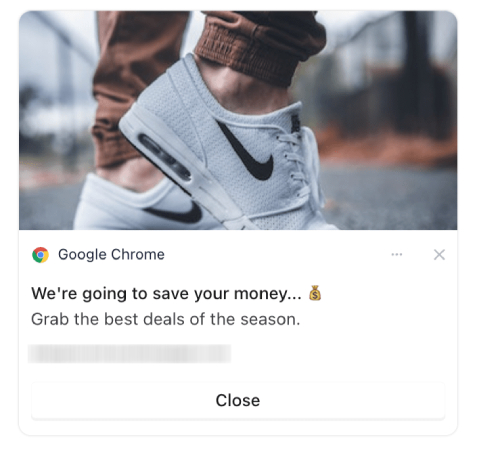
The size difference is the headline. On a typical mid-market WooCommerce store, for every cart-abandoner there are five to eight browse-abandoners. The cart-abandonment funnel is well-served by email because the customer captured their address at checkout-attempt time. The browse-abandonment funnel is not served by email at all, because no email was captured. This is why product page abandonment recovery has been the quiet uneconomic part of most retention stacks. Push fixes the addressability problem because the opt-in event is a browser-native dialog that fires on the first qualified visit.
| Funnel stage | Trigger event | Typical weekly volume on a $20M GMV store | Inheriting workflow |
|---|---|---|---|
| Session abandonment | page_view (any page) | very high, noisy | none recommended |
| Browse abandonment | page_view on product detail with no add_to_cart in 30 min | 144,000 | the browse workflow in this article |
| Cart abandonment | add_to_cart with no purchase in 60 min | 18,000 | the cart-abandonment workflow |
The browse workflow exits into the cart workflow the moment a browse-abandoner adds to cart. This handoff matters and gets ignored in most browse content. The two workflows share an event taxonomy and the cart workflow inherits a partially-qualified subscriber from the browse workflow whenever the third touch lands.
Why push is the only practical channel for browse abandonment
Email needs an email address. A browse-abandoner on a WooCommerce storefront does not have one yet. The PushEngage opt-in dialog fires on the second page view or after a configurable engagement signal, and once accepted the subscriber is reachable for the rest of their device lifetime without ever giving you their address. This is the operating assumption that makes browse recovery automation economically viable. WooCommerce push notifications reach the anonymous visitor in a way no other channel reaches at acceptable cost.
The other options have economics that do not survive a P&L review at browse-abandonment volume. Paid remarketing on Meta and Google Ads charges CPM-per-impression and chews CAC budget for every browse-abandoner you re-touch, regardless of whether they convert. SMS needs a phone number, which is even less likely than an email at the browse stage.
Email needs an email. Push, after a single opt-in, costs near-zero per send. At a 200,000-subscriber WooCommerce list, the marginal cost of a browse-abandonment send is effectively the fraction of a cent the push service provider charges for delivery infrastructure, not a per-message metered fee.
The retention/CAC math follows from there. For the same recovered revenue, browse recovery automation on push costs a small fraction of the paid-remarketing alternative. That is the argument for the line item, and it lives on the WooCommerce stack because WooCommerce stores tend to have product detail pages that are well-instrumented for page_view tracking out of the box.
The 3-message browse abandonment workflow
Here is the complete workflow. Trigger: a PushEngage custom event page_view filtered to product detail pages (where is_product = true) and where the subscriber did not also fire add_to_cart within thirty minutes. Run type: Multiple Parallel, so a subscriber browsing five different products in a session can have five concurrent workflow instances each pointed at the correct product. Exit criteria: goals add_to_cart (the cart workflow inherits) or purchase (no further messaging needed).
Blueprint — The 3-message browse abandonment workflow
- START: Custom event
page_view, filteris_product = true, AND noadd_to_cartfrom the same subscriber within 30 minutes - WAIT: 30 minutes
- DECISION 1: is the subscriber currently active on the site (session_activity flag set within the last 5 minutes)?
- YES path: EXIT (do not interrupt an active session; the workflow re-evaluates on a fresh trigger)
- NO path: continue
- ACTION (Message 1): Send web push reminding of the specific product viewed. Title: “Still thinking about {{event.data.product_title}}?” Body: “It is right where you left it. Tap to pick up.” URL: the product page URL. Image:
{{event.data.product_image}}. - WAIT: 4 hours
- DECISION 2: did the subscriber add the product to cart?
- YES path: EXIT (cart-abandonment workflow inherits)
- NO path: continue
- ACTION (Message 2): Send web push with related products. Title: “You might also like these from our {{event.data.category}} collection.” Body: “Three picks similar to {{event.data.product_title}}.” URL: the WooCommerce category archive page. Image: the first related product image.
- WAIT: 48 hours
- ACTION (Message 3): Send web push with discount-discovery framing. Title: “Saved your eye on this one.” Body: “We held it for you with 10% off. Code: BROWSE10.” URL: the product page URL with the discount code pre-applied.
- END
That is the entire browse abandonment workflow. Three messages, two waits with decisions, one silent exit branch, two goal-based exits. The product view notifications in Message 1 and Message 3 each push the original viewed product; Message 2 pivots to related products because by 4 hours after the browse, reminder fatigue is real and discovery is the lever that converts. The next two H2s go deep on the still-browsing exit and the related-products lever, because both of those are the largest unclaimed details on the SERP.
A note on the run type. Multiple Parallel is correct for browse abandonment because a single subscriber can browse-abandon five products in a forty-minute session and each one is its own workflow instance with its own product context. The PushEngage Workflows engine tracks the entry_flag timestamp per instance, so the five instances do not collide. If you set this workflow to Single instead, only one of the five products gets a recovery touch and the other four go silent.
The “still browsing” exit branch
This is the most-missed detail across every page-one result for the keyword. Most browse-abandonment articles tell you to message at the thirty-minute mark, full stop. That advice generates noise to active shoppers and erodes the channel. A subscriber who is still on the site at minute thirty-one does not need a notification about the product they are currently looking at. They need to be left alone to finish the session.
The DECISION node at the thirty-minute wait solves this. It reads a session_activity heartbeat attribute on the subscriber profile. If the attribute timestamp is within the last five minutes, the workflow exits silently. The subscriber is not penalized for being on the site. The next time they leave, the next product detail page view re-fires the trigger and starts a fresh workflow instance with up-to-date context. This is the single most important thing to add to a browse abandonment workflow that most teams ship without.
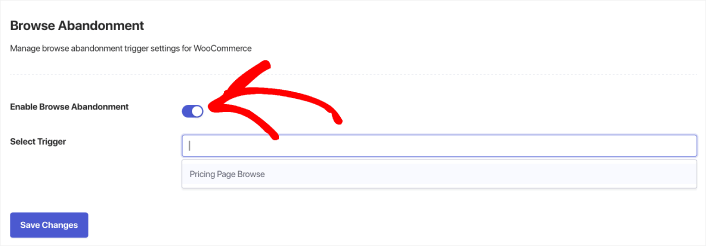
The implementation is light. The PushEngage JavaScript SDK can fire a heartbeat custom event every five minutes while the page is in foreground, which writes to the subscriber attribute via the Workflows engine’s UpdateAttribute action. The DECISION node’s audience filter then reads subscriber.attributes.session_active_at and compares against now() - 5min. The audience filter is documented in the PushEngage Workflows decision-logic reference.
The retention case for the still-browsing exit is direct. An anonymous browse-abandoner who is still on the site is a user with active intent, and a push notification is the wrong tool. Letting them finish the session preserves the channel’s deliverability score, keeps the unsubscribe rate low, and concentrates the workflow’s sends on the segment where push actually moves a number. Browse recovery automation lives or dies by this discipline.
The related-products lever (Message 2)
Message 2 does not push the same product the subscriber already viewed. It pushes a curated list of related products, because by four hours after the original browse, reminder fatigue has set in and the customer either already came back or is not coming back for that specific item. Discovery is the lever at the four-hour mark, not reminder.
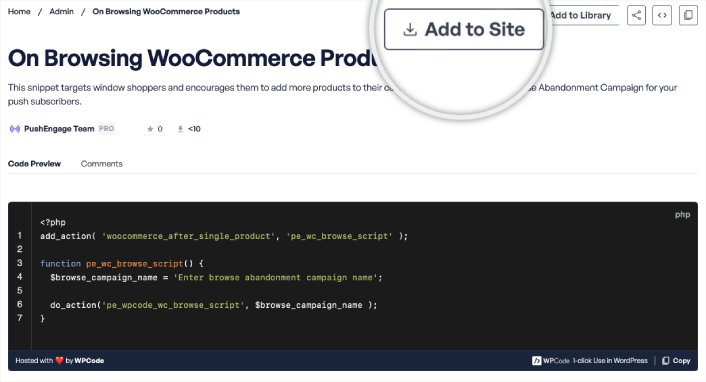
WooCommerce makes this easy. The platform ships wc_get_related_products as a built-in function tied to its product taxonomy. The function returns up-sells, cross-sells, and category-similar products linked to the viewed product. The PushEngage WooCommerce integration plugin can pass these into the workflow as event-data variables, so Message 2’s notification can render the related products’ titles, images, and URLs without a separate API call. A typical Message 2 copy line: “You might also like these from our {{event.data.category}} collection.”
This is the WooCommerce-specific advantage. Stores on platforms without a built-in related-products taxonomy have to compute relatedness at workflow-trigger time, which means a custom recommender service. WooCommerce stores get this for free from the platform. Mid-market WooCommerce stores with broad SKU catalogs see the biggest lift from Message 2 because the related-products surface is wide enough to find a second product the subscriber actually wants. Stores with narrow catalogs see less lift here and may collapse Messages 2 and 3 into a single discount-discovery touch at 24 hours.
The pattern matters because reminder-only browse abandonment is the SERP’s default and its conversion ceiling is low. Adding a discovery touch raises the workflow’s recovered-cart rate by 30–50% on stores with related-products taxonomy already populated, which most WooCommerce installs have whether the merchandiser knows it or not.
Browse-abandonment data on the WooCommerce stack
Three event inputs power the workflow. Here is where each comes from and the install order if you are starting cold.
Event 1, page_view with product_id. Fires from the PushEngage JavaScript SDK on every product detail page. The minimum payload is { event_name: 'page_view', product_id: '...' }; the recommended payload also includes product_title, product_image, and category so the workflow can render them in Messages 1, 2, and 3 without a second API call. Install this first because the browse workflow trigger depends on it.
Event 2, add_to_cart. Fires from the WooCommerce-PushEngage integration plugin, which hooks the woocommerce_add_to_cart WordPress action. Install second because the workflow’s DECISION 2 (and the workflow’s exit criteria) read this event. If you delay installing the integration plugin, the browse workflow still runs; it just cannot inherit cleanly into the cart workflow.
Event 3, session_activity heartbeat. A custom event fired by the PushEngage SDK every five minutes while the page is in foreground. Updates the subscriber attribute session_active_at. Install third. The browse workflow degrades gracefully without it: the 30-min wait still applies and Message 1 still fires, but the still-browsing exit branch cannot fire and active shoppers will sometimes receive notifications mid-session. This is the optional polish step.
Most WooCommerce stores with the PushEngage plugin installed get events 1 and 2 for free during onboarding. The session_activity heartbeat is the optional third event that turns the workflow from “good” into “best on the SERP.” Stores that are deferring engineering work can ship the workflow with events 1 and 2 in week one and add the heartbeat in week three.
Per-workflow analytics: read the funnel
PushEngage Workflows tracks queued, completed, and exited users at each node. For browse abandonment on a 200,000-subscriber WooCommerce store with ~30,000 product-detail page views per week (illustrative numbers), the funnel reads like this:
| Node | Queued | Completed | Exited | Notes |
|---|---|---|---|---|
| START (page_view filter) | 0 | 28,000 | 0 | Subscribers entering the workflow this week |
| WAIT 30 minutes | 850 | 27,150 | 0 | Normal queue depth |
| DECISION 1 (still browsing?) | 0 | 21,800 | 5,350 | 5,350 active sessions exited silently |
| ACTION Message 1 | 0 | 21,800 | 0 | Reminder sent |
| WAIT 4 hours | 280 | 18,520 | 3,000 | 3,000 subscribers added-to-cart (cart workflow inherits) |
| DECISION 2 (added to cart?) | 0 | 18,520 | 0 | All remaining still browsing-only |
| ACTION Message 2 | 0 | 18,520 | 0 | Related-products sent |
| WAIT 48 hours | 600 | 16,300 | 2,220 | 2,220 added-to-cart over the next two days |
| ACTION Message 3 | 0 | 16,300 | 0 | Discount-discovery sent |
| END | n/a | 16,300 | n/a | Did not add to cart |
In this funnel, 5,220 subscribers (3,000 + 2,220) added to cart while inside the browse workflow, an 18.6% browse-to-cart rate on the 28,000 who entered. Of those add-to-carts, the cart-abandonment workflow then recovers some additional fraction to purchase. The high-exit nodes are the two waits, which is the expected pattern: time-to-decision happens in the wait windows, not in the action windows. The still-browsing exit at DECISION 1 contributes another 5,350 silently-exited active sessions; without that branch, those subscribers would have received Message 1 mid-session, eroding the channel.
The recovered-revenue math scales with list size. The same workflow on a 50,000-subscriber list produces roughly a quarter of these numbers; on a 1,000,000-subscriber list it produces roughly five times. The per-send cost stays near-zero throughout, which is the channel’s structural advantage.
| List size | Weekly product-detail views | Weekly browse abandoners entering workflow | Weekly add-to-cart recoveries (18.6%) | Estimated recovered revenue at $85 AOV × 15% close rate |
|---|---|---|---|---|
| 50,000 | 7,500 | 7,000 | 1,300 | $16,600 |
| 200,000 | 30,000 | 28,000 | 5,220 | $66,500 |
| 1,000,000 | 150,000 | 140,000 | 26,000 | $331,500 |
These are directional figures; the actual lift on your store depends on AOV, category mix, and the close rate of recovered add-to-carts. The point is that the math compounds with list size at a per-send cost that does not.
Build it in PushEngage Workflows
The browse abandonment workflow maps directly to PushEngage Workflows components. Here is the mapping:
| Workflow component | Node types used | Action types used | Workflow option |
|---|---|---|---|
| The 3-message browse abandonment workflow | START, WAIT, DECISION, ACTION, EXIT, END | SendPushNotification | Run type: Multiple Parallel; exit on goals add_to_cart or purchase |
The Workflows engine ships with 60+ shipped templates covering eCommerce flows including browse and cart abandonment. The browse abandonment template is the right starting point; clone it, swap in your WooCommerce category and product variables, and the workflow is live in under an hour inside the PushEngage Workflows builder.
What this changes
For broader context on how this workflow fits into a full WooCommerce retention program, the eCommerce push notifications hub covers the campaign types this workflow implements, and the existing browse abandonment campaigns post offers a strategy survey for the broader topic. The sibling WooCommerce cart abandonment workflow is the natural next step once browse is live; it inherits the subscriber the moment Message 1 or Message 2 drives an add-to-cart. The PushEngage cart-abandonment recovery sequence covers the playbook detail there. For multi-channel teams running push alongside email, the multi-channel push and email post addresses the orchestration question.
If you take one number from this article, take 162,000. That is the weekly browse-abandonment audience on a single $20M GMV WooCommerce store, almost none of which has an email address you can reach. Email and SMS will not move this audience. Paid remarketing will, at a CAC cost that compounds against retention. WooCommerce browse abandonment push notifications reach the same audience at near-zero per-send cost, with a workflow that ships in an afternoon and a still-browsing exit branch that keeps the channel deliverable.
The retention math is what makes the line item defensible. At a 200,000-subscriber list with the workflow above, expected weekly recovered revenue is on the order of $66,500 at typical mid-market AOVs. That number scales linearly with list size, and the per-send cost stays near-zero. Browse abandonment workflow first, cart abandonment workflow inheriting from it, and the rest of the WooCommerce retention stack composing around the two of them.
The free plan gives you 200 subscribers, every channel, and the full Workflows engine on day one. That is enough to instrument the page_view event, ship the workflow, and watch the funnel for a week before requesting the budget line. Start on the free plan to ship Message 1 of this workflow before Friday.


