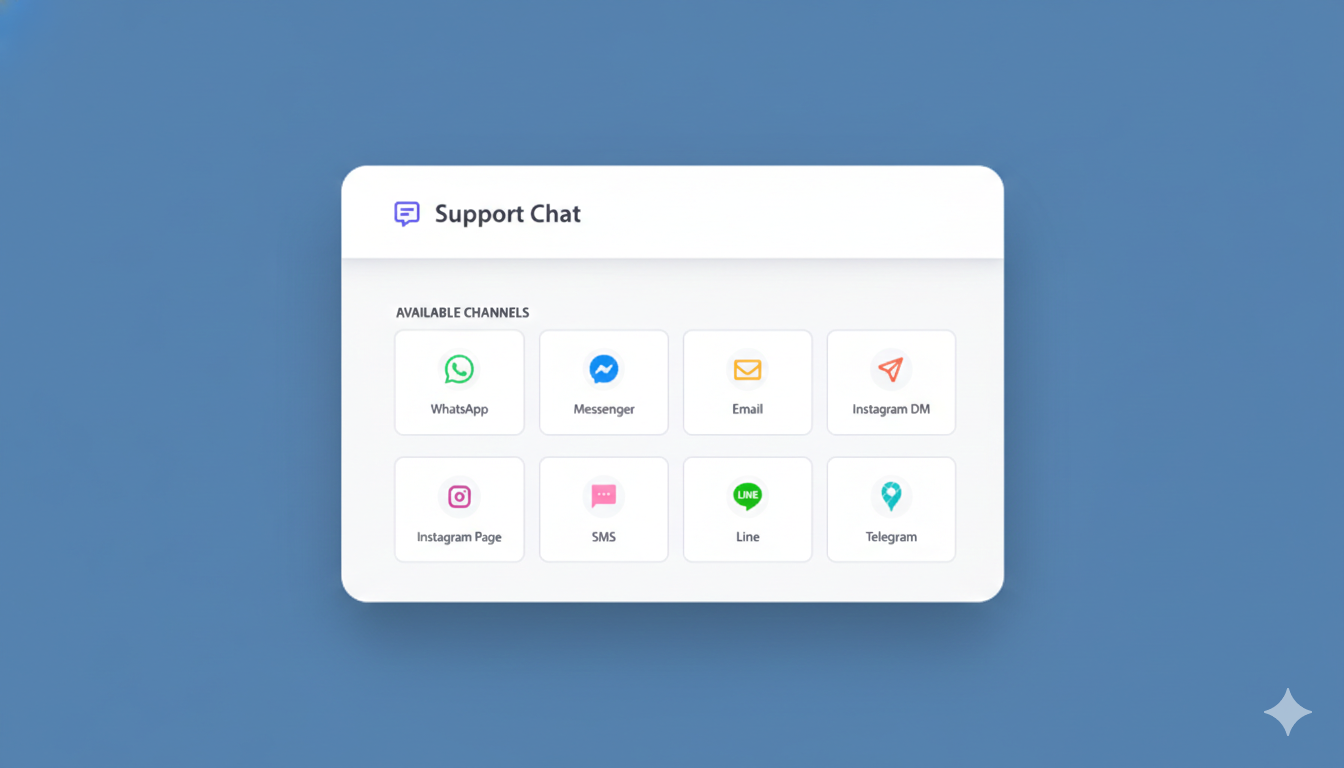
Base44は、最新のPWAを構築するための賢明な選択です。高速で柔軟性があり、インフラストラクチャの煩わしさを解消します。しかし、Base44サイトにチャットウィジェットを追加しようとしたことがあるなら、おそらくおなじみの壁にぶつかったことでしょう。Pushも同様です。Base44 PWAでWebプッシュ通知を有効にする方法をご覧ください。
ルートアクセスなし。シンプルなプラグインなし。ライブチャットなし。
少なくとも、そう見えます。
このガイドでは、以下の点について説明します。
- 従来のチャットウィジェットがBase44で機能しない理由
- ほとんどの人が不可能だと考えている理由
- PushEngageのチャットウィジェットがそれでもBase44で機能する仕組み
- 得られるものと、それがビジネスにとって理にかなる理由
Base44でPWAを実行していて、予算をかけずに顧客の質問に答えたい場合は、これが最適です。
マルチチャネルメッセージを今すぐ送信!
プッシュ通知とWhatsAppメッセージは、リピートトラフィック、エンゲージメント、および売上を自動的に増加させるための非常に効果的で低コストなマーケティングツールです。
これは重要です。なぜなら、ほとんどのIntercomの代替は、依然としてあなたがサイトのソースコードを制御していることを前提としているからです。Base44のようなノーコードプラットフォームでは、スクリプトタグウィジェットが唯一機能するルートです。
Base44でライブチャットが不可能に見える理由
問題から始めましょう。
チャットウィジェットは通常どのように機能するか
ほとんどのチャットウィジェットは、サイトのルートディレクトリへの直接アクセスを必要とします。それらには以下が必要です。
- ルートレベルのインストールファイル
- カスタムスクリプトの配置
- 手動設定
従来のセットアップでは、これは問題なく機能します。しかし、Base44は異なります。
Base44の問題
Base44は、従来のチャットウィジェットが期待するようなルートアクセスを提供しません。
それは意味します:
- ファイルを好きな場所に配置することはできません
- ほとんどの「5分でインストール」ガイドは適用されません
- LiveChatのような標準的なチャットツールは、あなたが持っていないコントロールを持っていることを前提としています
したがって、ほとんどのBase44ユーザーは同じ結論に達します。「ライブチャットは私のサイトでは機能しないと思います。」
そして、顧客からの質問にリアルタイムで答えることを諦めてしまいます。
これがビジネスに悪影響を与える理由
ライブチャットを逃すことは不便なだけではありません。それはあなたの売上を失わせます。
ライブチャットがないと、こうなります。
- 顧客が質問をする → 回答なし → あなたのサイトを離れる
- 製品に関する混乱 → 誰も助けてくれない → カート放棄
- 価格に関する質問 → 返信なし → 競合他社から購入
返信のない質問はすべて、あなたが失っている潜在的な売上です。
しかし、ここで重要なのは、LiveChatや類似のツールは月額200ドル以上かかります。中小企業にとっては、顧客からの質問に答えるだけで年間2,400ドル以上かかることになります。
ここでほとんどの人が行き詰まります。ライブチャットは必要ですが、手が出せません。たとえ手が出せたとしても、Base44にはそもそもインストールできません。
一般的な考え方:「優れたライブチャットは高価で、サイト全体へのアクセスが必要だ。」
現実: ルートアクセスなしでBase44用のプロフェッショナルなライブチャットを、月額$200以上ではなく、年間$49で利用できます。
PushEngageチャットウィジェットソリューション
PushEngageは、あなたの状況に合わせて特別にチャットウィジェットを構築しました。これはBase44でルートアクセスを必要とせずに動作します。
アプローチ(簡単なバージョン)
以下を強制する代わりに:
- Base44のルート構造を変更する
- 複雑なプラグインをインストールする
- 開発者を雇う
PushEngageは簡単な埋め込みコードを使用しており、これは:
- 既存のBase44セットアップで動作する
- ルートファイルへのアクセスを必要としない
- 文字通り5分でインストールできる
顧客の視点からは、あなたのサイトにプロフェッショナルなチャットウィジェットが表示されます。
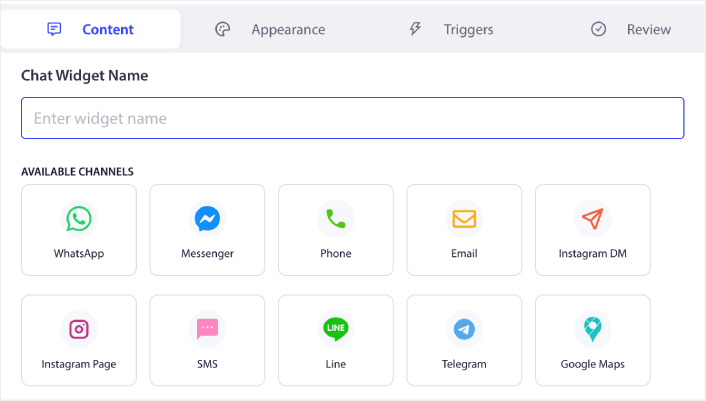
あなたの視点からは、会話は直接あなたのDMに届きます—メール、SMS、WhatsApp、どこでもメッセージを確認している場所です。
別の受信トレイはありません。ログインするダッシュボードもありません。誰かが助けを必要としているときの即時通知だけです。
Base44でPushEngageチャットを使用してできること
ウィジェットがインストールされると(そして、本当に5分かかります)、実際の顧客サポート機能が利用できるようになります。
仕組み
PushEngageチャットウィジェットは次のとおりです。
- マルチチャネル – 会話はメール、SMS、WhatsApp、Slack、またはTelegramにルーティングされます
- マルチエージェント – チーム全体が好みのプラットフォームでチャットを処理できます
- 受信トレイ不要 – 確認する別のダッシュボードはありません。メッセージはあなたに届きます。
構築できるもの
基本的な「お問い合わせ」機能に限定されるわけではありません。次のことができます。
- 販売前の質問に答える(より多くの販売を成立させる)
- カスタマーサポートを提供する(返金リクエストを削減)
- 配送に関する問い合わせに対応する(サポートチケットを削減)
- 即時フィードバックを得る(製品をより早く改善)
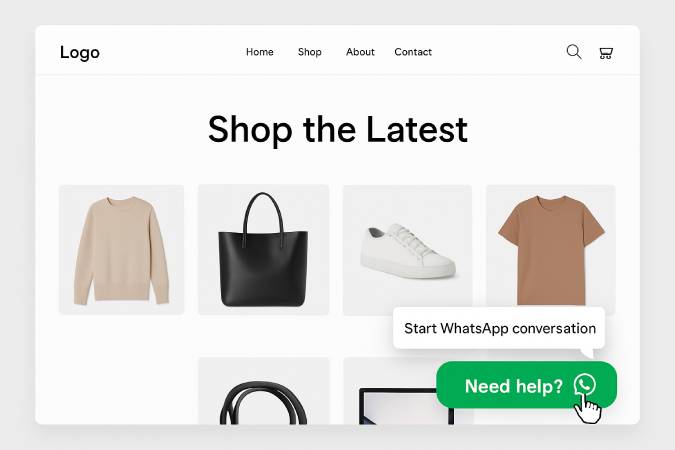
要するに、大企業が利用しているのと同じカスタマーサポート体制を、月額200ドルの料金や技術的な複雑さなしに利用できるということです。
Base44サイトにとってこれが理にかなる理由
ほとんどのBase44ユーザーにとって、このソリューションはまさに必要なものです。
顧客が実際にどこにいるか
あなたのトラフィックについて正直に話しましょう:
- 有料顧客のほとんどはデスクトップまたはAndroidからアクセスしています
- 最も意欲の高い訪問者は、営業時間中に閲覧しています
- 質問をする人は、購入する可能性がはるかに高いです
まさに、PushEngageのチャットウィジェットが完璧に機能するのはこの点です。
実際に得られるもの
高度なエンタープライズ機能がなくても、以下の機能が利用できます:
- 直接の顧客コミュニケーション – リアルタイムで質問に答える
- あなたのDM、別の受信トレイではない – 会話があなたのもとに届く
- 年間$49、月額$200以上ではありません – 年間$2,400以上節約できます
- 5分でセットアップ完了 – 今すぐ稼働、来四半期ではない
中小企業やソロプレナーにとって、1回の追加販売で年間料金全額を賄えます。
Base44 + PushEngage:実用的なサポートスタック
Base44を使ってビジネスを運営しているなら、あなたの目標は明確です:
- コストを低く抑える
- 迅速に発送する
- 複雑なツールなしで顧客の質問に答える
PushEngageは、そのアプローチに自然に適合します。
できます:
- Base44の設定はそのまま維持してください
- 本当に重要な場所(質問に答えること=販売を完了すること)にライブチャットを追加する
- 高価なエンタープライズツールや複雑なインストールを避ける
ルートアクセスは不要です。技術的な問題もありません。月額200ドルの請求もありません。
Base44でライブチャットを今日から始めましょう
Base44でのライブチャットは不可能ではありません—それは単に従来のやり方では不可能なだけです。
PushEngageのチャットウィジェットを使用すると:
- ルートアクセスなしでインストールが機能します
- 会話は直接あなたのDMに届きます
- LiveChatと比較して年間2,400ドル以上節約できます
- セットアップは5分で完了します。5日ではありません。
Base44でビジネスを運営していて、質問に十分に早く答えられないために販売機会を逃している場合、ライブチャットは依然として非常に有効な選択肢です。
そして年間$49で、1回の追加販売で元が取れます。
顧客からの質問をもう逃したくないですか? PushEngageのチャットウィジェットを無料でお試しください。どれだけの販売機会を逃していたかを確認できます。
- サイトでの多言語チャットサポートの設定方法
- チャットウィジェットのカスタムアイコンを追加する方法(そしてなぜそれが重要なのか)
- より多くの人にライブ会話を開始してもらう方法(5つのヒント)
- WordPressストア向けのページレベルチャットターゲティングの完全ガイド
- なぜ受信トレイ不要のチャットウィジェットはより効果的なのか
ライブチャットを追加するのに最適な時期は、ローンチ時でした。次に最適な時期は今です。


詳細なご説明ありがとうございます。AIプレゼンテーションツールは、私が価値を見出したもう一つのリソースです。