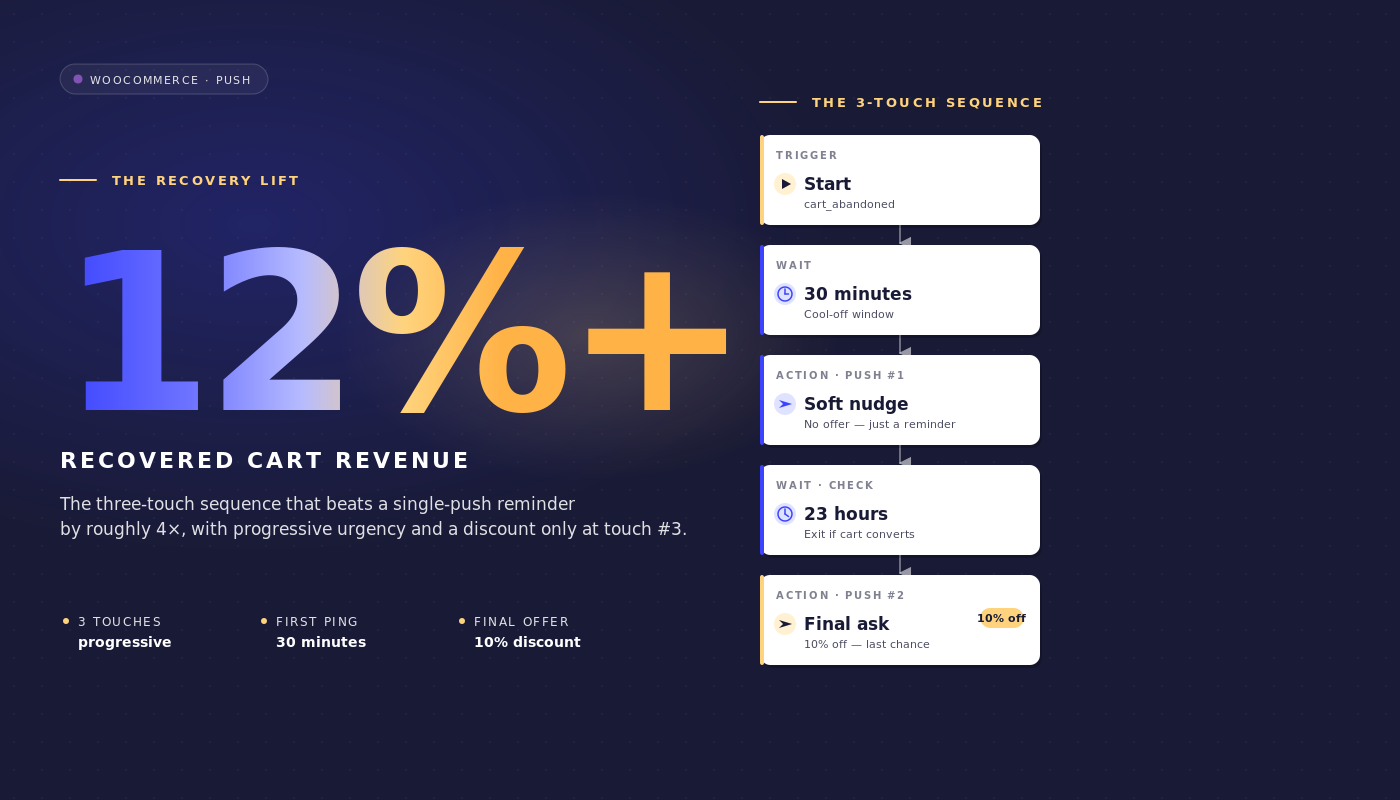
Nous sommes mardi à 9h et vous consultez le tableau de bord WooCommerce d'une boutique avec 35 millions de dollars de GMV. Klaviyo a récupéré 4 800 $ de paniers abandonnés la semaine dernière. La partie non récupérée s'élève à 46 000 $. Cet écart n'est pas un problème de Klaviyo. La cadence des e-mails est correcte. L'écart existe car l'e-mail ne peut pas atteindre environ un tiers des abandonneurs de panier : l'ouverture n'a jamais lieu, le volet d'aperçu ne s'ouvre jamais, la boîte de réception reste pleine des confirmations de commande de la semaine dernière.
Les notifications push de panier abandonné WooCommerce comblent cet écart non pas en remplaçant la séquence d'e-mails, mais en fonctionnant parallèlement à celle-ci avec un calendrier différent, un format différent, sur une surface différente.
Cet article est la spécification du flux de travail dont un responsable de la rétention WooCommerce a réellement besoin : le parcours exact de 3 messages push, les noms d'événements exacts, les fenêtres d'attente exactes, l'échelle de remise défendue en dollars de marge, la règle de sortie qui arrête le flux de travail au moment où le panier est converti, et les mathématiques d'attribution par panier que vous pouvez présenter à la finance.
Soulevez-le directement dans PushEngage et faites-le fonctionner en moins d'une heure. Le panier récupéré est un revenu trouvé, pas un revenu payé, et c'est tout l'argument de rétention/CAC en une seule phrase.
- Pourquoi « push plutôt qu'e-mail » est le mauvais cadrage
- Pourquoi WooCommerce est adapté au push (et où il ne l'est pas)
- Le flux de travail de 3 messages pour les paniers abandonnés, de bout en bout
- Pourquoi 1 heure, 25 heures et 73 heures
- La défense de l'échelle de remise
- Attribution par panier et calcul des revenus récupérés
- Orchestration multicanal : push + e-mail + WhatsApp + chat en direct
- Barre latérale : gestion du flux de panier depuis votre assistant IA
- Créez-le dans PushEngage
- Ce que cela change
Pourquoi « push plutôt qu'e-mail » est le mauvais cadrage
La plupart des articles sur les paniers abandonnés présentent un faux choix binaire. Push contre e-mail. SMS contre push. WhatsApp contre les trois. Les boutiques WooCommerce du marché intermédiaire qui récupèrent 25 à 40 % de la valeur des paniers abandonnés ne choisissent pas une seule option. Elles superposent. L'e-mail atteint les utilisateurs de la boîte de réception qui consultent leurs e-mails deux fois par jour. Le push atteint les utilisateurs de bureau et mobiles qui ne consultent pas leurs e-mails du tout mais jettent un coup d'œil aux notifications. Les SMS atteignent les paniers de grande valeur où le message doit arriver dans les trente prochaines secondes. Le travail du responsable de la rétention est de composer la pile superposée, pas de débattre du canal unique qui gagne.
Pour une boutique WooCommerce utilisant aujourd'hui une séquence uniquement par e-mail, la question n'est pas « dois-je passer au push ». C'est « qu'est-ce que le push ajoute à ce que l'e-mail fait déjà ». La réponse est simple. Le push se déclenche plus rapidement que les ouvertures d'e-mails (une première interaction de 60 minutes arrive une heure avant l'ouverture typique d'un e-mail). Le push est plus difficile à ignorer (pas de volet d'aperçu). Le push se termine à l'événement d'achat, quel que soit le canal qui a reçu le crédit pour la conversion. Ce sont des propriétés additives, pas des substituts.
Le reste de cet article repose sur ce cadre. Le flux de travail de 3 notifications push ci-dessous suppose que vous avez déjà une séquence de récupération de 3 ou 4 e-mails en cours dans Klaviyo, Omnisend ou tout autre ESP que vous utilisez. Il se compose avec cette séquence plutôt que de la remplacer.
Pourquoi WooCommerce est adapté aux notifications push (et où il ne l'est pas)
WooCommerce déclenche trois événements natifs qui rendent l'ensemble de cette opération gérable. add_to_cart se déclenche chaque fois qu'un produit est ajouté. woocommerce_cart_updated se déclenche lorsque l'état du panier change. woocommerce_payment_complete se déclenche lorsqu'une commande est payée.
Le plugin d'intégration WooCommerce de PushEngage mappe ces événements à un événement personnalisé PushEngage appelé cart_abandoned (déclenché lorsqu'un panier reste inactif au-delà du seuil d'abandon) et à un objectif appelé purchase (déclenché lorsque le paiement est terminé). L'événement cart_abandoned transporte cart_id, cart_value, cart_url (le lien de restauration) et une liste de produits. Cette charge utile devient la source des variables que les notifications du flux de travail utilisent.
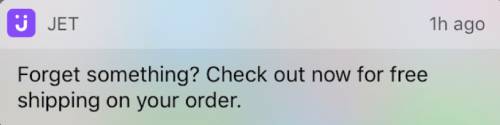
L'intégration PushEngage gère également la restauration du panier. Lorsqu'un abonné clique sur une notification push, il arrive sur le panier avec ses articles déjà remplis plutôt que sur une page produit vide. Ce n'est pas un détail mineur : un panier récupéré avec un paiement en un clic convertit environ trois fois plus qu'un panier récupéré qui oblige l'abonné à rajouter les articles.
La restauration du panier est l'une des fonctionnalités de notification push WooCommerce que l'intégration PushEngage fournit dès le départ ; sur les plateformes sans l'intégration, l'équipe de rétention doit créer le lien de restauration manuellement.
Il y a un point délicat spécifique à WooCommerce à signaler. Les boutiques utilisant un paiement hors plateforme (Stripe Checkout, paiement hébergé par PayPal, Mollie hébergé, Klarna hébergé) ne déclenchent woocommerce_payment_complete qu'après le retour du client sur la page de remerciement. Si ce retour ne se produit jamais (le client ferme l'onglet du navigateur sur la page hébergée de Stripe après avoir payé), le flux de travail n'a aucun moyen de savoir que le panier a été converti. La solution consiste en un pixel de suivi d'objectif sur le retour de la page de remerciement qui déclenche l'objectif purchase de PushEngage avec le cart_id. Sans ce pixel, le flux de travail continue d'envoyer des rappels aux abonnés qui ont déjà payé, et c'est le mode d'échec que toute équipe de rétention veut éviter. Configurez le pixel avant d'activer le flux de travail.
Deux notes contextuelles supplémentaires. Premièrement, le vocabulaire du flux de travail dans le reste de cet article (START, WAIT, DECISION, ACTION, END) est défini dans le constructeur de flux de travail PushEngage et traité en détail dans l'article parent sur le commerce électronique. Deuxièmement, ce flux de travail d'abandon de panier WooCommerce est l'un des cinq flux de travail de notification push spécifiques à WooCommerce de cette série ; les autres (abandon de navigation, baisse de prix, réapprovisionnement, après achat) sont liés dans la section de clôture.
Le flux de travail de 3 messages pour les paniers abandonnés, de bout en bout
C'est la pièce maîtresse. La spécification complète du flux de travail d'abandon de panier.
Type de déclenchement et d'exécution
- Déclencheur (DÉBUT) : CustomEvent PushEngage avec
event_name = cart_abandoned, déclenché par l'intégration WooCommerce lorsqu'un panier reste inactif au-delà du seuil d'abandon (généralement 60 minutes d'inactivité). - Type d'exécution : Plusieurs en parallèle. Un abonné qui abandonne le panier A le mardi et le panier B le vendredi reçoit deux instances de workflow concurrentes, une par panier, chacune avec son propre cart_id. C'est essentiel : un type d'exécution Unique ou Plusieurs en séquence bloquerait la récupération du panier B une fois le workflow du panier A terminé, et un client qui revient et abandonne une seconde fois ne recevrait rien.
- Critères de sortie : Objectif
purchasecorrespondant au cart_id de l'événement déclencheur. Au moment où l'objectifpurchasede WooCommerce est déclenché pour ce panier, le workflow est annulé pour cet abonné, peu importe où il se trouve actuellement dans le parcours. - Heures de silence : 22h à 8h dans le fuseau horaire de l'abonné, avec
rescheduleen secours. Le réglagerescheduleretient les notifications jusqu'à 8h01 locales au lieu de les laisser tomber, ce que la plupart des équipes de rétention préfèrent car les notifications ignorées sortent également des analyses.
Flux
ATTENDRE 1 heure → Message 1 (pas de réduction) → ATTENDRE 24 heures → DÉCISION : panier toujours abandonné ? → Chemin OUI : Message 2 (10 % de réduction) → ATTENDRE 48 heures → DÉCISION : panier toujours abandonné ? → Chemin OUI : Message 3 (20 % de réduction + urgence) → FIN.
Les chemins NON des deux nœuds de décision mènent à SORTIE (le panier a été converti entre les attentes et le travail du workflow est terminé).
Copie de notification
Message 1 (1 heure après l'abandon, pas de réduction) :
- Titre :
Vous avez laissé quelque chose derrière vous - Corps :
Votre {{event.data.product_name || panier}} est toujours là. Voulez-vous finaliser votre commande ? - URL :
{{event.data.cart_url}}
Message 2 (25 heures après l'abandon, réduction de 10 %) :
- Titre :
Vous hésitez encore ? Voici 10 % de réduction - Corps :
Votre {{event.data.product_name || panier}} est à portée de clic. Utilisez SAVE10 à la caisse. - URL :
{{event.data.cart_url}}?coupon=SAVE10
Message 3 (73 heures après l'abandon, réduction de 20 %, urgence) :
- Titre :
Dernière chance : 20 % de réduction sur votre panier - Corps :
Nous avons gardé votre {{event.data.product_name || panier}} pour un jour de plus. Le code SAVE20 expire ce soir. - URL :
{{event.data.cart_url}}?coupon=SAVE20
Chaque titre reste sous 50 caractères et chaque corps sous 130 caractères, ce qui les maintient visibles sans troncature sur Chrome desktop, iOS Safari 16.4+ et Android Chrome. La syntaxe || fournit une solution de secours si la variable du nom du produit est manquante.
Pourquoi 1 heure, 25 heures et 73 heures
Les trois attentes ne sont pas arbitraires. Chaque fenêtre capture une psychologie de récupération différente.
1 heure. Le premier contact intercepte l'utilisateur qui a abandonné pour aller voir les prix ailleurs avant que la mémoire de session ne s'estompe. La plupart des paniers qui sont récupérés le sont dans la première heure. La plupart de ceux qui dépassent la première heure sans convertir ne convertiront pas sans un second contact. Un délai d'attente de 30 minutes est trop prématuré : il interrompt la comparaison des prix que le client est en train de faire. Un délai d'attente de 4 heures est trop lent : le contexte du panier est perdu. Une heure se situe à l'inflexion.
25 heures. Le second contact arrive le lendemain, intentionnellement 25 heures plutôt que 24 heures pile, afin qu'un utilisateur ayant abandonné le soir ne reçoive pas le second message à la même heure que le premier (ce que le cerveau perçoit comme du spam). Un délai de 25 heures décale le second contact dans la routine du matin suivant pour ceux qui ont abandonné le soir, ou dans la soirée suivante pour ceux qui ont abandonné le matin, ce qui est la fenêtre de portée pratique pour une offre de 10 % de réduction.
73 heures. Dernière tentative avant que le panier ne devienne inactif. Trois jours plus tard, l'intention de l'abonné s'est soit matérialisée par un autre canal (auquel cas la règle de sortie a déjà été déclenchée), soit complètement bloquée. Une remise de 20 % avec un cadre d'urgence est la dernière incitation viable avant que le panier ne soit mort. Attendre plus de 96 heures produit un taux de récupération décroissant à un coût de marge garanti ; moins de 48 heures après le Message 2 entraîne les abonnés à attendre la remise.
Les heures de silence encadrent toute la séquence. Le premier contact d'une heure d'un utilisateur ayant abandonné à 23h atterrirait sinon à minuit. Avec reschedule défini sur 8h01, le message est retenu jusqu'au lendemain matin. Le flux de travail d'abandon de panier reste responsable de la livraison plutôt que de laisser tomber silencieusement les envois nocturnes.
La défense de l'échelle de remise
L'échelle de remise est de 0 % / 10 % / 20 %. L'alternative évidente est une remise forfaitaire de 15 % sur les trois contacts. L'échelle l'emporte sur le revenu net récupéré, même si la structure forfaitaire l'emporte sur le taux de récupération brut. Voici les calculs à une échelle représentative du marché intermédiaire de WooCommerce.
Scénario. 200 000 abonnés push. Taux d'abandon de panier de 70 %. Panier moyen de 145 $. Environ 12 000 paniers abandonnés par semaine suivis via le flux de travail push (après chevauchement des abonnés avec l'e-mail).
Forfait de 15 % sur les trois contacts. Supposons que cela augmente le taux de récupération brut à 30 %. Cela récupère 3 600 paniers par semaine à un panier moyen de 145 $ = 522 000 $ bruts. Chaque panier récupéré paie une remise de 15 %, donc le revenu net récupéré est de 522 000 $ × 0,85 = 443 700 $ par semaine.
Échelle 0/10/20. Supposons que cela produise un taux de récupération brut de 25 % (plus bas, car le Message 1 n'a aucune incitation). Mais la récupération se répartit sur les trois contacts : 12 % convertissent sur le Message 1 (sans remise), 8 % sur le Message 2 (10 %), 5 % sur le Message 3 (20 %). Net par panier : 12 % × 145 $ + 8 % × 145 $ × 0,90 + 5 % × 145 $ × 0,80 = 17,40 $ + 10,44 $ + 5,80 $ = 33,64 $ par panier abandonné. Sur 12 000 paniers, cela fait 403 680 $ par semaine, légèrement moins que le forfait.
Mais la réalité de la marge brute est plus nette. La plupart des boutiques WooCommerce du marché intermédiaire fonctionnent avec une marge brute de 35 à 45 %. Une remise forfaitaire de 15 % réduit cette marge à 20-30 %. Une conversion de Message 1 à 0 % conserve la marge complète. L'équipe de rétention qui gère l'échelle abandonne environ 3 points de pourcentage de taux de récupération (28 % contre 31 %) et récupère une part plus importante des dollars de marge. La marge de contribution nette, et non le revenu brut récupéré, est le bon chiffre à défendre.
Le deuxième argument en faveur de l'échelle est la formation des abonnés. Une liste qui voit constamment une remise de 15 % dans chaque rappel de panier apprend à attendre la réduction. Le taux de récupération du trimestre suivant à 15 % forfaitaire diminue car les abonnés ont appris le schéma. Une échelle 0/10/20 maintient l'option de convertir au prix fort.
Le troisième argument est la segmentation. Un abonné qui convertit sur le Message 1 est un client à forte intention qu'il faut recibler différemment dans la prochaine campagne. Un abonné qui ne convertit que sur le Message 3 est sensible au prix et mérite d'être segmenté dans un parcours de rétention axé sur le prix. L'échelle produit un signal ; la remise forfaitaire produit du bruit.
Attribution par panier et calcul des revenus récupérés
Les analyses de flux de travail Push dans PushEngage suivent trois chiffres à chaque nœud : utilisateurs mis en file d'attente (en attente à ce nœud), utilisateurs terminés (passés), et utilisateurs sortis (ont quitté le flux de travail à ce nœud, généralement parce que la règle de sortie s'est déclenchée).
Voici à quoi ressemblent les analyses au niveau des nœuds pour un flux de travail actif d'abandon de panier WooCommerce fonctionnant sur la boutique de 200 000 abonnés et un AOV de 145 $ :
| Nœud | En file d'attente | Terminé | Sorti | Notes |
|---|---|---|---|---|
| DÉMARRAGE (panier_abandonné) | 0 | 11,940 | 240 | 240 paniers convertis entre le déclenchement de l'événement et le scan du flux de travail |
| ATTENDRE 1 heure | 220 | 11,720 | 0 | Profondeur de file d'attente normale |
| ACTION : Message 1 | 0 | 11,720 | 0 | Notification envoyée |
| ATTENDRE 24 heures | 280 | 9,290 | 2,150 | 2 150 paniers convertis sur le Message 1 (récupération à plus forte intention) |
| DÉCISION : toujours abandonné ? | 0 | 9,290 | 0 | Paniers restants vérifiés par rapport à l'objectif |
| ACTION : Message 2 (10 % de réduction) | 0 | 9,290 | 0 | Notification envoyée avec SAVE10 |
| ATTENDRE 48 heures | 120 | 7,460 | 1,710 | 1 710 paniers convertis sur le Message 2 |
| DÉCISION : toujours abandonné ? | 0 | 7,460 | 0 | Vérification finale |
| ACTION : Message 3 (20 % de réduction) | 0 | 7,460 | 0 | Notification envoyée avec SAVE20 |
| FIN | N/A | 7,460 | N/A | 7 460 paniers n'ont pas été récupérés via push |
Total récupéré via push : 240 (pré-traitement) + 2 150 + 1 710 = 4 100 paniers. Taux brut de récupération par push : 4 100 / 12 180 = 33,7 %. Valeur des paniers récupérés à 145 $ AOV = 594 500 $ brut par semaine. Net de la remise de l'échelle (240 paniers à 0 %, 2 150 à 0 %, 1 710 à 10 %), revenu net = 570 795 $ par semaine.
Lisez l'entonnoir comme ceci. Les deux attentes (24h et 48h) sont les nœuds de sortie les plus élevés, ce qui est le schéma correct : les clients décident d'acheter pendant les fenêtres d'attente, pas pendant la lecture de la notification. Si votre flux de travail montre l'inverse (sorties élevées aux nœuds d'action, faibles aux attentes), le calendrier est trop long et vous devriez raccourcir les attentes. Si le nœud DÉMARRAGE montre des sorties anormalement élevées, le seuil d'abandon est trop court et vous attrapez des paniers qui n'ont jamais vraiment été abandonnés.
C'est la ligne d'élément du revenu récupéré qu'un responsable de la rétention peut défendre lors du prochain examen du compte de résultat. Les notifications push WooCommerce ont récupéré 570 795 $ nets la semaine dernière grâce au flux de travail d'abandon de panier, pour un coût nul par envoi de push et les frais d'abonnement à la plateforme. Le coût par dollar récupéré est suffisamment faible pour que la finance n'ait pas de question de suivi.
Orchestration multicanal : push + e-mail + WhatsApp + chat en direct
Le workflow de 3 messages push ci-dessus s'exécute parallèlement à la séquence de récupération d'e-mails. La même architecture de workflow peut également escalader entre les canaux en fonction de l'état de l'abonné. Avec un seul moteur de workflow, le parcours se compose comme suit :
- DÉBUT : événement
cart_abandonedavec cart_id et cart_value - ATTENDRE : 1 heure
- DÉCISION 1 : l'abonné est-il abonné au push web ? OUI : envoyer un rappel par push web ; NON : continuer
- ATTENTE : 30 minutes
- DÉCISION 2 : le push a-t-il été déclenché et cliqué ? OUI : SORTIR ; NON : continuer
- DÉCISION 3 : cart_value est-il supérieur à 200 $ ? OUI : envoyer un message WhatsApp ; NON : envoyer un e-mail via une requête HTTP à l'ESP
- DÉCISION 4 : l'abonné est-il actuellement sur le site ? OUI : déclencher un ping de chat en direct ; NON : continuer jusqu'à l'attente du message 2
- SORTIR sur l'objectif
purchase
Quatre canaux, un workflow, un ensemble de critères de sortie, une identité d'abonné. C'est l'orchestration que les équipes de rétention ne peuvent pas composer lorsque chaque canal se trouve dans un outil différent. Avec des fournisseurs distincts, le workflow du panier devient six synchronisations, deux moteurs de segmentation qui ne sont pas d'accord sur qui compte comme VIP, et aucune attribution de revenus unifiée.
Avec un seul moteur de workflow, le parcours est un seul objet. Pour en savoir plus sur la façon dont le push et l'e-mail se composent dans un plan de rétention unique, consultez l'article parent sur l'orchestration multicanal push et e-mail.
Barre latérale : gestion du flux de panier depuis votre assistant IA
Avec le plugin WordPress 4.2.4 et l'API WordPress Abilities, le workflow du panier devient gérable par tout assistant IA compatible MCP. Le plugin expose pushengage/list-push-automation-campaigns (renvoie la configuration actuelle de l'automatisation push de WooCommerce) et pushengage/update-push-automation-campaign (active, désactive ou reconfigure une campagne par ID). Les deux capacités nécessitent que l'utilisateur ait la capacité WordPress manage_options et que WooCommerce soit actif sur le site.
Pour un responsable de la rétention utilisant Claude, ChatGPT ou Cursor avec le MCP PushEngage exposé, cela signifie que le workflow d'abandon de panier peut être mis en pause lors d'une panne de site planifiée, réactivé après, ou reconfiguré pour échanger des variantes de copie sans ouvrir l'administration WP du tout. Plus d'informations dans l'annonce des assistants IA PushEngage.
Créez-le dans PushEngage
Le chemin de configuration est court. Installez le plugin PushEngage sur le site WooCommerce (il détecte automatiquement WooCommerce et expose les événements spécifiques à WooCommerce). Connectez le plugin à un compte PushEngage. Importez le modèle de workflow d'abandon de panier dans le constructeur de workflows PushEngage.
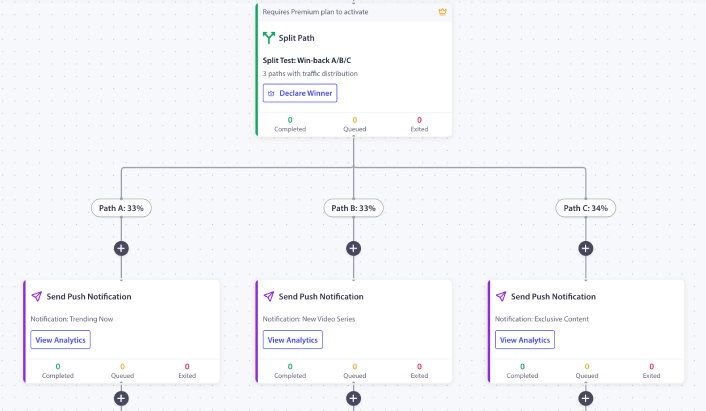
Il est livré avec le timing 1h / 25h / 73h, les espaces réservés pour la échelle de remise et la règle de sortie à l'achat déjà configurés. Remplacez les codes de coupon de remplacement par vos vrais codes. Configurez le seuil d'abandon (60 minutes par défaut est raisonnable pour la plupart des magasins). Activez le workflow. Regardez les 200 premiers paniers abandonnés le traverser avant de passer à l'échelle supérieure.
Si c'est le premier workflow PushEngage sur la boutique, le plan gratuit vous donne 200 abonnés et le moteur complet Workflows, suffisant pour prouver le canal sur une liste contrôlée avant de demander un budget pour un niveau payant. Commencez avec le plan gratuit pour exécuter la première instance cette semaine.
Ce que cela change
Cet article est l'une des cinq spécifications de workflow push spécifiques à WooCommerce. Les articles frères couvrent le workflow d'abandon de panier WooCommerce, les alertes de baisse de prix, les notifications de réapprovisionnement, et le workflow post-achat WooCommerce. Pour le traitement plus large de l'abandon de panier multiplateforme, le guide plus large sur l'abandon de panier couvre le sujet au niveau stratégique.
Pour savoir où cela s'intègre dans un programme de rétention complet pour le e-commerce, l'article de présentation des notifications push pour le e-commerce est la vue d'ensemble.
Le responsable de la rétention qui ouvre le tableau de bord WooCommerce du mardi et voit 46 000 $ de paniers non récupérés a le choix. Continuer à optimiser la séquence d'e-mails qui a atteint un plateau, ou superposer le push par-dessus comme deuxième canal fonctionnant avec un calendrier différent, un format différent et une règle de sortie différente. Le workflow de 3 messages ci-dessus, fonctionnant parallèlement à la cadence d'e-mails déjà en place, récupère les 12 à 25 % de la valeur du panier que l'e-mail ne peut pas atteindre.
Avec l'échelle de remise 0/10/20, le revenu récupéré atterrit avec une marge nette plus élevée qu'un workflow à remise forfaitaire. Avec la règle de sortie à l'achat, le workflow cesse de s'afficher au moment où le panier est converti. Avec l'analyse par nœud, l'élément de ligne est défendable auprès des finances en chiffres, pas en anecdotes. C'est tout l'argumentaire de récupération de panier abandonné, et tout l'argumentaire d'automatisation de récupération de panier, en un seul workflow.


