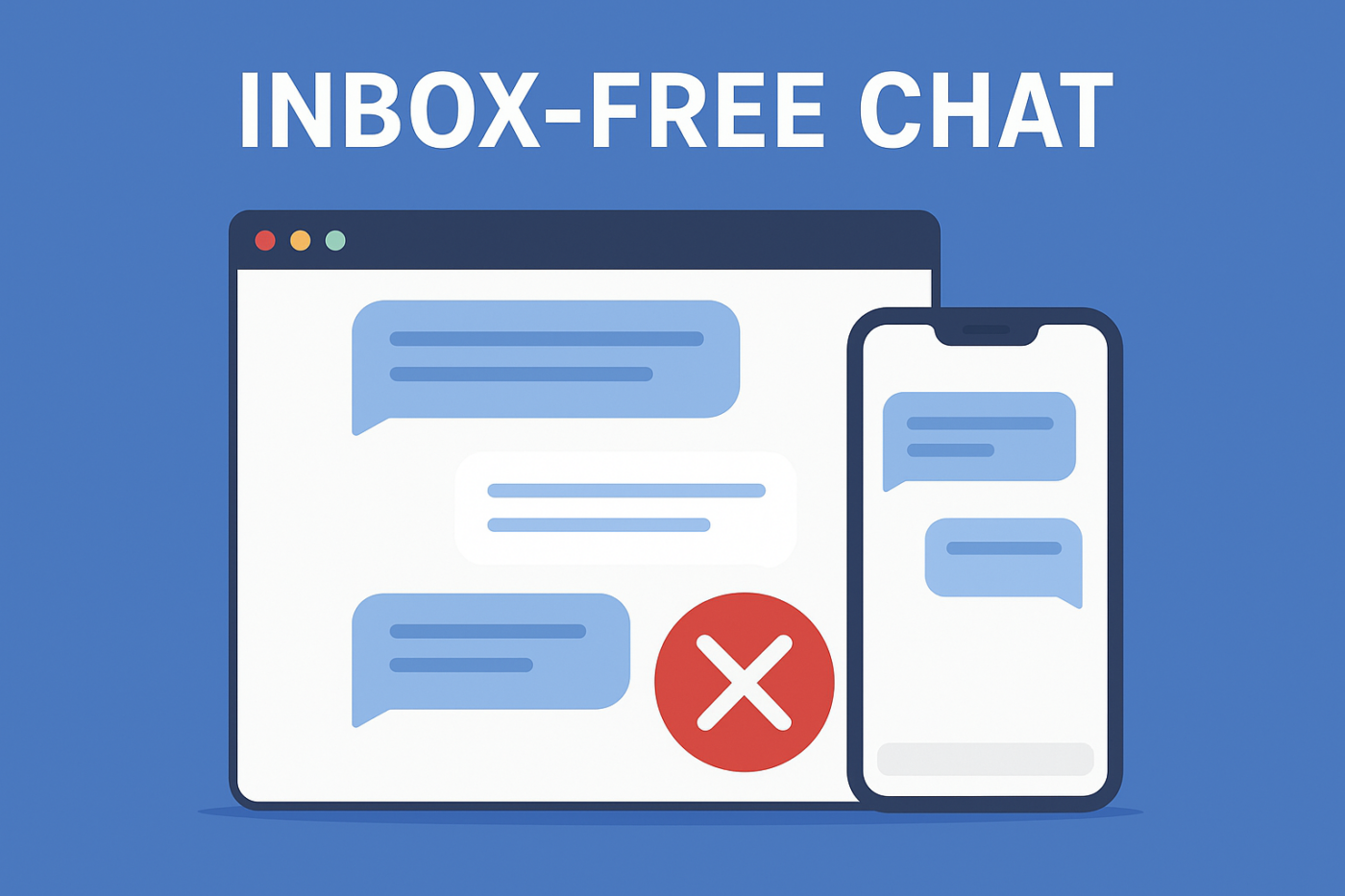
La plupart des widgets de chat poussent votre équipe dans une seule direction : collecter les messages dans une boîte de réception de support. Ce modèle axé sur la boîte de réception est exactement ce que notre comparaison Zendesk vs Intercom analyse – et pourquoi aucun des deux outils ne convient aux petites équipes. Et bien que cela semble idéal sur le papier, en réalité, cela crée des retards, des arriérés et des clients frustrés qui attendent de l'aide que vous ne pouvez pas fournir instantanément.
Mais une nouvelle approche remplace discrètement les systèmes de chat axés sur la boîte de réception sur les sites Web modernes : le chat sans boîte de réception — une manière plus intelligente, plus rapide et beaucoup plus efficace de guider les utilisateurs exactement là où ils doivent aller sans piéger votre équipe dans une file d'attente de messages interminable.
Si vous avez toujours voulu un chat qui aide les utilisateurs sans créer de chaos opérationnel pour votre équipe, ce guide est celui que vous attendiez.
Envoyez des messages multicanaux dès aujourd'hui !
La messagerie Push et WhatsApp sont des outils marketing très efficaces et peu coûteux pour vous aider à augmenter votre trafic de retour, votre engagement et vos ventes en mode automatique.
- Ce que signifie réellement le chat sans boîte de réception
- Pourquoi vos clients vont adorer le chat sans boîte de réception
- Pourquoi votre équipe ne voudra plus jamais revenir en arrière
- Avantages opérationnels que la plupart des équipes négligent
- Avantages marketing et revenus
- Pourquoi le chat sans boîte de réception est parfait pour les équipes réduites
- Flux de chat sans boîte de réception dans le monde réel
- Comment configurer le chat sans boîte de réception sur votre site
- Meilleures pratiques
- Configurez une fois, couvrez tout le support client
Les équipes Lean recherchant une alternative moins chère à Intercom découvrent généralement la même chose : la boîte de réception partagée pour laquelle ils paient est la fonctionnalité qui les ralentit.
Ce que signifie réellement le chat sans boîte de réception
Le chat sans boîte de réception supprime entièrement la « boîte de réception de messagerie ».
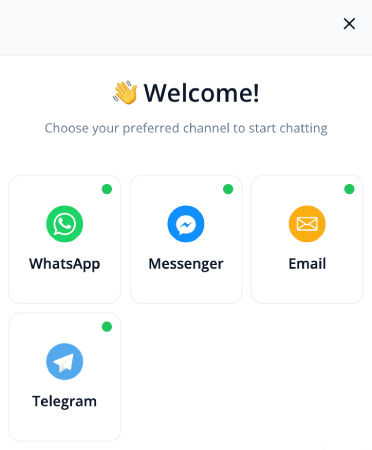
Au lieu de stocker les conversations dans votre système, le widget de chat redirige instantanément les utilisateurs vers le bon canal, la bonne page ou la bonne action.
Donc, au lieu que les utilisateurs tapent des questions ouvertes, que les agents jonglent avec les tickets, que les messages s'accumulent et que les équipes de support s'agitent...
Cela devient :
- « Cliquez pour contacter sur WhatsApp »
- « Visitez cet article d'aide »
- « Réservez une démo maintenant »
- « Ouvrir le portail de support »
Tout devient direct, clair et actionnable. Pas de boîte de réception. Pas d'arriérés. Pas de stress.
Pourquoi vos clients vont adorer le chat sans boîte de réception
Ils obtiennent une aide plus rapide — sans attendre
Les clients ne veulent pas expliquer leur problème dans une bulle de chat. Ils veulent la solution. Les rediriger instantanément vers le bon canal élimine le classique cul-de-sac « veuillez patienter pour un agent ».
Pas de formulaires confus ni de conversations robotisées
Le chat traditionnel force souvent les utilisateurs à suivre des flux statiques ou à remplir de longs formulaires. Le chat sans boîte de réception élimine cette friction, remplaçant la complexité par des choix simples et intuitifs.
Ils savent toujours exactement quoi faire ensuite
Au lieu de taper des questions comme « Comment mettre à jour ma facturation ? », ils cliquent simplement sur un chemin clair et accèdent directement à la solution.
Pourquoi votre équipe ne voudra plus jamais revenir en arrière
Fini les boîtes de réception de chat chaotiques
La plupart des outils de chat créent plus de travail qu'ils n'en économisent. Avec le chat sans boîte de réception, il n'y a pas d'arriérés, pas de messages non assignés, pas de conversations perdues et pas de gestion de file d'attente.
Votre équipe n'est pas forcée d'utiliser un autre outil
Les boîtes de réception de support sont accompagnées de règles de routage, de sièges, d'autorisations et d'exigences de formation. C'est le piège que nous déballons dans notre comparaison Intercom vs Drift. Le chat sans boîte de réception supprime tout cela en permettant aux utilisateurs d'atteindre votre équipe là où elle opère déjà.
Rien ne passe à travers les mailles du filet
Lorsque les conversations n'entrent jamais dans une boîte de réception privée, les messages ne peuvent être oubliés ou perdus. Les utilisateurs sont dirigés vers des systèmes qui ont déjà une propriété et une responsabilité.
Avantages opérationnels que la plupart des équipes négligent
Performances plus rapides du site Web
Les widgets de chat basés sur une boîte de réception ralentissent souvent votre site en se synchronisant constamment. Une configuration sans boîte de réception charge des scripts plus légers et évite les appels serveur inutiles.
Aucun risque de conformité lié aux conversations stockées
Pas de chat stocké = pas de problèmes de conservation des informations personnelles identifiables, pas de flux de suppression, et moins de responsabilités.
Parfait pour les audiences mondiales
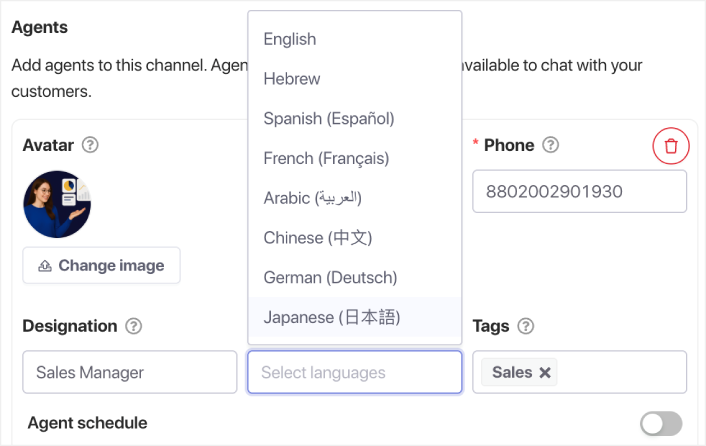
Au lieu d'embaucher des agents multilingues, vous pouvez rediriger les utilisateurs vers des pages localisées, des numéros WhatsApp ou de la documentation traduite. Ou, vous pouvez avoir des agents multilingues gérant votre chat dans plusieurs fuseaux horaires.
Avantages marketing et revenus
Le chat devient un canal de conversion
Au lieu de conversations bloquées dans une boîte de réception de support, les utilisateurs accèdent à des parcours de revenus : pages de démonstration, pages de prix ou inscription à un essai.
Analyses plus claires
Vous n'obtenez pas de statistiques gonflées de « chat démarré ». Vous obtenez des clics réels et traçables avec une intention réelle derrière eux.
Guide les utilisateurs vers des pages à forte valeur ajoutée
Le chat sans boîte de réception devient un système de navigation guidée qui mène les visiteurs vers les pages les plus importantes.
Pourquoi le chat sans boîte de réception est parfait pour les équipes réduites
Si vous êtes un opérateur solo ou une petite équipe, le support basé sur une boîte de réception devient rapidement écrasant. Le chat sans boîte de réception s'adapte sans ajouter plus de personnes, d'outils ou de flux de travail.
Flux de chat sans boîte de réception dans le monde réel
- Rediriger les demandes de support vers WhatsApp
- Envoyer les questions sur les produits directement à votre page de démonstration
- Guider les questions sur les fonctionnalités vers votre documentation
- Router les questions de facturation vers votre portail client
- Envoyer les demandes générales à votre formulaire de contact
- Guider les nouveaux utilisateurs vers les vidéos d'intégration
- Diriger les utilisateurs d'applications vers le support dans l'application plutôt que vers le chat web
Comment configurer le chat sans boîte de réception sur votre site
Choisissez les destinations
Les exemples incluent WhatsApp, votre portail de support, la documentation, les prix, la réservation de démo ou votre formulaire de contact.
Faites correspondre chaque destination à l'intention de l'utilisateur
Facturation → portail de facturation
Ventes → page de démonstration
Aide technique → documentation
FAQ → centre d'aide
Ajoutez des options de chat contextuelles par page
Page de prix → « Parler aux ventes »
Docs → « Obtenir de l'aide technique »
Blogs → « Voir les fonctionnalités du produit »
Paiement → « Besoin d'aide pour le coupon ? »
Meilleures pratiques
- Garder les choix simples
- Utiliser des étiquettes axées sur l'action
- Déclencher le chat sur l’intention de sortie
- Localiser le chat pour les visiteurs internationaux
- Suivre les clics pour comprendre le comportement des visiteurs
Configurez une fois, couvrez tout le support client
La messagerie instantanée sans boîte de réception inverse l’expérience de chat traditionnelle. Les clients obtiennent de l’aide instantanément. Votre équipe évite la surcharge de la boîte de réception. Et votre site web devient plus clair, plus rapide et plus axé sur la conversion.
Pour les équipes de support modernes et les entreprises agiles, la messagerie instantanée sans boîte de réception n’est pas seulement utile, c’est l’avenir.
- Les clients voient toujours quelqu'un en ligne
- Les temps de réponse diminuent
- Les conversions avant l'achat augmentent
- Le support semble plus rapide et plus fiable
- Votre boutique semble prête pour le marché mondial
Une fois les horaires définis, votre équipe peut fonctionner plus efficacement et vos clients obtiennent l'expérience qu'ils attendent.
Si vous n’avez pas encore configuré les profils et les plannings des agents dans PushEngage, c’est le moment.
Pas convaincu ? Découvrez ces ressources incroyables sur les campagnes de notifications push :
- Comment augmenter les ventes hôtelières en basse saison
- Comment faire du marketing multicanal pour les hôtels en 2026
- Comment convertir les abonnés en acheteurs à l'aide des notifications push web
- Comment notifier les abonnés des nouveaux articles WordPress
- Comment envoyer des notifications de réapprovisionnement pour augmenter vos ventes
- Comment nettoyer les listes d’abonnés aux notifications push (Facile)
- Comment envoyer automatiquement des notifications push RSS
- Comment utiliser les notifications push pour promouvoir un site d’actualités
- Comment utiliser les notifications push de vente croisée pour multiplier vos ventes par 2
- Comment utiliser les notifications push d'abandon de navigation (4 étapes)


