Bonjour, Engagelings.
Bonne nouvelle : nous lançons un nouveau tableau de bord.
Pourquoi ? Grâce à vous !
C'est exact, nous améliorons considérablement l'expérience utilisateur (alias : votre expérience). Nous nettoyons l'ensemble du tableau de bord et rendons tout plus accessible.
Nous allons également rendre la création de campagnes sur PushEngage super facile. À l'avenir, vous recevrez des indications sur la campagne que vous devriez créer en fonction de vos besoins professionnels. De plus, vous recevrez des modèles prêts à l'emploi de notre part que vous pourrez simplement utiliser tels quels.
Nous sommes très fiers du nouveau tableau de bord et nous pensons que vous allez l'adorer. Et c'est une mise à jour majeure, il y a donc BEAUCOUP plus à découvrir.
Plongeons dans le vif du sujet.
Trouvez instantanément tout ce qui est important
PushEngage a BEAUCOUP de fonctionnalités. Beaucoup de ces fonctionnalités, vous ne les trouverez même pas avec d'autres services de notification push. Avec de grandes fonctionnalités, vient la grande responsabilité de rendre tout simple et facile à utiliser.
Une partie importante de notre objectif était de rendre chaque partie de PushEngage facile d'accès.
Jetez un œil à votre nouveau tableau de bord :

Ne vous inquiétez pas si vous voyez de nouvelles choses dans la barre latérale. Nous y reviendrons bientôt. Pour l'instant, prenez juste une seconde pour découvrir le nouveau design.
Moyen facile de concevoir vos opt-ins
Vous pouvez concevoir vos opt-ins dans PushEngage. Ce n'est pas une nouvelle fonctionnalité. Ce qui est nouveau, c'est que le studio de design a été complètement remanié. Il est super facile de sélectionner un type d'opt-in :
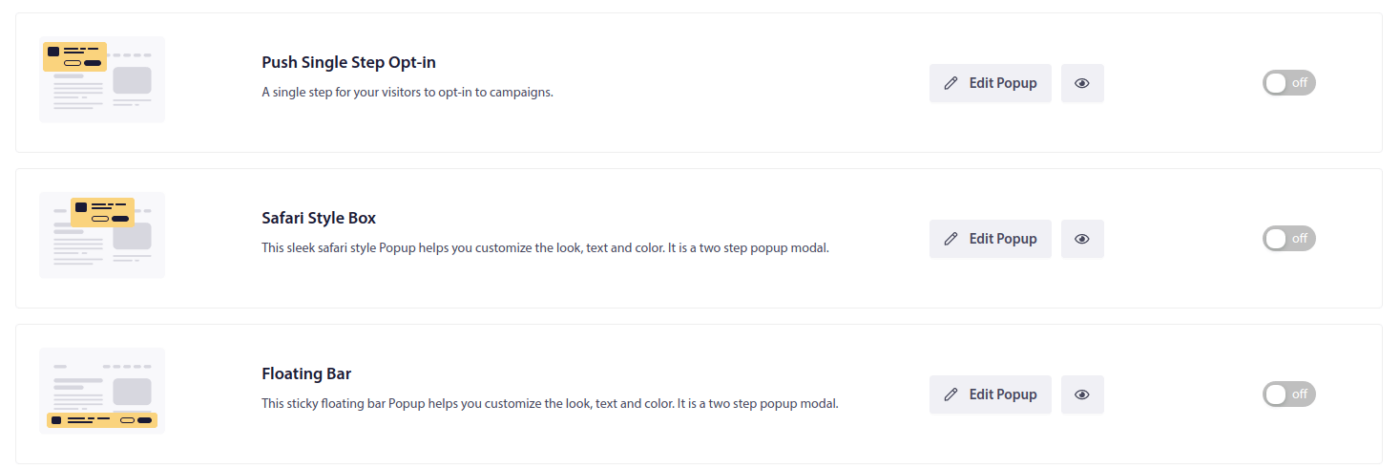
Et ensuite, commencez simplement. La partie la plus cool est que vous pouvez maintenant configurer plusieurs opt-ins pour le même site Web afin de tester, suivre et augmenter vos taux d'abonnement.
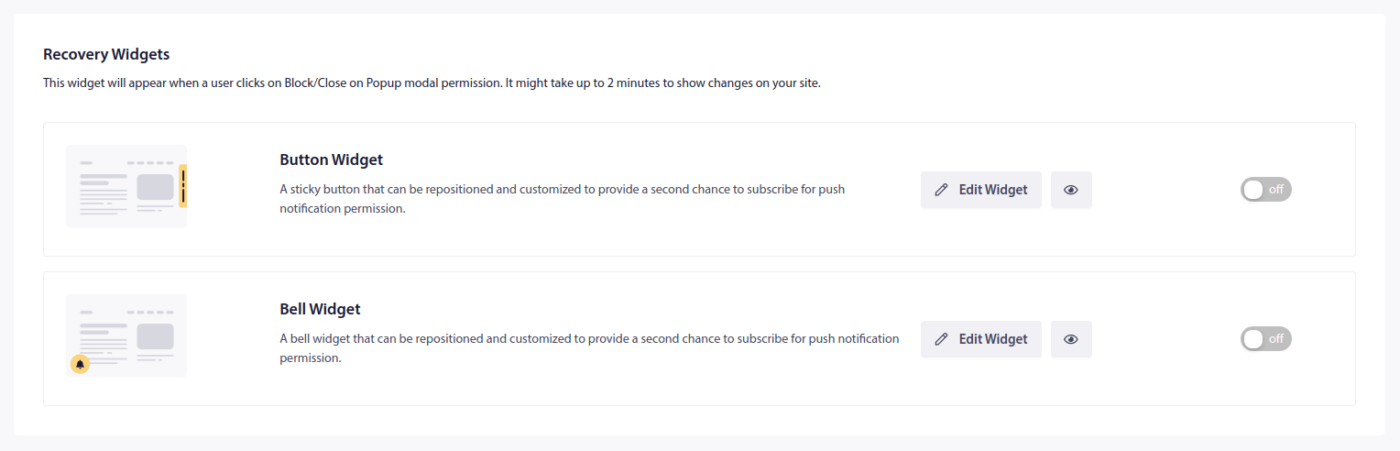
Vous pouvez également configurer facilement des widgets de notification push pour récupérer les abonnements perdus :
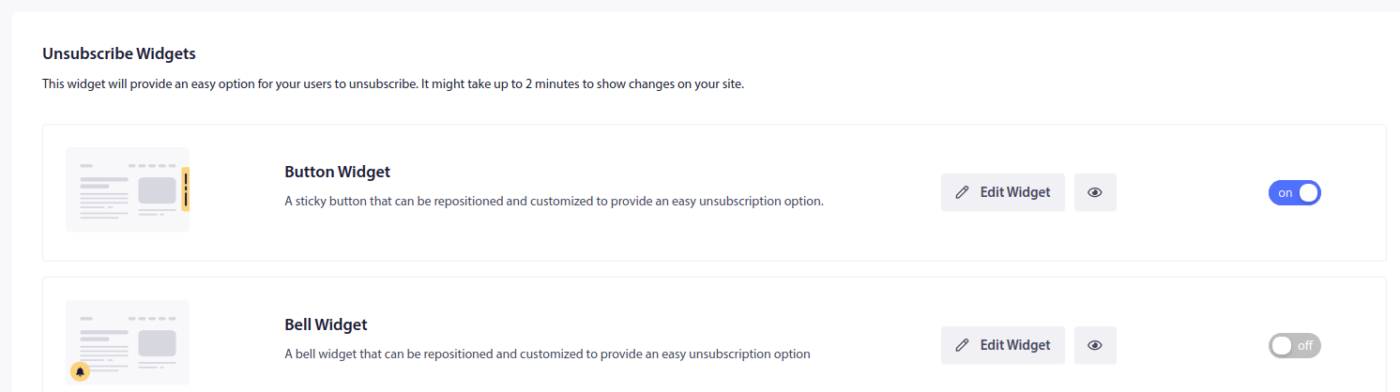
Ou donner à vos abonnés un moyen facile de refuser de recevoir des notifications push :
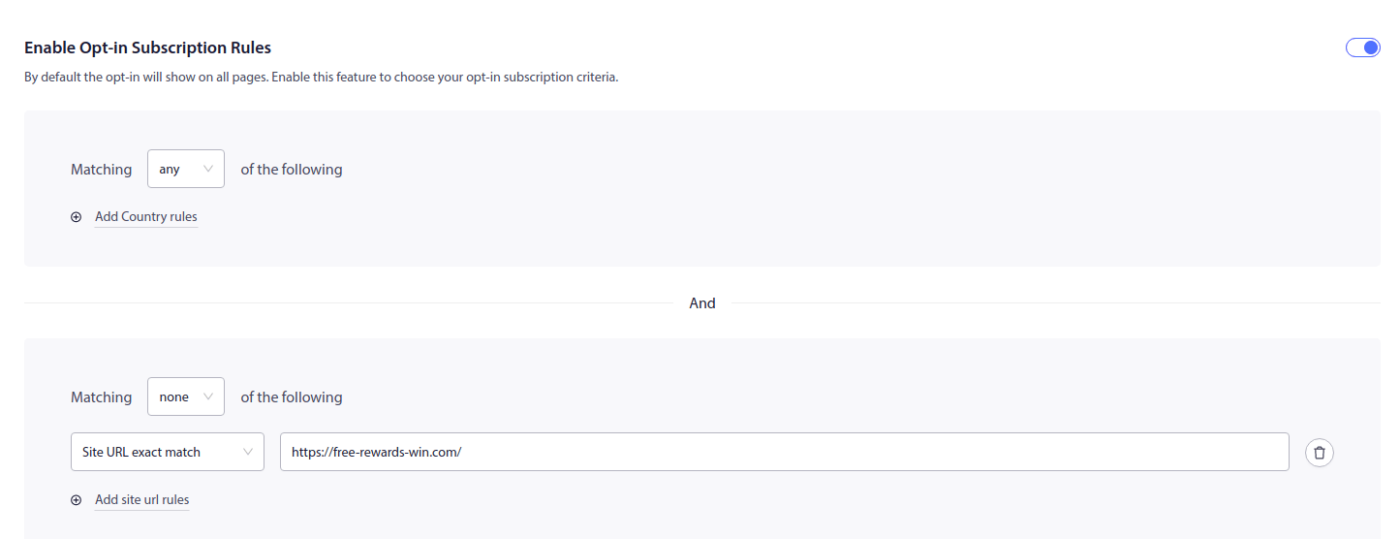
Si vous souhaitez créer des règles de ciblage pour savoir quand afficher vos options, vous pouvez également le faire assez facilement :
Une nouvelle approche des types de campagnes
Votre parcours vers une croissance massive avec PushEngage commence par notre défi de bienvenue :
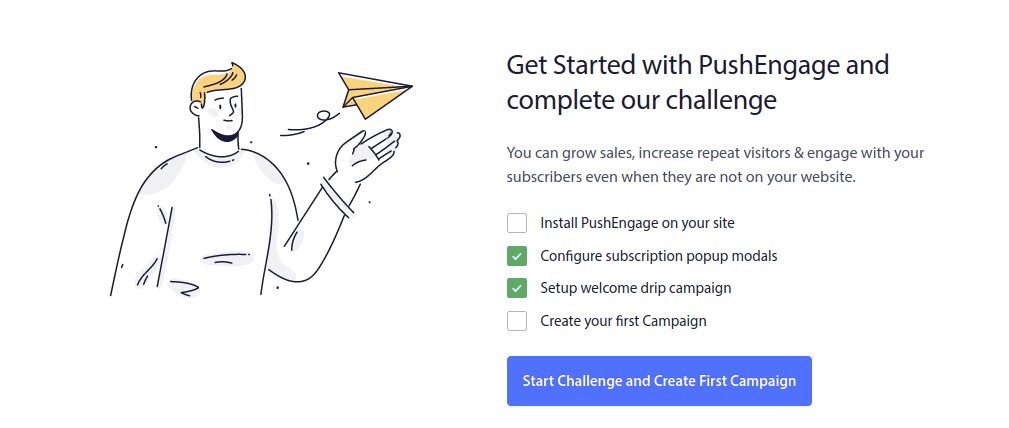
Le défi de bienvenue est conçu pour vous aider à réussir. Tant que vous suivez le guide du défi de bienvenue, vous terminerez le processus de configuration en un rien de temps. Le défi vous invite même à créer votre première campagne.
D'ailleurs, nous changeons également le flux de création de nouvelles campagnes. Au lieu de notre flux précédent qui ne vous donnait que différents types de campagnes, vous pouvez maintenant créer des campagnes en fonction de votre objectif.
Cela signifie que vous avez maintenant 4 types de campagnes au total dans le nouveau tableau de bord.
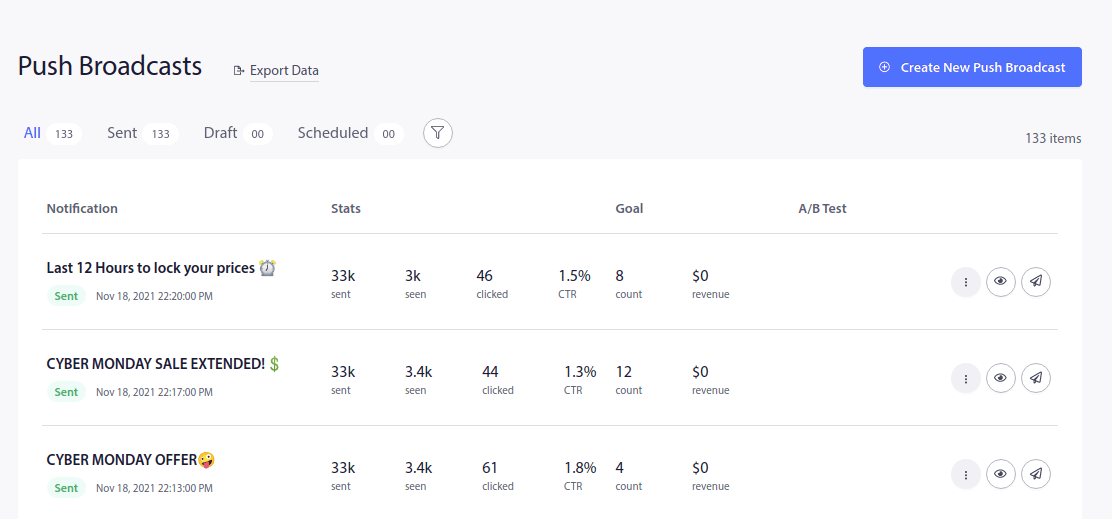
Disons que vous voulez envoyer un message de diffusion pour des nouvelles urgentes à tous vos abonnés. Vous pouvez utiliser les diffusions push pour ce faire :
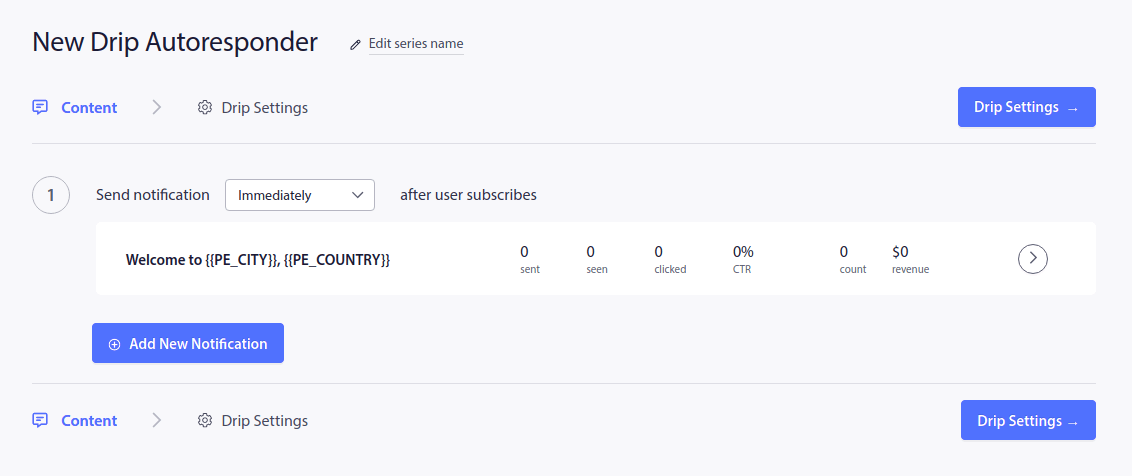
Mais que faire si vous souhaitez envoyer une série de notifications push automatisées ? Par exemple, une campagne de flux d'e-mails de bienvenue ? Eh bien, vous créeriez alors une nouvelle série de notifications push en utilisant les Répondeurs automatiques de flux :
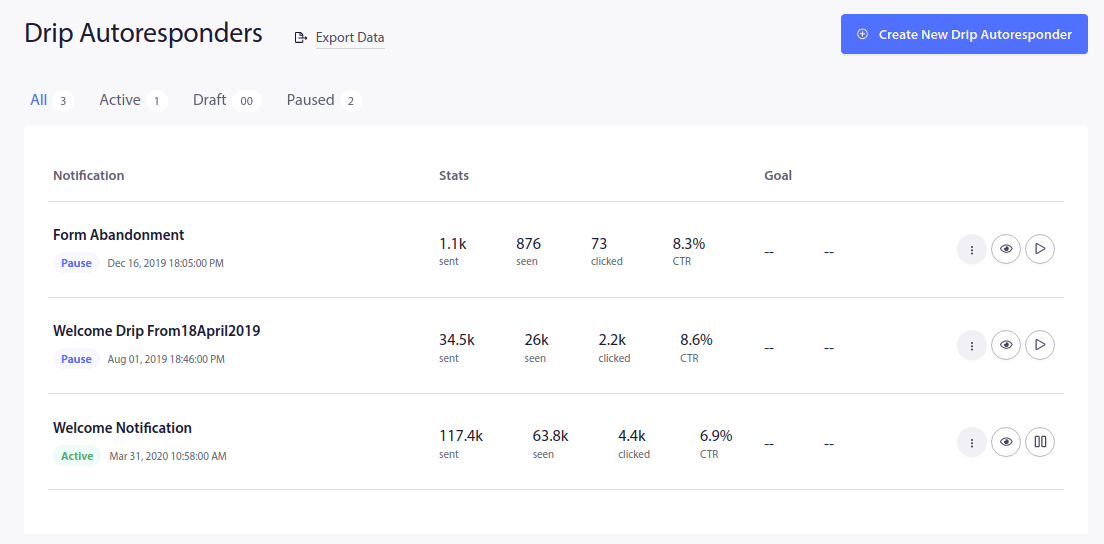
En parlant de campagnes de bienvenue, il y a eu des changements majeurs là aussi. Les campagnes de notification de bienvenue font maintenant partie des campagnes de flux. Vous pouvez envoyer la campagne comme une notification unique ou vous pouvez créer une séquence entière de notifications de bienvenue. De plus, vous disposez d'un modèle complet pour créer votre première notification.
L'ajout de nouvelles notifications à votre campagne de flux sera également différent maintenant :
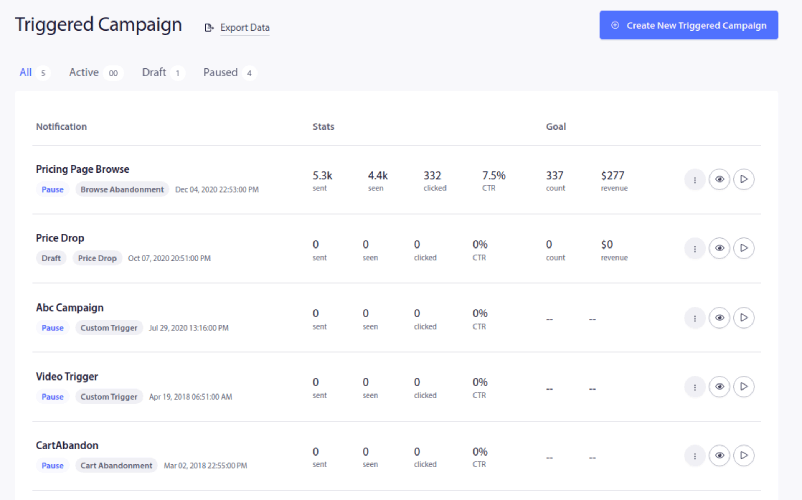
Si vous cherchez à créer des notifications push automatisées qui sont envoyées lorsqu'une condition spécifique est remplie, vous voudrez configurer des Campagnes déclenchées :
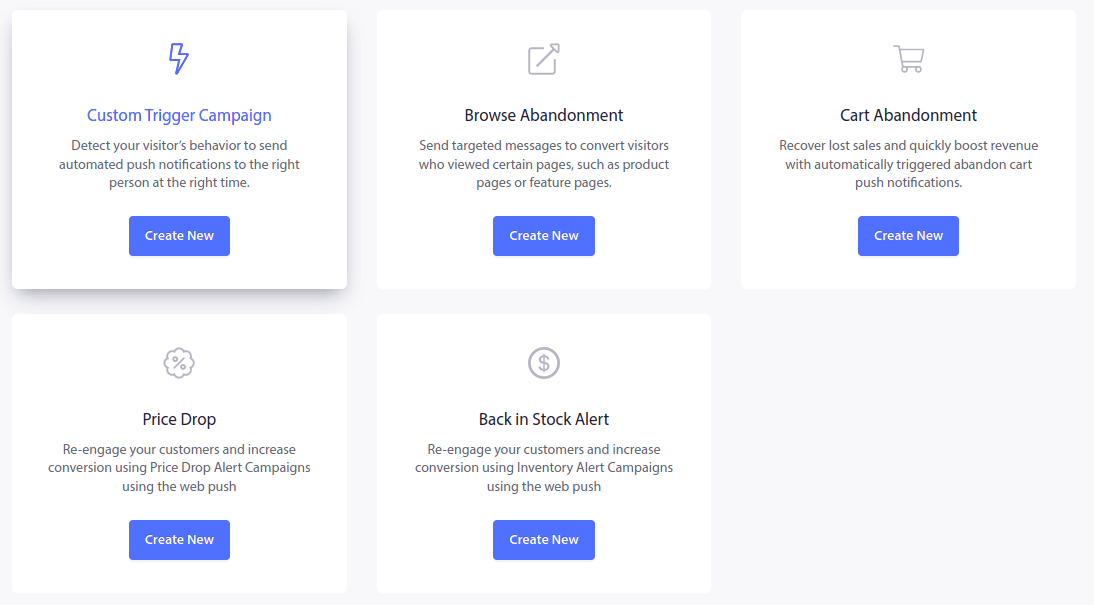
Et il y a un tas de modèles de campagnes pré-conçus parmi lesquels vous pouvez choisir, ici :
C'est génial, non ?
Vous pouvez configurer certaines des campagnes de notifications push les plus puissantes en utilisant des modèles pré-conçus. Cela inclut :
- Campagnes d'abandon de panier
- Campagnes d'abandon de navigation
- Alertes de baisse de prix
- Alertes de réapprovisionnement
Oh, et si vous avez un flux RSS pour votre blog, vous pouvez également envoyer un Flux RSS automatique :
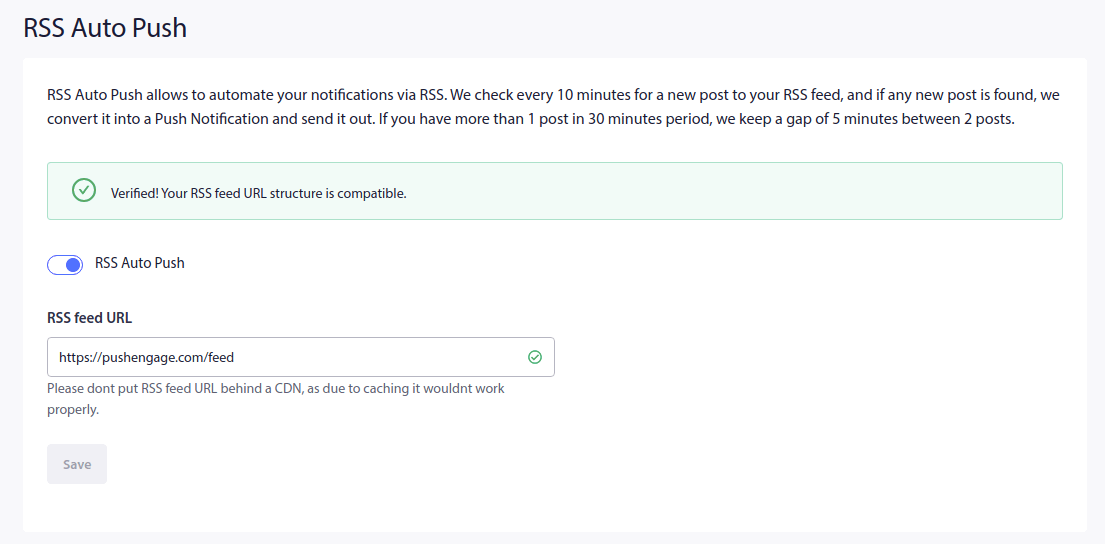
Une campagne de flux RSS automatique envoie une notification push automatisée chaque fois que vous publiez un article sur votre blog. Ainsi, quelle que soit votre stratégie marketing, votre nouveau tableau de bord vous guidera vers le bon type de campagne.
Au fil du temps, nous ajouterons encore plus de modèles que vous pourrez utiliser directement.
Mais il ne suffit pas de créer des campagnes et des opt-ins. Vous devez également savoir s'ils fonctionnent bien ou non. Ne vous inquiétez pas, c'est la suite !
Informations plutôt qu'analyses
L'un des plus gros problèmes avec la plupart des logiciels de notification push est qu'il y a trop de données et pas assez d'informations.
Chez PushEngage, nous changeons cela pour toujours.
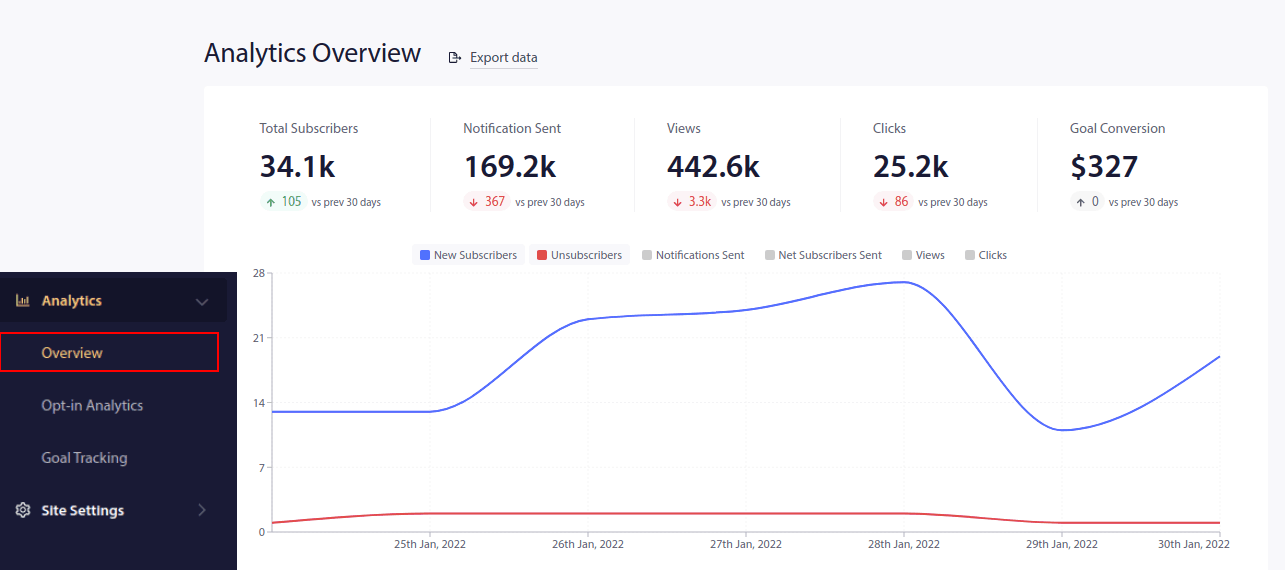
Vous pouvez voir vos statistiques les plus importantes directement dans votre tableau de bord. Mais si vous allez dans Analyses, vous pouvez consulter un aperçu complet de toutes vos campagnes sous Aperçu :
Ou, vous pouvez vérifier les performances de vos opt-ins de notification push afin de les optimiser davantage sous Analyses des opt-ins :
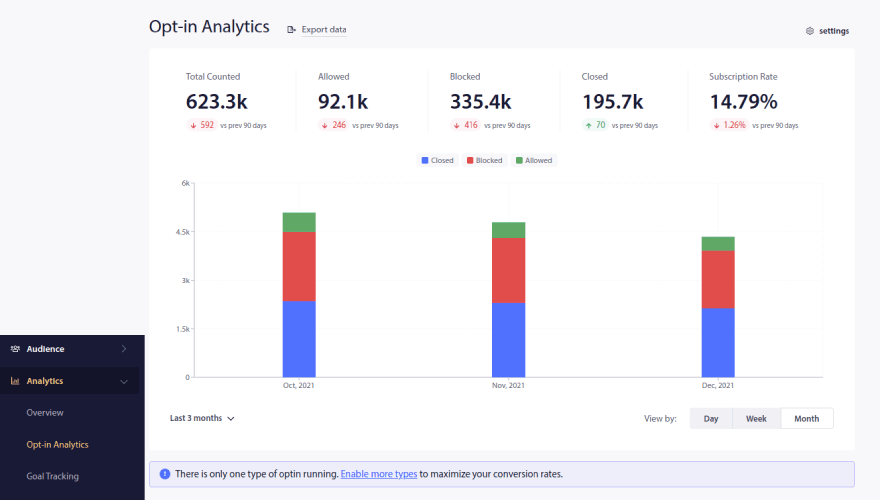
Et comme vous pouvez le voir, nous vous donnerons également de petites indications sur la façon d'améliorer vos performances. Notre objectif ici est de vous aider à tirer le meilleur parti de PushEngage, même si vous n'avez jamais utilisé de notifications push auparavant. Voyez ce que nous entendons par informations plutôt qu'analyses ?
Oh, et en parlant d'objectifs, vous pouvez définir vos propres objectifs de campagne pour les notifications push et les suivre depuis PushEngage sous Suivi des objectifs :
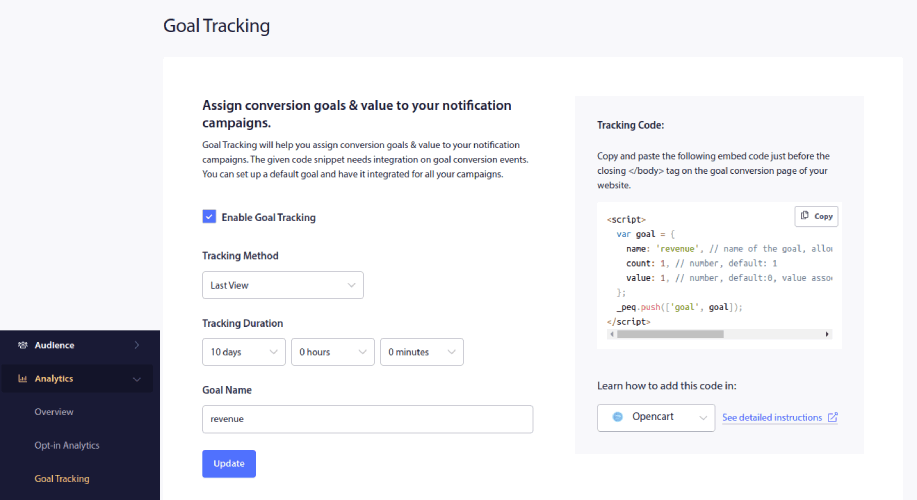
Attention : Le suivi des objectifs nécessite un peu de connaissances en codage. Nous vous donnerons donc également des instructions détaillées sur la façon de l'activer pour différentes plateformes, même si vous n'êtes pas un codeur. Et cela se fait directement depuis le tableau de bord lorsque vous définissez les objectifs à suivre.
Très cool !
Comprendre votre public
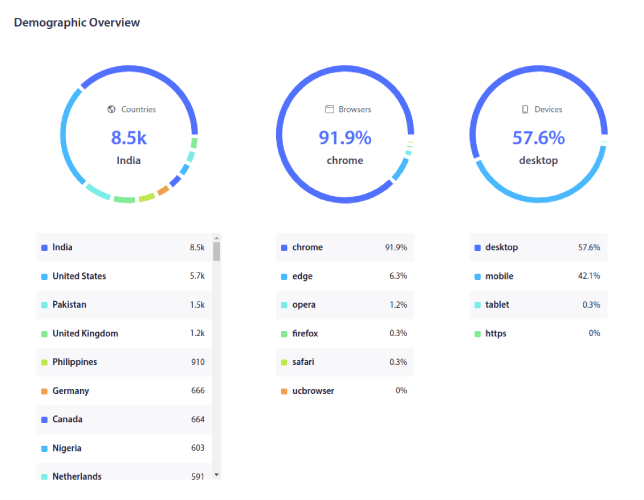
Quel est votre public ? Avec le nouveau tableau de bord de PushEngage, il y a beaucoup moins de suppositions à faire. Vous pouvez voir un aperçu démographique complet en quelques clics :
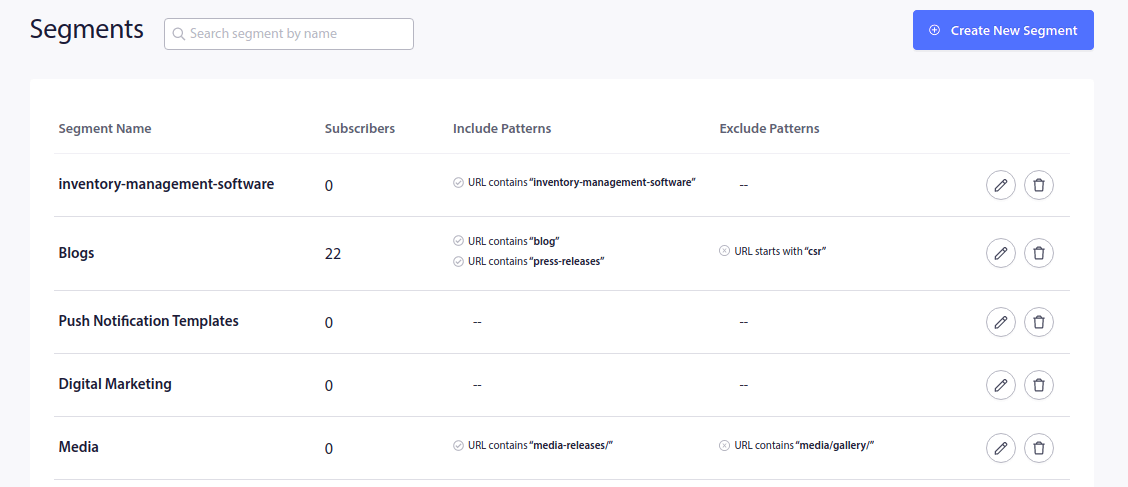
Dans le même temps, vous pouvez jeter un coup d'œil rapide à vos segments personnalisés et à leurs performances :
Quoi d'autre ?
Nous savons que développer une entreprise est un travail difficile. Chez PushEngage, nous cherchons toujours à améliorer notre produit et votre expérience. La refonte complète de ce tableau de bord a été réalisée pour vous aider à tirer encore plus de valeur de votre abonnement PushEngage.
Merci beaucoup d'avoir lu cette annonce.
Si vous avez des questions, notre équipe de succès client est là pour vous aider. Lancez simplement une conversation sur le chat en direct ou consultez notre page de contact.
Et merci d'utiliser PushEngage. Que vous utilisiez la version gratuite ou la version Enterprise, vous êtes tout aussi important pour nous. Cette refonte est conçue pour vous aider à réussir et nous vous souhaitons tout le meilleur.
Faites-nous part de vos réflexions dans les commentaires ci-dessous et si ce n'est pas déjà fait, commencez avec PushEngage dès aujourd'hui !


