Vous cherchez un tutoriel rapide sur la façon de configurer les notifications push sur votre site Squarespace ?
Bonne nouvelle : C'est exactement ce dont parle cet article.
Et vous pouvez installer des notifications push sur votre site Squarespace même si vous ne l'avez jamais fait auparavant. Vous n'avez besoin d'aucune expérience en codage. Vous n'avez même pas besoin d'expérience avec les notifications push ou Squarespace.
Tout ce que vous avez à faire est de suivre les instructions.
Ça vous dit ? Plongeons.
Installation des notifications push sur Squarespace
Allez-y et créez votre compte Squarespace. Sélectionnez le modèle de votre choix pour le type de site que vous souhaitez créer. Ce tutoriel fonctionnera dans tous les cas.
Une fois cela fait, configurons vos notifications push à l'aide de PushEngage. PushEngage est le logiciel de notification push n° 1. Par conséquent, nous vous recommandons vivement d'utiliser PushEngage pour vos campagnes de notifications push.
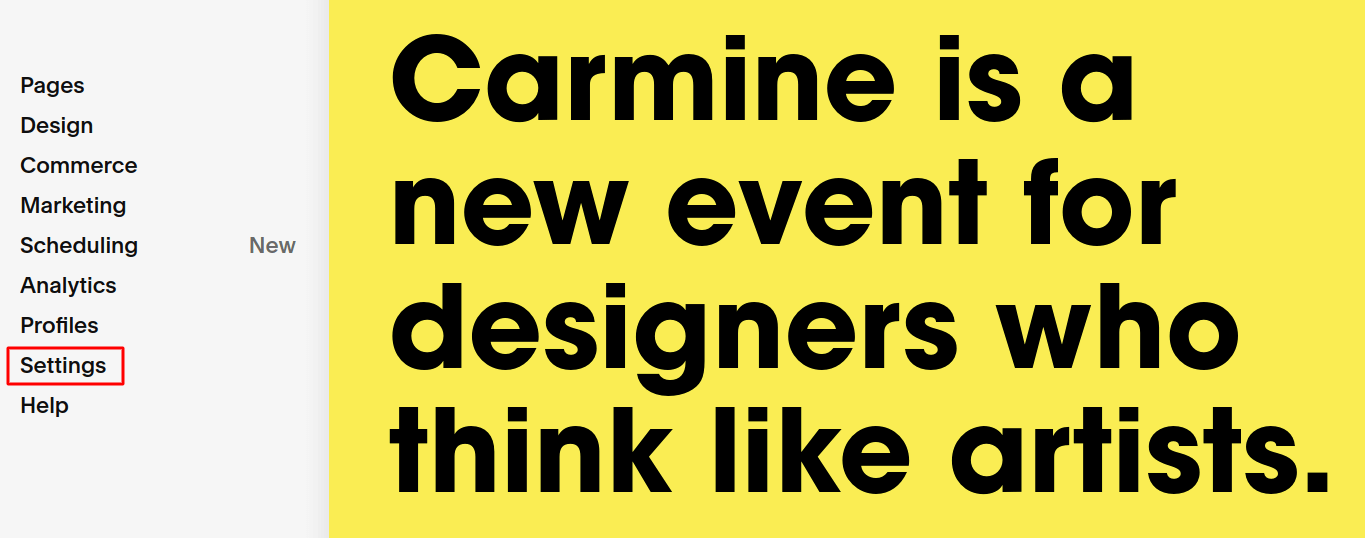
Depuis votre tableau de bord Squarespace, allez dans Paramètres :
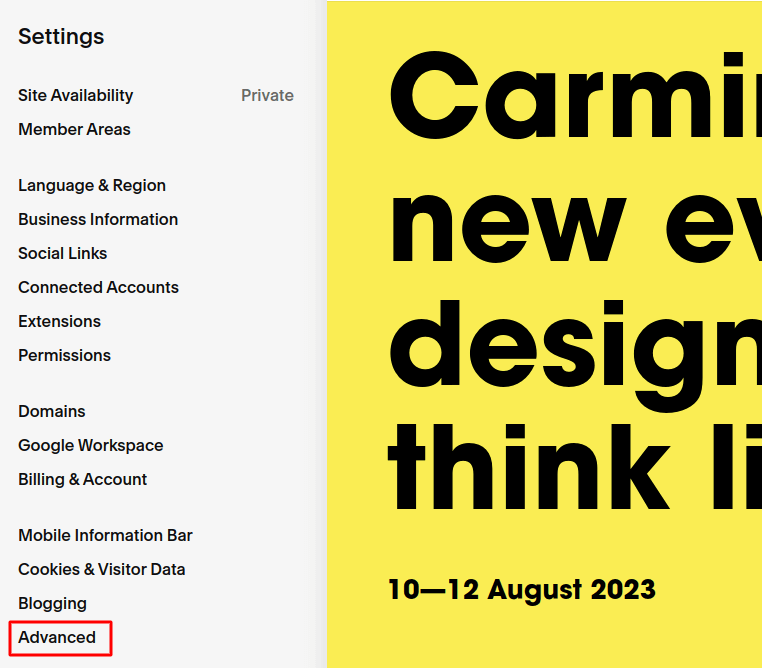
Ensuite, cliquez sur Avancé :
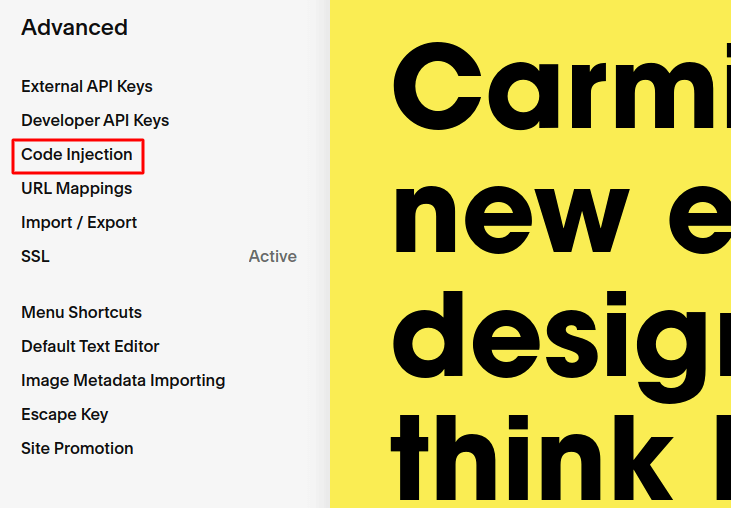
Et ensuite, cliquez sur Injection de code :
Maintenant, allez sur votre tableau de bord PushEngage et accédez à Paramètres » Paramètres du site » Paramètres d'installation :
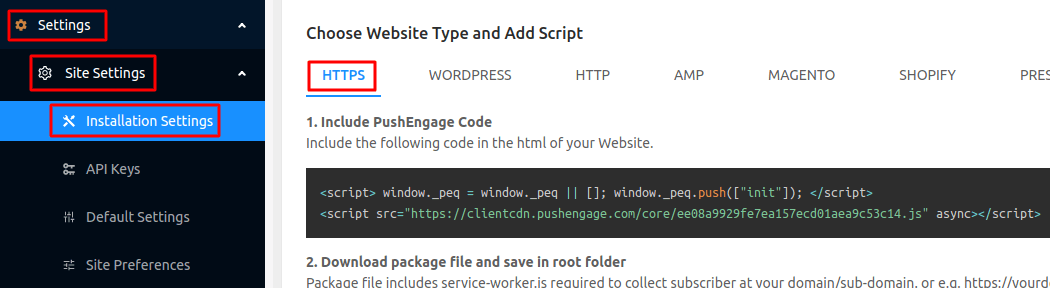
Et copiez le code de l'onglet HTTPS ou HTTP, selon que votre site dispose ou non d'un certificat SSL installé.
Et ensuite, collez-le dans la section En-tête de votre site Squarespace en utilisant l'Injection de code :
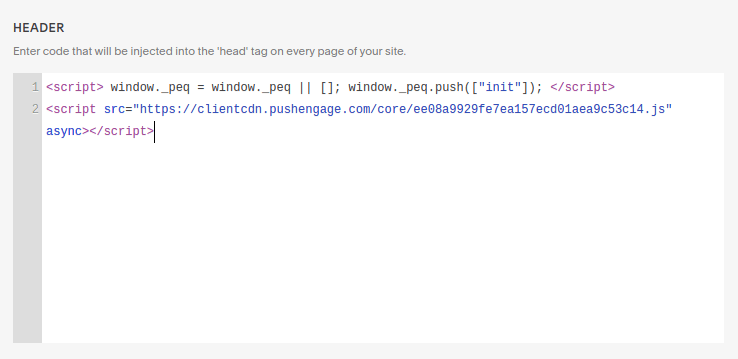
Une fois cela fait, allez-y et cliquez sur Enregistrer.
Si vous utilisez un site Web HTTP, vous avez terminé. Mais si vous utilisez un site HTTPS, vous devrez activer l'installation rapide à partir du tableau de bord PushEngage ensuite.
Accédez à Paramètres » Paramètres d'abonnement » Boîte de dialogue d'abonnement. Ici, sélectionnez le type de site comme HTTPS et choisissez une option de consentement, puis cliquez sur Modifier :
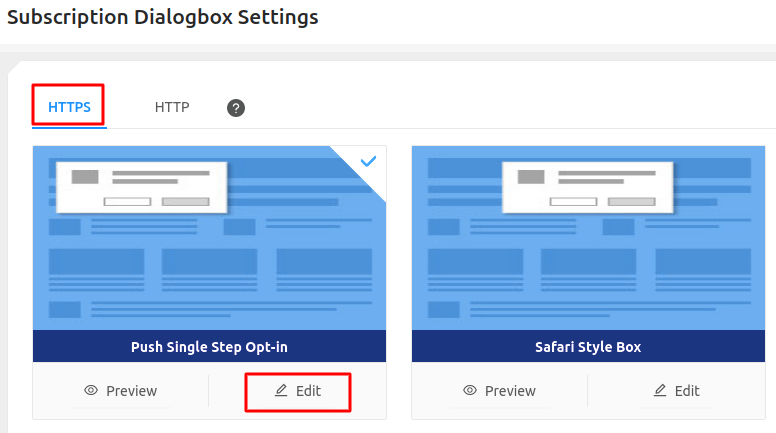
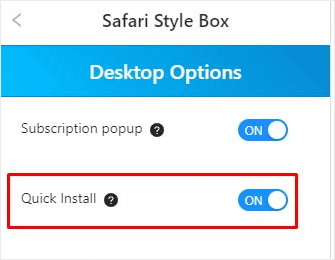
Accédez à Options de bureau et activez l'Installation rapide. Une fois terminé, enregistrez les modifications et faites de même pour le mobile :
Et c'est tout !
Vous pouvez maintenant accéder à votre site et vérifier si l'option de consentement à l'abonnement aux notifications push s'affiche. Si vous avez suivi toutes ces étapes, vous devriez voir le pop-up maintenant.
Tout ce que vous avez à faire maintenant est de créer vos campagnes de notifications push.
Accédez à Notifications » Créer » Nouvelle notification :
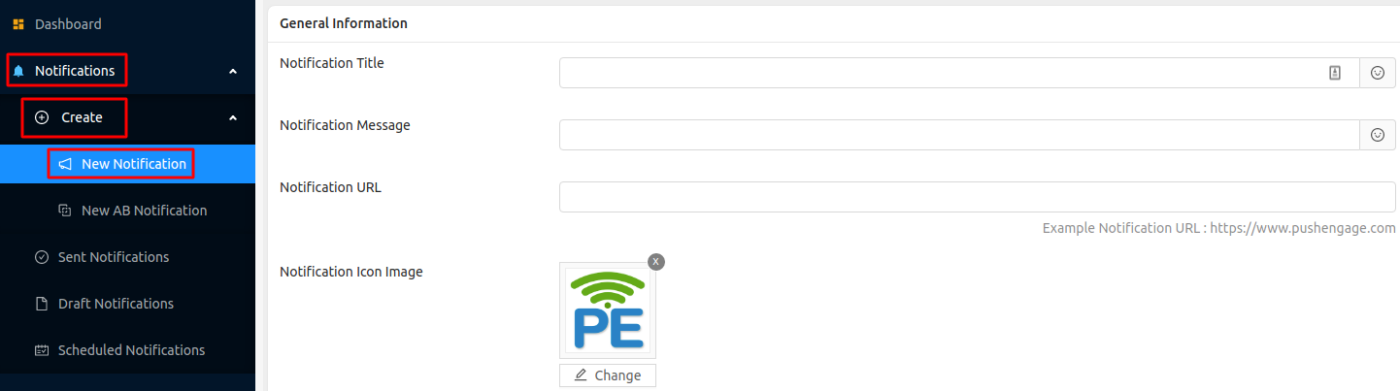
Ici, vous pouvez créer vos notifications push. Donnez simplement un titre à votre notification, un texte de corps et une URL sur laquelle atterrir lorsque quelqu'un clique sur la notification. Vous pouvez même utiliser des emojis dans le titre et le texte de votre notification push.
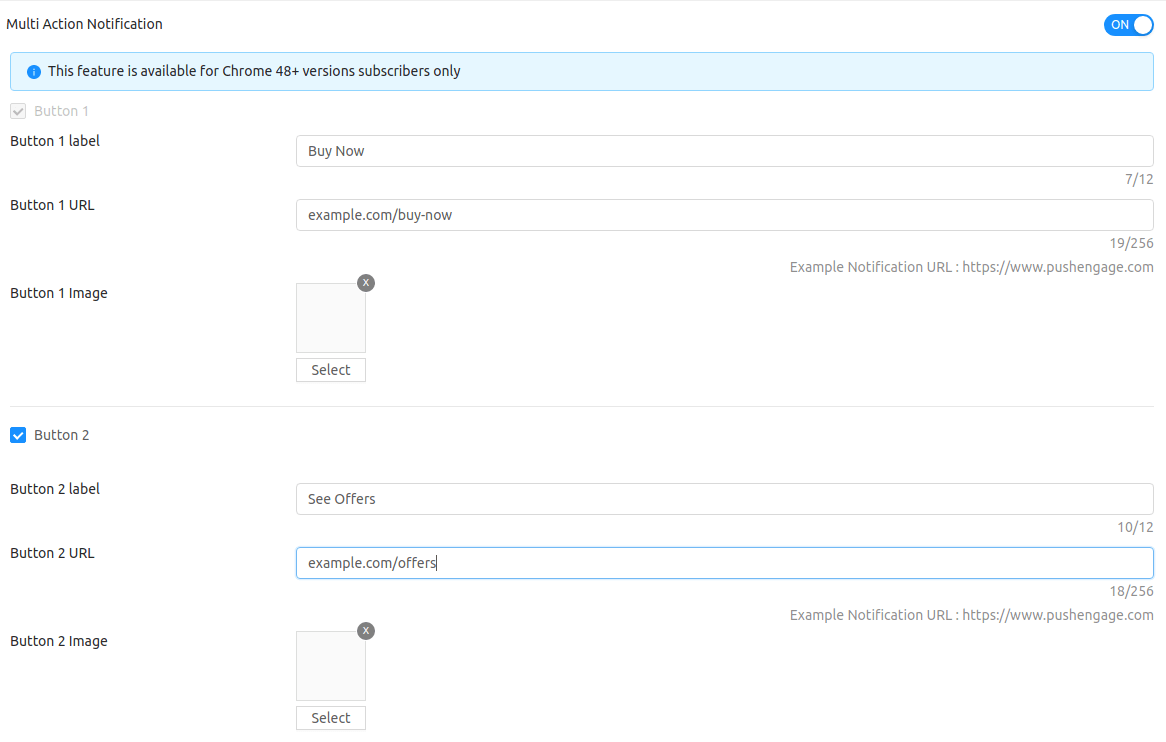
Si vous faites défiler vers le bas dans le même écran, vous obtiendrez des options pour créer des boutons d'appel à l'action personnalisés :
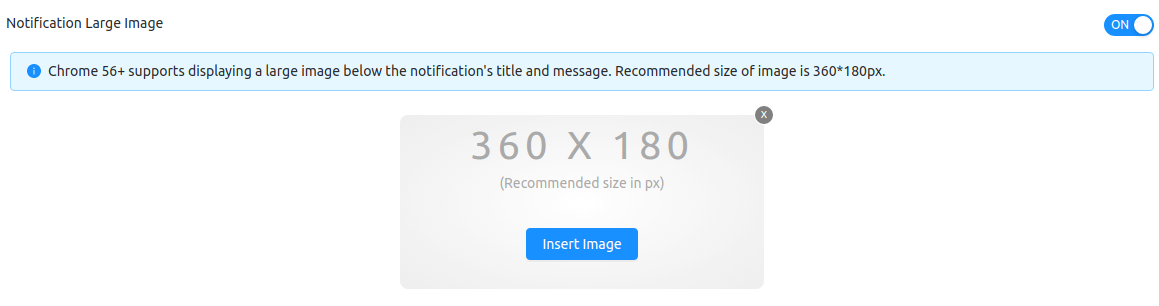
Vous pouvez même ajouter des images de notification push super attrayantes pour obtenir plus de clics :
Si vous êtes nouveau dans les notifications push et que vous n'en avez jamais envoyé auparavant, voici à quoi ressemble généralement la version finale d'une notification push :
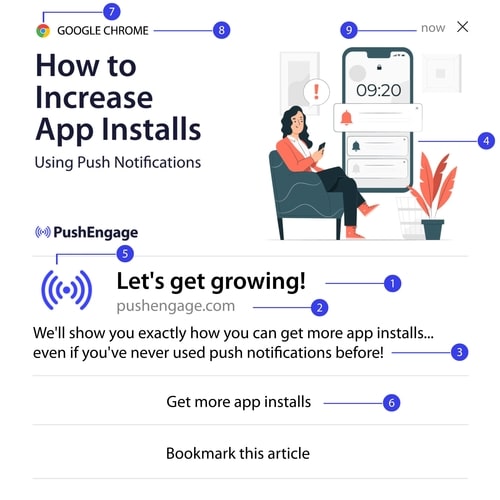
Si vous avez besoin de plus de détails sur les parties d'une notification push et sur la façon de les configurer, vous devriez consulter notre guide pour débutants sur les notifications push.
Conclusion
C'est tout pour cette fois, les amis !
Si vous installez les notifications push pour la première fois, vous devriez également tester vos notifications push avant de mettre en ligne.
Et si vous débutez, vous devriez essayer PushEngage. PushEngage est le meilleur logiciel de notifications push au monde. Ainsi, vos campagnes de notifications push seront entre de bonnes mains.


