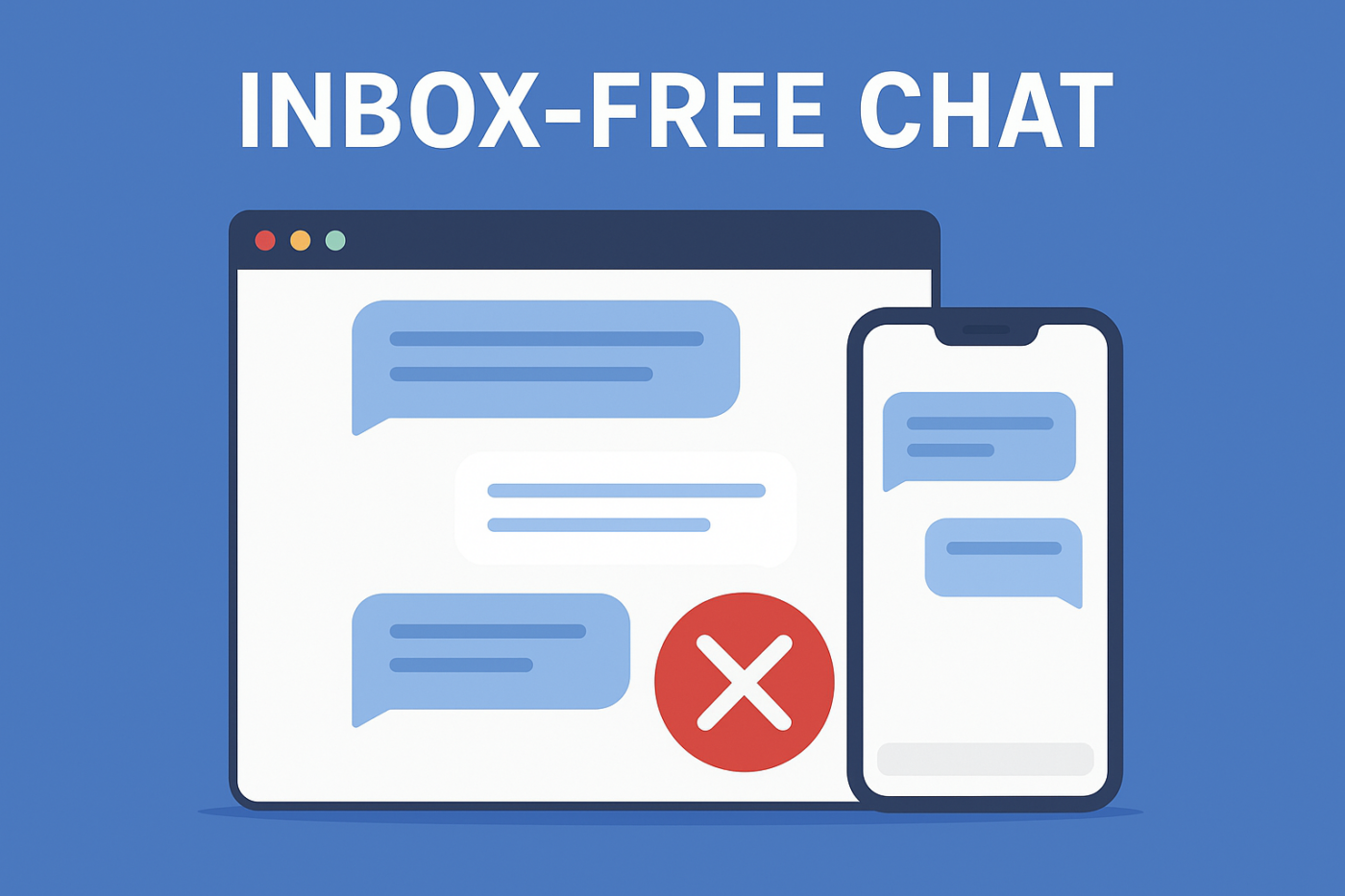
Most chat widgets shove your team into one direction: collecting messages in a support inbox. And while that sounds great on paper, in reality it creates delays, backlogs, and frustrated customers waiting for help you can’t deliver instantly.
But a new approach is quietly replacing inbox-heavy chat systems across modern websites: inbox-free chat—a smarter, faster, far more efficient way to guide users exactly where they need to go without trapping your team inside an endless message queue.
If you’ve ever wanted chat that helps users without creating operational chaos for your team, this is the guide you’ve been waiting for.
Send Multichannel Messages Today!
Push and WhatsApp messaging are super effective, low-cost marketing tools to help you grow your repeat traffic, engagement, and sales on autopilot.
- What Inbox-Free Chat Actually Means
- Why Your Customers Will Love Inbox-Free Chat
- Why Your Team Will Never Want to Go Back
- Operational Advantages Most Teams Overlook
- Marketing and Revenue Benefits
- Why Inbox-Free Chat Is Perfect for Lean Teams
- Real-World Inbox-Free Chat Flows
- How to Set Up Inbox-Free Chat on Your Site
- Best Practices
- Set It Once, Cover All Customer Support
What Inbox-Free Chat Actually Means
Inbox-free chat removes the “messaging inbox” entirely.
Instead of storing conversations inside your system, the chat widget redirects users to the right channel, right page, or right action — instantly.
So instead of users typing open-ended questions, agents juggling tickets, messages piling up, and support teams scrambling…
It becomes:
- “Click to contact on WhatsApp”
- “Visit this help article”
- “Book a demo now”
- “Open the support portal”
Everything becomes direct, clear, and actionable. No inbox. No backlog. No stress.
Why Your Customers Will Love Inbox-Free Chat
They Get Faster Help — Without Waiting
Customers don’t want to explain their problem in a chat bubble. They want the fix. Redirecting them instantly to the right channel eliminates the classic “please wait for an agent” dead end.
No Confusing Forms or Robot Conversations
Traditional chat often forces users into static flows or long forms. Inbox-free chat removes that friction, replacing complexity with simple, intuitive choices.
They Always Know Exactly What to Do Next
Instead of typing questions like “How do I update my billing?”, they simply click through a clear path and land directly on the solution.
Why Your Team Will Never Want to Go Back
No More Chaotic Chat Inboxes
Most chat tools create more work than they save. With inbox-free chat, there are no backlogs, no unassigned messages, no lost conversations, and no queue management.
Your Team Isn’t Forced Into Another Tool
Support inboxes come with routing rules, seats, permissions, and training requirements. Inbox-free chat removes all of it by letting users reach your team where they already operate.
Nothing Slips Through the Cracks
When conversations never enter a private inbox, messages can’t be forgotten or lost. Users are routed to systems that already have ownership and accountability.
Operational Advantages Most Teams Overlook
Faster Website Performance
Inbox-based chat widgets often slow down your site by constantly syncing. An inbox-free setup loads lighter scripts and avoids unnecessary server calls.
No Compliance Risk From Stored Conversations
No stored chat = no Personal Identity Information retention issues, no deletion workflows, and fewer liabilities.
Perfect for Global Audiences
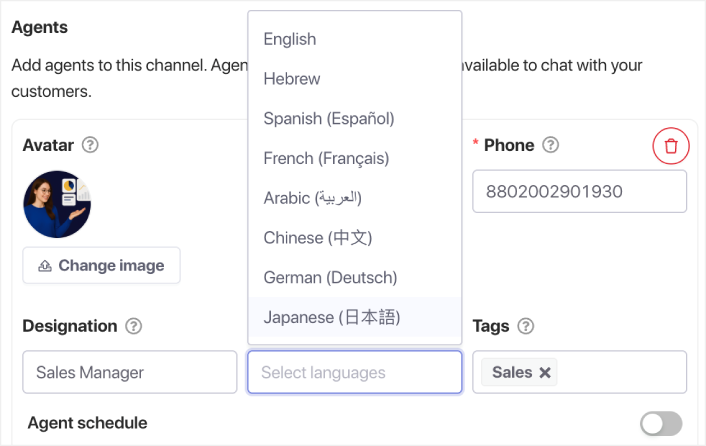
Instead of hiring multilingual agents, you can redirect users to localized pages, WhatsApp numbers, or translated documentation. Or, you can have multilingual agents handling your chat across multiple time zones.
Marketing and Revenue Benefits
Chat Becomes a Conversion Channel
Instead of conversations stuck inside a support inbox, users move into revenue paths — demo pages, pricing pages, or trial signup.
Cleaner Analytics
You don’t get inflated “chat started” stats. You get actual, trackable clicks with real intent behind them.
Guides Users to High-Value Pages
Inbox-free chat becomes a guided navigation system that leads visitors to pages that matter most.
Why Inbox-Free Chat Is Perfect for Lean Teams
If you’re a solo operator or a small team, inbox-based support quickly becomes overwhelming. Inbox-free chat scales without adding more people, tools, or workflows.
Real-World Inbox-Free Chat Flows
- Redirect support queries to WhatsApp
- Send product questions directly to your demo page
- Guide feature queries to your documentation
- Route billing questions to your customer portal
- Send general inquiries to your contact form
- Guide new users to onboarding videos
- Direct app users to in-app support instead of web chat
How to Set Up Inbox-Free Chat on Your Site
Choose the Destinations
Examples include WhatsApp, your support portal, docs, pricing, demo booking, or your contact form.
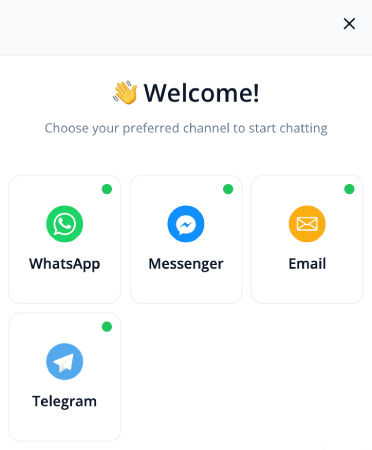
Match Each Destination to User Intent
Billing → billing portal
Sales → demo page
Technical help → documentation
FAQs → help center
Add Contextual Chat Options Per Page
Pricing page → “Talk to Sales”
Docs → “Get Technical Support”
Blogs → “See Product Features”
Checkout → “Need Coupon Help?”
Best Practices
- Keep choices simple
- Use action-driven labels
- Trigger chat on exit intent
- Localize chat for global visitors
- Track clicks to understand visitor behavior
Set It Once, Cover All Customer Support
Inbox-free chat flips the traditional chat experience. Customers get help instantly. Your team avoids inbox overload. And your website becomes clearer, faster, and more conversion-focused.
For modern support teams and lean businesses, inbox-free chat isn’t just helpful — it’s the future.
- Customers always see someone online
- Response times drop
- Pre-purchase conversions rise
- Support feels faster and more reliable
- Your store feels global-ready
Once the schedules are set, your team can operate more efficiently—and your customers get the experience they expect.
If you haven’t already set up agent profiles and schedules in PushEngage, now’s the time.
Not convinced? Check out these amazing resources on push notification campaigns:
- How to Increase Hotel Sales in Low Season
- How to Do Multichannel Marketing for Hotels in 2025
- How to Convert Subscribers To Buyers Using Web Push Notifications
- How to Notify Subscribers of New WordPress Posts
- How to Send Back-in-Stock Notifications to Get More Sales
- How to Clean Up Push Notifications Subscriber Lists (Easy)
- How to Automatically Send RSS Push Notifications
- How to Use Push Notifications to Promote a News Site
- How to Use Cross Selling Push Notifications to 2x Your Sales
- How to Use Browse Abandonment Push Notifications (4 Steps)


