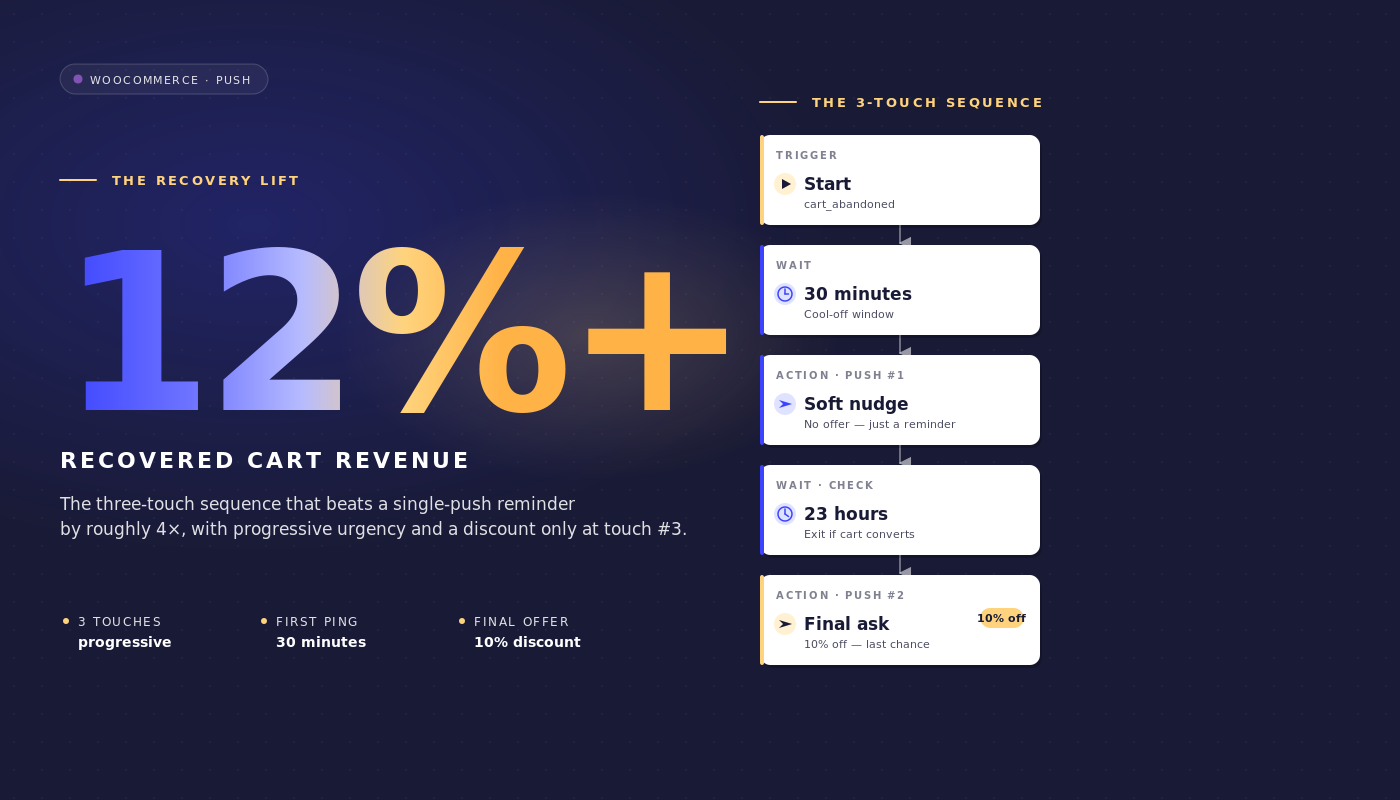
火曜日の午前9時、あなたはGMV3500万ドルのストアのWooCommerceダッシュボードを見ています。Klaviyoは先週、放棄されたカートから4,800ドルを回収しました。回収されなかった部分は46,000ドルです。そのギャップはKlaviyoの問題ではありません。メールのシーケンスは問題ありません。ギャップが存在するのは、カート放棄者の約3分の1にはメールが全く届かないからです。開封されず、プレビューペインも開かず、受信トレイは先週の注文確認メールでいっぱいのままです。
WooCommerceのカート放棄プッシュ通知は、メールシーケンスを置き換えるのではなく、異なるタイミング、異なる形式、異なるサーフェスで並行して実行することで、そのギャップを埋めます。
この記事は、WooCommerceのリテンションマネージャーが実際に必要とするワークフロー仕様です。正確な3通のプッシュメッセージのジャーニー、正確なイベント名、正確な待機時間、利益額で防御された割引ラダー、カートがコンバージョンした瞬間にワークフローを停止する終了ルール、そして経理に提出できるカートごとのアトリビューション計算です。
PushEngageに直接取り込み、1時間以内に実行を開始できます。回収されたカートは、購入された収益ではなく、回収された収益であり、これがリテンション/CACの議論全体を1行で表しています。
なぜ「プッシュかメールか」という考え方が間違っているのか
ほとんどのカート放棄に関する記事は、偽の二項対立を設定しています。プッシュ対メール。SMS対プッシュ。WhatsApp対そのすべて。放棄されたカート価値の25〜40%を回収するミッドマーケットのWooCommerceストアは、1つを選択しません。それらはレイヤー化します。メールは、1日に2回メールをチェックする受信トレイユーザーにリーチします。プッシュは、メールを全くチェックしないが通知をちらっと見るデスクトップおよびモバイルユーザーにリーチします。SMSは、メッセージを30秒以内に配信する必要がある高価値カートにリーチします。リテンションマネージャーの仕事は、単一チャネルが勝つかを議論することではなく、レイヤー化されたスタックを構成することです。
現在、メールのみのシーケンスを実行しているWooCommerceストアにとって、問題は「プッシュに切り替えるべきか」ではありません。「メールがすでにやっていることにプッシュが何を追加するのか」ということです。答えは簡単です。プッシュはメールの開封よりも速く発火します(最初のタッチから60分で、通常のメールが開かれる1時間前に配信されます)。プッシュは無視しにくいです(プレビューペインがありません)。プッシュは、コンバージョンを獲得したチャネルに関係なく、購入イベントで終了します。これらは代替ではなく、追加のプロパティです。
この記事の残りの部分は、その考え方に基づいています。以下の3通のプッシュメッセージによるワークフローは、Klaviyo、Omnisend、またはその他のESPで3通または4通のメールによるリカバリーシーケンスがすでに実行されていることを前提としています。それは、それを置き換えるのではなく、そのシーケンスと組み合わせて構成されます。
WooCommerceがプッシュフレンドリーな理由(そしてそうでない理由)
WooCommerceは、このすべてを処理可能にする3つのネイティブイベントを発火させます。add_to_cartは、商品が追加されるたびに発火します。woocommerce_cart_updatedは、カートの状態が変更されたときに発火します。woocommerce_payment_completeは、注文が支払われたときに発火します。
PushEngage WooCommerce連携プラグインは、これらをPushEngageカスタムイベントcart_abandoned(放棄しきい値を超えてカートが非アクティブになったときに発火)と、ゴールpurchase(支払いが完了したときに発火)にマッピングします。cart_abandonedイベントペイロードには、cart_id、cart_value、cart_url(復元リンク)、および商品リストが含まれます。そのペイロードが、ワークフローの通知が使用する変数ソースになります。
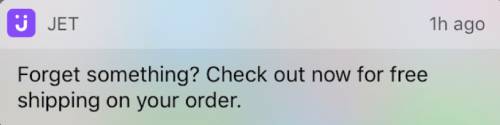
PushEngage連携は、カートの復元も処理します。購読者がプッシュ通知をクリックすると、空の商品ページではなく、アイテムがすでに設定された状態でカートにランディングします。これは些細なことではありません。ワンクリックチェックアウトで復元されたカートは、購読者がアイテムを再追加する必要がある復元されたカートの約3倍のコンバージョン率になります。
カートの復元は、PushEngage連携が標準で提供するWooCommerceプッシュ通知機能の1つです。連携がないプラットフォームでは、リテンションチームが手動で復元リンクを構築する必要があります。
注意すべきWooCommerce固有の落とし穴が1つあります。プラットフォーム外のチェックアウト(Stripe Checkout、PayPalホスト型チェックアウト、Mollieホスト型、Klarnaホスト型)を使用しているストアでは、顧客が感謝ページにリダイレクトされるまでwoocommerce_payment_completeは発火しません。そのリダイレクトが発生しない場合(顧客が支払後にStripeのホスト型ページでブラウザタブを閉じた場合)、ワークフローはカートがコンバージョンしたことを知る方法がありません。修正策は、感謝リダイレクトのゴール追跡ピクセルで、カートIDとともにPushEngagepurchaseゴールを発火させることです。そのピクセルがないと、ワークフローはすでに支払いを完了した購読者にリマインダーを送信し続け、これはリテンションチームが避けたい障害モードです。ワークフローをオンにする前にピクセルを設定してください。
追加のコンテキストノートが2つあります。まず、この記事の残りの部分で使用されるワークフローの語彙(START、WAIT、DECISION、ACTION、END)は、PushEngage Workflowsビルダーで定義され、親のeコマース記事で詳しく説明されています。次に、このWooCommerceカート放棄ワークフローは、このシリーズの5つのWooCommerce固有のプッシュワークフローの1つです(他のもの(閲覧放棄、値下げ、在庫復活、購入後)は、最後のセクションからリンクされています)。
3通のメッセージによるカート放棄ワークフロー、エンドツーエンド
これが中心です。完全なカート放棄ワークフローの仕様。
トリガーと実行タイプ
- トリガー(START): PushEngageカスタムイベント
event_name = cart_abandoned。WooCommerce連携によって発火され、カートが放棄しきい値(通常は60分間の非アクティブ)を超えて非アクティブになったときに使用されます。 - 実行タイプ: 複数並列。火曜日にカートAを、金曜日にカートBを放棄した購読者は、カートごとに1つずつ、それぞれ独自のcart_idを持つ2つの同時ワークフローインスタンスを取得します。これは重要です。単一または複数逐次実行タイプでは、カートAのワークフローが完了するまでカートBのリカバリがブロックされ、2回目に放棄したリピーターは何も取得できません。
- 終了条件: トリガーイベントからのcart_idと一致する目標
purchase。そのカートのWooCommercepurchase目標が発火した瞬間、ジャーニーのどこにいても、その購読者のワークフローはキャンセルされます。 - サイレントアワー: 購読者のタイムゾーンで午後10時から午前8時まで、フォールバック
reschedule。reschedule設定は、通知を破棄するのではなく、ローカルの午前8時01分まで通知を保持します。これは、破棄された通知は分析からも除外されるため、ほとんどのリテンションチームが好みます。
フロー
1時間待機 → メッセージ1(割引なし) → 24時間待機 → 決定:カートはまだ放棄されていますか? → YESパス:メッセージ2(10%オフ) → 48時間待機 → 決定:カートはまだ放棄されていますか? → YESパス:メッセージ3(20%オフ+緊急性) → 終了。
両方の決定ノードのNOパスはEXITにルーティングされます(カートは待機時間中にコンバージョンし、ワークフローのジョブは完了しました)。
通知コピー
メッセージ1(放棄から1時間後、割引なし):
- タイトル:
何か置き忘れましたよ - 本文:
あなたの{{event.data.product_name || cart}}はまだここにあります。チェックアウトを完了しませんか? - URL:
{{event.data.cart_url}}
メッセージ2(放棄から25時間後、10%割引):
- タイトル:
まだ考えていますか?10%オフです - 本文:
あなたの{{event.data.product_name || cart}}はワンクリックで購入できます。チェックアウト時にSAVE10を使用してください。 - URL:
{{event.data.cart_url}}?coupon=SAVE10
メッセージ3(放棄から73時間後、20%割引、緊急性):
- タイトル:
最後のチャンス:カートが20%オフ - 本文:
あなたの{{event.data.product_name || cart}}をもう1日保存しました。コードSAVE20は今夜期限切れです。 - URL:
{{event.data.cart_url}}?coupon=SAVE20
各タイトルは50文字未満、各本文は130文字未満に保たれており、Chromeデスクトップ、iOS Safari 16.4+、Android Chromeで切り取られることなく表示されます。||構文は、製品名の変数が欠落している場合のフォールバックを提供します。
なぜ1時間、25時間、73時間なのか
3つの待機時間は任意ではありません。各ウィンドウは異なるリカバリ心理を捉えています。
1時間。最初のタッチは、「他の場所で価格を確認するために離れました」という放棄者を、セッションの記憶が薄れる前に捉えます。回復するほとんどのカートは最初の1時間で回復します。最初の1時間をコンバージョンせずに経過したほとんどのカートは、2回目のタッチなしではコンバージョンしません。30分の最初の待機時間は早すぎます。顧客が積極的に行っている比較ショッピングを中断します。4時間の最初の待機時間は遅すぎます。カートのコンテキストが失われます。1時間はインフレポイントに位置します。
25時間。 2回目は翌日に送信。正確に24時間ではなく25時間とするのは、夜間に離脱したユーザーが1回目と同じ時間に2通目のメッセージを受け取るのを避けるためです(これはスパムと認識されやすいため)。25時間待つことで、夜間離脱者には翌朝に、朝間離脱者には翌晩に送信タイミングがずれ、10%オフオファーの実質的なリーチウィンドウとなります。
73時間。 カートが期限切れになる前の最終アプローチ。3日後、ユーザーの購入意欲は他のチャネルで実現したか(その場合、すでに離脱ルールが発動している)、完全に失われたかのどちらかです。緊急性を強調した20%割引は、カートが無効になる前の最後の有効なプッシュです。96時間を超えて待つと、回収率は劇的に低下し、確実に利益が減少します。メッセージ2から48時間未満で送信すると、ユーザーは割引を待つようになります。
サイレントアワーはシーケンス全体をカバーします。午後11時に離脱したユーザーへの1時間後の最初のメッセージは、深夜に送信されることになります。rescheduleを午前8時01分に設定すると、メッセージはその日の朝まで保留されます。カート放棄ワークフローは、夜間の送信をサイレントにドロップするのではなく、配信責任を維持します。
割引ラダーの防御
割引段階は0% / 10% / 20%です。明らかな代替案は、3回の送信すべてに一律15%を適用することです。割引段階は、一律割引が純粋な回収率で勝る場合でも、純回収収益で上回ります。これは、代表的なWooCommerce中規模市場での計算結果です。
シナリオ。 プッシュ購読者200,000人。カート放棄率70%。平均注文額$145。プッシュワークフロー(メール購読者との重複後)で追跡される週あたりの放棄カートは約12,000件。
全3回の送信で一律15%。 これにより、純粋な回収率が30%に向上すると仮定します。週あたり$145のAOVで3,600カートを回収 = 総額$522,000。回収されたカートごとに15%の割引が適用されるため、純回収収益は$522,000 × 0.85 = 週あたり$443,700となります。
0/10/20段階割引。 これにより、純粋な回収率が25%になると仮定します(メッセージ1にインセンティブがないため低い)。しかし、回収は3回の送信に分散されます:メッセージ1(割引なし)で12%、メッセージ2(10%)で8%、メッセージ3(20%)で5%がコンバージョンします。カートあたりの純額:12% × $145 + 8% × $145 × 0.90 + 5% × $145 × 0.80 = $17.40 + $10.44 + $5.80 = カートあたり$33.64。12,000カートでは週あたり$403,680となり、一律割引よりわずかに少なくなります。
しかし、総利益率の現実はより厳しいです。ほとんどの中規模WooCommerceストアは、35〜45%の総利益率で運営されています。一律15%オフは、その利益率を20〜30%に削減します。メッセージ1でのコンバージョンが0%であれば、利益率は全額維持されます。段階割引を実施するリテンションチームは、回収率で約3パーセントポイント(28% vs 31%)を犠牲にしますが、利益ドルを実質的に多く回収します。総回収収益ではなく、純貢献利益が守るべき正しい数値です。
ラダーの2番目の引数は、購読者トレーニングです。カートリマインダーで常に15%オフが見られるリストは、割引を待つことを学びます。購読者がパターンを学習したため、来四半期の回復率はフラット15%で低下します。0/10/20のラダーは、全額でコンバートするオプションを維持します。
3番目の引数はセグメンテーションです。メッセージ1でコンバートした購読者は、次のキャンペーンで異なるリターゲティングを行う価値のある高意欲顧客です。メッセージ3でのみコンバートした購読者は価格に敏感であり、価格主導の維持パスにセグメント化する価値があります。ラダーはシグナルを生成し、フラット割引はノイズを生成します。
カートごとのアトリビューションと回収収益の計算
PushEngageのプッシュワークフロー分析では、各ノードで3つの数値を追跡します:キューに入れられたユーザー(このノードで待機中)、完了したユーザー(通過済み)、および離脱したユーザー(通常は離脱ルールが発火したため、このノードでワークフローを離脱した)。
20万人の購読者、平均注文単価145ドルのストアで実行されているアクティブなWooCommerceカート放棄ワークフローのノードレベル分析は次のようになります。
| ノード | キューに入れられた | 完了 | 離脱 | メモ |
|---|---|---|---|---|
| 開始(cart_abandoned) | 0 | 11,940 | 240 | イベント発火とワークフロースキャンの間に240件のカートがコンバートされました |
| 1時間待機 | 220 | 11,720 | 0 | 通常のキュー深度 |
| アクション:メッセージ1 | 0 | 11,720 | 0 | 通知送信済み |
| 24時間待機 | 280 | 9,290 | 2,150 | メッセージ1で2,150件のカートがコンバートされました(最も意欲の高い回復) |
| 決定:まだ放棄されていますか? | 0 | 9,290 | 0 | 残りのカートを目標と比較 |
| アクション:メッセージ2(10%オフ) | 0 | 9,290 | 0 | SAVE10で通知が送信されました |
| 48時間待機 | 120 | 7,460 | 1,710 | メッセージ2で1,710件のカートがコンバートされました |
| 決定:まだ放棄されていますか? | 0 | 7,460 | 0 | 最終チェック |
| アクション:メッセージ3(20%オフ) | 0 | 7,460 | 0 | SAVE20で通知が送信されました |
| 終了 | 該当なし | 7,460 | 該当なし | 7,460件のカートはプッシュで回復しませんでした |
プッシュによる総回復数:240(タッチ前)+ 2,150 + 1,710 = 4,100件のカート。プッシュによる生回復率:4,100 / 12,180 = 33.7%。平均注文単価145ドルでの回復カート価値=週あたり594,500ドルのグロス。ラダー割引(240カートは0%、2,150カートは0%、1,710カートは10%)を差し引いた純収益=週あたり570,795ドル。
ファネルは次のように読みます。2つの待機(24時間と48時間)は最も離脱率の高いノードであり、これは正しいパターンです。顧客は通知を読んでいる間ではなく、待機ウィンドウ中に購入を決定します。ワークフローが逆(アクションノードでの離脱率が高く、待機ノードでの離脱率が低い)を示している場合、タイミングが長すぎます。待機時間を短縮する必要があります。STARTノードで異常に高い離脱率が見られる場合、放棄しきい値が短すぎます。実際には放棄されていなかったカートをキャッチしています。
これは、次の損益計算書レビューで維持マネージャーが擁護できる回復収益項目です。WooCommerceプッシュ通知は、先週、カート放棄ワークフローを通じて570,795ドルの純収益を上げました。プッシュ送信あたりのコストはゼロで、プラットフォームサブスクリプション料金のみです。回復ドルあたりのコストは非常に小さいため、財務部門はフォローアップの質問をしません。
マルチチャネルオーケストレーション:プッシュ + メール + WhatsApp + ライブチャット
上記の3メッセージプッシュワークフローは、メール回復シーケンスと並行して実行されます。同じワークフローアーキテクチャは、購読者の状態に基づいてチャネルをエスカレートすることもできます。1つのワークフローエンジンで、ジャーニーは次のように構成されます。
- 開始:
cart_abandonedイベント(cart_idとcart_valueを含む) - 待機: 1時間
- 決定1: 購読者はウェブプッシュを購読していますか? はい:ウェブプッシュリマインダーを送信します。いいえ:続行します。
- 待機:30分
- 決定2: プッシュは発火してクリックされましたか? はい:終了します。いいえ:続行します。
- 決定3: cart_valueは$200より大きいですか? はい:WhatsAppメッセージを送信。いいえ:ESPへのHTTPリクエスト経由でメールを送信
- 決定4: 加入者は現在サイトにいますか? はい:ライブチャットのpingをトリガー。いいえ:メッセージ2の待機に進む
- 目標
purchaseで終了
4つのチャネル、1つのワークフロー、1つの終了基準セット、1つの加入者ID。これは、各チャネルが異なるツールにある場合、リテンションチームが構成できないオーケストレーションです。個別のベンダーを使用すると、カートワークフローは6回の同期、VIPとしてカウントされる人物について意見が一致しない2つのセグメンテーションエンジン、および統一された収益帰属の欠如になります。
1つのワークフローエンジンがあれば、ジャーニーは1つのオブジェクトになります。プッシュとメールが単一のリテンションプラン内でどのように構成されるかについては、プッシュとメールのマルチチャネルオーケストレーションに関する親記事を参照してください。
サイドバー:AIアシスタントからのカートワークフロー管理
WordPressプラグイン4.2.4およびWordPress Abilities APIを使用すると、カートワークフローは任意のMCP対応AIアシスタントから管理可能になります。このプラグインは、pushengage/list-push-automation-campaigns(現在のWooCommerceプッシュ自動化設定を返します)およびpushengage/update-push-automation-campaign(IDによってキャンペーンを有効化、無効化、または再構成します)を公開します。どちらのアビリティも、ユーザーがWordPressのmanage_options権限を持っている必要があり、サイトでWooCommerceがアクティブである必要があります。
PushEngage MCPを公開したClaude、ChatGPT、またはCursorを実行しているリテンションマネージャーにとって、これは、サイトの計画的な停止中にカート放棄ワークフローを一時停止したり、その後再開したり、WP管理を開かずにコピーバリアントを切り替えるように再構成したりできることを意味します。詳細については、PushEngage AIアシスタントの発表を参照してください。
PushEngageで構築する
セットアップパスは短いです。WooCommerceサイトにPushEngageプラグインをインストールします(WooCommerceを自動検出してWooCommerce固有のイベントを公開します)。プラグインをPushEngageアカウントに接続します。PushEngage Workflowsビルダー内でカート放棄ワークフローテンプレートをインポートします。
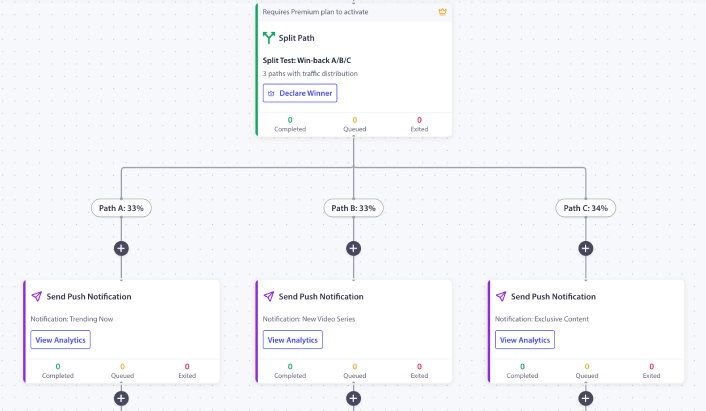
1時間/ 25時間/ 73時間のタイミング、割引ラダープレースホルダー、および購入時の終了ルールがすでに構成されています。プレースホルダーのクーポンコードを実際のコードに置き換えます。放棄しきい値(ほとんどのストアではデフォルトの60分で十分です)を構成します。ワークフローをアクティブ化します。最初の200件のカート放棄が処理されるのを監視してから、スケールアップしてください。
ストアで最初のPushEngageワークフローの場合、無料プランでは200人の加入者と完全なワークフローエンジンが提供され、有料プランの予算を要求する前に、管理されたリストでチャネルを証明するのに十分です。無料プランから始めることで、今週最初のインスタンスを実行できます。
これが変えること
この記事は、5つのWooCommerce固有のプッシュワークフロー仕様の1つです。姉妹記事は、WooCommerce閲覧放棄ワークフロー、価格ドロップアラート、在庫切れ通知、およびWooCommerce購入後ワークフローをカバーしています。より広範なクロスプラットフォームのカート放棄処理については、より広範なカート放棄プレイブックが戦略レベルでトピックをカバーしています。
eコマースのリテンションプログラム全体におけるこの位置づけについては、eコマースプッシュ通知ハブ投稿で概要を説明しています。
火曜日にWooCommerceダッシュボードを開き、回収不能なカートに46,000ドルが表示されたリテンションマネージャーには選択肢があります。停滞しているメールシーケンスの最適化を続けるか、それともプッシュをセカンドチャネルとして重ねて、異なるタイミング、異なるフォーマット、異なる終了ルールで実行するか。上記の3メッセージワークフローは、すでに設定されているメールの頻度に関係なく並行して実行され、メールでは到達できないカート価値の12〜25%を回収します。
0/10/20の割引ラダーを使用すると、回収された収益はフラットディスカウントワークフローよりも高い純利益率で着地します。購入時の終了ルールを使用すると、カートがコンバージョンした瞬間にワークフローの発火が停止します。ノードごとの分析を使用すると、品目は逸話ではなく数値で財務部門に説明できます。これが、1つのワークフローにおける放棄されたカートリカバリの議論全体であり、カートリカバリ自動化の議論全体です。


