WordPress Plugin of PushEngage allows you to send out campaigns without any hassle of creating manual push campaigns. So you can enable sending an auto push as soon as editors hit publish button.
Let us understand in a below guide how to enable this –
Select the PushEngage Plugin from your WordPress Dashboard and navigate to Settings > Auto Push Settings
Activate the toggle button to automatically send a push notification to your subscribers every time you publish a new post and select the type of notification image you want for your campaigns
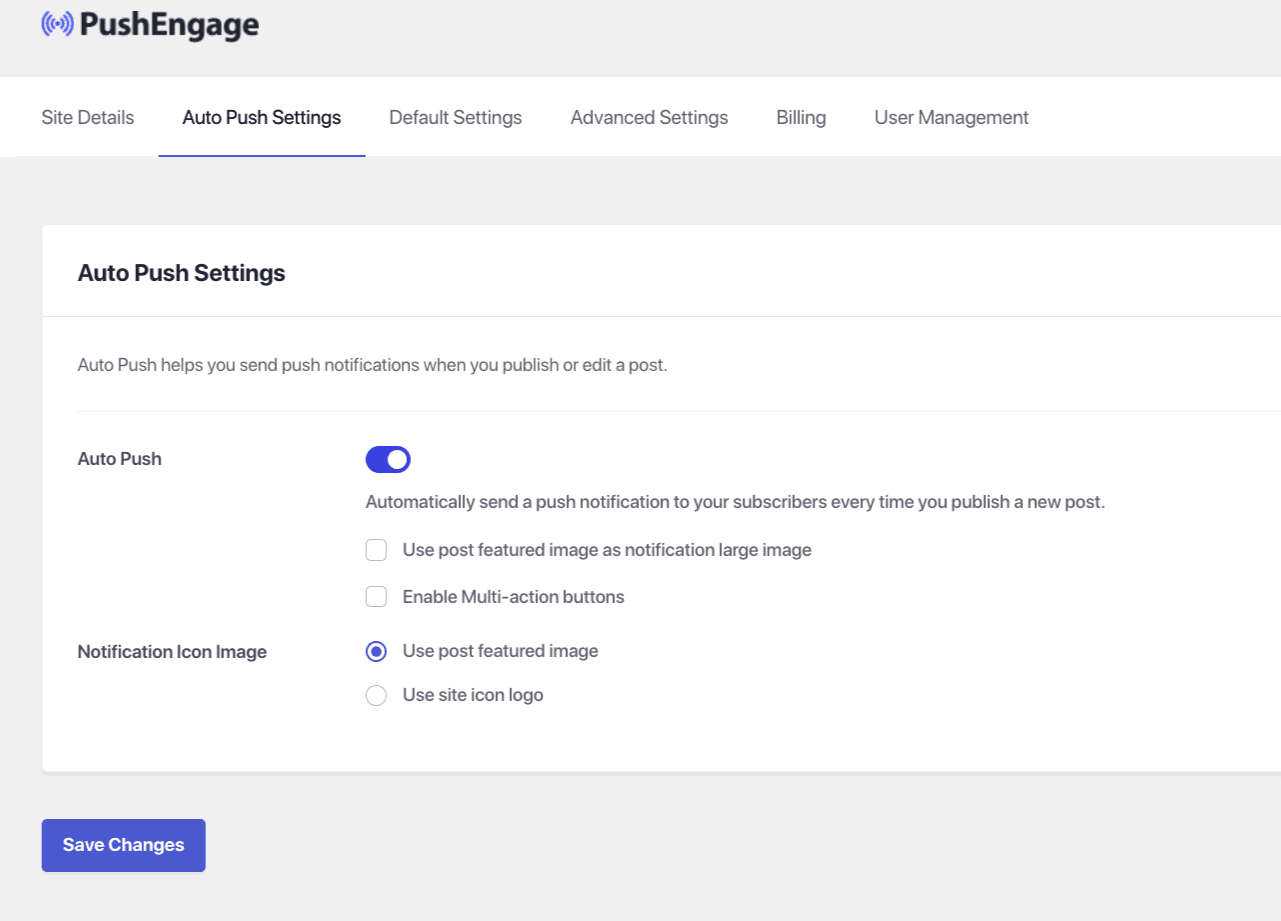
Once this is done, select Save Changes
If in case you run into any issues, please feel free to contact us by clicking here. Our support team would be able to help you.