
WP Simple Pay の完全なレビューをお探しですか?
WordPressサイトにStripeを統合することは、クレジットカード決済を受け付ける最も簡単な方法の1つです。しかし、もっと多くの機能が必要な場合はどうでしょうか?より多くの通貨、言語、支払い方法が必要な場合はどうでしょうか?
WP Simple Pay は、Stripe決済を最大限に活用するのに役立ちます。
この記事では、プラグインをテストして、これらの質問の真相を明らかにします。
さあ、始めましょう。
WP Simple Pay の簡単な概要
WP Simple Payは、その名の通りです。WordPressサイトでのオンライン支払いを簡単にします。使いやすく、非常に信頼性が高く、セットアップにコーディングは一切不要です。
一番良いところは? WP Simple Payは、世界中からの支払いを受け付けることを心配せずに、製品の作成と販売に集中するのに役立ちます。
すべての顧客情報と支払い情報は、WordPressウェブサイトではなく、Stripeアカウントに保存されます。その結果、プラグインは他の代替手段のようにサイトを肥大化させません。WP Simple Payは、WordPressサイトにStripe支払いを追加する最も簡単な方法を提供します。
そして、WP Simple Payのセットアップは非常に簡単です。
早速見てみましょう。
WP Simple Pay のセットアップ方法
WP Simple Pay は他のWordPressプラグインと同様です。インストールして有効化するだけです。その方法がわからない場合は、WordPressプラグインのインストール方法に関するこの記事をご覧ください。
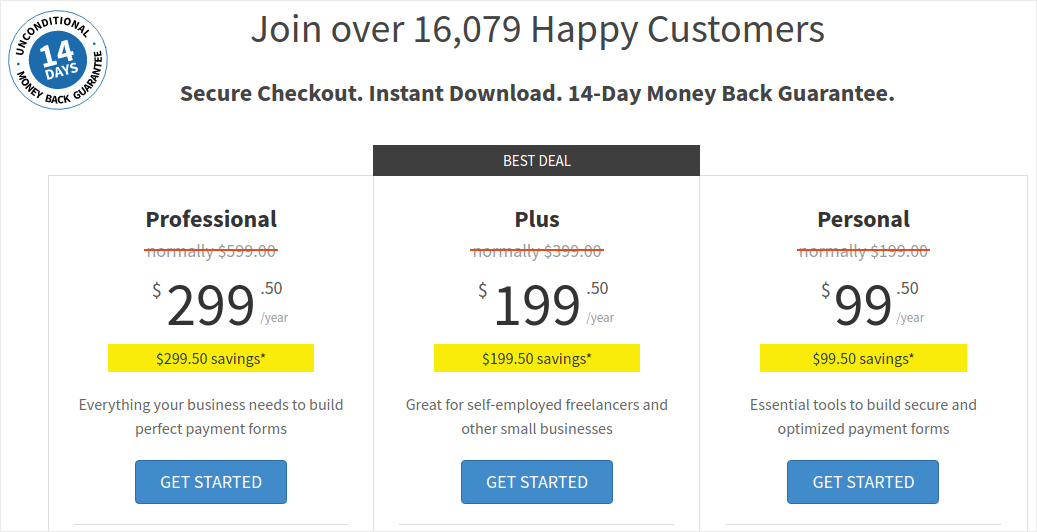
WP Simple Pay にアクセスし、プランを選択することから始めます。
プラグインをインストールしたら、WordPressダッシュボードで WP Simple Pay » 設定 に移動し、ライセンスキーを貼り付けます。
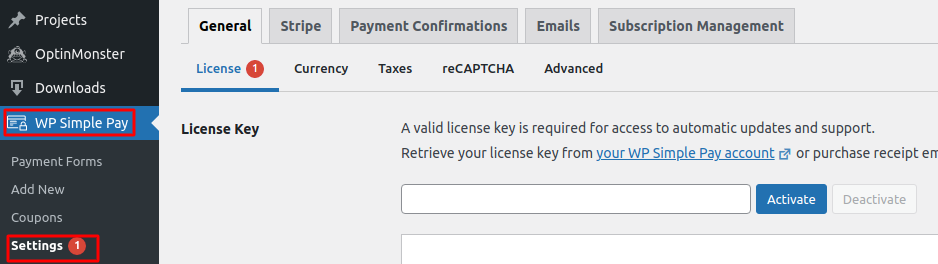
完了したら、有効化 をクリックします。
次に、Stripe タブに移動し、Stripe で接続 をクリックします。
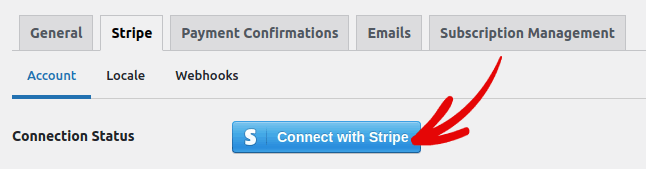
これで、プラグインの設定は完了です。次に、プラグインのさまざまな機能を探ってみましょう。
WP Simple Pay はあなたのブランドにどのようなメリットをもたらしますか?
WP Simple Pay を使用すると、製品の支払いを受け付けるための簡単なフォームを作成できます。即時支払いフォームと、それに付随する柔軟な支払い方法を多数作成できます。最も印象的なのは、すべてが簡単にセットアップでき、顧客にとっても使いやすいことです。
これらの各機能を見ていき、このプラグインが素晴らしい理由を詳しく見ていきましょう。
#1。支払いフォームビルダー
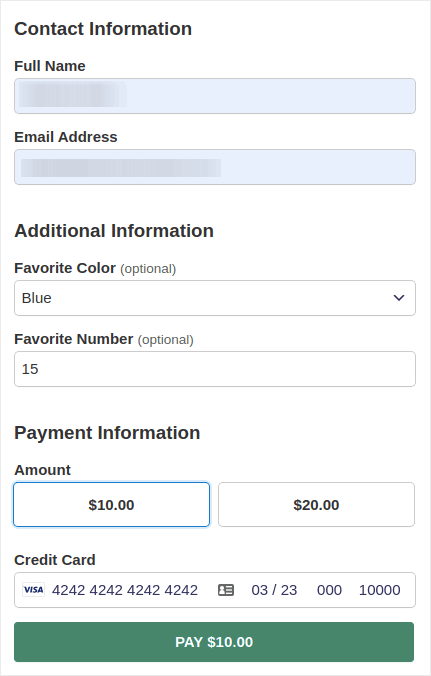
WP Simple Pay を使用すると、数回のクリックでカスタム支払いフォームを作成できます。また、次のようなさまざまなフォームタイプを選択できます。
埋め込みフォーム:
またはポップアップ支払いフォーム:
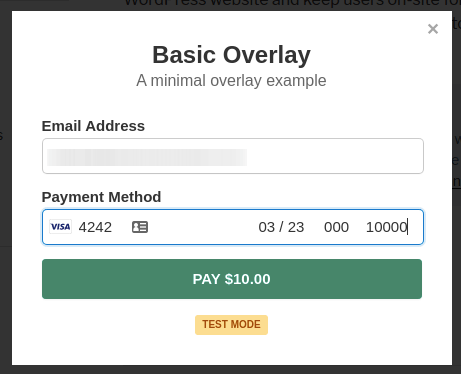
WordPressダッシュボードから支払いフォームを作成するのに、文字通り5分しかかかりません。
#2。Stripe チェックアウト支払いページ
カスタム支払いフォームの作成に興味がない場合は、デフォルトのStripe支払いフォームを使用することもできます。
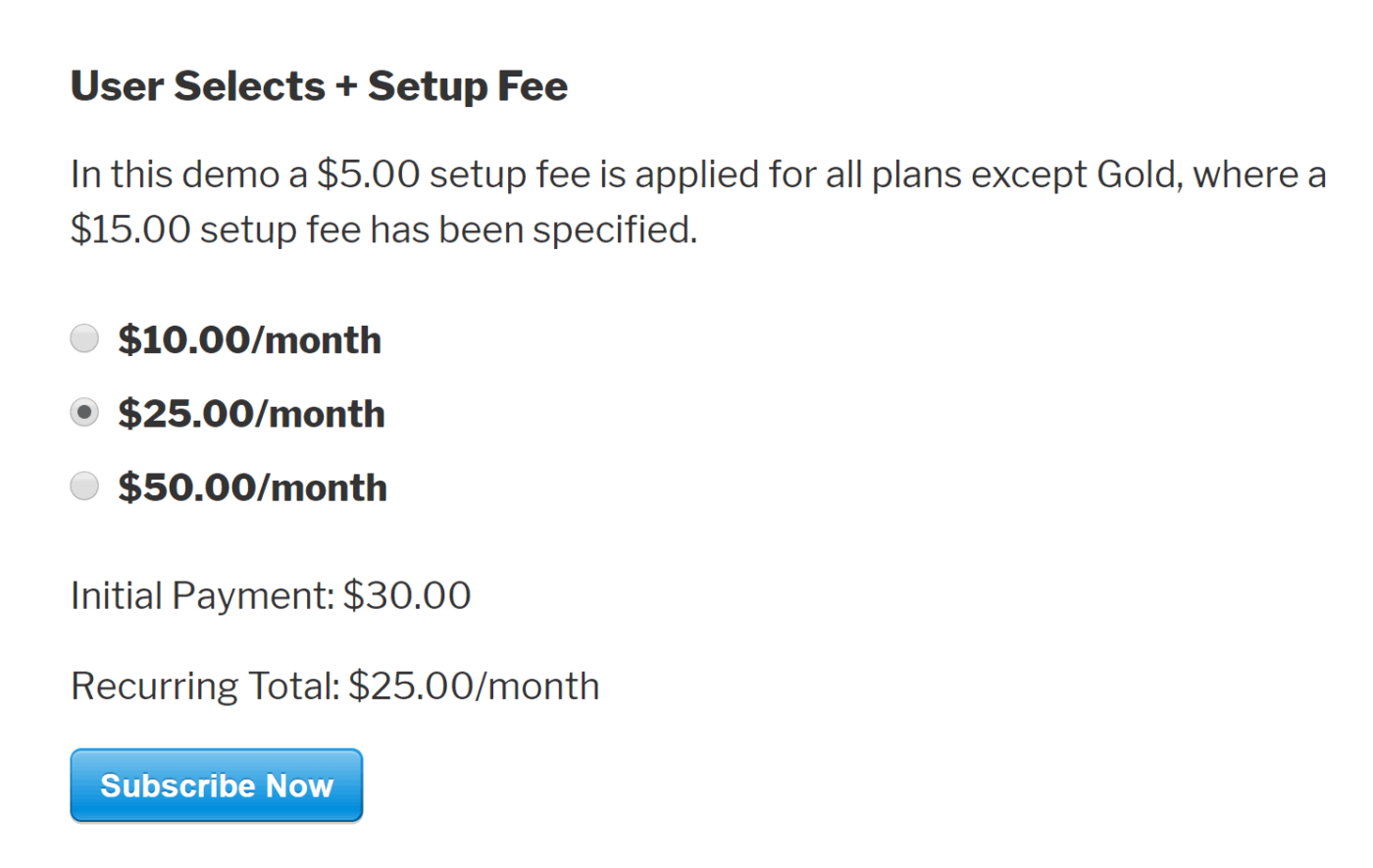
シンプルでエレガントであり、デフォルトのStripe支払いフォームを使用して、定期支払いと一括支払いの両方を設定できます。
#3。カスタム金額の支払い
製品の単一金額を設定できます。または、「好きなだけ支払う」モデルの最小金額とデフォルト金額を指定することもできます。
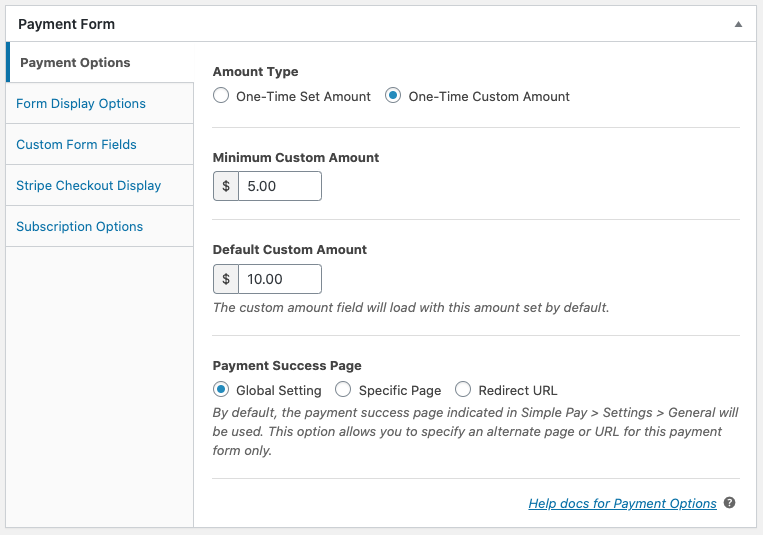
#4。サブスクリプションオプションの追加とカスタマイズ
WP Simple Pay を使用すると、サブスクリプションの設定が非常に簡単です。カスタム金額オプションを追加したり、セットアップ料金を請求したり、無料トライアルを提供したりできます。
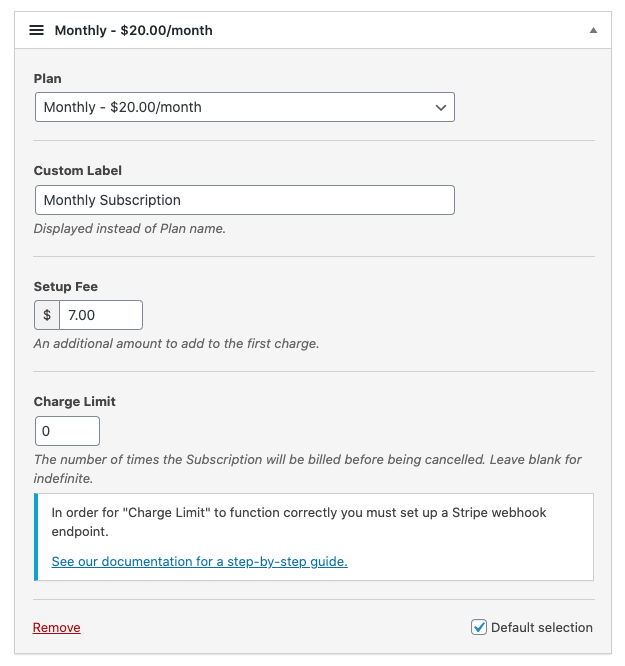
特定の回数の請求後にサブスクリプションを終了する分割払いプランを設定することもできます。
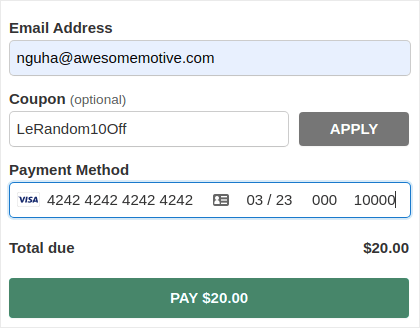
#5。クーポンコードによる割引の提供
もちろん、WooCommerce や Easy Digital Downloads で割引を作成できます。しかし、WP Simple Pay を使用すると、サブスクリプション支払い用のクーポンコードを簡単に作成できます。
#6。代替支払い方法
通常のクレジットカード決済に加えて、いくつかの代替決済方法を設定することもできます。Apple PayやGoogle Payを使った決済を受け付けられます。
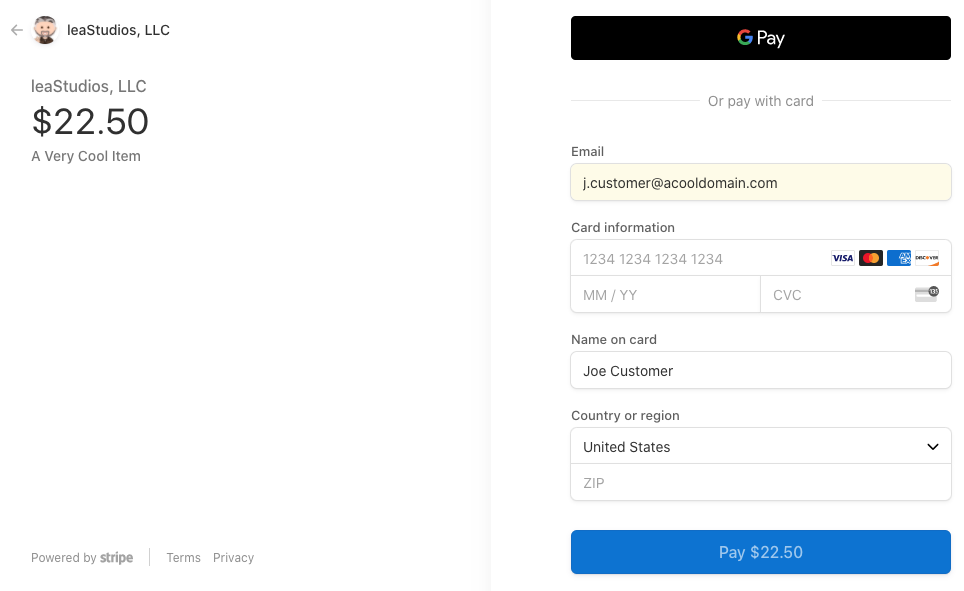
または、ACHデビット決済を受け付けることもできます。
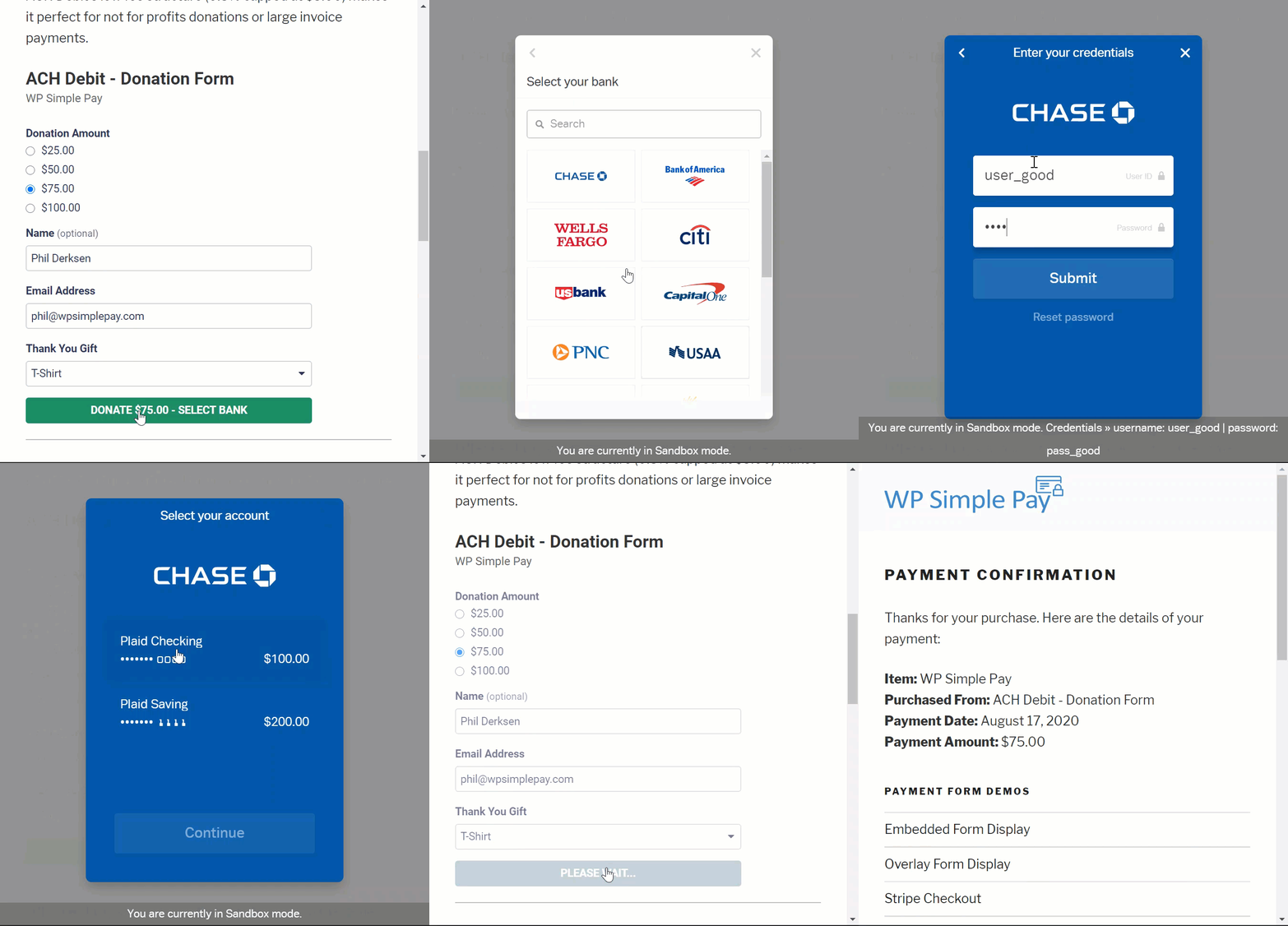
WP Simple Payは、以下の決済を受け付けるのにも役立ちます。
- iDEAL
- SEPAダイレクトデビット
- Alipay
- Bancontact
- giropay
- Przelewy24
その他多数!
#7. カスタマイズされた支払い確認詳細
ほとんどの決済処理ソフトウェアの最悪な点は、ひどいテンプレート化されたメール返信を送ることです。そして、そのメールで編集できることはあまりありません。そのため、送信されるメールは完全にブランドイメージから外れているように感じられます。
WP Simple Payを使用すると、支払い確認メールのカスタムテンプレートを作成できます。
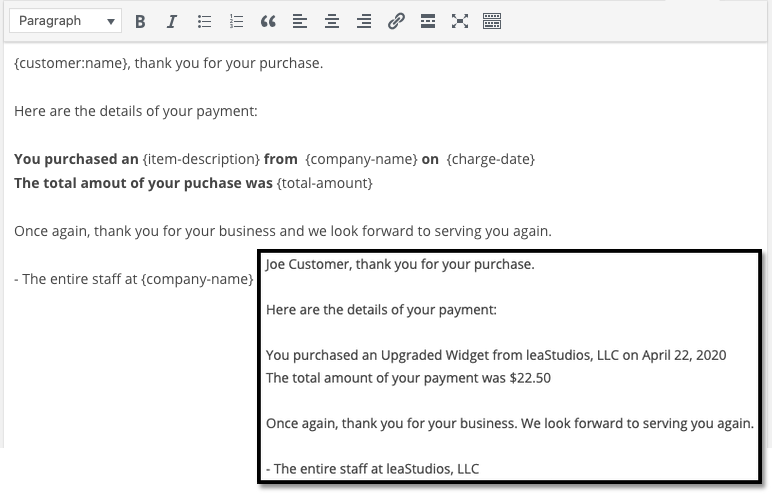
ブランドイメージを維持するために、ブランドのメッセージングとスタイルに合ったテンプレートを簡単に作成できます。凝ったことをしたい場合は、カスタムフィールドを使用してライセンスキーなどの追加情報を送信することもできます。
#8. 場所と通貨の設定
多くのStripeプラグインのもう1つの大きな問題は、ローカル通貨でのみ支払いを受け付けることができることです。これはStripeによって引き起こされる問題ではありません。Stripeは30以上の言語、45以上の国、135以上の通貨を受け入れています。競合は、コードの悪いプラグインから生じます。
したがって、インドにいる場合、デフォルトでは、製品をUSDで価格設定したい場合でも、INRで支払いを受け付ける支払いフォームを作成する必要があります。
WP Simple Payを使用すると、ローカル言語と通貨、および優先通貨を設定できます。
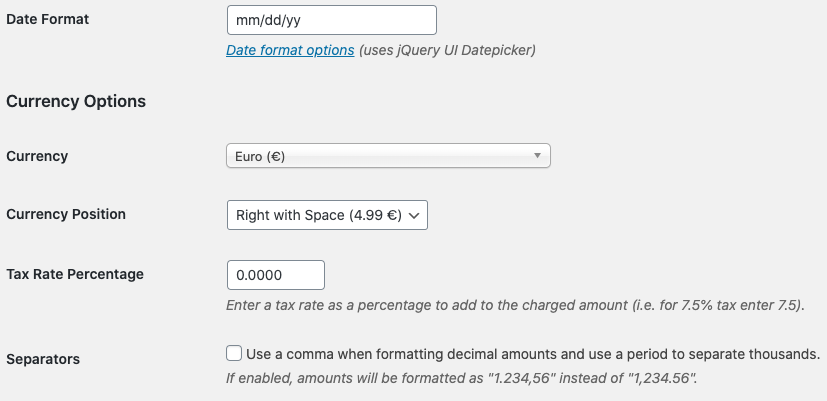
とても簡単です!
料金
最終的な評価を下す前に、考慮すべき点がもう一つだけあります。
WP Simple Payの実際の費用はいくらですか?
実際、かなり手頃な価格です:
パーソナルプランは年間99.50ドルから始められます。より多くの機能が必要な場合や、複数のサイトでStripe決済が必要な場合は、プロフェッショナルプランを年間299.50ドル、またはプラスプランを年間199.0ドルで購入してください。
WP Simple Payには無料のLiteバージョンもあります。したがって、購入する前にプラグインの感触を掴みたい場合は、ぜひチェックしてみてください。しかし、ビジネスの成長に真剣に取り組んでいる場合は、有料プランのいずれかを取得することをお勧めします。
最終評価
WP Simple PayはWordPressで最高のStripe決済プラグインですか?
私たちの評価: はい、そうです。
パーソナルプランでも利用できる高度な機能の量は驚くべきものです。サイトのためにカスタム開発する必要があった場合、多額の費用がかかるでしょう。そして、多くのStripeプラグインでは、サブスクリプション決済機能の多くを利用できません。
したがって、サイトでお金を稼ぐことに真剣に取り組んでいる場合は、WP Simpleの使用をお勧めします。
そして、お金を稼ぐことについて話している間に、サイトでプッシュ通知を設定することも検討してください。プッシュ通知を使用して、トラフィック、エンゲージメント、および売上を自動的に増やすことができます。
これらのリソースを見ていただければ、意味がわかるでしょう:
プッシュ通知キャンペーンを開始するには、PushEngageをお勧めします。PushEngageは世界No.1のプッシュ通知ソフトウェアです。
まだの場合は、今すぐPushEngageを始めましょう。


