
すべての訪問者が、ウェブサイトにアクセスした瞬間にチャットする準備ができているわけではありません。実際、チャットウィジェットを早すぎるタイミングで表示すると、エンゲージメントが低下し、直帰率が高くなることがよくあります。
より賢明なアプローチは、訪問者がページを50%スクロールしたときにのみチャットをトリガーすることです。これは、訪問者が関心を持ち、興味があり、対話する可能性が高いことを示すシグナルです。
PushEngageのチャットウィジェットは、これを驚くほど簡単にします。
このクイックガイドでは、スクロールベースのトリガーがなぜ機能するのか、そして数回のクリックでどのように設定できるのかを説明します。
マルチチャネルメッセージを今すぐ送信!
プッシュ通知とWhatsAppメッセージは、リピートトラフィック、エンゲージメント、および売上を自動的に増加させるための非常に効果的で低コストなマーケティングツールです。
50%スクロールトリガーが機能する理由
ページの50%に到達した訪問者は、明確な意図を示しています。時間を投資し、コンテンツを吸収し、好奇心を示しています。
50%トリガーは次のことに役立ちます:
- 読者を早すぎるタイミングで中断するのを避ける
- 完全にウォームアップした訪問者をキャッチする
- チャットの開封率を向上させる
- リードの質を向上させる
- 意欲の低いチャットからのエージェントのワークロードを削減する
これは特に次のものに効果的です:
- 長いブログ記事
- 製品比較ページ
- 究極のガイド
- FAQページ
- チュートリアル
PushEngageによるスクロールベースのチャットトリガーの処理方法
PushEngageには、チャットウィジェット用の組み込みの行動ルールが含まれています。これらのルールは、訪問者のアクションに基づいてチャットウィジェットがいつ表示されるかを決定します。
最も便利なものの1つは、「訪問者がX%スクロールしたときに表示」です。
これにより、選択したスクロールのしきい値までウィジェットを遅延させることができます。情報ページやコンテンツが豊富なページでは、50%が最もパフォーマンスの高い設定の1つです。
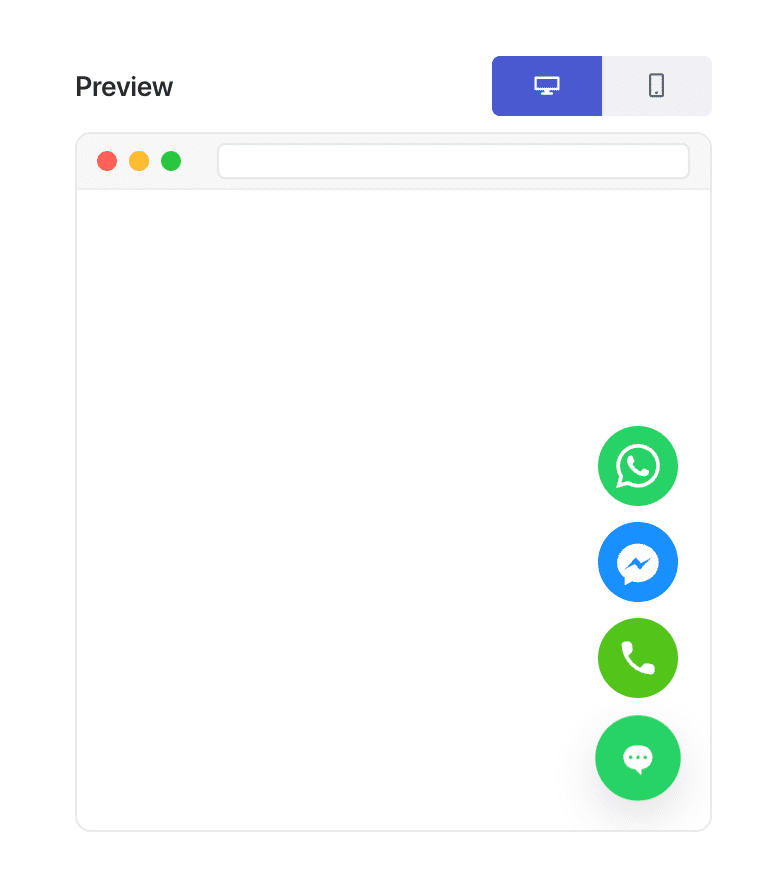
この柔軟性こそが、「ページタイプベースのパーソナライゼーション」を可能にする理由です。
50%スクロールでチャットウィジェットをトリガーする方法(ステップバイステップ)
ステップ1:チャットウィジェットの作成または編集
WordPressダッシュボードで:
PushEngage » チャットウィジェットに移動し、新しいウィジェットを作成または既存のウィジェットを編集をクリックします。
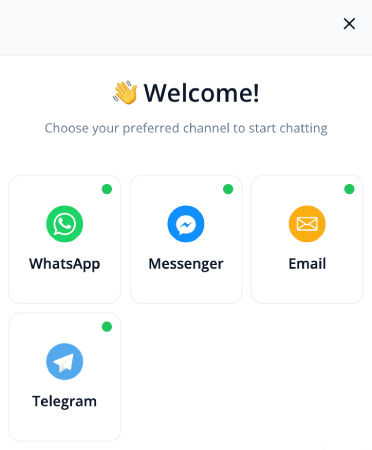
通常どおり、メッセージ、チャネル、デザインを設定します。
ステップ2:行動タブを開く
ウィジェットエディタ内で、トリガーに移動します。これはウィジェットが表示されるタイミングを制御します。
トリガードロップダウンから、スクロール % 後に表示を選択します。
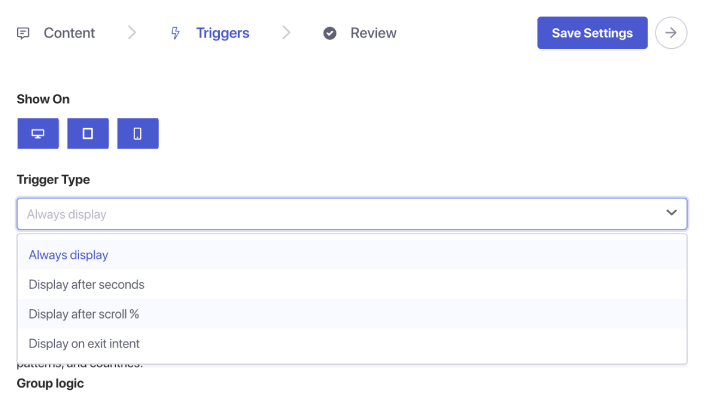
パーセンテージ入力ボックスが表示されます。スクロール深度を50%に設定します。これにより、PushEngageはユーザーがページの半分までスクロールするまでチャットウィジェットの表示を待機します。
ステップ3:保存して公開する
ウィジェットを保存をクリックします。
次に、ウィジェットが有効になっており、目的のページにターゲットされていることを確認します。これで、チャットウィジェットは割り当てられた各ページで正確に50%スクロールポイントでトリガーされます。
プロのヒント:スクロールトリガーとページターゲティングを組み合わせる
スクロールベースのトリガーは、ターゲティングルールと組み合わせるとさらに強力になります。
ウィジェットを表示できます:
- ブログ記事のみ
- WooCommerceの商品カテゴリのみ
- 長文コンテンツのみ
- リピート訪問者のみ
- 価格ページのみ
トリガータブに移動し、ページ条件を設定するだけです。
50%スクロールチャットトリガーのベストプラクティス
最良の結果を得るには:
1. 50%スクロールとインスタントトリガーを組み合わせない
意図に基づいたエンゲージメントの目的が無効になります。
2. メッセージは押し付けがましくなく、役立つものにする
例:
- 「このページを理解するのに役立ちますか?」
- 「パーソナライズされたおすすめをご希望ですか?」
- 「質問がありますか?お手伝いします!」
3. 複数のスクロールトリガーウィジェットを同時に使用しない
1ページにつき1つのウィジェットで、エクスペリエンスをクリーンに保ちます。
4. モバイルとデスクトップの両方でテストする
スクロール深度はデバイスによって異なって感じられる場合があります。
チャットウィジェットの設定後の対応
50%のスクロールトリガーは、訪問者がエンゲージした後、離脱する前の最適な瞬間にチャットを表示する最も簡単な方法の1つです。
PushEngageのビヘイビアルールを使用すると、これを設定するのに1分もかからず、受信チャットの質と意図をすぐに向上させることができます。
PushEngageを使用すると、これを数分で設定でき、エンゲージメントの向上、コンバージョンの増加、担当者のワークロードの効率化をすぐに実感できます。
- 顧客は常に誰かがオンラインであることを見ます
- 応答時間が短縮されます
- 購入前のコンバージョンが上昇します
- サポートがより迅速かつ信頼性が高く感じられます
- あなたのストアはグローバル対応になったように感じられます
スケジュールが設定されると、チームはより効率的に運営できるようになり、顧客は期待通りのエクスペリエンスを得ることができます。
まだPushEngageでエージェントのプロフィールとスケジュールを設定していない場合は、今がその時です。
納得がいかないですか?マルチチャネルマーケティングキャンペーンに関するこれらのすばらしいリソースをご覧ください。


