ページ訪問時に購読者を自動的にセグメント化

In one of our case studies, we have mentioned segmentation has helped to increase the Click Rates by 200%+ and is an essential part of push notifications strategy for any site type.

So, with PushEngage you can segment your subscribers in 6 different ways using the PushEngage Dashboard. Earlier one would need to add 2 extra lines of code to segment the subscribers on page visit but with our recent update you can do it using the PushEngage dashboard and with a single click.

How To Segments Users on Page Visit Automatically?

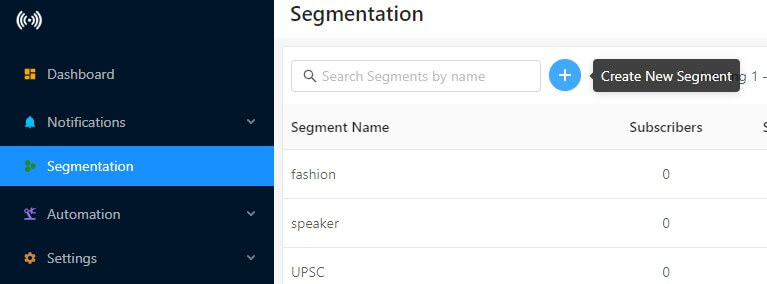
Step 1 – Log in to your PushEngage Dashboard and navigate to Segmentation

Step 2 – Click on the “+” sign.

creating segments

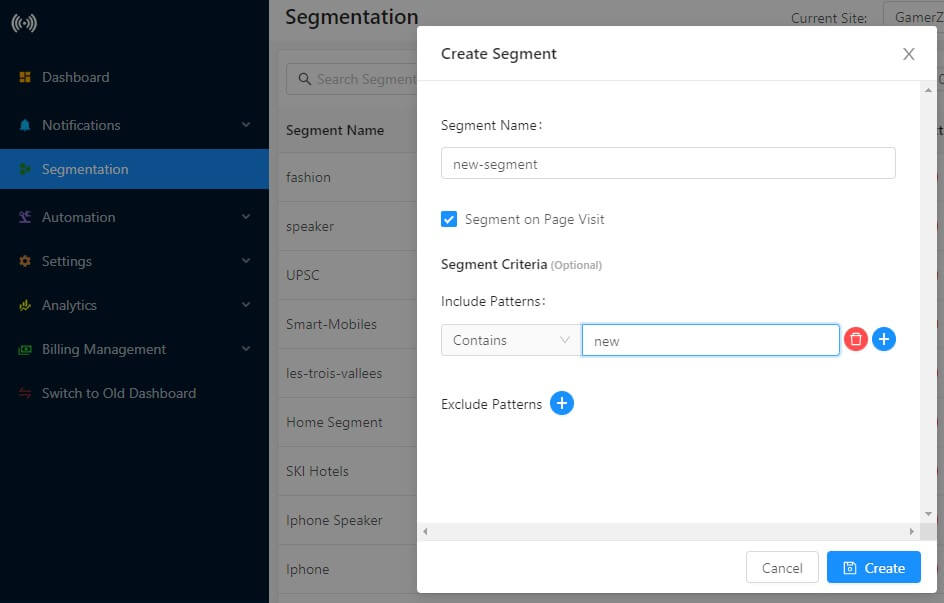
Step 3 – You will see the option to create segments.

segment creation
  • Enter the name of the segment
  • Check the box that says “Segment on Page Visit”
  • Click the “+” sign on “Include Pattern”. It’s best to select “Contains” from the drop-down
  • Enter the pattern or text which matches the URL

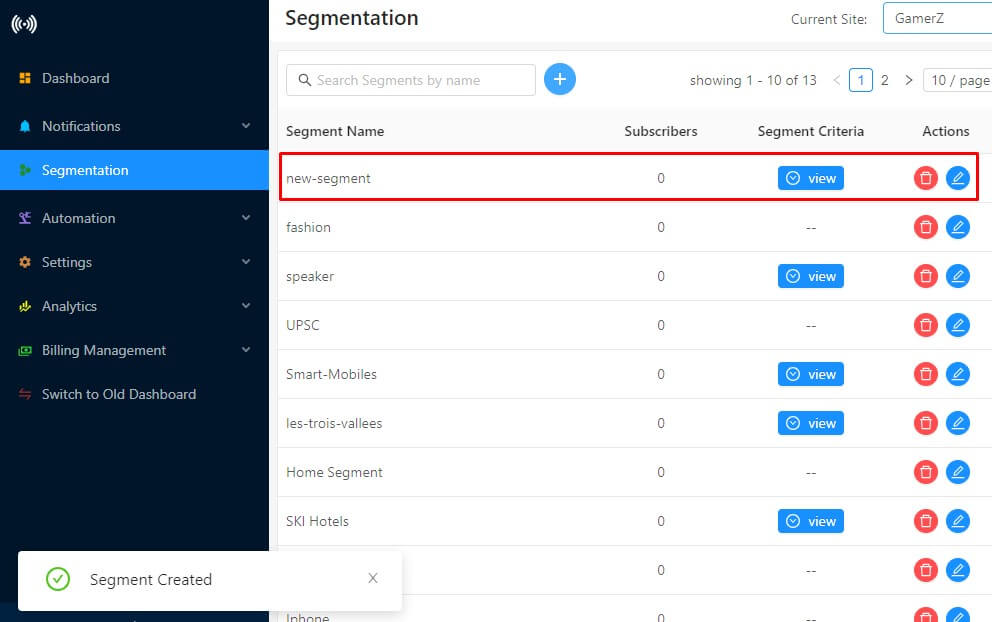
Step 4 – Once all done, click on “Create”. Segment creation is done.

segment created

That would be it and the users will get added tot he relevant segment as soon as they visit the page.

In this way, you can segment your subscribers’ on-page visits in less than 2 minutes. This feature is available from Business Plan onwards. If you wish to take a free trial you can either contact your Account Manager or let us know by sending an email at [email protected].

Free Trial Push Notification

コメントを追加

コメントをお寄せいただきありがとうございます。すべてのコメントはプライバシーポリシーに従ってモデレーションされ、すべてのリンクはノーフォローとなりますのでご注意ください。名前フィールドにキーワードを使用しないでください。個人的で有意義な会話をしましょう。

1 comment on “Segment Subscribers Automatically on Page Visit

ウェブサイトを離れた後も訪問者をエンゲージし、維持する

見逃せないプッシュ通知で、すべてのウェブ訪問の価値を高めましょう。

  • 永久無料プラン
  • 簡単なセットアップ
  • 5つ星サポート