ほとんどのウェブサイト訪問者は、一度離れると二度と戻ってきません。離脱インテントチャットは、カートを放棄したり、価格ページから離脱したり、商品比較で迷ったりしている訪問者がいなくなる前に、もう一度エンゲージする最後のチャンスを与えてくれます。
PushEngageのチャットウィジェットを使用すると、訪問者が離脱しようとしているまさにその時にメッセージを表示し、ヘルプ、安心感、またはコンバージョンを回復させるインセンティブを提供できます。
このガイドでは、離脱インテントがなぜ効果的なのか、そしてPushEngageで1分以内に設定する方法を説明します。
マルチチャネルメッセージを今すぐ送信!
プッシュ通知とWhatsAppメッセージは、リピートトラフィック、エンゲージメント、および売上を自動的に増加させるための非常に効果的で低コストなマーケティングツールです。
離脱インテントとは?
離脱インテントは、次のような行動を追跡することで、訪問者がサイトを離れる可能性が高いと判断します。
- マウスをブラウザの閉じるボタンまたは戻るボタンに向かって動かす
- カーソルの急速な上方移動
- タブの切り替え
- タブを閉じようとする
検出されると、PushEngageはチャットウィジェットを即座にトリガーし、最適な瞬間にエンゲージメントをキャプチャします。
離脱インテントチャットが効果的な理由
離脱インテントチャットは、訪問者が次のような状況にあるときに介入するため、使用できる最もインパクトの高いトリガーの1つです。
- 混乱している
- 迷っている
- 価格を調べている
- 代替案を探している
- チェックアウトを放棄しようとしている
タイミングの良い離脱意図メッセージは、次のことが可能です。
- カート放棄の削減
- 失われたリードの回復
- 最後の瞬間の疑問に答える
- ためらっている瞬間にヘルプを提供する
- 離脱するユーザーにのみインセンティブを提示する
これは、「行く前に何かお手伝いできることはありますか?」と、まさにドアを出ようとしている瞬間に声をかけるデジタル版です。
PushEngageでの離脱インテントの処理方法
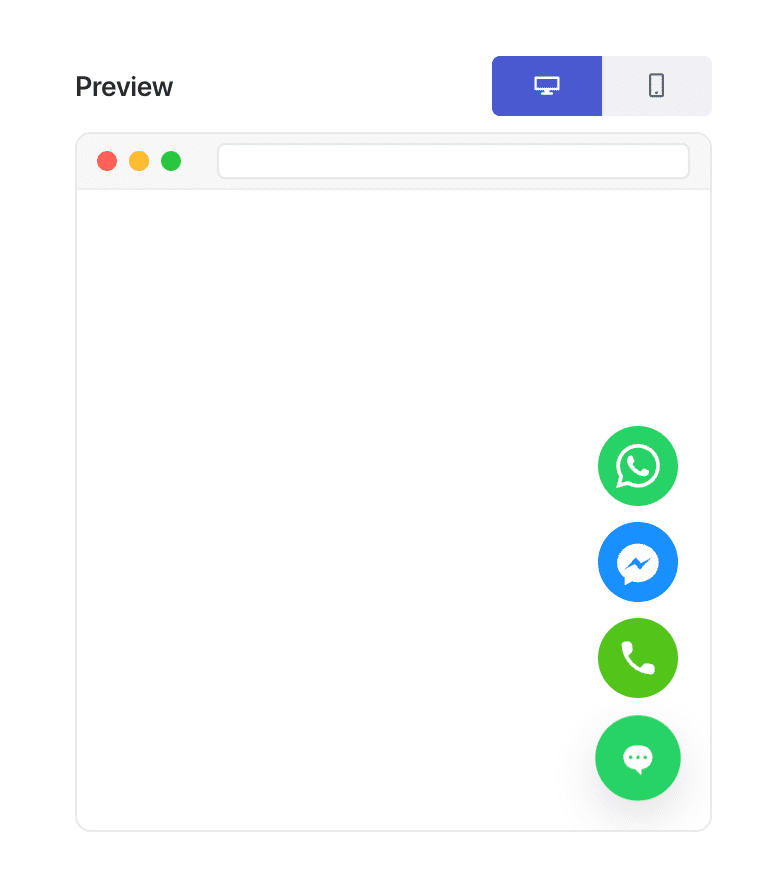
PushEngageには、チャットウィジェットビルダー内に行動ベースのトリガーが含まれています。これらのトリガーの1つが離脱意図時に表示です。
有効にすると、訪問者が離脱を示唆する行動を示すまで、ウィジェットは非表示のままになります。
いくつか注意点があります。
- 離脱意図は、カーソルベースの合図のため、デスクトップで最も効果的です。
- モバイルでは、PushEngageは離脱行動を近似するフォールバックストリガーを使用します。
カスタムスクリプトやプラグインは不要です。PushEngageがすべての検出を自動的に処理します。
PushEngageで離脱インテントチャットを有効にする方法(ステップバイステップ)
ステップ1:チャットウィジェットの作成または編集
WordPressダッシュボードで:
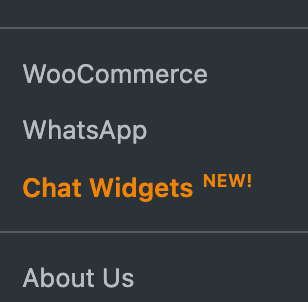
PushEngage » チャットウィジェットに移動します。
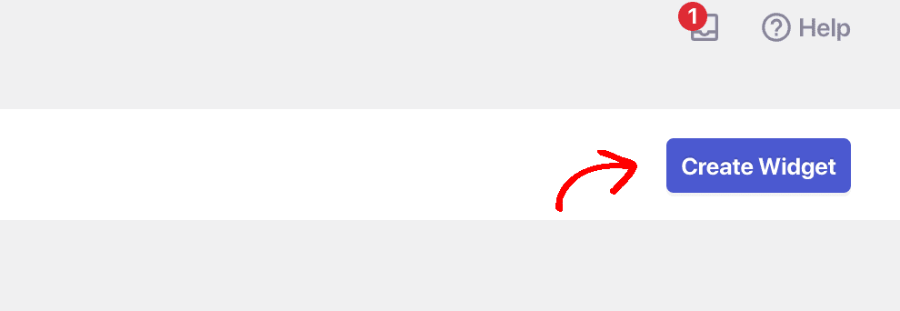
ウィジェットを作成を選択するか、既存のウィジェットを選択して編集します。
ステップ2:離脱インテントでトリガー
チャネルの選択とエージェントスケジュールの設定が完了したら、トリガータブに移動します。トリガータイプで、離脱意図時に表示を選択します。
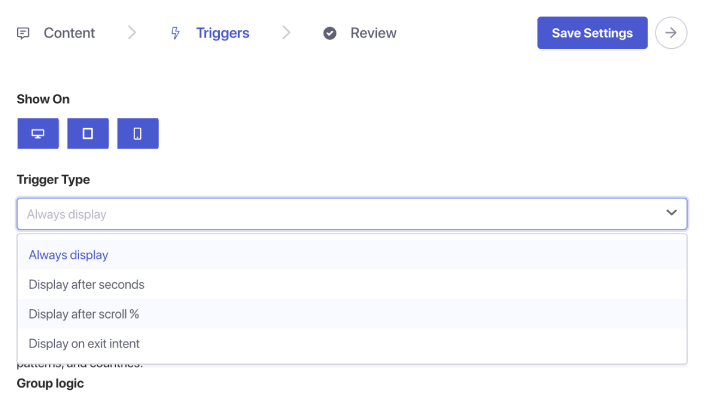
ステップ5:ウィジェットの保存と公開
ウィジェットを保存をクリックします。ウィジェットがアクティブで、正しいページにターゲットされていることを確認してください。これで、離脱意図チャットが有効になりました。
離脱インテントチャットの使用場所(インパクトの高いページ)
離脱意図は、訪問者が意思決定を行っているページで最も効果的です。
1. 価格ページ
コストと価値を比較しており、離脱まであと数秒ということもよくあります。
2. チェックアウトページ
配送料、信頼性、支払いに関する疑問があるかもしれません。
3. 商品ページ
購入前の質問に答えるのに最適なタイミングです。
4. ブログ記事
読んだ後に離脱する前にリードを獲得するのに最適です。
5. デモ/コンサルテーションページ
興味はあるがためらっている見込み客を再エンゲージするのに役立ちます。
ページターゲティングと組み合わせて、最も重要な場所でのみ離脱意図チャットを表示します。
オプションの強化(高ROI)
1. 割引またはオファーを追加する
離脱者のみに表示 → 高意欲訪問者への利益損失なし。
2. 離脱インテントチャットを営業担当者に送信する
失われた機会を即座に回復する。
3. リピート訪問者ターゲティングと組み合わせる
繰り返しの迷いを捉える。
4. ページごとにメッセージを調整する
商品ページ:「この商品について質問がありますか?」
料金ページ:「適切なプランの選択をお手伝いしましょうか?」
チェックアウト:「注文完了のお手伝いをしましょうか?」
離脱インテントチャットのベストプラクティス
控えめに保つ
離脱インテントは、必死さではなく、支援に関するものです。
どこでも積極的な割引は避ける
訪問者が意図的に離脱することを学習させないように、控えめに使用してください。
メッセージは短く保つ
訪問者はすでに離れようとしています — 要求は最小限に抑えましょう。
早期ページトリガーと組み合わせない
離脱インテントチャットは、最後の瞬間にのみ表示されるべきです。
デスクトップとモバイルでテストする
モバイルではフォールバックロジックが必要です — 体験が自然に感じられるようにしてください。
チャットウィジェットの設定後の対応
離脱インテントチャットは、離脱する訪問者を取り戻す最も簡単な方法の1つです — PushEngage を使用すると、実装が非常に簡単になります。
1分以内に、次のことができます:
- ユーザーが離れようとしていることを検出する
- 最適なタイミングで役立つメッセージを表示する
- 売上を回復し、リードを生成し、離脱を減らす
小さな変更、大きな影響。
スケジュールが設定されると、チームはより効率的に運営できるようになり、顧客は期待通りのエクスペリエンスを得ることができます。
まだPushEngageでエージェントのプロフィールとスケジュールを設定していない場合は、今がその時です。
納得がいかないですか?マルチチャネルマーケティングキャンペーンに関するこれらのすばらしいリソースをご覧ください。


