
プッシュ通知を使ってYouTubeの登録者を増やす方法についての資料をお探しですか?
YouTubeの登録者を増やすのは難しい場合があります。チャンネルの成長における最大の課題の1つは、登録者リストを制御する方法が非常に少ないことです。それは、あなた自身の登録者リストにアクセスしたり制御したりできないからです。
だからこそ、すべてのYouTuber、Twitchストリーマー、またはソーシャルメディアコンテンツクリエイターに、登録者リストを個別に収集するためのウェブサイトも持つことをお勧めします。ウェブサイトで収集したメールリストまたはプッシュ通知登録者リストは、すべてあなたが所有するものです。
この記事では、WordPressウェブサイトでプッシュ通知を使用してYouTubeの登録者を増やす方法をステップバイステップでご紹介します。一番良いところは?非常に簡単に行えることです。
さあ、始めましょう。
プッシュ通知がYouTubeチャンネルに不可欠な理由
プッシュ通知は、YouTubeチャンネルの成長を維持するためのスマートな方法です。ファンに動画について知らせ、チャンネルの周りにコミュニティを構築するのに役立ちます。
YouTubeチャンネルでプッシュ通知キャンペーンを送信する必要がある理由は次のとおりです。
- すぐに気づかれる:動画を投稿すると、プッシュ通知がすぐにファンに通知されます。これにより、より多くの人がすぐに動画を見ることができます。
- 多数の中から見られる:YouTubeは大量の動画で非常に混雑しています。プッシュ通知により、ファンがあなたの動画を見逃さないようになります。
- ファンを呼び戻す:視聴者への定期的なメッセージは、動画を見てもらうことを思い出させるのに役立ちます。
- 適切な人に話しかける:各ファンの好みに合わせたメッセージを送信できます。これにより、動画を見てもらうことへの関心が高まります。
- 重要なコンテンツに最適:ライブ配信など、特別なイベントがある場合、プッシュ通知はファンにその場で視聴してもらうことができます。
- 効果測定:どのメッセージが最も反応が良いかを確認し、視聴者がどのようなコンテンツを好むかを学ぶことができます。
- 費用対効果:プッシュ通知は、動画について人々に知らせるための安価な方法です。
- ファンコミュニティの構築:これらのメッセージは、視聴者がグループの一員であるかのように感じさせるのに役立ちます。
プッシュ通知は、YouTubeなどのプラットフォームにおけるシャドウバン、収益化停止、チャンネルBANといった問題に対処する上で、サポート的な役割を果たすことができます。その方法を以下に示します。
- シャドウバン対策:シャドウバンは、通知なしにコンテンツをより多くの視聴者に見えなくさせることがあります。プッシュ通知は、サブスクライバーに新しいコンテンツを直接通知し、シャドウバンされていても動画が視聴者に届くようにします。
- 収益化停止に対する保険:動画が収益化停止された場合、唯一の収入源が壊滅する可能性があります。プッシュ通知は、視聴者のエンゲージメントを維持し、トラフィックを促進するのに役立ち、収益化状況に関係なく安定した視聴者基盤を提供します。
- チャンネルBANからの保護:万が一チャンネルがBANされた場合、プッシュ通知による直接的なコミュニケーション手段があれば、視聴者を代替プラットフォームやコンテンツに誘導し、視聴者ベースの継続性を確保するのに役立ちます。
これらは仮説上の問題ではありません。
ライブ配信者は常にシャドウバンされています。MxR Playsのような長年のYouTuberは、頻繁に一括収益化停止され、チャンネルを閉鎖寸前に追い込まれています。
これはYouTubeの暗部であり、長年のYouTuberが経済的に破綻するのを見るのは心痛むことです。特にYouTubeのガイドラインは非常に曖昧で、収益化停止の理由を理解するのが非常に困難であることを考えると、なおさらです。
MxR Playsのような一部のクリエイターは、Patreonやeコマースサイトを利用して、最も古いファンとのつながりを保っています。しかし、ウェブサイトを持つことは常にずっと良いことです。もしそれがあなたのフルタイムの仕事なら、それから引き裂かれることほど悪いことはありません。実際、MxRはわずか2週間で279本の動画が収益化停止されたことの壊滅的な影響について語る動画を作成しました。
プッシュ通知を使用することで、プラットフォーム関連の課題に対して、コンテンツクリエイターに一定のセキュリティと安定性を提供できます。言うまでもなく、ファンとエンゲージするための素晴らしいプッシュキャンペーンを送信することもできます。
もちろん、プッシュ通知の送信を開始する前に、サブスクライバーを収集するためのアプリまたはウェブサイトが必要になります。すでにアプリまたはウェブサイトをお持ちの場合は、素晴らしいことです。しかし、そうでない場合は、今日すぐにチャンネル用のウェブサイトを作成することを強くお勧めします。
YouTubeチャンネルのPushEngage設定方法
プッシュ通知キャンペーンを作成する前に、プッシュ通知購読サービスを選択する必要があります。プッシュ通知サービスとは、コーディングなしでプッシュキャンペーンを作成できるソフトウェアのことです。
プッシュ通知サブスクライバーを獲得するには、PushEngageの使用をお勧めします。

PushEngage は世界No.1のプッシュ通知プラグインです。
プッシュ通知は、ウェブサイトのトラフィックとエンゲージメントを自動で増やすのに役立ちます。オンラインストアを運営している場合は、PushEngageが自動eコマースプッシュ通知の作成を支援することで、売上を伸ばすのにも役立ちます。
無料で開始できますが、ビジネスの成長に真剣に取り組んでいる場合は、有料プランを購入する必要があります。また、プッシュ通知サービスを購入する前に、プッシュ通知のコストに関するこのガイドを確認してください。
PushEngageで得られるものを簡単に見てみましょう。
- コンバージョン率の高い自動キャンペーン
- 複数のプッシュ通知ターゲティングおよびキャンペーンスケジュールオプション
- 目標追跡と高度な分析
- スマートA/Bテスト
- プッシュ通知テンプレート
- 複数のプッシュ通知ポップアップスタイル
- 専任のサクセスマネージャー
その他多数!
ビジネスのトラフィック、エンゲージメント、売上を伸ばしたいのであれば、PushEngageが断然最良の選択肢であることがわかるでしょう。予算が限られている場合は、プッシュ通知で少しクリエイティブになることもできます。
注:WordPressサイトを実行している場合は、PushEngage WordPressプラグインをインストールしてアクティブ化する必要があります。
始めましょう!
ステップ#1:無料のPushEngageアカウントを作成する
PushEngageにアクセスし、今すぐ無料で開始をクリックしてください。
無料プランで始めることができます。しかし、ターゲットを絞ったプッシュ通知を送信したい場合は、グロースプランを選択する必要があります。希望するプランがわかったら、始めるをクリックしてPushEngageアカウントを作成してください。
ステップ#2:PushEngageにサインアップする
次に、PushEngageアカウントを作成します。メールアドレスまたはGmail IDでサインアップすることから始めます。

次に、アカウントの詳細を入力します。

そして、プランを購入するためにクレジットカード情報を追加します。

無料アカウントを選択した場合、プランをアップグレードすることを選択するまで、クレジットカードに請求されることはありません。これで、PushEngageダッシュボードにアクセスする準備が整いました。 登録を完了してすぐにアクセスをクリックするだけです。
以前にOneSignalやPushAlertを使用したことがある場合、PushEngageはダッシュボードからよりクリーンなエクスペリエンスを提供することがわかります。OneSignalダッシュボードは高度なキャンペーン向けではありません。そのためには、OneSignalプラグインよりもAPIが必要になります。
ステップ3:WordPressプッシュ通知購読プラグインのインストール
注意:WordPressサイトを運営していない場合は、インストールガイドを確認して開始してください。
アカウントの作成は完了しました。それでは、プッシュ通知エンゲージメント率を追跡できるPushEngageダッシュボードにアクセスして、進めてください。

サイト設定 » サイト詳細をクリックし、セットアップ手順はこちらをクリックボタンをクリックしてください:

WordPressタブをクリックし、PushEngage WordPressプラグインをインストールボタンをクリックして、ウェブサイトにプラグインをインストールしてください。

ここが素晴らしい点です: PushEngageアカウントを作成したときに、すでにウェブサイトをPushEngageアカウントと同期しています。そのため、PushEngageダッシュボードのインストールリンクをクリックして、PushEngage WordPressプラグインをウェブサイトに自動的にインストールしてください。
ステップ#4:WordPressウェブサイトをPushEngageに接続する
PushEngage WordPressプラグインのインストールと有効化が完了すると、PushEngageのオンボーディングウィザードが表示されます。

ウィザードは非常にわかりやすいです。新規ユーザーの場合は、新規?無料アカウントを請求をクリックしてください。すでにサインアップ済みの場合、既存のアカウントを接続をクリックしてください。
次に、サインアップ中にサイトを登録した場合、登録済みサイトを接続の下にあるサイトを選択ドロップダウンからサイトを選択できます:

または、 プレミアムプラン以上をお持ちの場合は、新規サイトを登録をクリックして新しいサイトを追加できます。次のステップでは、オンボーディングウィザードが他の 必須のWordPressプラグインをインストールするように促します。

各ステップを正しく実行すると、ウィザードからこの成功メッセージが表示されます。

これで、キャンペーンやプッシュ通知ポップアップモーダルを作成する準備が整いました。
効果的なプッシュ通知のデザイン
成功しているYouTubeチャンネルを運営しているなら、視聴者があなたに何を求めているかをすでに理解しているはずです。購読者に、自分向けに特別に作られたと感じさせるパーソナライズされたプッシュ通知を送信する方法もすでに知っているでしょう。一番良いところは?当社の顧客は、パーソナライズされたキャンペーンで約8%のコンバージョン率を獲得しています。
さて、まず最も基本的なことから始めましょう。それは、より多くの購読者を得るためにできることです。つまり、チャンネル登録を人々に依頼することです。次に、チャンネルの成長を促進するための素晴らしい方法をいくつかご紹介します。
- 視聴時間
- リピートトラフィック
- アフィリエイト売上
- グッズ売上
その他多数!
できる最も簡単なことは、すべてのプッシュ通知に登録を促すクリック可能なボタンを追加することです。YouTubeチャンネルにアクセスして、URLをコピーしてください。私たちの場合は、https://www.youtube.com/@Pushengageです。
URLの末尾に「?sub_confirmation=1」を追加するだけです。したがって、私たちのチャンネルの場合は次のようになります:https://www.youtube.com/@PushEngage?sub_confirmation=1。
次に、このリンクをプッシュ通知ボタンのURLとして使用します。
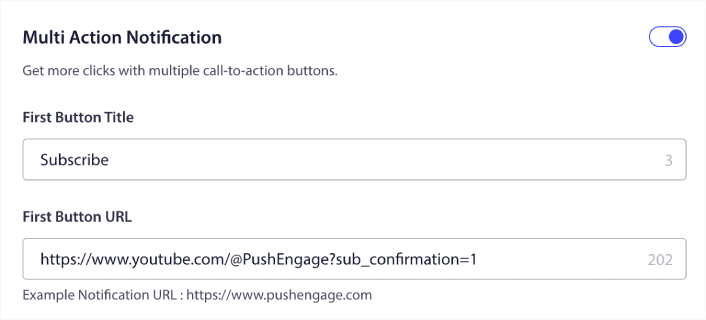
この方法がわからない場合は、プッシュ通知にボタンを追加する方法に関するこのガイドを確認してください。
次に、YouTubeチャンネルを成長させるために使用できる、プッシュ通知のクールなキャンペーンアイデアをいくつか見てみましょう。
1. 新着動画アラート
新しい動画をアップロードするたびに、プッシュ通知の購読者に新しい動画アラートを送信できます。
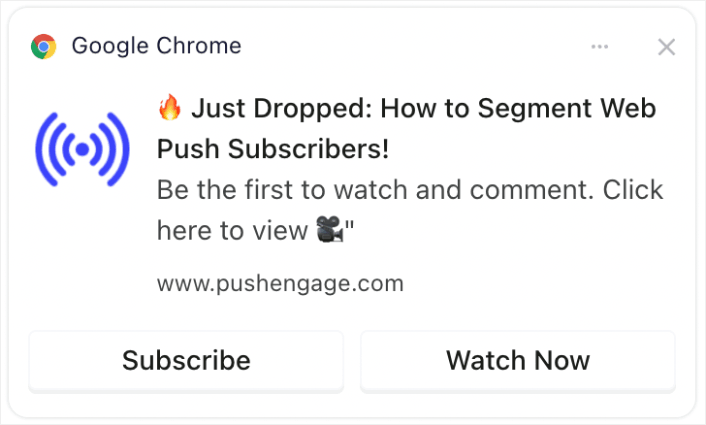
新しい動画に関するタイムリーなアラートは、初期の視聴回数を大幅に増やすことができます。これはYouTubeのアルゴリズムにとって非常に重要です。即時の注意を引き付け、動画が他の人に推奨される可能性を高めます。
プロのヒント:YouTubeに新しいショート動画や動画をアップロードするときは、YouTubeの「購読者に通知する」機能は絶対に使用しないでください。使用すると、YouTubeは最もアクティブな購読者にのみ動画を排他的に送信します。応答とクリック率に基づいて、最初の数時間で優れた応答が得られない場合、アルゴリズムはオーガニックトラフィックを抑制する可能性があります。
ウェブおよびアプリのプッシュ購読者を使用することで、引き続き動画にトラフィックを送信できます。これにより、アルゴリズムが新しい人に動画をロールアウトする決定に影響を与えることはありません。
2. 限定コンテンツのティーザー
今後の動画のスニペットやプレビューを、プッシュ通知の購読者に限定して共有します。
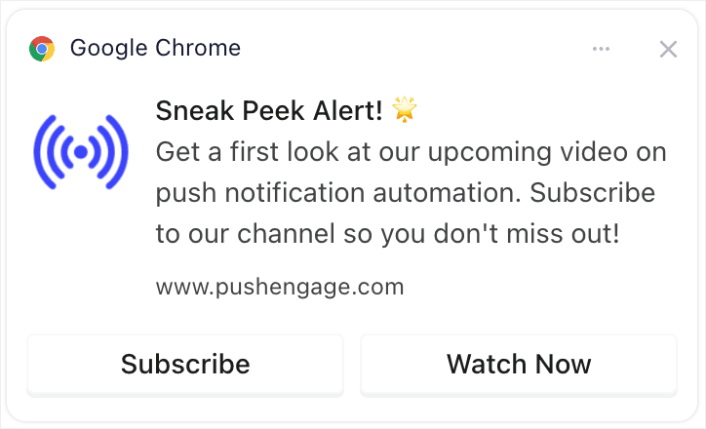
限定的なプレビューやスニペットを共有することで、期待感と興奮を高めることができます。このエンゲージメントは、コンテンツの共有やディスカッションの増加につながり、リーチを広げることができます。
3. 登録者数マイルストーンのお祝い
特定の数の購読者に到達したなどのチャンネルのマイルストーンを中心に興奮を作り出します。
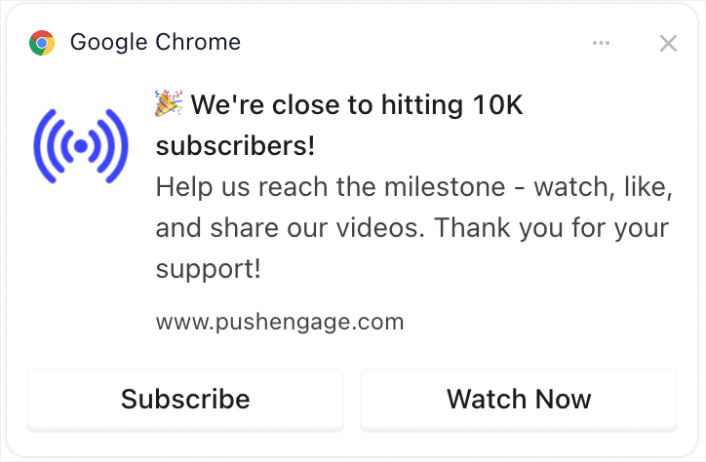
視聴者をマイルストーンのお祝いに参加させることで、コミュニティ意識が生まれます。視聴者は成長し成功しているチャンネルの一部であることを好むため、より多くの購読を奨励することができます。
4. ライブ配信のお知らせ
今後のライブストリームやQ&Aセッションについて購読者に通知します。
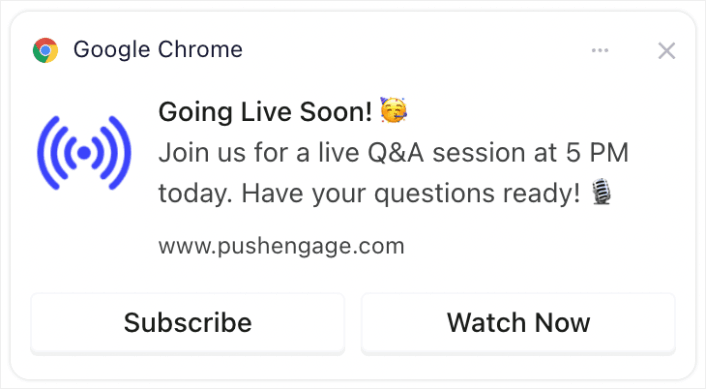
ライブストリームについて通知することで、YouTubeが重視するリアルタイムのエンゲージメントが高まります。ライブ視聴回数、コメント、インタラクションを増やすことができます。
5. コラボレーションのハイライト
他のYouTuber、ブランド、またはインフルエンサーとのコラボレーションを発表します。
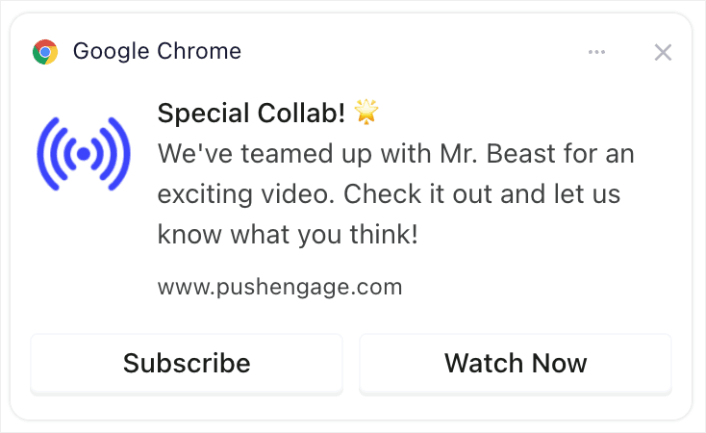
コラボレーションを発表することで、コラボレーターのファン層にアピールし、チャンネルの新規登録者を獲得できる可能性があります。
6. アンケートと視聴者エンゲージメント
今後の動画のトピックに関する意見や、過去のコンテンツに関するフィードバックを求めることで、登録者をエンゲージさせましょう。
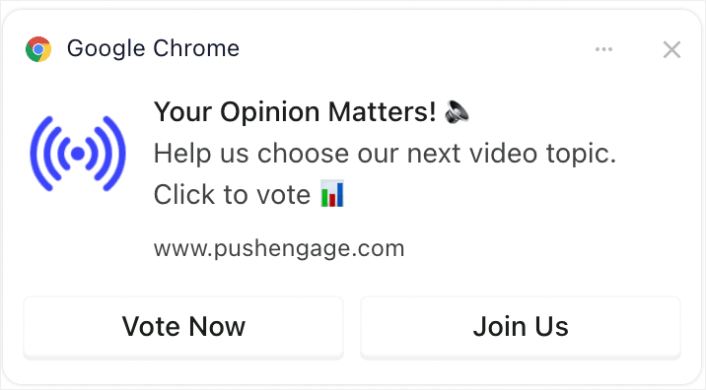
アンケートのようなインタラクティブなコンテンツは、視聴者を惹きつけ、意見を表明する機会を与えることで、ロイヤリティと定期的な視聴を促進します。そして、アンケートを実施したことがない場合は、WordPressでアンケートを作成する方法についてのこのガイドを確認できます。
7. 登録者限定オファー
登録者には、特別なオファーやボーナス(ダウンロード可能なコンテンツや限定アクセスなど)を提供しましょう。
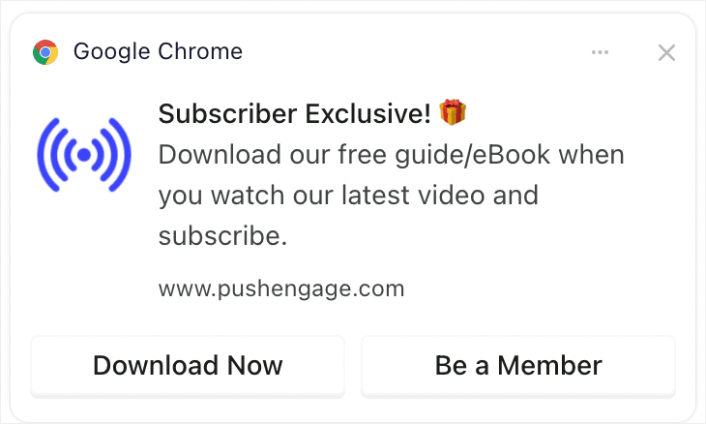
限定オファーやコンテンツを提供することは、視聴者がチャンネルを登録し、関心を持ち続けるための強力なインセンティブとなります。
8. まとめ通知
最も人気のある動画の週次または月次まとめを送信しましょう。
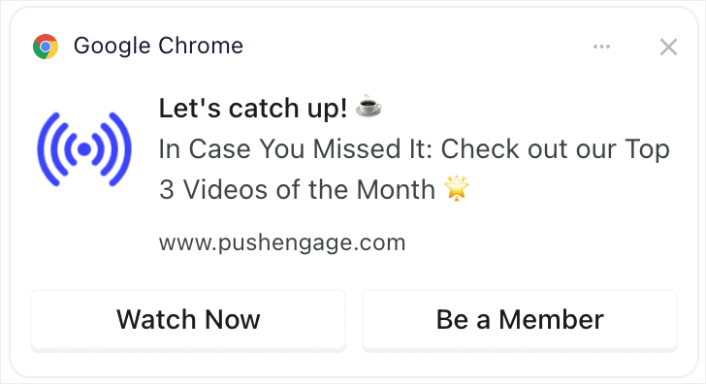
最も人気のある、または最近のコンテンツについて視聴者にリマインドすることで、それを見逃した人々の注意を引き、視聴とエンゲージメントを増やすことができます。
まとめ動画を作成したくない場合は、最近のコンテンツすべてをリストした投稿を作成し、その投稿へのリンクを送信するだけで済みます。または、Linktreeにリンクを作成して、最近の動画すべてをリストした一時的なランディングページを作成することもできます。
9. BTS(舞台裏)のぞき見
舞台裏のコンテンツや動画制作の様子を共有しましょう。
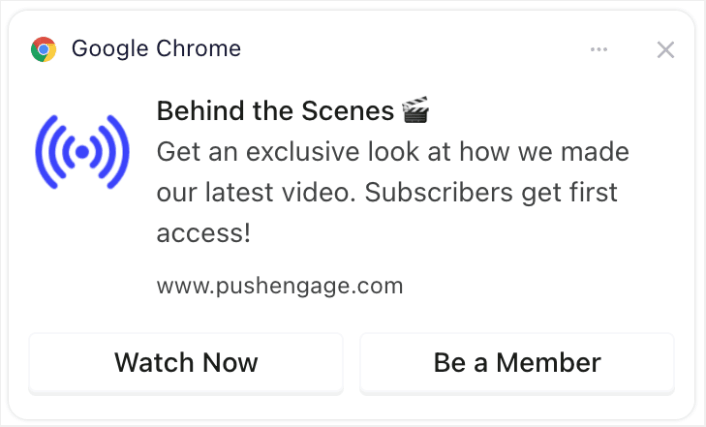
舞台裏を覗かせることで、視聴者とチャンネルとのつながりを深め、コンテンツへのエンゲージメントや共有を促す可能性が高まります。
10. ユーザー生成コンテンツのプロモーション
登録者に、あなたのチャンネルに関連する独自のコンテンツを作成させ、それを紹介しましょう。
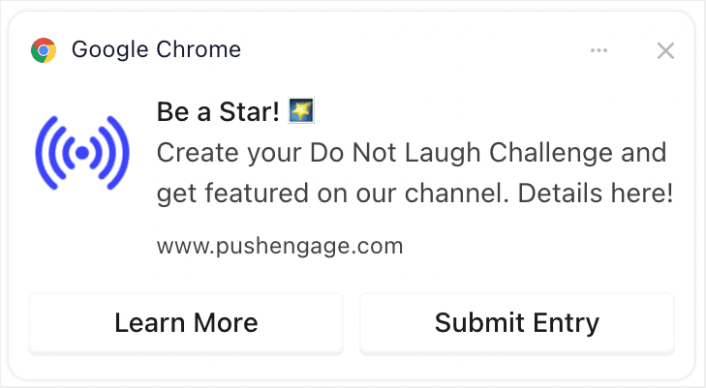
関連コンテンツの作成を視聴者に促すことで、コミュニティを構築し、エンゲージメントを高めることができます。視聴者はよりつながりを感じ、大切にされていると感じるからです。また、WordPressでフォームを作成して、登録者からの応募を収集するのは非常に簡単です。
通知のタイミングと頻度の最適化
プッシュ通知は送りすぎると逆効果になることがあります。
送信すべきプッシュ通知の数は、業界によって異なります。とはいえ、お客様に送信する最善の方法は、1日あたり最大2件、週あたり5件までです。
1日あたり平均1件の通知がさらに効果的です。
もちろん、購読者に本当に重要なことを伝える場合を除きます。
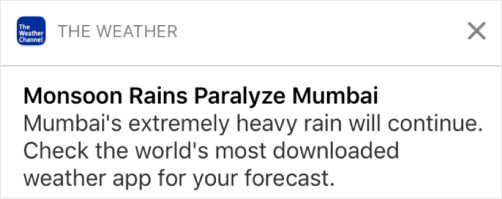
あまりにも攻撃的になり、購読者を不快にさせてしまう可能性があります。それはプッシュ通知の購読者を失うための素晴らしい方法です。しかし、顧客とつながる必要があります。そして、プロモーション通知とトランザクション通知を送る必要があります。
さらに詳しいヒントについては、プッシュ通知をどれくらい送信すべきかに関するこの記事をご覧ください。
プッシュ通知をさまざまな方法でスケジュール設定することもできます。

プッシュ通知の送信をスケジュールするのは非常に簡単です。
- 直ちに
- 特定の日時
- 繰り返しイベントとして
通知の送信数とプッシュ通知の送信タイミングを知ることで、解約率を劇的に減らすことができます。
プロのヒント: プッシュ購読者がエンゲージしなくなったら、リターゲティングキャンペーンを開始して再エンゲージさせることができます。それでもうまくいかない場合は、いつでも購読者リストをクリーンアップできます。
ターゲットとオーディエンスのセグメンテーション
ターゲットを絞ったプッシュ通知は、クリック率を高め、購読解除率を低くします。セグメンテーションにより、ウェブプッシュ購読者にカスタムエクスペリエンスを提供できます。ほとんどのプッシュ通知サービスやツールでは、セグメントを作成するためにカスタムコードが必要です。
セグメントは、ターゲットを絞ったプッシュキャンペーンを送信するための非常に優れた方法です。そして、それはあなたのプッシュ通知マーケティング戦略の大きな部分を占めるはずです。しかし、どのように始めればよいでしょうか?どのようなセグメントを作成すべきでしょうか?
プッシュ通知登録者をセグメント化する方法についての記事で、詳細な説明を記述しました。
一般的に、作成できるセグメントにはいくつかの異なるタイプがあります。
- 機会ベースのセグメント
- 行動セグメント
- 動的セグメント
- 地理的セグメント
- 人口統計学的セグメント
…などです。
また、イベントベースのセグメンテーションを使用して、さまざまな種類のターゲットプッシュキャンペーンを送信することもできます。さらに、これらのセグメントを使用して、サイトにサブスクリプションウィジェットを作成することもできます。

サブスクリプション管理ウィジェットを使用すると、訪問者はあなたが送信するプッシュ通知の種類を選択できます。

さらに、サブスクライブ時に自動的に登録者をセグメント化するプッシュ通知ポップアップを作成することもできます。
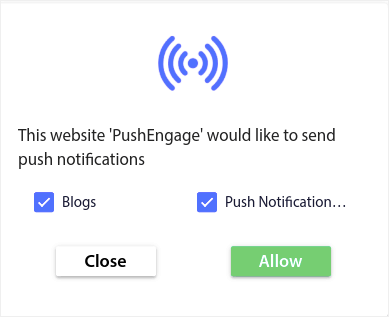
コンテンツテーマを使用すると、関連性の高いコンテンツのみを購読者に送信できます。これにより、購読率とエンゲージメント率の両方を向上させることができます。
プロのヒント: コンテンツのテーマを多様化することを忘れないでください。さまざまな種類のユーザーをターゲットにするために、複数のプッシュ通知オプトインを作成できます。複数のカスタムオプトインを作成することは、既存のコンテンツからプッシュ登録者を増やすための優れた方法です。
プッシュ通知キャンペーンの追跡と分析
分割テストは、プッシュ通知購読者を購読し続けるようにするための良い方法です。しかし、プッシュ通知で何を分割テストできるのでしょうか?
プッシュ通知の最も一般的なパフォーマンス指標は次のとおりです。
- クリック率:プッシュ通知のクリック率は、購読者がプッシュ通知を見てクリックした頻度です。
- 表示率:プッシュ通知の表示率は、購読者がプッシュ通知を受信し、期限切れ前に表示した頻度です。
- 目標コンバージョン:キャンペーンの目標を設定し、キャンペーンの目標追跡を設定できます。目標コンバージョンは、目標を達成した回数の測定値です。
表示率を高めるには、プッシュ通知に大きな画像を使用してください。通知に画像を使用すると、すぐに魅力が増します。
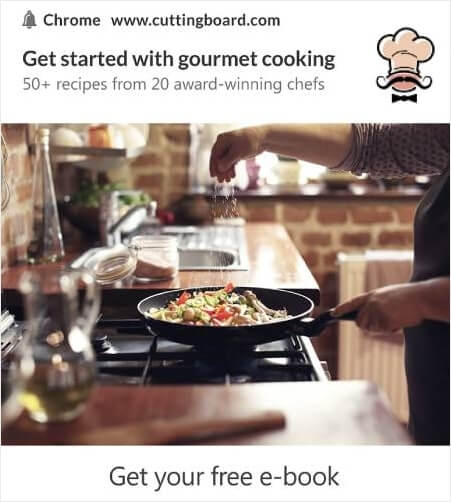
プッシュ通知のタイトルでパワーワードを試すこともできます。

したがって、画像ありとなしで通知をA/Bテストできます。また、タイトルにパワーワードありとなしでプッシュ通知をスプリットテストすることにより、表示率をテストすることもできます。
クリック率を改善したいのであれば、コアメッセージに焦点を当て、それを非常に的確なものにすることを目指しましょう。これは主に、次の2つのうちのいずれかです。
そして、その分野でA/Bテストできることは何もありません。しかし、プッシュ通知のCTA(Call to Action)ボタンでクリック率をA/Bテストすることはできます。CTAが1つまたは0個のプッシュ通知と、CTAが2個のプッシュ通知をA/Bテストしてみてください。
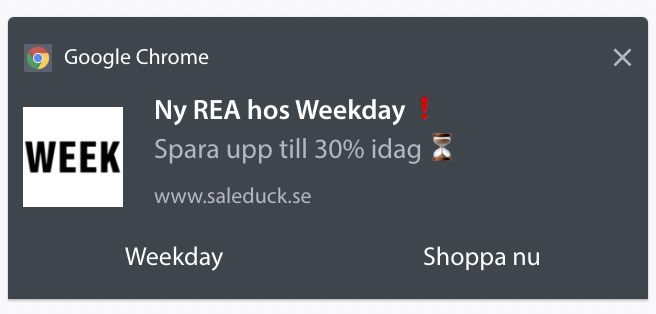
複数のCTAを作成する方法がわからない場合は、プッシュ通知にボタンを追加する方法に関するこの記事をご覧ください。
目標コンバージョンでは、関連性の高いeコマースプッシュ通知を設定することがほとんどです。したがって、ここでも分割テストできることは多くありません。とはいえ、優れたオファーへのクリック率を高めるためにプッシュ通知を最適化できれば、目標コンバージョンは増加します。
時間をかけて、プッシュ通知ポップアップのオプトイン率を改善できます。優れたプッシュ通知サービスがあれば、詳細なオプトイン分析が得られます。
あらゆるコンバージョンツールキットには、独自のポップアップ分析機能が付属しています。では、なぜプッシュ通知ポップアップが異なる必要があるのでしょうか?
素晴らしい点は次のとおりです…
プッシュ通知キャンペーンだけでなく、オプトインの分析も取得できます!
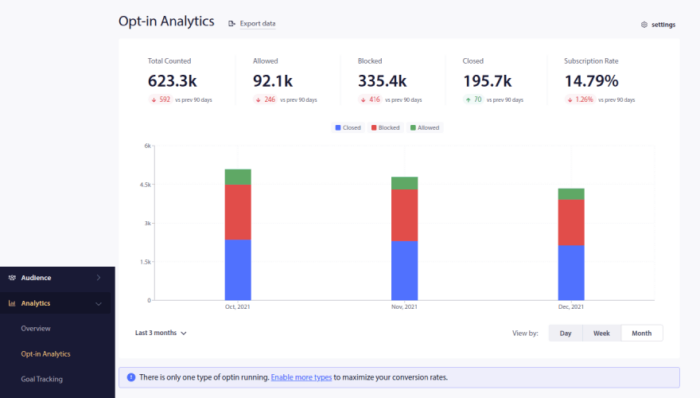
オプトイン分析に注意を払うことは、プッシュ通知の登録を取得するための良い方法です。また、時々登録者リストをクリーンアップし、キャンペーンへの参加を拒否する登録者を削除する必要があります。これにより、実際のエンゲージメント数を把握でき、あなたからの情報を聞きたい登録者のみにプッシュ通知を送信できます。
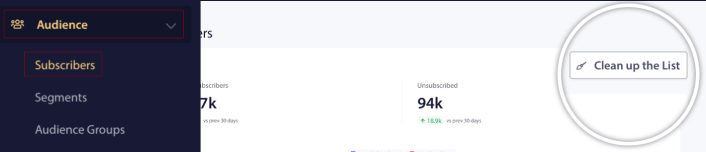
同時に、プッシュ通知キャンペーンに関する購読者からのフィードバックを得ることもお勧めします。
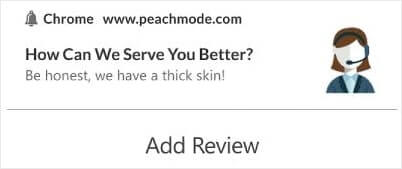
キャンペーンに関するレビューやフィードバックを収集するために、フォーム付きのシンプルなランディングページを作成できます。
YouTubeの登録者をさらに速く増やす方法
プッシュ通知サブスクリプションの取得方法がわかったので、いよいよキャンペーンの構築を開始します。効果的なプッシュ通知の活用方法について、さらに多くの例を確認することから始めましょう。
- 利用できるウェブサイトのウェルカムメッセージのベスト21例
- 今すぐ使える、素晴らしいプッシュ通知の例75選
- インスピレーションを得るための15のプッシュ通知コピー例
- コンバージョン率の高いプッシュ通知オプトインの7つの例(2022年)
- 今すぐ盗める!クリエイティブなプッシュ通知の11の例
- Web通知WordPressプラグインをサイトに追加する方法
プッシュ通知キャンペーンを最大限に活用するには、プッシュ通知のベストプラクティスに関する記事も参照してください。
しかし、プッシュ通知を送信し始めない限り、これらのどれもあなたのブランドにとって大きな変化をもたらすことはありません。
ですので、まだ始めていない場合は、今日からPushEngageを使い始めましょう!


