
Easy Digital Downloads のレビューをお探しですか?
デジタル製品の作成は非常に簡単です。しかし、オンラインで販売するとなると、すぐに複雑になることがあります。そこで、Easy Digital Downloads のような eコマース プラグインが非常に役立ちます。
しかし、価格に見合う価値はあるのでしょうか?
WooCommerce をインストールしてそのまま使うことはできないのでしょうか?
この記事では、これらの質問に答え、さらに多くの質問にお答えします。Easy Digital Downloads をテストしましたので、お客様がテストする必要はありません。
早速飛び込みましょう。
Easy Digital Downloads の簡単な概要
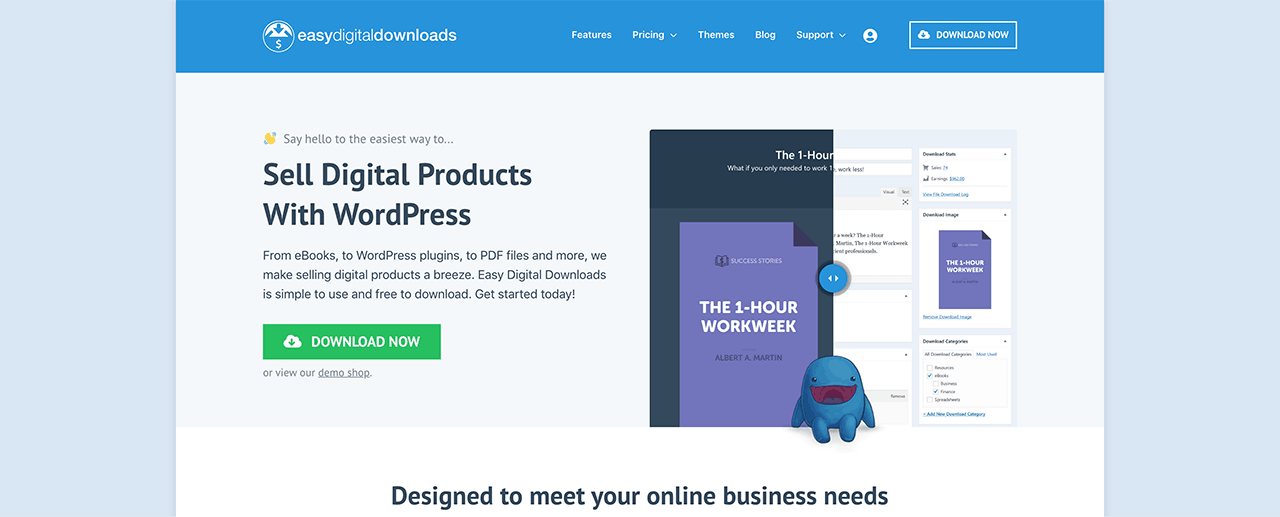
Easy Digital Downloads (EDD) はデジタルグッズの販売を目的としています。私たちが最初に抱いた疑問、そして他の多くの人が抱く疑問は、「なぜ無料で WooCommerce を使えないのか?」ということです。理由は簡単です。WooCommerce はデジタル製品を念頭に置いて作成されたものではありません。一方、Easy Digital Downloads では物理的な製品は後回しにされています。
したがって、デジタル製品を販売したいと考えており、すぐにセットアップしたい場合は、Easy Digital Downloads が最も安全な選択肢です。この記事の後半で EDD のセットアップの簡単さについて説明しますが、シンプルで使いやすいソフトウェアとして作成されたことを理解することが重要です。
そして、より高度な機能が必要になった場合は、アドオンをインストールするだけで済みます。これらの機能のほとんどは、WooCommerce では多額の費用がかかります。しかし、EDD プランの一部としてこれらのアドオンを入手できます。
さらに素晴らしいのは、Easy Digital Downloads があらゆる WordPress テーマと 100% 互換性があるという事実です。WooCommerce では、eコマース互換性のあるテーマが必要になります。いずれにしても、開始するためのテーマが必要な場合は、EDD は無料のテーマも提供しています。
Easy Digital Downloads のセットアップ方法
Easy Digital Downloads を使用したい理由について少し理解したところで、プラグインのセットアップ方法を確認しましょう。まず、プラグインをインストールしてください。方法がわからない場合は、WordPress プラグインのインストール方法に関するこの記事を確認してください。
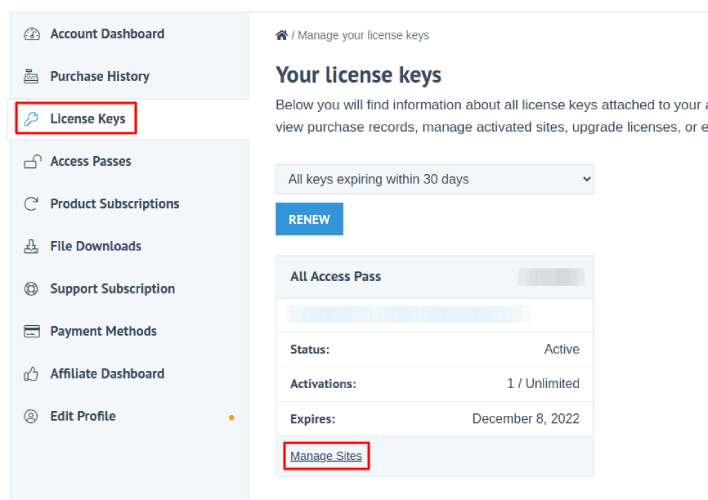
次に、Easy Digital Downloads のダッシュボードに移動し、[ライセンス キー] に移動して [サイトの管理] をクリックします。
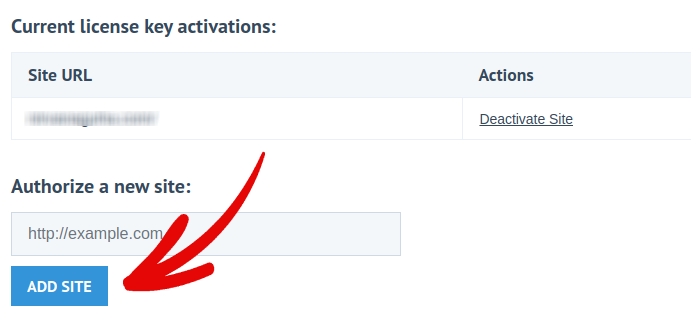
そして、ダッシュボードにサイトを追加します。
その後、支払いプロセッサをセットアップするだけです。[ダウンロード] » [設定] をクリックし、[支払いゲートウェイ] タブをクリックして、支払いゲートウェイを選択してセットアップします。
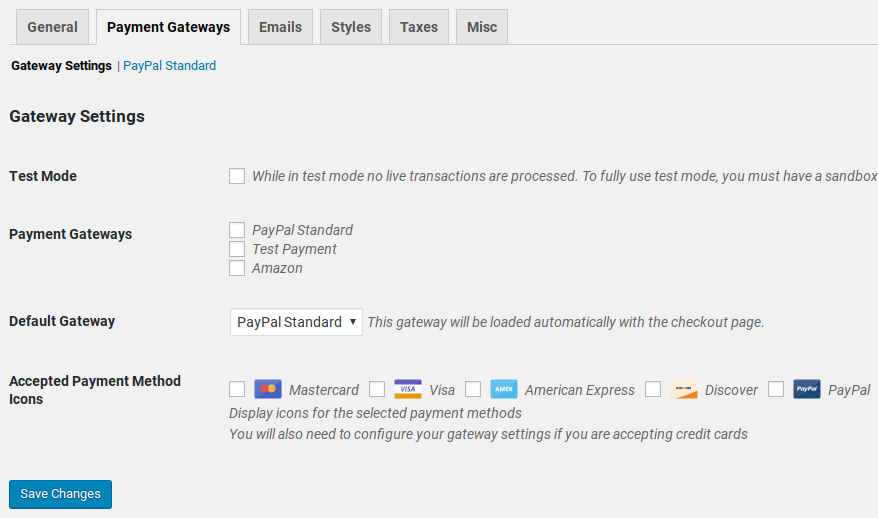
ご覧のとおり、これは非常に簡単です。
支払いプロセッサのセットアップが完了したら、新しいデジタル製品を作成して販売を開始するだけです!
Easy Digital Downloads はあなたのために何ができますか?
概要で述べたように、Easy Digital Downloads は WooCommerce よりもデジタル製品向けの機能がはるかに豊富です。しかし、それはどういう意味でしょうか?
EDD がこれほど強力である主な理由は、数回のクリックで追加できる拡張機能とアドオンの巨大なライブラリです。WooCommerce とは異なり、必要のないメガバンドルの機能が提供され、必要な機能が欠けているということはありません。
では、これらのエピックなアドオンとは具体的に何で、どのように役立つのでしょうか?
見てみましょう。
#1. 決済ゲートウェイ連携
新しいビジネスを始めたばかりの頃に最も難しいことの1つは、技術的な問題に対処することです。これは、特に商品の代金を受け取る方法に関連する技術的な問題の場合、さらに難しくなります。
Easy Digital Downloadsなら、それは問題になりません。
すぐにStripe、PayPal、Amazon Payの連携が利用できます。しかし、それだけではありません。
多くの異なる決済ゲートウェイの拡張機能をインストールできます。
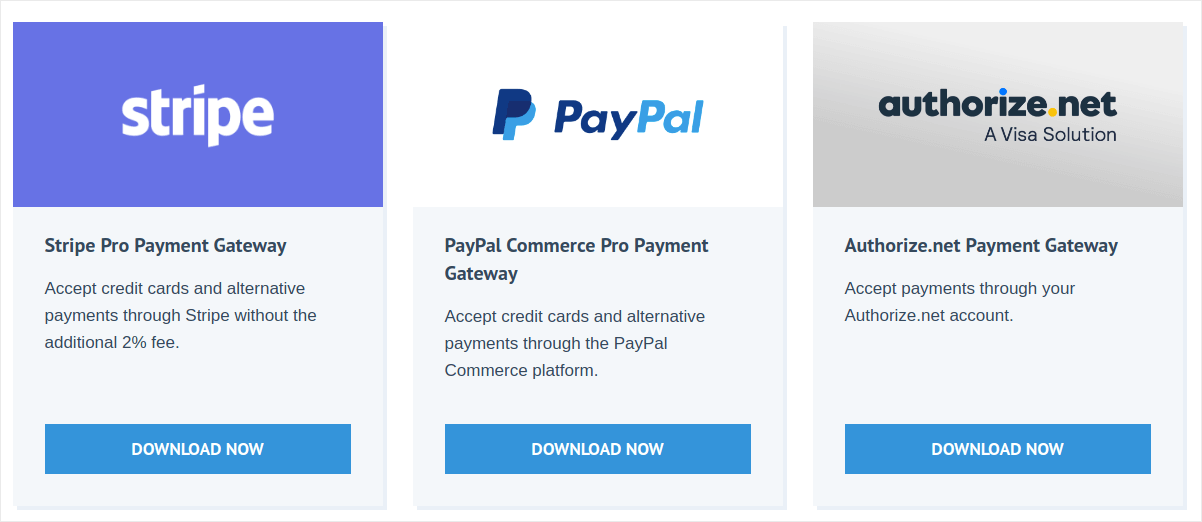
そして、それらはすべてEDD専用に構築されました。そのため、決済ゲートウェイで技術的な問題が発生することはありません。
#2. ソフトウェアライセンスの作成
デジタル製品という言葉を聞くと、多くの人がまず電子書籍を思い浮かべます。しかし、ソフトウェアも同様にデジタル製品です。そして、ソフトウェアに価格を設定する非常に一般的な方法は、ライセンスプログラムを作成することです。
Easy Digital Downloadsは、完全なライセンスキー生成、アクティベーション、チェックシステムを提供します。この拡張機能により、多額のカスタム開発費用をかけずに、ソフトウェアに簡単にライセンスを付与できます。
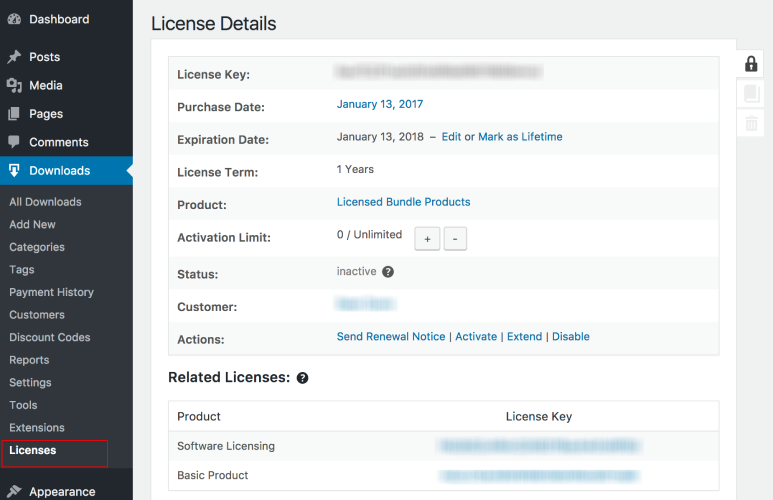
一番良いところは?ソフトウェアはWordPressで構築されている必要すらありません。希望すればゲームにライセンスを付与することもできます!
#3. 定期払い設定
一部のソフトウェアが自動更新に設定されているのをご存知ですか?
Easy Digital Downloadsを使用して、デジタル商品でも同様のことを簡単に行えます。商品の「価格設定オプション」で、「定期払い」を有効にするだけです。
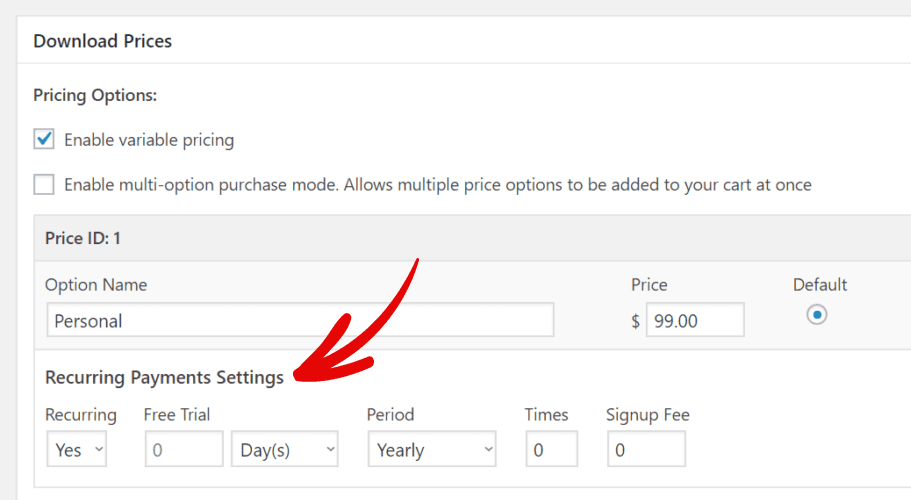
「定期払い」機能は、サブスクリプションソフトウェアやeラーニングプランの販売に非常に役立ちます。
請求は自動化されるため、毎月または毎年、更新支払いを要求したり請求書を送付したりする手間がなくなります。また、サブスクリプションを販売することで、クリエイターが抱える恐怖、不確実性、疑念の一部を取り除くことができます。
したがって、クリエイターエコノミーで成功したいのであれば、EDDの使用を強くお勧めします。
#4. マルチベンダープラットフォームの作成
Easy Digital Downloadsの非常にクールな機能の1つは、Amazonのようなマルチベンダープラットフォームを作成できることです。マルチベンダープラットフォームでは、誰でもサインアップして自分の商品を販売できます。フリーランシングウェブサイトもマルチベンダープラットフォームの良い例です。
通常、これにはかなりのコーディングが必要になるか、Dokanのような別のプラグインを購入する必要があります。
しかし、EDDを使用すると、Frontend Submissions拡張機能をインストールするだけで、各ベンダーにベンダーダッシュボードを提供できます。
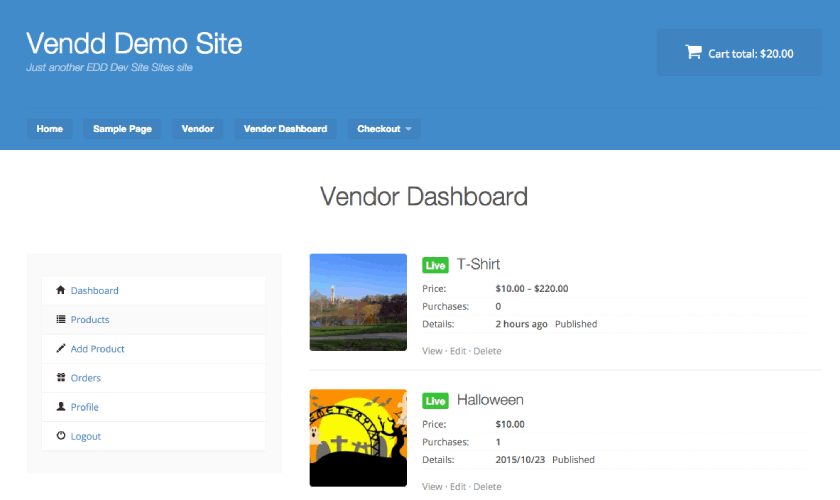
ダッシュボードは非常に使いやすく、すべてのベンダーが商品を管理するための簡単なコンテンツ管理システムを提供できます。EDDのオールアクセスパスを取得すると、この拡張機能が無料で提供されます。
#5. メールマーケティング連携
もちろん、メールマーケティング連携もあります。強力なメール収集および送信連携なしでは、どのeコマースプラットフォームも不完全です。EDDでは、以下のような連携を含む18のメール連携が利用できます。
- Drip、MailChimp、ConvertKitなどのメールサービスプロバイダー
- 自動化されたカート放棄リカバリソフトウェア
- 自動化されたメールレシートとレポート
- 条件付きメール
- 価格下落アラートの商品通知
その他多数!
真剣に、EDDの組み込み機能を使えば、メールでできないことはほとんどありません。
そして、メールマーケティングリストを増やすための素晴らしい方法を探しているなら、OptinMonsterのレビューをご覧ください。OptinMonsterは、自動でメールマーケティングのリードを増やすのに役立つナンバーワンのコンバージョンツールキットです。OptinMonsterとEDDを組み合わせれば、デジタルダウンロードの売上は急上昇するはずです。
#6. フリーランサー向けのカスタム納品物
まだ話していないデジタル製品のカテゴリがもう一つあります。それはフリーランスサービスです。
どのような種類のフリーランスの仕事をしていても、ほとんど関係ありません。おそらく、時々カスタム作業を行う必要があるでしょう。そのため、通常の価格設定「パッケージ」に加えて、Easy Digital Downloadsでカスタムファイルタイプをアップロードすることもできます。
この拡張機能を使用すると、各支払いレコードにカスタム納品物インターフェイスが表示され、顧客用のファイルをアップロード/添付できます。カスタムファイルをアップロードすると、顧客はアカウントから直接ダウンロードできるようになります。
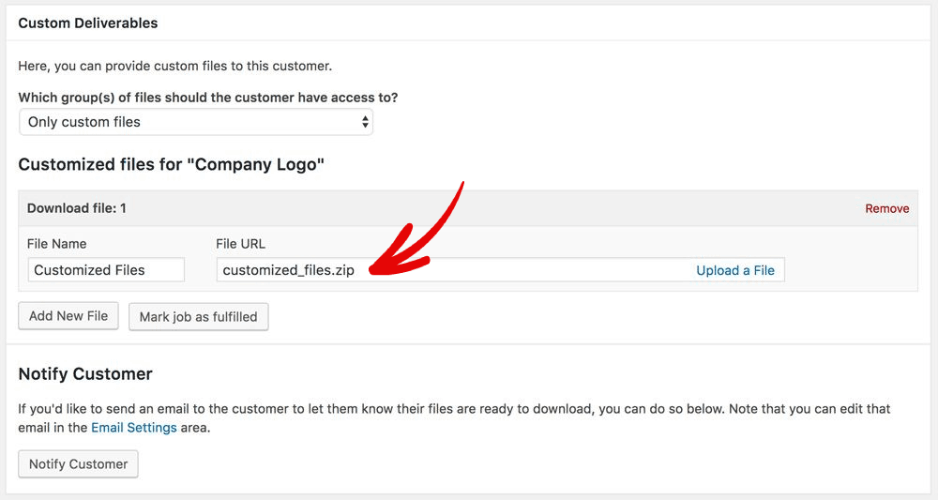
アップロードできるファイルタイプに制限はほとんどありません。WordPressにメディアをアップロードしたことがあるなら、多くの制限があることがわかるでしょう。カスタム納品物拡張機能はこれらの制限を解除できるため、あらゆる種類のフリーランスサービスを提供できます。
#7. アフィリエイトとベンダーへのコミッション
複数のベンダーとアフィリエイトがあなたのサイトで売上を上げている場合、どうしますか?毎週終わりに座って、異なるティアにわたるさまざまなコミッションを手動で計算し、個別に支払いを行いますか?
いいえ!それは日曜日を無駄にするひどい方法でしょう。
代わりに、EDDで全てのベンダーとアフィリエイトの自動コミッションを設定するだけです。
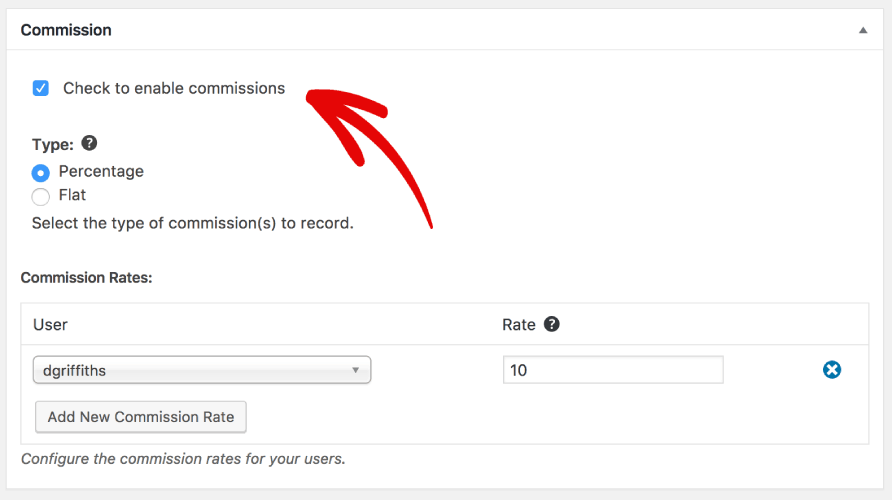
そしてEasy Digital Downloadsがあなたのために取引を処理します!
#8. 商品のレビューを収集する
顧客レビューは売上に大きな違いをもたらす可能性があります。人々は、他の人々が自分と同じ商品を購入しているのを見たいと思っています。それは社会的証明と呼ばれます。
Easy Digital Downloadsはレビューの収集を非常に簡単にします。
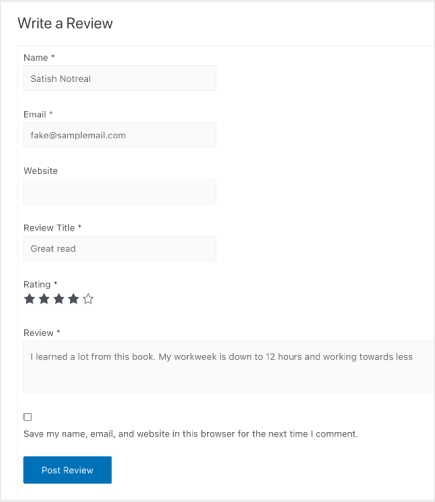
そして、より多くのレビューを獲得するのに苦労しているなら、今すぐEDDに切り替えるべきです。
#9. 即時商品比較を作成する
Easy Digital Downloadsで利用できるもう一つの非常にクールな機能は、即時のサイドバイサイド商品比較機能です。
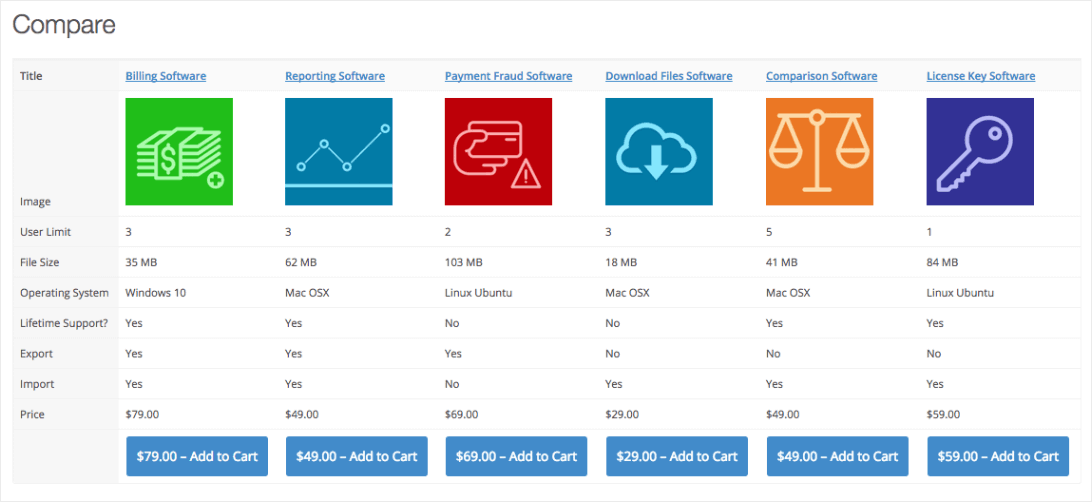
この機能をWordPressに追加するには、多額のお金を支払う必要があります。確かに、安価なプラグインを購入することもできます。しかし、確実なのは、この優れた比較プラグインがeコマースプラットフォームに組み込まれているわけではないということです。
#10. 顧客にカスタムウォレットを提供する
クリエイターエコノミーは、独立したクリエイターや中小企業に多くの選択肢を開きました。ユーザーをリピート購入者に変える非常に強力な方法の1つは、顧客のためにカスタムウォレットを追加することです。
ウォレットを作成すると、ロイヤルカスタマーに素晴らしい特典を提供できるようになります。同時に、新規ユーザーにはサイトを再訪し、継続的に購入してもらう理由を提供します。
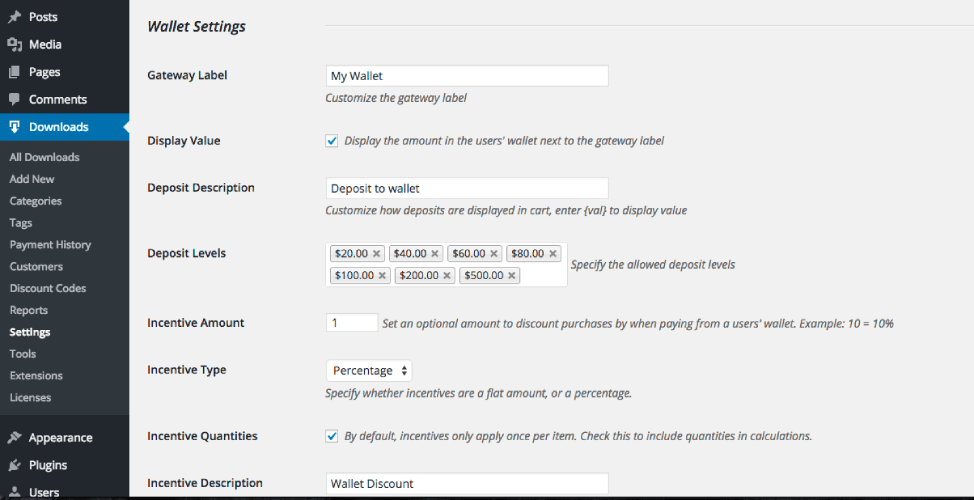
とてもシンプル。とてもクール!
#11. おすすめ商品を表示する
サイトで複数の商品を販売している場合、すべての商品から売上を上げたいと思うでしょう。そして、売上を伸ばし続ける良い方法は、おすすめ商品を表示することです。これらは必ずしも「関連商品」ではありませんが、他の顧客があなたのストアでよくチェックしている商品です。
Amazonはすべて自社製品でこれを非常にうまく行っています。しかし、素晴らしいニュースは、開発者を雇う必要なしに、あなたもそれができるということです。
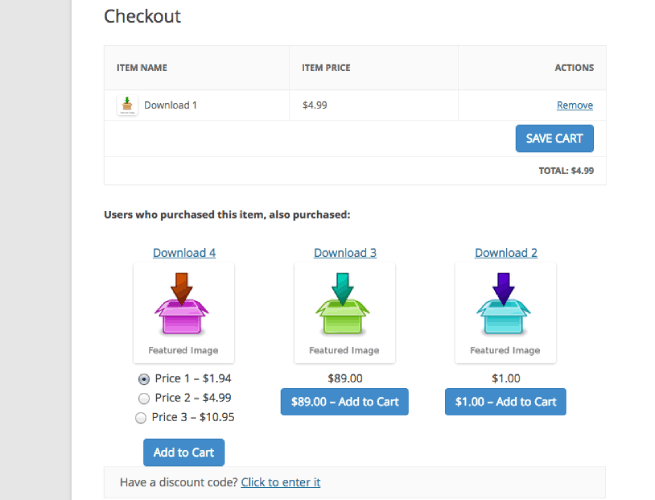
これらの推奨事項は手動で設定することも、Easy Digital Downloadsに自動で設定させることもできます。
Easy Digital Downloadsの料金
Easy Digital Downloadsの評価を下す前に、最後に考慮すべき点が1つあります。EDDの費用はいくらですか?
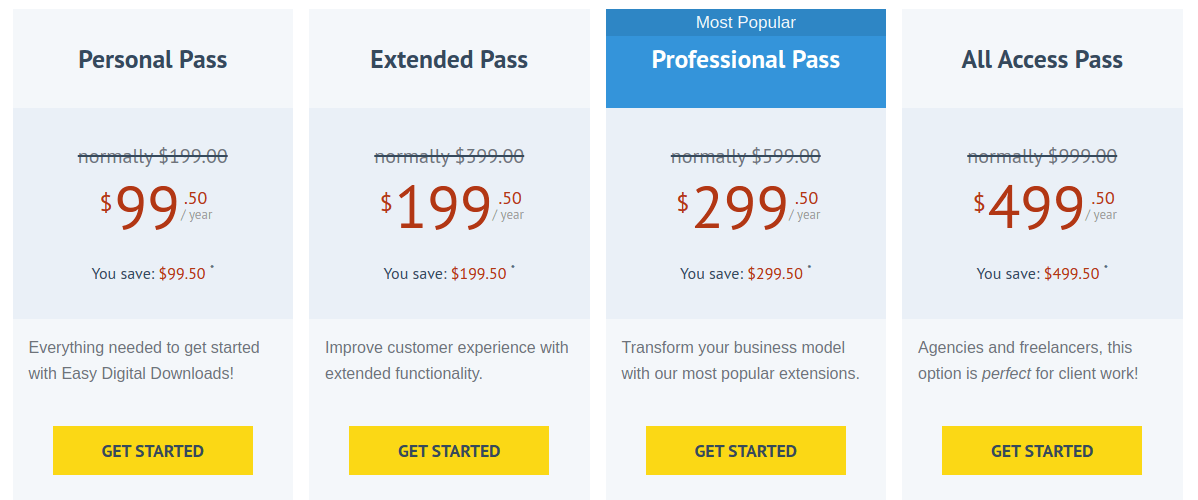
Easy Digital Downloadsには4つの料金プランがあります。デジタル製品の作成を始めたばかりなら、パーソナルパスで十分でしょう。しかし、デジタル製品ビジネスを成長させ、拡大したい場合は、年間499.50ドルのオールアクセスパスを取得する必要があります。
最終評価
では、Easy Digital Downloadsは価格に見合う価値があるのでしょうか、それともないのでしょうか?
シンプルに言えば:はい、そうです。
EDDには無料版があります。しかし、ビジネスの成長に真剣に取り組んでいるのであれば、有料プランの購入をお勧めします。そして、有料版の購入は絶対に価値があります。
WooCommerceで同じ機能を実現するためにかかる費用を計算したことがあるなら、EDDが実際にはかなり手頃な価格であることがわかるでしょう。さらに、これらの拡張機能はすべてEDDによって構築されているという事実も忘れてはなりません。WooCommerceでは、サードパーティベンダーに大きく依存する必要があり、それはプラグインの競合に陥りやすい方法です。
Easy Digital Downloadsを使用すると、クリエイターが成長するために不可欠な多くのツールを入手できます。
そういえば、サイトのトラフィック、エンゲージメント、売上を伸ばすための、もう1つの非常に手頃な方法があります。プッシュ通知キャンペーンを使用できます。
プッシュ通知の送信にはPushEngageの使用をお勧めします。PushEngageは世界No.1のプッシュ通知ソフトウェアです。
まだ始めていない場合は、今日からPushEngageを使い始めましょう!


