Les notifications push Web sont des messages provenant d'un site Web. Ces notifications sont livrées à l'abonné sur son ordinateur de bureau ou son appareil, même lorsque la page Web concernée n'est pas ouverte dans son navigateur. Cependant, l'apparence de la notification push Web varie d'un navigateur à l'autre et aussi du système d'exploitation. On l'appelle aussi notifications de navigateur.
Ainsi, si un abonné utilise –
Mac OS – La notification push du navigateur apparaîtra dans le coin supérieur droit de l'écran.
Windows – La notification push du navigateur apparaîtra en bas, sur le côté droit de l'écran.
Linux / Ubuntu – La notification push du navigateur apparaîtra dans le coin supérieur droit de l'écran.
Android OS – La notification push du navigateur apparaîtra dans le tiroir/conteneur de notifications.
Voici une liste de contrôle à laquelle vous pouvez vous référer pour voir quel type de notification push Web fonctionne sur différents navigateurs et systèmes d'exploitation.
[table id=13 /]
Voici comment apparaissent les notifications push Web normales sur divers navigateurs utilisant différents systèmes d'exploitation –
Les notifications push Web normales sont des notifications simples où vous pouvez ajouter un titre de notification, un message et une URL. L'image qui apparaît ici sert d'icône. Vous pouvez soit ajouter une image différente depuis votre tableau de bord, soit elle prend automatiquement le logo du site Web que vous avez téléchargé comme image dans la notification.
Voici à quoi ressemble une notification push Web normale sur différents navigateurs et systèmes d'exploitation –

- Notification push Web normale sur Chrome utilisant Windows 7 et 8
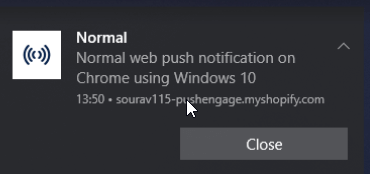
- Notification push Web normale sur Chrome utilisant Windows 10
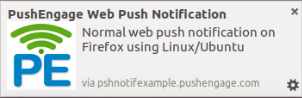
- Notification push Web normale sur Firefox utilisant Linux/Ubuntu
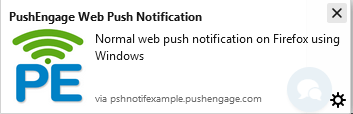
- Notification push Web normale sur Firefox utilisant Windows
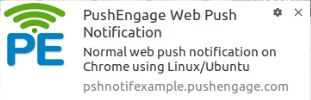
- Notification push Web normale sur Chrome utilisant Linux/Ubuntu

- Notification push Web normale sur Chrome utilisant Mac OS
Avant de plonger dans les captures d'écran, il est utile de comprendre ce que sont les notifications push Web sous le capot – les mécanismes de livraison expliquent pourquoi chaque navigateur les affiche différemment.
Voici comment apparaissent les notifications push Web avec Emoji sur divers navigateurs utilisant différents systèmes d'exploitation –
Les emojis sont de petites images ou icônes numériques utilisées pour exprimer une idée ou un émoticône lors de toute communication électronique. Les notifications push avec emojis ont eu un taux d'ouverture de 4,51 %, tandis que celles sans emojis n'ont vu qu'un taux d'ouverture de 2,44 %. Une augmentation spectaculaire de 85 % a été observée dans les taux d'ouverture avec les emojis, ce qui confirme le fait que les emojis augmentent les taux d'ouverture des notifications push.
Voici à quoi ressemble une notification push Web avec emojis sur différents navigateurs et systèmes d'exploitation.
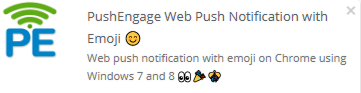
- Notification push Web avec emoji sur Chrome utilisant Windows 7 et 8
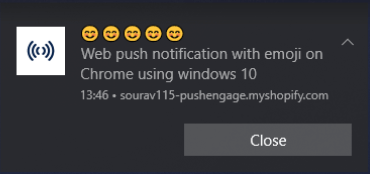
- Notification push Web avec emoji sur Chrome utilisant Windows 10
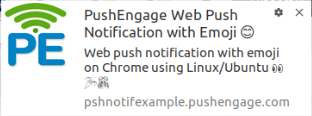
- Notification push Web avec emoji sur Chrome utilisant Linux/Ubuntu
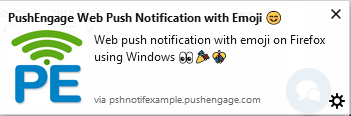
- Notification push Web avec emoji sur Firefox utilisant Windows
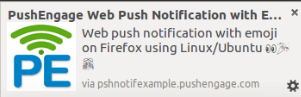
- Notification push Web avec emoji sur Firefox utilisant Linux/Ubuntu
- Notification push Web normale sur Chrome utilisant Mac OS
Voici comment apparaissent les notifications push Web multi-actions sur divers navigateurs utilisant différents systèmes d'exploitation –
Un appel à l'action est une partie très importante de toute tactique marketing. Avec PushEngage, vous pouvez avoir plusieurs appels à l'action pour des notifications uniques.
Voici à quoi ressemble une notification push web multi-action sur différents navigateurs et systèmes d'exploitation –
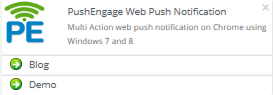
- Notification multi-action sur Chrome sous Windows 7 et 8
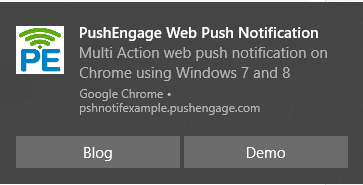
- Notification push web multi-action sur Chrome sous Windows 10
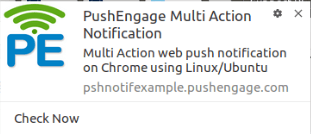
- Notification push web multi-action sur Chrome sous Linux/Ubuntu
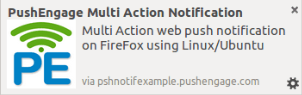
- Notification push web multi-action sur Firefox sous Linux/Ubuntu
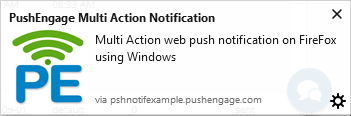
- Notification push web multi-action sur Firefox sous Windows

- Notification multi-action sur Chrome sous Mac OS
Voici à quoi ressemble une notification push web avec grande image sur différents navigateurs et systèmes d'exploitation –
Chrome a annoncé le lancement des Rich Notifications ou Notifications avec des images de grande taille en bannière dans le cadre de Chrome 59+. Ainsi, lorsque vous envoyez des notifications push enrichies, vous obtiendrez probablement plus d'avantages, notamment une augmentation du CTR (taux de clics), du ROI et de la fidélisation de la clientèle. Selon la source, les notifications push avec images via une application mobile pourraient générer un CTR jusqu'à 56% plus élevé.
L'image doit mesurer au moins 360 pixels (largeur) sur 240 pixels (hauteur) avec un rapport d'aspect de 1,5:1 pour Chrome sur ordinateur.
Voici à quoi ressemble une notification push web avec grande image sur différents navigateurs et systèmes d'exploitation
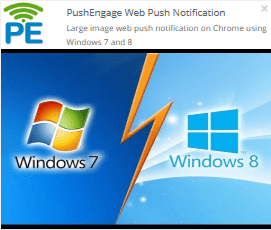
- Notification push web avec grande image sur Chrome sous Windows 7 et 8
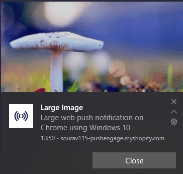
- Notification avec grande image sur Chrome sous Windows 10
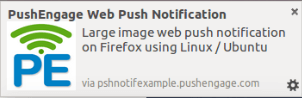
- Notification avec grande image sur Firefox sous Linux/Ubuntu
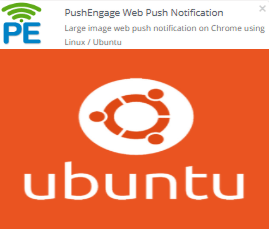
- Notification avec grande image sur Chrome sous Linux/Ubuntu

- Notification push web avec grande image sur Firefox sous Windows

- Notification avec grande image sur Chrome sous Mac OS
Voici à quoi ressemble une notification push web multi-action avec grande image sur différents navigateurs et systèmes d'exploitation –
La notification multi-action avec grande image est une combinaison de la notification avec grande image et de la notification multi-action. Vous pouvez y ajouter plusieurs boutons dans la notification et une grande image également. Les notifications push du navigateur apparaîtront différemment sur chaque navigateur.
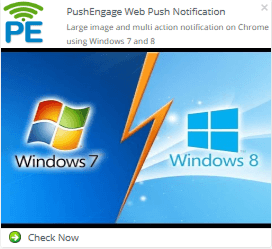
- Notification avec grande image et multi-action sur Chrome sous Windows 7 et 8
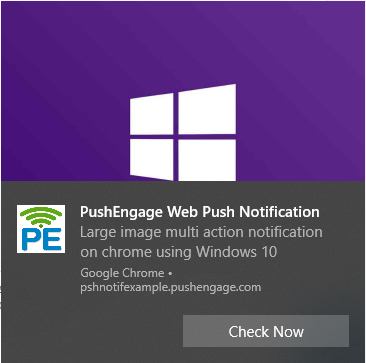
- Notification multi-action avec grande image sur Chrome sous Windows 10
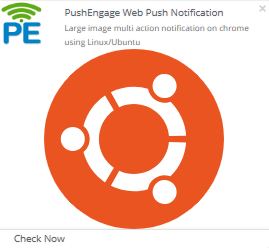
- Notification multi-action avec grande image sur Chrome sous Linux/Ubuntu
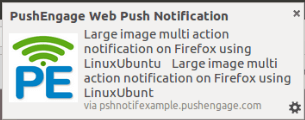
- Notification multi-action avec grande image sur Firefox sous Linux/Ubuntu
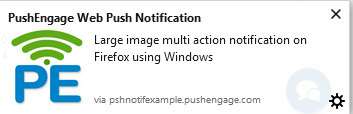
- Notification multi-action avec grande image sur Firefox sous Windows

- Notification multi-action avec grande image sur Chrome sous Mac OS
Veuillez noter que vous pouvez décider combien de temps vous souhaitez afficher la notification push web à l'écran. C'est pour 20 secondes ou jusqu'à interaction de l'utilisateur. Garder la notification jusqu'à interaction de l'utilisateur est disponible pour Chrome 47 et versions supérieures uniquement. Pour les autres navigateurs, la durée de notification par défaut est de 20 secondes.
Pour les navigateurs comme Windows 10 et macOS, la notification push restera à l'écran pendant 20 secondes, puis ira dans le centre de notifications. Elle restera dans le centre de notifications jusqu'à interaction de l'utilisateur.
Vous pouvez également voir à quoi ressemblera votre notification sur différents navigateurs dans le tableau de bord PushEngage. Une fois que vous avez créé la notification push et saisi tous les détails, sur le côté droit du tableau de bord, vous pouvez voir à quoi ressemblera la notification dans différents navigateurs :
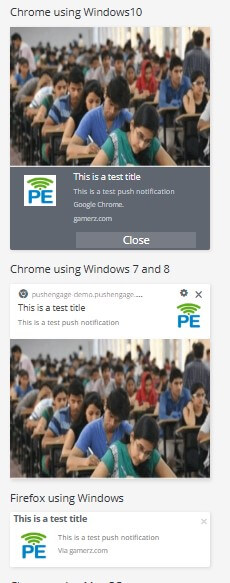
Ceci est dû au déploiement de Chrome 68 avec une expérience améliorée pour les utilisateurs de Windows 10. Avec la nouvelle version de Chrome 68, Google prend en charge les notifications natives du système d'exploitation Windows.
Un changement connexe a été le lancement de Microsoft Edge prenant en charge les notifications web push, ce que PushEngage prend également en charge maintenant.


