Chez PushEngage, nous croyons en la transparence et voulons nous assurer qu'il n'y a AUCUNE dépendance vis-à-vis d'un fournisseur lorsque vous vous inscrivez. Nous avons même Si vous souhaitez activer les notifications push web sur Safari, et rendre vos abonnés portables, vous devez créer votre propre certificat push web Safari et le configurer dans PushEngage. Cette étape est similaire à la création de votre propre clé FCM pour Chrome.
Voici la procédure étape par étape que vous pouvez suivre pour créer votre propre certificat.
Avant de créer le certificat, vous aurez besoin de quelques éléments –
- Un compte développeur Apple actif – Ce compte développeur coûte actuellement 99 $/an.
- ID Push unique pour votre site web (peut être créé à l'aide du compte développeur)
En suivant ces quatre étapes, vous pouvez créer votre propre certificat push web Safari.
Étape 1 – Créer une demande de certificat
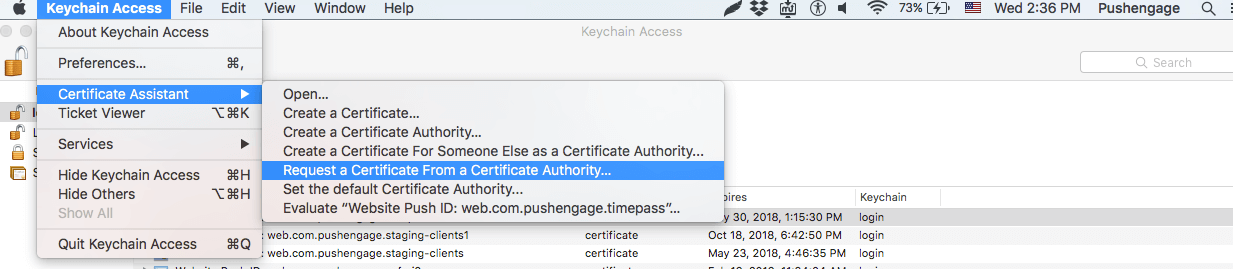
- Lancez l'application Trousseau d'accès et accédez à Trousseau d'accès > Assistant de certificat > Demander un certificat à une autorité de certification.
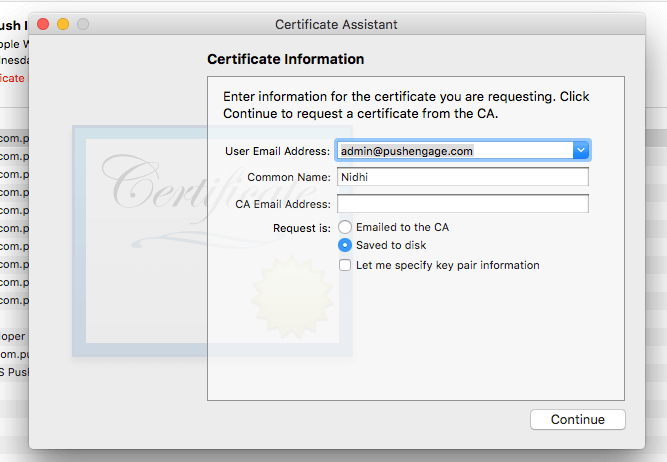
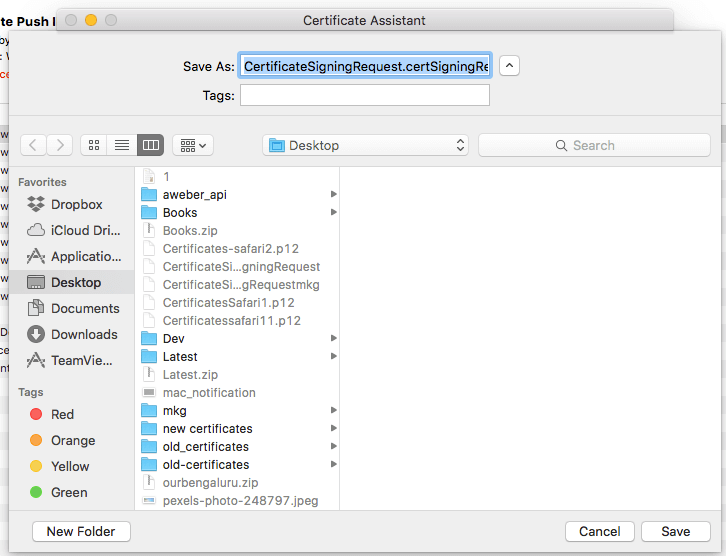
- Dans les informations du certificat, ajoutez une adresse e-mail et un nom, puis cliquez sur Enregistrer.
Étape 2 – Configurer l'ID Push Web pour APNS
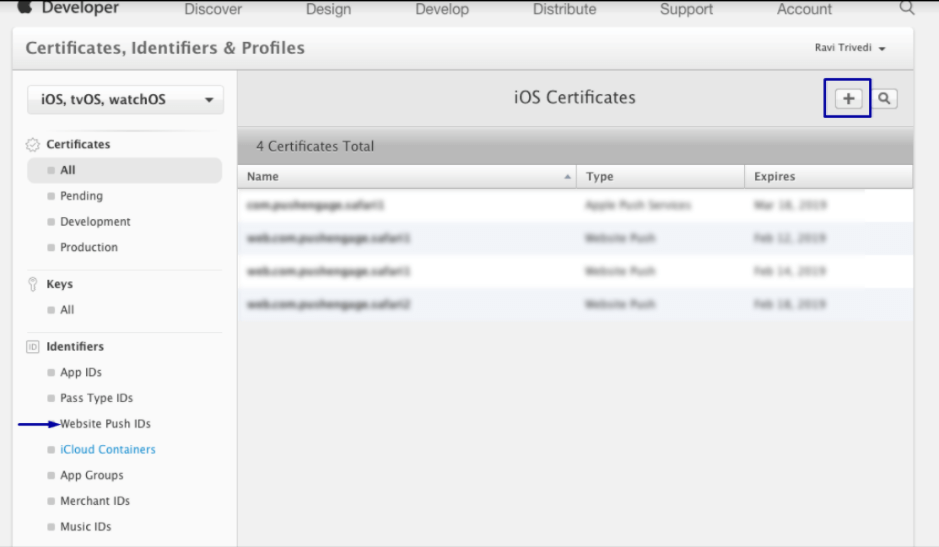
- Connectez-vous à la console développeur Apple > Identifiants > Identifiants push de site web et dans la section supérieure droite, cliquez sur +
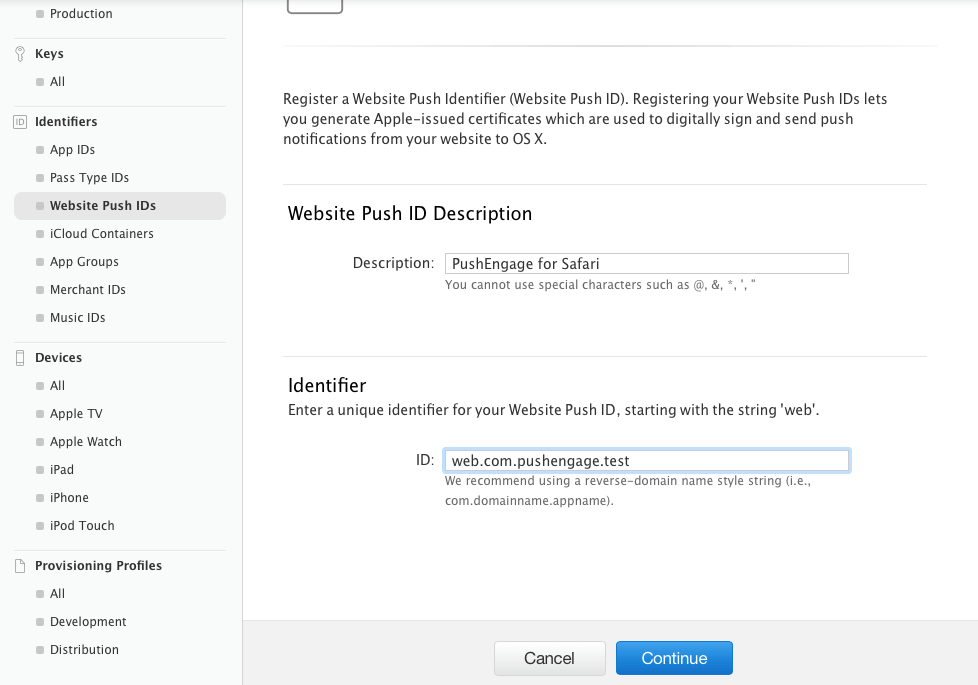
- Vous serez redirigé vers la fenêtre suivante et là, ajoutez une description de l'identifiant push de votre site web et un identifiant unique. Une fois terminé, cliquez sur Continuer.
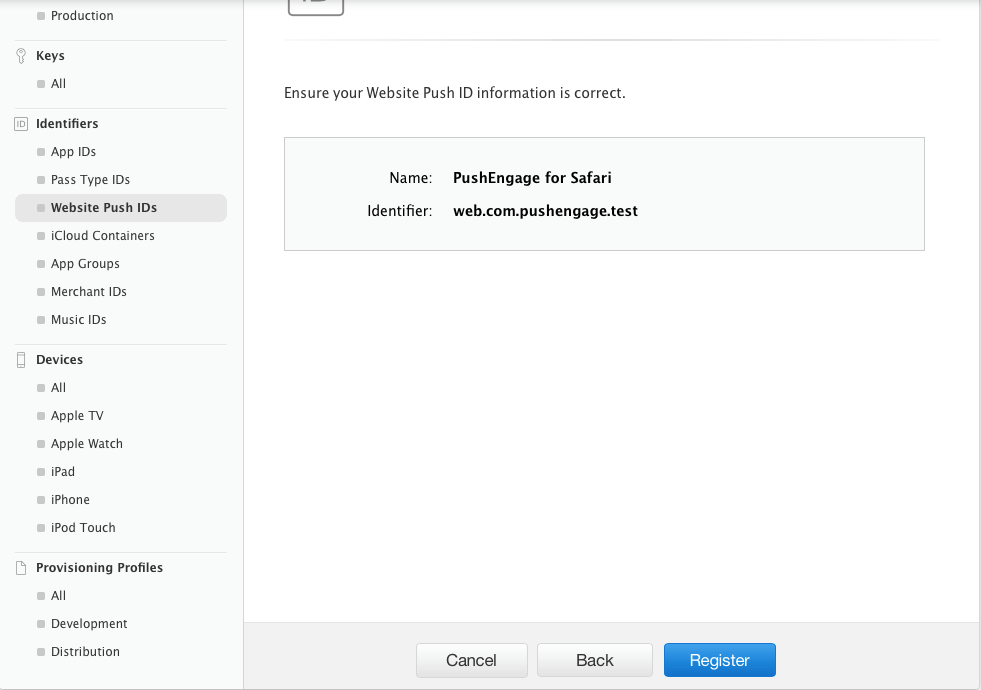
- Dans la fenêtre suivante, assurez-vous que l'identifiant push de votre site web est correct, puis cliquez sur Enregistrer.
Étape 3 – Générer le certificat push web
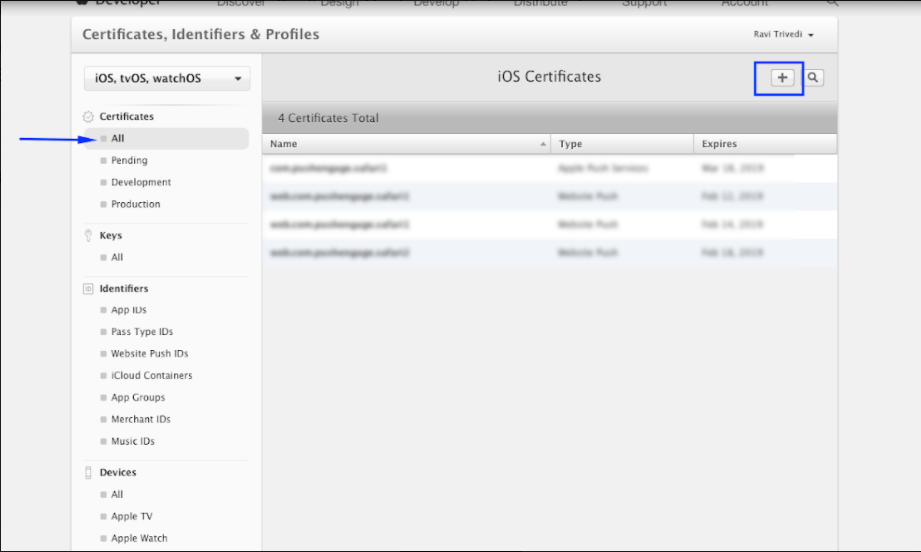
- Accédez à Certificats > Tous > cliquez sur +
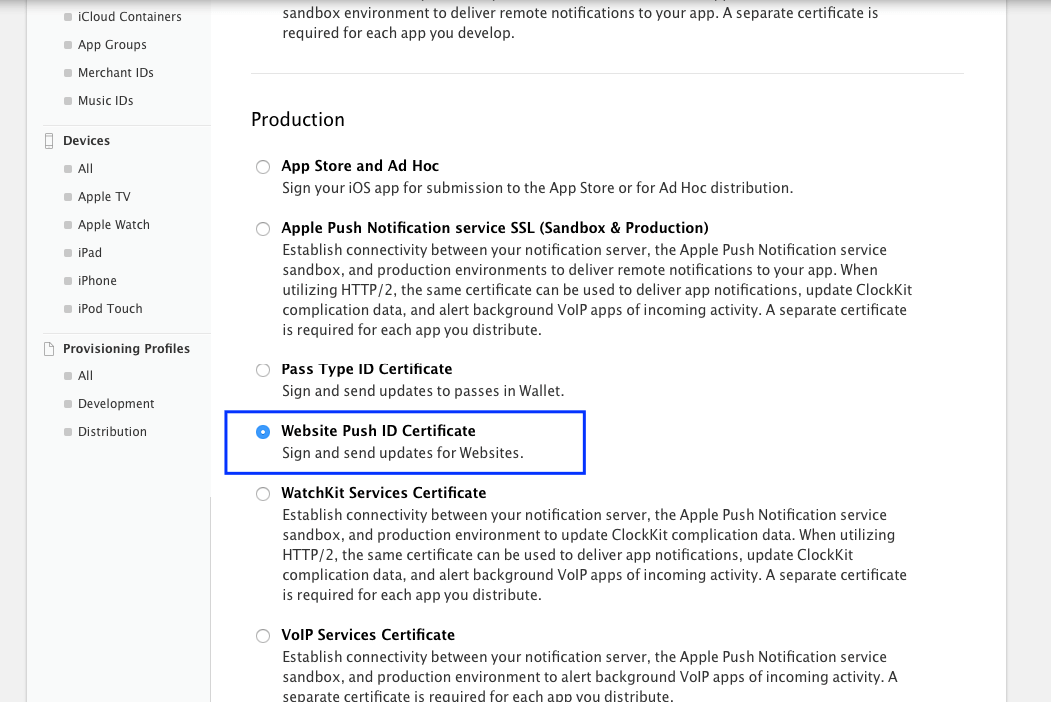
- Sélectionnez Certificat d'identifiant push de site web > Continuer
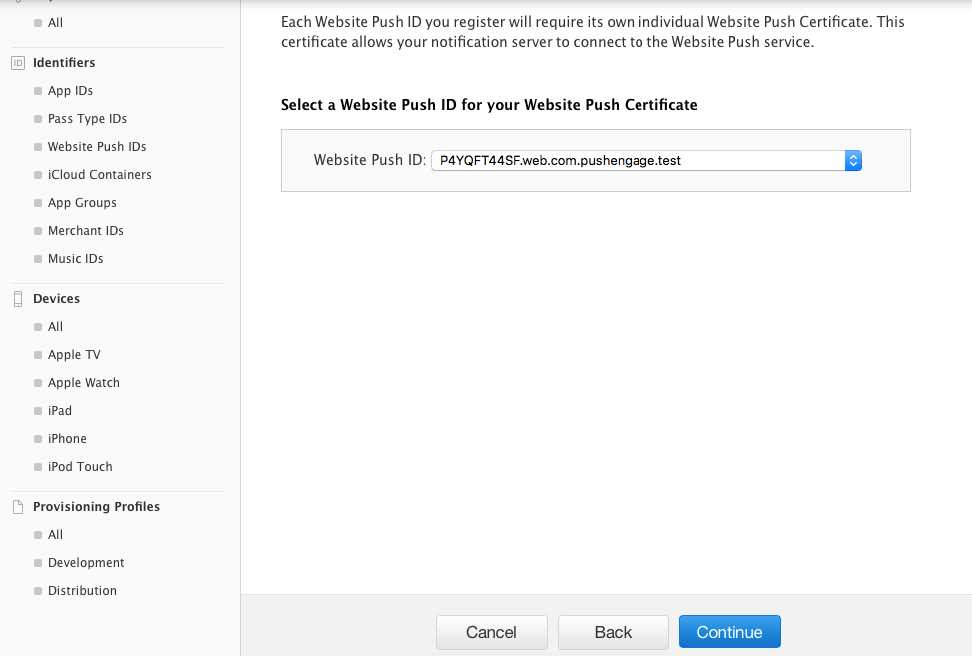
- Sélectionnez l'identifiant push de site web que vous avez créé à l'Étape 2 et cliquez sur Continuer.
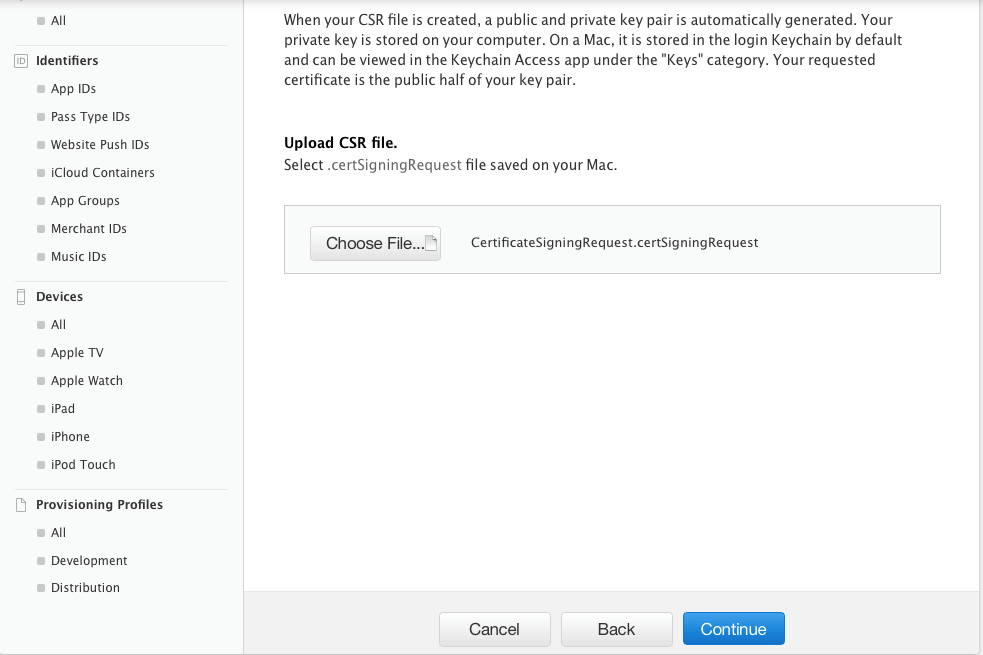
- Ajoutez maintenant le certificat CSR que vous avez créé à l'Étape 1 et cliquez sur Continuer.
- Dans la fenêtre suivante, vous recevrez le message « Votre certificat est prêt ». Téléchargez-le, car il sera utilisé pour envoyer des notifications à vos abonnés.
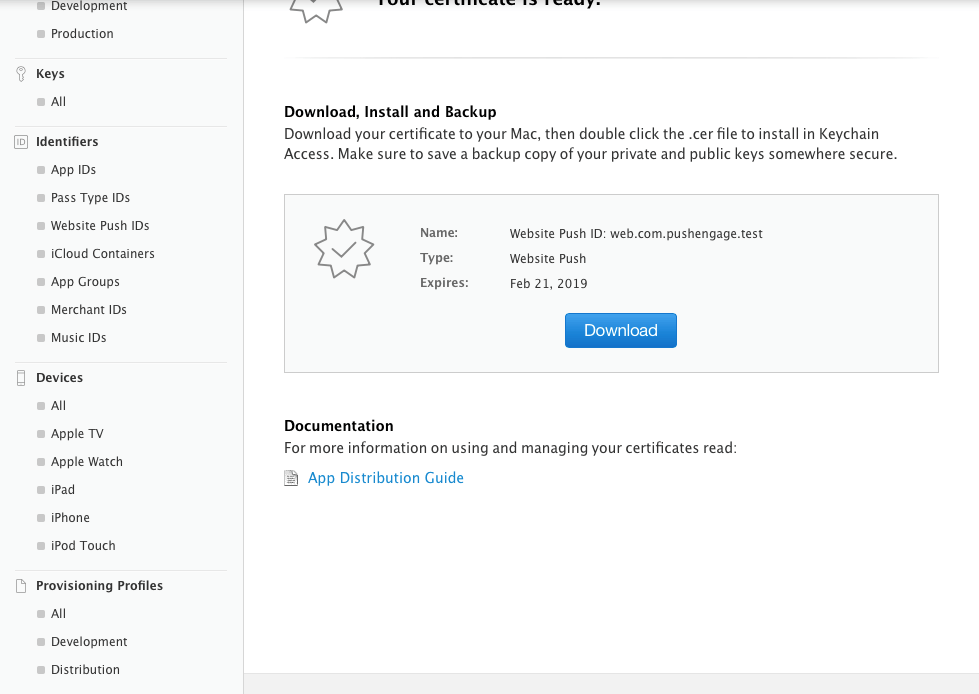
- Vous devez maintenant installer et exporter le certificat. Double-cliquez sur le certificat téléchargé et votre certificat sera installé dans l'application Trousseau d'accès.
- Pour exporter le certificat – Allez dans l'application Trousseau > Certificats > Faites un clic droit sur le certificat > sélectionnez l'identifiant push de site web pour lequel le certificat a été créé > puis cliquez sur Exporter.
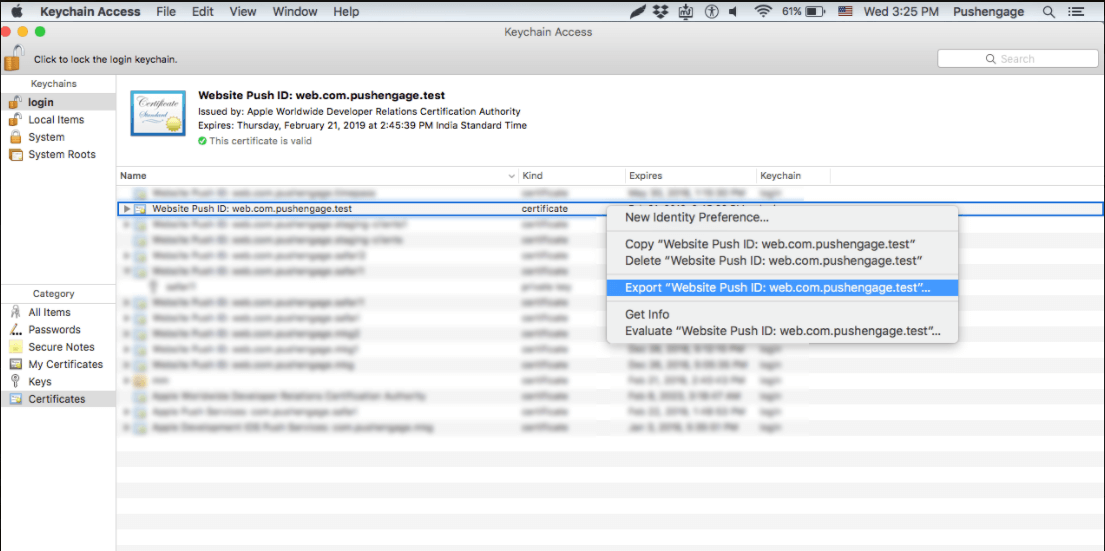
- Utilisez le format Personal Information Exchange (.p12) lors de l'enregistrement du certificat.
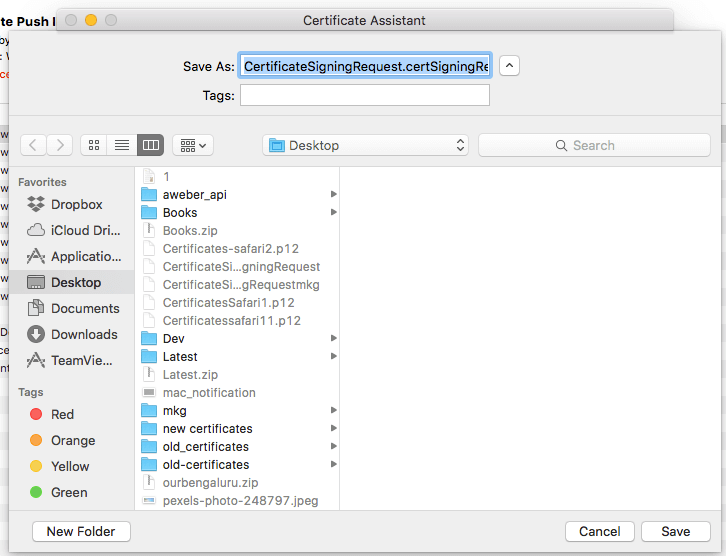
- Dans la fenêtre suivante, vous pouvez choisir de créer un mot de passe ou de le laisser vide, puis cliquez sur OK.
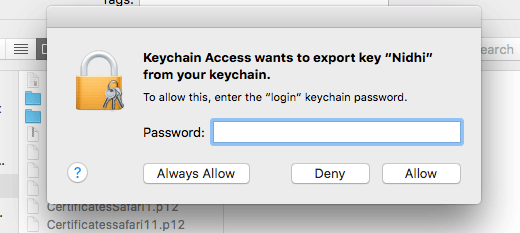
- Cliquez sur Autoriser pour exporter le certificat vers MAC.
Étape 4 – Télécharger votre certificat sur PushEngage
- Accédez à Paramètres > Paramètres de notification push Safari > Entrez l'identifiant push de site web > Fichier de clé privée et mot de passe. Une fois terminé, cliquez sur Mettre à jour.
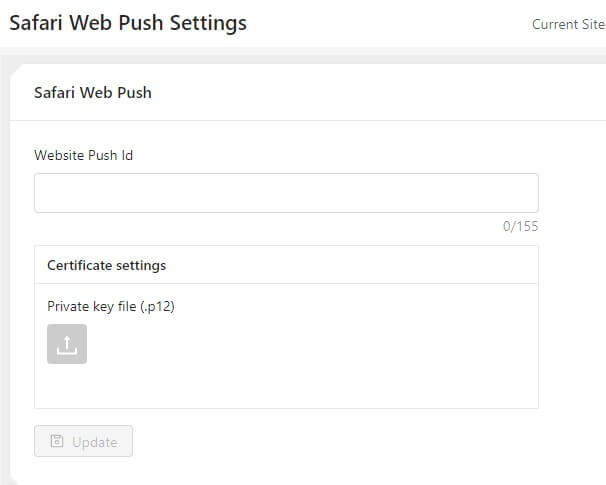
- Si les paramètres sont corrects, vous recevrez un message « Paramètres mis à jour avec succès ».
C'est tout et vous pouvez maintenant envoyer des notifications à vos abonnés en utilisant Safari. Nous prenons également en charge les notifications push sur Chrome et Firefox.



Première phrase : Chez PushEngage, nous croyons en la transparence et voulons nous assurer qu'il n'y a pas de dépendance vis-à-vis d'un fournisseur lorsque vous vous inscrivez.
Devrait être :
Chez PushEngage, nous croyons en la transparence et voulons nous assurer qu'il n'y a AUCUNE dépendance vis-à-vis d'un fournisseur lorsque vous vous inscrivez.