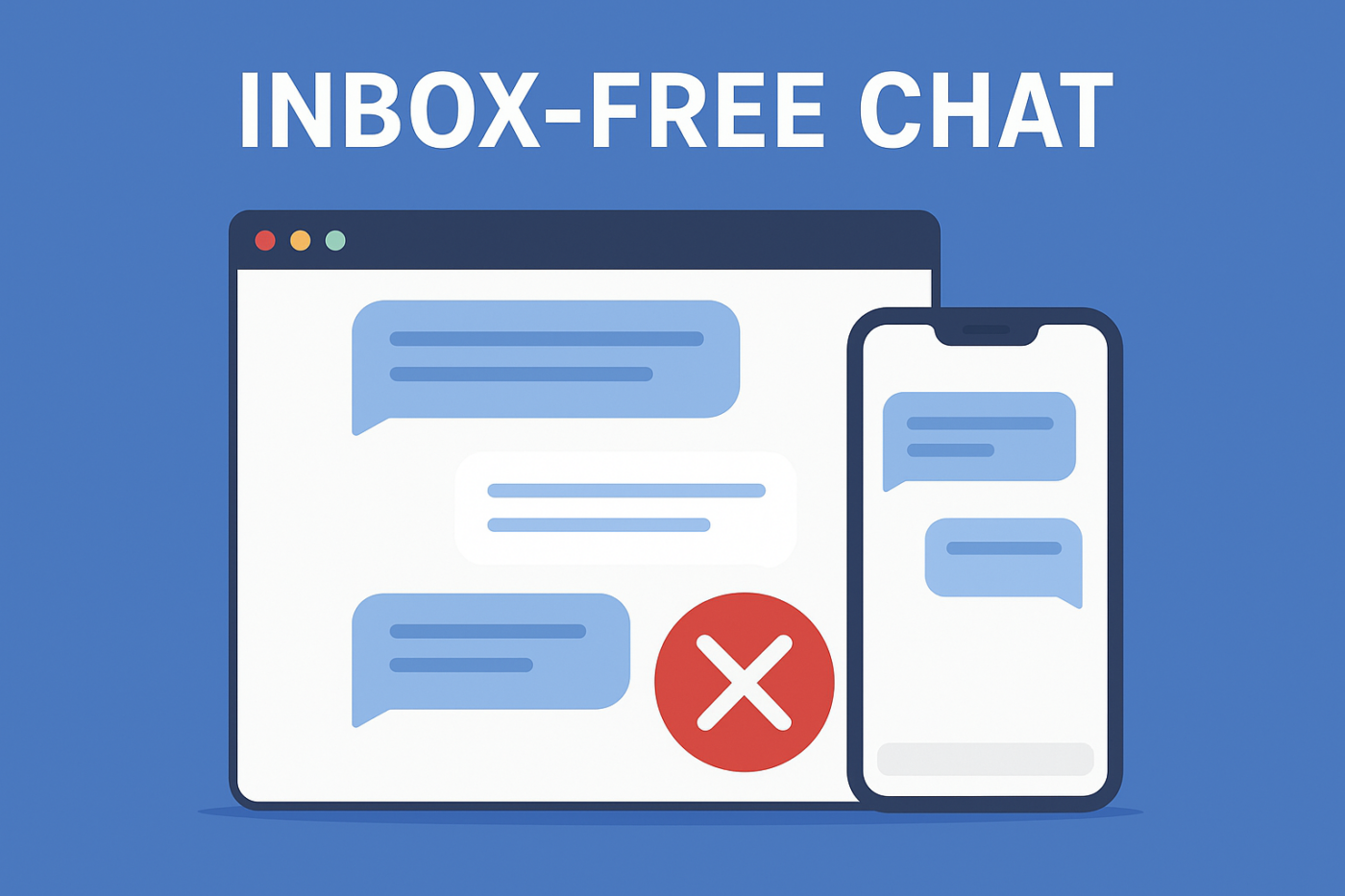
Большинство виджетов чата направляют вашу команду в одном направлении: сбор сообщений во входящие сообщения поддержки. Эта модель, ориентированная на входящие сообщения, — это именно то, что мы рассматриваем в нашем сравнении Zendesk и Intercom, и почему ни один из инструментов не подходит для небольших команд. И хотя на бумаге это звучит отлично, на самом деле это приводит к задержкам, отставаниям и разочарованным клиентам, ожидающим помощи, которую вы не можете оказать мгновенно.
Но новый подход тихо вытесняет чат-системы, ориентированные на входящие сообщения, на современных веб-сайтах: чат без входящих сообщений — более умный, быстрый и гораздо более эффективный способ направить пользователей именно туда, куда им нужно, не запирая вашу команду в бесконечной очереди сообщений.
Если вы когда-либо хотели, чтобы чат помогал пользователям, не создавая операционного хаоса для вашей команды, это руководство, которого вы ждали.
Отправляйте многоканальные сообщения уже сегодня!
Push-уведомления и сообщения WhatsApp — это сверхэффективные и недорогие маркетинговые инструменты, которые помогут вам автоматически увеличить повторный трафик, вовлеченность и продажи.
- Что на самом деле означает чат без входящих сообщений
- Почему вашим клиентам понравится чат без входящих сообщений
- Почему ваша команда никогда не захочет вернуться назад
- Операционные преимущества, которые большинство команд упускают из виду
- Маркетинговые преимущества и преимущества в плане доходов
- Почему чат без входящих сообщений идеально подходит для небольших команд
- Реальные сценарии использования чата без входящих сообщений
- Как настроить чат без входящих сообщений на вашем сайте
- Лучшие практики
- Настройте один раз, охватите всю поддержку клиентов
Небольшие команды, исследующие более дешевую альтернативу Intercom, обычно приходят к одному и тому же выводу: общий почтовый ящик, за который они платят, является функцией, которая их замедляет.
Что на самом деле означает чат без входящих сообщений
Чат без входящих сообщений полностью устраняет «входящие сообщения».
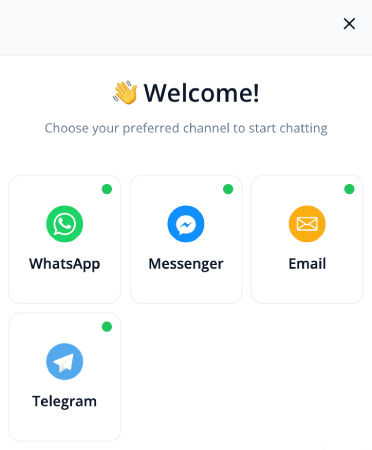
Вместо хранения разговоров в вашей системе, чат-виджет мгновенно перенаправляет пользователей в нужный канал, на нужную страницу или к нужному действию.
Таким образом, вместо того, чтобы пользователи вводили открытые вопросы, агенты жонглировали заявками, сообщения накапливались, а группы поддержки суетились…
Это становится:
- «Нажмите, чтобы связаться в WhatsApp»
- «Посетите эту статью справки»
- «Забронируйте демо-версию сейчас»
- «Открыть портал поддержки»
Все становится прямым, понятным и действенным. Без входящих сообщений. Без задержек. Без стресса.
Почему вашим клиентам понравится чат без входящих сообщений
Они получают быструю помощь — без ожидания
Клиенты не хотят объяснять свою проблему в окне чата. Они хотят получить решение. Мгновенное перенаправление их в нужный канал устраняет классический тупик «пожалуйста, подождите агента».
Никаких запутанных форм или разговоров с роботами
Традиционный чат часто заставляет пользователей следовать статичным сценариям или заполнять длинные формы. Чат без входящих сообщений устраняет это препятствие, заменяя сложность простыми, интуитивно понятными выборами.
Они всегда точно знают, что делать дальше
Вместо того чтобы вводить вопросы вроде «Как обновить платежные данные?», они просто проходят по четкому пути и попадают прямо к решению.
Почему ваша команда никогда не захочет вернуться назад
Больше никаких хаотичных входящих сообщений чата
Большинство инструментов чата создают больше работы, чем экономят. При чате без входящих сообщений нет задержек, нет неназначенных сообщений, нет потерянных разговоров и нет управления очередью.
Вашу команду не заставляют использовать еще один инструмент
Входящие сообщения поддержки поставляются с правилами маршрутизации, местами, разрешениями и требованиями к обучению. Это ловушка, которую мы раскрываем в нашем сравнении Intercom и Drift. Чат без входящих сообщений устраняет все это, позволяя пользователям обращаться к вашей команде там, где они уже работают.
Ничего не ускользает
Когда разговоры никогда не попадают в личный почтовый ящик, сообщения не могут быть забыты или потеряны. Пользователи направляются в системы, которые уже имеют владельца и ответственность.
Операционные преимущества, которые большинство команд упускают из виду
Более быстрая производительность веб-сайта
Виджеты чата с входящими сообщениями часто замедляют работу вашего сайта из-за постоянной синхронизации. Настройка без входящих сообщений загружает более легкие скрипты и избегает ненужных серверных вызовов.
Нет риска несоответствия из-за хранимых разговоров
Нет сохраненных чатов = нет проблем с хранением персональной информации, нет рабочих процессов удаления и меньше рисков.
Идеально подходит для глобальной аудитории
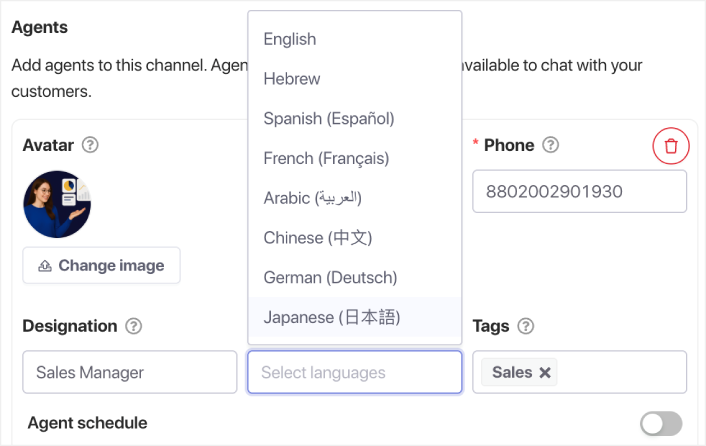
Вместо найма многоязычных агентов вы можете перенаправлять пользователей на локализованные страницы, номера WhatsApp или переведенную документацию. Или вы можете иметь многоязычных агентов, работающих с вашим чатом в разных часовых поясах.
Маркетинговые преимущества и преимущества в плане доходов
Чат становится каналом конверсии
Вместо разговоров, застрявших во входящих сообщениях поддержки, пользователи переходят в пути получения дохода — страницы демонстрации, страницы с ценами или регистрация пробной версии.
Более чистая аналитика
Вы не получаете завышенную статистику «чат начат». Вы получаете фактические, отслеживаемые клики с реальным намерением.
Направляет пользователей на страницы с высокой ценностью
Чат без входящих сообщений становится системой управляемой навигации, которая ведет посетителей на наиболее важные страницы.
Почему чат без входящих сообщений идеально подходит для небольших команд
Если вы работаете самостоятельно или в небольшой команде, поддержка через входящие сообщения быстро становится непосильной. Чат без входящих сообщений масштабируется без добавления новых людей, инструментов или рабочих процессов.
Реальные сценарии использования чата без входящих сообщений
- Перенаправлять запросы в поддержку на WhatsApp
- Отправлять вопросы о продукте напрямую на страницу демонстрации
- Направлять запросы о функциях в документацию
- Маршрутизировать вопросы о биллинге на ваш портал клиента
- Отправлять общие запросы в вашу контактную форму
- Направлять новых пользователей на видеоролики по адаптации
- Направлять пользователей приложения на внутриприложениевую поддержку вместо веб-чата
Как настроить чат без входящих сообщений на вашем сайте
Выберите направления
Примеры включают WhatsApp, ваш портал поддержки, документацию, цены, бронирование демонстрации или вашу контактную форму.
Сопоставьте каждое направление с намерением пользователя
Биллинг → портал биллинга
Продажи → страница демонстрации
Техническая помощь → документация
Часто задаваемые вопросы → центр помощи
Добавьте контекстные параметры чата для каждой страницы
Страница цен → «Поговорить с отделом продаж»
Документация → «Получить техническую поддержку»
Блоги → «Посмотреть возможности продукта»
Оформление заказа → «Нужна помощь с купоном?»
Лучшие практики
- Сохраняйте простые варианты выбора
- Используйте метки, ориентированные на действия
- Запускать чат при намерении уйти
- Локализуйте чат для посетителей со всего мира
- Отслеживайте клики, чтобы понять поведение посетителей
Настройте один раз, охватите всю поддержку клиентов
Чат без входящих сообщений меняет традиционный опыт общения. Клиенты получают помощь мгновенно. Ваша команда избегает перегрузки входящих сообщений. И ваш веб-сайт становится более понятным, быстрым и ориентированным на конверсию.
Для современных команд поддержки и небольших компаний чат без входящих сообщений не просто полезен — это будущее.
- Клиенты всегда видят кого-то онлайн
- Время ответа сокращается
- Конверсии перед покупкой растут
- Поддержка кажется быстрее и надежнее
- Ваш магазин готов к работе на мировом рынке
Как только расписания будут установлены, ваша команда сможет работать более эффективно, а ваши клиенты получат ожидаемый опыт.
Если вы еще не настроили профили агентов и расписания в PushEngage, сейчас самое время.
Не убедились? Ознакомьтесь с этими потрясающими ресурсами по кампаниям push-уведомлений:
- Как увеличить продажи отелей в низкий сезон
- Как использовать многоканальный маркетинг для отелей в 2026 году
- Как превратить подписчиков в покупателей с помощью push-уведомлений в браузере
- Как уведомлять подписчиков о новых записях в WordPress
- Как отправлять уведомления о наличии товара для увеличения продаж
- Как очистить списки подписчиков push-уведомлений (легко)
- Как автоматически отправлять RSS-push-уведомления
- Как использовать push-уведомления для продвижения новостного сайта
- Как использовать push-уведомления для перекрестных продаж, чтобы удвоить продажи
- Как использовать push-уведомления об отказе от просмотра (4 шага)


