Большинство посетителей, которые покидают ваш сайт, никогда не возвращаются. Чат при намерении уйти дает вам последний шанс вовлечь их, прежде чем они исчезнут — будь то брошенная корзина, уход со страницы с ценами или колебания при сравнении продуктов.
С помощью виджета чата PushEngage вы можете отображать сообщение точно в тот момент, когда посетитель собирается уйти, предлагая помощь, поддержку или стимулы, которые восстанавливают конверсии.
Это руководство расскажет вам, почему намерение уйти работает — и как настроить его в PushEngage менее чем за минуту.
Отправляйте многоканальные сообщения уже сегодня!
Push-уведомления и сообщения WhatsApp — это сверхэффективные и недорогие маркетинговые инструменты, которые помогут вам автоматически увеличить повторный трафик, вовлеченность и продажи.
- Что такое намерение уйти?
- Почему чат при намерении уйти работает
- Как PushEngage обрабатывает намерение уйти
- Как включить чат при намерении уйти в PushEngage (пошаговое руководство)
- Где использовать чат при намерении уйти (страницы с высоким влиянием)
- Дополнительные улучшения (высокая рентабельность инвестиций)
- Лучшие практики для чата при намерении уйти
- Что делать после настройки виджетов чата
Что такое намерение уйти?
Намерение уйти определяет, когда посетитель, вероятно, покинет ваш сайт, отслеживая такое поведение, как:
- Перемещение мыши к кнопке закрытия браузера или кнопке «Назад»
- Быстрое движение курсора вверх
- Переключение вкладок
- Попытка закрыть вкладку
При обнаружении PushEngage мгновенно запускает ваш виджет чата, захватывая взаимодействие в идеальный момент.
Почему чат при намерении уйти работает
Чат при намерении уйти — один из самых эффективных триггеров, которые вы можете использовать, потому что он вмешивается, когда посетитель:
- Растерян
- Колеблется
- Проверяет цены
- Ищет альтернативы
- Планирует отказаться от оформления заказа
Своевременное сообщение о намерении уйти может:
- Уменьшить количество брошенных корзин
- Восстановить потерянные лиды
- Ответить на сомнения в последнюю минуту
- Предложить помощь в момент колебаний
- Предлагать стимулы только уходящим пользователям
Это цифровой эквивалент фразы: «Прежде чем вы уйдете — могу ли я чем-нибудь помочь?», сказанной в тот момент, когда они уже выходят за дверь.
Как PushEngage обрабатывает намерение уйти
PushEngage включает триггеры, основанные на поведении, в конструктор виджетов чата. Один из этих триггеров — Показывать при намерении уйти.
При включении виджет остается скрытым до тех пор, пока посетитель не продемонстрирует поведение, сигнализирующее о его уходе.
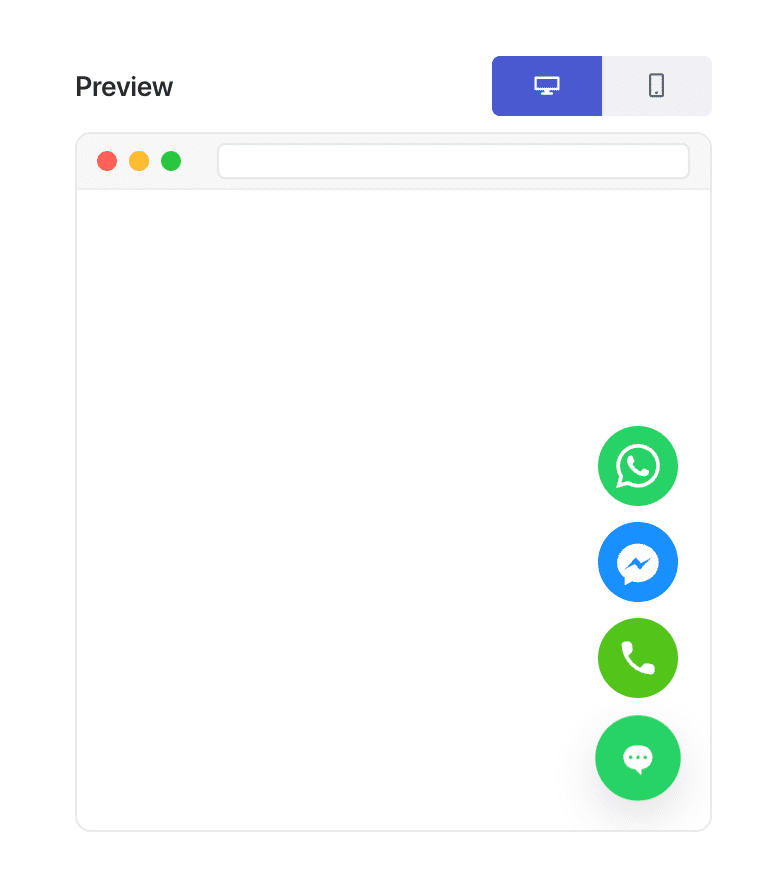
Несколько замечаний:
- Намерение уйти лучше всего работает на настольных компьютерах благодаря сигналам, основанным на движении курсора.
- На мобильных устройствах PushEngage использует резервные триггеры, которые имитируют поведение ухода.
Вам не нужны пользовательские скрипты или плагины — PushEngage автоматически обрабатывает все обнаружение.
Как включить чат при намерении уйти в PushEngage (пошаговое руководство)
Шаг 1: Создайте или отредактируйте ваш виджет чата
В вашей панели администратора WordPress:
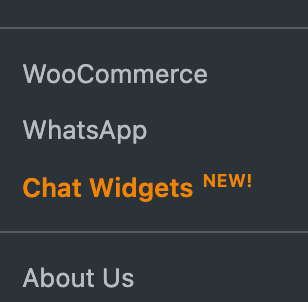
Перейдите в раздел PushEngage » Виджеты чата.
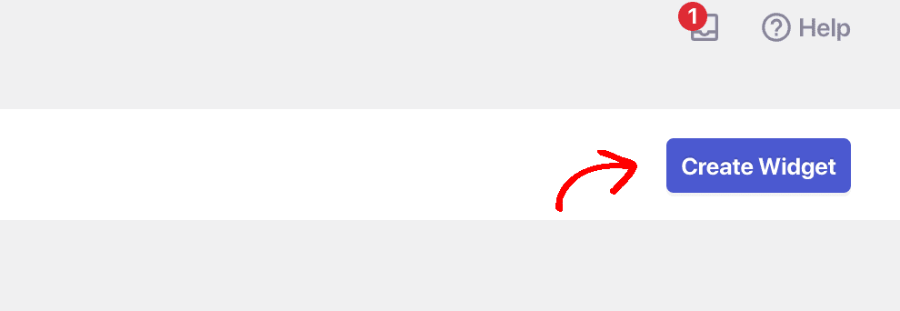
Выберите Создать виджет или выберите существующий для редактирования.
Шаг 2: Триггер при намерении уйти
После того как вы закончите выбор каналов и настройку расписания агентов, перейдите на вкладку Триггеры. В разделе Тип триггера выберите Показывать при намерении уйти.
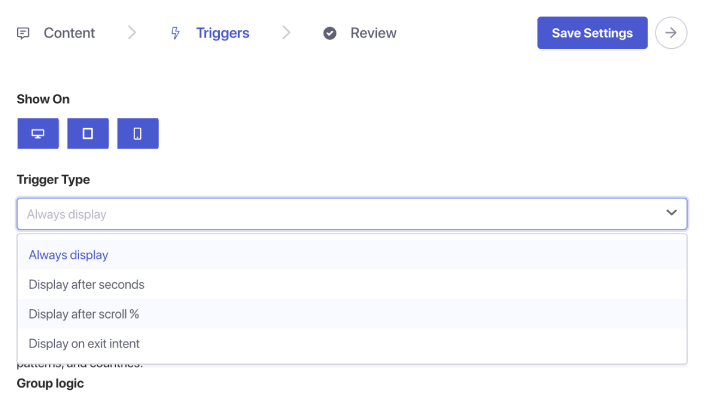
Шаг 5: Сохраните и опубликуйте ваш виджет
Нажмите Сохранить виджет. Убедитесь, что виджет активен и нацелен на нужные страницы. Ваш чат с намерением уйти теперь в сети.
Где использовать чат при намерении уйти (страницы с высоким влиянием)
Намерение уйти лучше всего работает на страницах, где посетитель принимает решение:
1. Страница с ценами
Они сравнивают стоимость и ценность — часто в нескольких секундах от ухода.
2. Страница оформления заказа
У них могут быть сомнения относительно доставки, доверия или оплаты.
3. Страницы продуктов
Идеальный момент для ответа на вопросы перед покупкой.
4. Записи в блоге
Отлично подходит для захвата лидов перед их уходом после прочтения.
5. Страницы демонстрации/консультации
Полезно для повторного вовлечения потенциальных клиентов, которые заинтересованы, но колеблются.
Объедините с таргетингом на страницы, чтобы показывать чат с намерением уйти только там, где это наиболее важно.
Дополнительные улучшения (высокая рентабельность инвестиций)
1. Добавьте скидку или предложение
Отображается только тем, кто собирается уйти → посетители с высоким намерением не теряют маржу.
2. Отправляйте чаты при намерении уйти продавцам
Мгновенно восстанавливайте упущенные возможности.
3. Комбинируйте с таргетингом на вернувшихся посетителей
Улавливайте повторные сомнения.
4. Настройте сообщение в зависимости от страницы
Страница товара: «Вопросы об этом товаре?»
Страница с ценами: «Нужна помощь в выборе подходящего плана?»
Оформление заказа: «Нужна помощь в завершении заказа?»
Лучшие практики для чата при намерении уйти
Сохраняйте ненавязчивость
Намерение уйти — это о помощи, а не об отчаянии.
Избегайте агрессивных скидок повсюду
Используйте экономно, чтобы посетители не начали уходить намеренно.
Делайте сообщения краткими
Посетители уже уходят — минимизируйте свои запросы.
Не комбинируйте с триггерами раннего этапа страницы
Чат при намерении уйти должен появляться только в последний момент.
Протестируйте на настольных компьютерах и мобильных устройствах
Мобильные устройства требуют резервной логики — убедитесь, что взаимодействие остается естественным.
Что делать после настройки виджетов чата
Чат при намерении уйти — один из самых простых способов вернуть уходящих посетителей, и PushEngage делает его внедрение невероятно простым.
Менее чем за минуту вы можете:
- Обнаруживать, когда пользователи собираются уйти
- Показывать полезное сообщение в идеальный момент
- Возвращать продажи, генерировать лиды и сокращать отказы
Маленькое изменение — большое влияние.
Как только расписания будут установлены, ваша команда сможет работать более эффективно, а ваши клиенты получат ожидаемый опыт.
Если вы еще не настроили профили агентов и расписания в PushEngage, сейчас самое время.
Не убедились? Ознакомьтесь с этими замечательными ресурсами по многоканальным маркетинговым кампаниям:
- Как увеличить продажи отелей в низкий сезон
- Как использовать многоканальный маркетинг для отелей в 2026 году
- Как превратить подписчиков в покупателей с помощью push-уведомлений в браузере
- Как уведомлять подписчиков о новых записях в WordPress
- Как отправлять уведомления о наличии товара для увеличения продаж
- Как очистить списки подписчиков push-уведомлений (легко)
- Как автоматически отправлять RSS-push-уведомления
- Как использовать push-уведомления для продвижения новостного сайта
- Как использовать push-уведомления для перекрестных продаж, чтобы удвоить продажи
- Как использовать push-уведомления об отказе от просмотра (4 шага)


