
Ищете способ использовать отслеживание незаполненных форм для восстановления потерянных лидов?
Незаполненная форма возникает, когда пользователи заполняют HTML-форму и уходят, не отправив ее. Форма может быть одностраничной или многостраничной. Для многостраничной формы это обычно относится к последней странице формы. Но если пользователь вводит данные на первых нескольких страницах, а затем покидает форму до завершения всех шагов, это тоже незаполненная форма.
В этой статье мы покажем вам, как восстанавливать потерянные лиды в автоматическом режиме, настроив кампанию push-уведомлений о незаполненных формах. Самое приятное то, что настройка занимает менее 10 минут.
Давайте начнем.
Как работает отслеживание незаполненных форм
Точно так же, как на сайтах электронной коммерции возникают проблемы с отказом от корзины, на сайтах агентств возникают проблемы с отказом от формы. С помощью веб-пуш-уведомлений PushEngage вы можете нацеливаться на пользователей, отказывающихся от формы, и побуждать их заполнить контактную форму.
PushEngage — лучший сервис push-уведомлений в мире. Так что ваши кампании будут в надежных руках.
Теперь, когда вы поняли, что такое незаполненная форма, пришло время понять, как работает отслеживание незаполненных форм. Мы рассмотрим как одношаговые, так и многошаговые формы, чтобы понять общий процесс создания кампаний по восстановлению незаполненных форм.
Кампании отслеживания незаполненных одношаговых форм
Как только человек посетит страницу, где находится форма, он будет добавлен в сегмент под названием «Незаполненные формы».
Конечно, вам придется сначала создать этот сегмент. Условием для сегмента является то, что подписчик, посещающий форму, будет автоматически помещен в сегмент при посещении URL, пока он не нажмет кнопку «Отправить» формы.
Если посетитель не нажмет кнопку «Отправить» на форме, через небольшую задержку ему будет отправлено автоматическое push-уведомление с просьбой завершить заполнение формы.
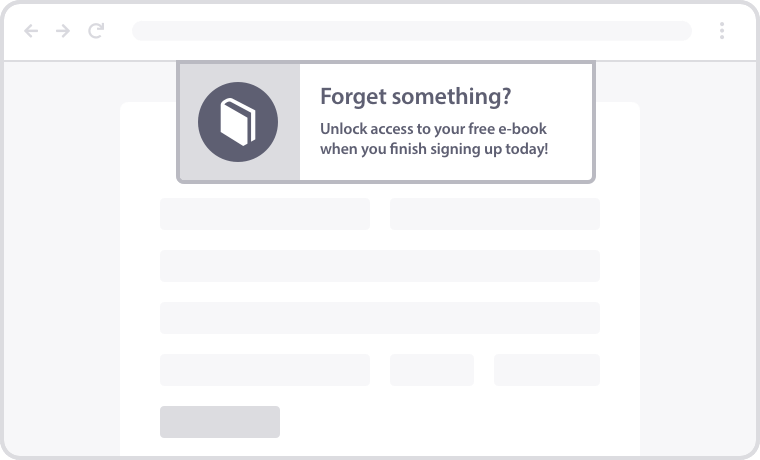
Вы можете настроить целую последовательность push-уведомлений, как автоответчик электронной почты. Когда ваш подписчик завершит заполнение формы, он будет автоматически удален из сегмента и перестанет получать какие-либо уведомления.
Кампании отслеживания незаполненных многошаговых форм
Незаполненные многошаговые формы работают почти так же, как и одношаговые. Единственное отличие заключается в том, что вам нужно будет создать несколько сегментов в зависимости от количества шагов для заполнения вашей формы.
Например, если у вас есть 3-этапная форма, вы, вероятно, создадите 3 сегмента.
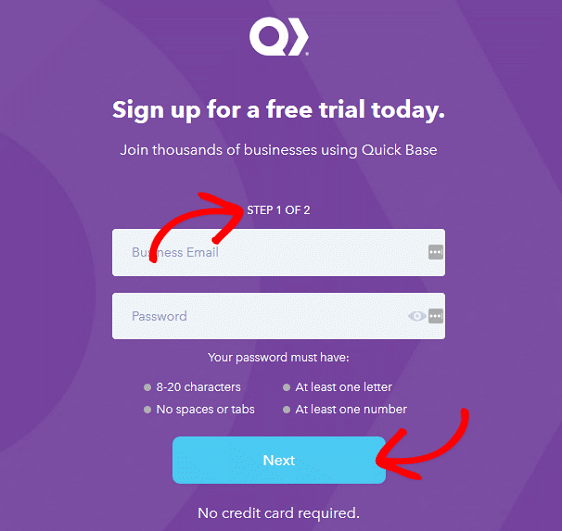
В идеале вы хотите создать один сегмент для каждого шага на основе URL-адресов для каждого шага. Как только ваш посетитель предпримет действие по одному URL-адресу, он будет автоматически добавлен в следующий сегмент, пока не завершит всю форму. Единственное ручное действие, которое вам нужно предпринять, — это удалить подписчика из предыдущего сегмента.
В зависимости от того, в каком сегменте находится ваш посетитель, вы будете отправлять ему капельную кампанию, чтобы убедить его завершить заполнение формы, если он уйдет на полпути.
Как настроить кампанию по восстановлению незаполненных форм
Наконец, давайте посмотрим, как вы можете быстро создать кампанию по восстановлению брошенных форм. Для этой части мы будем использовать PushEngage для настройки кампаний push-уведомлений. Для создания кампаний по брошенным формам вам потребуется план Premium или выше. Итак, начните работу с PushEngage, прежде чем продолжить с остальной частью этого руководства.
Как только вы зарегистрируетесь в PushEngage и установите его, перейдите на панель управления PushEngage.
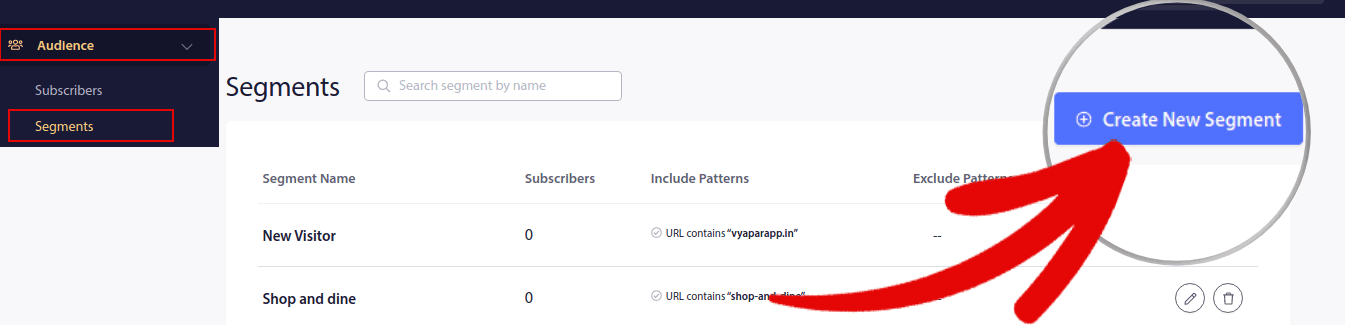
Затем перейдите в раздел Audience » Segments и нажмите Create a New Segment:
Затем назовите свой сегмент и нажмите Segment on Page Visit, выберите Exact Match для настроек выбора URL и вставьте URL вашей страницы с формой:
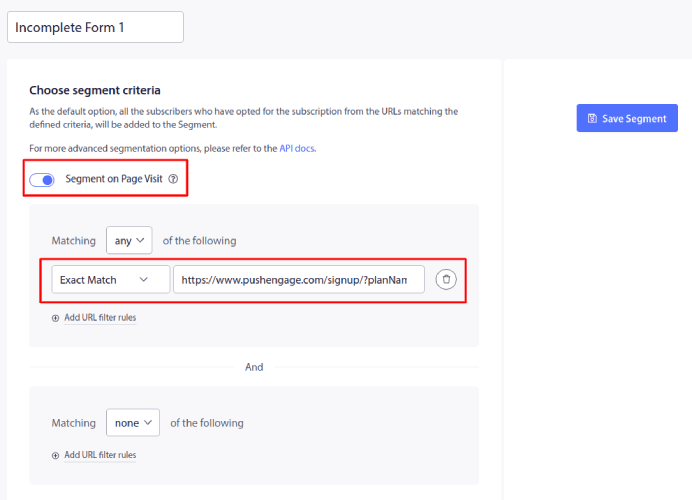
Когда закончите, нажмите Save Segment.
Если у вас есть несколько страниц контактной формы, создайте сегмент для каждого URL. Затем перейдите в раздел Campaign » Drip Autoresponders и нажмите Create New Drip Autoresponder:

Далее создайте автоответчик для брошенных форм в разделе Content:
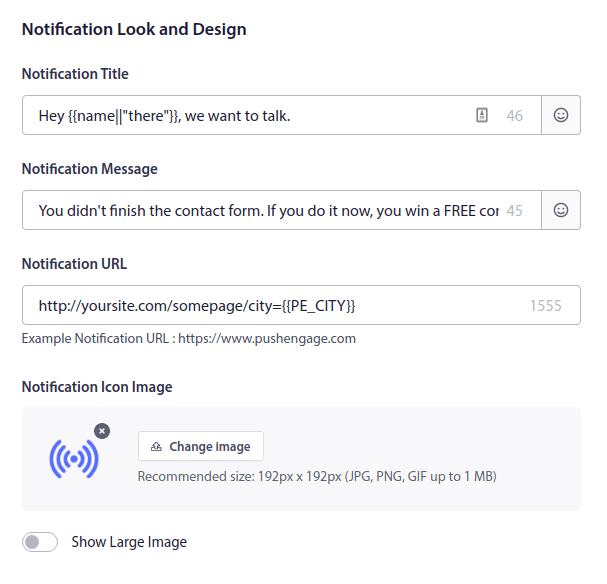
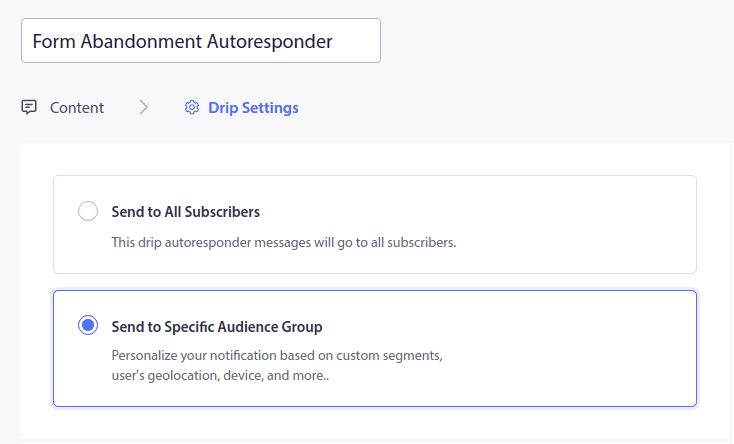
После этого перейдите в Drip Settings и выберите Send to a Specific Audience Group:
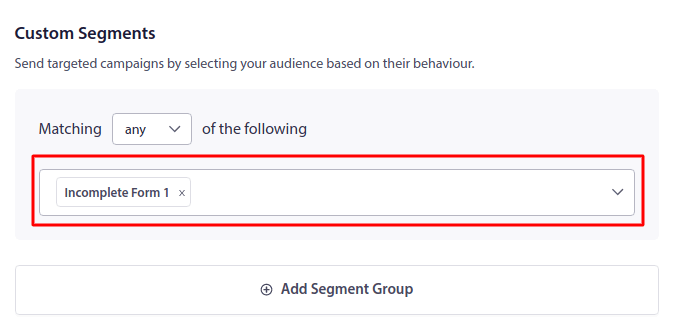
И в разделе Custom Segments выберите созданный вами сегмент:
Когда закончите, нажмите Activate Autoresponder:

Далее вам нужно будет настроить способ удаления ваших подписчиков из сегмента Incomplete Form, когда они попадают в сегмент Incomplete Form 1. Для этого вам нужно будет использовать PushEngage API, чтобы удалить подписчика из сегмента, когда он нажимает кнопку Submit на каждой части формы.
Ознакомьтесь с документацией по созданию кампаний по восстановлению брошенных форм, чтобы настроить этот процесс.
И вы закончили!
Что делать после настройки отслеживания брошенных форм
Если вы только начинаете работать с push-уведомлениями, вам следует начать с PushEngage. PushEngage — лучшее программное обеспечение для push-уведомлений в мире. Помимо кампаний по восстановлению брошенных форм, вы можете настроить множество других автоматических кампаний push-уведомлений.
Начать работу с этими кампаниями также очень просто, и вы можете ознакомиться с ними далее:
Так что, если вы еще этого не сделали, начните использовать PushEngage сегодня.


