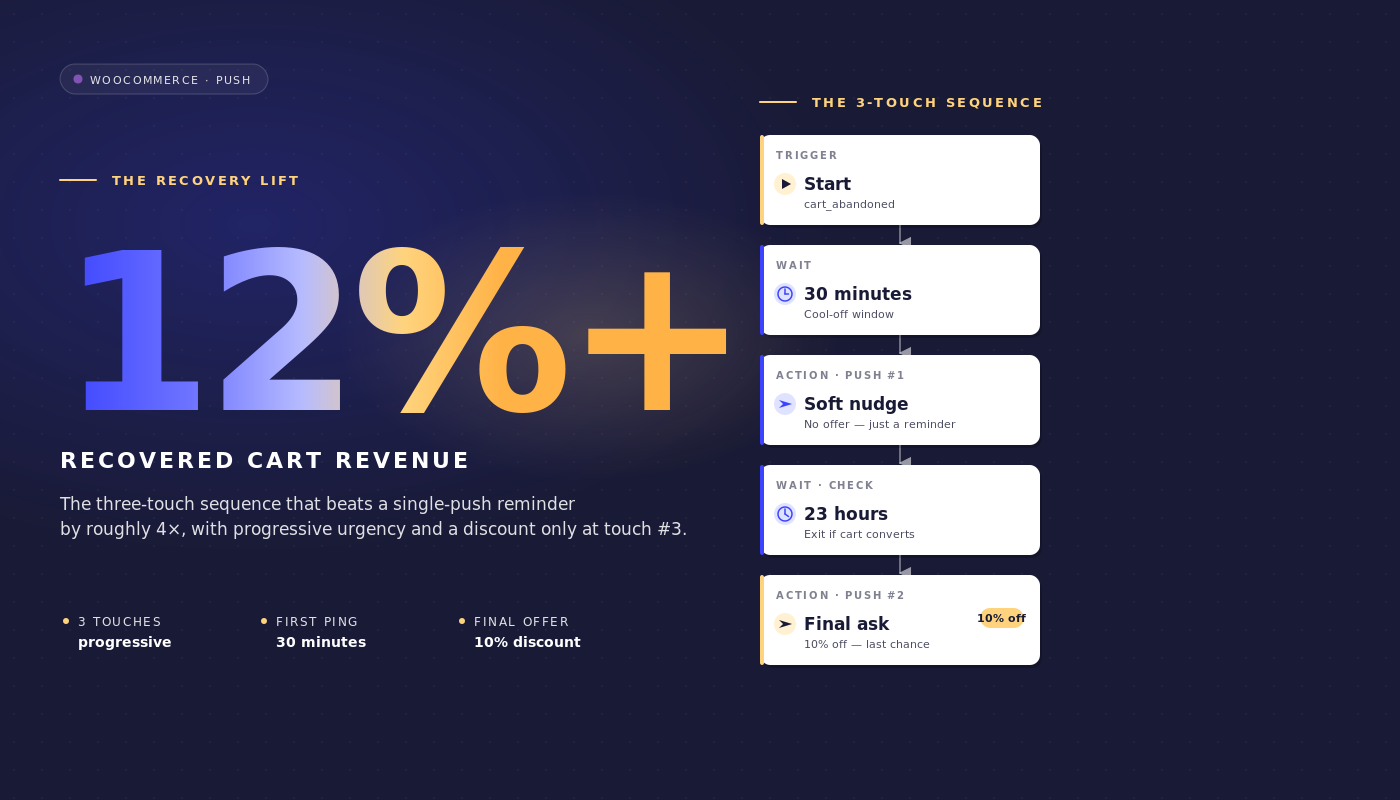
إنه يوم الثلاثاء الساعة 9 صباحًا وأنت تنظر إلى لوحة تحكم WooCommerce لمتجر بقيمة إجمالية للسلع تبلغ 35 مليون دولار. استعادت Klaviyo مبلغ 4800 دولار من عربات التسوق المهجورة الأسبوع الماضي. الجزء غير المسترد هو 46000 دولار. هذه الفجوة ليست مشكلة Klaviyo. تسلسل البريد الإلكتروني جيد. توجد الفجوة لأن البريد الإلكتروني لا يمكنه الوصول إلى حوالي ثلث المتخلين عن عربات التسوق على الإطلاق: لا يحدث الفتح أبدًا، ولا تُفتح نافذة المعاينة أبدًا، ويبقى صندوق الوارد مليئًا بتأكيدات الطلبات من الأسبوع الماضي.
إشعارات دفع عربة التسوق المهجورة في WooCommerce تسد هذه الفجوة ليس عن طريق استبدال تسلسل البريد الإلكتروني ولكن عن طريق العمل بالتوازي معه في توقيت مختلف، بتنسيق مختلف، على سطح مختلف.
هذه المقالة هي مواصفات سير العمل التي يحتاجها مدير الاحتفاظ في WooCommerce بالفعل: رحلة الدفع المكونة من 3 رسائل بالضبط، وأسماء الأحداث بالضبط، ونوافذ الانتظار بالضبط، وسلّم الخصم المدافع عنه بالدولارات الهامشية، وقاعدة الخروج التي توقف سير العمل في اللحظة التي يتم فيها تحويل العربة، ورياضيات الإسناد لكل عربة التي يمكنك تقديمها للتمويل.
ارفعها مباشرة إلى PushEngage واجعلها تعمل في أقل من ساعة. يتم العثور على العربة المستعادة كإيرادات مكتسبة، وليس إيرادات مدفوعة، وهذا هو حجة الاحتفاظ/تكلفة اكتساب العملاء بأكملها في سطر واحد.
- لماذا "الدفع بدلاً من البريد الإلكتروني" هو تأطير خاطئ
- لماذا WooCommerce مناسب للدفع (وأين لا يكون كذلك)
- سير عمل التخلي عن عربة التسوق المكون من 3 رسائل، من البداية إلى النهاية
- لماذا ساعة واحدة، 25 ساعة، و 73 ساعة
- الدفاع عن سلّم الخصم
- الإسناد لكل عربة ورياضيات الإيرادات المستعادة
- تنسيق القنوات المتعددة: الدفع + البريد الإلكتروني + واتساب + الدردشة المباشرة
- الشريط الجانبي: إدارة سير عمل العربة من مساعدك الذكي
- ابنِها في PushEngage
- ما يغيره هذا
لماذا "الدفع بدلاً من البريد الإلكتروني" هو تأطير خاطئ
تضع معظم مقالات التخلي عن عربة التسوق ثنائية زائفة. الدفع مقابل البريد الإلكتروني. الرسائل القصيرة مقابل الدفع. واتساب مقابل الثلاثة. متاجر WooCommerce متوسطة السوق التي تستعيد 25-40٪ من قيمة عربة التسوق المهجورة لا تختار واحدة. إنها تتراكب. يصل البريد الإلكتروني إلى مستخدمي البريد الوارد الذين يتحققون من البريد الإلكتروني مرتين في اليوم. يصل الدفع إلى مستخدمي سطح المكتب والجوال الذين لا يتحققون من البريد الإلكتروني على الإطلاق ولكنهم يلقون نظرة على الإشعارات. تصل الرسائل القصيرة إلى عربات التسوق عالية القيمة حيث يجب أن تصل الرسالة في الثلاثين ثانية القادمة. وظيفة مدير الاحتفاظ هي تكوين المكدس المتراكب، وليس مناقشة أي قناة فردية تفوز.
بالنسبة لمتجر WooCommerce الذي يشغل تسلسل بريد إلكتروني فقط حاليًا، فإن السؤال ليس "هل يجب أن أتحول إلى الدفع؟". إنه "ماذا يضيف الدفع فوق ما يفعله البريد الإلكتروني بالفعل؟". الإجابة واضحة. يطلق الدفع بشكل أسرع من فتح البريد الإلكتروني (لمسة أولى مدتها 60 دقيقة تصل قبل ساعة من فتح البريد الإلكتروني المعتاد). الدفع أصعب في التجاهل (لا توجد نافذة معاينة). يخرج الدفع عند حدث الشراء بغض النظر عن القناة التي حصلت على رصيد التحويل. هذه خصائص إضافية، وليست بدائل.
تم بناء بقية هذه المقالة على هذا التأطير. يفترض سير عمل الدفع المكون من 3 رسائل أدناه أن لديك بالفعل تسلسل استرداد من 3 أو 4 رسائل بريد إلكتروني قيد التشغيل في Klaviyo أو Omnisend أو أي ESP آخر تستخدمه. إنه يتكامل مع هذا التسلسل بدلاً من استبداله.
لماذا WooCommerce مناسب للدفع (وأين لا يكون كذلك)
تطلق WooCommerce ثلاثة أحداث أصلية تجعل هذا الأمر برمته قابلاً للتتبع. يتم تشغيل add_to_cart في كل مرة تتم فيها إضافة منتج. يتم تشغيل woocommerce_cart_updated عند تغيير حالة سلة التسوق. يتم تشغيل woocommerce_payment_complete عند دفع ثمن طلب.
يقوم المكون الإضافي لتكامل PushEngage WooCommerce بتعيين هذه الأحداث إلى حدث مخصص في PushEngage يسمى cart_abandoned (يتم تشغيله عندما تظل سلة التسوق غير نشطة بعد عتبة التخلي) وإلى هدف يسمى purchase (يتم تشغيله عند اكتمال الدفع). تحمل حمولة حدث cart_abandoned cart_id و cart_value و cart_url (رابط الاستعادة) وقائمة بالمنتجات. تصبح حمولة البيانات هذه مصدر المتغير الذي تستخدمه إشعارات سير العمل.
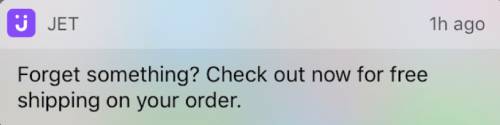
يتعامل تكامل PushEngage أيضًا مع استعادة سلة التسوق. عندما ينقر مشترك على إشعار دفع، فإنه يصل إلى سلة التسوق مع تعبئة عناصره بالفعل بدلاً من صفحة منتج فارغة. هذه ليست تفصيلاً صغيراً: سلة تسوق مستعادة مع عملية دفع بنقرة واحدة تحول بمعدل ثلاثة أضعاف معدل سلة التسوق المستعادة التي تتطلب من المشترك إعادة إضافة العناصر.
تعد استعادة سلة التسوق إحدى ميزات إشعارات الدفع الخاصة بـ WooCommerce التي يوفرها تكامل PushEngage جاهزة للاستخدام؛ على المنصات التي لا تحتوي على التكامل، يتعين على فريق الاحتفاظ بناء رابط الاستعادة يدويًا.
هناك مشكلة واحدة خاصة بـ WooCommerce يجب الإشارة إليها. المتاجر التي تستخدم عملية دفع خارج المنصة (Stripe Checkout، PayPal hosted checkout، Mollie hosted، Klarna hosted) لا تقوم بتشغيل woocommerce_payment_complete حتى يعود العميل إلى صفحة الشكر. إذا لم يحدث هذا التحويل مطلقًا (أغلق العميل علامة تبويب المتصفح على صفحة Stripe المستضافة بعد الدفع)، فلن يكون لدى سير العمل طريقة لمعرفة أن سلة التسوق قد تم تحويلها. الحل هو بكسل تتبع الهدف على إعادة توجيه صفحة الشكر الذي يشغل هدف PushEngage purchase مع معرف سلة التسوق. بدون هذا البكسل، يستمر سير العمل في إرسال تذكيرات للمشتركين الذين دفعوا بالفعل، وهذا هو وضع الفشل الذي يتجنبه كل فريق احتفاظ. قم بتكوين البكسل قبل تشغيل سير العمل.
ملاحظتان إضافيتان للسياق. أولاً، مفردات سير العمل في بقية هذه المقالة (START، WAIT، DECISION، ACTION، END) محددة في منشئ سير عمل PushEngage ويتم تناولها بالتفصيل في المقالة الرئيسية للتجارة الإلكترونية. ثانيًا، يعد سير عمل سلة التسوق المهجورة في WooCommerce أحد خمسة سير عمل دفع خاصة بـ WooCommerce في هذه السلسلة؛ ترتبط السير الأخرى (تخلي عن التصفح، انخفاض السعر، العودة إلى المخزون، ما بعد الشراء) من القسم الختامي.
سير عمل التخلي عن عربة التسوق المكون من 3 رسائل، من البداية إلى النهاية
هذا هو المحور الرئيسي. المواصفات الكاملة لسير عمل التخلي عن سلة التسوق.
نوع المشغل والتشغيل
- المشغل (البداية): حدث مخصص في PushEngage مع
event_name = cart_abandoned، يتم تشغيله بواسطة تكامل WooCommerce عندما تظل سلة التسوق غير نشطة بعد عتبة التخلي (عادةً 60 دقيقة من عدم النشاط). - نوع التشغيل: متعدد متوازٍ. المشترك الذي يتخلى عن السلة أ يوم الثلاثاء والسلة ب يوم الجمعة يحصل على مثيلين متزامنين لسير العمل، واحد لكل سلة، ولكل منهما معرف السلة الخاص به. هذا أمر بالغ الأهمية: نوع التشغيل الفردي أو المتعدد المتسلسل سيمنع استعادة السلة ب عند اكتمال سير عمل السلة أ، وسيحصل العميل العائد الذي يتخلى عن السلة للمرة الثانية على لا شيء.
- معايير الخروج: الهدف
purchaseمطابق لمعرف السلة من حدث التشغيل. في اللحظة التي يتم فيها تشغيل هدف WooCommercepurchaseلتلك السلة، يتم إلغاء سير العمل لهذا المشترك، بغض النظر عن مكانه الحالي في الرحلة. - ساعات الهدوء: من 10 مساءً إلى 8 صباحًا في المنطقة الزمنية للمشترك، مع خيار احتياطي
reschedule. إعدادrescheduleيحتفظ بالإشعارات حتى الساعة 8:01 صباحًا بالتوقيت المحلي بدلاً من إسقاطها، وهو ما تفضله معظم فرق الاحتفاظ بالعملاء لأن الإشعارات التي يتم إسقاطها تختفي أيضًا من التحليلات.
التدفق
انتظر ساعة واحدة → رسالة 1 (بدون خصم) → انتظر 24 ساعة → قرار: هل السلة لا تزال مهجورة؟ → المسار نعم: رسالة 2 (خصم 10٪) → انتظر 48 ساعة → قرار: هل السلة لا تزال مهجورة؟ → المسار نعم: رسالة 3 (خصم 20٪ + إلحاح) → نهاية.
المسارات لا في كلتا عقدتي القرار توجهان إلى الخروج (تم تحويل السلة بين فترات الانتظار وتم الانتهاء من مهمة سير العمل).
نسخ الإشعارات
الرسالة 1 (بعد ساعة واحدة من التخلي عن السلة، بدون خصم):
- العنوان:
لقد تركت شيئًا وراءك - النص:
{{event.data.product_name || cart}} لا يزال هنا. هل ترغب في إكمال عملية الدفع؟ - الرابط:
{{event.data.cart_url}}
الرسالة 2 (بعد 25 ساعة من التخلي عن السلة، خصم 10٪):
- العنوان:
هل ما زلت تفكر في الأمر؟ إليك خصم 10٪ - النص:
{{event.data.product_name || cart}} على بعد نقرة واحدة. استخدم SAVE10 عند الدفع. - الرابط:
{{event.data.cart_url}}?coupon=SAVE10
الرسالة 3 (بعد 73 ساعة من التخلي عن السلة، خصم 20٪، إلحاح):
- العنوان:
الفرصة الأخيرة: خصم 20٪ على سلتك - النص:
لقد احتفظنا بـ {{event.data.product_name || cart}} ليوم آخر. ينتهي رمز SAVE20 الليلة. - الرابط:
{{event.data.cart_url}}?coupon=SAVE20
يبقى كل عنوان أقل من 50 حرفًا وكل نص أقل من 130 حرفًا، مما يحافظ على ظهوره دون اقتطاع على أجهزة الكمبيوتر المكتبية Chrome، و iOS Safari 16.4+، و Android Chrome. توفر صيغة || خيارًا احتياطيًا إذا كان متغير اسم المنتج مفقودًا.
لماذا ساعة واحدة، 25 ساعة، و 73 ساعة
فترات الانتظار الثلاث ليست اعتباطية. كل نافذة تلتقط سيكولوجية استعادة مختلفة.
ساعة واحدة. اللمسة الأولى تلتقط المتخلي عن السلة الذي يقول “ذهبت للتحقق من الأسعار في مكان آخر” قبل أن تتلاشى ذاكرة الجلسة. معظم السلات التي يتم استعادتها على الإطلاق تفعل ذلك في الساعة الأولى. معظم السلات التي تتجاوز الساعة الأولى دون تحويل لن يتم تحويلها دون لمسة ثانية. فترة انتظار أولى مدتها 30 دقيقة متسرعة جدًا: فهي تقاطع المقارنة الشرائية التي يقوم بها العميل بنشاط. فترة انتظار أولى مدتها 4 ساعات بطيئة جدًا: سياق السلة مفقود. ساعة واحدة تقع عند نقطة التحول.
25 ساعة. اللمسة الثانية تصل في اليوم التالي، عن قصد 25 ساعة بدلاً من 24 ساعة بالضبط حتى لا يتلقى المتخلي في المساء الرسالة الثانية في نفس الساعة التي تلقى فيها الأولى (والتي يدركها الدماغ على أنها بريد عشوائي). يؤدي الانتظار لمدة 25 ساعة إلى تحويل اللمسة الثانية إلى روتين الصباح التالي للمتخلين في المساء، أو إلى المساء التالي للمتخلين في الصباح، وهي نافذة الوصول العملية لعرض خصم 10%.
73 ساعة. المحاولة الأخيرة قبل أن تبرد عربة التسوق. بعد ثلاثة أيام، إما أن يكون اهتمام المشترك قد تجسد من خلال قناة أخرى (وفي هذه الحالة تكون قاعدة الخروج قد تم تفعيلها بالفعل) أو توقف تمامًا. خصم 20% مع تأطير الإلحاح هو آخر دفعة قابلة للتطبيق قبل أن تموت عربة التسوق. الانتظار لأكثر من 96 ساعة يؤدي إلى انخفاض معدل الاسترداد بشكل كبير بتكلفة هامش مضمونة؛ وأقل من 48 ساعة بعد الرسالة الثانية يدرب المشتركين على انتظار الخصم.
تغطي ساعات الهدوء التسلسل بأكمله. لولا ذلك، لكانت اللمسة الأولى للمتخلي في الساعة 11 مساءً لمدة ساعة تصل في منتصف الليل. مع تعيين reschedule على 8:01 صباحًا، تحتفظ الرسالة حتى صباح اليوم التالي. يظل سير عمل التخلي عن عربة التسوق مسؤولاً عن التسليم بدلاً من إسقاط عمليات الإرسال الليلية بصمت.
الدفاع عن سلّم الخصم
سلم الخصم هو 0% / 10% / 20%. البديل الواضح هو خصم ثابت بنسبة 15% عبر جميع اللمسات الثلاث. يفوز السلم بإجمالي الإيرادات المستردة، حتى لو فاز الهيكل المسطح بمعدل الاسترداد الخام. إليك الحساب على نطاق WooCommerce المتوسط التمثيلي.
سيناريو. 200,000 مشترك في الإشعارات الفورية. معدل تخلي عن عربة التسوق 70%. متوسط قيمة الطلب 145 دولارًا. ما يقرب من 12,000 عربة تسوق مهجورة أسبوعيًا يتم تتبعها من خلال سير عمل الإشعارات الفورية (بعد تداخل المشتركين مع البريد الإلكتروني).
خصم ثابت بنسبة 15% عبر جميع اللمسات الثلاث. لنفترض أن هذا يرفع معدل الاسترداد الخام إلى 30%. هذا يسترد 3,600 عربة تسوق أسبوعيًا بقيمة 145 دولارًا لمتوسط قيمة الطلب = 522,000 دولار إجمالي. كل عربة تسوق مستردة تدفع خصمًا بنسبة 15%، لذا فإن صافي الإيرادات المستردة هو 522,000 دولار × 0.85 = 443,700 دولار أسبوعيًا.
سلم 0/10/20. لنفترض أن هذا ينتج معدل استرداد خام بنسبة 25% (أقل، لأن الرسالة 1 لا تحتوي على حافز). لكن الاسترداد يتوزع عبر اللمسات الثلاث: 12% يتحولون عند الرسالة 1 (بدون خصم)، 8% عند الرسالة 2 (10%)، 5% عند الرسالة 3 (20%). صافي لكل عربة تسوق: 12% × 145 دولارًا + 8% × 145 دولارًا × 0.90 + 5% × 145 دولارًا × 0.80 = 17.40 دولارًا + 10.44 دولارًا + 5.80 دولارًا = 33.64 دولارًا لكل عربة تسوق مهجورة. عبر 12,000 عربة تسوق، يبلغ ذلك 403,680 دولارًا أسبوعيًا، وهو أقل بقليل من المبلغ الثابت.
لكن واقع هامش الربح الإجمالي أكثر حدة. تعمل معظم متاجر WooCommerce متوسطة الحجم بهامش ربح إجمالي يتراوح بين 35-45%. خصم ثابت بنسبة 15% يقلل هذا الهامش إلى 20-30%. تحويل الرسالة 1 بنسبة 0% يحافظ على الهامش الكامل. فريق الاحتفاظ الذي يدير السلم يتخلى عن حوالي 3 نقاط مئوية من معدل الاسترداد (28% مقابل 31%) ويسترد جزءًا أكبر بشكل ملموس من دولارات الهامش. صافي هامش المساهمة، وليس إجمالي الإيرادات المستردة، هو الرقم الصحيح للدفاع عنه.
الحجة الثانية للسلم هي تدريب المشتركين. قائمة ترى باستمرار خصمًا بنسبة 15٪ في كل تذكير بالسلة تتعلم انتظار الخصم. ينخفض معدل الاسترداد للربع التالي بنسبة 15٪ ثابتة لأن المشتركين قد تعلموا النمط. سلم 0/10/20 يحافظ على خيار التحويل بالسعر الكامل.
الحجة الثالثة هي التقسيم. المشترك الذي يتحول في الرسالة 1 هو عميل ذو نية عالية يستحق إعادة استهدافه بشكل مختلف في الحملة التالية. المشترك الذي يتحول فقط في الرسالة 3 حساس للسعر ويستحق تقسيمه إلى مسار استبقاء مدفوع بالسعر. ينتج السلم إشارة؛ الخصم الثابت ينتج ضوضاء.
الإسناد لكل عربة ورياضيات الإيرادات المستعادة
تحليلات سير العمل في PushEngage تتعقب ثلاثة أرقام عند كل عقدة: المستخدمون في قائمة الانتظار (ينتظرون عند هذه العقدة)، والمستخدمون المكتملون (مروا)، والمستخدمون الذين خرجوا (غادروا سير العمل عند هذه العقدة، عادةً بسبب تفعيل قاعدة الخروج).
إليك كيف تبدو تحليلات مستوى العقدة لسير عمل نشط للتخلي عن سلة التسوق في WooCommerce يعمل على متجر بقيمة 200 ألف مشترك ومتوسط قيمة طلب 145 دولارًا:
| عقدة | في الانتظار | مكتمل | خرج | ملاحظات |
|---|---|---|---|---|
| البدء (تم التخلي عن سلة التسوق) | 0 | 11,940 | 240 | تم استرداد 240 سلة تسوق بين تشغيل الحدث وفحص سير العمل |
| انتظر ساعة واحدة | 220 | 11,720 | 0 | عمق قائمة الانتظار العادي |
| الإجراء: الرسالة 1 | 0 | 11,720 | 0 | تم إرسال الإشعار |
| انتظر 24 ساعة | 280 | 9,290 | 2,150 | تم استرداد 2150 سلة تسوق في الرسالة 1 (أعلى نية استرداد) |
| القرار: هل ما زالت مهجورة؟ | 0 | 9,290 | 0 | تم فحص السلات المتبقية مقابل الهدف |
| الإجراء: الرسالة 2 (خصم 10٪) | 0 | 9,290 | 0 | تم إرسال الإشعار مع SAVE10 |
| انتظر 48 ساعة | 120 | 7,460 | 1,710 | تم استرداد 1710 سلة تسوق في الرسالة 2 |
| القرار: هل ما زالت مهجورة؟ | 0 | 7,460 | 0 | الفحص النهائي |
| الإجراء: الرسالة 3 (خصم 20٪) | 0 | 7,460 | 0 | تم إرسال الإشعار مع SAVE20 |
| نهاية | غير متاح | 7,460 | غير متاح | لم يتم استرداد 7460 سلة تسوق عبر الإشعارات الفورية |
إجمالي ما تم استرداده عبر الإشعارات الفورية: 240 (قبل اللمس) + 2150 + 1710 = 4100 سلة تسوق. معدل الاسترداد الخام عبر الإشعارات الفورية: 4100 / 12180 = 33.7٪. قيمة سلة التسوق المستردة بمتوسط قيمة طلب 145 دولارًا = 594,500 دولار إجمالي أسبوعيًا. صافي خصم السلم (240 سلة تسوق بنسبة 0٪، 2150 بنسبة 0٪، 1710 بنسبة 10٪)، صافي الإيرادات = 570,795 دولارًا أسبوعيًا.
اقرأ مسار التحويل بهذه الطريقة. الانتظار مرتين (24 ساعة و 48 ساعة) هما العقدتان الأعلى خروجًا، وهذا هو النمط الصحيح: يقرر العملاء الشراء خلال نوافذ الانتظار، وليس أثناء قراءة الإشعار. إذا أظهر سير العمل الخاص بك العكس (معدلات خروج عالية في عقد الإجراء، ومنخفضة في الانتظار)، فإن التوقيت طويل جدًا ويجب عليك تقصير فترات الانتظار. إذا أظهرت عقدة البداية معدلات خروج عالية بشكل غير عادي، فإن عتبة التخلي قصيرة جدًا وأنت تلتقط سلات تسوق لم يتم التخلي عنها حقًا.
هذا هو بند الإيرادات المستردة الذي يمكن لمدير الاحتفاظ الدفاع عنه في مراجعة الأرباح والخسائر التالية. استعادت إشعارات WooCommerce الفورية 570,795 دولارًا صافيًا الأسبوع الماضي من خلال سير عمل التخلي عن سلة التسوق، بتكلفة صفر لكل إرسال إشعار واشتراك المنصة. تكلفة الدولار المسترد صغيرة بما يكفي لعدم وجود سؤال متابعة من قسم المالية.
تنسيق القنوات المتعددة: الدفع + البريد الإلكتروني + واتساب + الدردشة المباشرة
يعمل سير عمل الإشعارات الفورية المكون من 3 رسائل أعلاه بالتوازي مع تسلسل استرداد البريد الإلكتروني. يمكن أيضًا تصعيد نفس بنية سير العمل عبر القنوات بناءً على حالة المشترك. باستخدام محرك سير عمل واحد، تتكون الرحلة على هذا النحو:
- البداية: حدث
cart_abandonedمع معرف السلة وقيمة السلة - انتظار: ساعة واحدة
- القرار 1: هل المشترك مشترك في إشعارات الويب؟ نعم: إرسال تذكير بإشعارات الويب؛ لا: متابعة
- انتظار: 30 دقيقة
- القرار 2: هل تم إرسال الإشعار والنقر عليه؟ نعم: خروج؛ لا: متابعة
- القرار 3: هل قيمة السلة > 200 دولار؟ نعم: إرسال رسالة واتساب؛ لا: إرسال بريد إلكتروني عبر طلب HTTP إلى ESP
- القرار 4: هل المشترك موجود حاليًا في الموقع؟ نعم: تشغيل تنبيه الدردشة المباشرة؛ لا: المتابعة إلى انتظار الرسالة 2
- خروج عند الهدف
purchase
أربع قنوات، سير عمل واحد، مجموعة واحدة من معايير الخروج، هوية مشتركة واحدة. هذه هي الأوركسترا التي لا تستطيع فرق الاحتفاظ تكوينها عندما تكون كل قناة في أداة مختلفة. مع بائعين منفصلين، يصبح سير عمل السلة ست عمليات مزامنة، ومحركين للتجزئة يختلفان حول من يُعتبر VIP، ولا يوجد إسناد إيرادات موحد.
مع محرك سير عمل واحد، تكون الرحلة كائنًا واحدًا. لمعرفة المزيد حول كيفية تكوين الإشعارات والبريد الإلكتروني داخل خطة احتفاظ واحدة، راجع المقالة الرئيسية حول أوركسترا الإشعارات والبريد الإلكتروني متعددة القنوات.
الشريط الجانبي: إدارة سير عمل العربة من مساعدك الذكي
مع إضافة WordPress 4.2.4 وواجهة برمجة تطبيقات WordPress Abilities API، يصبح سير عمل السلة قابلاً للإدارة من أي مساعد ذكاء اصطناعي مدرك لـ MCP. تعرض الإضافة pushengage/list-push-automation-campaigns (تعرض تكوين أتمتة الإشعارات الحالي لـ WooCommerce) و pushengage/update-push-automation-campaign (تمكن أو تعطّل أو تعيد تكوين حملة حسب المعرف). تتطلب كلتا القدرتين أن يكون لدى المستخدم صلاحية WordPress manage_options وأن يكون WooCommerce نشطًا على الموقع.
بالنسبة لمدير الاحتفاظ الذي يستخدم Claude أو ChatGPT أو Cursor مع تمكين PushEngage MCP، فهذا يعني أنه يمكن إيقاف سير عمل التخلي عن السلة مؤقتًا أثناء انقطاع مخطط للموقع، وإعادة تمكينه بعد ذلك، أو إعادة تكوينه لتبديل نسخ النصوص دون الحاجة إلى فتح WP admin على الإطلاق. المزيد حول هذا في إعلان مساعدي الذكاء الاصطناعي من PushEngage.
ابنِها في PushEngage
مسار الإعداد قصير. قم بتثبيت إضافة PushEngage على موقع WooCommerce (يكتشف WooCommerce تلقائيًا ويعرض الأحداث الخاصة بـ WooCommerce). قم بتوصيل الإضافة بحساب PushEngage. قم باستيراد قالب سير عمل التخلي عن السلة داخل منشئ سير عمل PushEngage.
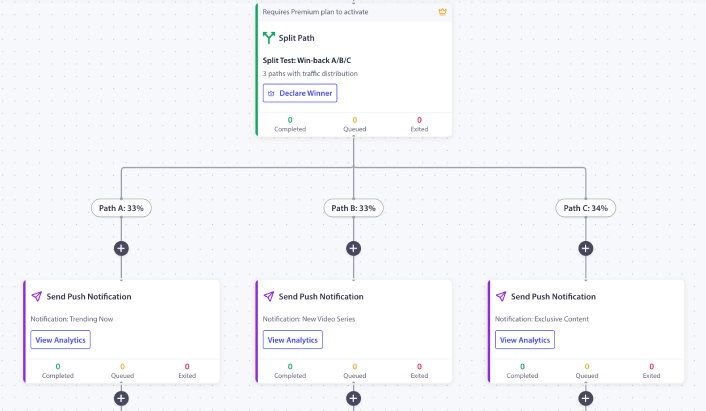
يأتي مع التوقيت 1 ساعة / 25 ساعة / 73 ساعة، واماكن عناصر نائبة لخصم السلم، وقاعدة الخروج عند الشراء معدة مسبقًا. قم بتبديل رموز القسائم النائبة برموزك الحقيقية. قم بتكوين عتبة التخلي (افتراضي 60 دقيقة معقول لمعظم المتاجر). قم بتنشيط سير العمل. راقب أول 200 سلة مهجورة تمر عبره قبل التوسع.
إذا كان هذا هو سير العمل الأول لـ PushEngage في المتجر، فإن الخطة المجانية تمنحك 200 مشترك ومحرك سير العمل الكامل، وهو ما يكفي لإثبات القناة على قائمة مضبوطة قبل طلب ميزانية لخطة مدفوعة. ابدأ بالخطة المجانية لتشغيل المثيل الأول هذا الأسبوع.
ما يغيره هذا
هذه المقالة هي واحدة من خمس مواصفات لسير عمل الإشعارات الخاصة بـ WooCommerce. تغطي المقالات الشقيقة سير عمل التخلي عن التصفح في WooCommerce، وتنبيهات انخفاض الأسعار، وإشعارات إعادة التخزين، و سير عمل ما بعد الشراء في WooCommerce. بالنسبة لمعالجة السلة عبر المنصات الأوسع، فإن دليل السلة الأوسع يغطي الموضوع على المستوى الاستراتيجي.
بالنسبة لمكان ملاءمة هذا في برنامج احتفاظ كامل بالتجارة الإلكترونية، فإن منشور مركز إشعارات الدفع للتجارة الإلكترونية هو النظرة العامة.
مدير الاحتفاظ الذي يفتح لوحة تحكم WooCommerce يوم الثلاثاء ويرى 46,000 دولار في عربات التسوق التي لم يتم استردادها لديه خيار. إما الاستمرار في تحسين تسلسل البريد الإلكتروني الذي وصل إلى مرحلة استقرار، أو إضافة إشعارات الدفع فوقه كقناة ثانية تعمل بتوقيت مختلف وبتنسيق مختلف وقاعدة خروج مختلفة. سير العمل المكون من 3 رسائل أعلاه، والذي يعمل بالتوازي مع أي إيقاع بريد إلكتروني معمول به بالفعل، يسترد 12-25٪ من قيمة سلة التسوق التي لا يمكن للبريد الإلكتروني الوصول إليها.
مع سلم الخصم 0/10/20، تصل الإيرادات المستردة بهامش ربح صافٍ أعلى من سير العمل بخصم ثابت. مع قاعدة الخروج عند الشراء، يتوقف سير العمل عن الإطلاق في اللحظة التي يتم فيها تحويل سلة التسوق. مع تحليلات لكل عقدة، يمكن الدفاع عن البند في البيانات المالية بالأرقام، وليس بالقصص. هذه هي حجة استرداد سلة التسوق المهجورة بالكامل، وحجة أتمتة استرداد سلة التسوق بالكامل، في سير عمل واحد.


