App Push Notification Service
(iOS, Android, Flutter, React Native)
A mobile push notification service with native SDKs for every major stack, delivering through APNs and FCM. You already earned the install; now own the lock screen. Engineering integrates once, and marketing runs cart recovery, win-back, and breaking-news campaigns from one dashboard.

“PushEngage is quick and easy to implement. It provides results promptly and the analytics presents them in a clear and understandable fashion.” Alex Avery · Database Marketing Executive
75,000+ businesses Set up in minutes, no engineering ticket 14-day money-back guarantee
Trusted for web push by 75,000+ businesses








Why it works
The highest-attention surface your brand can own.
App push subscribers installed your app and accepted a system permission prompt. That two-step commitment is why the lock screen out-engages every inbox.
Lock-screen delivery
Notifications land whether the app is open, backgrounded, or closed. Your message reaches users at the moment the offer or story still matters.
No engineering ticket required
Integrate the SDK once. After that, marketing runs cart recovery, win-back drips, and broadcasts from the dashboard without filing a single ticket.
Pay only for active subscribers
A large install base with mixed engagement never inflates the bill. Dormant subscribers cost nothing until a campaign wakes them up.

Triggered campaigns on real behavior
A cart abandoned in your app fires a push within minutes. A reader goes quiet for a week and a win-back sequence starts. Campaigns trigger on events, not on a schedule.
- Cart and browse abandonment fire on the event, not a schedule
- Custom event triggers from the SDK or API
- Rich media, action buttons, and deep links

Attribution your CFO will accept
Goal tracking ties every campaign to the revenue it recovered, per channel and per segment. Timezone delivery and A/B testing tune the numbers upward.
- Delivery, clicks, and goal conversions per campaign
- Smart A/B testing on copy, timing, and creative
- Per-subscriber timezone delivery
Under the hood
APNs and FCM delivery, a dashboard on top.
Every app push notification service delivers through Apple and Google. What differs is what sits on top: the SDKs, the targeting, and whether marketing can run campaigns without filing a ticket.
APNs for iOS
The native iOS SDK registers each device with Apple Push Notification service and handles token management. You add your APNs credentials to the dashboard once.
FCM for Android
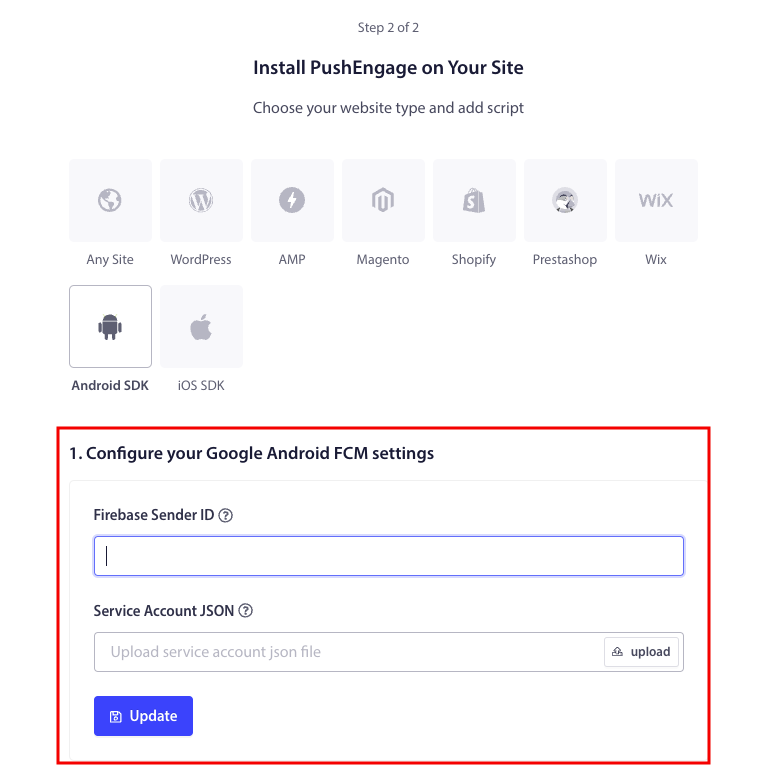
The Kotlin and Java SDK delivers through Firebase Cloud Messaging. Connect your Firebase project once; already on FCM, PushEngage layers on top.
Flutter and React Native
One codebase, native push on both platforms. The Flutter SDK and the React Native SDK handle APNs and FCM for you.
Rich notifications and deep links
Images, action buttons, and deep links that open the exact screen the message is about: the product, the cart, or the article.
Custom events and attributes
Send events and user attributes from the SDK or the REST API. Triggers, segments, and personalization all read from them, so one integration feeds every campaign.
Workflows on every plan
Chain triggers, waits, and decisions into one journey in the visual builder: 1 active workflow on Free, 5 on Business, 20 on Premium, unlimited on Growth. Explore Workflows.
What’s included
One channel. Everything included.
Every capability below runs from the same dashboard as your web push and WhatsApp campaigns. Engineering touches it once.
Triggered campaigns
Cart recovery, win-back, and onboarding sequences that fire on real in-app events like seven days of inactivity.
Triggered campaignsFirebase migration, tokens intact
Already on FCM? PushEngage layers on top. Existing tokens migrate cleanly and users never see a new permission prompt.
Firebase migrationSegmentation and audience groups
Cohorts built from behavior, geography, device, language, and custom attributes. Message the segment, not the whole install base.
See segmentationPersonalization
Reference real user state in every message: name, city, last product viewed. Personalized pushes convert; generic blasts train users to swipe away.
See personalizationREST API and webhooks
Every send, subscribe, and segment operation has a documented endpoint. Webhooks (Growth plan) stream delivery events out in real time.
API documentationGoal tracking and analytics
Delivery, click-through, and goal conversions per campaign, with revenue attributed back to the push that earned it.
See analyticsWeb push, same dashboard
The same platform runs browser push on the same account, same subscriber engine, same pricing line.
Explore web pushIntegrations & developers
Integration is the moat. Engineering touches it once.
Native SDKs for every major mobile stack, a REST endpoint for every console operation, and store connections that feed the events your campaigns fire on. The same SDKs also render in-app messages: banners, modals, and full-screen messages, with no app release per message.
REST API & webhooks
Every endpoint documented and versioned. Trigger sends, manage subscribers, and stream events out. Nothing is console-only.
API documentationiOS SDK
Production-grade APNs delivery for native Apple apps, with deep-link support and token management handled.
iOS pushReact Native SDK
One codebase, real-time push on iOS and Android. APNs and FCM both handled.
React Native push
Flutter SDK
Dart-native push on both platforms with APNs and FCM handled. Integrates in an afternoon.
Flutter pushAndroid SDK
Kotlin and Java SDK with FCM delivery, rich notifications, and deep links. Existing Firebase tokens migrate cleanly.
Android pushIn-app messaging
Push brings them back. In-app messages guide the session.
The same SDKs render in-app messaging: messages shown while the user is inside your app. No opt-in prompt, and no app release per message.
Four positions
Top banner, bottom banner, center modal, or full screen. Start from templates grouped by goal.
Triggers with conditions
Show a message on an automatic or custom event, with conditions on event parameters and audiences built from OR-groups.
Frequency and priority
One-time, recurring, or capped. When two messages qualify at once, priority 1 to 3 decides which one shows.
Measured like push
Impressions, clicks, and closes per message. Available on Business and above; Premium adds more active messages.
The numbers
Production numbers, not promises.
App push pages
More from the app push toolkit.
iOS push
Production-grade APNs delivery for native Apple apps.
iOS SDKReact Native SDK
One codebase, push on iOS and Android.
React Native SDKFlutter SDK
Dart-native push on both platforms with APNs and FCM handled.
Flutter SDKAndroid push
Kotlin and Java SDK with FCM delivery and Firebase migration handled.
Android SDKOther channels
Same dashboard, more ways back.
Pair app push with web push notifications for visitors who never installed the app, PWA push notifications for home-screen web apps, and in-app messaging for users already in a session. Comparing vendors across every channel? See the push notification service page.
Web push notifications
Reach shoppers in Chrome, Firefox, Edge, and Safari, iPhone included, with no app install.
Explore web pushIn-app messaging
Banners, modals, and full-screen messages shown while users are in your app.
See in-app messagingPWA push notifications
Push for progressive web apps, including home-screen web apps on iPhone and iPad.
See PWA pushPush notification service
Web, app, and in-app messaging for eCommerce retention teams, priced on active subscribers.
See the servicePricing model
One meter. Published pricing.
Two structural differences from every enterprise push vendor: how we count, and whether you can see the price.
Subscribers, not MAU
OneSignal meters mobile push on monthly active users and web push on subscribers: two invoices growing on different axes. PushEngage meters web and app push on one axis: subscribers. If your app has a large install base and a modest active share, the same audience costs materially less when you only pay for the people you can actually reach.
Four SDKs at a published price
iOS, Android, React Native, and Flutter first-party SDKs ship on every plan, including Free, with paid plans from $8/month, billed yearly, on a public pricing page. Braze, Airship, MoEngage, and CleverTap match the SDK breadth; all four hide their pricing behind a sales call.
Free
$0No card needed
- 1 site or app
- 200 subscribers
- 30 campaigns (lifetime)
- 1 active workflow
Business
From $8/monthbilled yearly (first-year price)
- 1 site or app
- Up to 50,000 active subscribers
- Unlimited campaigns
- 5 active workflows
Premium
From $15/monthbilled yearly (first-year price)
- 2 sites or apps
- Up to 100,000 active subscribers
- A/B testing and drip campaigns
- Goal tracking and timezone sending
Growth
From $24/monthbilled yearly (first-year price)
- 3 sites or apps
- Up to 250,000 active subscribers
- Cart and browse abandonment
- Back-in-stock and price-drop alerts
Web and app push share one subscriber count. Paid plans carry a 14-day money-back guarantee; there is no free trial. More apps or more than 250,000 subscribers? Enterprise is quoted to fit. “From” prices are first-year prices; the pricing calculator shows the price for your exact subscriber count.
Side by side
PushEngage vs OneSignal for app push.
Every row is a published price or policy. OneSignal rates checked on onesignal.com/pricing on September 30, 2026. PushEngage prices are the standard annual renewal price, shown per month.
| OneSignal | PushEngage | |
|---|---|---|
| How you are billed | $19/month Growth base, plus $0.012 per mobile monthly active user and $0.004 per web push subscriber. | Pay only for active subscribers. One published tier covers app and web push. |
| Free tier | Mobile push and in-app messaging up to 1,000 monthly active users. | 1 app, 200 subscribers, 30 campaigns, no card. Their free tier is bigger. |
| 20,000 subscribed devices, 60% active monthly | $19 + 12,000 MAU × $0.012 = $163/month | $85/month on Business · saves $936 a year |
| 100,000 subscribed devices, 15% active monthly | $19 + 15,000 MAU × $0.012 = $199/month · OneSignal is cheaper here | $368/month on Premium. A large, mostly dormant install base favors MAU billing. |
| Published pricing | Free and Growth only. Professional and Enterprise are “contact sales”. | Every tier up to 250,000 subscribers is on the pricing page. Enterprise is quoted. |
| Automated journeys | Active Journeys: 3 on Free, 5 on Growth, 20 on Professional. | Active workflows: 1 on Free, 5 on Business, 20 on Premium, unlimited on Growth. |
| Money-back guarantee | None published on the pricing page. | 14 days on every paid plan. No questions asked. |
| Channels on one dashboard | No WhatsApp or website chat widget listed on the pricing page. | App push, web push, in-app messaging, WhatsApp, and a chat widget with 21 channels plus custom links. |
OneSignal pricing verified on onesignal.com/pricing, September 30, 2026. PushEngage figures are standard annual renewal prices; first-year prices are lower. Full breakdown, including a break-even table: PushEngage vs OneSignal.
AI-native workflow
Ship it with your AI assistant.
The open-source Agent Skills handle the SDK integration; the MCP server runs campaigns from the same assistant. Both are live today.
Agent Skills for every app SDK
The open-source PushEngage Agent Skills teach Claude Code, Cursor, and any SKILL.md-compatible agent to integrate and debug the iOS, Android, Flutter, and React Native SDKs, from install to first campaign, without tab-switching to the docs.
The PushEngage MCP server
Run one command, npx -y @pushengage/mcp, and Claude, Cursor, or any MCP client gets real hands on your account: segments, campaigns, A/B tests, analytics. You describe the outcome; it does the clicking. Building in Replit, Lovable, or Bolt? The open-source vibe-coding kits wire it in for you.
FAQ
Questions, answered.
We already send email and SMS. Why add app push?
Email lands when the inbox opens and SMS bills you per message. App push lands on the lock screen in seconds with no per-message fee (each plan includes a monthly sending volume), and the subscriber made a two-step commitment by installing your app and accepting the prompt. The channels compound; they don’t compete.
What is an app push notification service?
It’s the layer between your app and Apple’s and Google’s delivery networks. The SDK registers each device with APNs or FCM; the service stores the tokens, builds segments, sends and triggers campaigns, and reports delivery and clicks. PushEngage adds a marketer dashboard, Workflows, and goal tracking on top.
Which SDKs do you support?
Native iOS and Android (Kotlin and Java) SDKs, plus Flutter and React Native. A documented REST API and webhooks cover every console operation for teams that drive push from their own backend.
How much engineering does this take?
The SDK integration is a one-time cost, typically one to three days for an eCommerce app. After that, marketing manages every campaign, segment, and sequence from the dashboard. The REST API and webhooks are documented for teams that want to drive it from their own backend.
We’re on Firebase now. What does migration look like?
PushEngage layers on top of FCM, so there’s no rip-and-replace. Existing FCM tokens migrate cleanly, users never see a new permission prompt, and most teams integrate in an afternoon.
Do you support rich notifications and deep links?
Yes. App push notifications can carry images, action buttons, and deep links that open a specific screen in your app, such as the product or the cart the message is about.
What does it cost as the install base grows?
Pricing scales with active subscribers only, never per message and never your install history. Paid plans start from $8/month, billed yearly, pricing is public for every tier, and paid plans carry a 14-day money-back guarantee. See plans.
What’s the difference between app push and in-app messaging?
App push reaches users when they’re outside your app, on the lock screen, and needs a notification permission. In-app messaging shows banners, modals, and full-screen messages while users are inside the app, with no permission prompt. PushEngage runs both from the same SDKs and the same dashboard.
Can I run app push from an AI assistant?
Yes. The PushEngage MCP server installs with npx -y @pushengage/mcp and gives Claude, Cursor, or any MCP client access to segments, campaigns, A/B tests, and analytics on your account. Setup is on the developers page.
Is web push on the same account?
Yes. Web push notifications run from the same dashboard and count toward the same subscriber total, so one plan covers the browser and the lock screen.
The lock screen is waiting. So is the revenue.
Integrate in days, not sprints. If PushEngage isn’t the best fit within 14 days, we refund 100%. No questions asked.
Free plan available Set up in minutes Pay only for active subscribers