Estás evaluando dos aplicaciones de notificaciones push para tu tienda Shopify. Una ha estado ahí desde el principio: la App Store de Shopify, instalación en un clic, miles de reseñas. La otra cubre más terreno. Gestiona notificaciones push web, push de aplicaciones móviles y WhatsApp, y también funciona en WooCommerce y WordPress. La pregunta no es cuál tiene más funciones en una lista. Es cuál se adapta a los canales que necesitas y al modelo de precios que puedes planificar.
Esta comparación cubre lo que hace cada herramienta, dónde gana cada una genuinamente y los tres escenarios específicos que deberían guiar tu decisión.
EN RESUMEN: PushOwl es la opción más sencilla para una tienda puramente Shopify que solo necesita notificaciones push web y nada más. La integración de PushEngage para Shopify cubre notificaciones push web junto con push de aplicaciones, WhatsApp, WooCommerce y WordPress. Es la mejor opción cuando deseas cobertura multiplataforma o un modelo de precios que escala por tamaño de lista, no por frecuencia de envío.
| PushOwl | PushEngage | |
|---|---|---|
| Canales | Solo push web (+ email y SMS a través de Brevo) | Push web, push de aplicaciones, WhatsApp, chat en vivo |
| Plataforma | Solo Shopify | Shopify, WooCommerce, WordPress, BigCommerce, SDK personalizado |
| Modelo de precios | Por impresión | Por suscriptor activo |
| Push de aplicaciones móviles | No compatible | SDK para iOS, Android, React Native, Flutter |
| A través de Brevo | Nativo, mismo motor de flujo de trabajo que el push web | |
| Mejor para | Tiendas puramente Shopify, configuración sencilla de push web | Cobertura multiplataforma, push de aplicaciones móviles, retención de WhatsApp |
¿Qué es PushOwl y qué cambió con la adquisición por parte de Brevo?
PushOwl comenzó como una aplicación dedicada de notificaciones push web para Shopify. Tiene una profunda integración con los datos de Shopify: eventos de carrito, catálogo de productos, desencadenantes de pedidos se conectan de forma nativa sin configuración personalizada. Construyó una audiencia de más de 500.000 tiendas Shopify gracias a esa simplicidad.
En 2023, la plataforma de marketing por correo electrónico Brevo adquirió PushOwl. La aplicación ahora aparece en la App Store de Shopify como “Brevo PushOwl: Email, Push, SMS”. Esto significa que el push web se incluye con las herramientas de correo electrónico y SMS de Brevo, lo cual es útil si deseas un único proveedor para múltiples canales dentro de Shopify, pero también significa que la dirección del producto de PushOwl ahora está ligada a la hoja de ruta de Brevo en lugar de ser un especialista independiente en push.
Sobre los precios: PushOwl cobra por impresión. Una impresión equivale a un suscriptor que recibe correctamente una notificación push. La factura es una función de cuántos suscriptores tienes multiplicada por la frecuencia con la que envías. Más información sobre lo que esto significa en la práctica en la sección de precios a continuación.
El alcance de la plataforma de PushOwl no ha cambiado: sus funciones de automatización de comercio electrónico están diseñadas para Shopify. No hay integración nativa con WooCommerce. Si tu sistema funciona fuera de Shopify, las funciones de push de PushOwl no te seguirán.
¿Qué es PushEngage?
A tener en cuenta: PushEngage envía un servidor MCP oficial (npx -y @pushengage/mcp) además de Agent Skills de código abierto para sus SDK de iOS, Android, Flutter y React Native, para que puedas gestionarlo de principio a fin, desde la integración del SDK hasta el envío de campañas, desde Claude, Cursor o cualquier asistente compatible con MCP. Detalles en la página del desarrollador. ¿Estás creando en Replit, Lovable o Bolt? Los kits de vibe-coding de código abierto incluyen una tienda de demostración lista para usar, un inicio de Flutter y demostraciones de una sola indicación con PushEngage preconfigurado.
PushEngage es una plataforma multicanal de reenganche de clientes. Recupera suscriptores a través de notificaciones push web, push de aplicaciones (iOS, Android, React Native, Flutter), WhatsApp y un widget de chat en vivo, todo gestionado desde un único creador de campañas, un motor de segmentación y una identidad de suscriptor.
Funciona de forma nativa en Shopify, Shopify Plus, WooCommerce, WordPress y BigCommerce, y a través de SDK en cualquier stack personalizado. Instalas el plugin en minutos y tienes acceso inmediato a flujos de abandono de carrito, secuencias de abandono de navegación, alertas de bajada de precio, notificaciones de reposición de stock y series de bienvenida, todo preconstruido como plantillas, no como lienzos en blanco.
El precio se basa en el número de suscriptores activos. Pagas lo mismo tanto si envías una campaña al mes como veinte.
PushEngage forma parte del portafolio de Awesome Motive, el mismo equipo detrás de WPForms, AIOSEO, OptinMonster y MonsterInsights. La plataforma cuenta con la confianza de más de 75.000 empresas en más de 150 países, con 15.200 millones de notificaciones enviadas en los últimos 30 días. Como aplicación de notificaciones push para Shopify y más allá, PushEngage cubre las notificaciones push web que los comerciantes de Shopify necesitan, además de los canales móviles y de WhatsApp desde una única lista de suscriptores.
Para ejemplos del mundo real de cómo son las campañas efectivas de notificaciones push en eCommerce, editores y SaaS, la biblioteca de ejemplos de notificaciones push en PushEngage es un punto de referencia sólido antes de configurar tu primera campaña.
PushOwl vs PushEngage: comparación directa
| Característica | PushOwl | PushEngage |
|---|---|---|
| Soporte de plataforma | Solo Shopify (funciones de eCommerce) | Shopify, Shopify Plus, WooCommerce, WordPress, BigCommerce, SDK personalizado |
| Canales | Push web; email + SMS a través de Brevo | Push web, push de aplicaciones (iOS/Android), WhatsApp, chat en vivo |
| Modelo de precios | Por impresión (suscriptores × volumen de envío) | Por suscriptor activo (tarifa fija independientemente de la frecuencia de envío) |
| Push de aplicaciones móviles (iOS/Android) | No compatible | SDK completo: iOS, Android, React Native, Flutter |
| Disponible a través de Brevo (plataforma principal de email) | Nativo: mismo motor de flujo de trabajo que el push web | |
| Plantillas de automatización | Abandono de carrito, reposición de stock, serie de bienvenida | Abandono de carrito, abandono de navegación, bajada de precio, reposición de stock, recuperación de clientes, serie de bienvenida, campañas de goteo |
| Pruebas A/B | No disponible en push | Integrado para titulares, CTAs, temporización |
| Higiene de la lista de suscriptores | Manual | Limpieza automática de suscriptores inactivos |
| Atribución de ingresos | Básico | Seguimiento de objetivos por campaña, por canal, por notificación |
| Comercio electrónico no Shopify | No disponible | Integración completa de WooCommerce, disparadores personalizados |
Esta tabla se centra en las funciones que afectan a los resultados de retención: lo que realmente puedes hacer para recuperar un carrito, recuperar a un comprador inactivo o medir si el push está justificando su coste. Una lista de verificación de 26 funciones que incluye "vista previa de push" e "información de seguridad disponible" no es un marco de decisión de retención.
Donde PushOwl gana: fortalezas genuinas para tiendas puramente de Shopify
La configuración nativa de Shopify de PushOwl es real y genuinamente útil. Instala la aplicación, conecta tu tienda y los datos del carrito de Shopify, el catálogo de productos y los eventos de pedidos están disponibles de inmediato para activar campañas de push, sin configuración de eventos personalizados, sin trabajo de desarrollador, sin llamadas a la API que configurar.
Para un equipo no técnico que administra una única tienda de Shopify y desea principalmente notificaciones push web nativas de Shopify, la simplicidad de PushOwl tiene valor. El recuento de más de 500.000 instalaciones en tiendas de Shopify lo refleja. Los comerciantes obtienen secuencias de abandono de carrito y alertas de "volver a tener stock" funcionando desde el primer día.
La adquisición de Brevo agrega email y SMS a la misma interfaz de administración de Shopify. Si deseas un solo lugar para administrar email, SMS y push web bajo Shopify sin tener que unir plataformas separadas, la oferta combinada de PushOwl + Brevo vale la pena considerarla.
El modelo basado en impresiones de PushOwl también puede ser rentable para tiendas que tienen grandes listas de suscriptores pero envían con poca frecuencia. Si envías una campaña al mes, pagas por una impresión por suscriptor en lugar de por la lista completa. Para tiendas con un alto número de suscriptores pero patrones de envío estacionales o de baja frecuencia, vale la pena calcular este modelo. Si PushOwl no encaja en tu configuración, una revisión más amplia de alternativas a PushOwl cubre herramientas con diferentes combinaciones de canales y plataformas.
Donde PushEngage gana: las tres decisiones que inclinan la comparación
La mayoría de las publicaciones de comparación terminan con "PushEngage tiene más funciones" y lo dejan ahí. Ese planteamiento no es útil para un comerciante que necesita tomar una decisión real. Aquí están los tres escenarios específicos en los que PushEngage es la opción más clara.
El alcance de la plataforma es una de esas decisiones: PushEngage también aparece en nuestro resumen de extensiones de notificaciones push para Magento, mientras que PushOwl se detiene en el borde del ecosistema de Shopify.
1. Tienes o estás creando una aplicación móvil
PushOwl no admite notificaciones push nativas para aplicaciones móviles iOS o Android. No hay SDK de PushOwl para iOS, ni SDK para Android, ni integración con React Native o Flutter.
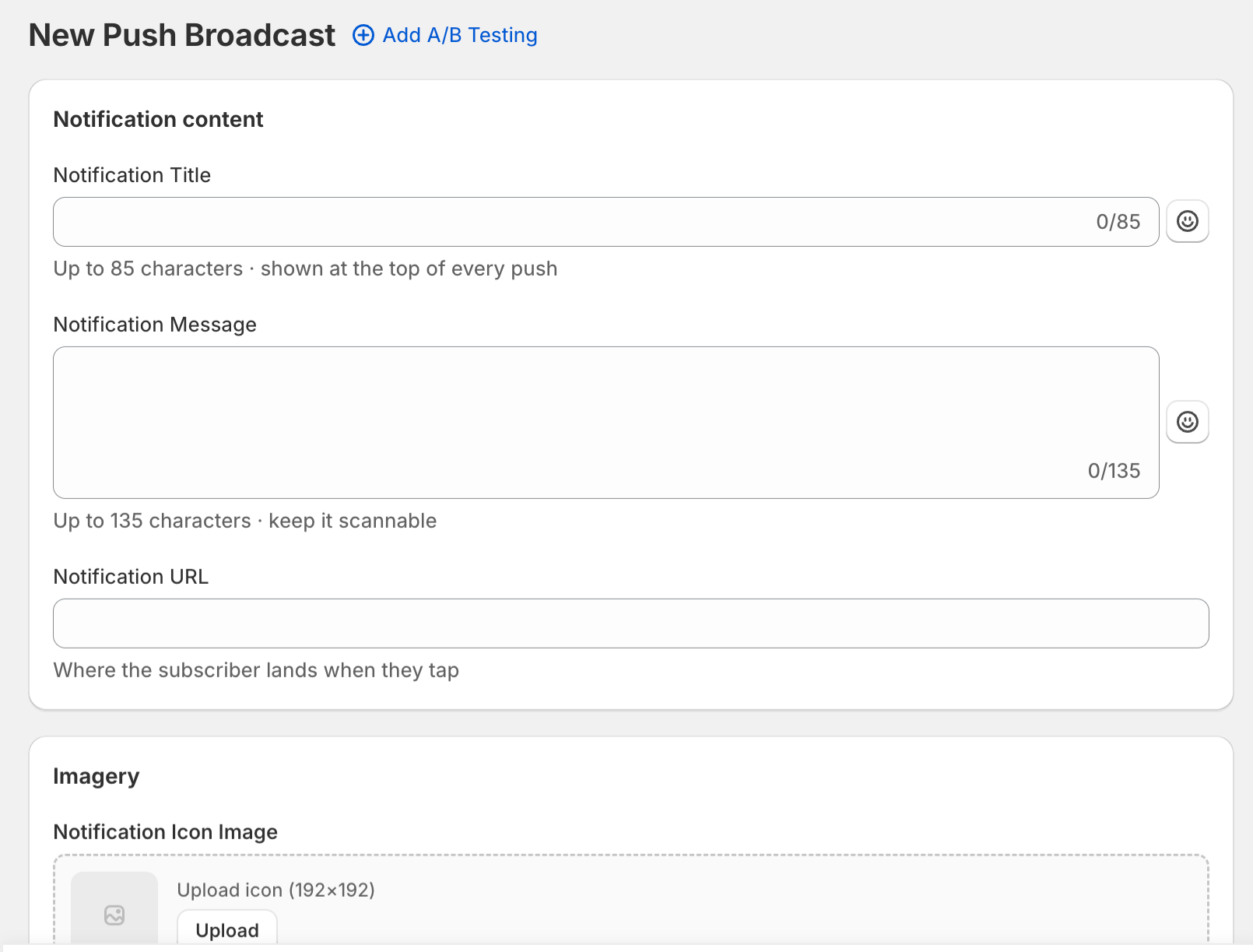
PushEngage ofrece SDK completos para móviles: iOS, Android, React Native y Flutter. Si tu tienda de Shopify tiene una aplicación complementaria, o si estás planeando crear una, PushEngage te permite administrar notificaciones push web y push de aplicaciones desde la misma identidad de suscriptor, los mismos segmentos y el mismo creador de campañas. Eso es importante para el seguimiento de la tasa de opt-in, para la secuenciación de mensajes y para no tener dos plataformas separadas para dos canales de notificación que deberían coordinarse.
2. Quieres WhatsApp como parte de la misma secuencia de retención
PushOwl ofrece WhatsApp a través de su empresa matriz Brevo. Brevo es una plataforma de email y SMS que añadió WhatsApp. La orientación principal de la herramienta es el marketing por email.
WhatsApp de PushEngage está integrado en el mismo motor de flujo de trabajo multicanal que las notificaciones push web. Un comerciante puede crear una secuencia que envíe una notificación push web a los +30 minutos después del abandono del carrito, y luego haga un seguimiento a través de WhatsApp si el suscriptor no ha comprado a las +4 horas, sin cambiar de panel ni sincronizar listas de suscriptores entre dos herramientas diferentes. La identidad del suscriptor es la misma, la segmentación se comparte y los informes de atribución de ingresos indican qué punto de contacto impulsó la conversión.
Si WhatsApp es un canal importante para su base de clientes, especialmente si vende a mercados internacionales o a segmentos donde WhatsApp es la aplicación de mensajería principal, el enfoque integrado de PushEngage es operativamente más simple que gestionar un flujo de trabajo de WhatsApp separado basado en Brevo.
3. Utiliza WordPress o WooCommerce junto con Shopify, o desea flexibilidad de plataforma
Las funciones de comercio electrónico de PushOwl son exclusivas para Shopify. Si tiene un blog de WordPress junto a su tienda de Shopify, PushOwl no puede suscribir a esos lectores a su lista de notificaciones push y añadirlos a sus flujos de abandono de carrito. Si su negocio se traslada alguna vez a WooCommerce, BigCommerce o una pila headless, tendrá que empezar de nuevo con una nueva herramienta de notificaciones push.
PushEngage se instala de forma nativa en Shopify, WooCommerce y WordPress. Un suscriptor capturado en su blog de WordPress es el mismo suscriptor que puede recibir una notificación push web sobre un carrito que abandonó en su tienda de Shopify. Se aplican las mismas reglas de segmentación y el mismo creador de campañas envía la notificación.
Para los comerciantes que ya son multiplataforma, o que desean mantener opciones abiertas a medida que su pila tecnológica evoluciona, lo que PushEngage puede hacer por su tienda de Shopify cubre los puntos de integración específicos de Shopify en detalle.
Modelos de precios explicados: impresiones frente a suscriptores activos
Comprender cómo factura cada modelo importa más que comparar los precios de los planes publicados, que cambian con frecuencia. La lógica del modelo es estable.
PushOwl: basado en impresiones. Una impresión equivale a un suscriptor que recibe correctamente una notificación push. Si tiene 10.000 suscriptores y envía 8 campañas en un mes, utiliza 80.000 impresiones ese mes. Si añade una secuencia de bienvenida (por ejemplo, 3 mensajes durante la primera semana para cada nuevo suscriptor), cada nuevo suscriptor añade 3 impresiones más a su recuento antes de que reciba una campaña de difusión. La factura aumenta tanto con el tamaño de la lista como con la frecuencia de envío.
PushEngage: basado en suscriptores activos. Paga por el número de suscriptores activos en su lista. Tanto si envía 1 campaña ese mes como 20, la factura no cambia en función del volumen de envío. Las listas se reducen, su factura se reduce. Las listas crecen, su factura crece proporcionalmente. Añadir una nueva secuencia de bienvenida automatizada o una campaña navideña no dispara sus costes.
El modelo de impresiones es favorable en cuanto a costes para los comerciantes que envían con poca frecuencia. El modelo de suscriptor activo es favorable en cuanto a costes para los comerciantes que ejecutan secuencias de varios toques, correos de bienvenida, flujos activados y campañas regulares. En otras palabras, comerciantes que realmente están trabajando el canal de retención.
Para una tienda de comercio electrónico en crecimiento que está construyendo su pila de retención — abandono de carrito + abandono de navegación + bajada de precio + recuperación + correo de bienvenida — el modelo de suscriptor activo es más predecible porque tu ecuación de costes depende del crecimiento de la lista, no de lo bien que uses la herramienta.
¿Cuál deberías elegir?
La respuesta depende de tres cosas: la configuración de tu plataforma, tus necesidades de canal y tu etapa de crecimiento.
Elige PushOwl si:
- Tu tienda funciona exclusivamente en Shopify sin planes de cambiar
- Solo necesitas notificaciones push web, sin aplicación móvil ni WhatsApp
- Tu equipo quiere la configuración más rápida posible sin ninguna configuración de plataforma
- Tu volumen de envíos es bajo o estacional, y el modelo de impresiones te favorece
Elige PushEngage si:
- Tienes o estás desarrollando una aplicación móvil y necesitas notificaciones push para iOS o Android
- Quieres WhatsApp como parte del mismo flujo de trabajo de retención que las notificaciones push web
- Ejecutas WordPress o WooCommerce junto con Shopify, o quieres flexibilidad de plataforma
- Quieres que tus costes de notificaciones push escalen con el tamaño de la lista, no con la frecuencia de envío
- Quieres pruebas A/B, limpieza automática de la lista de suscriptores y atribución de ingresos a nivel de notificación integradas
Para los comerciantes que comparan otras herramientas de notificaciones push además de estas dos, la visión general de alternativas de PushOwl cubre más opciones en la misma categoría, y cómo se compara PushEngage con OneSignal merece la pena leerla si también estás evaluando plataformas de notificaciones push orientadas a desarrolladores.
La elección entre PushOwl y PushEngage depende en última instancia de la etapa de crecimiento y la pila tecnológica. La mayoría de los comerciantes de Shopify que han superado la etapa de "probar el canal", que ejecutan o planean secuencias de retención de varios toques (abandono de carrito, abandono de navegación, recuperación, correos de bienvenida), encontrarán que la amplitud de canal de PushEngage y el modelo de precios por suscriptor activo se adaptan mejor a una pila de retención en crecimiento que una herramienta basada en impresiones y exclusiva para Shopify. Para ver cómo las tiendas reales utilizan las notificaciones push en todo el embudo de retención, el resumen de aplicaciones de notificaciones push para Shopify compara varias aplicaciones de notificaciones push para Shopify lado a lado.
Si PushEngage parece la opción adecuada, puedes empezar en la página PushEngage para Shopify Plus. La instalación lleva minutos y todos los planes de pago incluyen una garantía de devolución de dinero de 14 días.
Preguntas frecuentes
¿Funciona PushOwl en WooCommerce?
Las funciones de automatización de comercio electrónico de PushOwl (abandono de carrito, alertas de reposición de stock, activadores de productos) son exclusivas de Shopify. Existe un plugin para WordPress, pero no se conecta a los datos del carrito y del catálogo de WooCommerce como lo hace la aplicación de Shopify. PushEngage soporta WooCommerce de forma nativa con las mismas plantillas de automatización.
¿Funciona PushEngage en Shopify?
Sí. La integración de PushEngage con Shopify es nativa; hay una aplicación dedicada para Shopify Plus y una entrada estándar en la App Store de Shopify. La configuración lleva minutos desde cualquiera de ellas.
¿Cuál es la diferencia entre la fijación de precios basada en impresiones y la basada en suscriptores?
La fijación de precios basada en impresiones factura en función del número de notificaciones entregadas con éxito (suscriptores × frecuencia de envío). La fijación de precios basada en suscriptores factura en función del número de suscriptores activos, independientemente de cuántas notificaciones envíes. Consulta la sección de precios anterior para obtener una explicación completa.
¿Es compatible PushOwl con las notificaciones push de aplicaciones móviles?
No. PushOwl ofrece notificaciones push web basadas en el navegador. No tiene SDK para iOS, Android, React Native o Flutter para notificaciones push de aplicaciones móviles nativas. PushEngage es compatible con los cuatro.
¿Puedo usar PushOwl y PushEngage al mismo tiempo?
Técnicamente sí, pero hay pocas razones para hacerlo. Ejecutar dos herramientas de notificaciones push en la misma tienda crea fragmentación de la lista de suscriptores, superposición en el momento de las notificaciones y división de la atribución. La comparación anterior está diseñada para ayudarte a elegir una.


