Notice: There is no legacy documentation available for this item, so you are seeing the current documentation.
Attributes are a powerful feature in PushEngage that allow you to store additional data about your subscribers. By enriching subscriber profiles with custom details, you can create highly personalized campaigns, build targeted segments, and automate notifications based on user-specific information.
For example, if you run a membership site, you could store a user’s subscription plan or their “payment_expiry_date” as an attribute. This would allow you to send targeted renewal reminders only to users whose payments are about to expire.
The PushEngage WordPress plugin simplifies this process by allowing you to directly map data from your WordPress User Meta fields to PushEngage Attributes for your logged-in users.
Attributes are available in our Business plan & above. You can check our pricing here and start using the business plan to avail the benefits of this feature.
How to Map Attributes
You can navigate to Installed Plugins list on your WordPress dashboard and select PushEngage » Audience.
You can then navigate to the Attributes Tab and click the Create button.
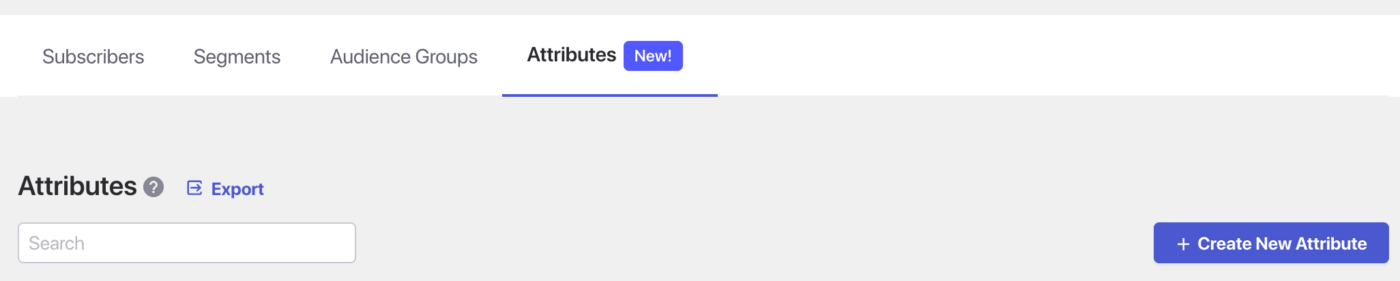
Now you can name to add the name of attribute and map it to the WordPress Meta Tags.
For example, in Subscribers’ Field you have pre-defined attribute as Email you can map it to WordPress Meta Tag Billing email.
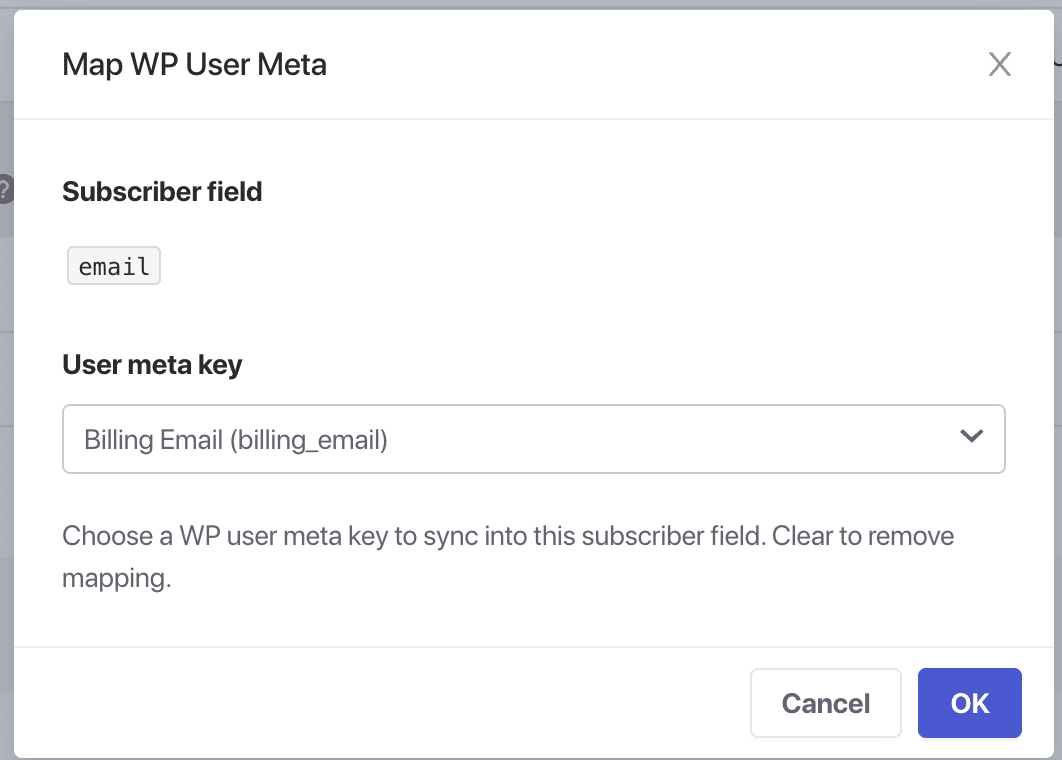
Once this gets populated, you can go ahead and use these attributes in any type of Push Campaign weather in Push Broadcasts, Drip Autoresponders & Trigger Automation.
All you have to use is the variable name within double brackets like {{email}} and then use title & message in the rest of your message.
We have two types of Attributes, the one where you can define new custom ones & the default ones which can be linked to WordPress meta tags.
That is all you need to add attributes to your PushEngage subscribers, and you can send push campaigns to them.
If you run into any issues, please feel free to contact us by clicking here. Our support team will be able to help you.


