Salı sabahı 9 ve 35 milyon dolar GMV'ye sahip bir mağazanın WooCommerce panosuna bakıyorsunuz. Klaviyo geçen hafta terk edilmiş sepetlerden 4.800 dolar kurtardı. Kurtarılamayan tutar ise 46.000 dolar. Bu fark bir Klaviyo sorunu değil. E-posta dizisi iyi durumda. Fark, e-postanın terk edenlerin yaklaşık üçte birine hiç ulaşamamasından kaynaklanıyor: açılma hiç gerçekleşmiyor, önizleme bölmesi hiç açılmıyor, gelen kutusu geçen haftanın sipariş onaylarıyla dolu kalıyor.
WooCommerce terk edilmiş sepet anlık bildirimleri, e-posta dizisinin yerini alarak değil, farklı bir zamanlamada, farklı bir formatta, farklı bir yüzeye karşı onunla paralel çalışarak bu farkı kapatır.
Bu makale, bir WooCommerce müşteri tutma yöneticisinin gerçekten ihtiyaç duyduğu iş akışı spesifikasyonudur: tam 3 mesajlık anlık bildirim yolculuğu, tam olay adları, tam bekleme pencereleri, kar marjı dolarıyla savunulan indirim merdiveni, sepet dönüştüğü anda iş akışını durduran çıkış kuralı ve finans departmanına sunabileceğiniz sepete özel atıf matematiği.
Doğrudan PushEngage'e aktarın ve bir saatten kısa sürede çalışır duruma getirin. Kurtarılan sepet, ödenen gelir değil, bulunan gelirdir ve bu, tek bir satırda tüm müşteri tutma/CAC argümanıdır.
- Neden "e-posta yerine anlık bildirim" yanlış bir çerçevedir
- WooCommerce neden anlık bildirim dostudur (ve nerede değildir)
- 3 mesajlık terk edilmiş sepet iş akışı, baştan sona
- Neden 1 saat, 25 saat ve 73 saat
- İndirim merdiveni savunması
- Sepete özel atıf ve kurtarılan gelir matematiği
- Çok kanallı orkestrasyon: anlık bildirim + e-posta + WhatsApp + canlı sohbet
- Kenar çubuğu: Yapay zeka asistanınızdan sepet iş akışını yönetme
- PushEngage'de oluşturun
- Bunun neyi değiştirdiği
Neden “e-posta yerine anlık bildirim” yanlış bir çerçevedir
Terk edilmiş sepetlerle ilgili çoğu makale yanlış bir ikilem sunar. Anlık bildirim mi yoksa e-posta mı? SMS mi yoksa anlık bildirim mi? WhatsApp mı yoksa üçü birden mi? Terk edilmiş sepet değerinin %25-40'ını kurtaran orta ölçekli WooCommerce mağazaları birini seçmez. Katmanlama yaparlar. E-posta, günde iki kez e-posta kontrol eden gelen kutusu kullanıcılarına ulaşır. Anlık bildirim, e-postayı hiç kontrol etmeyen ancak bildirimlere göz atan masaüstü ve mobil kullanıcılara ulaşır. SMS, mesajın önümüzdeki otuz saniye içinde ulaşması gereken yüksek değerli sepetlere ulaşır. Müşteri tutma yöneticisinin görevi, hangi tek kanalın kazandığını tartışmak değil, katmanlı yığını oluşturmaktır.
Şu anda yalnızca e-posta dizisi çalıştıran bir WooCommerce mağazası için soru, “anlık bildirime mi geçmeliyim?” değil. Soru, “anlık bildirim, e-postanın zaten yaptığının üzerine ne ekliyor?” Cevap basittir. Anlık bildirim, e-posta açılmalarından daha hızlı tetiklenir (60 dakikalık ilk temas, tipik bir e-postanın açılmasından bir saat önce ulaşır). Anlık bildirimi görmezden gelmek daha zordur (önizleme bölmesi yoktur). Anlık bildirim, dönüşümden hangi kanalın sorumlu olduğuna bakılmaksızın satın alma olayıyla çıkar. Bunlar yerine geçen değil, eklenen özelliklerdir.
Bu makalenin geri kalanı bu çerçeve üzerine kuruludur. Aşağıdaki 3 mesajlık anlık bildirim iş akışı, Klaviyo, Omnisend veya kullandığınız herhangi bir ESP'de zaten 3 veya 4 e-postalık bir kurtarma dizisi çalıştırdığınızı varsayar. Yerine geçmek yerine bu diziyle birlikte çalışır.
WooCommerce neden anlık bildirim dostudur (ve nerede değildir)
WooCommerce, bu işin tamamını yönetilebilir kılan üç yerel olay tetikler. add_to_cart her ürün eklendiğinde tetiklenir. woocommerce_cart_updated sepet durumu değiştiğinde tetiklenir. woocommerce_payment_complete bir sipariş ödendiğinde tetiklenir.
PushEngage WooCommerce entegrasyon eklentisi, bunları cart_abandoned adlı bir PushEngage özel olayı (sepet terk eşiğini geçtikten sonra hareketsiz kaldığında tetiklenir) ve purchase adlı bir hedefe (ödeme tamamlandığında tetiklenir) eşler. cart_abandoned olay yükü cart_id, cart_value, cart_url (kurtarma bağlantısı) ve bir ürün listesi taşır. Bu yük, iş akışının bildirimlerinin kullandığı değişken kaynağı haline gelir.
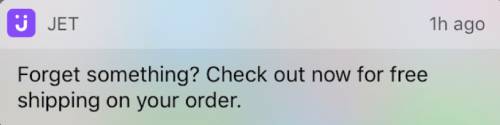
PushEngage entegrasyonu ayrıca sepet kurtarmayı da ele alır. Bir abone bir anlık bildirim tıkladığında, boş bir ürün sayfası yerine öğeleri zaten doldurulmuş olarak sepete iner. Bu küçük bir ayrıntı değil: tek tıklamayla ödeme yapan kurtarılmış bir sepet, abonenin öğeleri yeniden eklemesini gerektiren kurtarılmış bir sepetin yaklaşık üç katı oranında dönüşür.
Sepet kurtarma, PushEngage entegrasyonunun kutudan çıktığı WooCommerce anlık bildirim özelliklerinden biridir; entegrasyonun olmadığı platformlarda, elde tutma ekibinin kurtarma bağlantısını elle oluşturması gerekir.
Belirtilmesi gereken bir WooCommerce'e özgü sorun var. Platform dışı ödeme (Stripe Checkout, PayPal barındırılan ödeme, Mollie barındırılan, Klarna barındırılan) kullanan mağazalar, müşteri teşekkür sayfasına geri yönlendirilene kadar woocommerce_payment_complete tetiklemez. Bu yönlendirme hiç gerçekleşmezse (müşteri ödeme yaptıktan sonra Stripe'ın barındırılan sayfasında tarayıcı sekmesini kapatırsa), iş akışının sepetin dönüştüğünü bilmesinin bir yolu olmaz. Çözüm, teşekkür yönlendirmesindeki PushEngage purchase hedefini cart_id ile tetikleyen bir hedef izleme pikselidir. Bu piksel olmadan, iş akışı zaten ödeme yapmış abonelere hatırlatıcılar göndermeye devam eder ve bu, elde tutma ekibinin kaçınmak istediği hata modudur. Pikseli iş akışını açmadan önce yapılandırın.
İki ek bağlam notu. Birincisi, bu makalenin geri kalanındaki iş akışı terminolojisi (BAŞLANGIÇ, BEKLE, KARAR, EYLEM, SON) PushEngage Workflows oluşturucusunda tanımlanır ve ana E-ticaret makalesinde ayrıntılı olarak ele alınır. İkincisi, bu WooCommerce terk edilmiş sepet iş akışı, bu serideki beş WooCommerce'e özgü anlık bildirim iş akışından biridir; diğerleri (göz atma terk etme, fiyat düşüşü, stokta, satın alma sonrası) kapanış bölümünden bağlanır.
3 mesajlık terk edilmiş sepet iş akışı, baştan sona
Bu, ana unsurdur. Tam sepet terk iş akışı spesifikasyonu.
Tetikleyici ve çalıştırma türü
- Tetikleyici (BAŞLANGIÇ): WooCommerce entegrasyonu tarafından, sepet terk eşiğini (genellikle 60 dakika hareketsizlik) geçtikten sonra hareketsiz kalan bir sepet olduğunda tetiklenen
event_name = cart_abandonedile PushEngage ÖzelOlayı. - Çalıştırma türü: Birden Çok Paralel. Salı günü A sepetini ve Cuma günü B sepetini terk eden bir abone, her biri kendi sepet_kimliği ile iki eşzamanlı iş akışı örneği alır, her sepet için bir tane. Bu çok önemlidir: Tek veya Birden Çok Sıralı çalıştırma türü, A sepetinin iş akışı tamamlanırken B sepetinin kurtarılmasını engellerdi ve ikinci kez terk eden geri dönen bir müşteri hiçbir şey alamazdı.
- Çıkış kriterleri: Tetikleyici olaydan gelen sepet_kimliği ile eşleşen
satın almahedefi. WooCommercesatın almahedefinin o sepet için tetiklendiği anda, abonenin yolculukta bulunduğu yer ne olursa olsun, o abone için iş akışı iptal edilir. - Sessiz saatler: Abonenin saat diliminde akşam 10 ile sabah 8 arası, varsayılan
yeniden zamanla.Yeniden zamanlaayarı, bildirimleri düşürmek yerine yerel saatle sabah 8:01'e kadar tutar; bu, çoğu elde tutma ekibinin tercih ettiği bir durumdur çünkü düşen bildirimler analitiklerden de düşer.
Akış
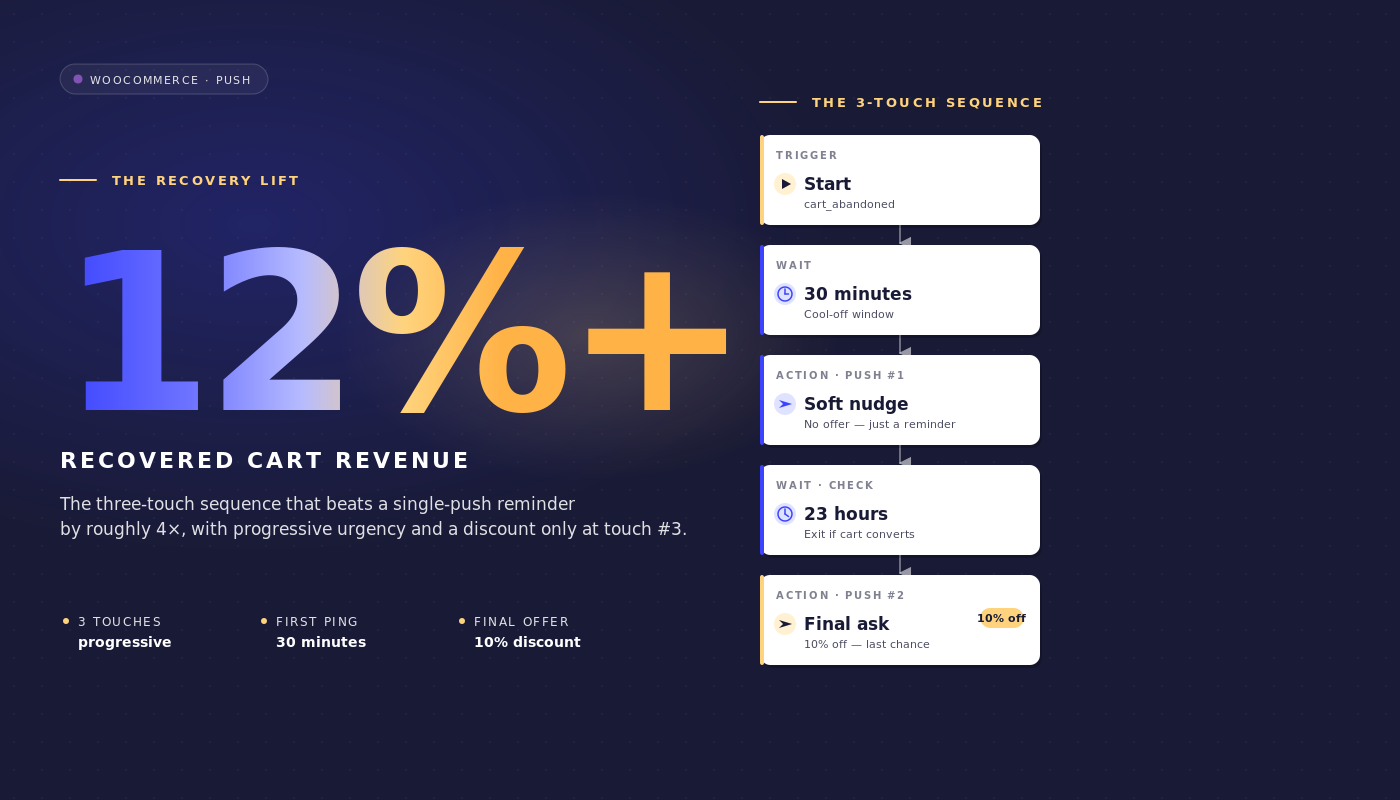
1 saat BEKLE → Mesaj 1 (indirim yok) → 24 saat BEKLE → KARAR: sepet hala terk edilmiş mi? → EVET yolu: Mesaj 2 (%10 indirim) → 48 saat BEKLE → KARAR: sepet hala terk edilmiş mi? → EVET yolu: Mesaj 3 (%20 indirim + aciliyet) → SON.
Her iki karar düğümündeki HAYIR yolları, ÇIKIŞ'a yönlendirilir (sepet beklemeler arasında dönüştü ve iş akışının görevi tamamlandı).
Bildirim metni
Mesaj 1 (terk edildikten 1 saat sonra, indirim yok):
- Başlık:
Bir şey unuttunuz - Gövde:
{{event.data.product_name || sepet}} hala burada. Alışverişi tamamlamak ister misiniz? - URL:
{{event.data.cart_url}}
Mesaj 2 (terk edildikten 25 saat sonra, %10 indirim):
- Başlık:
Hala düşünüyor musunuz? İşte %10 indirim - Gövde:
{{event.data.product_name || sepet}} bir tık uzakta. Ödeme sırasında SAVE10 kodunu kullanın. - URL:
{{event.data.cart_url}}?coupon=SAVE10
Mesaj 3 (terk edildikten 73 saat sonra, %20 indirim, aciliyet):
- Başlık:
Son şans: Sepetinizde %20 indirim - Gövde:
{{event.data.product_name || sepet}} ürününüzü bir gün daha sizin için sakladık. SAVE20 kodu bu gece sona eriyor. - URL:
{{event.data.cart_url}}?coupon=SAVE20
Her başlık 50 karakterin altında ve her gövde 130 karakterin altında kalır, bu da onları Chrome masaüstü, iOS Safari 16.4+ ve Android Chrome'da kesilmeden görünür tutar. || sözdizimi, ürün adı değişkeni eksikse bir yedek sağlar.
Neden 1 saat, 25 saat ve 73 saat
Üç bekleme rastgele değildir. Her pencere farklı bir kurtarma psikolojisini yakalar.
1 saat. İlk temas, oturum belleği azaldığında “Başka yerde fiyat kontrolü yapmak için ayrıldım” terk eden kişiyi yakalar. Kurtarılacak çoğu sepet ilk saat içinde kurtarılır. İlk saati dönüştürmeden geçenlerin çoğu, ikinci bir temas olmadan dönüştürülmeyecektir. 30 dakikalık ilk bekleme çok aceleci: müşterinin aktif olarak yaptığı fiyat karşılaştırmalarını böler. 4 saatlik ilk bekleme çok yavaştır: sepet bağlamı kaybolur. Bir saat, dönüm noktasında yer alır.
25 saat. İkinci temas, bir akşam vazgeçenin ilk mesajı aldığı saatte ikinci mesajı almasını önlemek için tam 24 saat yerine kasıtlı olarak 25 saat sonra gerçekleşir (bu beyin tarafından spam olarak algılanır). 25 saatlik bir bekleme süresi, ikinci teması akşam vazgeçenler için bir sonraki sabaha, sabah vazgeçenler için ise bir sonraki akşama kaydırır; bu da %10 indirim teklifi için pratik erişim penceresidir.
73 saat. Sepetin soğumasından önceki son deneme. Üç gün sonra, abonenin niyeti ya başka bir kanal aracılığıyla gerçekleşmiş (bu durumda çıkış kuralı zaten tetiklenmişti) ya da tamamen durmuştur. Aciliyet çerçevesiyle birlikte %20 indirim, sepetin ölü olmasından önceki son geçerli dürtmedir. 96 saatten daha uzun süre beklemek, garanti bir marj maliyetiyle kaybolan bir kurtarma oranı üretir; Mesaj 2'den 48 saatten daha kısa süre sonra aboneleri indirim için beklemeye alıştırır.
Sessiz saatler tüm diziyi kapsar. Akşam 11'de vazgeçen birinin 1 saatlik ilk teması aksi takdirde gece yarısı gerçekleşirdi. reschedule 8:01 olarak ayarlandığında, mesaj bir sonraki sabaha kadar bekler. Sepet terk etme iş akışı, gece gönderilerini sessizce düşürmek yerine teslimat açısından hesap verebilir kalır.
İndirim merdiveni savunması
İndirim merdiveni %0 / %10 / %20'dir. Açık alternatif, üç temas boyunca sabit %15'tir. Merdiven, sabit yapının ham kurtarma oranında kazanmasına rağmen, net kurtarılan gelirde kazanır. İşte temsili bir WooCommerce orta pazar ölçeğindeki matematik.
Senaryo. 200.000 anlık bildirim abonesi. %70 sepet terk etme oranı. Ortalama sipariş değeri 145 $. Yaklaşık olarak haftada 12.000 terk edilmiş sepet, anlık bildirim iş akışı aracılığıyla takip edilir (abone çakışması e-posta ile sonrasında).
Üç temas boyunca sabit %15. Bunun ham kurtarma oranını %30'a çıkardığını varsayalım. Bu, haftada 3.600 sepeti 145 $ AOİ ile kurtarır = haftada 522.000 $ brüt. Kurtarılan her sepet %15 indirim öder, bu nedenle net kurtarılan gelir haftada 522.000 $ × 0,85 = 443.700 $'dır.
0/10/20 merdiveni. Bunun %25 ham kurtarma oranı ürettiğini varsayalım (daha düşük, çünkü Mesaj 1'de teşvik yok). Ancak kurtarma üç temasa dağılır: Mesaj 1'de %12 dönüşüm (indirim yok), Mesaj 2'de %8 (%10 indirim), Mesaj 3'te %5 (%20 indirim). Sepet başına net: %12 × 145 $ + %8 × 145 $ × 0,90 + %5 × 145 $ × 0,80 = 17,40 $ + 10,44 $ + 5,80 $ = terk edilmiş sepet başına 33,64 $. 12.000 sepette bu, haftada 403.680 $ eder, sabitten biraz daha az.
Ancak brüt kar marjı gerçekliği daha keskin. Çoğu orta pazar WooCommerce mağazası %35-45 brüt kar marjıyla çalışır. Sabit %15 indirim, bu marjı %20-30'a düşürür. %0 Mesaj 1 dönüşümü, tam marjı korur. Merdiveni çalıştıran elde tutma ekibi, kurtarma oranında yaklaşık 3 puan (%28'e karşı %31) kaybeder ve daha önemli bir oranda marj doları kurtarır. Brüt kurtarılan gelir değil, net katkı marjı, savunulması gereken doğru sayıdır.
Merdiven için ikinci argüman abone eğitimidir. Her sepet hatırlatıcısında tutarlı bir şekilde %15 indirim gören bir liste, indirimi beklemeyi öğrenir. Sabit %15'te bir sonraki çeyreğin iyileşme oranı, aboneler deseni öğrendiği için düşer. 0/10/20'lik bir merdiven, tam fiyattan dönüştürme seçeneğini korur.
Üçüncü argüman segmentasyondur. Mesaj 1'de dönüşüm sağlayan bir abone, bir sonraki kampanyada farklı şekilde yeniden hedeflenmeye değer yüksek niyetli bir müşteridir. Yalnızca Mesaj 3'te dönüşüm sağlayan bir abone, fiyat hassasiyetine sahiptir ve fiyat odaklı bir elde tutma yoluna ayrılmaya değerdir. Merdiven sinyal üretir; sabit indirim gürültü üretir.
Sepete özel atıf ve kurtarılan gelir matematiği
PushEngage'deki Push iş akışı analizleri her düğümde üç sayıyı izler: kuyrukta bekleyen kullanıcılar (bu düğümde bekleyen), tamamlanan kullanıcılar (geçenler) ve çıkan kullanıcılar (bu düğümde iş akışından ayrılanlar, genellikle çıkış kuralı tetiklendiği için).
200 bin aboneli, ortalama 145 dolarlık sepet değeri olan mağazada çalışan aktif bir WooCommerce sepet terk etme iş akışı için düğüm düzeyinde analizler şuna benzer:
| Düğüm | Sıradaki | Tamamlanan | Ayrılan | Notlar |
|---|---|---|---|---|
| BAŞLANGIÇ (sepet_terk_edildi) | 0 | 11,940 | 240 | Olay tetiklenmesi ile iş akışı taraması arasında 240 sepet dönüştürüldü |
| 1 saat BEKLE | 220 | 11,720 | 0 | Normal kuyruk derinliği |
| ELEM: Mesaj 1 | 0 | 11,720 | 0 | Bildirim gönderildi |
| 24 saat BEKLE | 280 | 9,290 | 2,150 | Mesaj 1'de 2.150 sepet dönüştürüldü (en yüksek niyetli kurtarma) |
| KARAR: hala terk edilmiş mi? | 0 | 9,290 | 0 | Kalan sepetler hedefe karşı kontrol edildi |
| ELEM: Mesaj 2 (%10 indirim) | 0 | 9,290 | 0 | SAVE10 ile bildirim gönderildi |
| 48 saat BEKLE | 120 | 7,460 | 1,710 | Mesaj 2'de 1.710 sepet dönüştürüldü |
| KARAR: hala terk edilmiş mi? | 0 | 7,460 | 0 | Son kontrol |
| ELEM: Mesaj 3 (%20 indirim) | 0 | 7,460 | 0 | SAVE20 ile bildirim gönderildi |
| SON | yok | 7,460 | yok | 7.460 sepet push yoluyla kurtarılamadı |
Push yoluyla toplam kurtarılan: 240 (ön dokunuş) + 2.150 + 1.710 = 4.100 sepet. Ham push ile kurtarılan oran: 4.100 / 12.180 = %33,7. 145 dolarlık ortalama sepet değeriyle kurtarılan sepet değeri haftada 594.500 dolar brüt. Merdiven indirimi neti (0'da %0, 2.150'de %0, 1.710'da %10), net gelir haftada 570.795 dolar.
Huniyi bu şekilde okuyun. İki bekleme (24 saat ve 48 saat) en yüksek çıkış düğümleridir, bu doğru desendir: müşteriler bildirimleri okurken değil, bekleme pencerelerinde satın almaya karar verirler. İş akışınız tersini gösteriyorsa (eylem düğümlerinde yüksek çıkışlar, beklemelerde düşük), zamanlama çok uzun ve beklemeleri kısaltmalısınız. BAŞLANGIÇ düğümü olağandışı yüksek çıkışlar gösteriyorsa, terk eşiği çok kısadır ve gerçekten terk edilmemiş sepetleri yakalıyorsunuz.
Bu, bir elde tutma yöneticisinin bir sonraki P&L incelemesinde savunabileceği kurtarılan gelir kalemidir. WooCommerce push bildirimleri, geçen hafta sepet terk etme iş akışı aracılığıyla, push gönderimi başına sıfır maliyetle ve platform abonelik ücretiyle 570.795 dolar net kurtardı. Kurtarılan dolar başına maliyet o kadar küçüktür ki finans departmanının takip sorusu olmaz.
Çok kanallı orkestrasyon: anlık bildirim + e-posta + WhatsApp + canlı sohbet
Yukarıdaki 3 mesajlı push iş akışı, e-posta kurtarma dizisine paralel olarak çalışır. Aynı iş akışı mimarisi, abone durumuna göre kanallar arasında da yükselebilir. Tek bir iş akışı motoruyla yolculuk şu şekilde oluşur:
- BAŞLANGIÇ:
cart_idvecart_valueilecart_abandonedolayı - BEKLE: 1 saat
- KARAR 1: abone web push'a abone mi? EVET: web push hatırlatıcısı gönder; HAYIR: devam et
- BEKLE: 30 dakika
- KARAR 2: itme ateşlendi ve tıklandı mı? EVET: ÇIK; HAYIR: devam et
- KARAR 3: sepet_değeri > 200$? EVET: WhatsApp mesajı gönder; HAYIR: ESP'ye HTTP isteği aracılığıyla e-posta gönder
- KARAR 4: abone şu anda sitede mi? EVET: canlı sohbet ping'ini tetikle; HAYIR: Mesaj 2 beklemesine devam et
purchasehedefinde ÇIK
Dört kanal, bir iş akışı, bir çıkış kriterleri kümesi, bir abone kimliği. Bu, her kanal farklı bir araçta oturduğunda, elde tutma ekiplerinin oluşturamayacağı bir düzenlemedir. Ayrı satıcılarla, sepet iş akışı altı senkronizasyon, VIP olarak kimin sayıldığını konusunda anlaşamayan iki segmentasyon motoru ve birleşik gelir atfı olmadan haline gelir.
Tek bir iş akışı motoruyla yolculuk tek bir nesnedir. İtme ve e-postanın tek bir elde tutma planı içinde nasıl birleştiği hakkında daha fazla bilgi için, itme ve e-posta çok kanallı düzenlemesi hakkındaki ana makaleye bakın.
Kenar çubuğu: Yapay zeka asistanınızdan sepet iş akışını yönetme
WordPress eklentisi 4.2.4 ve WordPress Yetenekleri API'si ile sepet iş akışı, MCP'ye duyarlı herhangi bir yapay zeka asistanından yönetilebilir hale gelir. Eklenti, pushengage/list-push-automation-campaigns (mevcut WooCommerce itme otomasyon yapılandırmasını döndürür) ve pushengage/update-push-automation-campaign'ı (bir kampanyayı kimliğe göre etkinleştirir, devre dışı bırakır veya yeniden yapılandırır) sunar. Her iki yetenek de kullanıcının WordPress manage_options yeteneğine sahip olmasını gerektirir ve WooCommerce'in sitede aktif olmasını gerektirir.
PushEngage MCP'yi açık olan Claude, ChatGPT veya Cursor'ı çalıştıran bir elde tutma yöneticisi için bu, planlanmış bir site kesintisi sırasında sepet terk iş akışının duraklatılabileceği, sonrasında yeniden etkinleştirilebileceği veya WP yönetimini hiç açmadan kopya varyantlarını değiştirmek için yeniden yapılandırılabileceği anlamına gelir. Bununla ilgili daha fazla bilgiyi PushEngage Yapay Zeka Asistanları duyurusunda bulabilirsiniz.
PushEngage'de oluşturun
Kurulum yolu kısadır. PushEngage eklentisini WooCommerce sitesine yükleyin (WooCommerce'i otomatik olarak algılar ve WooCommerce'e özgü olayları sunar). Eklentiyi bir PushEngage hesabına bağlayın. Sepet terk iş akışı şablonunu PushEngage İş Akışları oluşturucusuna aktarın.
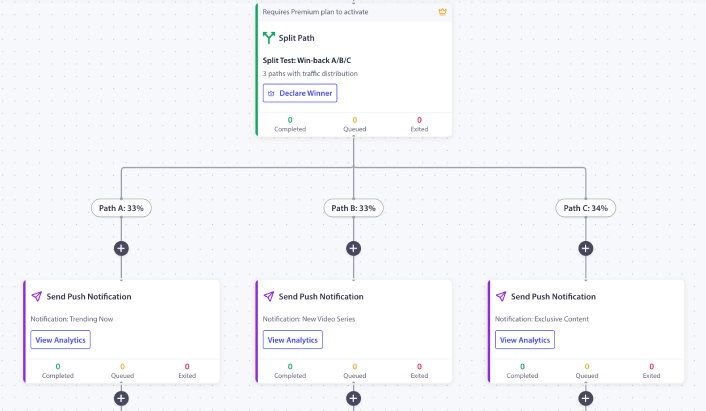
1 saat / 25 saat / 73 saat zamanlaması, indirim kademesi yer tutucuları ve satın alma üzerine çıkış kuralı zaten yapılandırılmış olarak gelir. Yer tutucu kupon kodlarını gerçek kodlarınızla değiştirin. Terk eşiğini yapılandırın (çoğu mağaza için varsayılan 60 dakika mantıklıdır). İş akışını etkinleştirin. Ölçeklendirmeden önce ilk 200 terk edilmiş sepetin bunun üzerinden yönlendirildiğini izleyin.
Mağazadaki ilk PushEngage iş akışıysa, ücretsiz plan size 200 abone ve tam İş Akışları motoru sunar, bu da ücretli bir katman için bütçe istemeden önce kontrollü bir listede kanalı kanıtlamak için yeterlidir. Bu haftaki ilk örneği çalıştırmak için ücretsiz plandan başlayın.
Bunun neyi değiştirdiği
Bu makale, beş WooCommerce'e özel anlık bildirim iş akışı spesifikasyonundan biridir. Kardeşler, WooCommerce göz atma terk etme iş akışı, fiyat düşüşü uyarıları, stokta yeniden bulunma bildirimleri ve WooCommerce satın-sonrası iş akışını kapsar. Daha geniş platformlar arası sepet terk etme işlemi için, daha geniş sepet terk etme oyun kitabı konuyu stratejik düzeyde ele almaktadır.
Tam bir e-ticaret elde tutma programında bunun nereye oturduğu için, e-ticaret anlık bildirimleri ana gönderisi genel bakıştır.
Salı günkü WooCommerce kontrol panelini açan ve kurtarılamayan sepetlerde 46.000 ABD Doları gören elde tutma yöneticisinin bir seçeneği vardır. Düzleşmiş olan e-posta dizisini optimize etmeye devam etmek veya farklı zamanlamada, farklı formatta, farklı çıkış kuralıyla çalışan ikinci kanal olarak bunun üzerine anlık bildirim eklemek. Yukarıdaki 3 mesajlık iş akışı, zaten mevcut olan herhangi bir e-posta sıklığına paralel olarak çalışarak, e-postanın ulaşamayacağı sepet değerinin %12-25'ini kurtarır.
0/10/20 indirim basamağı ile kurtarılan gelir, sabit indirimli bir iş akışından daha yüksek net marjla elde edilir. Satın alma ile çıkış kuralı ile, iş akışı sepet dönüştüğü anda gönderilmeyi durdurur. Düğüm başına analiz ile, kalem finans için anekdotlarla değil, sayılarla savunulabilir. Bu, tek bir iş akışındaki tüm terk edilmiş sepet kurtarma argümanı ve tüm sepet kurtarma otomasyon argümanıdır.


