Что такое push-уведомления?
Push-уведомления — это короткие, кликабельные сообщения, доставляемые на устройство подписчика, даже когда он не в сети. Вы можете легко отправлять любые ссылки для продвижения любой части вашего бизнеса с помощью push-уведомлений из простой в использовании панели управления.
Самое потрясающее: push-уведомления — это очень простой способ автоматически привлекать повторных посетителей на ваш сайт, даже если...
- Вы только начинаете, и ваша база поклонников еще мала
- Даже если... вы управляете интернет-магазином с сотнями акций каждый месяц
- Даже если... у вас есть мега-блог, который уже генерирует тонны SEO-трафика
В этой статье мы покажем вам, как мгновенно получать повторных посетителей каждый раз, когда вы публикуете новый материал:

Вы можете начать бесплатно прямо сейчас. Как только вы начнете получать результаты от бесплатного программного обеспечения для push-уведомлений, вы можете перейти на другой тариф или обновиться, чтобы получить больше функций, которые помогут вам расти быстрее.
Но сначала давайте немного подробнее разберемся, что такое push-уведомления и как они работают.
Что такое push-уведомления?
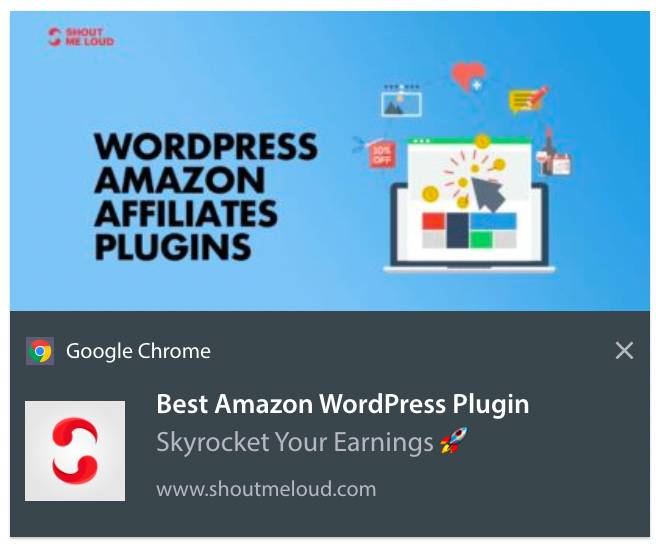
Push-уведомление — это короткое, кликабельное всплывающее окно, которое вы можете отправить подписчику для продвижения предложений и другого контента:
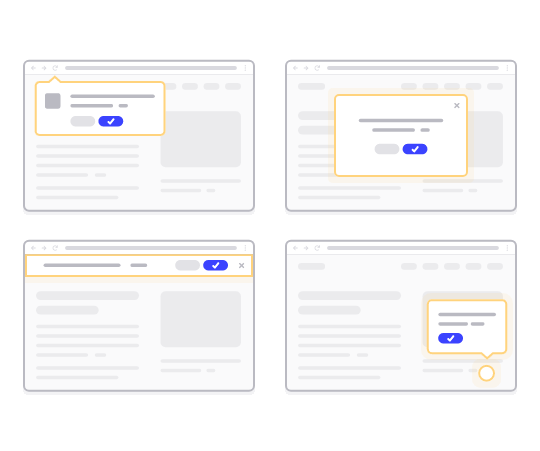
Самое приятное — сообщения будут доставлены, даже если ваш подписчик не использует браузер. Это похоже на email-рассылку, но с веб-push-уведомлением вашим подписчикам не нужно использовать приложение, чтобы увидеть ваше сообщение. И в отличие от сайтов социальных сетей, здесь нет алгоритма, который снижает охват, заставляя вас платить за рекламу.
Самое крутое в веб-push-уведомлениях — вы можете использовать их для дополнения ваших лид-магнитов и форм подписки по электронной почте.
Мы рекомендуем использовать PushEngage, чтобы начать работу с push-уведомлениями бесплатно. Самое простое push-уведомление, которое вы можете отправить бесплатно, — это RSS push-уведомление. При RSS push-уведомлении каждый раз, когда вы публикуете запись в блоге, PushEngage автоматически отправляет широковещательное сообщение всем вашим подписчикам.
Как добавить push-уведомления на ваш сайт
Прежде чем приступить к кампаниям push-уведомлений, вам понадобится сервис для отправки push-уведомлений.
Мы рекомендуем начать с PushEngage. PushEngage — один из лучших плагинов для push-уведомлений для WordPress. Вы мгновенно охватываете до 200 подписчиков только на бесплатном тарифе. Если ваш сайт вырастет до более чем 200 подписчиков, вы можете быстро масштабироваться, обновив свой план.
Давайте посмотрим, как вы можете использовать бесплатную версию PushEngage для начала отправки push-сообщений.
Шаг № 1: Создайте бесплатную учетную запись PushEngage
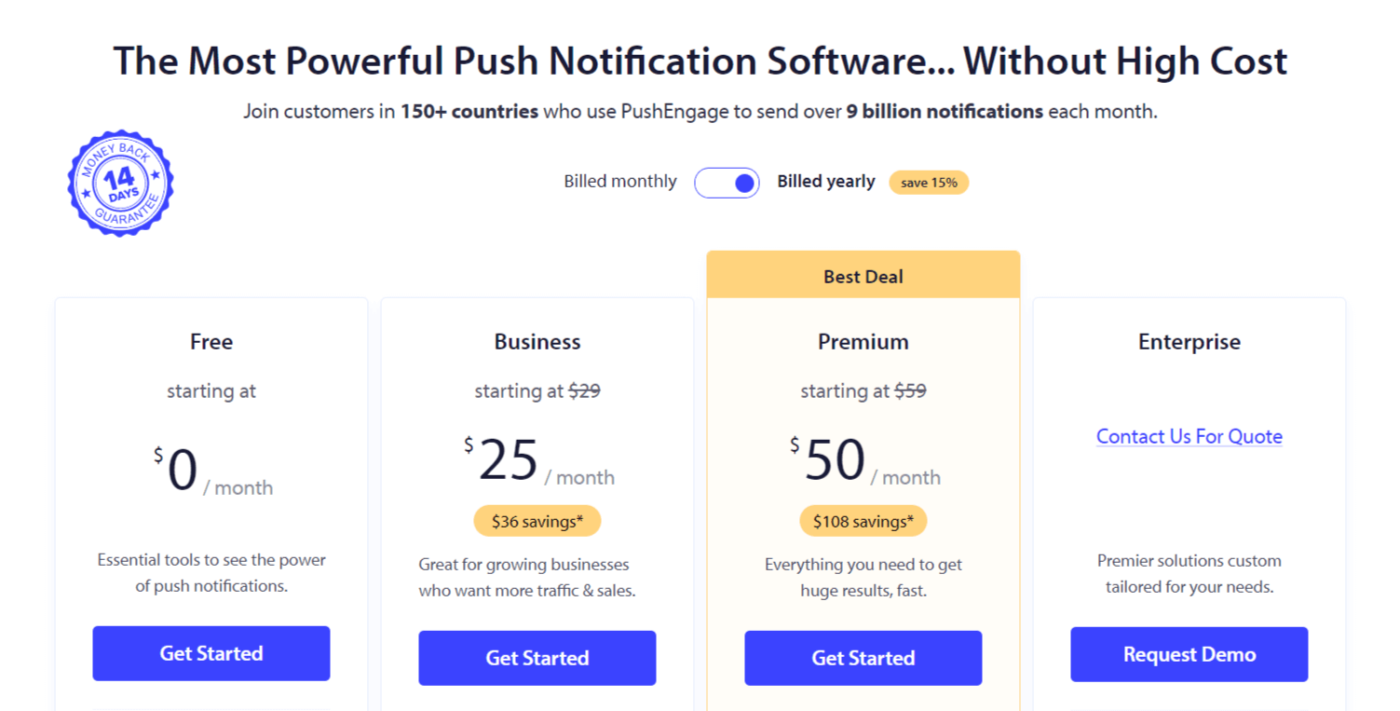
Перейдите в PushEngage и нажмите Начать работу:

Далее выберите план для вашей учетной записи PushEngage. Вы можете начать бесплатно, но если вы серьезно настроены на развитие своего бизнеса, мы рекомендуем выбрать платный план, чтобы разблокировать более продвинутые кампании.
Шаг № 2: Зарегистрируйтесь в PushEngage
Зарегистрируйтесь для плагина, используя свои данные пользователя, идентификатор Gmail или адрес электронной почты и пароль:
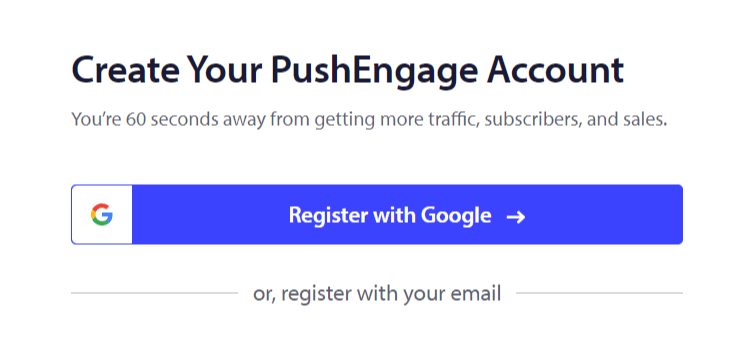
И просто следуйте инструкциям, чтобы завершить настройку вашей учетной записи.
Шаг № 3: Установите PushEngage на ваш сайт
После регистрации вы попадете на панель управления PushEngage:
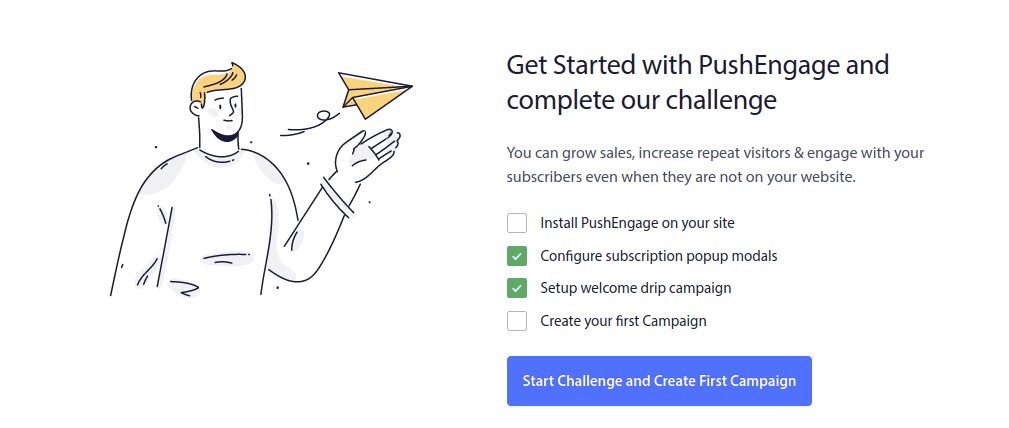
Процесс добавления push-уведомлений на ваш сайт различается для разных платформ. Поэтому мы создали подробные пошаговые руководства для самых популярных платформ:
- Установите push-уведомления на WordPress
- Установите push-уведомления на WordPress (без плагина)
- Установите push-уведомления на WooCommerce
- Установите push-уведомления на Wix
- Установите push-уведомления на Blogger
- Установите push-уведомления на Zoho
- Установите push-уведомления на Volusion
- Установите push-уведомления на Weebly
- Установите push-уведомления на ClickFunnels
- Установите push-уведомления на PrestaShop
- Установите push-уведомления на OpenCart
- Установите push-уведомления на CS-Cart
- Установите push-уведомления на Drupal
- Установите push-уведомления на Squarespace
- Установите push-уведомления на X-Cart
- Установите push-уведомления на BigCommerce
- Установите push-уведомления на Jimdo
Шаг № 4: Настройте форму подписки PushEngage
После установки PushEngage на ваш сайт вернитесь в панель управления PushEngage и перейдите в раздел Design » Popup Modals, чтобы выбрать форму подписки для сбора подписчиков:
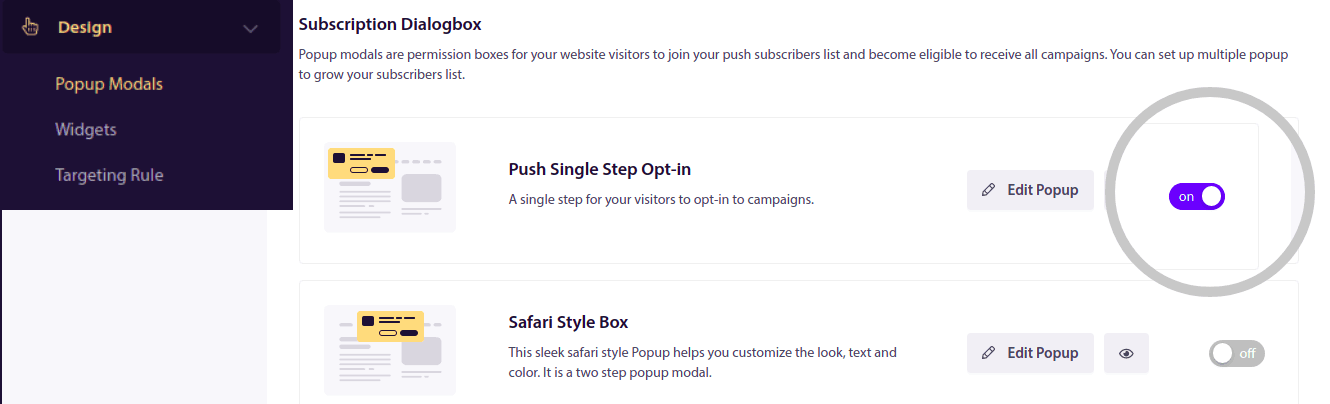
Отсюда вы можете настроить форму подписки на push-уведомления. Если вам нужна помощь с этим, ознакомьтесь с этой статьей о том, как создать пользовательскую форму подписки на push-уведомления.
Если вам нужно вдохновение, вы можете ознакомиться с этой статьей о высококонверсионных формах подписки на push-уведомления.
Помните: вам необходимо установить SSL-сертификат на ваш веб-сайт, чтобы использовать одношаговые формы подписки. Но вы можете установить двухшаговые формы подписки даже без защищенного веб-сайта. Поэтому, если у вас установлен SSL-сертификат, используйте одношаговые формы подписки. Если нет, ознакомьтесь с этой статьей о том, как установить SSL-сертификат на веб-сайты WordPress.
И это все!
Вы успешно настроили push-уведомления на вашем веб-сайте.
Как работают push-уведомления?
Давайте посмотрим, как работают push-уведомления.
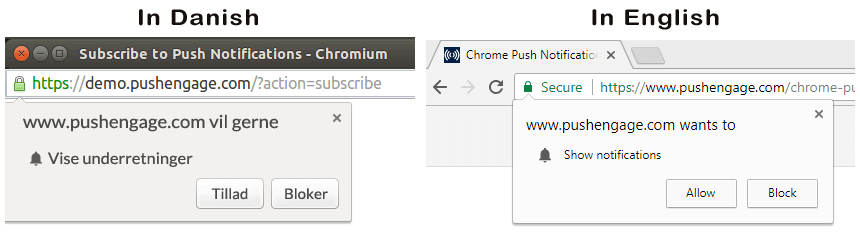
Кратко говоря, каждый раз, когда новый посетитель заходит на ваш веб-сайт, ему предлагается стать подписчиком push-уведомлений.
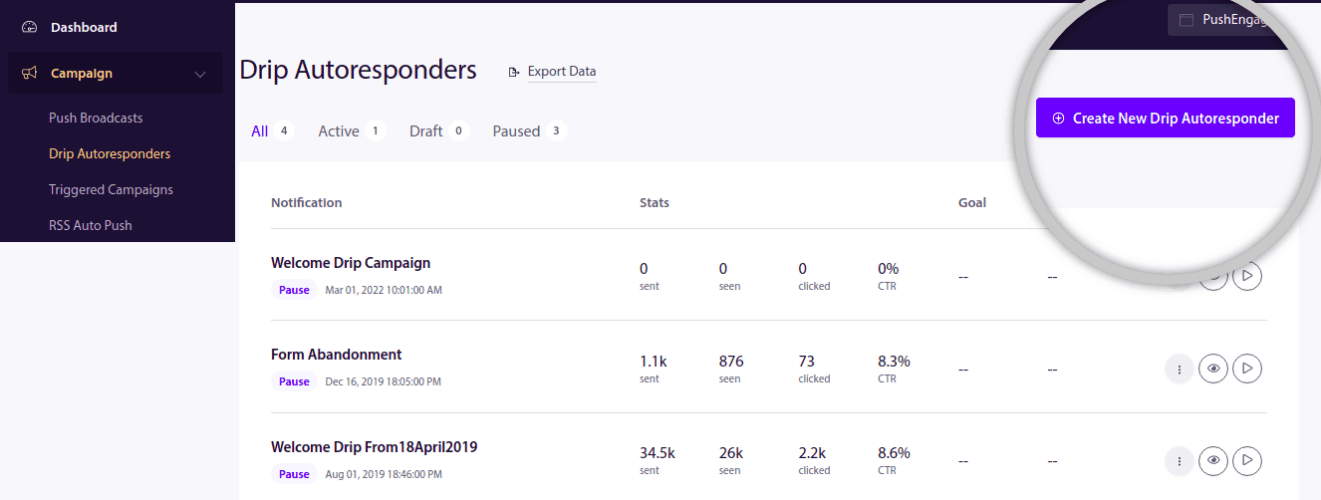
Далее вы используете сервис веб-push-уведомлений, такой как PushEngage, для создания и планирования сообщений, которые вы хотите отправлять своим подписчикам. Вы можете либо отправить одно push-уведомление вручную, либо настроить автоматическую последовательность push-уведомлений:
Кроме того, вы можете выбрать, отправлять ли его всем подписчикам в вашем списке или конкретным сегментам ваших подписчиков. Наконец, ваши подписчики получают ваши сообщения, когда их устройство подключается к сети, и выполняют предложенное действие.
Для PushEngage и наших серверов ваши подписчики — это уникальный хеш-номер, сгенерированный на основе устройства и браузера вашего подписчика. Кроме того, сервер может хранить геолокацию ваших подписчиков. Никакие личные или идентифицирующие данные для ваших подписчиков не хранятся.
Прелесть всего этого в том, что вам не нужно ничего знать о программировании или о том, как обслуживать исходные серверы. Мы позаботимся обо всем этом для вас. Вам остается только настроить свои кампании и получать прибыль!
К настоящему моменту вы, вероятно, задаетесь вопросом, как работают персонализированные push-сообщения, если серверы хранят только хеш-номер, а не личные данные. Вот где в игру вступает API поставщика услуг. Для вас это будет PushEngage Javascript API. Вы можете использовать этот API и подключить его к любой другой CRM или базе данных, которая у вас может быть.
Это позволяет вам использовать личные данные ваших подписчиков для отправки им персонализированных push-сообщений, таких как это:

Вы также можете отправлять расширенные кампании электронной коммерции, такие как кампании по брошенным корзинам, не используя PushEngage API.

Что дальше?
На этом всё.
Если вы только начинаете работать с push-сообщениями, ознакомьтесь с тем, как создать свое первое приветственное сообщение с помощью PushEngage. Приветственное сообщение отлично подходит для повторного вовлечения и привлечения повторных посетителей на ваш сайт.
Думаете, сложно придумать идеи для кампаний? Ознакомьтесь с этими потрясающими ресурсами:
- 75 эпичных примеров push-уведомлений, которые вы можете украсть прямо сейчас
- Как использовать push-сообщения о незавершенных формах для восстановления потерянных лидов
- Как отправлять персонализированные push-уведомления с атрибутами Drip
- 10 примеров интернет-магазинов, которые эффективно используют push-уведомления
- 8 персонализированных push-уведомлений, которые работают [подтверждено данными]
И если вы еще этого не сделали, начните работу с PushEngage сегодня!


