プッシュシングルステップオプトイン(ネイティブオプトインとも呼ばれます)は、6つのポップアップモーダルの中で最も好まれているオプトインスタイルです。シングルステップオプトインであるため、訪問者はワンクリックでサブスクリプションを完了でき、他のどのオプトインスタイル/ポップアップモーダルよりも高いサブスクリプション率を誇ります。
プッシュシングルステップオプトインを有効にするには、以下のガイドに従ってください。
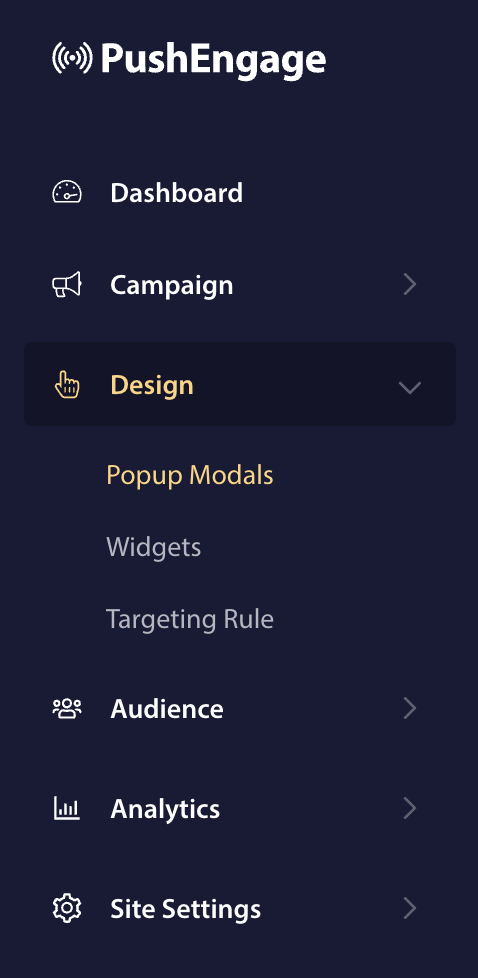
PushEngageダッシュボードで、デザイン > ポップアップモーダルに移動します。
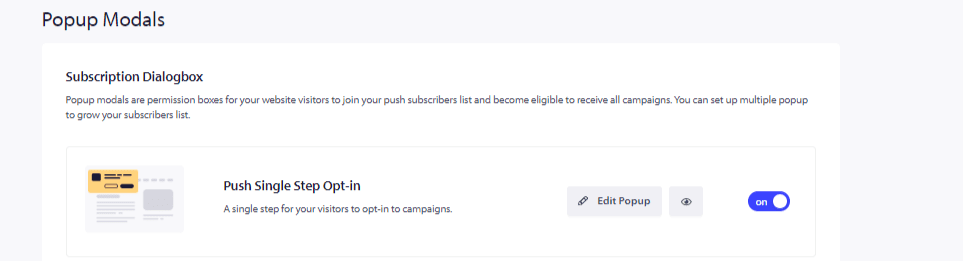
サブスクリプションダイアログボックスの最初のオプションはプッシュシングルステップオプトインです。トグルをクリックしてオンにします。
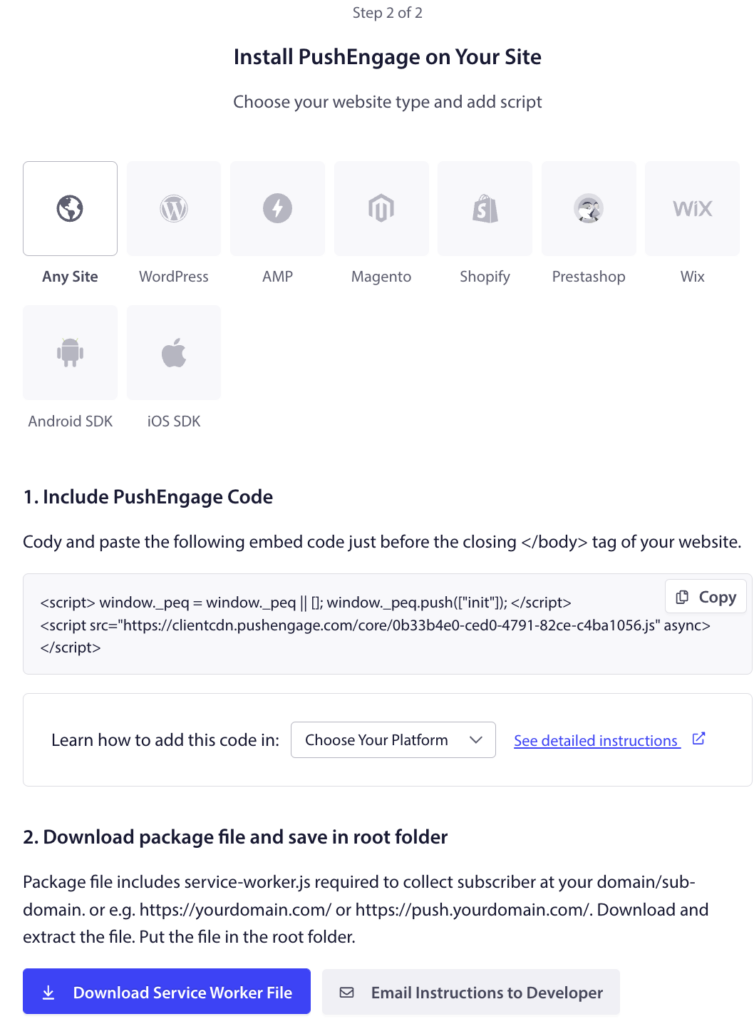
サービスワーカーファイルが追加されていることを確認する
注意: service-worker.jsファイルをルートディレクトリまたはサブディレクトリに追加することが不可欠です。シングルステップオプションを使用しない場合、サブスクリプションは失敗します。サイトがWordPressプラットフォームに基づいている場合は、この手順をスキップできます。
- service-worker.jsファイルをサブディレクトリまたは別のフォルダに追加し、そのフォルダへのパスをコピーします。ルートフォルダにアクセスできない場合は、こちらのガイドに従って、サブディレクトリにサービスワーカーを追加してください。
- PushEngageダッシュボードにログインし、サイト設定 » インストールに移動します。
- サイトタイプを選択し、インストールコードをウェブサイトのHTMLにコピーします。
- ステップ2から、パッケージファイルをダウンロードし、公開からアクセス可能なルートディレクトリに追加します。例:https://www.pushengage.com/service-worker.js。
これらの手順をすべて完了すると、シングルステップオプトインが有効になります。
万が一問題が発生した場合は、ここをクリックしてお問い合わせください。サポートチームがお手伝いします。