
Looking for a WordPress code snippet plugin to customize your site without having to hire a developer?
WordPress has a lot of built-in functionalities. Especially if you buy a premium theme and use it build your site. But there are still tons of custom features that you’d have to code yourself. Or, you’d have to buy plugins to get those features.
But there are some pretty common tasks such as adding a Facebook pixel or Google Analytics tracking code that’s still difficult to add. And what if you just found a code snippet online that can make your site look snazzier? Where would you have to paste that code?
Fortunately, there are WordPress code snippet plugins to help you place code into your site without having to hire a developer.
Comment savoir de quel plugin vous avez besoin ? Devriez-vous simplement mordre la balle et en utiliser un ? Le problème avec cette approche, cependant, est que beaucoup de ces plugins peuvent être assez chers.
In this article, we’re going to give you the best WordPress code snippet plugins in the market and if you read all the way through, we’ll even give you our top choice!
Plongeons dans le vif du sujet.
How to Choose a WordPress Code Snippet Plugin
When choosing a WordPress code snippet plugin, there are several factors you should consider to ensure you find the right one for your needs. Here’s a step-by-step guide to help you choose a suitable WordPress code snippet plugin:
- Define Your Requirements: Start by clearly understanding what you expect from the code snippet plugin. Consider questions such as:
- What type of code snippets do you plan to add? (e.g., PHP, CSS, JavaScript)
- Do you need syntax highlighting or code formatting features?
- Is the ability to manage and organize snippets important to you?
- Will you require a shortcode or widget to display snippets on your site?
- Check Compatibility: Ensure the plugin is compatible with the version of WordPress you are using. Check the plugin documentation or the plugin’s page in the WordPress repository for compatibility information.
- User Ratings and Reviews: Look for plugins with positive ratings and reviews. Pay attention to the number of active installations and the frequency of updates, as these indicate the plugin’s popularity and ongoing maintenance.
- Ease of Use: Evaluate the features offered by each plugin and consider whether they align with your requirements. Look for functionalities like syntax highlighting, code organization, import/export options, and snippet execution settings. Additionally, consider the plugin’s interface and ease of use to ensure it’s intuitive for you.
- Check Developer Support: Visit the plugin’s support forum or documentation page to gauge the developer’s responsiveness to user questions and issues. A plugin with active support can be beneficial if you encounter any problems down the line.
- Compare Documentation and Resources: Go through the documentation, tutorials, and user guides provided by the plugin’s developer. These resources can be valuable in helping you understand and make the most of the plugin’s features.
If the free plugins don’t meet your needs, explore premium code snippet plugins available in the market. Premium plugins often offer additional features, dedicated support, and regular updates.
Best WordPress Code Snippet Plugin
Now that we understand what to look for in WordPress code snippet plugins, let’s dive right into the list.
PushEngage est le plugin de notifications push n°1 au monde. Obtenez-le gratuitement !
Avant de commencer la liste, vous devez savoir que bon nombre des plugins de notre liste sont positionnés comme des « plugins d'en-tête et de pied de page » plutôt que comme des plugins d'extraits de code. La raison est simple. La plupart des extraits de code qui affectent les composants visuels d'un site Web vont dans l'en-tête ou le pied de page HTML. Bien que cela puisse être un bon point de départ, c'est aussi assez limité.
The reality is that not a lot of code snippet plugins for WordPress are all that powerful. That said, let’s check out the plugins.
#1. WPCode
WPCode is a fully free WordPress plugin that allows you to insert code snippets on your site without any coding knowledge.
It allows you to easily add code snippets like Google Analytics, custom CSS, and Facebook Pixel to your WordPress site’s header and footer without having to edit your theme’s functions.php file.
You can also use WPCode to insert custom PHP, JavaScript, CSS, HTML, and text snippets with full conditional logic and code priority support. If you’ve ever managed a WordPress site before, you’ll know how incredibly useful this plugin is. You can use the plugin for:
- Vérification de la console de recherche Google
- Suivi Google Analytics
- Code CSS personnalisé
- Ajout de notifications push
- Inserting Facebook tracking pixel
And any code snippet you can think of inserting into your website’s header and footer. The best part about WPCode is that there’s an involved developer community to prepare a code library for you. All you have to do is find the right code snippet for you from a verified developer and click on the recipe. The plugin will automatically install everything for you.
#2. Headers Footer Code Manager
Header Footer Code Manager is a great WordPress code snippet plugin for beginners. This handy plugin lets you effortlessly add scripts and styles to any page or post without any limitations holding you back.
With this plugin, you have complete control over where your scripts are loaded. You can easily manage which pages or posts the scripts appear on, and it even supports custom post types. So whether you want to load your scripts on specific posts or pages or display them on your latest posts, this plugin has got you covered.
Here are some key features that make the Header Footer Code Manager plugin a must-have:
- Add scripts and styles to any page or post without any restrictions. No more limitations holding you back!
- Take control of where your scripts load by managing which pages or posts they appear on.
- Enjoy support for custom post types, giving you the flexibility to tailor your scripts to specific content.
- Load your scripts on specific posts or pages, or even on the latest posts to keep things dynamic.
- Decide where your scripts load on the page, whether it’s in the head, footer, before content, or after content.
- Fine-tune your script loading by choosing to load them only on desktops or mobile devices. Enable or disable either as per your needs.
- Have the freedom to manually add code anywhere using shortcodes.
- Label each snippet for easy identification, making it a breeze to manage and organize your scripts.
- The plugin track of the changes you make.
The Header Footer Code Manager plugin is your all-in-one solution for seamlessly integrating scripts and styles into your website. It simplifies the process, allowing you to enhance your site’s functionality without breaking a sweat. So why wait? Try it out and elevate your website to new heights!
#3. Header Footer Code
Header Footer Code is your ultimate tool for effortlessly incorporating scripts and styles into any page or post without limitations. This plugin gives you complete control over where your scripts load, supporting custom post types for added flexibility. Load scripts on specific posts, pages, or even the latest posts with ease.
Take charge of script positioning on the page, whether it’s in the head, footer, before content, or after content. Customize script loading for desktop or mobile devices, enabling or disabling them as needed. The plugin offers shortcodes for manual code insertion, making it convenient to add code anywhere you desire. Each snippet can be labeled for easy identification, keeping your scripts organized.
The Header Footer Code Manager plugin offers a free version for basic needs. If you require advanced features and premium support, you can upgrade to the Premium version starting from $35 per year.
Key features include:
- Add scripts and styles without limitations.
- Manage script loading on specific pages or posts.
- Supports custom post types.
- Load scripts on specific posts, pages, or the latest posts.
- Control script position: head, footer, before content, or after content.
- Enable or disable script loading on desktop or mobile devices.
- Use shortcodes for manual code insertion.
- Label each snippet for easy identification.
- User logging tracks snippet addition and edits.
The Header Footer Code Manager plugin empowers you to enhance your website’s functionality and appearance effortlessly. Experience seamless integration of scripts and styles like never before. Try it today and take full control of your website’s code management.
#4. Post Snippets
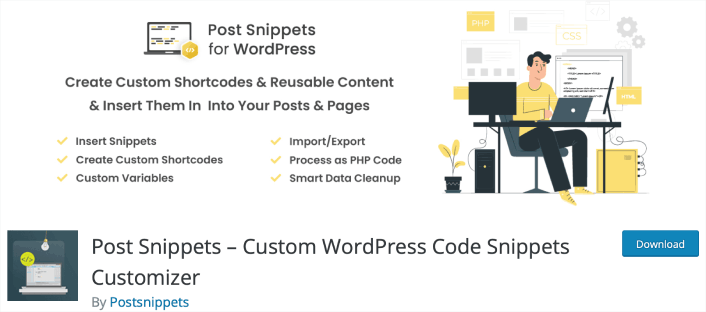
Post Snippets is a powerful tool that enables you to create a library of HTML, PHP code, or frequently used text snippets. These snippets can be effortlessly inserted into your posts and pages, saving you time and effort. The plugin provides a user-friendly interface where you can manage your snippets effectively.
With the Post Snippets plugin, you can easily access your snippets directly from the post editor’s Visual mode. Simply click a button, and your desired snippet will be inserted. The snippet can be added as-is or as a shortcode, making future updates a breeze. If you choose to insert the snippet as a shortcode, you even have the option to process it as PHP code.
Key features of the Post Snippets plugin include:
- Easy Snippet Insertion: Insert snippets quickly and conveniently using a button within the post editor.
- Custom Shortcodes: Create your own custom shortcodes using this plugin, allowing you to further enhance the functionality and flexibility of your snippets.
- PHP Code Support: Shortcode snippets can be processed as PHP code if desired, providing advanced customization options.
- Accessibility in Both Editors: Access your snippets through buttons available in both the visual and HTML editors, ensuring seamless integration regardless of your preferred editing mode.
- Manage Snippets Page: The plugin offers a dedicated “Manage Snippets” page where you can effortlessly add, edit, and remove your snippets, providing a centralized location for easy management.
- Custom Variables: Customize your snippets by including custom variables for insertion, allowing for dynamic content integration.
- Import and Export Functionality: Seamlessly import and export your snippets between different sites, making it easy to transfer and share your snippets across multiple installations.
- Comprehensive Documentation: Access complete documentation right from the plugin’s help panel, ensuring you have all the information you need to make the most of its features.
- Clean Uninstall: The plugin automatically removes any data created by it from the WordPress database upon uninstallation, ensuring a clean and hassle-free removal process.
The Post Snippets plugin offers a free version to meet your basic needs. For advanced features and premium support, you can upgrade to the Premium version, starting at just $29 per year.
Streamline your content creation process and boost your productivity with the Post Snippets plugin. Create a library of reusable code snippets and effortlessly insert them into your posts and pages. Try it out today and experience the convenience and efficiency it brings to your WordPress workflow.
#5. Simple Custom CSS
Simple Custom CSS is a user-friendly tool that empowers administrators to effortlessly incorporate custom CSS styles that override the default styles of plugins and themes.
This plugin was specifically designed to cater to the needs of WordPress site owners who want to add their own CSS touches, ensuring that the styles they create remain intact even if they decide to change their theme.
Here are some key features that make the Simple Custom CSS plugin stand out:
- AMP Support: Enjoy seamless compatibility with AMP, ensuring your custom CSS styles work harmoniously with your accelerated mobile pages.
- Customizer Control with Live Preview: Get a real-time preview of your custom CSS styles right within the Customizer, allowing you to see the changes as you make them.
- Code Syntax Highlighter: Easily distinguish between different elements of your CSS code thanks to the code syntax highlighter, enhancing readability and making editing a breeze.
- Code Linting for Error Checking: Catch any coding errors or typos in your CSS code with the built-in code linting feature, ensuring your styles are error-free.
- User-Friendly Interface: Built on the native WordPress UI, the plugin offers a simple and intuitive interface that seamlessly integrates into your WordPress dashboard.
- No Complicated Database Queries: Rest assured that using the plugin won’t require you to dive into complicated database queries. It keeps things streamlined and hassle-free.
The Simple Custom CSS plugin empowers you to take control of your website’s appearance by adding custom CSS styles with ease. Whether you’re a beginner or an experienced user, this plugin provides a seamless and efficient way to enhance the visual aspects of your WordPress site. Try it out and unlock endless possibilities for customization!
Which WordPress Code Snippet Plugin is Best for You?
Hands down, the best WordPress code snippet plugin is WPCode. Penny for a penny, you get the best features you could ever need to optimize your workflow without any of the bloated codebase of a poorly coded plugin. And the user experience is amazing.
L'une des choses les plus intéressantes que vous puissiez faire est d'utiliser les notifications push pour générer du trafic récurrent, de l'engagement et des ventes sur votre site.
Jetez un œil à ces ressources impressionnantes et vous comprendrez ce que nous voulons dire :
- Campagnes goutte à goutte et auto-répondeurs pour les notifications push web
- 5 avantages de l'utilisation d'une campagne de notification push d'abandon de panier
- Comment convertir les abonnés en acheteurs à l'aide des notifications push web
- Comment ajouter un plugin WordPress de notifications Web à votre site
Et si vous débutez avec les notifications push, nous vous recommandons d'utiliser PushEngage. PushEngage est le logiciel de notification push n°1 au monde. Vos campagnes seront donc entre de bonnes mains.


