Une manière très efficace de faire de la publicité auprès des clients à l'aide d'une notification est de la leur envoyer à leur propre fuseau horaire. L'importance du fuseau horaire est particulièrement visible si vous avez des abonnés dans plusieurs fuseaux horaires. Cela contribue également à augmenter le CTR.
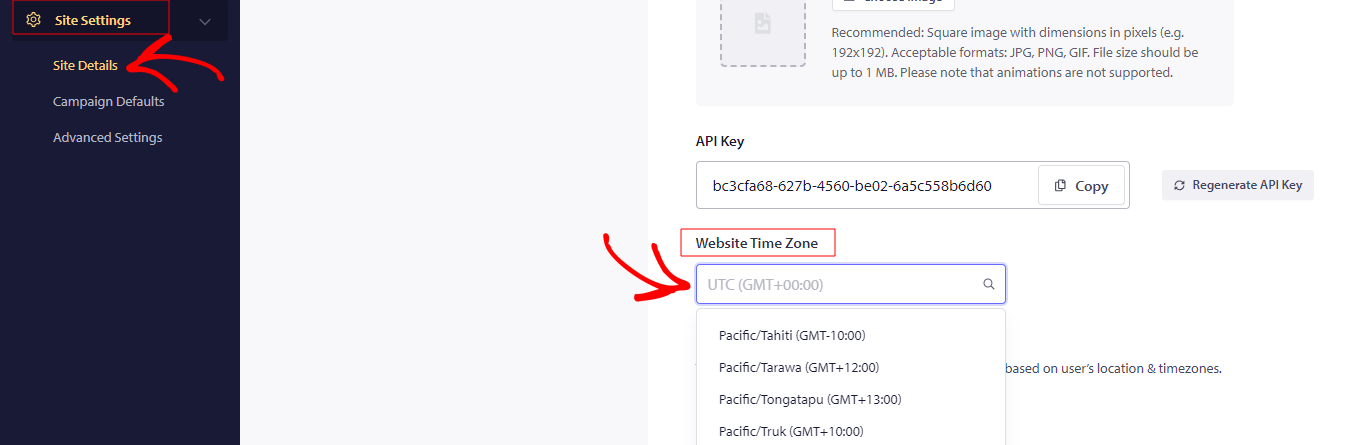
Pour planifier des notifications push, vous devez vous connecter avec votre compte enregistré. Accédez à Paramètres du site » Détails du site » Fuseau horaire du site & définissez votre fuseau horaire actuel comme base, sans quoi toute planification pourrait ne pas fonctionner comme prévu.
Ensuite, pour envoyer une notification par fuseau horaire, accédez à Campagne » Diffusion push » Apparence et conception de la notification » faites défiler vers le bas jusqu'à Enregistrer et sélectionnez Audience - « Envoyer les notifications dans le fuseau horaire des abonnés ».
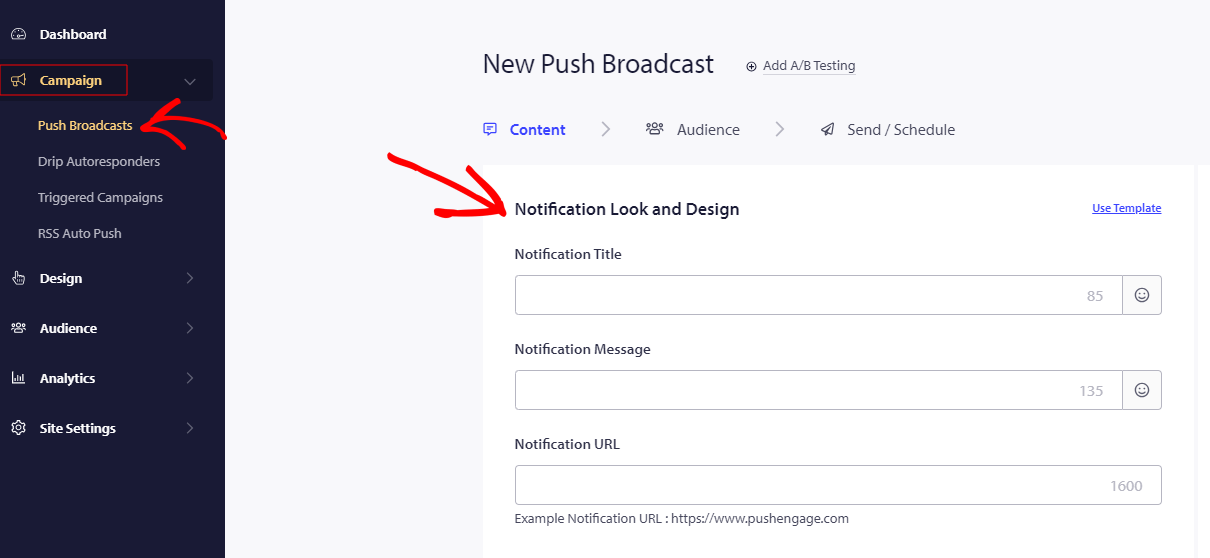
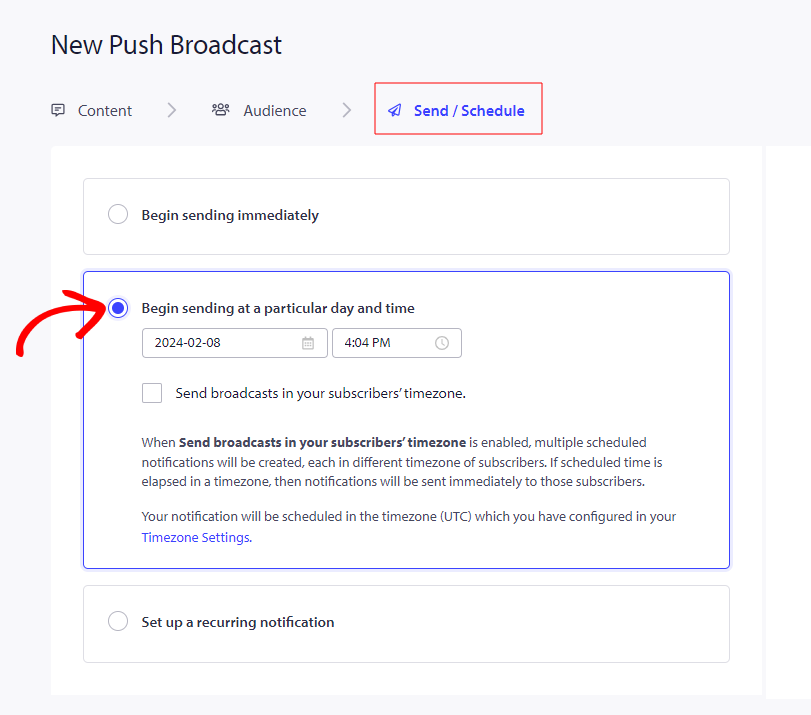
Entrez tous les détails requis de la notification dans les champs donnés pour créer une notification. Passez à l'onglet Envoyer/Planifier pour les Options de planification & cochez l'option - Envoyer les notifications dans le fuseau horaire des abonnés. En sélectionnant cette option, la notification sera envoyée aux clients dans leur propre fuseau horaire. Une fois tout cela configuré, cliquez sur Planifier la notification
Si vous rencontrez des problèmes, n'hésitez pas à nous contacter en cliquant ici. Notre équipe de support pourra vous aider.