Le plugin WordPress de PushEngage vous permet d'envoyer des campagnes sans avoir à créer de campagnes push manuelles. Vous pouvez ainsi activer l'envoi d'un push automatique dès que les éditeurs cliquent sur le bouton de publication.
Comprenez dans le guide ci-dessous comment activer cela –
Sélectionnez le plugin PushEngage dans votre tableau de bord WordPress et accédez à Paramètres > Paramètres de push automatique
Activez le bouton bascule pour envoyer automatiquement une notification push à vos abonnés chaque fois que vous publiez un nouvel article et sélectionnez le type d'image de notification que vous souhaitez pour vos campagnes.
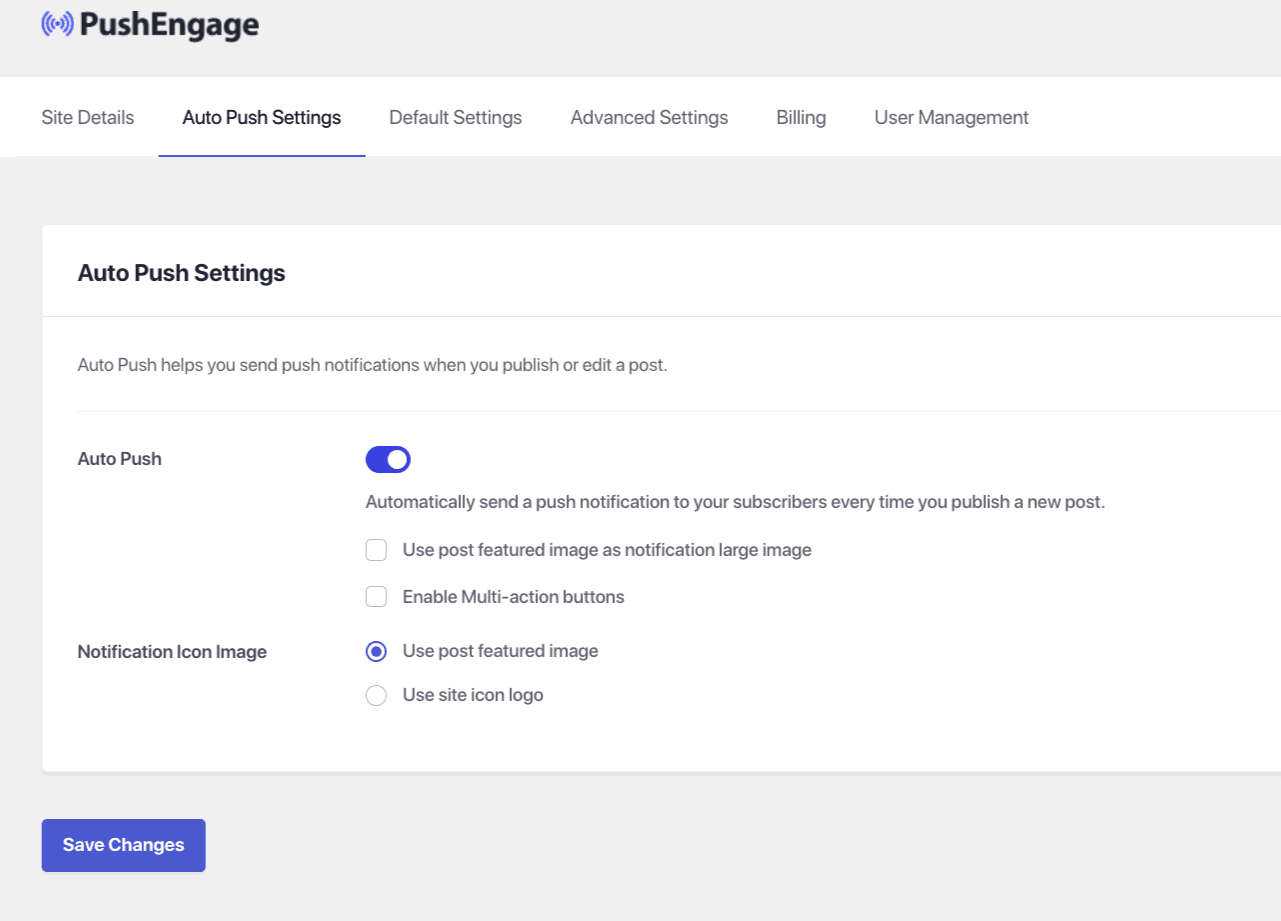
Une fois cela fait, sélectionnez Enregistrer les modifications
Si jamais vous rencontrez des problèmes, n'hésitez pas à nous contacter en cliquant ici. Notre équipe de support pourra vous aider.