
ليس كل زائر مستعدًا للدردشة فور وصوله إلى موقعك. في الواقع، غالبًا ما يؤدي عرض أداة الدردشة مبكرًا جدًا إلى انخفاض المشاركة وزيادة معدلات الارتداد.
النهج الأكثر ذكاءً هو تشغيل الدردشة فقط عندما يقوم الزائر بالتمرير 50٪ من الصفحة - وهي إشارة على أنه مهتم ومهتم ومن المرجح أن يتفاعل.
تجعل أداة الدردشة من PushEngage هذا الأمر سهلاً للغاية.
سيرشدك هذا الدليل السريع لماذا تعمل مشغلات التمرير وكيفية إعدادها ببضع نقرات فقط.
أرسل رسائل متعددة القنوات اليوم!
تعد رسائل الدفع والواتساب أدوات تسويقية فعالة للغاية ومنخفضة التكلفة لمساعدتك في زيادة حركة المرور المتكررة والمشاركة والمبيعات بشكل تلقائي.
لماذا يعمل مشغل التمرير بنسبة 50٪
لقد أظهر الزائر الذي يصل إلى 50٪ من الصفحة نية واضحة. لقد استثمروا الوقت، واستوعبوا المحتوى الخاص بك، وأظهروا الفضول.
يساعدك مشغل بنسبة 50٪ على:
- تجنب مقاطعة القراء مبكرًا جدًا
- التقاط الزوار عندما يكونون مستعدين تمامًا
- زيادة معدلات فتح الدردشة
- تحسين جودة العملاء المحتملين
- تقليل عبء عمل الوكيل من الدردشات ذات النية المنخفضة
هذا فعال بشكل خاص لـ:
- المقالات الطويلة
- صفحات مقارنة المنتجات
- الأدلة الشاملة
- صفحات الأسئلة الشائعة
- البرامج التعليمية
كيف تتعامل PushEngage مع مشغلات الدردشة المستندة إلى التمرير
تتضمن PushEngage قواعد سلوك مدمجة لأدوات الدردشة. تحدد هذه القواعد متى تظهر أداة الدردشة بناءً على إجراءات الزائر.
أحد أكثرها فائدة هو: إظهار عندما يقوم الزائر بالتمرير X٪
يتيح لك هذا تأخير ظهور الأداة حتى تصل إلى أي عتبة تمرير تختارها - مع كون 50٪ أحد أفضل الإعدادات أداءً للصفحات المعلوماتية أو الغنية بالمحتوى.
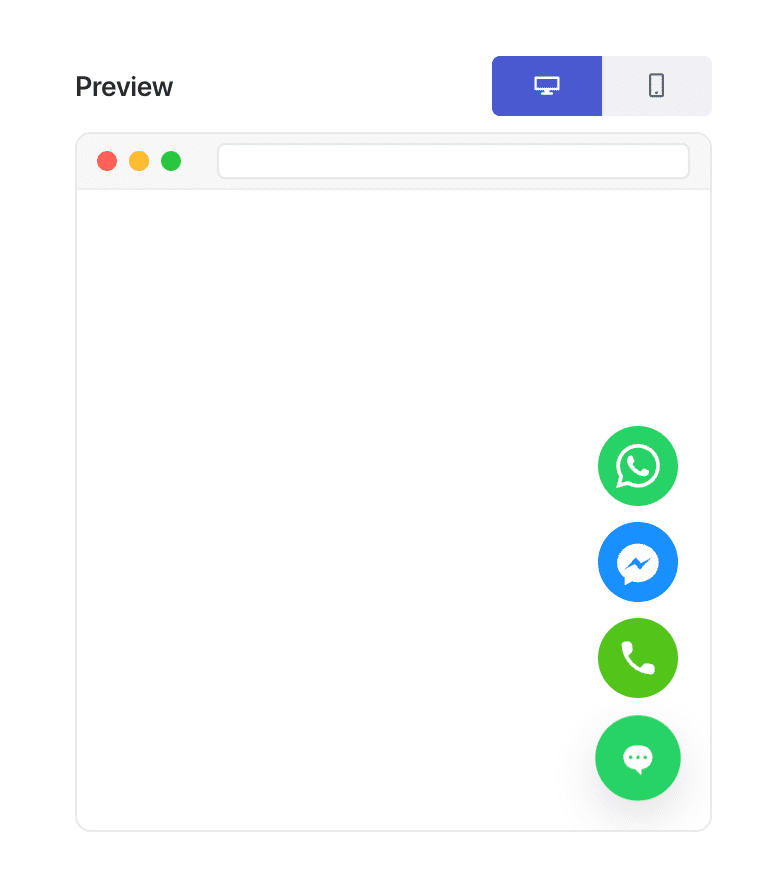
هذه المرونة هي بالضبط ما يجعل "التخصيص المستند إلى نوع الصفحة" ممكنًا.
كيفية تشغيل أداة الدردشة الخاصة بك عند التمرير بنسبة 50٪ (خطوة بخطوة)
الخطوة 1: إنشاء أو تحرير أداة دردشة
في لوحة تحكم WordPress الخاصة بك:
انتقل إلى PushEngage » Chat Widgets وانقر فوق إنشاء أداة جديدة أو تحرير أداة موجودة.
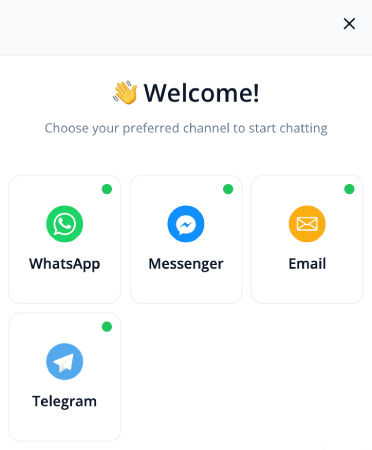
قم بإعداد رسالتك وقنواتك وتصميمك كالمعتاد.
الخطوة 2: فتح علامة التبويب السلوك
داخل محرر الأداة، انتقل إلى المشغلات. هذا يتحكم في وقت ظهور الأداة.
من القائمة المنسدلة للمشغلات، اختر العرض بعد نسبة التمرير:
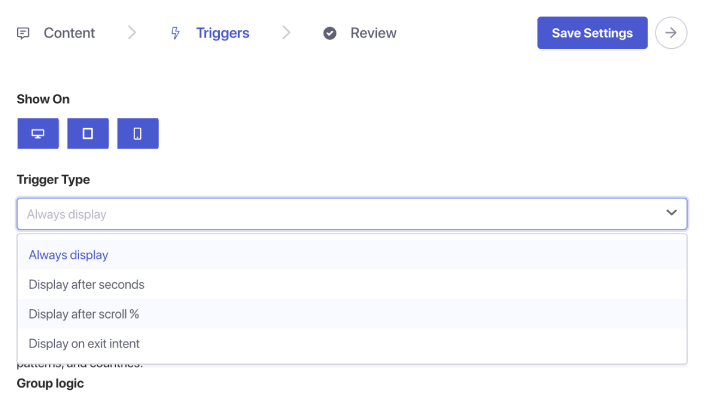
سترى مربع إدخال النسبة المئوية يظهر. اضبط عمق التمرير على 50٪. هذا يخبر PushEngage بالانتظار حتى يقوم المستخدم بالتمرير إلى منتصف الصفحة قبل عرض أداة الدردشة.
الخطوة 3: الحفظ والنشر
انقر فوق حفظ الأداة.
ثم تأكد من تمكين الأداة واستهداف الصفحات التي تريدها. ستعمل أداة الدردشة الخاصة بك الآن بالضبط عند نقطة التمرير 50٪ في كل صفحة معينة.
نصيحة احترافية: دمج مشغل التمرير + استهداف الصفحة
تصبح مشغلات التمرير أكثر قوة عند إقرانها بقواعد الاستهداف.
يمكنك إظهار الأداة:
- فقط في منشورات المدونة
- فقط في فئات منتجات WooCommerce
- فقط في المحتوى الطويل
- فقط للزوار العائدين
- فقط في صفحات الأسعار
فقط انتقل إلى علامة التبويب المشغلات و قم بتعيين شروط الصفحة.
أفضل الممارسات لمشغلات الدردشة عند التمرير بنسبة 50٪
للحصول على أفضل النتائج:
1. لا تدمج التمرير بنسبة 50٪ مع المشغلات الفورية
هذا يقوض الغرض من المشاركة القائمة على النية.
2. اجعل الرسالة مفيدة، وليست اقتحامية
أمثلة:
- "هل تحتاج إلى مساعدة في فهم هذه الصفحة؟"
- "هل تريد توصيات مخصصة؟"
- "هل لديك سؤال؟ أنا هنا للمساعدة!"
3. تجنب استخدام أدوات دردشة متعددة يتم تشغيلها بالتمرير في وقت واحد
أداة واحدة لكل صفحة تحافظ على تجربة نظيفة.
4. اختبر على كل من الهاتف المحمول وسطح المكتب
يمكن أن يبدو عمق التمرير مختلفًا عبر الأجهزة.
ماذا تفعل بعد إعداد أدوات الدردشة
يعد مشغل التمرير بنسبة 50٪ أحد أبسط الطرق لعرض الدردشة في اللحظة المثالية - *بعد* تفاعل الزائر ولكن *قبل* مغادرته.
مع قواعد سلوك PushEngage، يستغرق إعداد هذا أقل من دقيقة ويحسن فورًا جودة ونية الدردشات الواردة.
مع PushEngage، يمكنك إعداد هذا في دقائق — والبدء فورًا في رؤية تفاعل أفضل، وتحويلات أعلى، وأعباء عمل وكلاء أكثر كفاءة.
- يرى العملاء دائمًا شخصًا متصلاً بالإنترنت
- تنخفض أوقات الاستجابة
- ترتفع معدلات التحويل قبل الشراء
- تبدو الدعم أسرع وأكثر موثوقية
- يبدو متجرك جاهزًا للعالم
بمجرد تعيين الجداول الزمنية، يمكن لفريقك العمل بكفاءة أكبر - ويحصل عملاؤك على التجربة التي يتوقعونها.
إذا لم تكن قد قمت بالفعل بإعداد ملفات تعريف وجداول زمنية للوكلاء في PushEngage، فالآن هو الوقت المناسب.
غير مقتنع؟ اطلع على هذه الموارد المذهلة حول حملات التسويق متعددة القنوات:
- كيفية زيادة مبيعات الفنادق في الموسم المنخفض
- كيفية القيام بالتسويق متعدد القنوات للفنادق في عام 2026
- كيفية تحويل المشتركين إلى مشترين باستخدام إشعارات الدفع عبر الويب
- كيفية إخطار المشتركين بمنشورات ووردبريس الجديدة
- كيفية إرسال إشعارات العودة إلى المخزون للحصول على المزيد من المبيعات
- كيفية تنظيف قوائم المشتركين في الإشعارات الفورية (سهل)
- كيفية إرسال إشعارات دفع RSS تلقائيًا
- كيفية استخدام الإشعارات الفورية للترويج لموقع إخباري
- كيفية استخدام إشعارات البيع المتقاطع الفورية لمضاعفة مبيعاتك
- كيفية استخدام إشعارات الدفع للتخلي عن التصفح (4 خطوات)


