Já apresentámos o caso estratégico noutro local: a era do "blast" acabou, e as notificações acionadas por comportamento são o que as plataformas recompensam e os subscritores toleram. Este guia é a outra metade — como disparar notificações push a partir de eventos da aplicação no iOS, desde a instrumentação até à passagem de responsabilidade para o marketing. Foi escrito para o programador que faz a ligação, com o código que irá implementar e as convenções que o mantêm sustentável.
A arquitetura num parágrafo
A sua aplicação dispara eventos nomeados com propriedades tipificadas. O PushEngage compara esses eventos com regras de acionamento configuradas no painel de controlo, e as campanhas são enviadas — imediatamente, com atraso, ou como uma sequência de múltiplos passos com condições de saída. A divisão do trabalho é o ponto principal: a engenharia instrumenta cada evento uma vez; o marketing cria, edita e elimina campanhas contra esses eventos para sempre, sem outra compilação. A sua instrumentação é uma API para a sua equipa de marketing.
trackEvent: o sinal de propósito geral
O SDK iOS 1.0 introduziu o trackEvent, o cavalo de batalha para sinais comportamentais personalizados:
PushEngage.trackEvent(name: "product_viewed",
                      properties: [
                        "sku": "WCJ-1042",
                        "category": "outerwear",
                        "price": 189.00,
                        "in_stock": true
                      ],
                      profileId: currentUserId,   // ties the event to an identified subscriber
                      provider: nil,
                      eventType: nil) { success, error in
    if !success { log(error) }
}
Três regras que o SDK impõe, por isso planeie-as antecipadamente:
- Os valores das propriedades devem ser strings, números ou booleanos. Arrays, dicionários e datas são rejeitados no lado do cliente — achate-os antes de enviar.
- Os nomes dos eventos e as chaves das propriedades não podem estar vazios. O manipulador de conclusão informa-o quando a validação falha; registe-o em compilações de depuração.
- Os manipuladores de conclusão chegam numa fila de background. Faça o dispatch para a fila principal antes de tocar na UI.
Passe o profileId sempre que o utilizador for identificado — é o que permite que uma campanha siga um cliente entre dispositivos em vez de seguir um dispositivo.
sendTriggerEvent: ligação de campanhas de acionamento clássicas
Para campanhas criadas no construtor de acionamento do painel — abandono de carrinho, abandono de navegação, jornadas personalizadas — a aplicação dispara sendTriggerEvent com os nomes da campanha e do evento que o profissional de marketing configurou, mais os tokens de dados que o modelo de notificação irá renderizar:
let trigger = TriggerCampaign(campaignName: "cart_abandonment",
                              eventName: "add_to_cart",
                              data: [
                                "productname": "Waxed Canvas Jacket",
                                "price": "$189",
                                "cartlink": "myapp://cart"
                              ])

PushEngage.sendTriggerEvent(triggerCampaign: trigger) { success, error in
    // background queue — dispatch before UI work
}
Os tokens de data fluem para a cópia da notificação — é assim que "O seu casaco de lona encerada está à espera" é personalizado sem que o profissional de marketing toque no código. Percorremos a sequência completa de recuperação de carrinho no guia de abandono de carrinho da aplicação móvel; esta chamada é o seu motor.
addAlert: quebra de preço e reposição de stock, integrados
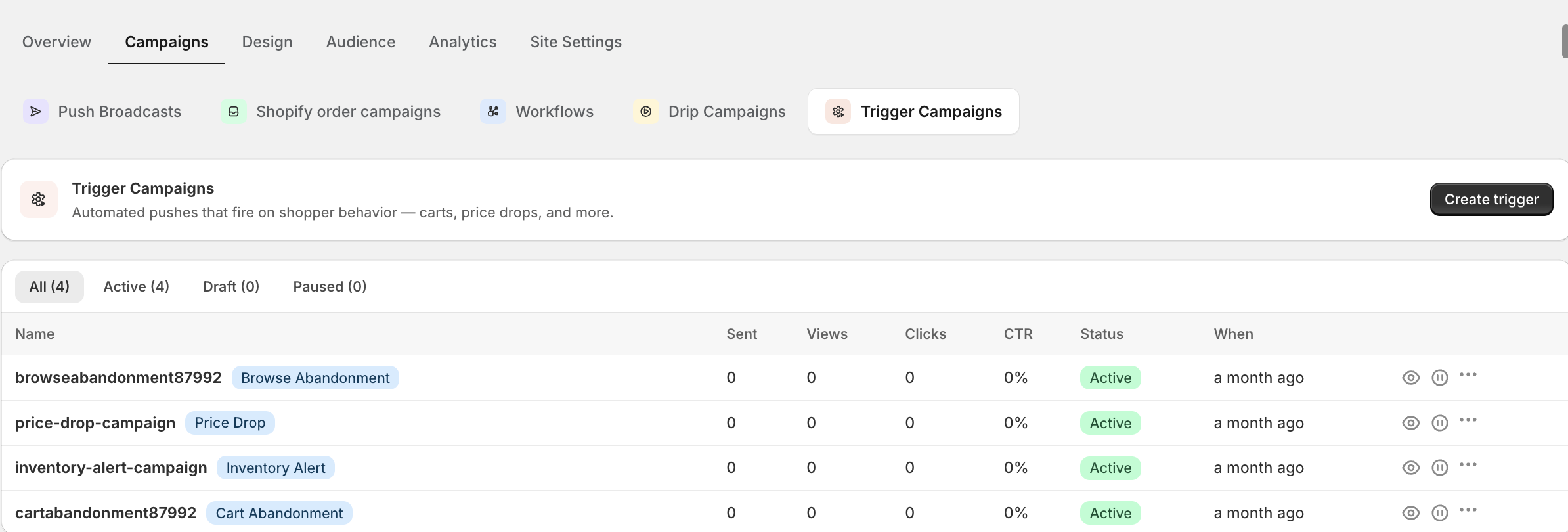
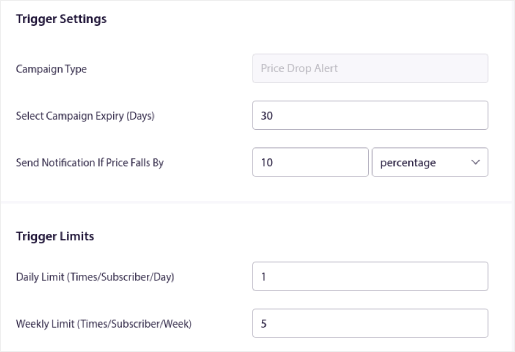
Os dois gatilhos de comércio com maior intenção nem sequer precisam de campanhas personalizadas — são cidadãos de primeira classe do SDK. Quando um utilizador vê um produto, registe o alerta:
let alert = TriggerAlert(type: .priceDrop,        // or .inventory
                         productId: "WCJ-1042",
                         link: "myapp://product/WCJ-1042",
                         price: 189.00,
                         data: ["size": "M"])

PushEngage.addAlert(triggerAlert: alert) { success, error in }
O PushEngage gere a monitorização, a correspondência e o envio quando o preço desce ou o stock regressa. Se leu o nosso guia de notificações de descida de preço, este é o registo no lado da aplicação que faz com que essas campanhas sejam disparadas.
Uma taxonomia de eventos que escala
A dívida de instrumentação é real: seis meses depois, ninguém se lembra se o evento é addToCart, cart_add, ou CartUpdated. Escolha convenções desde o primeiro dia — nomes snake_case, ordenação object_action, chaves de propriedade singulares — e cubra o conjunto principal de comércio:
| Evento | Propriedades chave | Campanhas que potencia |
|---|---|---|
produto_visualizado | sku, categoria, preço | Abandono de navegação, personalização |
produto_guardado | sku, preço | Descida de preço, regresso de stock, ganchos de recuperação |
carrinho_atualizado | valor_carrinho, contagem_itens, item_principal | Abandono de carrinho |
compra_concluida | valor_encomenda, contagem_itens | Condições de saída, pós-compra, objetivos |
pesquisa_realizada | consulta, contagem_resultados | Recuperação de zero resultados, segmentos de interesse |
passo_onboarding | passo, concluído | Ramificação da série de onboarding |
Seis eventos, instrumentados uma vez, potenciam a série de onboarding, a recuperação do carrinho, os ganchos de recuperação e todos os segmentos que a sua equipa de marketing irá pedir este ano.
Teste o ciclo antes de o entregar
Defina PushEngage.enableLogging = true em compilações de depuração e observe os eventos a sair do dispositivo. Dispare cada evento a partir de uma compilação de teste, confirme que chega à vista de eventos do painel e envie uma campanha de teste ponta a ponta por gatilho. As aplicações de exemplo do repositório SDK incluem um ecrã de gatilho funcional de onde pode copiar o fluxo. Quinze minutos de verificação aqui poupam a investigação "porque é que a campanha não disparou" mais tarde — que é geralmente um erro de digitação no nome de um evento num dos lados do contrato.
A entrega: o que o marketing gere a partir daqui
A integrar com um assistente de código de IA? As PushEngage Agent Skills de código aberto ensinam Claude Code, Cursor e qualquer agente compatível com SKILL.md a integrar e depurar este SDK. E depois de publicar, o servidor PushEngage MCP permite que o mesmo assistente execute as suas campanhas — segmentos, envios, testes A/B e relatórios. A construir em Replit, Lovable ou Bolt? Os kits de vibe-coding de código aberto incluem uma loja de demonstração pronta a usar, um starter Flutter e demos de um prompt com PushEngage pré-configurado.
Assim que os eventos fluírem, a sua parte está feita. O marketing cria regras de gatilho, escreve cópias, define atrasos e condições de saída, testa variantes A/B e anexa o rastreamento de objetivos para atribuição de receita — tudo no painel, tudo sem um ticket. Publique a tabela de taxonomia de eventos no wiki da sua equipa como o contrato entre os dois lados. Depois, observe a fila de pedidos de tickets "pode enviar um push" a ir silenciosamente para zero — que era o objetivo desde o início. Para a estratégia que essas campanhas devem seguir, entregue à sua equipa de marketing o guia de marketing de push para aplicações.


