PushEngageのプッシュキャンペーンでは、国、州、または都市といった特定の地域を簡単にターゲティングできます。PushEngageは、デフォルトのセグメンテーションの一部としてジオロケーションセグメンテーションを提供しており、これにより、プッシュキャンペーンに登録した地域のセグメントベースの顧客をターゲティングするのに役立ちます。
適切にターゲティングされたキャンペーンは、より高いROIをもたらします。特定の地域の購読者セグメントに通知を送信する必要がある場合、より高い到達率のチャンスが得られます。2つの方法で地理情報に基づいて人々をターゲティングすることができます。
- プッシュブロードキャスト
- ドリップ自動応答
プッシュブロードキャストでジオロケーションに基づいて購読者をターゲティングする
プッシュブロードキャストは、購読者をターゲティングするために使用できる一般的なキャンペーンです。プッシュキャンペーンを作成してから、[オーディエンス]タブに移動し、» [特定のオーディエンスグループに送信] > [ジオロケーションセクション]までスクロールします。
ドリップ自動応答でジオロケーションに基づいて購読者をターゲティングする
ドリップ自動応答は、すべての購読者または特定のオーディエンスのためにジャーニーとして作成できる一連のプッシュキャンペーンのようなものです。
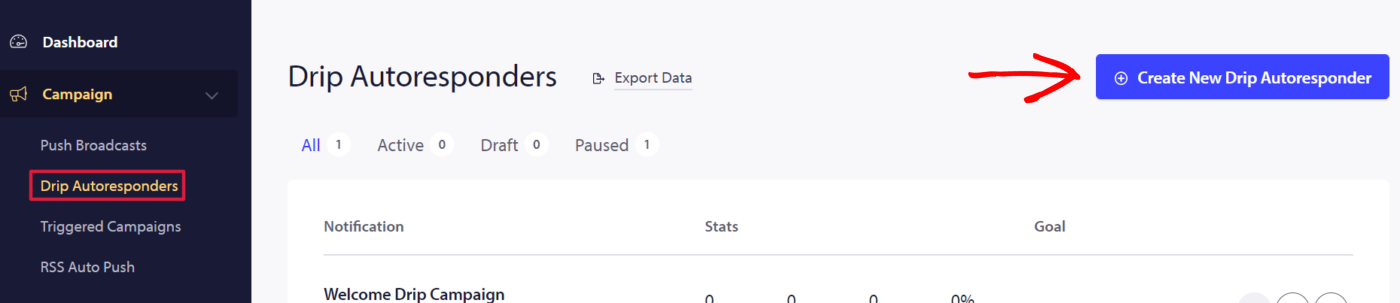
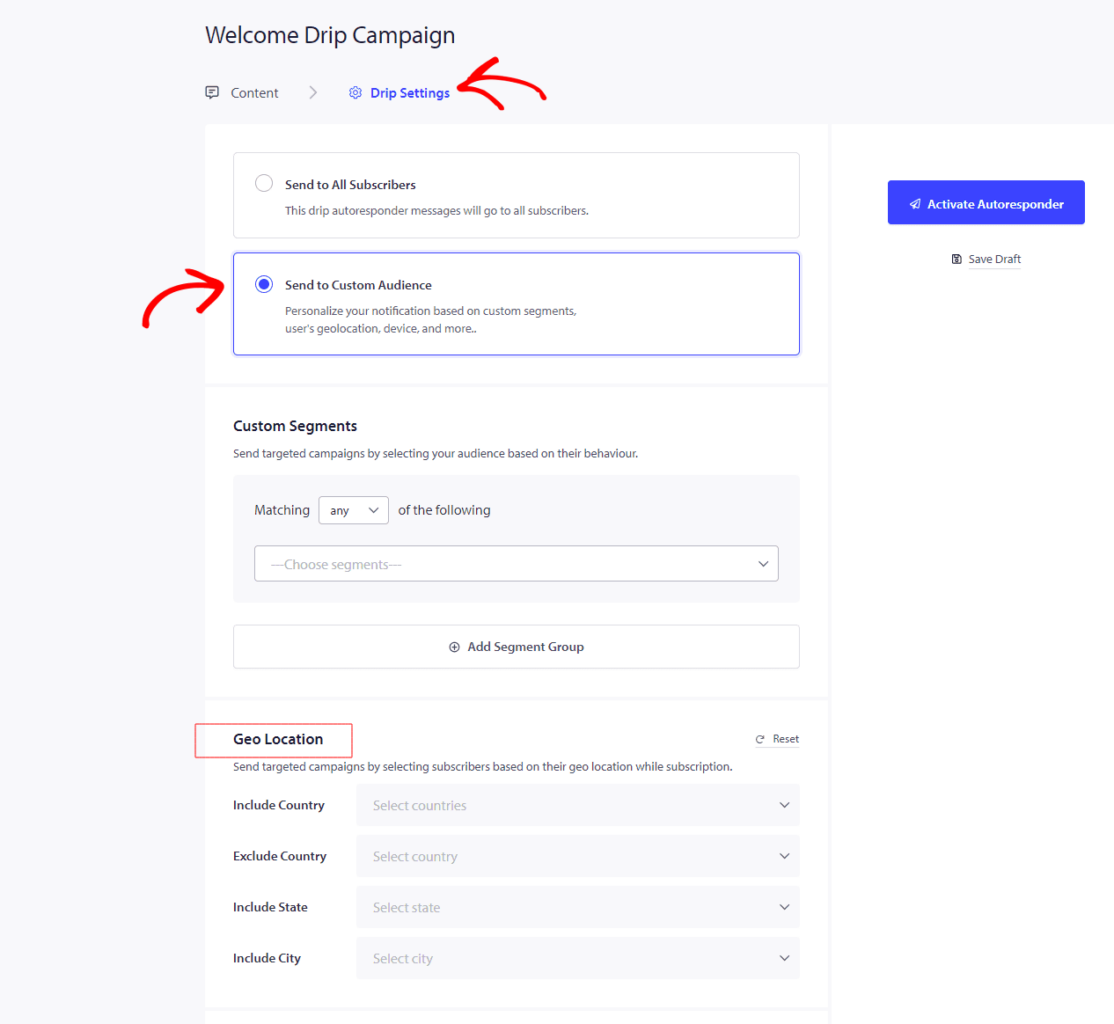
ドリップ自動応答を作成し、特定の地域をターゲティングするには。[キャンペーン] » [ドリップ自動応答] » [新しいドリップ自動応答] » [ドリップ設定] » [特定のオーディエンスグループに送信] » [ジオロケーション]までスクロールします。
ここで、国を含める/除外する、州を含める、または都市を含めるを選択できます。1つまたは複数の国/州/都市を選択できます。
問題が発生した場合は、こちらをクリックしてお問い合わせください。サポートチームがお手伝いします。