Squarespace は、美しいウェブサイトを作成したいと考えているすべての人にとって、オールインワンのソリューションです。PushEngageは、Squarespaceプラットフォームに基づいたウェブサイトをサポートしています。Squarespaceからウェブプッシュ通知を送信したい場合は、10分以内にPushEngageをインストールできます。
従う必要がある手順は次のとおりです。
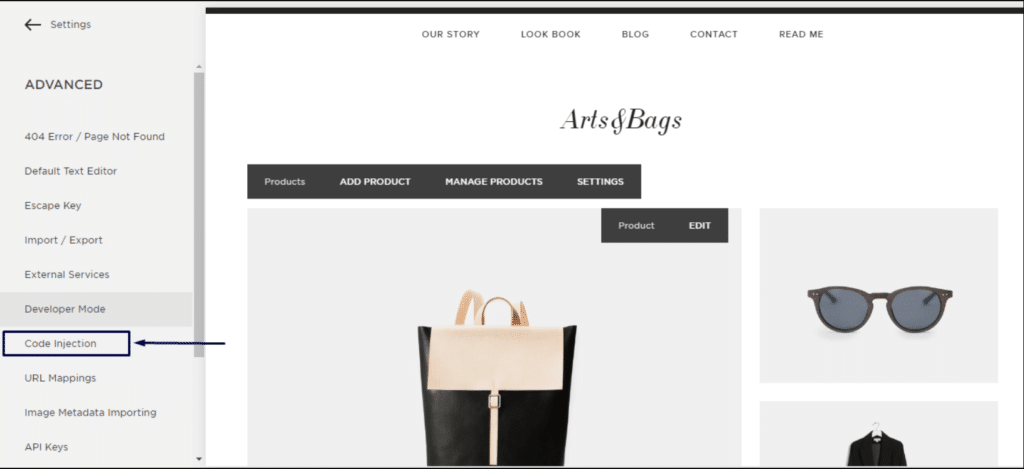
1. Squarespaceアカウントにログインします。設定 » 詳細設定 » 開発者モード » コードの挿入 に移動します。
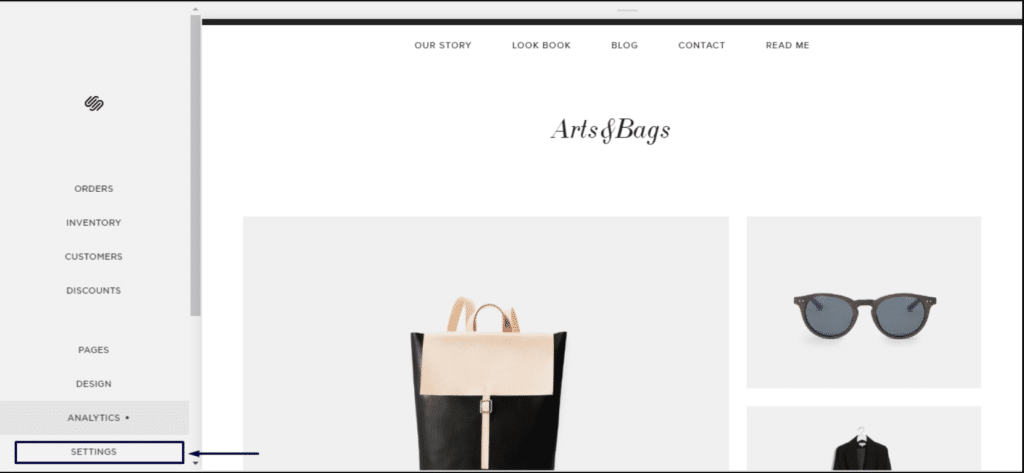
2. 詳細設定をクリックします。
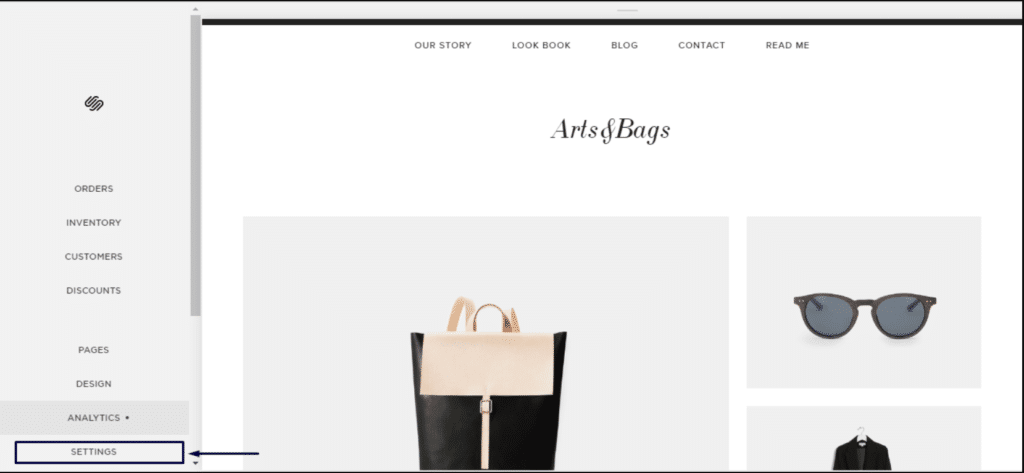
3. コードの挿入をクリックします。
4. 次に、PushEngageダッシュボードにログインし、サイト設定 » インストール に移動します。
任意のサイトを選択
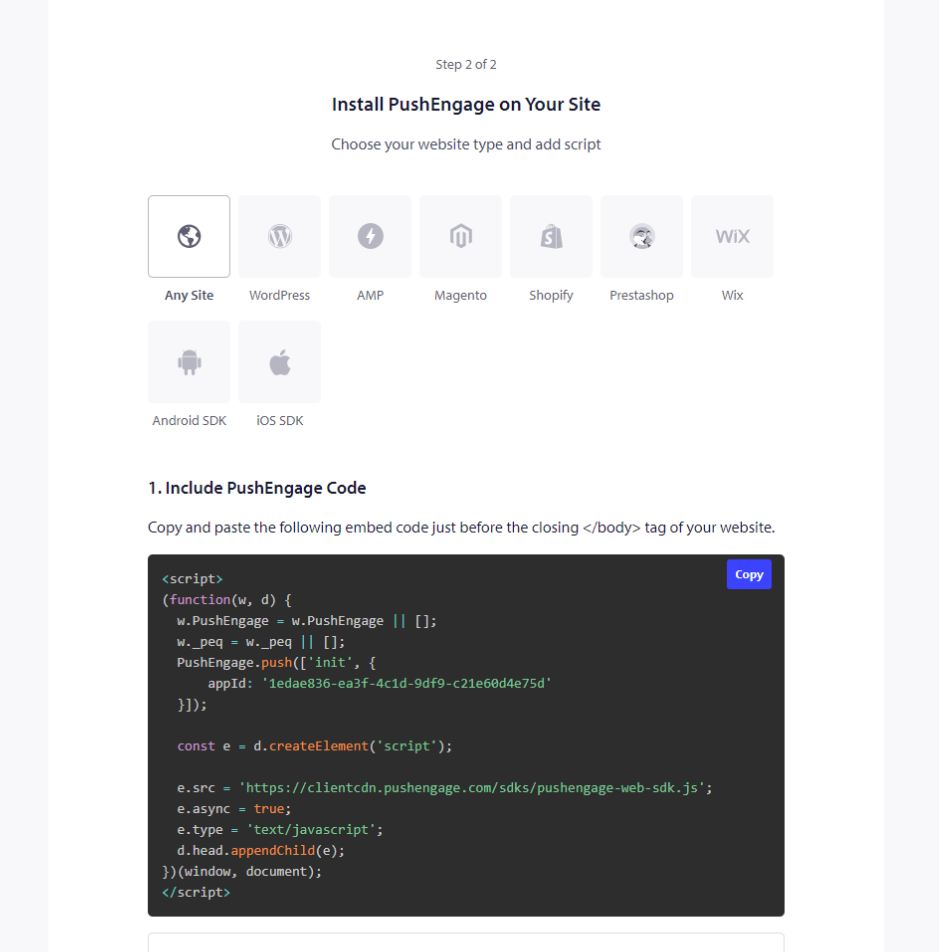
5. コードをコピーして、Squarespaceのヘッダーセクションに挿入します。
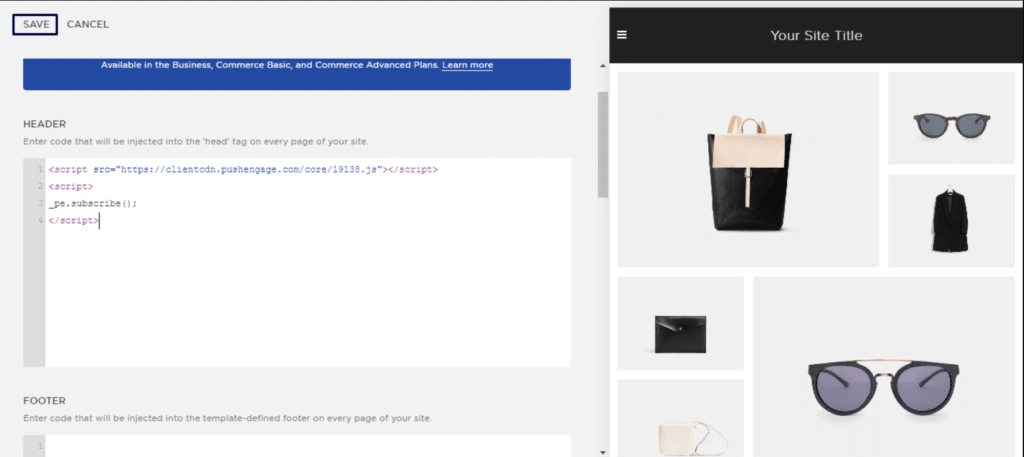
これにより、SquarespaceでのPushEngageのインストールが完了します。
万が一問題が発生した場合は、こちらをクリックしてお気軽にお問い合わせください。サポートチームがお手伝いします。