閲覧放棄キャンペーンの作成方法

Shoppers visit your website and browse your products or services but leave without taking any action; PushEngage’s browse abandonment campaigns are designed to re-engage them. These campaigns use web push notifications to bring shoppers back, especially your window shoppers, encouraging them to complete actions like purchasing or signing up.

開始する前に

The journey begins with Trigger Campaigns, which are useful for creating personalized experiences with templates like cart abandonment, browse abandonment, price drop, or inventory alerts, and for building any event-based campaigns tailored to user interactions.

In this guide, you will learn how to set up browse abandonment campaigns with PushEngage.

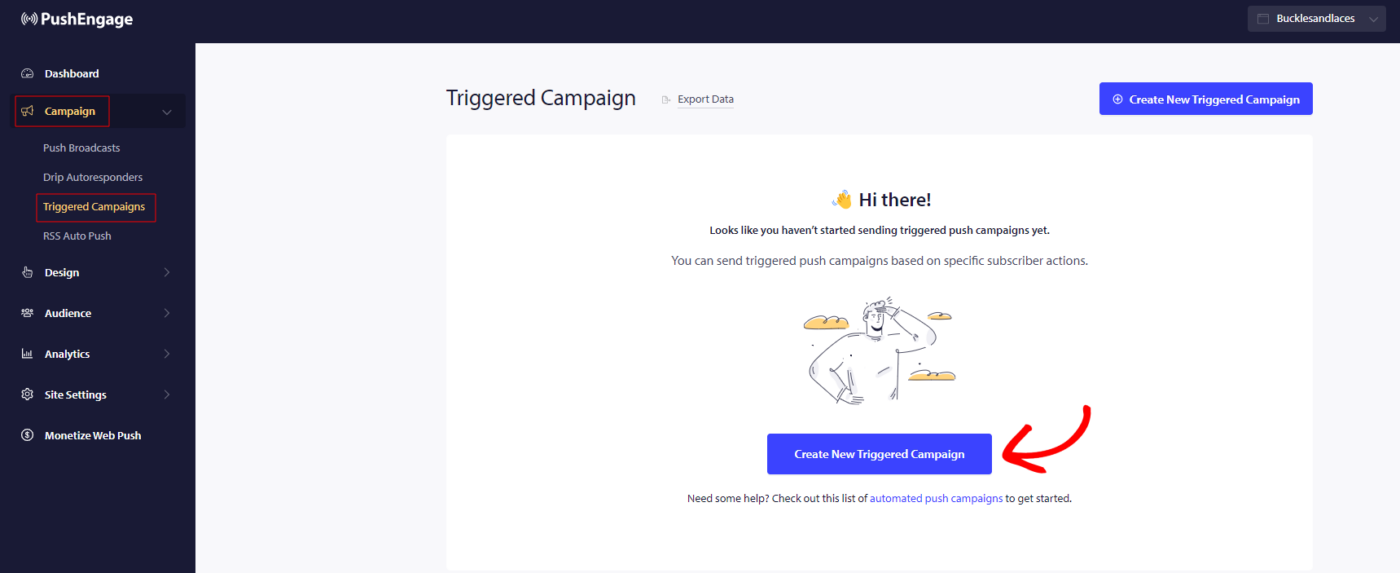
You need to log in to your dashboard and navigate to Campaign » Triggered Campaigns. Select Browse Abandonment Campaign, and click on Create New.

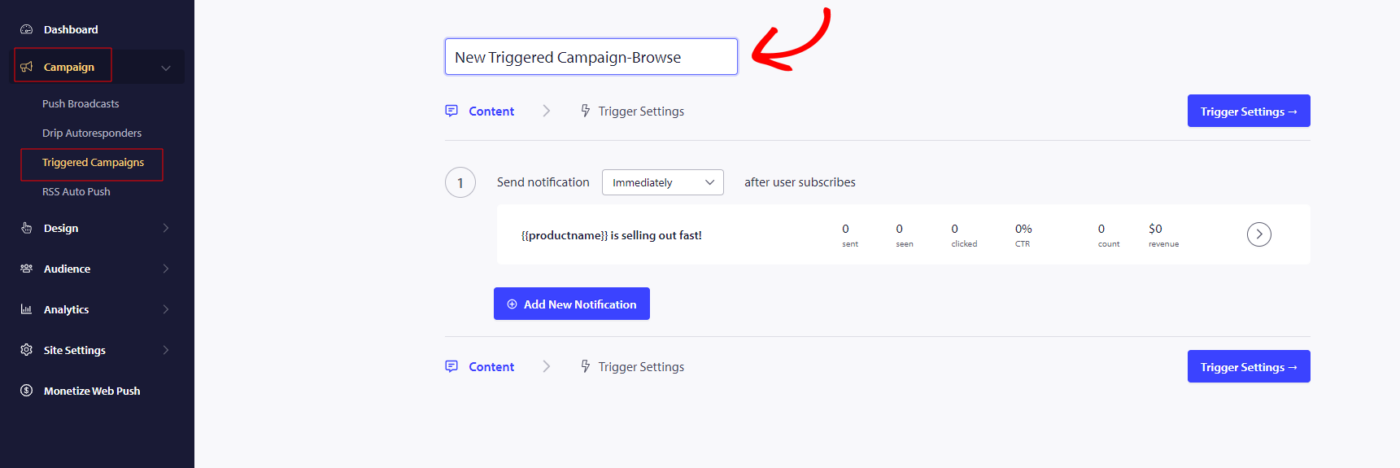
注意:キャンペーン名を追加すると、コード内でも同じ名前になります。そのため、キャンペーンが公開されると変更できなくなるため、正しいキャンペーン名が重要です。

Here you can enter the Campaign Name.

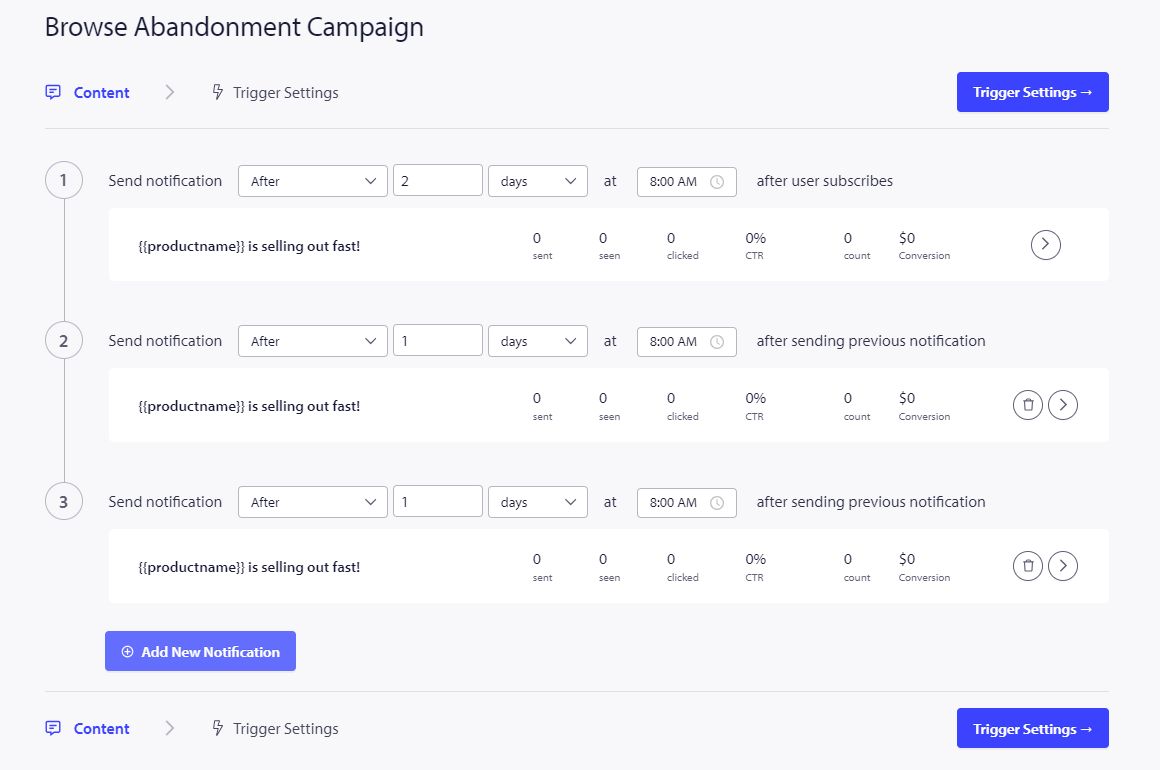
The next step is to configure the journey schedule. You can choose from the following options: send immediately, after a set number of hours and minutes, or on a specific day.

It’s generally not recommended to schedule the campaign to be sent immediately. Instead, allow for at least a 15- or 30-minute delay for the first campaign in the series.

When setting up a series, you need to have at least three campaigns. You can modify the message or title, but make sure not to change any variables if you plan to use them in the campaign.

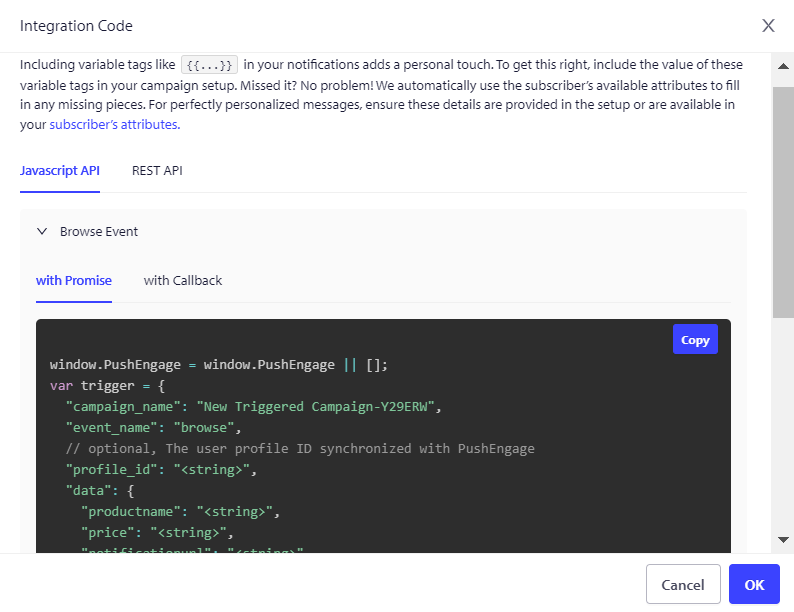
The default variables included in the campaign code are {{productname}}, {{price}}, and {{notificationurl}}.

トリガー設定の管理

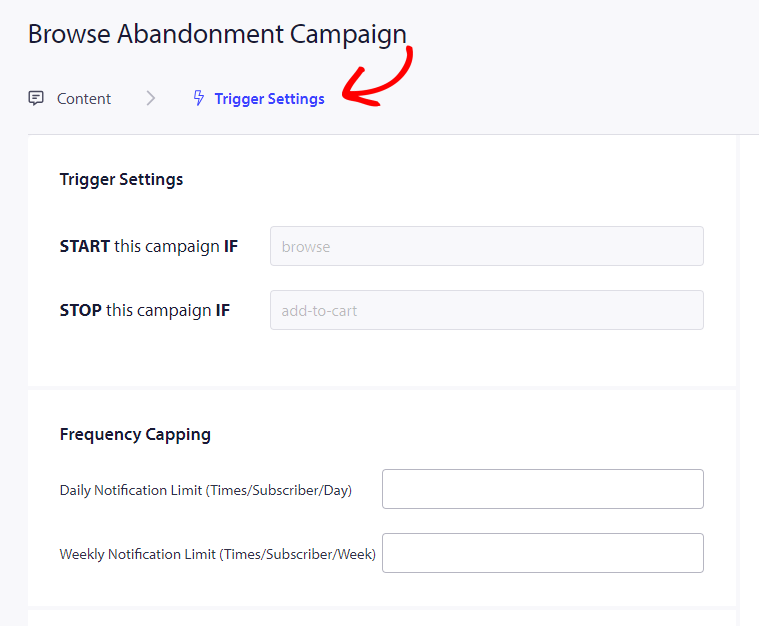
Once you have done adding the notifications details then we move to Trigger Settings.

In this setup, the triggers are predefined. The campaign will start if someone adds a product to their cart but doesn’t complete the checkout. If they do complete the checkout, they won’t receive the cart abandonment notification. However, keep in mind that these events are only defined; they won’t work unless they are implemented on the website.

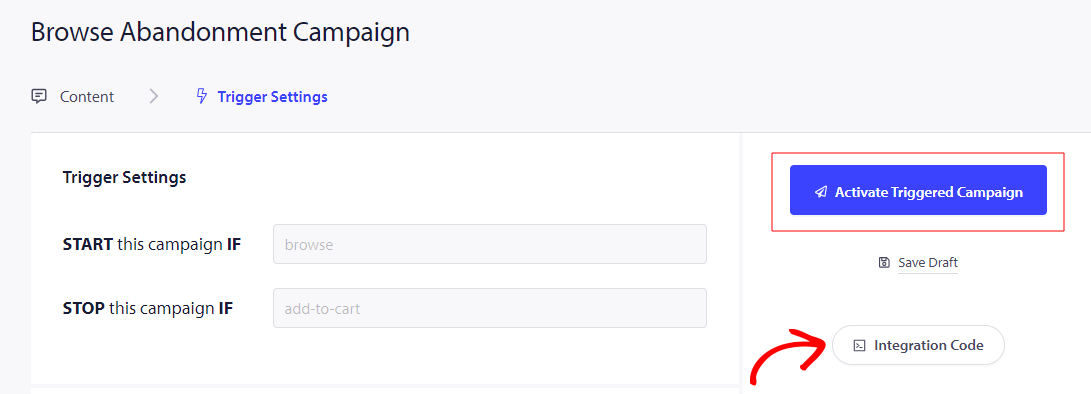
The triggers here are Start Campaign If – browse and Stop Campaign If – add-to-cart

The next step is to establish the daily and weekly trigger limits, which control the number of notifications a subscriber can receive each day and week. For example, if you permit 2 notifications per day, that adds up to a maximum of 14 notifications per week. This helps keep the notification frequency in check.

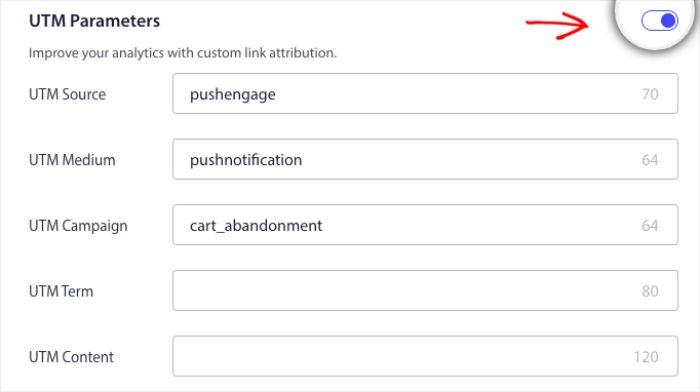
Not to forget you can track analytics in Google Analytics, you can enable UTM Parameters, allowing you to set up specific names that make these campaigns easily identifiable in your reports

Then you have to click on the Integrate Code button, copy the code, and share it with your development team. for implementation.

コードとパーソナライズされた変数の理解

You need to add the product name, price, and notification URL so that it can be passed dynamically with the help of your product team.

For example, if a person browses a Mobile phone, they get a notification specifically about the mobile phone being browsed and leave without adding it to the cart.

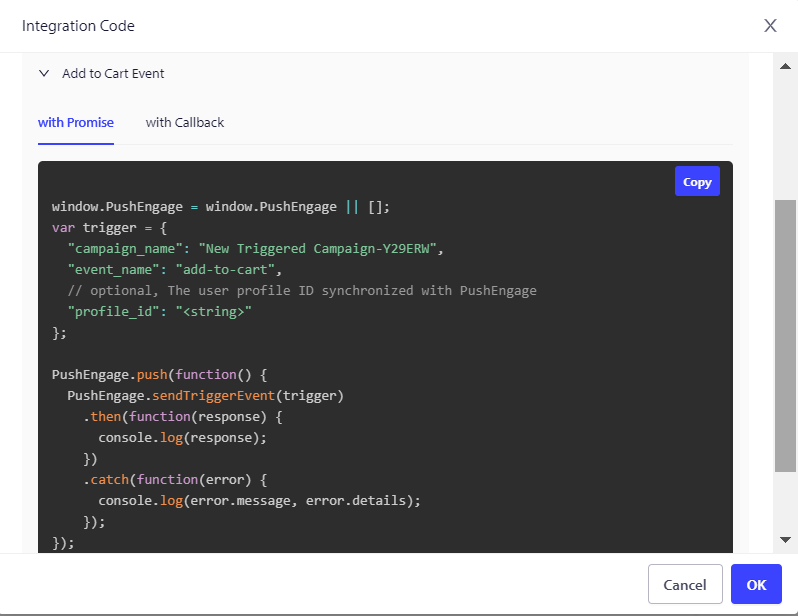
コードは2つの部分で構成されています。最初の部分は開始イベント、2番目の部分は停止イベントです。

1.Browse Event

2.Add to Cart Event

We also offer a Goal Tracking pixel that needs to be placed on the final conversion event to effectively monitor and track your goals. This pixel plays a crucial role in ensuring that all conversions are accurately recorded, allowing you to assess the success of your campaigns and optimize your strategies accordingly.

Troubleshooting Browse Abandonment Campaign

  • キャンペーン名は、コードとPushEngageダッシュボードで同じである必要があります。
  • The PushEngage installation code should be present where the cart abandonment campaign code is present; otherwise, the notifications will not be executed.
  • コードをウェブサイトに配置した後、キャンペーンがダッシュボードでアクティブであることを確認してください。
  • You need to be a web push subscriber of your website; otherwise, you cannot test if you are getting browse abandonment campaigns on your system.

If you run into any issues, please feel free to contact us by clicking here. Our support team would be happy to help you.

最終更新日:2026年3月9日

ウェブサイトを離れた後も訪問者をエンゲージし、維持する

見逃せないプッシュ通知で、すべてのウェブ訪問の価値を高めましょう。

  • 永久無料プラン
  • 簡単なセットアップ
  • 5つ星サポート