クイックインストールの有効化ガイド

Service workers are a very important part of the installation of the Web Push architecture. It helps you collect the subscribers at your domain and deliver the notifications.

If for any reason you are not able to make the service worker publicly accessible in root or any sub-folder, then we will make the changes to the setup, and you will still continue to collect subscribers at the PushEngage subdomain instead of your own domain.

For platforms like Wix, ClickFunnels, Blogger, and Webflow, a few adjustments need to be made in the dashboard after installation. These changes will ensure that subscribers are collected on the PushEngage domain rather than their domain.

In this guide, we’re going to share simple steps to step set-up to enable the Quick install.

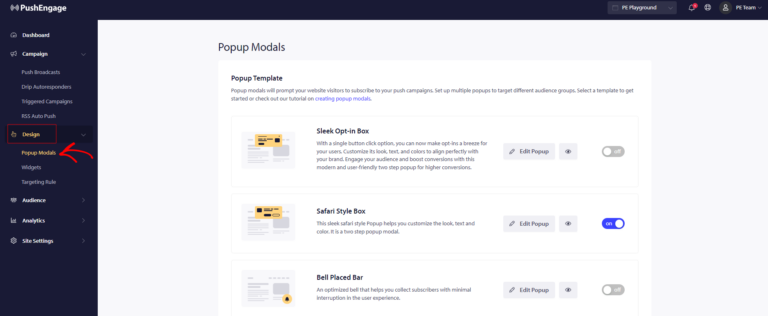
You can navigate to Design » Chosen Popup Style » Edit Popup Style

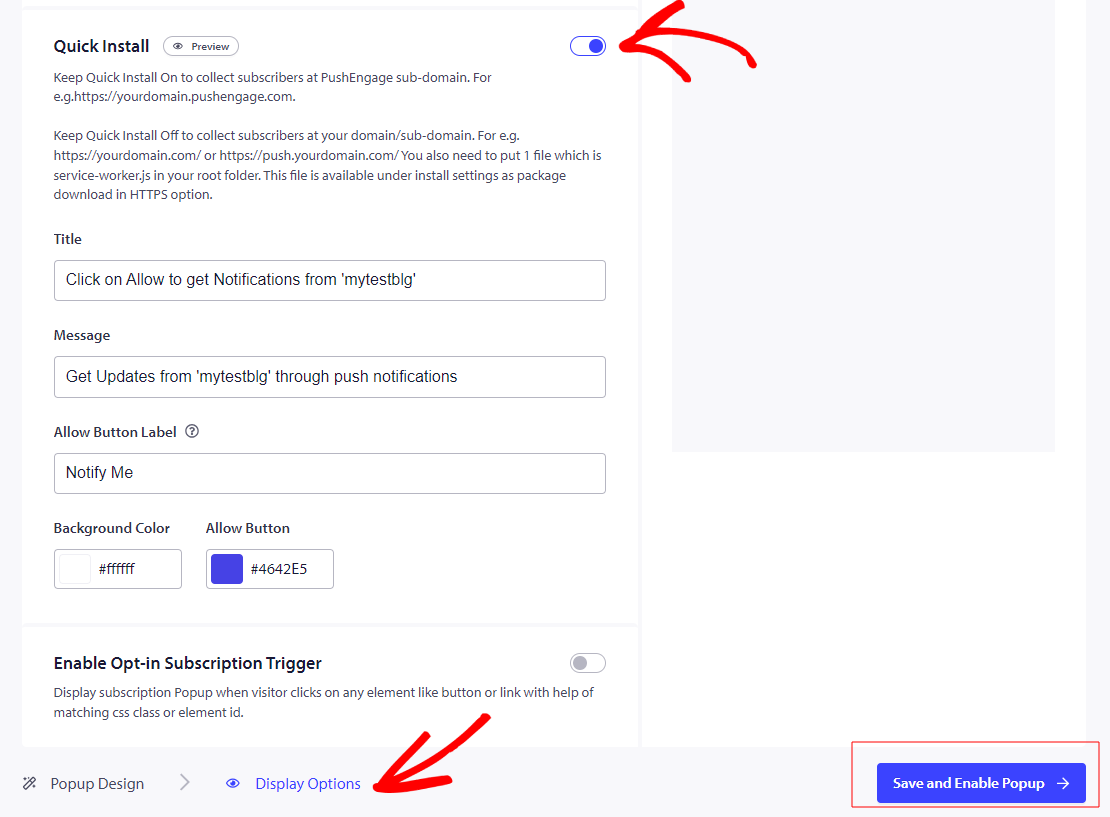
Once you have styled the subscription popup, You need to then move to the Display Option and then scroll to Quick Install Section.

Once the toggle is turned On, we need to finalize the action by clicking “Save and Enable Popup

That’s it, now that you have enable the quick install, you need to ensure that you have a service worker file.

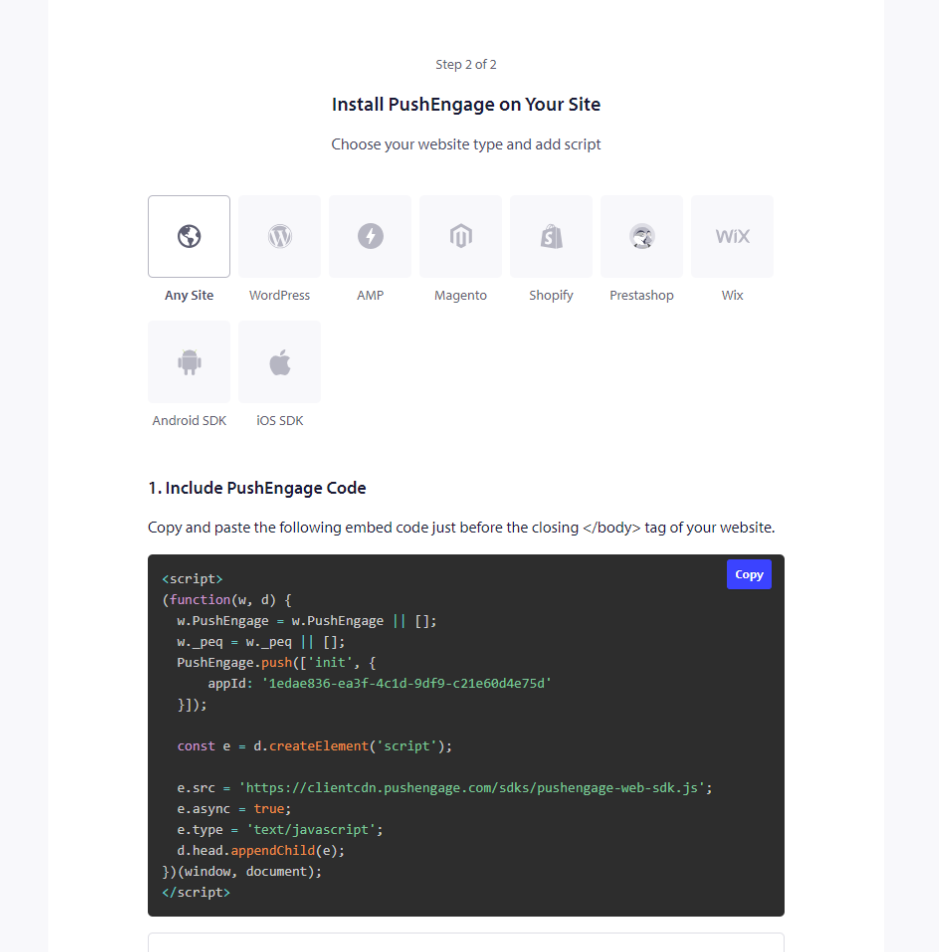
In case you don’t have it. Navigate to Site Settings » Installation

Choose Any Site and move to the second step Download Package File and save in root folder.

If you don’t have access to the root directory you can follow this guide to add through a sub-folder.

Please note, without service worker you will not be able to use Push Single Step Opt-in but you can use any other styles.

That’s all, and your installation is complete. You will receive an opt-in for the subscription when you visit your website.

問題が発生した場合は、こちらをクリックして お気軽にお問い合わせください 。サポートチームがお手伝いします。

最終更新日:2026年3月9日

ウェブサイトを離れた後も訪問者をエンゲージし、維持する

見逃せないプッシュ通知で、すべてのウェブ訪問の価値を高めましょう。

  • 永久無料プラン
  • 簡単なセットアップ
  • 5つ星サポート