Les campagnes Drip ou les Autoresponders Drip sont un nouveau concept dans les notifications Web Push. Nous allons essayer de vous faciliter la tâche et de décrire les étapes spécifiques pour les exécuter dans PushEngage.
Vous pouvez activer une campagne d'autorépondeur de notifications push Web et l'envoyer à tous les utilisateurs abonnés ou à une liste/segment d'utilisateurs dans PushEngage. Pour segmenter vos utilisateurs en listes spécifiques, cela peut se produire sur des pages spécifiques, ou lorsque l'utilisateur s'abonne spécifiquement à un programme de notifications.
Comment utiliser les campagnes goutte à goutte dans les notifications push Web ?
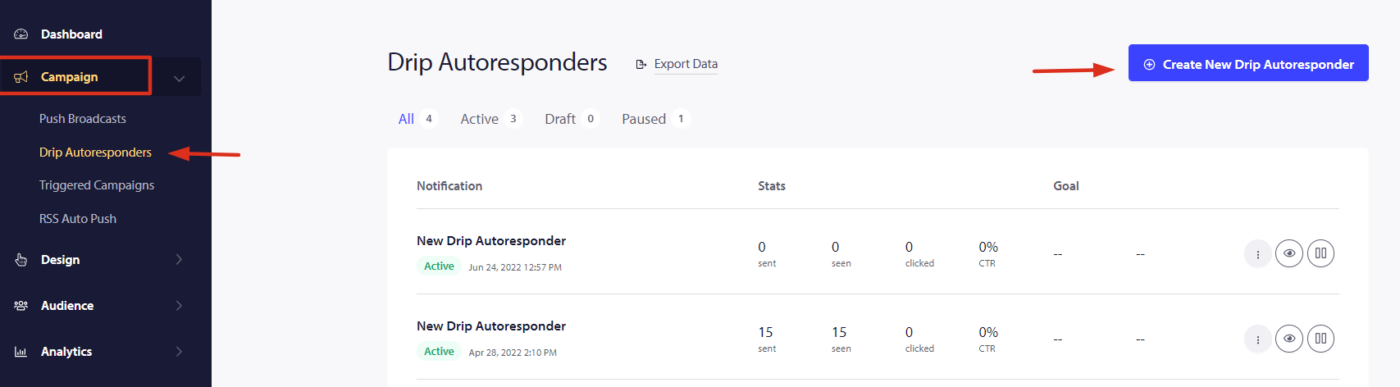
Étape 1 – Connectez-vous à votre tableau de bord PushEngage et accédez à Campagne > Goutte à goutte Autorépondeur. Cliquez sur « Créer un nouvel autorépondeur goutte à goutte ».
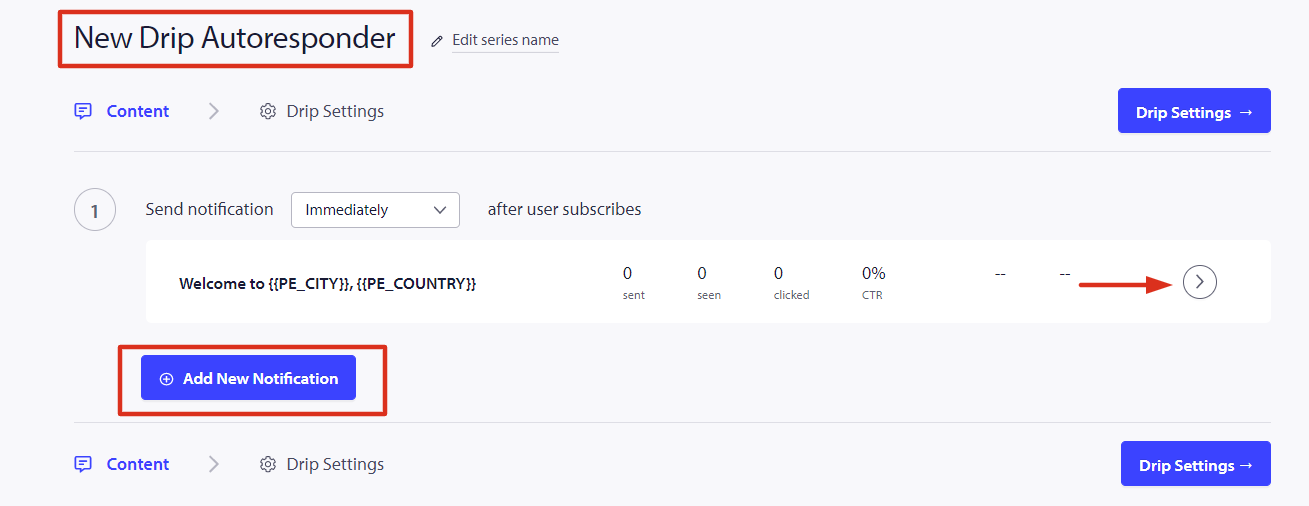
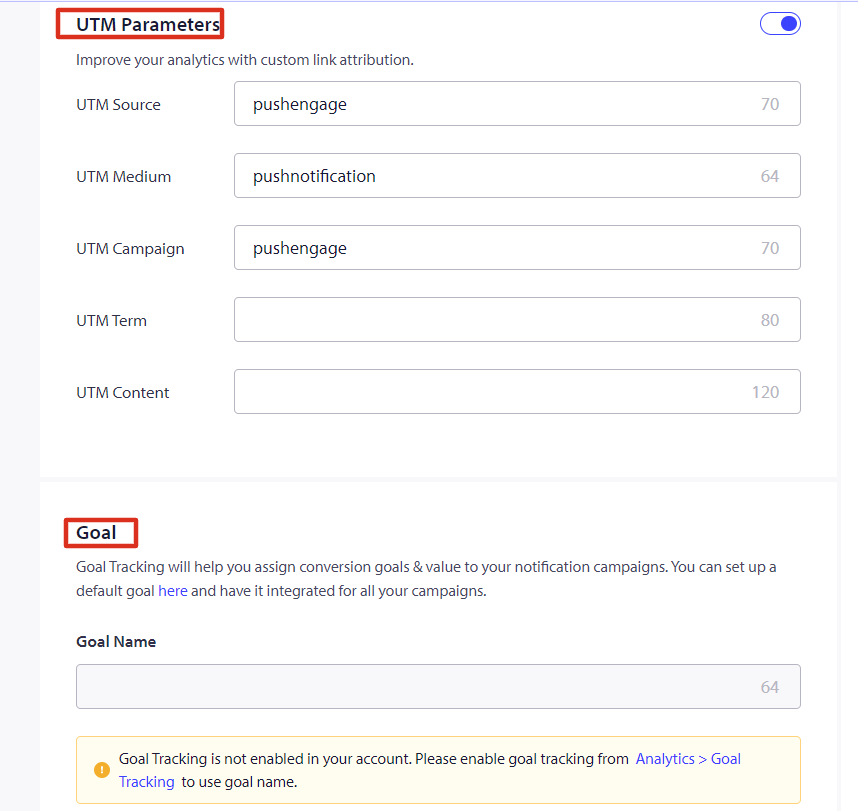
Étape 2 – Créez maintenant la série d'autorépondeurs et nous configurons les variables UTM pour le suivi.
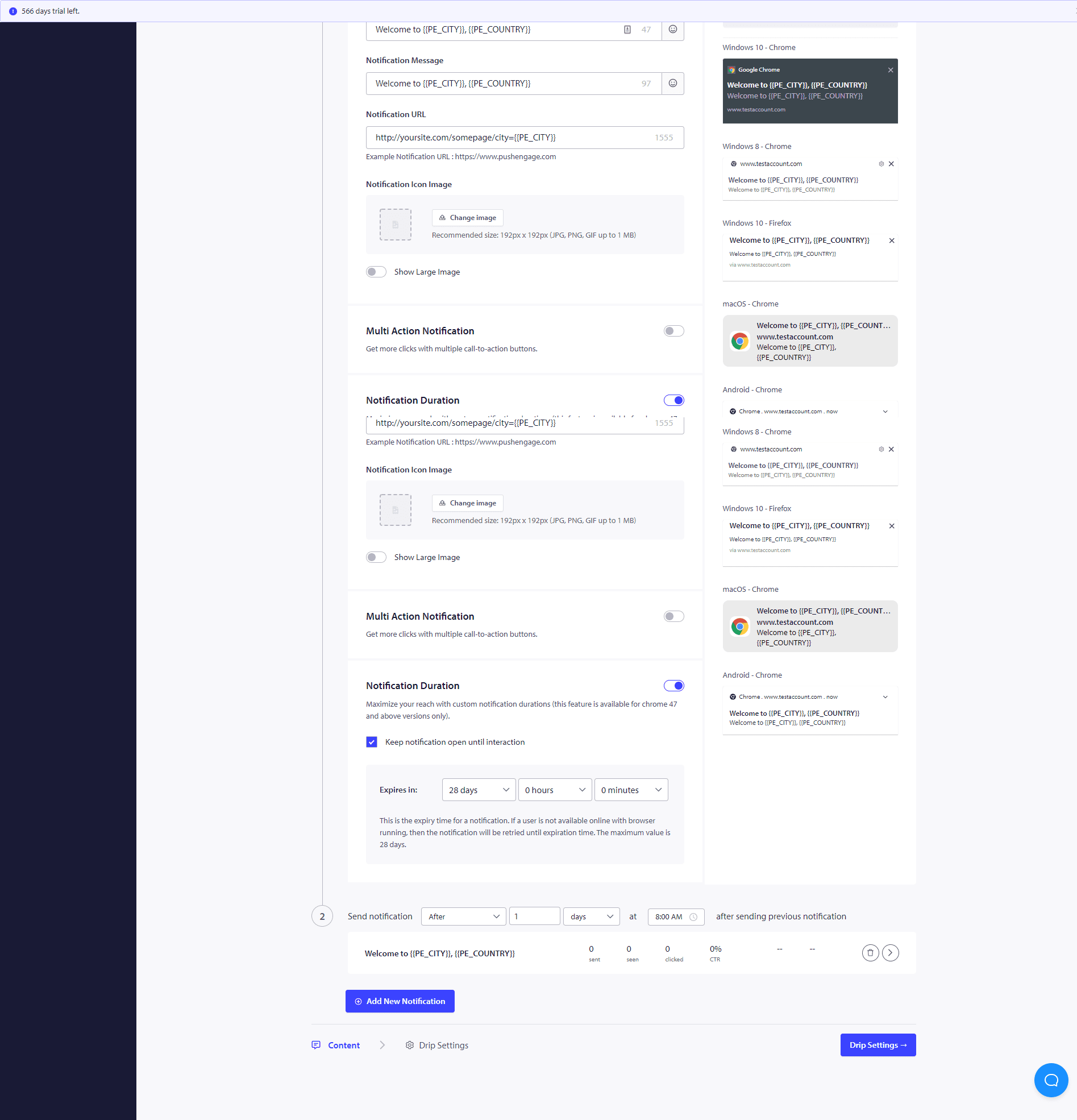
Étape 3 – Définir le délai – Créez maintenant une série de notifications à envoyer après 10 minutes ou 1 heure et après 1 jour, par exemple.
Une fois que vous avez terminé ces campagnes goutte à goutte, vous souhaiterez voir les performances de chaque étape de notification. Pour cela, visitez les analyses de l'autorépondeur et cliquez sur la campagne goutte à goutte que vous venez de créer.
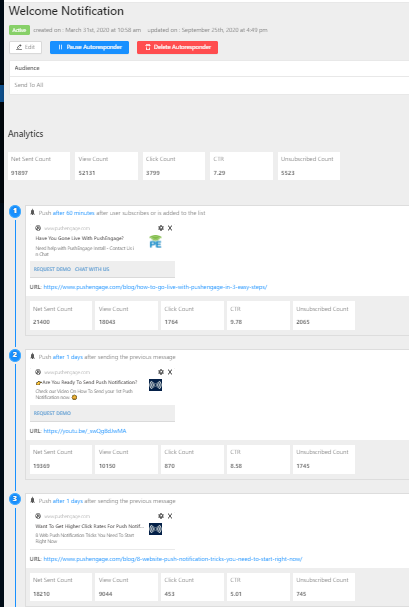
Votre autorépondeur goutte à goutte est prêt. C'est tout, asseyez-vous et regardez le trafic augmenter, les visiteurs s'engager et revenir sur votre site grâce aux campagnes goutte à goutte.
Comment personnaliser la campagne goutte à goutte ?
Pour personnaliser la goutte à goutte ou si vous souhaitez l'envoyer à un groupe particulier de personnes/segment ou à une géolocalisation, vous pouvez sélectionner le nom du segment pertinent ou la géolocalisation que vous souhaitez notifier dans le menu déroulant.
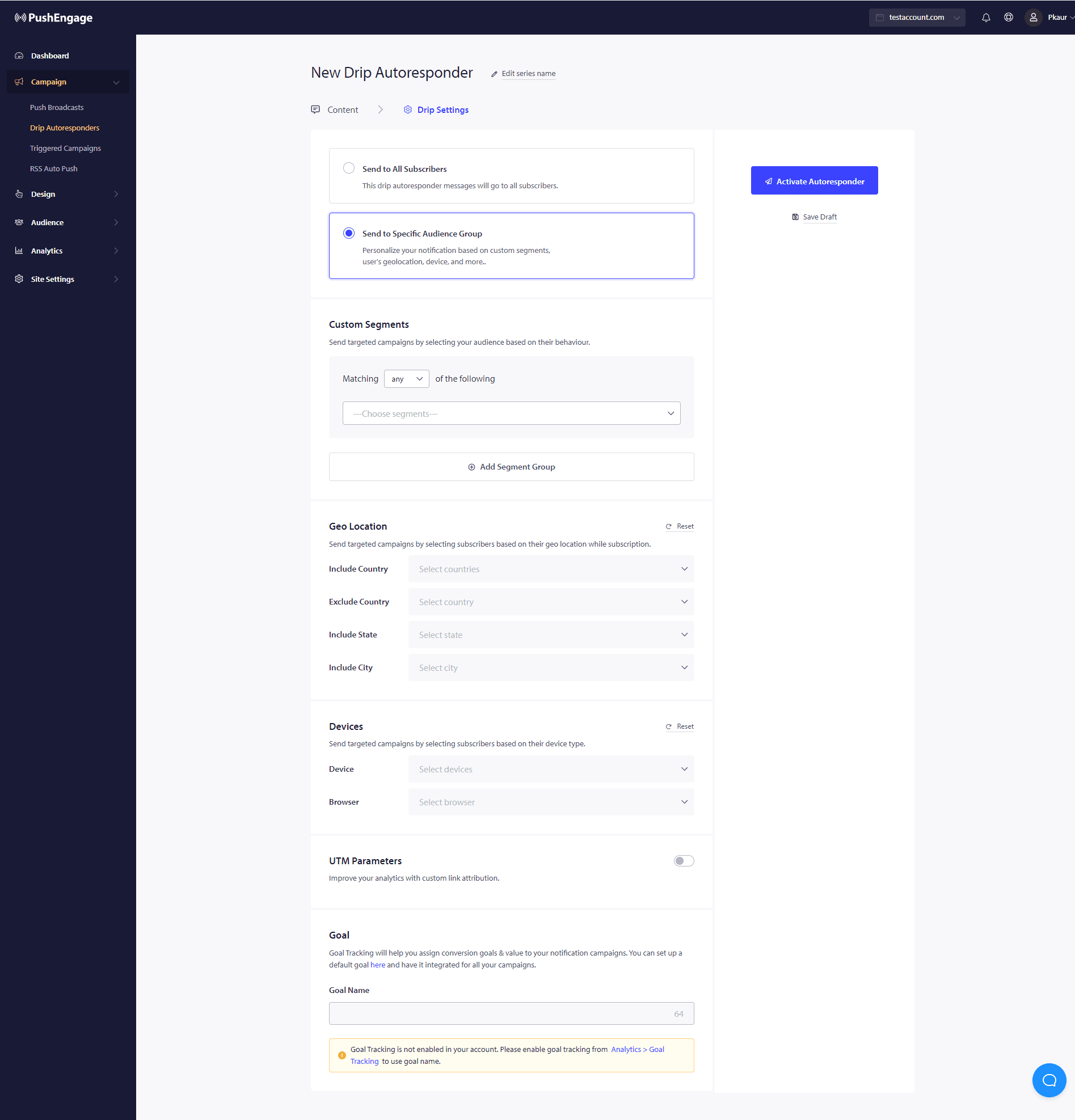
De plus, cette campagne peut être utilisée pour créer des campagnes d'abandon de formulaire, de panier et de navigateur à l'aide de notifications goutte à goutte.
Si vous rencontrez des problèmes, n'hésitez pas à nous contacter en cliquant ici. Notre équipe de support pourra vous aider.