Vous pouvez facilement cibler une géographie particulière – Pays, État ou Ville dans les campagnes push de PushEngage. PushEngage offre une segmentation géolocalisée dans le cadre de sa segmentation par défaut, ce qui permet de cibler des clients basés sur des segments en fonction de la géographie à laquelle ils se sont abonnés pour les campagnes push.
Des campagnes correctement ciblées donnent un ROI plus élevé. Lorsque vous devez envoyer des notifications à un segment d'abonnés dans une seule région particulière, cela peut vous donner une chance de portée plus élevée. Vous pouvez essayer de cibler les personnes en fonction de la géographie par deux méthodes.
- Diffusions Push
- Auto-répondeurs par paliers
Ciblage des abonnés basé sur la géolocalisation dans les diffusions push
Les diffusions push sont des campagnes générales que vous pouvez utiliser pour cibler vos abonnés. Vous pouvez créer la campagne push, puis passer à l'onglet Audience » Envoyer au groupe d'audience spécifique > Faites défiler jusqu'à la section Géolocalisation.
Ciblage des abonnés basé sur la géolocalisation dans les répondeurs automatiques Drip
Les répondeurs automatiques Drip sont comme une série de campagnes push que vous pouvez créer comme un parcours, soit pour tous vos abonnés, soit pour une audience spécifique.
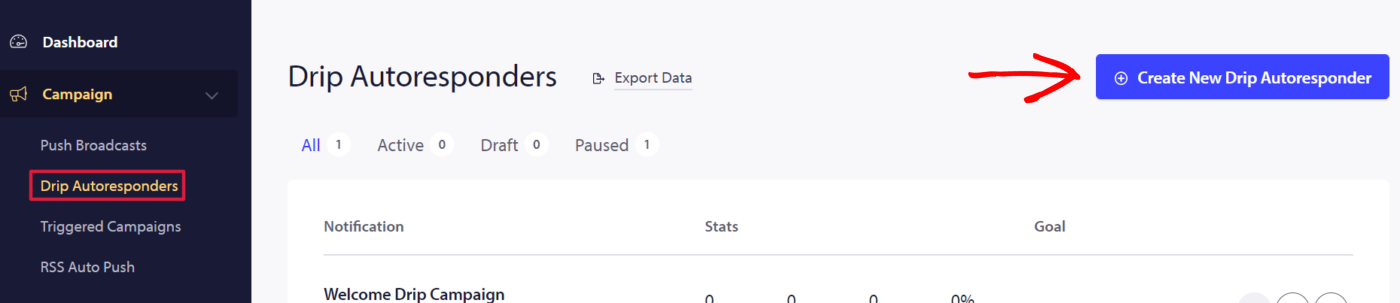
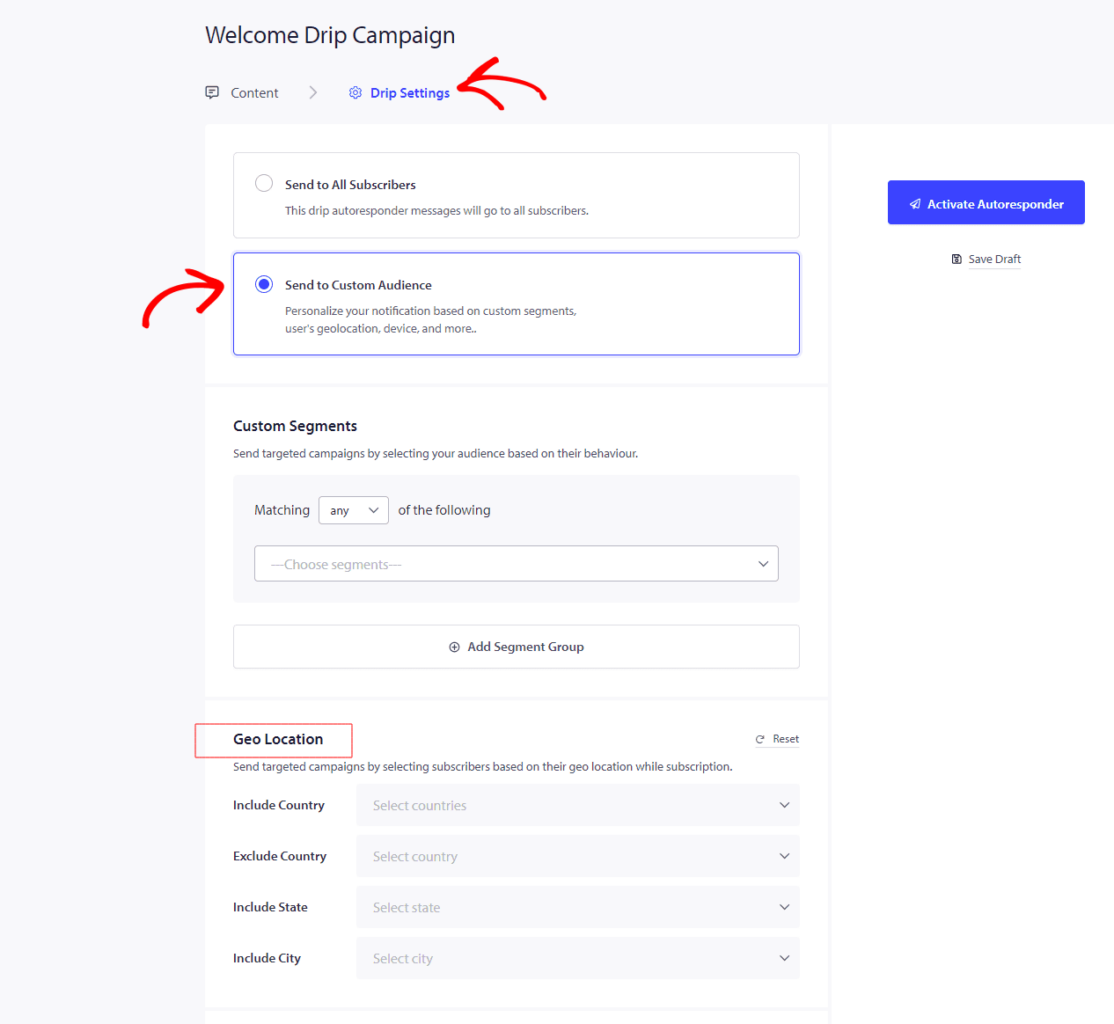
Pour créer un répondeur automatique Drip et cibler une géographie spécifique. Vous pouvez naviguer dans Campagnes » Répondeur automatique Drip » Nouveau répondeur automatique Drip » Paramètres Drip » Envoyer à un groupe d'audience spécifique » faites défiler jusqu'à Géolocalisation.
Ici, vous pouvez choisir d'inclure/exclure un pays, d'inclure un État ou d'inclure une ville. Vous pouvez choisir un ou plusieurs pays/états/villes.
Si vous rencontrez des problèmes, n'hésitez pas à nous contacter en cliquant ici. Notre équipe de support pourra vous aider.